Overview

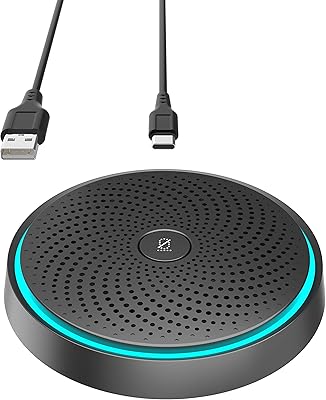
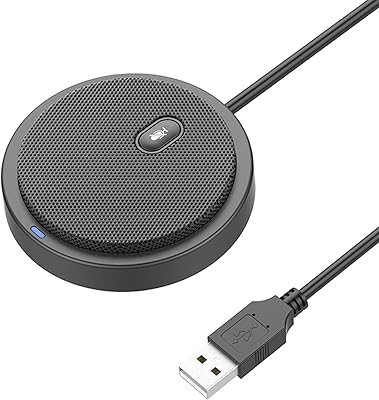
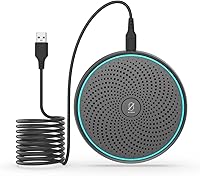
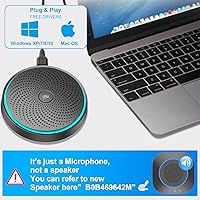
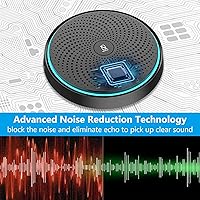
The ANSTEN OSM09 Conference USB Microphone is a compact, no-fuss condenser mic built for small group calls and remote work setups where simplicity matters. One thing to flag upfront: this conference mic is a microphone only — there is no built-in speaker, which catches a surprising number of buyers off guard. It connects via a USB-C to USB-A cable (included), and your computer recognizes it instantly with no driver installation required. At roughly the size of a hockey puck and weighing under 2 oz, it slips into a jacket pocket without a second thought. This is a budget-tier workhorse, not a boardroom centerpiece.
Features & Benefits

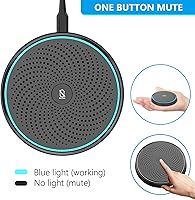
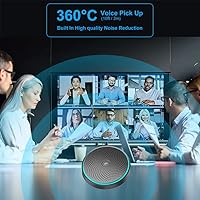
The omnidirectional polar pattern is the standout spec here — it pulls in sound from a full 360 degrees, meaning everyone seated around a small table gets picked up without anyone leaning in. The condenser capsule covers a 20Hz–20kHz frequency range, which is more than adequate for clear, natural voice reproduction on video calls. An 88dB signal-to-noise ratio keeps the audio floor impressively quiet for a device at this price. The hardware mute button with an LED indicator is genuinely useful; one press kills the signal instantly, no digging through software menus. The flat puck design — just 0.51 inches tall — sits unobtrusively on any desk without blocking sight lines.

Best For

This USB desk microphone is a natural fit for remote workers and students who spend their days on video calls from a home office — especially anyone tired of sounding muffled through a laptop's built-in mic. Small teams of four to six people sharing one machine in a huddle room will also get solid value; the 3-meter pickup range is realistic for that kind of tight, enclosed space but won't cover a large open-plan area. Teachers running online classes benefit from the hands-free, always-on capture without fiddling with settings. And frequent travelers will appreciate the pocket-sized form factor, which means one less bulky accessory to pack.

User Feedback

Buyers are largely positive, with voice clarity on calls being the most repeated compliment — people consistently report that participants hear them noticeably better than through a laptop's built-in audio. The mute button earns its own praise; reviewers appreciate cutting the mic instantly without fumbling through app menus mid-meeting. On the critical side, users in echo-prone rooms note that the omnidirectional pickup doesn't discriminate — it grabs room reverb just as readily as voices, so the environment matters. A handful of buyers found the 6 ft cable a bit short for larger desk setups. And a recurring complaint: some purchasers didn't realize this mic has no speaker until it arrived.

Pros

  • Instant plug-and-play setup works on Windows, macOS, and Chrome OS with zero driver installation.
  • 360-degree omnidirectional pickup lets a group of four to six people sit naturally without crowding the mic.
  • Hardware mute button with LED indicator silences the mic in one press, no software window required.
  • Weighs under 2 oz and fits in a pocket, making it one of the most packable options in its category.
  • Voice clarity on calls is a consistent highlight from buyers who previously relied on laptop microphones.
  • The 88dB signal-to-noise ratio keeps background hiss impressively low for a budget-tier condenser mic.
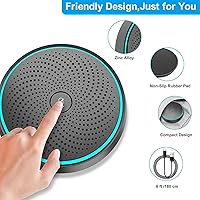
  • Flat puck design with a rubberized base stays put on a desk and never obstructs a laptop screen.
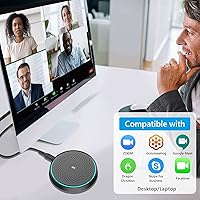
  • Works straight out of the box for most common conferencing platforms including Zoom, Teams, and Meet.
  • The included USB-C to USB-A cable means most users have everything they need in the box on day one.

Cons

  • No built-in speaker — this conference mic is microphone-only, which genuinely surprises a notable share of buyers.
  • The 6 ft cable is limiting for larger desks or conference tables where the laptop sits at a distance.
  • Omnidirectional pattern picks up room echo and ambient noise indiscriminately in untreated spaces.
  • The noise-reduction chip handles light background hum but will not tame a loud or variable environment.
  • USB-A connector on the computer end requires an adapter for modern laptops with only USB-C ports.
  • LED mute indicator is small and difficult to read clearly under bright or natural lighting conditions.
  • Linux, Android, Raspberry Pi, and Xbox are explicitly unsupported, limiting use for technical or non-standard setups.
  • The plastic housing feels noticeably hollow, and the cable junction shows flex that may affect long-term durability.
  • Solo users who only need to capture their own voice may find better-focused options at a comparable price.

Ratings

The ANSTEN OSM09 Conference USB Microphone has been scored by our AI system after analyzing verified buyer reviews from global markets, with spam, bot-submitted, and incentivized feedback actively filtered out. The ratings below reflect real-world usage patterns across home offices, classrooms, and small meeting rooms — strengths and frustrations alike are represented without softening. Whether this conference mic earns a place on your desk or falls short for your use case, you will find an honest answer in the breakdown below.
Voice Clarity on Calls
83%
For everyday video calls on Zoom, Teams, or Google Meet, this conference mic consistently delivers voices that sound clear and present — a meaningful step up from the tinny audio most laptop mics produce. Remote workers and teachers frequently note that meeting participants stop asking them to repeat themselves after switching to it.
Clarity starts to drop when multiple people speak simultaneously at the edges of the 3-meter range, and in rooms with hard floors or bare walls, the condenser capsule picks up a noticeable reverb tail that muddies conversation.
Omnidirectional Pickup Coverage
78%
22%
The 360-degree polar pattern genuinely earns its keep in small huddle rooms, letting four to six people sit naturally around a table without anyone leaning toward the mic. Users in home offices appreciate that they can move around slightly without the audio dropping out.
Omnidirectional means the mic cannot distinguish between wanted voices and room noise — HVAC hum, keyboard clatter, and street noise all get captured with equal enthusiasm. Buyers in acoustically untreated spaces report noticeably worse results than those in quiet, carpeted rooms.
Ease of Setup
94%
Plug-and-play is not a marketing stretch here — every major operating system recognizes this USB desk microphone instantly with zero driver installation. Users switching between a MacBook and a Windows laptop mid-week report that the transition takes seconds.
The USB-C to USB-A cable is the only connection option, so users with modern USB-C-only laptops will need an adapter that is not included. A small but recurring frustration for those with newer MacBook Pros or Dell XPS machines.
Mute Button Usability
89%
The physical mute button with an LED indicator is one of the most praised features by daily users — pressing it once kills the signal immediately, with no software window to dig through. Teachers managing online classes and remote workers on back-to-back calls find it genuinely useful for quick coughs or side conversations.
The LED indicator is small and not particularly bright, making it hard to confirm mute status at a glance in a sunlit room. A few reviewers also noted the button travel feels slightly mushy compared to premium competitors.
Background Noise Reduction
61%
39%
The built-in chip takes the edge off steady-state background noise like a distant fan or light air conditioning, and most call participants will not notice minor ambient sounds during normal conversation. For home office environments that are reasonably quiet, it performs adequately.
This is not a dedicated noise-cancellation system — it is a basic filtering chip, and it behaves like one. Louder or variable background noise such as a barking dog, a passing truck, or a noisy open-plan office will cut straight through, and buyers expecting professional-grade noise suppression will be disappointed.
Build Quality & Materials
67%
33%
The flat puck form factor feels solid enough for daily desk use, and the rubberized base keeps it from sliding around during meetings. For a budget-tier device, the physical construction feels more substantial than the price might suggest.
The plastic housing has a hollow feel when tapped, and the USB cable connection point at the mic end shows some flex that raises questions about long-term durability. Several reviewers who travel frequently mention the cable junction feels like the most likely failure point over time.
Portability & Form Factor
91%
At 1.76 oz and roughly the footprint of a drink coaster, this conference mic is one of the most packable options in its category. Consultants and educators who move between offices and classrooms regularly appreciate that it adds almost nothing to a laptop bag.
The 6 ft cable, while sufficient for a home desk, gets awkward when wrapped and stuffed into a bag repeatedly — there is no cable management solution included. A few traveling users have also reported fraying at the cable ends after several months of packing and unpacking.
Cable Length
58%
42%
Six feet is workable for a standard desk setup where the laptop sits within arm's reach, and most users at a personal workstation will not find themselves stretching the cable.
For larger conference tables or setups where the laptop sits to one side of the room, 6 ft falls short. A notable portion of reviewers explicitly wished for a 10 ft cable option, and the lack of a longer variant is a genuine gap for small-business users.
Compatibility
88%
Windows 7 through 10, macOS, and Chrome OS all work without any configuration, and buyers across a wide range of machines — including older corporate laptops — confirm the mic is recognized automatically. IT staff in small organizations appreciate not having to touch driver settings.
Linux, Android, Raspberry Pi, and Xbox are explicitly unsupported, which matters to the technically adventurous subset of buyers. A handful of reviewers discovered this limitation only after purchase, making it a case where the product listing deserves more prominent callouts.
Value for Money
86%
Measured against the laptop mic it replaces, this USB desk microphone delivers a disproportionate improvement in perceived audio quality for very little outlay. Budget-conscious buyers — students, freelancers, small business owners — consistently rate it as one of the smarter inexpensive upgrades they have made to a home office.
Compared to slightly higher-priced competitors with cardioid polar patterns and dedicated noise-cancellation hardware, the value equation weakens for solo users who do not need omnidirectional pickup. The sweet spot is clearly multi-person use; solo users may find better options at a small price premium.
LED Mute Indicator Visibility
53%
47%
Having any visual mute confirmation at this price point is a bonus, and in dim or indoor lighting conditions the LED does its job well enough for most users to trust the mic status at a glance.
In bright office lighting or near a window, the small LED is genuinely difficult to see, and several users report accidentally joining calls still muted because they misjudged the indicator. A brighter or larger LED would be a simple fix that would meaningfully improve the daily experience.
Audio Frequency Range
79%
21%
The 20Hz–20kHz response range covers the full spectrum of human speech with headroom to spare, and voices come through with a natural tonal quality that avoids the honky, mid-heavy coloring common in cheap mics. For video call purposes, this spec punches above its category.
The real-world frequency performance is bounded by the condenser capsule quality, and close listening reveals a slight roll-off in the lower mids that makes male voices with naturally deep registers sound slightly thinner than they do in person.
No-Speaker Limitation
44%
56%
For buyers who already have a separate speaker or headphones — which is most professional setups — the microphone-only design is a non-issue and keeps the device focused on what it does well.
A meaningful number of buyers expected a speakerphone experience and received only half of one. The product listing mentions the absence of a speaker, but not prominently enough — this is the single most common source of one-star reviews from otherwise satisfied users who felt misled.

Suitable for:

The ANSTEN OSM09 Conference USB Microphone is a practical choice for remote workers, students, and educators who spend significant time on video calls and need a reliable audio upgrade without a complicated setup. It shines in small, reasonably quiet rooms — a home office, a dorm, a private study — where its 360-degree pickup can cover a group of four to six people sitting around a single laptop without anyone awkwardly leaning in. Teachers running online classes will appreciate the hands-free design and the responsive hardware mute button, which makes managing a live session far less stressful than fumbling through software menus. Frequent travelers and field workers who need a capable conferencing tool that fits in a jacket pocket will also get genuine value from this conference mic. If your primary goal is simply to sound noticeably better than your laptop's built-in microphone on daily calls, this USB desk microphone accomplishes that reliably and without any technical fuss.
Not suitable for:

The ANSTEN OSM09 Conference USB Microphone is not a speakerphone — it captures audio only and has no built-in speaker, so buyers expecting a full huddle-unit experience will need to pair it with a separate speaker or headphones. Anyone working in an acoustically harsh environment — open-plan offices, rooms with hard floors and bare walls, or spaces with persistent HVAC noise — will find the omnidirectional polar pattern works against them, capturing the room's problems just as readily as voices. Solo podcasters, voiceover artists, or anyone recording content for later editing should also look elsewhere; the condenser capsule here is tuned for intelligible speech on calls, not the flat, controlled capture that audio production requires. Users with modern USB-C-only laptops should note that the included cable is USB-A on the computer end, meaning an adapter will be needed and is not in the box. And if a longer cable is a necessity — for a larger meeting table or a desk where the computer sits more than a few feet away — the 6 ft cable will likely feel restrictive before long.
Specifications

  • Polar Pattern: Omnidirectional, capturing sound equally from all 360 degrees around the microphone.
  • Transducer Type: Condenser capsule, suited for capturing clear, natural speech in close-range environments.
  • Frequency Response: 20Hz–20kHz, covering the full range of human speech with headroom on both ends.
  • Signal-to-Noise Ratio: 88dB A-weighted, which keeps the audio noise floor low for a device in this price category.
  • Sensitivity: -38dB ±3dB, providing adequate pickup sensitivity for normal conversational voice levels at close range.
  • Bit Depth: 16-bit audio resolution, standard for voice conferencing and online communication applications.
  • Pickup Range: Effective pickup up to 3 meters, practical for small enclosed rooms with four to six participants.
  • Connector: USB-C on the microphone end, connecting to the computer via the included USB-C to USB-A cable.
  • Cable Length: 1.8 meters (approximately 6 ft), sufficient for most standard desk setups with nearby computers.
  • Dimensions: 3.54 × 3.54 × 0.51 inches (9.0 × 9.0 × 1.3 cm), a flat puck form factor that sits low on any surface.
  • Weight: 1.76 oz (50g), light enough to carry daily in a laptop bag or jacket pocket without noticeable bulk.
  • Power Source: USB bus-powered directly from the connected computer; no battery or external power adapter required.
  • OS Compatibility: Compatible with Windows 7, 8, 8.1, and 10, macOS 7 or higher, and Chrome OS out of the box.
  • Speaker Function: Microphone only — this device has no built-in speaker and cannot function as a speakerphone.
  • Mute Control: Physical hardware mute button with an LED status indicator for instant one-press muting during calls.
  • Ideal Group Size: Designed for groups of four to six people seated within a small meeting room or huddle space.
  • Driver Requirement: No driver installation required; the device is recognized automatically as a standard USB audio input.
  • Incompatible Platforms: Not compatible with Raspberry Pi, Linux, Android, or Xbox; intended for Windows, macOS, and Chrome OS only.

Related Reviews

TONOR TM20
TONOR TM20
78%
83%
Voice Clarity
71%
Noise & Echo Handling
96%
Ease of Setup
91%
Mute Button & LED Indicator
76%
Omnidirectional Coverage
More
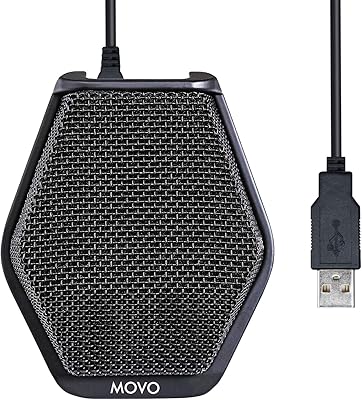
Movo MC1000
Movo MC1000
75%
84%
Pickup Range & Coverage
67%
Audio Clarity
93%
Ease of Setup
81%
Headphone Monitoring
54%
Background Noise Rejection
More
WISE TIGER USB Conference Microphone
77%
94%
Ease of Setup
76%
Audio Clarity for Calls
58%
Noise & Background Pickup
91%
Mute Button Functionality
63%
Build Quality & Durability
More
Bonke UM02
Bonke UM02
78%
94%
Ease of Setup
71%
Audio Clarity
63%
Noise Handling
78%
Build Quality
82%
Mute Button
More
TONOR G11 Conference USB Microphone
81%
96%
Ease of Setup
83%
Voice Clarity
77%
Omnidirectional Pickup Range
52%
Background Noise Rejection
81%
Build Quality
More
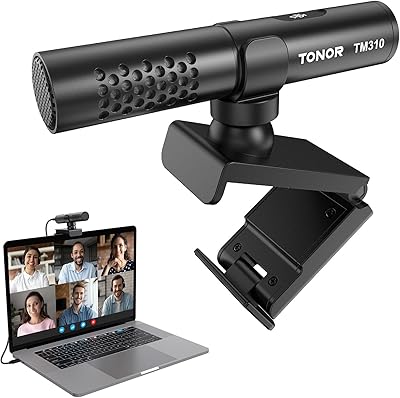
TONOR TM310
TONOR TM310
79%
83%
Voice Clarity
76%
Noise Rejection
68%
Noise Reduction Feature
94%
Ease of Setup
79%
Clip Design & Mounting
More
Neat Microphones Skyline USB Desktop Condenser Microphone
89%
94%
Audio Quality
91%
Ease of Use
89%
Build Quality
90%
Mute Button Functionality
92%
Value for Money
More
ROCCAT Torch USB Microphone
86%
92%
Audio Quality
88%
Ease of Use
85%
Microphone Sensitivity
89%
Versatility (Pickup Patterns)
91%
RGB Lighting & Visual Feedback
More
JLab Talk USB Microphone
89%
94%
Audio Clarity
91%
Directional Pattern Versatility
96%
Ease of Setup
82%
Build Quality
87%
Portability
More
Logitech USB Desktop Gooseneck Microphone
73%
93%
Ease of Setup
79%
Voice Clarity
71%
Noise Isolation
68%
Build Quality
82%
Gooseneck Flexibility
More

FAQ

No — and this is probably the most important thing to know before buying. The ANSTEN OSM09 Conference USB Microphone is a microphone only; it captures voices but has no speaker built in. You will need a separate speaker, monitor, or headphones to hear the other party on a call.
Not at all. Just plug the USB-A end into your computer and it is immediately recognized as an audio input device on Windows, macOS, and Chrome OS. No downloads, no configuration screens — it works exactly like a plug-and-play USB device should.

It is designed for four to six people sitting within roughly 3 meters of the mic. In a small, quiet room that works well. Beyond that range or with more people, voices at the edges start to sound thinner and the omnidirectional pattern picks up more room noise alongside the voices.

The microphone itself has a USB-C connector, but the included cable has a USB-A plug on the computer end. If your laptop only has USB-C ports, you will need a USB-C to USB-A adapter, which is not included in the box. It is worth having one ready before your first call.

Yes, all three platforms — and most other major conferencing apps — recognize it automatically because the operating system presents it as a standard USB audio input. There are no special drivers or app-specific settings needed.

In a dim room it is reasonably easy to check at a glance. In bright daylight or near a window, though, the LED is small enough that several users have reported misjudging the mute state. If you work in a bright environment, it is worth double-checking in your conferencing app as a backup.

The built-in chip takes the edge off light, steady-state background noise such as a distant fan or quiet AC unit. It is not a sophisticated noise-cancellation system, though, so louder or variable sounds — typing, traffic, or voices from another room — will still be picked up. A quiet room makes a bigger difference than any chip-level filtering at this price point.

For most personal desk setups where the laptop sits within arm's reach, 6 ft is fine. If you have a larger desk, a conference table, or a setup where the computer sits off to the side, it can feel tight. There is no option for a longer cable, so an extension cable would be needed in those cases.

It will technically record audio, but it is not the right tool for that job. The omnidirectional polar pattern picks up the entire room rather than focusing on one voice, and the condenser capsule is tuned for intelligible speech on calls rather than the controlled, flat capture that production work requires. A dedicated cardioid USB mic would serve a podcaster or voiceover artist much better.

The base has a rubberized coating that grips most desk surfaces well enough to prevent casual movement. It is not weighted or suctioned, so a hard tug on the cable can shift it, but during normal sitting use it stays in place reliably.