Overview
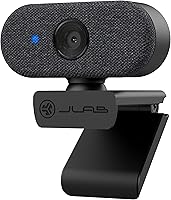
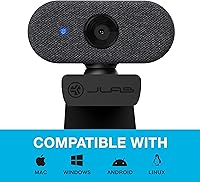
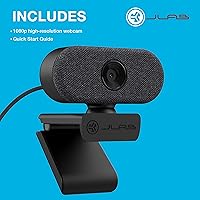
The JLab Go Cam 1080p USB Webcam is exactly what it promises to be: a no-drama, plug-and-play option built for people who just want to get on a call without fussing over drivers or settings. Clip it onto your monitor, connect the USB-A cable, and you're live — no software installs, no configuration headaches. It works natively with Windows, Mac, and Chromebook, which is genuinely useful and not always guaranteed at this price level. The form factor is compact and discreet, sitting cleanly on any display without cluttering your desk. Expectations matter here: this is a budget-tier webcam, and it performs solidly within that bracket.
Features & Benefits
The Go Cam shoots at 1080p and 30fps using a 1/2.7-inch CMOS sensor, delivering clear, detailed video when lighting cooperates. The fixed-focus lens covers a 75-degree field of view — wide enough for a solo presenter at a desk, though unlike autofocus models you cannot adjust sharpness on the fly, which is an honest trade-off worth knowing upfront. The built-in omni-directional microphone captures voice naturally across a reasonable range, though it does pick up ambient room noise in open or echoey spaces. A 6.5-foot USB-A cable adds real desk flexibility, and at just 118 grams, portability is genuine, not just a spec sheet claim.
Best For
This compact webcam is a strong fit for remote workers and students who want a meaningful upgrade over a built-in laptop camera without a significant investment. If you move regularly between home, a coffee shop, or a coworking space, the lightweight build and zero-install setup make this JLab webcam genuinely practical to carry around. Chromebook users especially will appreciate the native compatibility — reliable peripherals at this price point are not always a sure thing on Chrome OS. Casual streamers who want a clean, minimal recording setup without routing audio through a separate device will also find it covers everyday needs comfortably.
User Feedback
Buyers consistently praise the Go Cam for easy out-of-box setup and the noticeable improvement over built-in laptop cameras, particularly in natural daylight. The value perception is strong among first-time external webcam buyers. On the other side, users in open-plan rooms or spaces with hard walls report that the microphone captures more background noise than they would prefer. A handful of longer-term owners have mentioned that cable durability near the connector can become a concern under heavy daily use. Low-light performance draws mixed reactions — it manages dim environments better than nothing, but anyone accustomed to a higher-end camera in poor lighting will notice the difference.
Pros
- Plug-and-play setup works immediately on Windows, Mac, and Chromebook — no driver installation needed.
- 1080p video at 30fps produces a noticeably sharper image than most built-in laptop cameras.
- The 6.5-foot cable gives real flexibility in how and where you position it on your desk.
- At just over four ounces, the Go Cam is genuinely easy to toss in a bag and carry anywhere.
- Native Chromebook compatibility is a real differentiator at this price level.
- The clip-on design fits securely on most monitor thicknesses without additional mounting gear.
- Low-light compensation keeps the image usable in dim rooms, even if it is not perfect.
- A two-year warranty offers solid peace of mind for a budget-tier peripheral.
- The omni-directional microphone handles solo voice pickup well in quiet, controlled environments.
- Compact dimensions mean it takes up almost no space on a crowded desk setup.
Cons
- Fixed focus means you cannot adjust sharpness for subjects closer or farther than its optimized range.
- The built-in microphone picks up noticeable ambient noise in open-plan or echoey rooms.
- Low-light image quality drops off more than competing models with wider apertures.
- USB-A only — users with modern USB-C laptops will need a hub or adapter.
- Cable durability near the connector has been flagged by longer-term users as a weak point.
- No companion software means there are no options for adjusting color, contrast, or zoom digitally.
- The 75-degree field of view may feel narrow if you want to include a wider background or co-present with someone.
- Background noise suppression is absent, making it less reliable in busy household environments.
Ratings
The scores below for the JLab Go Cam 1080p USB Webcam were generated by our AI system after analyzing thousands of verified global buyer reviews, with spam, incentivized, and bot-generated feedback actively filtered out before scoring. Each category reflects the honest distribution of real user sentiment — strengths and frustrations weighted equally — so you get a transparent picture of where this compact webcam genuinely delivers and where it falls short.
Ease of Setup
Video Quality
Low-Light Performance
Microphone Quality
Build Quality
Portability
Compatibility
Value for Money
Field of View
Cable Management
Mounting & Stability
Software & App Support
Warranty & Support
Suitable for:
The JLab Go Cam 1080p USB Webcam is a practical pick for anyone who wants a meaningful step up from a built-in laptop camera without spending a lot or dealing with setup complexity. Remote workers who hop between Zoom, Meet, and Teams calls daily will appreciate that it simply works — plug it in and you are on camera in seconds, no drivers, no fuss. Students attending virtual classes benefit from the cleaner image and the built-in microphone, which removes the need to buy separate audio gear for basic classroom participation. Chromebook users in particular will find this compact webcam refreshingly reliable, since native compatibility at this price tier is not something you can always count on. People who frequently shift between home, a library, or a shared office space will also value how light and packable it is — at just over four ounces, it slips into a bag without a second thought.
Not suitable for:
The JLab Go Cam 1080p USB Webcam is not the right tool for buyers who need autofocus, high-frame-rate recording, or professional-grade image output. Content creators producing YouTube videos, podcast recordings, or streaming content where visual sharpness and dynamic range really matter will quickly run into the ceiling of what a fixed-focus budget sensor can deliver. The built-in microphone, while convenient, is genuinely limited in noisy or open environments — anyone who records in a shared space or needs clean audio isolation should budget for a dedicated microphone rather than relying on the Go Cam alone. Low-light performance is passable but not strong; if your workspace is dim by default, a webcam with a wider aperture or active noise reduction will serve you better. Users on USB-C-only devices without a hub should also check their setup before buying, since this compact webcam connects exclusively via USB-A.
Specifications
- Resolution: Captures video at full 1080p (1920x1080) at 30 frames per second for clear, detailed imagery during calls and recordings.
- Sensor: Uses a 1/2.7-inch CMOS image sensor with 2.1 megapixels to produce consistent color and exposure in well-lit conditions.
- Focus Type: Fixed focus lens calibrated for subjects at distances greater than 30cm, with no autofocus mechanism.
- Focal Length: The lens has a 4.4mm focal length, providing a natural perspective well suited to desktop video conferencing.
- Field of View: A 75-degree horizontal field of view frames a single user comfortably at a typical monitor-to-face desk distance.
- Microphone: Built-in omni-directional microphone with a frequency response range of 30Hz to 8kHz captures voice audio without requiring an external mic.
- Connection: Connects to host devices via a fixed USB-A cable measuring 6.5 feet in length, requiring no adapter for standard USB-A ports.
- Compatibility: Works natively with Windows 7 and above, macOS 10.14 or later, Chrome OS, and Microsoft Surface devices without driver installation.
- Dimensions: The camera body measures approximately 2.75 x 2.2 x 1.99 inches, making it compact enough to clip onto most monitor bezels and laptop screens.
- Weight: The unit weighs 118g (4.2 oz), which is light enough to carry daily in a bag without adding meaningful bulk.
- Low-Light Mode: An onboard low-light compensation feature adjusts exposure automatically in dim environments to maintain a usable image.
- Video Format: Recorded video output is saved in MP4 format for broad compatibility with editing software and media players.
- Audio Formats: Supports AAC, MP3, and PCM audio formats for flexible audio capture and playback compatibility.
- Mounting: Features a clip-on mount designed to attach to flat-edged monitor tops and laptop screens without additional hardware or tools.
- Warranty: Backed by JLab's two-year limited warranty covering manufacturing defects from the original purchase date.
Related Reviews

HuddleCamHD HC-WEBCAM-94
MTORED TWC-25 1080p Webcam
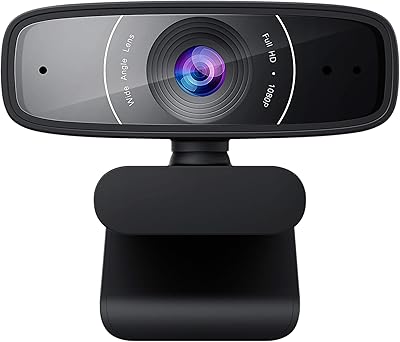
ASUS Webcam C3 1080p HD USB Camera
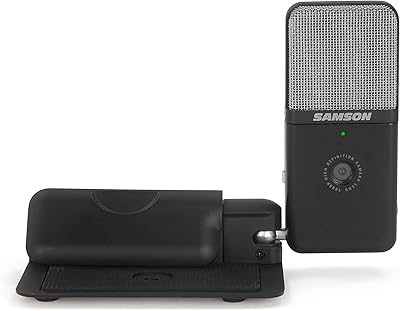
Samson Go Mic Video
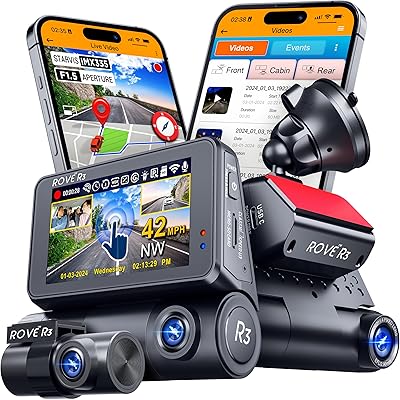
ROVE R3 3-Channel Dash Cam
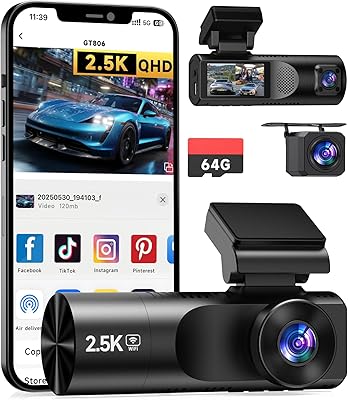
TUIFAC GT806 3-Channel Dash Cam


ZIQIAN 1080P USB-C Webcam
Angetube PC 1080P Webcam