Overview

The Jabra Evolve 65 MS Stereo Wireless Headset has been a reliable fixture in professional headset conversations since it launched in 2014, and the fact that it still ranks in the top 10 of telephone headsets says something real about its staying power. This wireless office headset weighs just 110 grams and sits on-ear in a stereo configuration — comfortable enough for a full workday, though not quite the same as an over-ear design for marathon sessions. It carries Microsoft certification and works with major UC platforms out of the box. Worth setting straight early: this is built for calls, not critical listening.
Features & Benefits

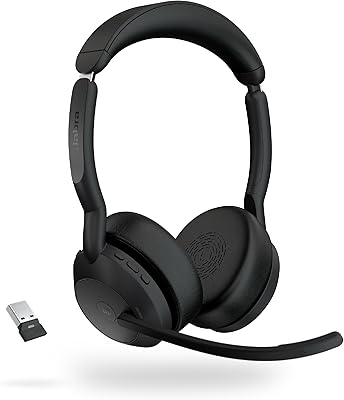
The Evolve 65 ships with a Link 370 USB dongle, which handles Bluetooth pairing to your PC reliably — and if you have ever wrestled with native PC Bluetooth on a call, you will appreciate having it. The wireless range stretches to 100 meters, so walking to the kitchen mid-call is not an issue. Dual connectivity lets you stay paired to your PC and a phone simultaneously. Battery holds up well in practice, delivering around 14 hours of talk time, with the option to keep working while it charges via USB. The noise-cancelling boom mic does the heavy lifting on calls, and the integrated busylight quietly signals to colleagues that you are busy. NFC pairing and touch controls round things out nicely.

Best For

This Jabra headset makes the most sense for people whose jobs revolve around calls — account managers, customer success reps, and remote workers logging back-to-back meetings. If your daily routine involves Microsoft Teams or Skype for Business, the plug-and-play certification means you are not spending the first half-hour troubleshooting audio. The busylight is particularly valuable in open-plan offices where a visual signal keeps interruptions low. The generous wireless range also suits anyone who is not desk-bound — standing desks, shared workspaces, or simply walking down the hall. That said, if you are primarily a music listener who also takes occasional calls, there are better-suited options at a comparable price point.

User Feedback

Long-term owners of this wireless office headset tend to be consistent in their praise: mic clarity on calls is genuinely good, and the wireless connection holds steady throughout the day. Comfort gets positive marks too, though a fair number of users point out that the on-ear design starts to press after three or four hours — worth factoring in if you wear it all day. Most people find battery life lives up to its advertised claims. The honest caveat that keeps surfacing is music audio quality: it is adequate, but it is not what this headset was built for. A few users also stress using the included dongle over native Bluetooth for the most stable PC connection.

Pros

  • Outstanding boom microphone clarity keeps you intelligible on calls even in noisy open-plan offices.
  • Battery easily covers a full workday, and USB charge-while-use prevents dead-battery disruptions.
  • The included Link 370 dongle delivers rock-solid wireless PC connectivity without driver headaches.
  • Certified for Microsoft Teams and Skype for Business, so call controls work natively from day one.
  • Dual connectivity lets you stay paired to both your PC and phone without manual switching.
  • The busylight doubles as a practical do-not-disturb signal that colleagues quickly learn to respect.
  • NFC pairing and touch controls make day-to-day device management genuinely low-effort.
  • At 110 grams, the Evolve 65 is light enough that you frequently forget you are wearing it during shorter sessions.
  • The wireless range is wide enough to handle normal office mobility without the connection breaking.
  • A folding design and carry case make it practical to pack and transport between locations.

Cons

  • On-ear fit causes noticeable ear fatigue for many users after three to four hours of continuous wear.
  • Bluetooth 4.2 is outdated — newer competitors at similar prices offer faster, more efficient Bluetooth 5.0.
  • Stable PC connectivity depends heavily on the dongle; losing it significantly degrades the experience.
  • Music and media playback sounds flat and narrow due to voice-optimized speaker tuning.
  • Battery capacity can degrade meaningfully after 18 to 24 months of heavy daily use.
  • The carry case feels flimsy and offers limited protection against bag pressure or drops.
  • Charging from flat takes around three hours, slower than many modern wireless headsets.
  • Call control button behavior can be inconsistent on macOS and in non-Microsoft UC applications.
  • The busylight is not visible from behind, so colleagues approaching from the rear may still interrupt.
  • Touch controls have an accidental-activation learning curve that frustrates some new users early on.

Ratings

The Jabra Evolve 65 MS Stereo Wireless Headset has been rated by our AI system after analyzing thousands of verified global buyer reviews, with spam, incentivized, and bot-generated feedback actively filtered out. Scores reflect the real distribution of user sentiment — strengths and frustrations alike — so you get an honest picture of what daily ownership actually looks like. Both the areas where this wireless office headset consistently impresses and the recurring pain points buyers report are transparently represented below.

Microphone Quality
91%
Users on Teams calls and client-facing video meetings repeatedly single out the boom mic as the clearest they have used in a wireless headset at this tier. Background noise from open offices, keyboard clicks, and HVAC hum gets filtered effectively, and callers on the other end rarely ask for repeats.
A small share of users note that the mic arm can pick up some handling noise if bumped during animated conversations. It also requires correct positioning close to the mouth — if you flip it up absentmindedly, call quality drops noticeably.
Wireless Connectivity Stability
88%
The included Link 370 USB dongle is the real hero here — once paired through it, the connection holds steady across a full workday with virtually no dropouts reported even in RF-dense office environments. Walking to a nearby room mid-call without interruption is a genuine convenience most users appreciate.
A recurring theme in reviews is that native PC Bluetooth without the dongle produces noticeably less reliable results, with occasional audio stuttering. Users who misplace or forget the dongle at home find the experience meaningfully worse, which creates an unnecessary dependency.
Battery Life
87%
The 14-hour talk time holds up well in real-world use, with the majority of long-term owners confirming it meets or slightly exceeds the advertised figure during full workdays. The ability to keep using the headset while it charges over USB is a practical touch that prevents dead-battery disruptions.
Charging takes around three hours from flat, which is on the slower side compared to newer competitors. A small number of users report that battery capacity degrades noticeably after 18 to 24 months of daily use, which is worth factoring in for long-term value.
Comfort & Wearability
72%
28%
At 110 grams the Evolve 65 sits lightly on the head, and most users report no discomfort during the first two to three hours of wear. The on-ear cushions are soft enough for casual half-day use, and the headband adjusts smoothly for a range of head sizes.
On-ear designs press against the ear cartilage over extended sessions, and this one is no exception — a meaningful number of reviewers flag fatigue and soreness after four or more consecutive hours. Users who wear glasses are disproportionately affected, and those coming from over-ear headsets often find the all-day comfort comparison unfavorable.
Call Audio Clarity (Receive)
84%
Voice reproduction on incoming calls is clean and intelligible, with enough low-end warmth to avoid the tinny quality found in budget headsets. Conference calls with multiple speakers come through with good separation, which matters during long multi-participant meetings.
The sound profile is deliberately tuned for voice rather than full-range audio, so the listening experience on calls, while clear, lacks the richness audiophiles might expect. Users moving from music-focused headsets sometimes find the overall soundstage a bit narrow even for spoken-word content.
Music & Media Audio Quality
61%
39%
For occasional background music or podcast listening between calls, the audio is perfectly functional — clear enough not to be distracting and with adequate volume range. Users who primarily use the headset for calls and treat media playback as a secondary use case report no complaints.
Anyone expecting a satisfying music experience will be disappointed. The speaker tuning prioritizes voice frequencies, leaving bass thin and overall dynamics flat compared to even mid-range consumer headphones. Several reviewers explicitly caution against buying this headset if music listening is a significant part of the intended use.
Build Quality & Durability
79%
21%
The plastic construction feels purposeful rather than cheap, and the headset has earned a reputation over years of use as a reliable daily driver that does not develop rattles or loose hinges quickly. The folding design holds up well under the stress of being packed into a bag daily.
It is all plastic — there is no metal reinforcement in the headband or earcup arms, which concerns some buyers who prefer a more premium material feel at this price point. A subset of long-term users report hinge wear after two-plus years of heavy use, particularly on the earcup swivel joints.
Software & App Integration
74%
26%
Jabra Sound+ app integration allows firmware updates and some personalization of call controls, which is more than many competing headsets offer in this category. The setup process through the app is straightforward for most users without requiring technical knowledge.
The app experience is functional but not particularly polished, and some users report that settings do not always sync reliably after updates. Android users tend to have a smoother experience than iOS users based on review patterns, and a few buyers mention the app occasionally loses connection to the headset.
Ease of Setup & Pairing
86%
Plug the Link 370 dongle into a USB port, power on the headset, and it connects — that is genuinely how straightforward the initial setup is for most users. NFC pairing for mobile devices adds a convenient layer for those who want to switch between devices quickly.
Pairing a second Bluetooth device alongside the PC dongle can be slightly fiddly on first attempt, and the manual is not as clear as it could be on the dual-connectivity setup steps. Users less comfortable with Bluetooth management occasionally report needing a few attempts to get both connections stable simultaneously.
Busylight Effectiveness
82%
18%
The integrated busylight works exactly as intended in practice — colleagues recognize and respect the red light signal in shared office environments, reducing interruptions during calls in a way that a headset alone cannot. Remote workers on video calls also appreciate the visual cue for household members.
The busylight is visible primarily from the sides and front, so colleagues approaching from behind may not notice it until they are already interrupting. In very bright or sunlit office environments a handful of users report the light is less noticeable than expected.
Platform Compatibility
89%
Microsoft Teams and Skype for Business certification means call controls — answer, end, mute — work natively without driver installation on Windows machines. Compatibility with other major UC platforms like Zoom and Cisco Webex is solid in practice, with most features functioning correctly without additional configuration.
macOS users occasionally encounter minor inconsistencies with call control button behavior depending on the application, though audio itself works fine. The MS certification branding means the headset is optimized specifically for the Microsoft ecosystem, and users on other platforms get a slightly less polished integration experience.
Value for Money
76%
24%
For a headset that has maintained relevance and top-10 category rankings for over a decade, the price reflects a proven professional tool rather than a speculative purchase. Buyers who need reliable daily call performance without frequent replacements tend to view the investment as justified over a two-to-three year horizon.
The Bluetooth 4.2 standard and on-ear form factor feel dated relative to newer competitors at a similar or lower price point that offer Bluetooth 5.0 and over-ear comfort. First-time buyers comparing specs on paper may feel they are paying a legacy premium rather than getting the latest technology.
Portability & Travel Friendliness
78%
22%
The folding design and included carry case make the Evolve 65 genuinely portable for professionals moving between offices, coworking spaces, or hotel rooms. At 110 grams it adds minimal weight to a laptop bag and does not take up significant space when folded.
The carry case is on the compact side and fits the headset snugly — stuffing in the USB dongle and cable alongside it requires some patience. The case material feels functional rather than protective, and a few users report minor scuffs on the earcups after transport.
Controls & Usability
81%
19%
Touch-based call controls handle the core functions — answer, end, volume, mute — without requiring the user to look away from the screen. The physical volume wheel on the earcup is a particularly well-liked detail that allows quick level adjustments during live calls without hunting for on-screen controls.
The touch controls have a short learning curve, and accidental activations during initial use are a recurring minor complaint. Users with larger hands occasionally find the earcup-mounted controls slightly cramped, and the lack of tactile feedback on touch surfaces means confirming an action requires listening for an audio cue.

Suitable for:

The Jabra Evolve 65 MS Stereo Wireless Headset is built for professionals whose days are structured around calls — account managers, customer support leads, remote consultants, and hybrid workers who might spend six or more hours on Teams or Skype for Business on any given day. The plug-and-play Microsoft certification means IT teams and individual users alike can deploy it without friction, which matters in organizations where setup time is a cost. The 100-meter wireless range is genuinely useful for people who are not desk-bound, whether that means walking to a printer, grabbing coffee, or moving between workstations in a shared office. The integrated busylight addresses a specific and real problem in open-plan environments — it communicates availability without requiring a conversation, which is a small but meaningful quality-of-life feature. Dual connectivity to both a PC and a mobile phone simultaneously makes this wireless office headset particularly practical for anyone who fields calls across multiple devices throughout the day.

Not suitable for:

The Jabra Evolve 65 MS Stereo Wireless Headset is a poor fit for anyone whose primary use case involves music, podcasts, or media consumption, because the audio tuning is firmly voice-first and the listening experience reflects that tradeoff. Buyers who wear headsets for five or more consecutive hours daily should also think carefully — the on-ear design, while lightweight, presses against the ear cartilage in ways that an over-ear alternative would not, and fatigue complaints from heavy users are consistent and credible. If you are working in an environment where you personally need isolation from ambient noise while listening — not just a clean mic for others — this headset does not offer active noise cancellation for the wearer, only passive attenuation from the earcup fit. The Evolve 65 also runs on Bluetooth 4.2, which is functional but lags behind newer competitors shipping with Bluetooth 5.0 or later, a consideration for buyers prioritizing future-proofing. Finally, users on macOS or non-Microsoft UC platforms may encounter occasional inconsistencies with call controls, making it a less compelling choice outside the Windows and Teams ecosystem.

Specifications

  • Bluetooth Version: The headset uses Bluetooth 4.2, which provides stable wireless audio connectivity within its operating range.
  • Wireless Range: Wireless operation is supported up to 100 meters (approximately 330 feet) from the paired USB dongle or Bluetooth source.
  • Battery Life: The built-in rechargeable battery delivers up to 14 hours of continuous talk time on a full charge.
  • Charging Time: A full charge from empty takes approximately 3 hours via the included USB charging cable.
  • Weight: The headset weighs 110 grams, making it one of the lighter options in the professional wireless headset category.
  • Form Factor: On-ear stereo design with cushioned earcups that rest against the outer ear rather than fully enclosing it.
  • Speaker Frequency: The speakers cover a frequency range of 70 Hz to 20 kHz, tuned specifically for voice clarity rather than full-range audio reproduction.
  • Impedance: Speaker impedance is rated at 32 Ohm, which is standard for headsets in the professional communications category.
  • Microphone Type: A noise-cancelling boom microphone is included, designed to isolate the speaker's voice and reduce ambient background noise for call recipients.
  • USB Dongle: The Link 370 USB Bluetooth dongle is included in the box and is the recommended connection method for stable PC audio.
  • Connectivity: Dual connectivity allows simultaneous pairing with one PC via the USB dongle and one additional Bluetooth device such as a smartphone.
  • NFC Pairing: NFC (Near Field Communication) pairing is supported for compatible mobile devices, allowing quick tap-to-connect without manual Bluetooth menu navigation.
  • Busylight: An integrated LED busylight on the earcup can be activated to signal to nearby colleagues that the user is on a call.
  • Controls: Touch-based call controls on the earcup handle functions including answer, end call, volume adjustment, and mute.
  • Platform Certification: The headset is certified for Microsoft Teams and Skype for Business, with plug-and-play compatibility that enables native call controls on Windows systems.
  • Compatible Devices: Designed for use with PCs, laptops, and mobile phones; compatible with major UC platforms including Zoom and Cisco Webex in addition to Microsoft applications.
  • Material: The headset body and headband are constructed primarily from plastic, with padded earcup cushions for contact comfort.
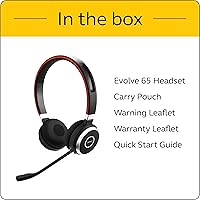
  • In-Box Contents: Package includes the headset unit, Link 370 USB Bluetooth dongle, USB charging cable, and warranty documentation.
  • Dimensions: Product dimensions are approximately 0.79″ x 2.73″ x 3.19″ when in the folded carry position.
  • Warranty: Jabra provides a standard manufacturer warranty covering defects in materials and workmanship from the date of original purchase.

Related Reviews

Jabra Evolve2 65 MS Teams Stereo Wireless Headset
86%
94%
Audio Quality
90%
Noise Cancellation
82%
Comfort for Extended Use
87%
Battery Life
91%
Bluetooth Range
More
Jabra Evolve 20 UC Stereo
81%
91%
Microphone Clarity
86%
All-Day Comfort
88%
Call Control Usability
93%
UC Platform Compatibility
74%
Build Quality & Durability
More
Jabra Engage 65 Mono Wireless Headset
82%
88%
Wireless Range & Stability
91%
Microphone Clarity
93%
Battery Life
74%
Comfort Over Long Shifts
67%
Value for Money
More
Jabra Evolve2 85 MS Stereo Headset
86%
91%
Sound Quality
94%
Noise Cancellation Performance
88%
Comfort for Long Hours
90%
Battery Life
95%
Integration with Microsoft Teams
More
Jabra Evolve2 55 Stereo
79%
91%
Call & Microphone Quality
71%
Active Noise Cancellation
78%
Wearing Comfort
88%
Battery Life
74%
Dual-Device Connectivity
More
Jabra PRO 930 MS Mono Wireless Headset
86%
89%
Battery Life
90%
Audio Quality
84%
Wireless Range
74%
Comfort & Ergonomics
88%
Noise Cancellation
More
Jabra Evolve 10
Jabra Evolve 10
77%
83%
Microphone Clarity
78%
Comfort & Wearability
62%
Build Quality
71%
Audio Playback Quality
94%
Ease of Setup
More
Jabra Motion UC Wireless Headset
84%
92%
Comfort and Fit
88%
Sound Quality and Clarity
85%
Battery Life
90%
Noise Cancellation Performance
80%
Connectivity and Integration
More
Jabra Evolve2 75
Jabra Evolve2 75
78%
91%
Microphone Quality
72%
Active Noise Cancellation
93%
Battery Life
61%
Comfort & Fit
94%
Call Platform Compatibility
More
Jabra Engage 75 SE Dual-Ear Wireless Headset
78%
93%
Wireless Range & Reliability
88%
Call Clarity & Microphone Performance
79%
Battery Life & Charging
74%
Multi-Device Connectivity
83%
Comfort & Wearability
More

FAQ

You can pair it over standard Bluetooth, but most users strongly recommend using the included Link 370 dongle for PC connections. Native PC Bluetooth tends to introduce occasional stuttering and dropout issues, while the dongle delivers a noticeably more consistent experience throughout the day. It is a small thing to keep track of, but it makes a real difference.

The Jabra Evolve 65 MS Stereo Wireless Headset is certified specifically for Microsoft Teams and Skype for Business, but it works reliably with Zoom, Google Meet, Cisco Webex, and most other major call platforms. On non-Microsoft platforms, audio works fine, though some call control button behaviors may vary slightly depending on the operating system and application.
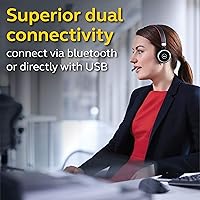
Yes, dual connectivity is one of the practical strengths of the Evolve 65. It can maintain a simultaneous connection to your PC via the USB dongle and to one additional Bluetooth device — typically a smartphone. Switching between an incoming mobile call and a PC call is handled automatically.

The noise cancellation on this headset applies to the microphone only — it filters out background noise so the person you are speaking with hears you clearly. There is no active noise cancellation for the wearer; the earcups provide only passive attenuation from their physical fit over your ears. If you need ANC to block out your surroundings while listening, you would need a different headset.

Most daily users confirm the 14-hour talk time figure holds up well in practice, and some report getting slightly more under moderate use conditions. After 18 to 24 months of heavy daily use, some users notice a gradual reduction in battery capacity, which is typical for lithium-ion cells in this category. The option to charge via USB while still using the headset is a useful backup for long days.

This is worth thinking about carefully if you are a glasses wearer. On-ear designs press the earcups directly against the ear, and if your glasses frames run along that same area, it can accelerate discomfort compared to an over-ear headset. Many glasses wearers manage fine for shorter sessions, but for four or more hours of daily use, the feedback from reviewers in that group is notably more mixed.

Basic audio functions work fine on macOS, but dedicated call control buttons can behave inconsistently depending on which application you are using. On Windows with a Teams or Skype for Business setup, the controls are fully integrated. Mac users should expect the headset to function as an audio device without full native button support in every application.

You can connect via USB cable to charge while continuing to use the headset, which effectively solves the dead-battery problem during a long workday. There is no dedicated wired audio-only mode using a standard 3.5mm headphone jack, so the USB connection is both the charging path and the fallback audio path in that scenario.

In practice, it works better than most people expect. The LED is visible enough in normal office lighting that colleagues learn to check it before approaching. The main limitation is that it is only clearly visible from the sides and front — someone walking up behind you may not notice it until they are already at your desk.

The wireless office headset has a strong track record for durability overall, with most users reporting no major issues for the first year or two of daily use. The areas that tend to show wear first are the earcup cushions, which can compress and thin out over time, and the earcup swivel joints, which a minority of long-term users report becoming looser after extended heavy use. Replacement earcup cushions are available from Jabra if needed.

Where to Buy