Overview

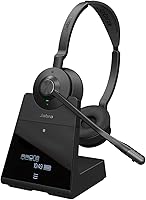
The Jabra Engage 75 SE Dual-Ear Wireless Headset is Jabra's second-generation take on a headset built specifically for professionals who live on the phone. This SE edition refines the original Engage 75 with improved connectivity and a more polished charging base — the kind of iterative upgrade that matters more in practice than any spec sheet suggests. Sitting at the premium end of the market, it's priced for organizations rather than casual buyers, and that's entirely intentional. The stereo over-ear design is a deliberate choice for call-heavy roles where audio fatigue over an eight-hour shift is a real concern, not a hypothetical. The touchscreen charging base alone signals that this is a different class of device from anything you'd find at a consumer electronics store.
Features & Benefits

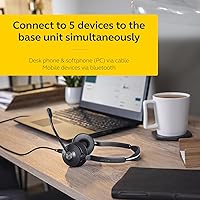
The headset's 150-meter wireless range isn't just a spec to impress on paper — in a large open-plan office or contact center, walking to a colleague's desk without dropping a call is a real operational advantage. The directional noise-cancelling microphone handles moderate office noise well, keeping your voice clear while filtering background chatter. Connecting to up to five devices simultaneously — desk phone, softphone, and smartphone — means agents don't have to juggle hardware when a second line rings. Jabra rates talk time at 13 hours, though heavy real-world call volume typically brings that closer to 10 or 11. Fast charging recovers 40% in 30 minutes, a lifesaver at the start of a busy shift. Certification for Teams and Zoom means straightforward setup with no IT drama.

Best For

This Jabra headset makes the most sense for people who handle calls as the core of their workday — think contact center agents running back-to-back customer calls for six to eight hours, not someone who hops on the occasional video meeting. The multi-device support is a particular draw for workers juggling a desk phone and two or more software platforms simultaneously, a combination that's surprisingly common in enterprise environments. It also suits large-office workers who need the freedom to move around without a cable or the shorter range limits of standard Bluetooth. If your organization runs on Microsoft Teams or Zoom, the certified integration means IT can deploy these with minimal overhead.

User Feedback

The Engage 75 SE holds a 3.9 out of 5 rating — solid, but honest buyers will want to know where the friction is. On the positive side, users consistently praise the call clarity and comfortable fit during long shifts, with many noting the headset feels well-constructed despite its weight. The faux leather earcups hold up better than expected over extended wear. Where buyers push back is on the price — several reviewers question whether the performance gap over less expensive alternatives justifies the cost at this tier. A handful report that pairing five devices simultaneously isn't always as smooth as advertised, and the microphone, while excellent in moderate noise, can struggle in genuinely loud environments. Battery life in real use generally satisfies most users, though a few note falling short of the stated maximum.

Pros

  • DECT wireless range of 150 meters keeps you connected anywhere in a large office without dropouts.
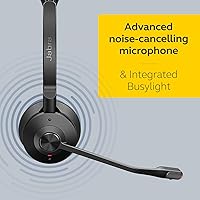
  • Directional noise-cancelling microphone delivers clean outbound audio even on busy call floors.
  • Connects to up to five devices simultaneously, eliminating hardware juggling across desk phone, softphone, and mobile.
  • Fast charging recovers 40% battery in 30 minutes — a genuine lifesaver at the start of a hectic shift.
  • Certified for Microsoft Teams and Zoom means reliable call controls and zero driver headaches for IT teams.
  • The integrated busylight visibly signals to colleagues that you are on a live call, cutting down on unwanted interruptions.
  • Stainless steel and polycarbonate construction gives this professional wireless headset a durability edge over cheaper alternatives.
  • Dual-ear stereo design reduces audio fatigue significantly during six-plus hour call-heavy workdays.
  • The touchscreen charging base is a practical, well-built desk accessory that goes beyond what most competing cradles offer.

Cons

  • Real-world battery life typically lands between 10 and 11 hours, noticeably short of the 13-hour manufacturer rating.
  • Pairing and managing all five device slots is not intuitive and involves a frustrating trial-and-error setup process.
  • The microphone struggles in extremely loud, high-density call floor environments where background noise is intense and constant.
  • At 12.6 ounces, extended wear can create noticeable headband pressure for users with smaller head sizes.
  • The companion app feels dated and occasionally fails to detect the headset on launch, requiring unnecessary re-pairing steps.
  • Faux leather earcup coating shows visible wear after 12 to 18 months of daily use, undermining the premium build impression.
  • No active noise cancellation for the listener means ambient office noise bleeds through in open-plan environments.
  • The base station requires a dedicated power outlet and adds meaningful desk footprint that minimalist setups may resent.
  • Firmware updates are delivered inconsistently, and some users wait weeks for fixes that should be routine.
  • The price is difficult to justify for individuals or small teams who only need a reliable single-device Teams headset.

Ratings

The Jabra Engage 75 SE Dual-Ear Wireless Headset earns a strong but nuanced profile across user reviews — our AI has processed verified buyer feedback from global markets, actively filtering out incentivized and bot-generated submissions to surface what real professionals actually experience day to day. Scores reflect both where this professional wireless headset genuinely excels and where it falls short of its premium positioning, giving you an honest, unvarnished picture before you commit.
Wireless Range & Reliability
93%
The DECT connection consistently delivers on its 150-meter promise in real office deployments. Users in large contact centers report walking to printer stations, break rooms, and colleague desks without a single dropout — a meaningful operational advantage that Bluetooth-based alternatives simply cannot match at this distance.
A small number of users in buildings with dense DECT interference, such as hospitals or large enterprise campuses, report occasional signal hiccups. The range advantage also depends on keeping the base unit in a clear, unobstructed position, which isn't always practical in cluttered workstations.
Call Clarity & Microphone Performance
88%
In moderate office noise — background conversations, keyboard clicks, light HVAC hum — the directional noise-cancelling microphone performs impressively. Call recipients consistently report hearing the user clearly without background bleed, which matters enormously when professionalism on customer calls is non-negotiable.
Push the microphone into genuinely loud environments, like a busy call floor with 50-plus agents active simultaneously, and the noise cancellation starts to show its limits. A handful of reviewers noted that callers occasionally picked up background noise during peak floor activity, which is worth factoring in for high-density deployments.
Battery Life & Charging
79%
21%
For most office professionals working standard shifts, the battery holds up comfortably through the day without requiring a midday top-up. The fast-charge capability is genuinely useful — dropping the headset in the base during a lunch break recovers enough charge to carry through an afternoon of calls without anxiety.
The manufacturer-rated 13-hour talk time is a ceiling, not a guarantee. Real-world users logging heavy continuous call volume typically report landing closer to 10 to 11 hours, which is still workable but worth planning around. Users on extended 12-hour shifts may find themselves watching the battery indicator more than they'd like.
Multi-Device Connectivity
74%
26%
The ability to stay connected to a desk phone, a softphone client, and a mobile simultaneously is genuinely useful for roles where missing a call on any line is not an option. When it works smoothly, switching between active calls feels intuitive and reduces the hardware juggling that plagues simpler setups.
Getting all five device slots paired and behaving reliably is not always a frictionless experience. Several reviewers describe a learning curve when adding or swapping devices, and a few report that the headset occasionally prioritizes the wrong connected source, requiring manual intervention mid-shift — frustrating for users who expected plug-and-play simplicity.
Comfort & Wearability
83%
The over-ear dual-cup design distributes weight reasonably well for extended wear, and the faux leather earcups feel softer than the build materials suggest. Many agents wearing this headset for six-plus hour shifts note that ear pressure and heat buildup are noticeably less intrusive than with competing headsets at lower price points.
At 12.6 ounces, the headset is not featherlight, and users with smaller head sizes occasionally report the headband pressure becoming uncomfortable after three to four continuous hours. The faux leather is comfortable initially but can trap heat during warmer months, which a few reviewers flagged as a genuine discomfort in non-climate-controlled offices.
Build Quality & Durability
86%
The combination of stainless steel reinforcement, polycarbonate housing, and faux leather padding gives the headset a premium feel that holds up under daily professional use. Multiple reviewers who upgraded from cheaper headsets specifically called out how much more solid this feels in hand and on head.
Despite the upscale materials, a few long-term users report that the faux leather earcup coating begins to show wear after 12 to 18 months of daily use. The stainless steel headband adjustment mechanism, while sturdy, can feel stiff for users who frequently share or resize the headset throughout the day.
Software & App Integration
71%
29%
The companion app gives IT administrators and individual users a reasonable degree of control over call handling settings, busylight behavior, and firmware updates without requiring technical expertise. For teams standardized on a single platform, the app-based customization adds real value beyond what the physical buttons offer.
The app experience is functional rather than polished, and several users describe it as clunky compared to the hardware itself. Firmware update delivery has been inconsistent for some users, and the app occasionally fails to detect the headset on first launch, requiring a re-pairing step that most professionals find unnecessary friction.
Platform Certification & Compatibility
91%
Certification for Microsoft Teams, Zoom, and Google Meet is not cosmetic — it translates to reliable call controls, automatic status syncing, and consistent audio routing without manual configuration. IT teams deploying this at scale report noticeably fewer support tickets compared to non-certified alternatives.
Compatibility outside the major certified platforms can be hit or miss. Users running niche CRM-based softphones or older VOIP systems report occasional control mapping issues where call answer and end buttons do not behave as expected, requiring workarounds that undercut the headset's convenience.
Busylight Effectiveness
77%
23%
The integrated busylight is one of those features that sounds minor until you work in an open office and need colleagues to recognize at a glance that you are on a live customer call. Users in shared environments consistently call it out as a practical, day-to-day quality-of-life improvement that reduces unwanted interruptions.
The busylight is only as effective as the office culture around it — in environments where colleagues are not trained to respect the indicator, its value diminishes quickly. A few users also note the light is not visible from all angles, limiting its usefulness in certain desk configurations or open layouts.
Charging Base & Station Experience
82%
18%
The touchscreen charging base is a meaningful step up from the basic cradles bundled with entry-level headsets. It charges reliably, the touchscreen interface is responsive, and the overall desk presence communicates a professional setup — a detail that matters in client-facing or video-call-visible workstations.
The base requires a dedicated power outlet and adds a footprint to the desk that minimalist setups may find excessive. A couple of users report that the touchscreen becomes less responsive over time, and replacing the base independently is not straightforward if it fails outside the warranty window.
Noise Isolation for the Wearer
68%
32%
The closed over-ear design provides a reasonable degree of passive isolation from surrounding office noise, helping agents stay focused on the caller rather than ambient distractions. Users moving from single-ear headsets specifically note how much easier it is to concentrate on complex calls with both ears covered.
The passive isolation is adequate but not exceptional by professional headset standards. Users in particularly loud environments report that ambient noise bleeds through enough to be distracting during detailed conversations, and the headset offers no active noise cancellation for the listener — only for the microphone output.
Value for Money
62%
38%
For organizations that genuinely need the full feature set — multi-device DECT connectivity, long range, Teams certification, and a charging base — the Engage 75 SE delivers a coherent professional package that justifies its position in the premium tier. Buyers who fully utilize the multi-device and range capabilities tend to view the cost as reasonable over a two-year deployment.
For individuals or small teams who only need reliable Teams audio and a single device connection, the price gap between this and capable mid-range alternatives is difficult to rationalize. Several reviewers who bought for personal home office use admit in hindsight they are paying for enterprise features they rarely touch.
Setup & Out-of-Box Experience
76%
24%
Unboxing and initial pairing to a primary device is genuinely straightforward, and the included documentation is clear enough that most users are on a live call within 15 minutes. The certifications mean Teams and Zoom recognize the headset automatically without driver installation on modern operating systems.
Where setup complexity surfaces is in multi-device scenarios. Configuring all five device slots in the correct priority order requires patience and some trial and error, and the process is not well-documented in the quick-start guide. First-time enterprise deployments without IT support tend to generate the most friction here.
Headset Weight & Portability
66%
34%
For a full-featured DECT professional headset with a built-in busylight and multi-device radio hardware, 12.6 ounces is a reasonable engineering trade-off. Users who keep the headset deskbound all day rarely flag the weight as a meaningful concern once they have adjusted to wearing it.
Anyone expecting the lightness of a consumer wireless headset will be caught off guard. Portability is limited by the dependency on the charging base for connectivity, meaning this is fundamentally a desk-anchored solution — it does not make sense as a take-anywhere headset for workers who hot-desk or travel frequently.

Suitable for:

The Jabra Engage 75 SE Dual-Ear Wireless Headset was built for one type of professional: someone whose job revolves around calls, not someone who occasionally hops on a meeting. Contact center agents, customer service representatives, and inside sales teams who log six to ten hours of active phone time daily will get the most out of what this headset offers. The 150-meter DECT wireless range is a genuine advantage in large open-plan offices where desk-bound Bluetooth headsets fall apart the moment you step away from your workstation. Workers who juggle a desk phone, a softphone client, and a mobile line simultaneously will appreciate the multi-device connectivity in a way that single-device users simply won't. Organizations standardized on Microsoft Teams or Zoom will find the certified integration saves real IT time during deployment and reduces day-to-day support friction. If your office culture involves interruptions and your colleagues need a visual cue that you are on a live call, the integrated busylight adds a layer of practical workflow management that budget headsets cannot replicate.

Not suitable for:

The Jabra Engage 75 SE Dual-Ear Wireless Headset is genuinely hard to recommend if your use case does not match the professional contact center profile it was designed for. Home office workers who primarily attend a handful of video calls per week are paying a significant premium for enterprise features — multi-device DECT connectivity, a touchscreen charging base, and busylight integration — that will go largely unused in a solo setup. Travelers and hot-deskers should also think carefully: this headset is tethered to its charging base for connectivity, making it a desk-anchored solution rather than a portable one. Buyers sensitive to weight will find 12.6 ounces noticeable, especially compared to lighter consumer wireless options that cost a fraction of the price. If the loudest environment you work in is a quiet suburban home office, the advanced microphone engineering is overkill, and the value equation becomes very difficult to justify. Listeners who want active noise cancellation on the receiving end — not just outbound microphone filtering — will also need to look elsewhere, as the Engage 75 SE does not offer ANC for the wearer.
Specifications

  • Wireless Technology: The headset uses DECT radio for its primary wireless connection, with Bluetooth 5 available through the base station rather than the headset itself.
  • Wireless Range: DECT connectivity provides a rated wireless range of up to 150 meters (490 feet) in open-space conditions.
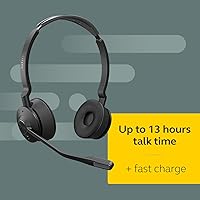
  • Talk Time: Manufacturer-rated talk time is 13 hours on a full charge under standard usage conditions.
  • Fast Charging: A 30-minute charge in the base station recovers approximately 40% battery capacity, sufficient for several hours of additional talk time.
  • Full Charge Time: A complete charge from empty to full takes approximately 90 minutes in the included charging station.
  • Multi-Device Support: The headset can maintain simultaneous connections to up to 5 devices, including desk phones, softphone clients, and smartphones or tablets.
  • Microphone Type: A directional noise-cancelling microphone filters ambient sound to deliver cleaner outbound voice audio in shared or noisy office environments.
  • Wearing Style: The headset uses a dual-ear over-ear headband design intended for all-day stereo call use.
  • Weight: The headset weighs 12.6 ounces (357 grams), which is within the typical range for full-featured professional DECT headsets.
  • Dimensions: Product dimensions are 5.55 x 1.26 x 6.65 inches, reflecting the dual-ear over-ear form factor.
  • Materials: The headset is constructed from polycarbonate housing and stainless steel for structural components, with faux leather padding on the earcups and headband.
  • Certifications: The headset is certified for Microsoft Teams, Zoom, and Google Meet, ensuring reliable call controls and audio routing without additional configuration.
  • Busylight: An integrated busylight on the headset serves as a visible do-not-disturb indicator for colleagues in open-plan office environments.
  • Controls: Call and volume controls are managed via physical buttons on the headset and can also be customized through the Jabra companion app.
  • Bluetooth Version: Bluetooth 5 is supported via the base station, enabling connection to mobile devices and tablets alongside the DECT primary link.
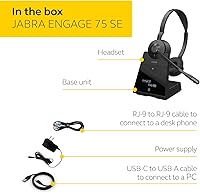
  • In the Box: The package includes the headset, a touchscreen charging station, a power supply, a USB cable, and a printed user manual.
  • Generation: This is the second edition (SE) of the Engage 75 series, incorporating connectivity and hardware refinements over the original model.
  • Recommended Use: Designed specifically for professional business calling environments including contact centers, open-plan offices, and hybrid work setups.
  • Battery Type: The headset is powered by a built-in lithium polymer battery, which is included and non-user-replaceable.
  • BSR Ranking: At the time of review, the Engage 75 SE holds a top-20 ranking in the Telephone Headsets category on Amazon.

Related Reviews
Jabra Evolve2 75
Jabra Evolve2 75
78%
91%
Microphone Quality
72%
Active Noise Cancellation
93%
Battery Life
61%
Comfort & Fit
94%
Call Platform Compatibility
More
Jabra Engage 65 Mono Wireless Headset
82%
88%
Wireless Range & Stability
91%
Microphone Clarity
93%
Battery Life
74%
Comfort Over Long Shifts
67%
Value for Money
More
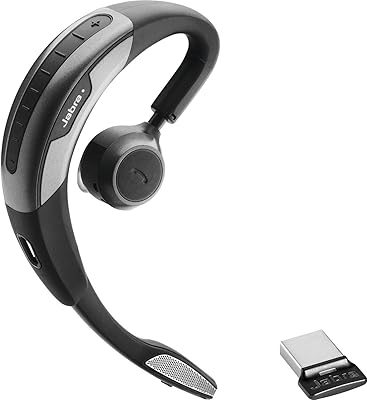
Jabra Motion UC Wireless Headset
84%
92%
Comfort and Fit
88%
Sound Quality and Clarity
85%
Battery Life
90%
Noise Cancellation Performance
80%
Connectivity and Integration
More
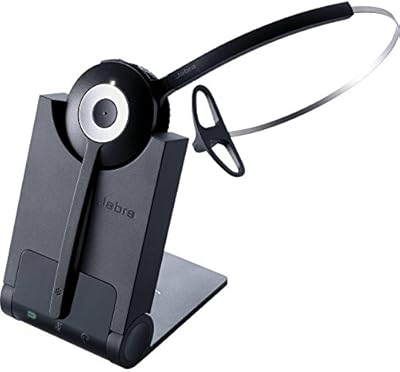
Jabra PRO 920 Mono Wireless Desk Headset
79%
91%
Wireless Range & Stability
88%
Microphone Clarity
72%
Comfort & Wearability
84%
Call Audio Quality
89%
Peak Stop & Hearing Protection
More
Jabra Engage 50 Stereo Wired Headset
88%
94%
Call Clarity
90%
Noise Cancellation Effectiveness
88%
Comfort for Long Use
93%
Microphone Quality
85%
Build Quality
More
Jabra Evolve 65 MS Stereo Wireless Headset
81%
91%
Microphone Quality
88%
Wireless Connectivity Stability
87%
Battery Life
72%
Comfort & Wearability
84%
Call Audio Clarity (Receive)
More
Jabra PRO 9460 Duo Wireless Headset
86%
92%
Sound Quality
88%
Comfort for All-Day Wear
90%
Wireless Range
85%
Noise Cancellation
91%
Ease of Use
More
Jabra Evolve2 55 Stereo
79%
91%
Call & Microphone Quality
71%
Active Noise Cancellation
78%
Wearing Comfort
88%
Battery Life
74%
Dual-Device Connectivity
More
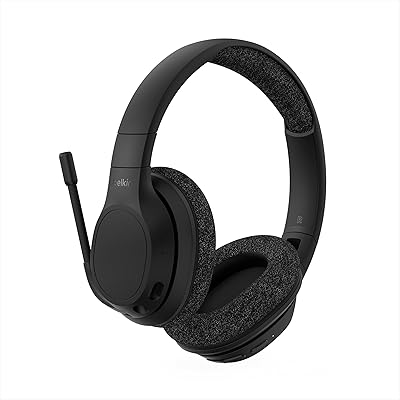
Yealink BH70 Dual Wireless Bluetooth Headset
77%
86%
Microphone Quality
83%
Comfort & Wearability
91%
Battery Life
88%
Microsoft Teams Integration
57%
Noise Cancellation (Listener-Side)
More
Jabra Speak2 75 Wireless Speakerphone
83%
93%
Microphone Clarity
88%
Noise Cancellation
91%
Battery Life
89%
Call Audio Quality
86%
Portability
More

FAQ

It depends on your desk phone model. The Engage 75 SE is designed to connect to most business desk phones via the charging base, but some older or non-standard models may require a separate Electronic Hook Switch (EHS) cable or Jabra link adapter to enable remote call answering. Check Jabra's compatibility list for your specific phone model before buying.

Not directly. The headset itself does not pair to devices over Bluetooth on its own; the Bluetooth radio lives in the base station, which handles the connection to external devices. So you do need the base within range of your desk to use it. It is not designed for on-the-go or travel use without the base.

When a call comes in on one of your connected devices, the headset will ring and you answer it through the headset as normal. It can handle calls from different connected devices, but it does not automatically route audio between active calls without input from you. Managing priorities between five simultaneous connections takes some initial setup and a bit of a learning curve.

Yes, in most cases. Because the Engage 75 SE is Zoom-certified, modern versions of macOS and Windows recognize it as an audio device automatically. Call controls like answer, end, and mute typically map correctly without any additional driver installation, which is one of the practical advantages of buying a certified headset over a generic alternative.

It is closer to a best-case manufacturer figure. Real-world users with heavy continuous call volume typically report landing between 10 and 11 hours per charge. If your shifts run longer than that, the fast-charge feature is your safety net — 30 minutes in the base during a lunch break gets you meaningfully back up before an afternoon session.

The busylight activates automatically based on call status and can also be configured manually through the Jabra app. During an active call it typically shows red, and colleagues in the same office can see it from a reasonable distance. The app lets you adjust behavior and brightness, though the range of color customization is limited compared to some dedicated busylight accessories.

Most users find it manageable for full-shift wear, though comfort is personal. The faux leather earcups are softer than they look, and the stainless steel headband holds its shape well. That said, at 12.6 ounces it is not a lightweight headset, and people with smaller head sizes occasionally report headband pressure becoming noticeable after three to four continuous hours. Taking short breaks to remove it helps.

If you move beyond the DECT range, the audio will cut out, but the call itself stays active on the connected device. Once you return within range the audio connection typically resumes. The rated 150-meter range assumes open space; walls, floors, and dense office furniture will reduce that distance in practice.

Physically the headset can be used by different people, but each user would need to adjust the headband fit and any app settings are tied to the setup on the paired device. There is no user-lock or profile system, so sharing is possible in theory, though the stiff headband adjustment mechanism makes frequent resizing a bit tedious for regular rotation between users.

The SE edition brings refined DECT connectivity, improved firmware, and an updated touchscreen charging base compared to the original Engage 75. If you are on the original and it is working well for your needs, the upgrade is modest rather than dramatic. Where it makes more sense is as a fresh purchase for a new deployment, or if your original unit is aging and showing wear — the SE is the current supported generation and will receive firmware updates going forward.

Where to Buy