Overview

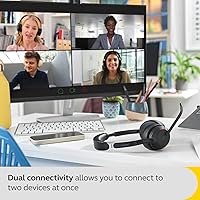
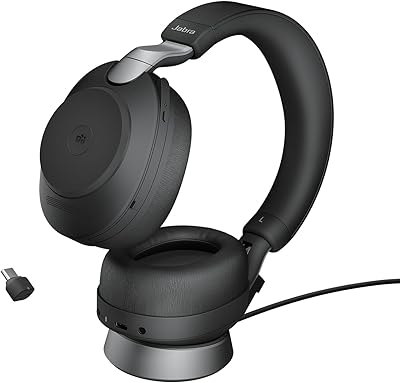
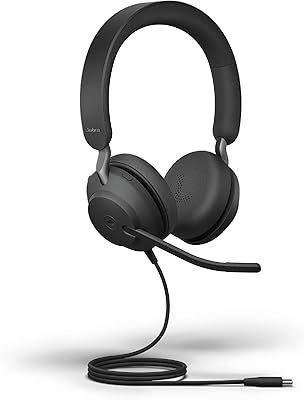
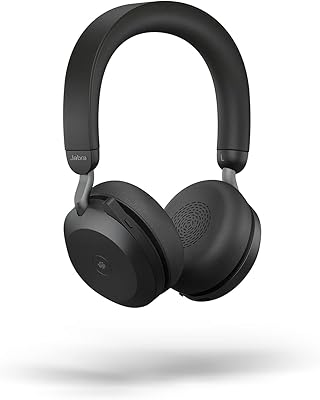
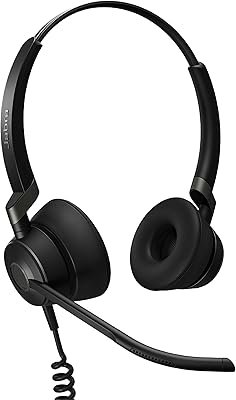
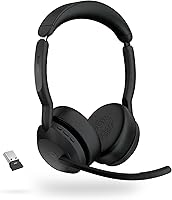
The Jabra Evolve2 55 Stereo sits squarely in the mid-to-premium tier of wireless office headsets — built not for audiophiles, but for professionals who spend most of their day on calls. It carries Microsoft Teams certification while also working comfortably across Zoom, Google Meet, and most other platforms, which gives it broader appeal than its Teams branding might suggest. The dual-device Bluetooth setup means you can have your laptop and phone connected at the same time — a small but genuinely useful feature if you switch between work calls and personal ones throughout the day. The Air Comfort cushion technology is another notable design choice, aiming to reduce ear pressure during long wear sessions.
Features & Benefits

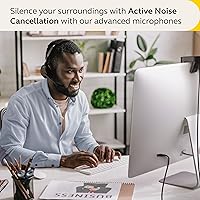
Where this Jabra headset earns its keep is in the details that matter during a real workday. The 4-microphone array is the standout — PeakStop limits sudden loud sounds before they reach your ears, while SafeTone monitors cumulative volume exposure over time to protect your hearing. Active Noise Cancellation handles typical home-office distractions like keyboard clatter, HVAC hum, and nearby conversations reasonably well, though it won't match the raw blocking power of dedicated consumer headphones — set your expectations accordingly. Battery life running up to 18 hours covers even the most meeting-heavy days without anxiety. The Busylight LED on the ear cup is a quiet but practical touch for shared workspaces, letting colleagues know you're mid-call without a word.

Best For

The Evolve2 55 is best suited to remote and hybrid professionals who are genuinely on calls for the bulk of their day. If your work runs through Microsoft Teams or Zoom with an occasional personal call mixed in, this wireless office headset handles that workload well. The dual-device pairing is particularly handy for anyone managing a work laptop and a separate phone simultaneously without wanting to swap gear constantly. It also works well for people in open offices or shared home spaces where some background noise suppression genuinely helps. That said, if music listening is a priority or you need deep sound isolation for focused work, there are better-suited choices at a comparable price point.

User Feedback

Sitting at 4.0 out of 5 stars across roughly 216 ratings, the Evolve2 55 reflects a solid but imperfect product. Most buyers point to call clarity and all-day wearability as the clear highlights, with the Teams integration working reliably straight out of the box — something that matters more than it sounds when you're joining your ninth meeting of the day. On the critical side, users with larger ears report that on-ear pressure does accumulate over extended sessions; the Air Comfort design helps, but physics still applies. A smaller group of reviewers flagged occasional connectivity hiccups when switching between paired devices, though these appear to be isolated cases rather than a consistent pattern across the user base.

Pros

  • The 4-microphone array makes your voice sound noticeably cleaner and more natural on calls.
  • Microsoft Teams integration works reliably straight out of the box — no configuration headaches.
  • Eighteen hours of battery life comfortably survives even the most meeting-heavy workdays.
  • Simultaneous laptop and phone pairing is a practical time-saver for anyone managing two devices.
  • The busylight LED is a small feature that genuinely reduces interruptions in shared workspaces.
  • PeakStop and SafeTone actively protect your hearing during long daily wear — a detail most competitors skip.
  • At roughly 130 grams, this Jabra headset is light enough to forget you are wearing it during shorter sessions.
  • ANC handles typical home-office ambient noise — HVAC, keyboards, distant TV — without any manual adjustment.
  • The Link 380 USB adapter adds a stable, low-latency connection that Bluetooth alone does not always guarantee.
  • Universal platform support means it works cleanly on Zoom, Google Meet, and most browser-based conferencing tools.

Cons

  • On-ear pressure accumulates noticeably for users with larger ears after roughly three hours of continuous wear.
  • ANC performance falls short of consumer-grade alternatives in louder, more dynamic environments.
  • Music listening feels flat and narrow — this headset is not enjoyable for serious audio use.
  • Device switching between paired sources can lag by a few seconds and occasionally drops mid-session.
  • The soft carry pouch provides minimal protection during commuting or bag-heavy travel.
  • Firmware updates have caused temporary ANC and connectivity issues for a subset of users.
  • The plastic construction feels less premium than the price point implies, and the finish attracts scratches over time.
  • Advanced controls and ANC customization require the Jabra Sound+ app, which has received mixed stability reviews.
  • SafeTone volume adjustments can feel intrusive when they activate automatically mid-call without warning.
  • macOS users report that some Teams-specific features behave less consistently than on Windows.

Ratings

The scores below reflect what real buyers actually experience with the Jabra Evolve2 55 Stereo — synthesized by AI after analyzing verified global reviews and actively filtering out incentivized, bot-generated, and low-signal feedback. This headset earns genuine praise in several areas while showing clear limitations in others, and both sides are represented honestly here.
Call & Microphone Quality
91%
The 4-microphone array consistently delivers voice clarity that colleagues notice — reviewers frequently mention being told they sound better on calls than peers using built-in laptop mics. PeakStop preventing sudden loud audio spikes is a practical, appreciated detail during large group calls.
In very echoey rooms or outdoors with strong wind, the mic pickup can struggle slightly, with some users noting a thin or processed quality to their voice under those specific conditions.
Active Noise Cancellation
71%
29%
For typical home-office noise — HVAC hum, keyboard clatter, a TV in another room — the ANC does its job competently. Most users working in shared apartments or open co-working spaces found it sufficient to stay focused through the workday.
Against louder or more dynamic noise like busy cafes, construction, or loud open offices, the ANC falls noticeably short of what consumer-focused headphones at a similar price deliver. This is a productivity headset first, and the ANC ceiling reflects that.
Wearing Comfort
78%
22%
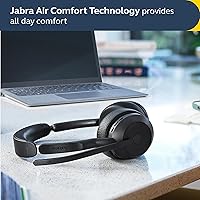
The Air Comfort cushion technology does make a real difference compared to standard foam pads — users with average-sized ears consistently report being able to wear the Evolve2 55 through four- and five-hour meeting blocks without major discomfort.
On-ear is still on-ear. Users with larger ears flag noticeable pressure buildup after roughly three hours, and no amount of cushion engineering fully eliminates that. People accustomed to over-ear headsets may find this the headset's most significant physical limitation.
Battery Life
88%
Eighteen hours of rated battery life holds up well in real conditions — most reviewers running eight-to-ten-hour workdays with continuous call and music use report ending the day with charge to spare. It comfortably covers a full workday plus a commute without anxiety.
A small number of users report battery degradation appearing faster than expected after roughly six to eight months of heavy daily use, with real-world runtime dropping to around twelve to thirteen hours. Charging time is reasonable but not particularly fast.
Dual-Device Connectivity
74%
26%
Having your work laptop and personal phone paired simultaneously is genuinely useful when you need to jump between a Teams call and a personal call without physically swapping headsets. The Link 380 USB adapter adds reliable low-latency connection stability to the laptop side.
Device switching is not always instant — some users report a two-to-three second lag when audio transitions between paired devices, and occasional mid-session disconnects appear in reviews with enough frequency to flag as a real if not universal issue.
Platform Compatibility
87%
Microsoft Teams integration works reliably out of the box, including call controls and status syncing. Beyond Teams, the headset connects without friction to Zoom, Google Meet, and most browser-based conferencing tools across both Windows and macOS.
A few users report that certain advanced Teams features — like automatic do-not-disturb status syncing — behave inconsistently on macOS compared to Windows, suggesting the Teams certification is somewhat more polished on one platform than the other.
Build Quality & Materials
76%
24%
The headset feels sturdy and professional without being heavy. The headband flexes naturally and the overall construction inspires enough confidence for daily bag-and-desk use without treating it like fragile equipment.
The plastic finish, while functional, does not feel premium relative to the price point. A few reviewers noted that the headband padding shows wear earlier than expected, and the matte surfaces attract fingerprints and light scratches with regular use.
Audio Quality for Music
62%
38%
For background listening during focused work, the sound is perfectly adequate — balanced enough that music sits comfortably in the background without being fatiguing or obviously thin.
Anyone who genuinely enjoys music will find the listening experience underwhelming. Bass lacks depth, and the soundstage is narrow in a way that becomes apparent the moment you compare it to any consumer headphone in the same price range.
Busylight & Status Indicator
83%
The LED busylight is one of those features you don't think about until you use it daily — open-plan office users and people working from shared home spaces consistently cite it as a small but meaningful quality-of-life addition that prevents unnecessary interruptions.
The LED is visible mainly from the front. In a home office where family members might approach from different angles, or in larger open offices, the indicator can be missed easily depending on where people are positioned relative to you.
Setup & Out-of-Box Experience
84%
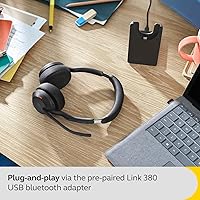
Plug in the Link 380 adapter, power on the headset, and it connects — most reviewers describe the initial setup as taking under two minutes. No driver installation headaches or pairing rituals are required for the core use case.
Accessing more advanced settings and ANC controls requires downloading the Jabra Sound+ app, which some users find adds unnecessary friction. The app itself has received mixed feedback for occasional instability on certain OS versions.
Weight & Portability
81%
19%
At around 130 grams, the Evolve2 55 is light enough that you stop noticing you are wearing it during mid-length sessions. It folds down compactly and comes with a carry pouch, making it reasonable to pack for commuting or office travel.
The included carry pouch is soft-sided and offers minimal protection. Users who regularly commute with the headset loose in a bag mention cosmetic wear appearing faster than they expected without a hard case.
Value for Money
69%
31%
For professionals whose entire job runs through calls and video meetings, the combination of reliable platform integration, strong microphone performance, and all-day battery makes the investment defensible as a work tool rather than a discretionary purchase.
At this price tier, the ANC performance and music audio quality lag noticeably behind consumer-grade competitors. Buyers who want the best possible combination of call quality and listening experience will find the value proposition harder to justify.
Software & Firmware Reliability
66%
34%
Core functionality — calls, ANC, audio playback — works without needing any software interaction. For users who prefer plug-and-play simplicity, this is a genuine advantage that keeps the day-to-day experience friction-free.
Firmware updates have caused temporary issues for a subset of users, including ANC behavior changes and intermittent connectivity quirks. These issues tend to resolve with subsequent updates, but the pattern appears in reviews often enough to be worth noting.
Hearing Safety Features
89%
SafeTone technology monitors long-term volume exposure and nudges levels down before cumulative loudness becomes a concern — a detail that stands out for professionals wearing headsets six-plus hours daily who rarely think about this risk until it is too late.
SafeTone operates somewhat invisibly, and users who prefer full manual volume control can find its automatic adjustments slightly disorienting when it kicks in mid-call without warning.

Suitable for:

The Jabra Evolve2 55 Stereo was built with a very specific professional in mind, and if you fit that profile, it delivers well. Remote and hybrid workers who spend the majority of their day in Microsoft Teams, Zoom, or similar platforms will find the certified integration, reliable call controls, and strong microphone performance genuinely worth the investment. If you frequently juggle a work laptop and a personal phone — keeping both connected and switching audio between them throughout the day — the dual-device Bluetooth setup removes a friction point that adds up over hundreds of workdays. People working in shared spaces like open offices, co-working environments, or busy households will also appreciate the ANC handling everyday ambient noise and the busylight signaling availability to those nearby. Anyone who has dealt with clipped audio or echo complaints on calls will notice the microphone quality difference almost immediately.
Not suitable for:

The Jabra Evolve2 55 Stereo is harder to recommend if your priorities extend meaningfully beyond call performance. If you regularly listen to music for extended periods and care about sound depth, bass response, or a wide soundstage, this wireless office headset will likely leave you underwhelmed — it simply is not engineered for that use case. People with larger ears or those who find on-ear pressure uncomfortable after two to three hours should also approach with caution, since the Air Comfort cushions reduce fatigue but do not eliminate the fundamental physics of an on-ear design. If you are expecting noise cancellation on par with dedicated consumer ANC headphones from Sony or Bose, the performance gap will feel pronounced in louder environments like cafes or public transport. Finally, buyers who want a fully plug-and-play experience with zero app involvement may find occasional firmware updates and the need for Jabra Sound+ for advanced settings mildly frustrating over time.

Specifications

  • Wearing Style: On-ear headband design with Air Comfort cushion technology intended to reduce pressure during extended wear sessions.
  • Weight: Approximately 4.6 oz (130g), making it notably lighter than most professional-grade over-ear headsets in its category.
  • Dimensions: Folded dimensions of 6.9 x 7.3 x 2.6 inches, compact enough to fit in the included carry pouch for bag travel.
  • Microphone: 4-microphone array with PeakStop technology to suppress sudden loud audio spikes and SafeTone to monitor cumulative volume exposure.
  • Active Noise Cancellation: Hybrid ANC system tuned for office and home ambient noise reduction, adjustable via the Jabra Sound+ companion app.
  • Battery Life: Rated up to 18 hours of continuous use on a single charge under standard listening and call conditions.
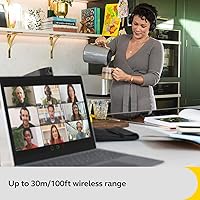
  • Bluetooth Version: Bluetooth 5.2 with a rated wireless range of up to 30 meters under open-space conditions.
  • Connectivity: Connects via Bluetooth 5.2 directly or through the included Link 380 USB adapter available in both USB-A and USB-C variants.
  • Dual-Device Support: Supports simultaneous pairing with two devices — typically a laptop via the Link 380 adapter and a smartphone via Bluetooth.
  • Audio Driver: Dynamic driver type with a 32 Ohm impedance and a frequency response extending up to 20,000 Hz.
  • Platform Certification: Officially certified for Microsoft Teams, with broad compatibility across Zoom, Google Meet, and most browser-based conferencing platforms.
  • Busylight: Integrated LED busylight on the ear cup illuminates during active calls to visually signal availability to nearby colleagues.
  • Special Features: Includes PeakStop sudden-sound protection, SafeTone hearing safety monitoring, LED indicator, and Sub Band Coding (SBC) audio codec support.
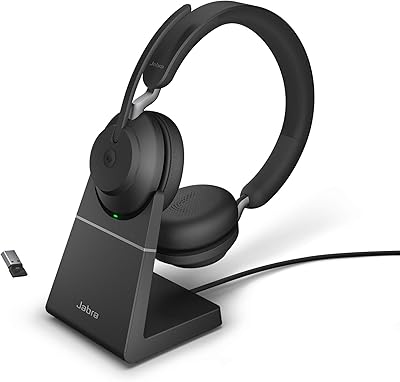
  • Charging Stand: A dedicated charging stand is supported as an optional separately purchased accessory and is not included in the standard retail package.
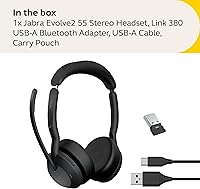
  • In-Box Contents: Package includes the headset, Link 380 Bluetooth USB adapter, a 1.2m USB charging cable, a soft carry pouch, and user documentation.
  • Water Resistance: Not water resistant — the headset carries no official IP rating and is not designed for use in wet or high-humidity environments.
  • Control Method: On-ear touch controls manage call handling, volume, and ANC toggling without requiring physical buttons.
  • Generation: This is a second-generation Evolve product line, succeeding the original Jabra Evolve series with updated comfort, mic, and connectivity hardware.

Related Reviews

Jabra Evolve2 85 MS Stereo Headset
86%
91%
Sound Quality
94%
Noise Cancellation Performance
88%
Comfort for Long Hours
90%
Battery Life
95%
Integration with Microsoft Teams
More
Jabra Evolve2 40 SE Wired Stereo Headset
86%
88%
Call Quality
90%
Comfort for Long Use
91%
Ease of Microsoft Teams Integration
72%
Noise Isolation
85%
Build Quality
More
Jabra Evolve2 65 MS Teams Stereo Wireless Headset
86%
94%
Audio Quality
90%
Noise Cancellation
82%
Comfort for Extended Use
87%
Battery Life
91%
Bluetooth Range
More
Jabra Evolve2 75
Jabra Evolve2 75
78%
91%
Microphone Quality
72%
Active Noise Cancellation
93%
Battery Life
61%
Comfort & Fit
94%
Call Platform Compatibility
More
Jabra Evolve2 True Wireless Earbuds
86%
88%
Sound Quality
91%
Active Noise Cancellation
86%
Comfort for Long Hours
82%
Battery Life
87%
Ease of Use
More
Jabra Evolve 20 UC Stereo
81%
91%
Microphone Clarity
86%
All-Day Comfort
88%
Call Control Usability
93%
UC Platform Compatibility
74%
Build Quality & Durability
More
Jabra Engage 50 Stereo Wired Headset
88%
94%
Call Clarity
90%
Noise Cancellation Effectiveness
88%
Comfort for Long Use
93%
Microphone Quality
85%
Build Quality
More
Jabra Speak2 55 Wireless Bluetooth Speakerphone
87%
88%
Audio Clarity
91%
Battery Life
89%
Ease of Use
93%
Portability
84%
Bluetooth Range
More
Jabra Evolve2 30 UC Mono USB-C
78%
88%
Microphone Clarity
74%
Passive Noise Isolation
71%
Comfort & Wearability
82%
Build Quality
93%
USB-C Compatibility & Setup
More
Jensen CD-560 Portable Stereo CD Player with AM/FM Stereo Radio and Bluetooth
79%
75%
Sound Quality
85%
Bluetooth Connectivity
90%
Portability
68%
Build Quality
92%
Ease of Use
More

FAQ

For basic use — calls, audio playback, and ANC — you plug in the Link 380 USB adapter and it works immediately with no software required. The Jabra Sound+ app is only needed if you want to adjust ANC levels, update firmware, or customize touch controls. Most people get along fine without ever opening it.

Yes. The Jabra Evolve2 55 Stereo supports simultaneous dual-device pairing — typically your laptop through the Link 380 USB adapter and your smartphone via Bluetooth. Audio will route from whichever device is active, and switching between them is handled automatically when a call comes in, though there can be a short delay of a couple of seconds during transitions.
It handles steady background noise — HVAC systems, keyboard noise, distant conversations — quite well. In a genuinely loud open office with lots of unpredictable noise, it will reduce the din meaningfully but not eliminate it entirely. If you are expecting the same level of isolation as a Sony or Bose consumer headphone, it will fall a bit short — this headset prioritizes call performance over deep ANC.

They do make a real difference compared to standard foam pads — the cushion design reduces the clamping sensation that on-ear headsets typically cause. That said, on-ear is still on-ear: after three to four hours of continuous wear, especially for users with larger ears, some pressure will accumulate. If you have serious sensitivity to on-ear pressure, an over-ear headset may suit you better in the long run.

It works reliably with Zoom, Google Meet, and virtually any browser-based conferencing platform. The Teams certification just means certain Teams-specific features — like integrated call status syncing — are officially supported and tested. For every other platform, it functions as a standard plug-and-play audio device without any special setup.

In real-world use, most people running eight- to ten-hour days with a mix of calls and background music end the day with battery remaining. The 18-hour rating is conservative enough that it holds up under typical conditions. That said, a small number of long-term users have reported noticeably reduced runtime after six or more months of heavy daily use, which is common for lithium-ion batteries in this class.

It is a real feature, not just a label. PeakStop monitors incoming audio for sudden loud spikes — like someone unmuting and shouting unexpectedly on a call — and limits the peak before it reaches your ears. After enough back-to-back video calls, that kind of ear fatigue protection adds up in a meaningful way. SafeTone is the companion feature that tracks your cumulative daily volume exposure and nudges the level down when it gets into concerning territory.

It is clearly visible from the front and at close to medium range. Across a large open-plan floor, or from behind you, it is easy to miss. Think of it as a practical signal for the two or three people immediately around you rather than a room-wide indicator.

It works on macOS without any issue for core audio and call functionality. The main caveat is that some Teams-specific features — like automatic do-not-disturb syncing — behave less consistently on Mac than on Windows. If Teams integration nuances matter to you and you are on a Mac, it is worth checking current Jabra compatibility notes before purchasing.

A portion of reviewers have reported temporary problems after firmware updates, including changes to ANC behavior and occasional connectivity glitches. These issues are not universal — most users update without incident — but they appear in reviews often enough to be worth knowing about. Jabra typically addresses these problems in subsequent updates, so keeping the Sound+ app installed and watching for follow-up releases is the practical approach.