Overview

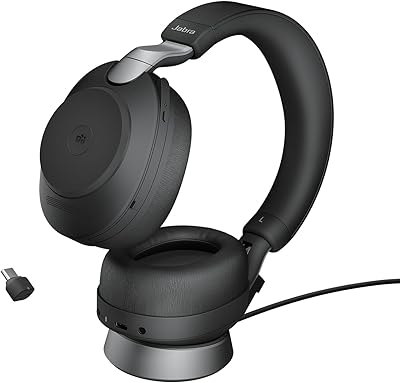
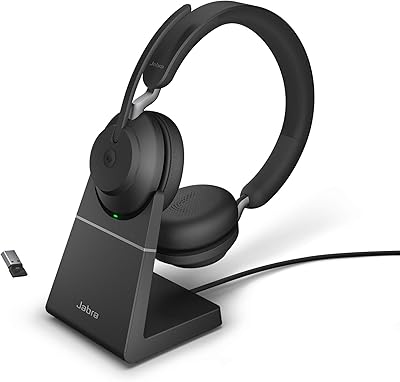
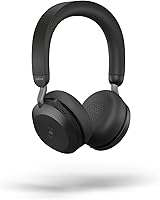
The Jabra Evolve2 75 is a professional-grade wireless headset built specifically for people who spend a serious portion of their day on calls, whether at a corporate desk or a home office. What makes it worth considering at this price point is the combination of all-day battery life — up to 36 hours on a single charge — and certified compatibility with Microsoft Teams, Cisco, and Avaya. It is not trying to be a lifestyle headphone; it is built for work. That focus shapes everything from its microphone setup to its connectivity options, making it a practical long-term investment for professionals who rely on clear communication throughout the day.

Features & Benefits

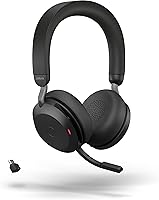
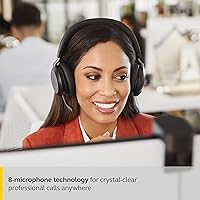
The 8-microphone beamforming array is the headline feature here, and it earns the attention. In a noisy open-plan office, the difference between a headset that isolates your voice and one that picks up everything around you becomes obvious fast. The Active Noise Cancellation is solid for blocking ambient hum, though it does not quite match consumer-oriented ANC headphones at the top of the market — worth knowing upfront. The HearThrough mode lets you tune back into the room without removing the headset entirely. The hideaway boom arm retracts cleanly when you step away from calls, and with Bluetooth 5.2 plus a dedicated USB-C adapter, connection stability is reliably strong throughout the day.

Best For

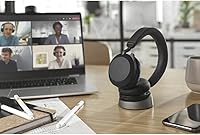
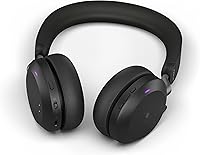
This wireless business headset makes the most sense for hybrid professionals who genuinely live on Microsoft Teams, Cisco, or Avaya and need certified compatibility to work without troubleshooting. It is equally well suited for shared or open-plan spaces where colleagues need a visual cue about your availability — the busylight on the ear cup handles that quietly and effectively. If your workday involves back-to-back calls with no margin for a dead battery or a dropped connection, the long battery life and stable wireless performance cover those concerns well. Those shopping for a casual listening headset will find the investment difficult to justify without the professional use case to back it up.

User Feedback

This Jabra headset carries a 3.6-star average on Amazon, which deserves honest acknowledgment at this price tier. Buyers consistently praise the microphone clarity in noisy environments, with voice pickup frequently described as excellent even in busy office settings. Where opinions split is on comfort: several users report noticeable clamping pressure during longer wear sessions, which can become a real issue for anyone with packed meeting schedules. Switching between paired devices occasionally triggers connectivity hiccups, a frustration that appears across multiple reviews. ANC earns decent marks but rarely impresses anyone coming from consumer-focused alternatives. Overall, a strong professional tool — but one with trade-offs that buyers should weigh before committing.

Pros

  • The 8-microphone beamforming array delivers outstanding voice clarity even in loud open-plan environments.
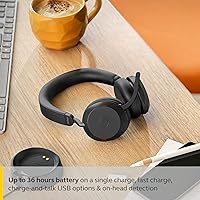
  • Up to 36 hours of battery life comfortably covers full workdays without mid-afternoon anxiety.
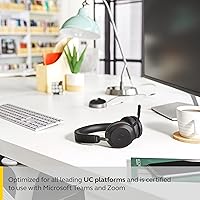
  • Certified for Microsoft Teams, Cisco, and Avaya with plug-and-play call controls that actually work.
  • The busylight indicator reduces office interruptions during calls without any extra setup.
  • Bluetooth 5.2 with a dedicated USB-C adapter provides noticeably more stable wireless performance than standard pairing.
  • The hideaway boom arm retracts cleanly, making the headset look far less conspicuous between calls.
  • HearThrough mode lets you tune back into your surroundings instantly without removing the headset.
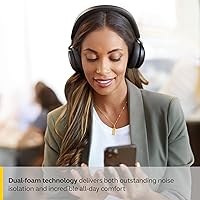
  • At 197 grams, the Evolve2 75 is light enough to wear through long sessions without feeling heavy.
  • Build quality at the headband and adjustment points holds up well under daily professional use.
  • The USB-C Link 380 adapter works reliably across both USB-A and USB-C ports for flexible desk setups.

Cons

  • Clamping pressure becomes genuinely uncomfortable during sessions of six or more continuous hours.
  • ANC performance is adequate but falls short of what dedicated consumer noise-cancelling headphones deliver.
  • Multi-device Bluetooth switching is inconsistent and often requires a manual reconnection step.
  • The companion app has reported stability issues on Windows, making firmware updates and EQ adjustments unreliable.
  • The included carry pouch provides minimal protection and is not suitable for frequent travel or commuting.
  • No quick-charge feature means forgetting an overnight charge can leave you short before the day ends.
  • The busylight only triggers automatically within certified platforms, limiting its hands-free usefulness elsewhere.
  • Ear cup housings attract fingerprints and show scuffs noticeably after regular bag transport.
  • Music and media playback sounds narrow and flat compared to similarly priced consumer headphones.
  • The overall value proposition weakens significantly if you do not need certified platform integration.

Ratings

The Jabra Evolve2 75 has been put through its paces by thousands of verified buyers worldwide, and our AI-driven scoring system filters out incentivized and bot-generated reviews to surface what real professionals actually experience day to day. Scores reflect an honest synthesis of both the standout strengths and the recurring frustrations that show up consistently across global feedback. Where this wireless business headset excels, it genuinely excels — but the pain points are real and worth knowing before you commit.

Microphone Quality
91%
The 8-microphone beamforming array earns consistent, enthusiastic praise from users in loud open-plan offices. Colleagues on the other end of calls regularly report hearing voices with exceptional clarity even when there is significant background noise present. For professionals whose job depends on being understood without repeating themselves, this is the headset's single biggest strength.
A small but vocal group of users noticed that the boom arm microphone, when retracted, picks up slightly more room noise than when extended. In very echoey spaces like hard-floored home offices, voice pickup can occasionally sound less polished than in a treated acoustic environment.
Active Noise Cancellation
72%
28%
The ANC handles consistent low-frequency noise well — HVAC hum, open-office chatter, and keyboard clatter are noticeably reduced during focused work sessions. For a headset primarily designed for calls rather than music listening, this level of isolation is more than adequate for most hybrid workers.
Users upgrading from consumer ANC headphones like Sony or Bose often find the noise cancellation underwhelming by comparison. It works, but it does not create the deep quiet that dedicated consumer ANC products achieve, which is a genuine trade-off worth acknowledging at this price tier.
Battery Life
93%
Up to 36 hours of wireless use is a standout number, and users consistently confirm it holds up in practice across full workdays. Professionals with packed schedules who charge overnight and work through the next day rarely report running low, even with heavy Teams or Cisco call usage throughout.
The roughly 135-minute full charge time is not particularly fast, which means forgetting to charge overnight can leave you in a bind. There is no quick-charge feature that delivers meaningful runtime from a short top-up, which some competitors at this price point do offer.
Comfort & Fit
61%
39%
Initial fit is comfortable for most users, and the 197-gram weight feels manageable during morning sessions. The over-ear design does a decent job distributing pressure, and many users wear the headset for three to four hours before noticing any fatigue.
Clamping pressure is the most frequently cited complaint in long-term feedback. Users who wear the headset for six or more hours daily — exactly the target audience — report growing discomfort around the jaw and temples. Head shape matters a lot here, and narrower-headed users tend to feel the squeeze more acutely.
Call Platform Compatibility
94%
Certified for Microsoft Teams, Cisco, and Avaya out of the box, this wireless business headset connects and functions without configuration headaches in most corporate IT environments. Teams call controls including mute, answer, and end work directly from the ear cup, which saves constant tab-switching during back-to-back meetings.
The certification ecosystem, while broad, still leaves some niche or legacy VoIP platforms without full button-control support. Users on non-certified platforms occasionally find that on-device call controls do not map correctly, requiring them to manage calls from their computer instead.
Wireless Connectivity Stability
74%
26%
The Bluetooth 5.2 connection paired with the dedicated USB-C Link 380 adapter provides a noticeably more stable signal than generic Bluetooth pairing. Users in office buildings with high wireless traffic report fewer drops than they experienced with previous headsets, which matters during important calls.
Multi-device switching is the weak point — a recurring theme in reviews involves the headset struggling to reconnect cleanly when transitioning between a laptop and a smartphone. Some users report needing to manually force a reconnection, which is a friction point that feels out of place on a premium device.
Build Quality & Durability
83%
The physical construction feels appropriately solid for a professional tool, with metal reinforcement at the headband adjustment points where cheaper headsets tend to crack over time. Long-term owners report that the headset holds up well after a year or more of daily use without significant cosmetic or structural degradation.
The plastic used on the ear cup housings attracts fingerprints noticeably and can show scuff marks after regular bag transport. The included carry pouch offers only basic protection — users who travel frequently would benefit from a hard case, which is sold separately.
Busylight & Office Signaling
88%
The integrated busylight on the ear cup is a genuinely useful feature in shared office environments. Colleagues quickly learn to read the light signal before interrupting, which reduces the number of awkward tap-on-the-shoulder moments during active calls. It is a small feature that becomes a daily convenience fast.
The busylight relies on the connected platform to trigger automatically, so it only activates reliably when using certified software like Teams. Users on non-integrated platforms must trigger it manually, which somewhat defeats the hands-free convenience it is designed to provide.
HearThrough Mode
79%
21%
Being able to flip on ambient awareness without removing the headset is a practical feature for hybrid workers who need to stay tuned to their physical environment — hearing a colleague walk up, catching a public address announcement, or simply checking the noise level before a call starts.
The transition between full ANC and HearThrough mode introduces a brief audio artifact that some users find jarring. The HearThrough audio quality also amplifies higher frequencies slightly, making the ambient sound feel less natural than the real acoustic environment.
Hideaway Boom Arm
82%
18%
The retractable boom arm is one of the more thoughtful design choices here. When tucked away, the headset looks far less conspicuous than a traditional office headset, making it wearable in casual settings without standing out. Extending it for calls takes a single motion and becomes instinctive quickly.
The boom arm hinge mechanism on some units develops a slight looseness after several months of daily extending and retracting. It does not affect microphone performance, but the tactile flimsiness compared to the rest of the headset is occasionally noted in longer-term ownership reviews.
Setup & Onboarding
86%
Plug in the USB-C adapter, power on the headset, and in most cases you are connected and ready within under a minute. Corporate IT departments appreciate that the certified integrations work without requiring driver installation or IT-desk intervention in standard Teams and Cisco environments.
The Jabra Sound+ companion app, while useful for firmware updates and EQ adjustments, has attracted some criticism for occasional instability on Windows. Users who want granular control over ANC levels or microphone settings may find the app experience inconsistent across operating system versions.
Audio Quality for Music & Media
63%
37%
For a business headset, audio playback is serviceable and occasionally pleasant during breaks or focus sessions with background music. The 40mm dynamic drivers deliver a reasonably balanced sound with enough bass presence to make playlists feel engaging rather than flat.
Anyone expecting consumer-audio performance at this price will be disappointed. The tuning is clearly optimized for voice intelligibility rather than music reproduction, and the soundstage feels noticeably narrow compared to similarly priced over-ear headphones designed for listening enjoyment.
Value for Money
58%
42%
For a professional who spends six or more hours daily on certified Teams or Cisco calls in an open office, the combination of microphone performance, battery endurance, and platform integration does justify the investment over the long term. It is a durable professional tool, not a disposable accessory.
A 3.6-star average rating is a difficult thing to ignore at a premium price point, and it signals that a meaningful share of buyers feel the value proposition does not hold up against their expectations. Users who do not specifically need platform certification or the busylight feature can find competitive alternatives at a lower cost.
Portability & Travel Friendliness
67%
33%
At 197 grams, the Evolve2 75 is light enough to forget on your head during commutes. The included carry pouch keeps it protected in a bag between locations, and the compact folded profile fits into most laptop bags without taking up significant space.
The carry pouch is fabric, not rigid, which means a heavy bag can deform or scratch the headset over time. Frequent travelers who commute daily would benefit from investing in a hard-shell case separately, as the included pouch offers more dust protection than genuine impact resistance.

Suitable for:

The Jabra Evolve2 75 was built for a very specific kind of professional, and if you fit the profile, it delivers well on its promises. Hybrid workers who split their week between a corporate open-plan office and a home setup will find the combination of certified platform integration, long battery endurance, and reliable voice pickup genuinely useful rather than just impressive on paper. If your calendar is packed with back-to-back Microsoft Teams, Cisco, or Avaya calls and you have experienced the frustration of a headset dropping mid-meeting or dying by mid-afternoon, the 36-hour battery and stable Bluetooth 5.2 connection address those pain points directly. The busylight feature is a small but meaningful bonus for anyone working in a shared space where interruptions during calls are a recurring problem. Professionals who need to stay audible in noisy environments — open offices, co-working spaces, busy home settings — will appreciate how consistently the 8-microphone array picks up voice while pushing background noise aside. If you are treating this as a long-term professional tool rather than a disposable accessory, the build quality and feature depth make a reasonable case for the investment.

Not suitable for:

The Jabra Evolve2 75 is a focused professional tool, and buyers outside that narrow target will likely find the trade-offs frustrating relative to the price. If you primarily want a headset for music listening, media consumption, or casual use, the audio tuning here is optimized for voice clarity rather than entertainment, and the soundstage will disappoint anyone used to consumer-grade headphones in a similar price range. People who wear headsets for six or more consecutive hours daily should also pay close attention to the comfort feedback — recurring complaints about clamping pressure are consistent enough to take seriously, especially if you have a wider head or are prone to ear fatigue. Those who regularly switch between multiple Bluetooth devices throughout the day may find the reconnection behavior irritating, as it does not handle multi-device transitions as smoothly as some alternatives. Budget-conscious buyers or those who do not specifically need Teams, Cisco, or Avaya certification will find competitive wireless headsets with fewer friction points at a meaningfully lower cost. And if you are coming from a high-end consumer ANC headphone expecting equivalent noise-blocking performance, the active noise cancellation here will feel like a step down rather than a professional upgrade.

Specifications

  • Connectivity: The headset uses Bluetooth 5.2 and ships with a dedicated USB-C Link 380 Bluetooth adapter that also supports USB-A connections via an included adapter.
  • Microphone Array: An 8-microphone beamforming array is built into the headset, combining boom arm and built-in microphones to isolate voice and suppress background noise.
  • Battery Life: The headset delivers up to 36 hours of continuous wireless use on a single full charge under typical operating conditions.
  • Charge Time: A full charge from empty takes approximately 135 minutes using the included USB-C charging cable.
  • Driver Size: Each ear cup uses a 40mm dynamic audio driver tuned for voice clarity and professional call intelligibility.
  • Weight: The headset weighs 197 grams (6.9 oz), which is positioned toward the lighter end for a full-featured over-ear business headset.
  • Wearing Style: The Evolve2 75 is an over-ear headset with an adjustable padded headband designed for extended wear during professional use.
  • Noise Cancellation: Advanced Active Noise Cancellation is built in, targeting ambient environmental noise such as office chatter, HVAC systems, and background hum.
  • HearThrough: A HearThrough transparency mode allows the wearer to let in ambient sound without removing the headset, activated via on-ear controls.
  • Certifications: The headset is certified for Microsoft Teams, Avaya, and Cisco, enabling native call controls and status integration on those platforms.
  • Busylight: An integrated LED busylight on the ear cup visually signals the wearer's availability status to nearby colleagues during active calls.
  • Boom Arm: The headset features a hideaway boom arm that extends for calls and retracts flush with the ear cup when not in use.
  • Bluetooth Version: Bluetooth 5.2 provides the wireless backbone, delivering low-latency audio transmission and stable range across typical office and home environments.
  • In the Box: The package includes the headset, USB-C Link 380 Bluetooth adapter, USB-C charging cable, and a fabric carry pouch; no charging stand is included by default.
  • Impedance: The headset has an impedance rating of 32 Ohms, consistent with standard portable audio device compatibility requirements.
  • Dimensions: The folded headset measures approximately 7.5 x 5.7 x 2.6 inches, making it compact enough to fit in most laptop bags with the included pouch.
  • Platform Support: Beyond certified platforms, the Evolve2 75 works with all major online meeting software including Zoom, Google Meet, and WebEx via standard Bluetooth or the USB adapter.
  • Material: The primary construction uses plastic for the ear cup housings and headband shell, with metal reinforcement at the telescoping adjustment points.
  • Audio Response: The frequency response extends up to 20,000 Hz, covering the full range needed for clear voice reproduction and acceptable music playback.
  • Carry Case: The included carry pouch is made from fabric and provides basic dust and scratch protection but does not offer rigid impact resistance for travel.

Related Reviews
Jabra Evolve2 True Wireless Earbuds
86%
88%
Sound Quality
91%
Active Noise Cancellation
86%
Comfort for Long Hours
82%
Battery Life
87%
Ease of Use
More
Jabra Engage 75 SE Wireless Headset
86%
96%
Wireless Range
89%
Comfort & Wearability
87%
Audio Quality
83%
Noise Cancelling Performance
90%
Ease of Use
More
Jabra Evolve2 55 Stereo
79%
91%
Call & Microphone Quality
71%
Active Noise Cancellation
78%
Wearing Comfort
88%
Battery Life
74%
Dual-Device Connectivity
More
Jabra Speak2 75 Wireless Bluetooth Speakerphone
87%
91%
Audio Quality
96%
Battery Life
92%
Ease of Setup
89%
Noise Cancellation
78%
Portability
More
Jabra Evolve2 85 MS Stereo Headset
86%
91%
Sound Quality
94%
Noise Cancellation Performance
88%
Comfort for Long Hours
90%
Battery Life
95%
Integration with Microsoft Teams
More
Jabra Evolve2 40 SE Wired Stereo Headset
86%
88%
Call Quality
90%
Comfort for Long Use
91%
Ease of Microsoft Teams Integration
72%
Noise Isolation
85%
Build Quality
More
Jabra Evolve2 65 MS Teams Stereo Wireless Headset
86%
94%
Audio Quality
90%
Noise Cancellation
82%
Comfort for Extended Use
87%
Battery Life
91%
Bluetooth Range
More
Jabra Evolve2 30 UC Mono USB-C
78%
88%
Microphone Clarity
74%
Passive Noise Isolation
71%
Comfort & Wearability
82%
Build Quality
93%
USB-C Compatibility & Setup
More
Lineco Photo Card Box 12″ x 6.75″ x 4.75″
87%
91%
Build Quality & Durability
88%
Ease of Use
85%
Design & Aesthetics
78%
Storage Capacity
92%
Value for Money
More
Glide Gear TMP 75
Glide Gear TMP 75
84%
91%
Build Quality
93%
Glass Quality
96%
Ease of Setup
78%
Smartphone Compatibility
88%
Portability
More

FAQ

Yes, the Evolve2 75 can pair directly via standard Bluetooth without the USB-C Link 380 adapter. That said, the adapter is specifically designed to improve connection stability and reduce latency, so if you are using it for calls on a laptop, plugging in the adapter will generally give you a more reliable experience than native Bluetooth pairing.

The headset supports multi-device pairing, but switching between devices is one of the more criticized aspects based on user feedback. It does not always reconnect cleanly when you move from one paired device to another, and you may occasionally need to manually force the connection rather than having it switch automatically.

It depends a lot on your head shape and size. For many users, the first few hours are comfortable enough. Where complaints accumulate is in the six-plus hour range, and users with wider heads or those sensitive to lateral pressure report it becoming genuinely distracting. If you plan to wear it all day without breaks, it is worth trying before committing if possible.

It handles consistent ambient noise — HVAC hum, general office chatter, keyboard sounds — reasonably well. What it does not do is deliver the deep, immersive quiet that high-end consumer ANC headphones are known for. If your benchmark is a Sony or Bose consumer headphone, this will feel modest by comparison. For a professional headset, it is solid but not exceptional.

No drivers are required for basic Teams functionality. Plug in the USB adapter and the headset is recognized automatically in most corporate Windows environments. The Jabra Sound+ app is optional and mainly useful for firmware updates, EQ adjustments, and ANC level customization, but the core call controls work right out of the box.

Real-world usage aligns fairly closely with the 36-hour rating for typical professional use. Most users who spend five to eight hours daily on calls report that charging overnight keeps the battery consistently topped up. The battery only becomes a concern if you forget to charge for a night or two in a row, since a full recharge takes just over two hours.

Yes, extending the boom arm improves voice pickup noticeably because it positions the microphone closer to your mouth. The built-in microphones still work well when the boom is retracted, but in particularly noisy environments, extending the boom arm gives callers on the other end a cleaner, more present voice signal.

It works automatically when you are on a call through a certified platform like Microsoft Teams. If you are using a non-certified platform or a standard Bluetooth connection, the light will not trigger automatically and you would need to activate it manually through the on-device controls or the companion app.

For light protection against dust and scratches inside a padded laptop bag, it does the job. For commuters who pack heavily or throw bags around, the fabric pouch does not offer meaningful impact protection. Jabra sells an optional hard-shell charging stand separately, but a rigid travel case requires a third-party purchase if that level of protection matters to you.

It works with all major meeting platforms including Zoom, Google Meet, and WebEx — the certifications for Teams, Cisco, and Avaya specifically mean that native call controls like answer, mute, and end are fully mapped on those platforms. On non-certified platforms, the audio works perfectly but some button controls may not function as expected, requiring you to manage calls from your computer screen instead.