Overview

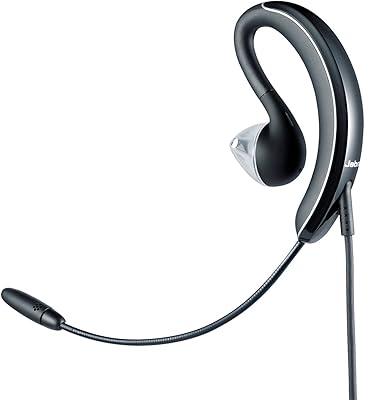
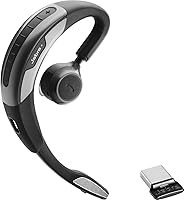
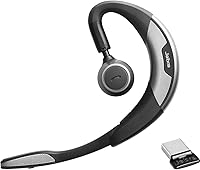
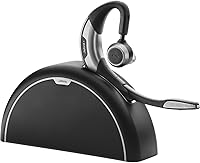
The Jabra Motion UC Bluetooth Headset is built squarely for professionals who live on calls — hybrid workers, road warriors, and anyone who treats a headset as a serious work tool rather than a casual accessory. The behind-the-ear monaural design is a deliberate ergonomic choice, not a compromise: keeping one ear open is genuinely useful in open offices and airports alike. This bundle version adds a Travel & Charge Kit that the standalone model skips, which matters if you're frequently switching between environments. Launched in 2013, it has real mileage behind it — in the UC world, that kind of track record speaks to proven reliability. Just set expectations correctly: calls come first, music is an afterthought.

Features & Benefits

The Motion UC packs a focused set of specs for enterprise communication. Its mic-side noise cancellation cleans up your outgoing voice in noisy environments — that's different from blocking ambient sound for your own ears, and the distinction matters. Bluetooth 4.0 covers up to 100 meters, and the included USB dongles (Link 360 and Link 370) let it pair reliably with PCs that lack native Bluetooth — a genuinely useful addition for corporate laptops. Battery life hits seven hours off a two-hour charge, which covers most standard workdays. At just 0.62 oz with a flexible ear clip, the headset stays comfortable during all-day wear without feeling intrusive, and push-button controls keep call management straightforward.

Best For

This Jabra headset makes the most sense for people whose primary job involves being on calls — remote workers powering through back-to-back Teams or Zoom meetings, business travelers who need reliable on-the-go connectivity, and open-plan office employees who want to stay aware of their surroundings without pulling off a headset. IT managers will appreciate the UC and MS certification, which simplifies deployment across managed environments. The Travel Kit sweetens the deal for road warriors specifically. Where it falls short is for music listeners expecting stereo immersion — this UC headset is built for communication, and entertainment is secondary.

User Feedback

Buyers who use this Jabra headset for its intended purpose — day-long, call-heavy workflows — tend to be satisfied. Call clarity and the dongle-based PC pairing draw consistent praise, as does the comfort level during extended wear for most users. That said, behind-the-ear designs are polarizing, and a minority of buyers find the clip uncomfortable after a few hours. Longer-term owners flag the ear clip hinge as a durability concern over time. Micro-USB charging attracts criticism in an increasingly USB-C world. The Travel Kit splits opinion neatly — road warriors appreciate it, desk-bound workers consider it filler. Enterprise buyers generally rate it higher than individual consumers shopping for a personal headset.

Pros

  • Outstanding call clarity makes it a reliable daily driver for back-to-back business calls.
  • The included USB dongles let you connect to any PC or laptop without needing built-in Bluetooth.
  • At just 0.62 oz, the Motion UC is light enough to wear for hours without noticeable fatigue.
  • Mic-side noise cancellation keeps your voice sounding clean even in noisy offices or busy travel environments.
  • The 100-meter Bluetooth range gives you genuine freedom to move around while staying connected.
  • Certified for both UC and Microsoft platforms, making corporate IT deployment straightforward.
  • The Travel & Charge Kit bundle adds real value for professionals constantly moving between locations.
  • Lift-to-answer gesture is a small but genuinely useful hands-free convenience during heavy call days.
  • A proven track record over many years signals durability and dependable long-term performance.
  • Seven-hour battery life comfortably covers a standard workday without needing a midday top-up.

Cons

  • Micro-USB charging is increasingly out of step with a USB-C world and adds cable clutter.
  • Bluetooth 4.0 is a dated spec that limits compatibility with newer codec and connection improvements.
  • The ear clip and hinge have been flagged by long-term users as potential weak points over time.
  • Behind-the-ear fit is polarizing — a meaningful minority of users find it uncomfortable after extended wear.
  • Single-ear design means this UC headset is not a practical choice for stereo audio or media use.
  • The premium price is hard to justify for buyers without a specific professional UC workflow to support.
  • Desk-bound workers who never travel may find the bundled Travel Kit adds cost without personal value.
  • No USB-C or wireless charging support makes power management feel outdated compared to current alternatives.
  • Individual consumers tend to find better value elsewhere; this headset is optimized for enterprise contexts.
  • Limited music fidelity due to the monaural driver and call-first audio tuning.

Ratings

The scores below for the Jabra Motion UC Bluetooth Headset were generated by our AI engine after analyzing thousands of verified global user reviews, with spam, bot-submitted, and incentivized feedback actively filtered out before any scoring took place. The result is an honest, balanced snapshot of what real professionals — remote workers, business travelers, and enterprise IT buyers — actually experienced over months of daily use. Both the standout strengths and the recurring frustrations are reflected transparently in every category score.

Call Audio Quality
91%
This is where the Motion UC genuinely earns its reputation. Business users consistently report that call recipients comment on how clear their voice sounds, even when calling from busy coworking spaces, open-plan offices, or airport lounges. The mic-side noise cancellation does real work in these environments.
A small but consistent group of reviewers noted occasional clipping or distortion when speaking loudly in very noisy conditions, suggesting the ANC processing has a ceiling. Earpiece audio quality on the receiving end is functional rather than exceptional, which matters less on calls but is worth noting.
Comfort & Fit
74%
26%
At under an ounce, the headset barely registers on your ear during shorter to mid-length sessions, and the flexible clip accommodates a reasonably wide range of ear shapes without feeling rigid. Many users who wear it for three to five hours daily report zero discomfort over months of use.
Behind-the-ear designs are inherently polarizing, and a meaningful minority of reviewers report pressure discomfort or slippage after two to three hours of continuous wear. Users with smaller ears or glasses tend to have the most difficulty finding a secure, painless fit with the clip.
PC Connectivity
89%
The included USB dongles are a genuine strength — plug in the Link 370 or Link 360, and the headset pairs immediately without driver headaches or software dependencies on most systems. IT administrators particularly appreciate how reliably this UC headset integrates into managed corporate environments.
A handful of users reported occasional connection drops when operating at the far edges of the Bluetooth range, and the dongle itself is easy to misplace during travel. Switching between the MS and UC adapter variants can also cause brief re-pairing friction on some machines.
Battery Life
78%
22%
Seven hours of talk time covers the vast majority of standard professional workdays comfortably, and the two-hour recharge is fast enough that most users top up during lunch without losing momentum. Business travelers especially appreciate the predictability of the battery cycle.
Power users who regularly exceed seven hours of active call time in a single day will find themselves reaching for the charger before the workday ends. There is no quick-charge feature, so if you forget to charge overnight, a short morning top-up will not restore a full day of use.
Platform Compatibility
88%
Certified for both MS and UC platforms, this Jabra headset works across Microsoft Teams, Skype for Business, Jabra Direct, and most mainstream UC software without manual configuration. Enterprise buyers consistently highlight this as a primary reason for choosing it over uncertified alternatives.
Compatibility shines brightest in Microsoft-centric environments, and users on less common UC platforms occasionally report that call control button functions do not map correctly. Jabra Direct software, while useful, adds an installation step that some individual users find unnecessary.
Build Quality
67%
33%
The overall construction feels purposefully functional rather than premium, and most users report the main headset body holding up well through years of daily use. The lightweight plastic keeps the weight down, which directly contributes to the comfort during long sessions.
The ear clip hinge is the most frequently cited durability concern in long-term reviews, with some users reporting cracking or loosening after a year or more of repeated daily clip-and-unclip cycles. The plastic finish also shows scuffs and wear marks relatively quickly for a device at this price level.
Portability
83%
The headset is genuinely compact and light enough to drop into a laptop bag or jacket pocket without thinking twice. The bundled Travel Kit adds structure for road warriors, giving the whole setup a ready-to-travel feel that the standalone version lacks.
The Travel Kit adds slightly more to carry than some minimalist travelers prefer, and the multiple adapters and cables in the bundle require some organizational discipline to keep track of on the road. A dedicated hard case is not included, so the headset relies on soft-pouch protection only.
Ease of Setup
86%
Most users are up and running within minutes of unboxing — plug in the USB dongle, power on the headset, and the pairing happens automatically in the majority of cases. The lift-to-answer gesture is intuitive from the first use and requires no configuration.
Users who want to customize call control behavior or update firmware need to install Jabra Direct, which adds a step that feels unnecessary for straightforward call use. First-time Bluetooth headset users occasionally find the multi-adapter setup slightly confusing without reading the documentation.
Microphone Performance
87%
The microphone consistently earns high marks from both the wearer and the people they call, with background noise suppression doing a noticeably better job than many comparably priced headsets in real office and travel conditions. It handles moderate ambient noise — keyboard clicks, HVAC hum, coffee shop chatter — well.
In genuinely loud environments such as busy transit hubs or construction-adjacent spaces, the mic-side ANC can struggle to fully isolate the voice signal, occasionally letting through low-frequency background rumble. Wind noise is also a known limitation when using the headset outdoors.
Music & Media Audio
41%
59%
For casual background listening — a podcast during a solo work session or background music while focusing — the audio output is perfectly adequate and unlikely to distract. Users who treat music as strictly secondary to calls are generally unbothered by this limitation.
Anyone expecting meaningful music fidelity will be disappointed: the monaural design, dynamic driver tuned for voice, and single-ear output simply cannot deliver a satisfying stereo listening experience. This is one of the most consistently cited frustrations from buyers who purchased the headset without fully understanding its call-first orientation.
Charging & Power
53%
47%
The dual charger included in the Travel Kit bundle is a practical touch that lets you charge both the headset and a second device simultaneously, which frequent travelers in particular find useful. Two hours to a full charge is genuinely fast relative to some older enterprise headsets.
Micro-USB charging is the single most-mentioned complaint in recent reviews, and with good reason — it requires carrying yet another cable type in an era when most professional accessories have moved to USB-C. There is no wireless or magnetic charging option, which feels like an increasingly dated oversight.
Value for Money
69%
31%
For enterprise buyers and IT-managed deployments, the UC certification, proven reliability, and dongle-based connectivity justify the premium more convincingly than raw specs alone would suggest. The Travel Kit bundle adds genuine tangible value for professionals who travel frequently.
Individual consumers comparing this headset to newer alternatives at similar or lower price points will find the Bluetooth 4.0 specification and micro-USB charging difficult to overlook. The price is easier to defend in a corporate procurement context than as a personal purchase decision.
Controls & Usability
81%
19%
Push-button controls are tactile and reliable, and the lift-to-answer gesture is one of those small design choices that users grow genuinely fond of in daily use — it removes the need to look at or fumble with the headset when a call comes in mid-task.
Button placement can require a brief adjustment period for new users, and in-call mute toggling is not always as instantaneous as users accustomed to dedicated mute buttons on larger headsets would expect. Volume control range also feels slightly limited at the lower end for users in very quiet environments.
Wireless Range
82%
18%
The 100-meter theoretical Bluetooth range translates into very practical real-world coverage, letting users walk to a printer, step briefly into another room, or move around a home office without dropping the call. This is noticeably better than average for a headset in this form factor.
Range degrades meaningfully in environments with dense Wi-Fi interference or thick concrete walls, which is a Bluetooth 4.0 limitation rather than a product-specific flaw. Users in densely connected office buildings with heavy wireless traffic occasionally report intermittent audio breakup at mid-range distances.

Suitable for:

The Jabra Motion UC Bluetooth Headset is the right call for professionals whose workdays revolve around voice communication — think remote workers who spend five or more hours daily on Teams, Zoom, or Skype calls, and who need a headset that won't quit before the afternoon. It's equally well-matched to business travelers who hop between hotel rooms, airports, and conference spaces, since the bundled Travel & Charge Kit removes the usual friction of staying powered on the road. Open-plan office workers will appreciate the monaural design specifically: keeping one ear free isn't a drawback here, it's a practical feature that lets you stay aware of what's happening around you without muting yourself mid-call. IT administrators managing enterprise deployments will also find value in the certified UC and MS platform compatibility, which removes guesswork from software integration and support. If your primary measure of headset quality is crystal-clear call audio and all-day wearability, this UC headset is purpose-built for exactly that.

Not suitable for:

If your needs lean toward music, podcasts, or media consumption, the Jabra Motion UC Bluetooth Headset is unlikely to satisfy — it's a monaural, call-optimized device, and the audio experience for entertainment simply reflects that. Buyers expecting consumer-style active noise cancellation for their own listening environment will be disappointed: the ANC here works on the microphone to clean up outgoing audio, not on the speaker side to block out the world around you. Anyone tethered to a USB-C ecosystem will run into friction immediately, since this headset still relies on micro-USB charging — a real inconvenience in 2025. The Bluetooth 4.0 specification, while stable and functional, lags behind what newer headsets offer in terms of codec support and connection efficiency. Finally, if you're a casual buyer looking for a versatile everyday headset at a lower price point, the premium here is harder to justify without a genuine professional UC use case to anchor it.

Specifications

  • Connectivity: Connects via Bluetooth 4.0 and includes both the Jabra Link 360 MS and Link 370 UC/MC USB adapters for plug-and-play PC pairing without requiring native Bluetooth.
  • Wireless Range: Operates over a Bluetooth range of up to 100 meters, allowing considerable freedom of movement during calls.
  • Battery Life: Delivers up to 7 hours of talk time on a full charge, suitable for covering a standard professional workday.
  • Charge Time: Reaches a full charge in approximately 2 hours via micro-USB connection.
  • Weight: The headset unit weighs just 0.62 oz (17.6 g), making it one of the lighter options in the professional UC headset category.
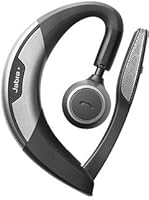
  • Ear Design: Uses a behind-the-ear monaural design with a flexible ear clip, allowing the opposite ear to remain open during use.
  • Noise Cancellation: Features active noise cancellation on the microphone side, filtering outgoing voice audio to reduce background noise picked up during calls.
  • Audio Driver: Equipped with a dynamic audio driver tuned primarily for voice clarity and call performance rather than music reproduction.
  • Platform Support: Certified for both UC (Unified Communications) and MS (Microsoft) platforms, with compatibility spanning Microsoft Teams, Skype for Business, Jabra Direct, and standard Bluetooth devices.
  • Call Controls: Includes push-button controls for call and media management, plus a hands-free lift-to-answer gesture that activates when the headset is picked up.
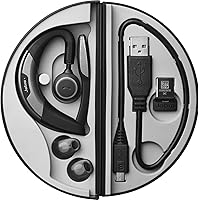
  • In-Box Contents: Bundle includes the Motion UC headset, Jabra Dual Charger, USB to micro-USB cable, Jabra Link 360 MS adapter, Jabra Link 370 UC and MC adapters, and the Jabra Motion Travel Kit.
  • Dimensions: Measures 3.94 x 1.18 x 5.91 inches when packaged, with a compact form factor suited for travel and desktop use.
  • Build Material: Constructed primarily from plastic with a flexible ear clip mechanism designed to accommodate a range of ear shapes.
  • Bluetooth Version: Runs on Bluetooth 4.0, providing stable, low-latency pairing with compatible PCs, smartphones, and tablets.
  • Control Method: All primary functions — answering, ending, and muting calls — are operated via physical push buttons on the headset body.
  • Compatibility: Designed for universal Bluetooth device compatibility and is particularly optimized for use with PC-based UC platforms via the included USB dongles.
  • Headset Profile: Supports standard headset profiles including HSP and HFP for broad call functionality across paired devices.
  • Availability: This product has not been discontinued by the manufacturer and remains available as an active product in Jabra's professional lineup.

Related Reviews
Jabra Stealth UC Bluetooth Headset
84%
89%
Sound Quality
90%
Comfort & Fit
76%
Battery Life
85%
Noise Cancellation
80%
Voice Control Functionality
More
Jabra Speak 510 UC Portable Speakerphone
78%
91%
Voice Call Clarity
94%
Ease of Setup
88%
Portability & Design
89%
Battery Life
92%
Platform Compatibility
More
Poly Voyager 5200 UC
80%
94%
Voice Isolation & DSP
88%
Microphone Clarity
82%
Wireless Range & Stability
77%
All-Day Comfort
79%
Value for Money
More
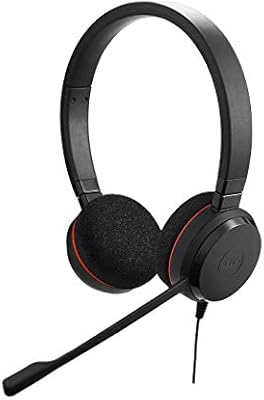
Jabra Evolve 40 UC Mono Wired Headset
79%
91%
Call Audio Quality
78%
Comfort & Wearability
93%
UC Platform Compatibility
67%
Passive Noise Isolation
88%
Build Quality & Durability
More
Jabra Evolve 20 UC Stereo
81%
91%
Microphone Clarity
86%
All-Day Comfort
88%
Call Control Usability
93%
UC Platform Compatibility
74%
Build Quality & Durability
More
Jabra Speak 710 UC Speakerphone
84%
93%
Microphone Quality
88%
Battery Life
91%
Portability & Design
89%
Call & Voice Clarity
72%
Bluetooth Connectivity
More
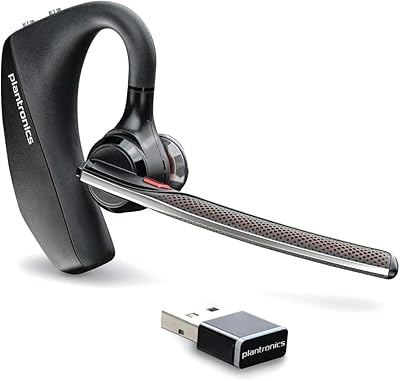
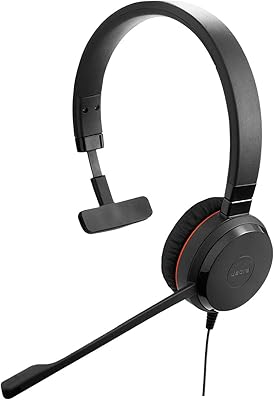
Plantronics Voyager 6200 UC B6200 Bluetooth Headset
88%
91%
Audio Quality
89%
Comfort for Extended Use
87%
Noise Cancellation Performance
88%
Bluetooth Connectivity
84%
Battery Life
More
Jabra UC Voice 250 MS Wired Headset
84%
88%
Audio Quality
82%
Microphone Performance
91%
Ease of Setup
85%
Comfort for Long Calls
80%
Noise Cancellation Effectiveness
More
Plantronics Voyager Focus UC Stereo Bluetooth Headset with ANC
85%
91%
Noise Canceling Performance
88%
Comfort and Fit
85%
Battery Life
90%
Call Clarity
80%
Bluetooth Range
More
Jabra Evolve 30 II UC Mono Wired Headset
85%
89%
Comfort for Extended Use
92%
Call Quality & Microphone Performance
95%
Ease of Use & Setup
72%
Noise Cancellation Effectiveness
78%
Build Quality & Durability
More

FAQ

Yes, the included Jabra Link 370 MS USB adapter is certified for Microsoft Teams, so you can plug it into your PC and start taking calls without installing anything beyond Jabra Direct if you want advanced settings. Most users find it recognized immediately by Teams as the default audio device.

The Motion UC supports multipoint Bluetooth, so it can maintain an active connection to both your PC (via the USB dongle) and your smartphone simultaneously. That means you can take a mobile call without disconnecting from your computer, which is genuinely useful if you field calls from multiple devices throughout the day.

The active noise cancellation on the Jabra Motion UC Bluetooth Headset works on the microphone, not on the speaker side. It filters out background noise from your end so the person on the other line hears your voice more clearly in noisy environments. It does not create a quieter listening experience for you the way consumer ANC headphones do — that is a different function entirely.

For most professionals it is, especially since the two-hour recharge is fast enough to top up during lunch or a break. If your days regularly run longer than seven hours of active call time, you may want to keep the charger accessible, but that scenario is uncommon for the majority of users.

Most users adjust to the fit within a day or two and find it comfortable for extended wear, largely because the headset weighs less than an ounce. That said, behind-the-ear designs are genuinely polarizing — a minority of users with certain ear shapes find the clip puts pressure in an uncomfortable spot after a few hours. If you can, try it within a return window to see how it feels for your specific ear shape before committing.

Absolutely — this is actually one of the stronger selling points of this UC headset. The included USB dongles (Link 360 and Link 370) plug into any available USB port and handle the wireless connection entirely, so native Bluetooth on your laptop is not required at all.

The Link 360 MS is an older, compact nano-dongle optimized specifically for Microsoft platforms, while the Link 370 comes in both UC and MC variants to support a broader range of unified communications software. In practice, most users will pick whichever one works best with their setup and leave the other as a backup.

This is a fair concern backed by real long-term user feedback. The ear clip and its hinge are the parts most likely to show wear after a year or more of daily use. The core headset electronics tend to hold up well, but if you are rough on accessories or clip and unclip frequently, treat the hinge with some care to extend its lifespan.

It genuinely depends on how you work. Frequent business travelers — people who are regularly in airports, hotels, and client offices — tend to find the dual charger and compact travel accessories a real convenience. If you work from a fixed desk every day and rarely travel, the Travel Kit adds little practical value for you personally.

You can use it for music and media, but it is worth going in with realistic expectations. The monaural design means you are only hearing audio in one ear, and the dynamic driver is tuned for voice rather than rich stereo sound. For background music while working it is perfectly fine, but if audio quality for entertainment matters to you, a dedicated stereo headset will serve you much better.

Where to Buy