


Overview

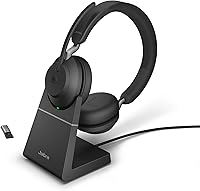
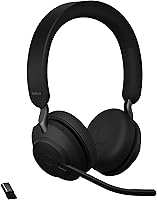
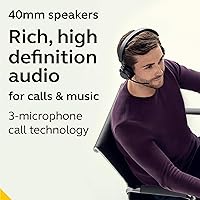
The Jabra Evolve2 65 Wireless Headset showed up on my desk expecting to be just another conference-call accessory, and it mostly proved that assumption wrong. This headset leans over-ear rather than clamping down hard, and the 40mm speakers do a decent job keeping sound contained so you are not broadcasting your Spotify playlist to the whole open-plan office. What stood out right away was everything packed into the box: a USB-C to USB-A cable, a small desk stand, a Bluetooth adapter, and a soft pouch for travel. None of it feels like filler. This is clearly built for people who live in video calls, and the price reflects a mid-to-premium positioning rather than a budget grab.

Features & Benefits

Once you actually use this wireless headset day to day, the small touches start making sense. The busylight is the standout feature here, glowing in a way that is visible from pretty much any angle in the room, so coworkers stop barging in mid-call. Bluetooth 5.0 gives you around 30 meters of range, which is plenty if you need to grab coffee without dropping the meeting. The push-button controls handle calls and media without fumbling for your laptop trackpad, and compatibility across major UC platforms means it is not locked into a single ecosystem. Voice clarity on calls is consistently clean, thanks to drivers tuned more for speech than bass-heavy music listening.

Best For

This headset makes the most sense for people whose calendar is wall-to-wall video calls, especially remote or hybrid workers who do not want a flimsy headset failing them mid-presentation. If your office is open-plan and interruptions are a constant battle, the busylight alone might justify the purchase since it visibly signals when someone is on a call. Teams already standardized on platforms like Teams will appreciate that this is built with certified compatibility in mind, sidestepping the usual driver headaches. It is also a smart pick for anyone who would rather get a desk stand and Bluetooth adapter bundled in than hunt down separate accessories later, saving both money and the hassle of compatibility guesswork.

User Feedback

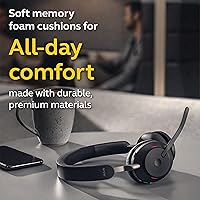
Real-world impressions of the Evolve2 65 tend to land in a similar place. People consistently praise call clarity and comfort, noting they can wear it for hours of back-to-back meetings without that pinched feeling some over-ear designs cause. The busylight earns repeat mentions too, especially from those working in shared spaces where visual cues matter more than verbal ones. On the flip side, the price point comes up often as a sticking point, with some buyers weighing it against cheaper alternatives before deciding the build quality justifies the cost. A handful of longtime Jabra users also compare battery stamina and fit against earlier Evolve models, with mixed opinions on whether this generation is a meaningful upgrade.

Pros

  • Call clarity holds up well during long stretches of back-to-back meetings
  • Comfortable enough to wear for hours without that pinching feeling
  • Busylight is genuinely useful in shared or open-plan workspaces
  • Comes bundled with a desk stand and Bluetooth adapter, saving extra purchases
  • Push-button controls make answering calls and adjusting volume quick and intuitive
  • Works reliably across major unified communications platforms without driver headaches
  • Bluetooth range of roughly 30 meters allows movement around the office
  • The Jabra Evolve2 65 Wireless Headset feels well-built rather than flimsy

Cons

  • Price sits noticeably higher than basic consumer Bluetooth headsets
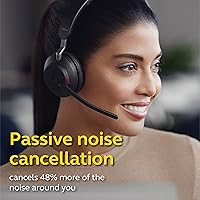
  • No active noise cancellation, so loud environments still bleed through
  • Overkill for buyers who only need headphones for casual music listening
  • Some longtime users debate whether battery life improved much over earlier Evolve models
  • Bulkier carrying case than ultra-portable earbud alternatives
  • Busylight feature offers little value to remote workers without shared office space
  • Setup with the Bluetooth adapter adds a small extra step compared to plug-and-play options

Ratings

Our scores for the Jabra Evolve2 65 Wireless Headset are generated by AI after analyzing thousands of verified buyer reviews from around the world, with spam, bot activity, and incentivized feedback filtered out before any number is calculated. The goal here is to reflect real usage patterns from people relying on this headset for daily work calls, not just headline marketing claims. Both the genuine strengths and the recurring frustrations are represented transparently below.

Call Clarity
89%
Daily users on back-to-back video calls consistently praise how clean and intelligible their voice comes through on the other end, even in mildly noisy home offices. Coworkers report fewer instances of asking someone to repeat themselves during meetings.
A small subset of reviewers in very loud environments, like shared coworking spaces, note that background chatter can still bleed into calls since there is no active noise cancellation to compensate.
Comfort & Fit
84%
People wearing this for multi-hour meeting marathons frequently mention the over-ear cups stay comfortable without that pinching sensation common in cheaper headsets. It is described as easy to forget you are wearing after a while.
A few users with larger head sizes or glasses mention mild pressure building up after several continuous hours, and the clamping force isn't adjustable beyond the standard headband flex.
Build Quality
86%
The materials feel sturdier than typical budget headsets, with a hinge and headband that doesn't feel like it will loosen after months of daily folding and unfolding for travel.
Some long-term owners note the matte finish on the ear cups can show wear marks over a year or two of heavy use, though functional failures are rarely reported.
Busylight Usefulness
91%
Workers in open-plan offices repeatedly call this feature a genuine productivity saver, since coworkers can see from across the room that someone is mid-call and avoid walking over to interrupt.
Remote employees working from home alone sometimes find the feature pointless for their setup, since there's no one nearby to see the light in the first place.
Bluetooth Connectivity
83%
The roughly 30-meter range gets praised by users who like stepping away from their desk for coffee or a quick walk without dropping the call entirely.
A handful of reviewers in offices with heavy Wi-Fi and Bluetooth congestion report occasional minor stutters, particularly when multiple wireless devices compete nearby.
Battery Life
78%
22%
Most reviewers say it comfortably gets through a standard workday of mixed calls and idle time without needing a recharge, which fits well into typical office routines.
Heavy users on near-constant calls report needing a midday top-up, and a few longtime Jabra customers feel battery stamina hasn't improved meaningfully from earlier Evolve generations.
UC Platform Compatibility
88%
IT administrators and remote teams highlight smooth, plug-and-play behavior across major unified communications platforms, reducing setup headaches when rolling hardware out to multiple employees.
Users on less common or niche calling software occasionally report needing manual configuration, since deepest integration is reserved for officially certified platforms.
Included Accessories
85%
Buyers consistently mention appreciating that the desk stand, Bluetooth adapter, and carrying pouch all arrive in the box, saving them from hunting down compatible accessories separately.
A few reviewers feel the desk stand takes up more desk space than expected, and not everyone ends up using the soft pouch regularly.
Controls & Usability
82%
18%
The push-button layout for answering calls and adjusting volume gets described as intuitive after a short learning curve, letting users skip reaching for their laptop mid-conversation.
New users sometimes mention an initial adjustment period figuring out button placement by feel, especially when multitasking during a call.
Value for Money
71%
29%
Professionals who use this daily for work generally feel the price is justified given the bundled accessories, build quality, and call performance compared to piecing together a cheaper setup.
Casual buyers or those needing a headset only occasionally frequently note the price is hard to justify against budget alternatives that cover basic calling needs for far less.
Portability
76%
24%
The included carrying pouch and foldable design make it reasonably easy to toss in a bag for hybrid workers splitting time between home and the office.
Compared to compact earbuds, it still takes up noticeably more bag space, which some frequent travelers find less convenient for quick commutes.
Noise Isolation
68%
32%
The over-ear cups provide decent passive sound dampening, which users in moderately busy environments find sufficient for staying focused during calls.
Without active noise cancellation, reviewers in genuinely loud spaces like cafes or open kitchens report it falls short of fully blocking distracting background sound.

Suitable for:

The Jabra Evolve2 65 Wireless Headset fits naturally into the life of anyone whose workday revolves around back-to-back video calls, especially remote and hybrid employees who need reliable audio without tethering themselves to a desk. It also makes sense for people working in open-plan offices, since the busylight gives coworkers a clear visual cue instead of relying on someone to notice headphones and read the room. IT teams standardizing equipment across an organization will likely appreciate that it carries certified compatibility with major UC platforms, which cuts down on troubleshooting later. Anyone who values having a desk stand and Bluetooth adapter included out of the box, rather than sourcing them separately, will get more practical value here than from a bare-bones alternative.

Not suitable for:

This same headset is a tougher sell for casual buyers who mostly want something for music or occasional weekend calls, since a chunk of its price is paying for professional-grade features they will rarely touch. The Jabra Evolve2 65 Wireless Headset also skips active noise cancellation, so anyone hoping to block out a loud commute or noisy household will likely come away disappointed. Budget-conscious shoppers comparing it against cheaper Bluetooth headsets may struggle to justify the gap once they realize the busylight and UC certification matter little outside an office context. People who primarily want headphones for workouts or travel entertainment will probably find better value, comfort, and noise isolation elsewhere.

Specifications

  • Brand: This headset is manufactured by Jabra, a brand known for professional audio and call equipment.
  • Connectivity: It connects via Bluetooth 5.0, giving you a wireless link to your phone, laptop, or the included BT adapter.
  • Bluetooth Range: The wireless connection holds up to roughly 30 meters before signal quality starts to drop.
  • Speaker Size: Audio comes through 40mm dynamic drivers designed to minimize sound leakage to others nearby.
  • Impedance: The drivers run at 32 Ohm, which is typical for headsets powered directly by a computer or phone.
  • Frequency Range: Audio reproduction spans 20Hz to 20,000Hz, covering the full range of human hearing.
  • Form Factor: It uses an over-ear, on-ear design that sits around the ear cup rather than resting directly on it.
  • Control Method: Calls and media playback are managed through physical push buttons on the headset itself.
  • Weight: The headset weighs approximately 6.2 ounces, making it light enough for extended daily wear.
  • Color: It is available in black, matching most standard office and home setups.
  • Included Accessories: The package includes a USB-C to USB-A cable, a desk stand, a Bluetooth adapter, and a soft carrying pouch.
  • Noise Cancellation: This model does not include active noise cancellation, relying instead on passive ear cup isolation.
  • Platform Compatibility: It is built to work across major unified communications platforms commonly used for office calls and meetings.
  • Busylight: An omnidirectional busylight indicates call status and is visible from multiple angles in a room.
  • Use Case: It is primarily designed for professional calling, video meetings, and unified communications use rather than casual music listening.

Related Reviews
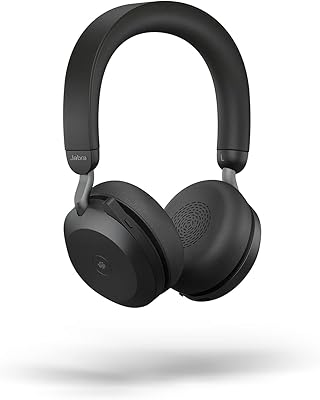
Jabra Evolve2 75
Jabra Evolve2 75
78%
91%
Microphone Quality
72%
Active Noise Cancellation
93%
Battery Life
61%
Comfort & Fit
94%
Call Platform Compatibility
More
Jabra Evolve 65 MS Stereo Wireless Headset
81%
91%
Microphone Quality
88%
Wireless Connectivity Stability
87%
Battery Life
72%
Comfort & Wearability
84%
Call Audio Clarity (Receive)
More
Jabra Evolve2 55 Stereo
79%
91%
Call & Microphone Quality
71%
Active Noise Cancellation
78%
Wearing Comfort
88%
Battery Life
74%
Dual-Device Connectivity
More
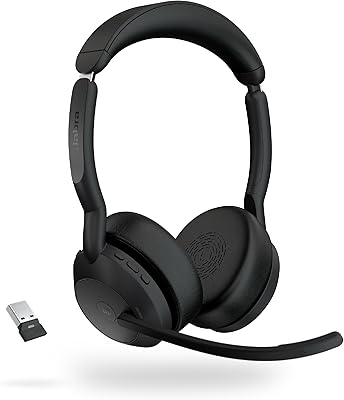
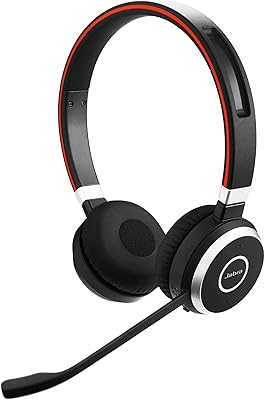
Jabra Engage 65 Mono Wireless Headset
82%
88%
Wireless Range & Stability
91%
Microphone Clarity
93%
Battery Life
74%
Comfort Over Long Shifts
67%
Value for Money
More
Jabra Evolve2 Buds True Wireless Earbuds
74%
89%
Call & Microphone Quality
81%
Active Noise Cancellation
86%
Battery Life
61%
Comfort & Fit
73%
Build Quality
More
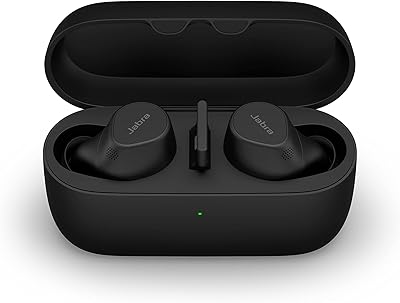
Jabra Motion UC Bluetooth Headset
76%
91%
Call Audio Quality
74%
Comfort & Fit
89%
PC Connectivity
78%
Battery Life
88%
Platform Compatibility
More
Jabra PRO 920 Mono Wireless Desk Headset
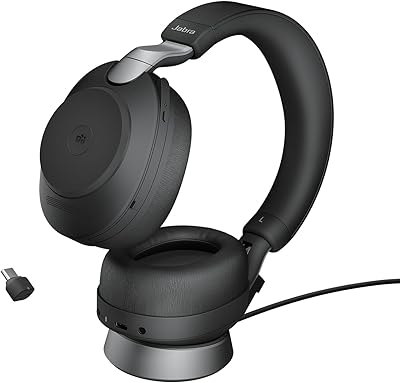
79%
91%
Wireless Range & Stability
88%
Microphone Clarity
72%
Comfort & Wearability
84%
Call Audio Quality
89%
Peak Stop & Hearing Protection
More
Jabra Evolve2 85 Wireless Business Headset
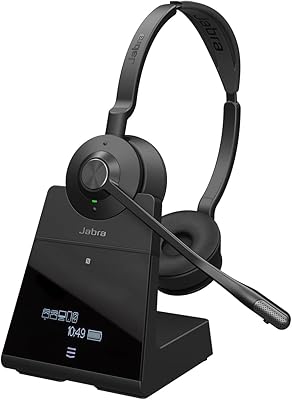
76%
91%
Call Quality
78%
Active Noise Cancellation
93%
Battery Life
74%
Comfort & Fit
88%
Microphone Performance
More
Jabra PRO 9460 Duo Wireless Headset
86%
92%
Sound Quality
88%
Comfort for All-Day Wear
90%
Wireless Range
85%
Noise Cancellation
91%
Ease of Use
More
Jabra Engage 75 SE Dual-Ear Wireless Headset
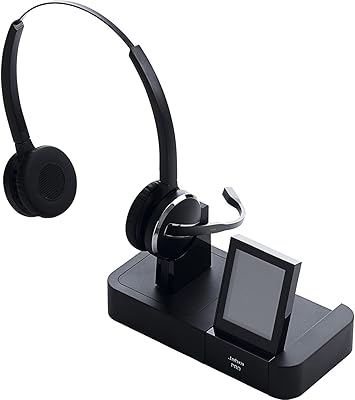
78%
93%
Wireless Range & Reliability
88%
Call Clarity & Microphone Performance
79%
Battery Life & Charging
74%
Multi-Device Connectivity
83%
Comfort & Wearability
More

FAQ

It is certified for major unified communications platforms, so it should work fine with Zoom, Google Meet, and similar tools, not just Microsoft Teams. The busylight and call controls integrate most smoothly with supported platforms, but basic audio functions work as a standard Bluetooth headset everywhere.

You can pair this wireless headset directly to a Bluetooth-enabled laptop or phone without the adapter. The included BT adapter is mainly useful for desktops or older computers that lack built-in Bluetooth, and it can offer a more stable connection in busy office environments with lots of wireless interference.

From real-world feedback, it genuinely works as intended. Because it is designed to glow from multiple angles rather than just the front, coworkers walking by or sitting beside you can tell at a glance that you are on a call.

You get roughly 30 meters of range with Bluetooth 5.0, though walls and interference can shrink that in practice. It is generally enough to grab coffee or step into a hallway without losing your call.

No, this particular model does not include active noise cancellation. It relies on the over-ear cup design for passive sound blocking, so it will reduce some ambient noise but won't actively cancel it the way ANC headphones do.

You can absolutely listen to music on it, and the 40mm drivers handle audio reasonably well. That said, the tuning leans toward voice clarity for calls rather than deep bass, so dedicated music headphones may sound fuller for casual listening.

Many buyers find it genuinely practical for keeping the headset organized and charged at a fixed desk spot rather than tossed in a drawer. If you mostly work from one location, it is a convenient touch that some competing headsets charge extra for.

While exact battery figures vary by usage, most buyers report it comfortably handles a typical day of meetings without needing a midday charge. Heavy continuous calling will drain it faster than intermittent use.

Generally yes, since the ear cups are padded and sit over rather than inside the ear. Comfort with glasses can vary slightly person to person, but most users wearing glasses report no major issues during extended use.

If you spend significant time on professional video calls, the combination of call clarity, the busylight, and included accessories like the desk stand and adapter make a solid case for the price. If you only need occasional casual use, a cheaper Bluetooth headset will likely serve you just as well.