IODD ST300 USB-C Virtual ODD Enclosure

Overview
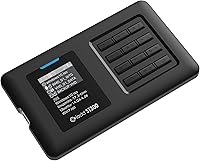
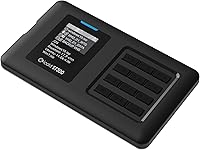
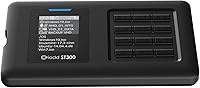
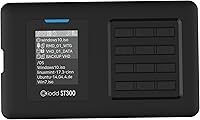
The IODD ST300 USB-C Virtual ODD Enclosure is one of those rare devices that solves a real problem most people don't know they have until they're stuck without an optical drive, staring at an ISO file. At its core, it's a 2.5-inch SSD enclosure — but that description undersells it considerably. A small 128x160 TFT LCD screen and a 12-key button array on the unit itself let you browse and mount image files directly, no host software required. USB-C connectivity (USB 3.1 Gen 1) ensures broad compatibility across modern Windows and Linux machines. This is a premium, specialized tool — not a commodity purchase.
Features & Benefits
What makes this virtual ODD enclosure genuinely useful isn't just the hardware — it's the software-free workflow. Drop ISO, VHD, VMDK, or IMA files onto the drive, navigate to them on the LCD, and the host machine sees a virtual optical drive or hard disk, depending on what you need. The hardware write-protect function is particularly valuable: it locks the drive at the device level, making it suitable for forensic imaging or running diagnostics on potentially compromised systems. Windows-To-Go support means you can carry a bootable Windows install in your pocket. Auto-sleep and safe-removal features round things out, and SATA2/SATA3 compatibility means most standard 2.5-inch SSDs up to 7mm will fit without issue.
Best For
This bootable drive enclosure is a natural fit for IT administrators who need to deploy OS images across multiple machines without lugging around physical media or installing utilities on each host. Security researchers and forensic analysts will appreciate the hardware-level write block more than any software solution. If you've moved to a slim laptop or compact desktop that dropped the optical bay entirely but still need to boot from ISO files regularly, this makes the task straightforward. Developers cycling through Linux distros or Windows test builds will find the on-device menu direct and functional. It also suits anyone building a portable Windows-To-Go setup on a fast SSD.
User Feedback
With a 4.6-star average across 58 ratings, the IODD ST300 earns consistent praise for its boot reliability across both legacy BIOS and modern UEFI systems — something buyers often flag as the make-or-break test. That said, the on-device menu has a learning curve; several users note it takes a session or two before navigation feels intuitive. The plastic and acrylic housing draws occasional comments from buyers expecting a metal-clad premium feel. A few also report finicky behavior with certain USB hubs, so a direct host-port connection is generally recommended. On the upside, firmware updates are available and the manufacturer appears responsive, which matters considerably for a niche device like this.
Pros
- Mounts ISO, VHD, VMDK, and IMA files without installing any software on the host machine.
- Hardware write-protect toggle works reliably — a genuine asset for forensic and security work.
- Boots consistently across both legacy BIOS and modern UEFI systems, which is the real test.
- The on-device LCD and 12-key controls make the IODD ST300 fully self-contained and host-independent.
- Windows-To-Go support lets you carry a portable, bootable Windows environment in your pocket.
- Compact and light enough at 90 grams to slip into any laptop bag or field toolkit.
- Compatible with a wide range of standard 2.5-inch SATA SSDs and HDDs up to 7mm thick.
- Firmware updates are available and the manufacturer has demonstrated responsiveness to user-reported issues.
- USB-C connectivity keeps it compatible with virtually every modern laptop and docking station.
Cons
- The plastic and acrylic shell feels underwhelming for a device priced in premium territory.
- On-device menu navigation requires real time investment before it becomes second nature.
- No TRIM or UASP support limits long-term SSD health and sustained transfer performance.
- Recognition can be unreliable when connected through unpowered or low-quality USB hubs.
- The manual and firmware update process are sparse and not beginner-friendly.
- Windows-To-Go is deprecated in newer Windows versions, narrowing its long-term usefulness.
- Small LCD screen makes reading long file names genuinely awkward in practice.
- No visual indicator confirms whether write protection is actively engaged at a glance.
Ratings
The IODD ST300 USB-C Virtual ODD Enclosure earns a strong overall position among its niche competitors, and the scores below reflect what real buyers worldwide have consistently reported across verified purchases — with AI-assisted filtering applied to remove incentivized and bot-driven reviews. Strengths in core functionality and reliability are scored honestly alongside friction points like the learning curve and physical build, so you get a clear picture before committing to a premium-tier purchase.
Boot Reliability
Virtual ODD Functionality
Write Protection
On-Device Interface (LCD & Keys)
Build Quality
USB-C Connectivity
Software-Free Operation
Windows-To-Go Support
Drive Compatibility
Firmware & Manufacturer Support
Portability
Value for Money
Initial Setup Experience
File Format Support
Suitable for:
The IODD ST300 USB-C Virtual ODD Enclosure was clearly built with a specific type of user in mind, and it delivers best when that user shows up. IT administrators who regularly deploy operating system images across multiple machines will find the software-free virtual ODD workflow genuinely useful — no host installations, no dependencies, just plug in and boot. Security researchers and forensic analysts get hardware-level write protection that software tools simply cannot replicate with the same reliability. Developers who cycle through Linux distributions or test Windows builds frequently will appreciate being able to swap mounted images from the device itself without touching the host system. Users who have moved to slim ultrabooks or compact desktops that lack optical drives but still maintain ISO-heavy workflows will find this bootable drive enclosure fills that gap cleanly. Anyone building a portable Windows-To-Go environment on a fast SSD also fits squarely in the intended audience.
Not suitable for:
The IODD ST300 USB-C Virtual ODD Enclosure is a poor fit for buyers without a clear, recurring use case that justifies its premium price. Casual users who only occasionally need to boot from an ISO will find free software-based virtual drive tools more than sufficient and far less expensive. The plastic and acrylic build will disappoint anyone expecting the kind of solid, metal construction that typically accompanies a device at this price point. Those who need maximum SSD longevity from their enclosure should also be aware that TRIM and UASP are not supported, making this a weaker choice as a primary external storage drive. Users who are not comfortable navigating a small on-device menu system — or who simply want a plug-and-play experience — will face a frustrating initial learning curve. Finally, if your environment relies heavily on USB hubs rather than direct host-port connections, expect occasional recognition inconsistencies that can disrupt time-sensitive work.
Specifications
- Display: The enclosure features a 128x160 TFT LCD screen used to navigate menus, select image files, and confirm device status without any host machine involvement.
- Input Method: A 12-key tact-switch panel built into the enclosure provides tactile, hardware-level navigation and control entirely independent of the connected host.
- Dimensions: The device body measures 80mm wide, 140mm long, and 14mm tall, making it compact enough to carry alongside a laptop without meaningful bulk.
- Weight: Without a drive installed, the enclosure weighs 90 grams — light enough for daily carry in a bag or field toolkit.
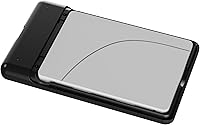
- Drive Support: Accepts standard 2.5-inch SATA SSDs and HDDs with a maximum height of 7mm, covering the vast majority of mainstream consumer and enterprise drives.
- Internal Interface: Uses a SATA2/SATA3 internal interface with backward compatibility, ensuring broad drive support regardless of whether the installed SSD or HDD runs at SATA2 or SATA3 speeds.
- External Interface: Connects to host machines via a single USB Type-C port running USB 3.1 Gen 1, delivering transfer speeds of up to 5 Gbps.
- Power Source: Powered entirely through the USB connection at DC +5V, with no external power adapter required under normal operating conditions.
- File Format Support: Supports ISO, VHD, RMD, VMDK, and IMA image file formats for virtual mounting, covering the most common formats used in OS deployment and virtualization workflows.
- Supported OS: Compatible with Windows 7 and later and macOS 10 and later on the host side, with Linux support also confirmed for standard use cases.
- Material: The outer shell is constructed from plastic and acrylic — functional and lightweight, though not as impact-resistant as aluminum-bodied alternatives.
- TRIM & UASP: Neither TRIM nor UASP is supported, which limits long-term SSD optimization and prevents the performance gains that UASP-capable enclosures offer under sustained workloads.
- Key Functions: Core functions include virtual ODD emulation, virtual HDD mounting, hardware write protection, Windows-To-Go support, auto-sleep, safe removal, and a multilingual UI.
- Virtual Drive Types: The device can emulate both optical disc drives (CD, DVD, and similar) and USB hard disk drives, selectable from the on-device menu without host software.
- User Rating: Holds a 4.6 out of 5 star average rating based on 58 verified purchase ratings, placing it at rank 222 in the Enclosures category on Amazon.
Related Reviews
iodd ST400 1TB Encrypted External SSD Enclosure

ikuai 3.5″ USB 3.0 Hard Drive Enclosure
ASUS TUF Gaming A1 SSD Enclosure
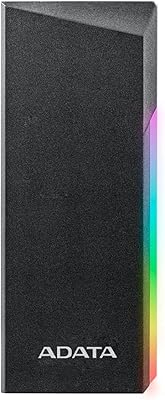
ADATA EC700G M.2 NVMe SATA SSD Enclosure
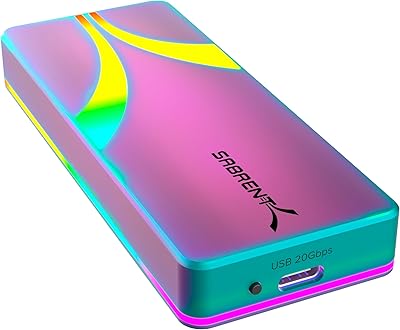
SABRENT EC-RGBC M.2 NVMe SSD Enclosure
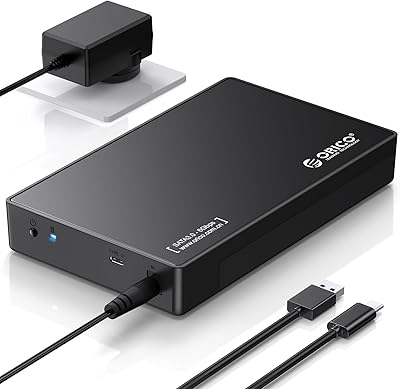
ORICO 3588C3 3.5″ Hard Drive Enclosure
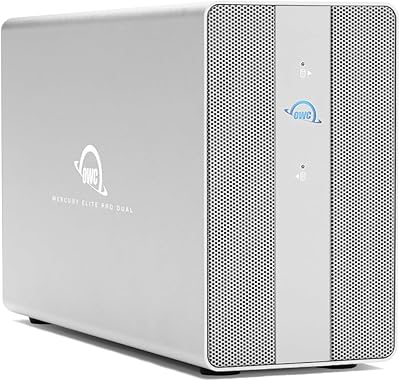
OWC Mercury Elite Pro Dual 24TB Enclosure
OWC Mercury Elite Pro Dual 8TB Enclosure
Vantec NexStar GX 2.5″ USB-C Drive Enclosure
