Overview

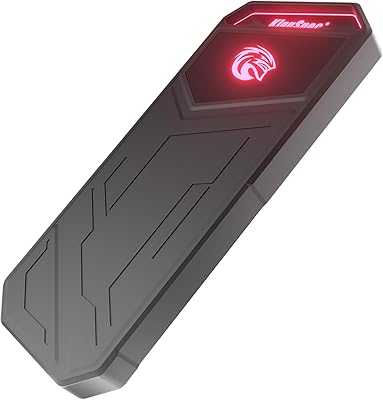
The iodd ST400 1TB Encrypted External SSD Enclosure is a specialized piece of hardware built for people who need more from a portable drive than simple file storage. Born from the IODD2541 platform developed in Korea, it carries genuine engineering credibility in a niche where most products are either overpriced gimmicks or underpowered compromises. This is not a device you buy because it was on sale — the premium price reflects a very specific capability set that general consumers simply won't need. What you get is a compact 2.5-inch enclosure with USB-C connectivity that fits in a shirt pocket but punches well above its weight for technically demanding workflows.
Features & Benefits

The headline capability here is AES256-XTS hardware encryption — not a software layer that can be bypassed or forgotten at boot, but a chip-level implementation that processes every byte before it ever touches the drive. Passwords up to 76 digits long make brute-force attacks practically futile. Beyond encryption, the IODD ST400 can mount ISO files and present them to any host machine as a bootable virtual optical drive, eliminating the need to carry USB boot sticks or hunt for a physical DVD drive. Write-protect mode, Windows To Go support, and VHD mounting round out a toolkit that handles real IT scenarios. Auto sleep and safe removal protect both the drive and whatever data is on it.

Best For

This encrypted SSD enclosure was built with a specific user in mind, and that person is not shopping for a backup drive for vacation photos. IT administrators and sysadmins will find the ISO-booting workflow genuinely useful — plug in, select an image, reimage a machine without hunting for a dedicated boot stick. Security professionals and anyone operating under regulatory data requirements will appreciate hardware encryption that doesn't depend on the host OS being cooperative. Consultants who carry a personal Windows environment between client machines will find Windows To Go support invaluable. If your work touches regulated data, bare-metal deployments, or secure field operations, this secure portable drive earns its cost. Casual users should look elsewhere.

User Feedback

With 4.5 stars across 324 ratings, buyer sentiment around the IODD ST400 is notably strong for a device at this price point and complexity level. Buyers consistently praise reliable ISO booting and the confidence that comes from true hardware encryption — once set up correctly, the experience holds up in the field. The build quality, consistent with what you'd expect from Korean manufacturing, also earns frequent mention. Where the friction shows up is the initial configuration: firmware setup and encryption initialization are not intuitive for users approaching the IODD ecosystem for the first time. Several reviewers flag the UI and documentation as areas needing improvement. If you're willing to invest time in setup, the payoff is real — but go in expecting a learning curve.

Pros

  • Hardware AES256-XTS encryption means your data stays protected even if the physical drive is stolen.
  • Passwords up to 76 digits long make brute-force access practically impossible.
  • Mount ISO files as a bootable virtual optical drive — no separate USB stick needed for OS installs.
  • The write-protect feature prevents accidental or unauthorized data modification at the hardware level.
  • Windows To Go support lets you carry a full personal OS environment to any compatible machine.
  • VHD mounting bridges virtual and physical storage workflows without extra software.
  • At just 3 ounces and smaller than most smartphones, the IODD ST400 disappears into any bag or pocket.
  • USB-C connectivity keeps it compatible with modern laptops and workstations without adapters.
  • 4.5 stars across over 300 ratings reflects strong real-world reliability for a niche, high-complexity device.
  • Build quality consistently earns praise from buyers, which is reassuring for a drive that may carry critical data.

Cons

  • Initial firmware and encryption setup is not intuitive — expect to invest time before the drive is fully operational.
  • The companion software UI feels dated and lacks the polish buyers at this price tier reasonably expect.
  • Documentation is thin and assumes prior familiarity with the IODD platform, leaving new users to fend for themselves.
  • Advanced features like ISO booting and Windows To Go are effectively Windows-only, limiting utility for Mac-primary users.
  • The SATA-600 interface caps transfer speeds below what modern NVMe-based enclosures can deliver.
  • At this price, there is no room for error — a misconfigured encryption password with no recovery path means permanent data loss.
  • The feature set has a steep learning curve that makes it a poor fit for anyone who just needs straightforward external storage.
  • No mention of IP or dust/water resistance, which may matter for field use in demanding environments.

Ratings

The scores below for the iodd ST400 1TB Encrypted External SSD Enclosure were generated by our AI system after analyzing verified global buyer reviews, actively filtering out incentivized, bot-generated, and duplicate feedback to surface what real users actually experienced. Each category reflects both the genuine strengths and the documented friction points found across hundreds of purchases — nothing is smoothed over to make the product look better than it is.
Encryption Reliability
94%
Buyers who handle sensitive data professionally — legal files, client credentials, regulated healthcare records — consistently report that the hardware AES256-XTS implementation holds up exactly as advertised. Because the encryption lives in the controller chip rather than in software, it functions identically whether the drive is connected to a Windows workstation, a recovery environment, or a bare-metal machine mid-reimage.
A small number of users reported confusion during the initial password configuration, particularly around understanding that there is zero recovery if the password is lost. This is a design constraint rather than a flaw, but it has caught a few buyers off guard who expected a reset option.
ISO Boot Performance
88%
For sysadmins and IT techs who regularly reimage machines, the ability to mount an ISO and have the host treat it as a real optical drive is the single most-cited reason buyers chose this device over a standard encrypted SSD. Windows installers, Linux live ISOs, and WinPE recovery environments boot reliably without needing a separate USB stick in the toolkit.
A handful of users noted occasional compatibility quirks with specific UEFI firmware configurations on older enterprise hardware, requiring manual boot menu adjustments. The process is well within the ability of anyone doing this kind of work, but it is not always fully automatic.
Build Quality
91%
The enclosure's construction earns consistent praise across the review base — buyers describe it as feeling substantive and well-finished for its size, with the kind of tight tolerances you associate with Korean manufacturing rather than generic OEM hardware. For a device that gets tossed into tool bags and carried between client sites, the structural confidence it projects matters.
There is no published IP or dust/water resistance rating, which leaves some buyers uncertain about using it in harsher field conditions like warehouse environments or outdoor deployments. The fit and finish are excellent, but ruggedized it is not.
Ease of Setup
58%
42%
Users who arrived with prior IODD experience or a strong background in IT hardware configuration generally got up and running without major issues. For that audience, the firmware interface is logical once the mental model clicks, and the one-time configuration investment pays off quickly in daily use.
First-time IODD buyers without a technical background hit a real wall during setup — the documentation is sparse, the UI is not self-explanatory, and the encryption initialization sequence in particular has generated frustrated reviews from otherwise capable users. This is the most consistent pain point in the entire review corpus and should not be underestimated.
Software & Firmware UI
53%
47%
The firmware updater works as intended, and buyers who have gone through one or two update cycles report that the process is stable and has delivered functional improvements over time. IODD does appear to actively maintain the platform rather than ship and abandon it.
The interface design looks and feels like it was built for engineers rather than for end users, and at a premium price point that contrast is noticeable. Multiple reviewers specifically flagged the UI as the weakest part of an otherwise capable device, noting that even technically proficient buyers had to lean on community forums to interpret certain menu options.
Write Protection
89%
Security researchers and forensic technicians highlight the hardware write blocker as a standout feature — it operates at the controller level, meaning the host OS cannot override it regardless of what permissions or scripts are in play. This gives it real credibility for evidence handling and read-only analysis tasks.
There is no visual indicator on the enclosure itself showing whether write protection is active, which means users have to confirm the status through the software interface. In fast-paced field work, that extra verification step is a minor but real inconvenience.
Windows To Go Functionality
82%
18%
Consultants and remote workers who carry a full personal Windows environment report that this secure portable drive handles the workflow reliably — boot into your own OS on a client machine, do the work, and leave no trace on the host hardware. For that specific use case the feature works cleanly.
Windows To Go support is contingent on the host machine's BIOS or UEFI allowing external boot, which is not always enabled by default in corporate environments. Users have noted this limitation when trying to use the feature on locked-down enterprise hardware, requiring IT coordination that defeats some of the portability benefit.
Portability
93%
At 3 ounces and smaller than most smartphones in two dimensions, the IODD ST400 genuinely disappears into any kit. IT professionals who carry it alongside a laptop report barely noticing it in a bag, which matters on travel days when every ounce adds up across a full day of site visits.
The slim profile, while excellent for portability, means the USB-C port can feel slightly exposed during transport without a protective cap or case. A few buyers mentioned minor cable wobble at the port after extended daily use, suggesting the connector area benefits from being carried in a sleeve or pouch.
Value for Money
74%
26%
For the specific user who needs hardware encryption, ISO booting, write protection, and Windows To Go in a single pocket-sized device, the price consolidates what would otherwise require multiple tools and accessories. That framing makes the cost defensible when the full feature set is in active use.
Buyers who purchased primarily for encrypted external storage and rarely used the virtual drive features consistently rated value lower, noting that simpler encrypted SSDs deliver comparable security at significantly less cost. The value proposition is real, but only if you actually use the advanced capabilities.
Mac Compatibility
47%
53%
The drive connects to macOS machines without issue for basic encrypted file storage, and the USB-C interface works natively without drivers. For Mac users whose only need is a secure place to store files, it functions adequately.
The vast majority of the advanced feature set — ISO booting, Windows To Go, VHD mounting — simply does not function in a meaningful way on macOS. Mac-primary buyers who purchased expecting full feature parity with the Windows experience have left some of the more critical reviews in the dataset.
Transfer Speed
69%
31%
For the workflows this device is built around — deploying OS images, loading ISOs, transferring large VHD files — the SATA-600 interface delivers adequate sequential speeds. Day-to-day IT tasks do not grind to a halt, and for most professional use cases the performance is workable.
Anyone benchmarking this against modern NVMe enclosures will see a substantial gap in peak transfer rates. If you regularly move very large files and speed is a priority alongside security, the SATA interface is a genuine limitation that is worth weighing before purchase.
Documentation Quality
44%
56%
Users familiar with the IODD ecosystem from prior models found the documentation sufficient to cross-reference against their existing knowledge, and the manufacturer does maintain firmware release notes that provide some technical context.
For anyone new to the platform, the documentation is widely described as inadequate — thin on step-by-step guidance, light on troubleshooting scenarios, and written with an assumption of prior familiarity that many buyers simply do not have. Community forums have effectively filled the gap the official materials leave open.
Long-term Reliability
86%
The auto-sleep and safe removal features suggest thoughtful engineering around drive longevity, and buyers who have used earlier IODD models report confidence in the platform's durability over extended use. The SSD hardware itself, operating within an enclosure designed for thermal management, has not been a notable source of failure reports.
The sample size of long-term reliability data is inherently limited given the niche nature of the product. A few buyers noted that firmware updates, while generally stable, occasionally required a reset of certain settings — a minor but real inconvenience for users who had their configuration dialed in.

Suitable for:

The iodd ST400 1TB Encrypted External SSD Enclosure is purpose-built for technically proficient users who need a portable drive to do significantly more than store files. IT administrators and sysadmins will get the most immediate value — the ability to mount ISO images as a bootable virtual optical drive means you can reimage or recover machines without juggling a separate USB boot stick. Security professionals handling sensitive data in regulated environments benefit from chip-level AES256-XTS encryption that operates independently of the host OS, removing a whole category of software-based attack vectors. Consultants and remote workers who carry a full Windows environment between client machines using Windows To Go will find this secure portable drive consolidates several tools into one pocket-sized unit. If your work involves write-protecting evidence drives, deploying OS images across fleets, or simply ensuring no one can access your data without a very long password, this device is engineered for exactly those workflows.

Not suitable for:

The iodd ST400 1TB Encrypted External SSD Enclosure is genuinely the wrong purchase for most everyday users, and there is no shame in admitting that. If you need a fast, simple external SSD to back up photos, carry work files, or transfer data between personal computers, you are paying a significant premium for a feature set you will never use. The initial firmware setup and encryption configuration have a documented learning curve — buyers unfamiliar with the IODD ecosystem have reported frustration getting the device configured correctly out of the box, and the documentation does not fully bridge that gap. Mac users should also be cautious: while the drive is listed as compatible, most of the advanced functionality — ISO booting, Windows To Go, VHD mounting — is Windows-centric by design. Anyone expecting plug-and-play simplicity or consumer-grade hand-holding will likely find this encrypted SSD enclosure more trouble than it is worth.
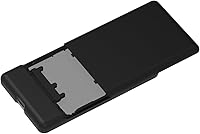
Specifications

  • Storage Capacity: The drive provides 1TB of solid-state storage, suitable for carrying large ISO libraries, VHD images, and full OS environments simultaneously.
  • Encryption Standard: Hardware-level AES256-XTS encryption is implemented at the chip level, independent of any host operating system or software stack.
  • Password Length: The device supports passwords of up to 76 digits, providing an extraordinarily high resistance to brute-force access attempts.
  • Host Interface: Connectivity is handled via USB Type-C, ensuring compatibility with modern laptops, desktops, and tablets without requiring a legacy adapter.
  • Drive Interface: The internal SSD communicates over Serial ATA-600 (SATA-600), delivering solid sequential transfer performance for typical IT workflow demands.
  • Form Factor: The enclosure follows a 2.5-inch form factor, making it physically compact and compatible with standard external drive use cases.
  • Dimensions: The unit measures 3.54 x 1.57 x 0.35 inches, thin enough to slip into a shirt pocket or small gear pouch without bulk.
  • Weight: At just 3 ounces, the drive adds virtually no meaningful load to a laptop bag or travel kit.
  • Power Source: The device draws power entirely from the USB connection at DC +5V, requiring no external power adapter or separate cable.
  • Virtual ODD: ISO files stored on the drive can be mounted and presented to the host machine as a bootable virtual DVD or Blu-ray ROM device.
  • VHD Support: The enclosure can map virtual hard disk image files directly to a physical drive interface, enabling enterprise imaging and portable OS workflows.
  • Write Protection: A hardware write-protect mode prevents any data from being written to or deleted from the drive, regardless of host system permissions.
  • Windows To Go: The device natively supports Windows To Go, allowing a full Windows installation to run from the drive on any compatible host machine.
  • Auto Sleep: An automatic sleep function engages after a period of inactivity to reduce power draw and minimize unnecessary wear on the SSD.
  • Safe Removal: A dedicated safe removal feature allows the drive to be properly unmounted and disconnected without relying solely on the host OS ejection process.
  • Firmware Updater: The device ships with access to a firmware updater utility, allowing users to apply functional improvements and security patches released by IODD.
  • Compatible OS: The drive is listed as compatible with Windows 7 and later versions, as well as Mac OS X, though advanced features are primarily Windows-centric.
  • Origin: The device is designed and manufactured in South Korea under the IODD brand, building on the established IODD2541 hardware platform.
  • Model Lineage: The ST400 is positioned as the next-generation model within the IODD2541 product family, succeeding earlier iterations of the platform.
  • Color: The enclosure is available in black with a low-profile industrial finish suited to professional and field environments.

Related Reviews

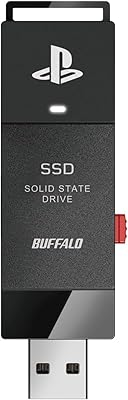
Buffalo SSD-SAO1.0U3B 1TB External SSD
77%
93%
Ease of Setup
88%
PS4 Load Time Improvement
78%
Build Quality
91%
Compatibility & Licensing
61%
Value for Money
More
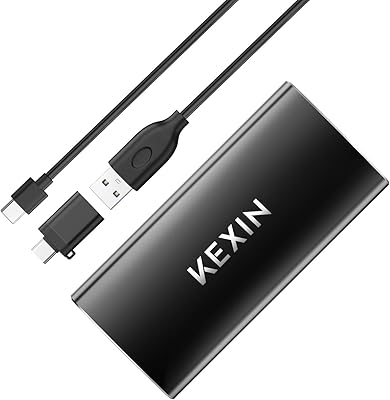
KEXIN 1TB Portable External SSD
77%
78%
Transfer Speed
83%
Build Quality
91%
Portability
81%
Value for Money
76%
Device Compatibility
More
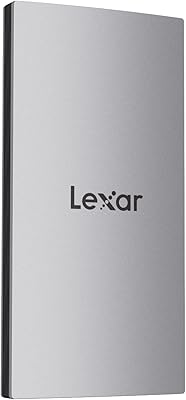
Lexar ES3 1TB External SSD
81%
88%
Transfer Speed
93%
Portability & Form Factor
86%
Build Quality
84%
iPhone 15/16 Compatibility
81%
Value for Money
More
KOOTION X1pro 1TB External SSD
72%
83%
Value for Money
91%
Portability
74%
Transfer Speed
67%
Build Quality
88%
Ease of Setup
More
fanxiang PS3000 1TB External SSD
78%
88%
Transfer Speed
84%
Build Quality
91%
iPhone 15 Pro Compatibility
73%
Thermal Management
92%
Portability
More
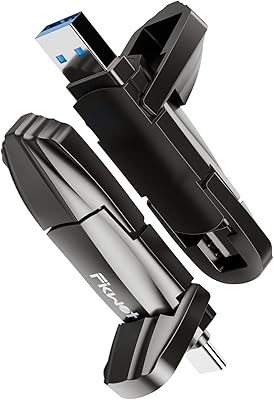
Fikwot FU386 1TB External SSD
77%
74%
Transfer Speed
88%
Build Quality
91%
Dual Connector Design
78%
iPhone Compatibility
86%
Cross-Platform Compatibility
More
Transcend ESD310 1TB
83%
96%
Portability & Form Factor
93%
Dual-Connector Design
81%
Read & Write Performance
88%
Compatibility & Plug-and-Play
62%
Thermal Management
More
JOIOT X3Pro 1TB Portable SSD
74%
93%
Portability & Form Factor
81%
Transfer Speed (Read)
66%
Transfer Speed (Write)
61%
Build Quality
84%
Value for Money
More
Fikwot FP70 1TB Portable External SSD
80%
82%
Transfer Speed
74%
Magnetic Attachment
81%
Build Quality
78%
iPhone Compatibility
88%
Cross-Platform Support
More
fanxiang FF951 1TB Dual-USB External SSD
78%
78%
Transfer Speed
91%
Dual-Connector Design
88%
iPhone Compatibility
84%
Build Quality
67%
Value for Money
More

FAQ

Honest answer: yes, there is a learning curve. The initial firmware configuration and encryption setup require you to read through the documentation carefully, and that documentation is not as polished as you might expect at this price point. If you are comfortable with IT hardware and willing to spend an hour getting familiar with the interface, you will get there — but do not expect it to be ready to go in five minutes out of the box.

Software encryption like BitLocker runs on the host CPU and depends on the operating system being loaded and trusted. Hardware encryption on the IODD ST400 1TB Encrypted External SSD Enclosure happens at the controller chip level before data ever reaches the host system, meaning it works regardless of what OS is running — or whether an OS is running at all. It also cannot be bypassed by booting into a different environment or extracting the NAND chips, which is a real attack vector against software-encrypted drives.
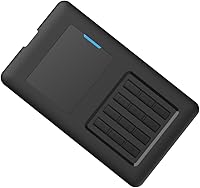
Yes, that is one of the core use cases the drive is designed for. You copy your ISO files onto the drive, then use the IODD interface to select which image to mount — the host machine sees it as a physical optical drive and boots from it normally. This works cleanly for Windows installers, Linux live environments, and most recovery ISOs, which makes it genuinely useful for IT techs who reimage machines regularly.

There is no recovery path if you lose your password — that is by design, not an oversight. Hardware encryption of this type is built on the premise that only the person with the correct credential can access the data. If the password is lost, the data on the drive is unrecoverable. Make absolutely sure your password is stored somewhere safe before you enable encryption on anything you cannot afford to lose.

It operates at the hardware level, which is the key distinction. Unlike a software write-protect flag that a determined user or malicious process could potentially override, the hardware write blocker on this secure portable drive instructs the controller itself to reject all write commands — the host OS has no ability to bypass it. This is why the feature is useful for forensic work and evidence handling.

The drive will connect and function as basic external storage on a Mac without issues. However, features like Windows To Go, VHD mounting, and full ISO booting are Windows-centric by design and will not work in the same way on macOS. If your primary machine is a Mac and you are buying this for the advanced functionality rather than the encrypted storage, you may find the feature set less useful than expected.

The SATA-600 interface will deliver real-world sequential speeds in the range typical of mid-tier SATA SSDs — solid for most professional tasks, but noticeably slower than modern NVMe-based enclosures. For transferring large ISO files, OS images, or VHDs, the speed is perfectly workable. If your primary need is raw transfer speed rather than the security and virtual drive features, there are faster enclosures available at a lower price.

The drive works as a standard USB storage device alongside its virtual drive features — you can organize a folder of ISO files in one partition and use the rest of the capacity for regular document storage, backups, or whatever else you need. The virtual ODD functionality only activates when you actively select and mount an image through the IODD interface.

Buyer feedback consistently highlights the build quality as one of the IODD ST400's stronger points — the Korean manufacturing standards come through in the feel of the enclosure. That said, there is no published IP rating for dust or water resistance, so treating it as ruggedized for harsh outdoor environments would be a stretch. For typical field IT work — going from site to site in a bag — it handles daily use without issues.

VHD mounting lets the drive take a virtual hard disk image file — the kind used by Hyper-V, VirtualBox, or enterprise deployment tools — and present it to the host machine as if it were a real physical drive. In practice, this is useful for deploying pre-configured OS images to bare-metal machines without needing a separate imaging workstation, or for testing a virtual environment on physical hardware. It is a niche capability, but for the right workflows it removes a step that would otherwise require additional equipment.

Where to Buy