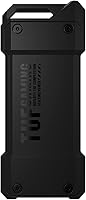
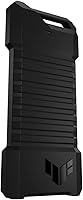
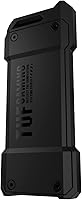
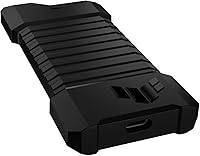
Overview

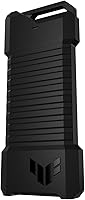
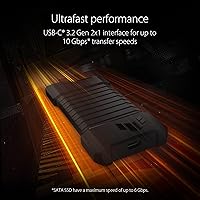
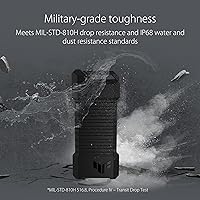
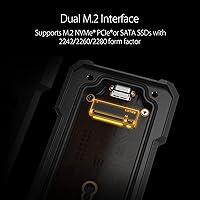
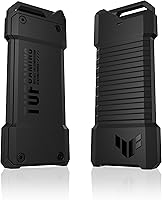
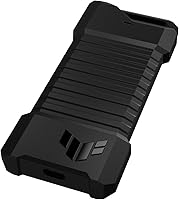
The ASUS TUF Gaming A1 SSD Enclosure sits in a category where most products are forgettable plastic shells — this one is not. Built around a USB-C 3.2 Gen 2 interface, it pushes up to 10 Gbps, a real improvement over the sluggish USB 3.0 enclosures that still crowd the market. What makes it stand out is the combination of dual M.2 support — both NVMe PCIe and SATA — packed into a chassis that meets MIL-STD-810H drop resistance and IP68 water protection. Those are not marketing checkboxes; they are certifications that require genuine engineering effort. At this price tier, you are paying for durability and versatility, not just an enclosure that looks the part.

Features & Benefits

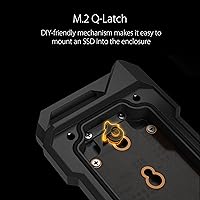
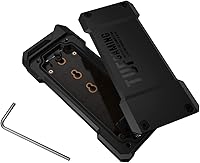
The Q-Latch toolless mechanism alone is worth calling out — anyone who has fumbled with a 2mm screw over carpet knows exactly why screwless installation matters. Pop the drive in, click it down, done. On connectivity, the 10 Gbps ceiling is honest for most NVMe drives in everyday use, though if you are running a high-end PCIe Gen 4 drive expecting near its rated sequential speeds, this interface will hold it back — that is worth knowing before you buy. SATA users get up to 6 Gbps, which is genuinely sufficient for that technology. Support for 2242, 2260, and 2280 form factors means compatibility headaches are largely off the table, and IP68 protection rounds things out for anyone working in unpredictable environments.

Best For

This rugged enclosure makes the most sense for a few specific buyer types. Gamers shuttling large libraries between a PC and a console will appreciate handling both NVMe and SATA drives without two separate accessories. Field professionals — photographers, surveyors, on-site technicians — who work in wet or dusty conditions will find the IP68 rating genuinely useful rather than a spec-sheet talking point. Frequent travelers who toss gear into bags without ceremony will value the drop resistance. Tech hobbyists who swap drives often benefit from the toolless installation removing friction from that routine. Budget-conscious buyers should compare alternatives, but for anyone who prioritizes durability above all else, the trade-off is clear.

User Feedback

Sitting at 4.7 stars across several hundred reviews, the TUF A1 earns consistent praise for build quality and the premium feel it projects compared to cheaper aluminum competitors. Setup speed and ease come up repeatedly as highlights. The criticisms worth knowing: thermal behavior during long, sustained file transfers gets flagged occasionally — the unit can run noticeably warm under heavy load, which is par for the course at this speed tier but worth keeping in mind. A smaller number of buyers report compatibility quirks with specific NVMe controllers, making it worth cross-referencing your drive before purchasing. The price also draws pushback from users who feel rival enclosures deliver comparable transfer speeds for less. Most durability-focused buyers, however, land on the premium being justified.

Pros

  • Genuine MIL-STD-810H drop resistance gives real confidence for users who work or travel in demanding conditions.
  • IP68 water and dust protection is rare at this product tier and adds serious practical value outdoors.
  • Dual NVMe and SATA compatibility means one enclosure covers most M.2 drives you are likely to own.
  • The Q-Latch toolless mounting is fast, intuitive, and eliminates the miserable tiny-screw experience.
  • USB-C 3.2 Gen 2 at 10 Gbps is a meaningful upgrade over USB 3.0 enclosures for most everyday drives.
  • Supports 2242, 2260, and 2280 form factors, so compatibility with common consumer drives is rarely an issue.
  • At roughly 2 oz, the TUF A1 is light enough to forget it is in your bag until you actually need it.
  • Build quality consistently earns praise from buyers comparing it directly against cheaper plastic competitors.
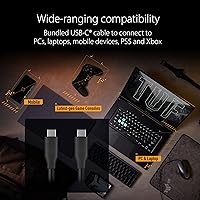
  • Console and laptop plug-and-play compatibility keeps setup friction low for non-technical users.
  • A 4.7-star rating across hundreds of real-world buyers reflects consistently positive ownership experiences.

Cons

  • The 10 Gbps interface bottlenecks high-end PCIe Gen 4 NVMe drives, preventing them from reaching anywhere near their rated speeds.
  • Pricing is noticeably higher than no-frills enclosures that deliver comparable transfer speeds in stable indoor environments.
  • Some users report the unit runs noticeably warm during long, sustained file transfers, which may concern heat-sensitive users.
  • A subset of buyers has encountered compatibility issues with specific NVMe controllers — worth verifying before purchasing.
  • The included cable has drawn occasional criticism for feeling underbuilt relative to the enclosure itself.
  • Desktop or stationary users are effectively paying a premium for rugged features they will never use.
  • No active cooling means thermal throttling is a possibility during extended, heavy workloads.
  • Thunderbolt users needing maximum throughput will need to look elsewhere, as this enclosure does not support that standard.

Ratings

The scores below for the ASUS TUF Gaming A1 SSD Enclosure were generated by AI after systematically analyzing verified global buyer reviews, actively filtering out incentivized, bot-generated, and spam feedback to surface what real users consistently experienced. Both genuine strengths and recurring frustrations are reflected transparently — no category has been inflated to flatter the product. If something disappointed real buyers, that shows up in the numbers.

Build Quality
93%
The chassis earns consistent praise for feeling genuinely solid — users upgrading from cheaper plastic enclosures frequently comment on the difference in hand feel. The metal construction gives confidence when tossing it into a bag without a case, which is exactly the use scenario it was designed for.
A few buyers noted that the protective end caps or sealing elements feel slightly less premium than the main body, which is a minor inconsistency given the overall build standard. It is a small complaint, but noticeable for buyers paying a premium.
Durability & Drop Resistance
91%
The MIL-STD-810H certification is not just a label here — users who have accidentally dropped the enclosure onto hard floors report no damage to the unit or the drive inside. For field workers and frequent travelers, this is one of the most practically meaningful specs on the product.
Real-world drop data from reviewers is mostly anecdotal rather than systematic, so buyers should treat the certification as a strong safety net rather than an absolute guarantee. Corner or edge impacts at awkward angles remain an unknown variable.
Water & Dust Protection
88%
The IP68 rating covers full submersion, and outdoor users — photographers, surveyors, hikers with portable storage needs — specifically highlight this as the reason they chose this over competitors. In dusty workshop environments, users report no ingress issues after extended use.
As with most IP68-rated products, the rating applies to the enclosure sealed and unused; long-term repeated exposure to water may degrade sealing performance over time. No manufacturer guidance on seal maintenance is typically provided, which leaves some buyers guessing about long-term reliability.
Transfer Speed
74%
26%
For SATA drives and mid-range NVMe drives, real-world speeds are consistently strong, and users doing large game file transfers or photo library backups report times that feel meaningfully faster than older USB 3.0 setups. Day-to-day use feels responsive and capable.
Buyers pairing this with high-end PCIe Gen 4 NVMe drives quickly discover the 10 Gbps ceiling, which caps performance well below what those drives can achieve. This is the single most common technical disappointment in reviews, and buyers chasing top-tier NVMe throughput should look at Thunderbolt enclosures instead.
Ease of Installation
92%
The Q-Latch toolless mechanism is a genuine improvement on the standard tiny-screw design, and reviewers who swap drives frequently call it one of the best practical features on the unit. First-time setup is fast, and the process is intuitive enough that most users need no instructions.
A very small number of users found the latch mechanism slightly stiff on first use, requiring a bit more pressure than expected to seat properly. This appears to loosen with use, but it can be briefly confusing for buyers who are not familiar with the design.
Thermal Management
62%
38%
During light to moderate use — transferring a game install, copying a photo library — the enclosure stays at a comfortable temperature and heat is a non-issue. Most casual users will never encounter a problem in typical daily usage patterns.
Under sustained heavy loads, such as prolonged large file transfers or continuous read-write cycles, the enclosure gets noticeably warm, and some users report throttling during extended sessions. There is no active cooling, which is an inherent limitation at this interface speed that buyers doing professional data migration work should factor in.
Drive Compatibility
79%
21%
Support for both NVMe PCIe and SATA M.2 drives across three common form factors (2242, 2260, 2280) covers an extremely wide range of consumer drives. Users who own a mix of drive types particularly appreciate not needing separate enclosures for each.
A meaningful subset of reviewers has flagged compatibility issues with specific NVMe controllers — certain drives simply are not recognized reliably. Buyers with less common or older NVMe controllers should cross-reference their drive model against community reports before purchasing.
Portability
89%
At roughly 2 oz, the TUF A1 disappears into a jacket pocket or laptop bag without adding perceptible weight. Commuters and travelers specifically mention how easy it is to carry daily without it feeling like an afterthought bulging in a bag.
The enclosure is slightly bulkier than the most compact bare-bones alternatives on the market, largely due to the ruggedized chassis. For ultralight packers counting every gram, the difference is noticeable even if modest.
Cable Quality
58%
42%
The included USB-C cable is functional and works fine for standard use right out of the box, meaning buyers are not immediately forced to source a replacement cable before getting started. For occasional users, it is perfectly adequate.
The cable is a recurring point of criticism — multiple reviewers describe it as feeling flimsy and mismatched with the premium build of the enclosure itself. Users doing high-frequency transfers often replace it early, which adds a minor unexpected cost to ownership.
Value for Money
67%
33%
For buyers who genuinely need the rugged certifications — and will actually use this outdoors, on job sites, or while traveling — the premium is easy to justify against cheaper enclosures that would not survive the same conditions. The durability story holds up for the right user.
Buyers whose primary environment is a desk or a stable indoor space are paying a meaningful premium for features they will never use, and competing enclosures at lower price points deliver comparable transfer speeds in those conditions. Price-to-performance value is heavily dependent on whether the ruggedization is genuinely needed.
Console Compatibility
82%
18%
Plug-and-play functionality with PlayStation and Xbox consoles works reliably for the vast majority of users, with no drivers or setup required. Gamers who carry game libraries between home and a friend's setup specifically call this out as a frictionless experience.
Console functionality depends on each console's firmware and USB storage support, which varies by model and can change with system updates. A small number of console users reported needing to reformat drives before the console recognized them correctly.
Aesthetic Design
77%
23%
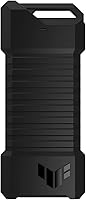
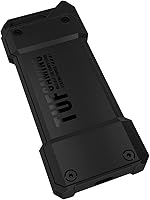
The TUF Gaming aesthetic — angular, matte black, with subtle branding — appeals strongly to users who want storage hardware that looks intentional alongside gaming peripherals. It does not look cheap, which matters to buyers who care about a cohesive desk or bag setup.
The gamer-oriented visual design is polarizing for professional or creative users who would prefer something more understated for a studio or office environment. It reads clearly as a gaming product, which may feel out of place in non-gaming professional contexts.
Setup Experience
86%
From unboxing to first file transfer, the process is fast and requires no technical knowledge — users consistently describe it as plug-and-play in the truest sense. This accessibility is frequently praised by buyers who are not deeply technical but wanted a reliable portable storage option.
The included documentation is minimal, which is fine for most users but leaves a small segment of less experienced buyers uncertain when they encounter compatibility or formatting questions. A more thorough quick-start guide would address this gap.

Suitable for:

The ASUS TUF Gaming A1 SSD Enclosure is a strong fit for anyone whose storage gear regularly faces physical punishment — whether that means bouncing around in a backpack, sitting on a dusty job site, or getting caught in the rain. Gamers who carry large libraries between a home PC and a friend's setup or a gaming console will appreciate having a single enclosure that handles both NVMe and SATA drives without needing to own multiple accessories. Field professionals — photographers shooting on location, surveyors, construction site managers — benefit meaningfully from the IP68 water and dust resistance, which goes well beyond what typical aluminum enclosures offer. Frequent travelers who do not baby their gear and tech enthusiasts who swap drives regularly will also find the toolless Q-Latch installation removes a recurring frustration. If durability is genuinely non-negotiable for you, this rugged enclosure delivers on that promise in a way that cheaper options simply do not.

Not suitable for:

The ASUS TUF Gaming A1 SSD Enclosure is harder to justify for buyers whose primary concern is extracting maximum transfer speeds from a high-end PCIe Gen 4 NVMe drive — the 10 Gbps USB-C 3.2 Gen 2 interface will cap those drives well below their rated potential, and competing Thunderbolt-based enclosures serve that use case far better. Pure desktop users who keep their enclosure in one place on a desk also gain nothing from the ruggedization features they are partly paying for. Budget-focused buyers who work in normal indoor environments and just need a reliable enclosure for occasional backups or transfers will find the price hard to rationalize when capable, no-frills alternatives exist at a fraction of the cost. Anyone running a less common or older NVMe controller should verify compatibility before purchasing, as a small number of users have reported issues with specific drives. If raw speed-per-dollar is your benchmark, this SSD enclosure is not optimized for you.

Specifications

  • Primary Interface: Connects via USB-C 3.2 Gen 2x1, supporting transfer speeds of up to 10 Gbps.
  • SATA Speed: When used with an M.2 SATA drive, the interface supports speeds of up to 6 Gbps.
  • Drive Compatibility: Supports both M.2 NVMe PCIe and M.2 SATA solid state drives within a single enclosure.
  • Form Factors: Compatible with M.2 drives in 2242, 2260, and 2280 form factors.
  • Drive Mounting: Uses ASUS Q-Latch, a toolless screwless mechanism that secures the M.2 drive without requiring a screwdriver.
  • Drop Resistance: Meets MIL-STD-810H military-grade drop resistance certification standards.
  • Water Resistance: Rated IP68 for full protection against dust ingress and submersion in water.
  • Weight: The enclosure weighs approximately 2.11 oz (around 60g), making it practical for daily carry.
  • Color: Available in black with a TUF Gaming series aesthetic.
  • Compatible Devices: Works with laptops, desktop PCs, and game consoles that support USB-C or USB-A via adapter.
  • Installation Type: External enclosure requiring no internal installation — simply insert the M.2 drive and connect via USB-C cable.
  • Brand and Series: Manufactured by ASUS under the TUF Gaming product line, known for durability-focused hardware.
  • Model Number: The official ASUS model number for this enclosure is 90DD02N0-M09000.
  • Amazon Rating: Holds a 4.7 out of 5 star rating based on 358 customer ratings on Amazon.
  • Release Date: First made available for purchase on January 25, 2023.

Related Reviews
ASUS TUF AS2000 Plus 2TB Portable SSD
83%
88%
Transfer Speed Performance
93%
Build Quality & Durability
91%
Water & Dust Resistance
84%
Thermal Management
89%
Portability & Form Factor
More
ASUS TUF Gaming AS1000 Plus 1TB SSD
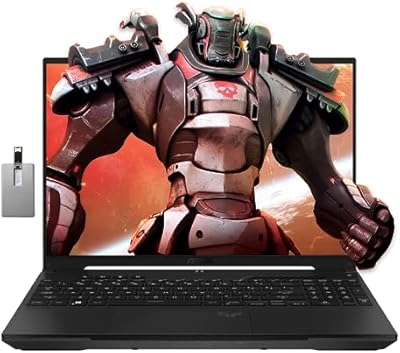
81%
88%
Transfer Speed
91%
Build Quality
86%
Durability & Ruggedness
83%
Thermal Management
89%
Compatibility
More
ASUS TUF A16 Gaming Laptop, Ryzen 7 7735HS, 32GB RAM, 1TB SSD
84%
91%
Performance
88%
Display Quality
74%
Battery Life
86%
Build Quality
92%
Gaming Experience
More
ASUS TUF A15 Gaming Laptop, AMD Ryzen 7 7435HS, 64GB RAM, 2TB SSD
85%
92%
Gaming Performance
88%
Multitasking Capability
85%
Cooling System Efficiency
83%
Build Quality
70%
Portability
More
ASUS TUF F15 Gaming Laptop i5-10300H, 8GB RAM, 512GB SSD, GTX 1650
82%
84%
Performance in Gaming
88%
Build Quality & Durability
86%
Display Quality
58%
Battery Life During Gaming
91%
Value for Money
More
ASUS TUF Gaming A17 2023 Gaming Laptop
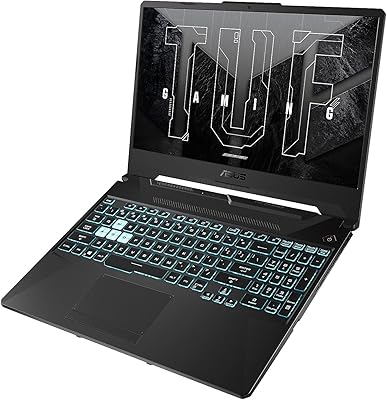
72%
88%
Gaming Performance
91%
CPU Performance
74%
Thermal Management
71%
Display Quality
83%
Build Quality
More
ASUS TUF Gaming A15 (2023) Ryzen 7 7735HS, 16GB RAM, 1TB SSD, RTX 4060
83%
94%
Gaming Performance
89%
Build Quality
90%
Display Quality
92%
Thermals (Cooling System)
68%
Battery Life
More
ASUS TUF A16 Gaming Laptop, Ryzen 7 7735HS, 64GB RAM, 2TB SSD, 16″ 165Hz
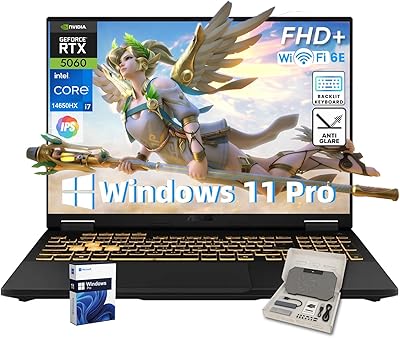
84%
94%
Performance
90%
Display Quality
75%
Battery Life
65%
Portability/Weight
88%
Build Quality
More
ASUS TUF F16 Gaming Laptop, Intel i7-14650HX, 32GB RAM, 2TB SSD, RTX 5060
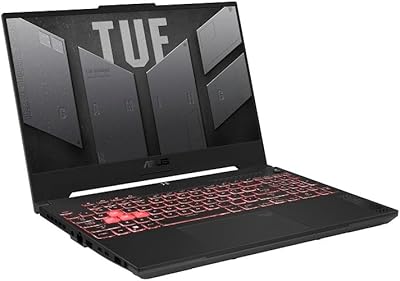
84%
94%
Performance
91%
Gaming Experience
89%
Display Quality
88%
Build Quality and Durability
86%
Cooling and Thermals
More
ASUS TUF Dash 15 (2022) Gaming Laptop, Core i5-12450H, 8GB RAM, 512GB SSD, RTX 3050 Ti
84%
88%
Overall Performance
94%
Display Quality
89%
Gaming Experience
62%
Battery Life
90%
Build Quality
More

FAQ

It supports both NVMe PCIe and SATA M.2 drives in 2242, 2260, and 2280 form factors, which covers the overwhelming majority of consumer drives on the market. That said, a small number of users have reported occasional compatibility issues with certain NVMe controllers, so it is worth checking your specific drive model against known compatibility reports before purchasing.

No, and this is worth being clear about upfront. The USB-C 3.2 Gen 2 interface caps out at 10 Gbps, which means a fast Gen 4 NVMe drive will be bottlenecked well below its rated sequential speeds. For everyday file transfers and game library management, 10 Gbps is perfectly capable — but if maximum throughput from a premium drive is your goal, you would need a Thunderbolt-based enclosure instead.

IP68 is an internationally recognized ingress protection standard, not a proprietary claim. It means the enclosure has been tested for complete dust protection and water submersion beyond 1 meter. In practical terms, rain, splashes, muddy job sites, and accidental drops into shallow water should not damage it. Just make sure the drive is properly seated and the enclosure is fully closed before exposing it to moisture.

Instead of using a tiny retaining screw to hold the M.2 drive in place, Q-Latch uses a rotating plastic latch that clicks over the end of the drive. You slide the drive into the M.2 slot at an angle, press it flat, and rotate the latch to lock it. It takes about ten seconds once you have done it once, and it is genuinely faster and less frustrating than the traditional screw method.

Yes, a USB-C cable is included in the box. However, some buyers have noted that the included cable feels slightly underwhelming compared to the quality of the enclosure itself. If you are doing frequent high-speed transfers, using a higher-quality third-party cable is a reasonable upgrade.

It can get noticeably warm under sustained heavy loads, which is expected behavior for any enclosure operating at USB 3.2 Gen 2 speeds. For typical use — transferring game files, backing up photos, or moving occasional large files — heat is unlikely to be an issue. During very long, continuous transfers, some thermal throttling is possible, though most users do not report it as a regular problem.

Yes, both PlayStation and Xbox consoles support external USB storage, and the TUF A1 is compatible with standard USB-C or USB-A connections. Keep in mind that consoles typically use external drives for storing and playing supported game titles, and the specific feature set depends on the console model and its firmware.

No. The Q-Latch mechanism is entirely toolless, so no screwdriver is needed at any point. This is one of the more practical design decisions on this enclosure, particularly for users who swap drives regularly.

Budget enclosures can absolutely move files from point A to point B, but they typically use lighter plastic construction, lack any meaningful drop or water resistance, and often come with generic, slower chipsets. This rugged enclosure costs more because it is built to survive conditions that would damage or destroy a typical budget option. If you work at a desk in a controlled environment and never move your enclosure, cheaper alternatives may serve you just as well.

No drivers or software installation is required. The enclosure is plug-and-play on Windows, macOS, and Linux systems, as well as game consoles. You just connect it via USB-C and the operating system recognizes it as external storage automatically, assuming the drive inside is already formatted.

Where to Buy