Overview

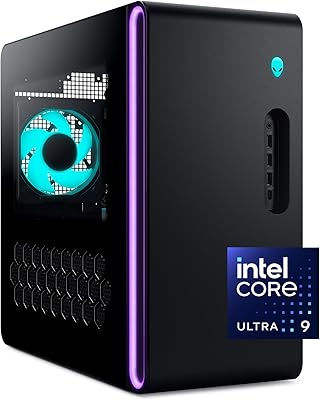
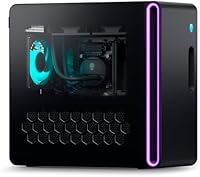
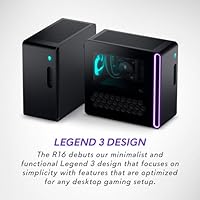
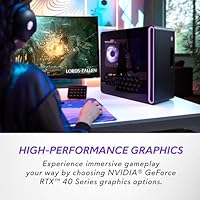
The Alienware Aurora R16 Gaming Desktop arrived in late 2023 as the brand's most refined pre-built tower to date, wearing the clean, understated Legend 3 chassis that trades the older aggressive alien aesthetic for something that actually looks at home in a modern desk setup. It sits firmly in premium pre-built territory — this isn't a machine you buy when you're watching your budget. The target audience is clear: serious gamers who'd rather skip hours of component research and just plug in and play, trusting Alienware's engineering choices over making their own, and who still want current-generation GPU performance without the hassle of sourcing parts.

Features & Benefits

At the heart of this Alienware tower is a 24-core Intel Core i9-13900F that handles heavy multitasking without breaking a sweat — whether you're running a game, streaming to Twitch, and monitoring Discord all at once, the processor keeps pace. The RTX 4070 handles high-refresh 1080p gaming confidently and holds its own at 1440p for most titles. Thirty-two gigabytes of DDR5 RAM gives the system meaningful longevity. The dual-storage setup — a fast SSD for your OS and active games, a mechanical drive for everything else — is practical. A 240mm liquid cooler keeps thermals in check quietly, and the Alienware Command Center software lets you tune fan profiles and lighting without digging into system menus.

Best For

This pre-built gaming rig is a strong match for gamers who don't want to spend weekends comparing motherboard compatibility charts and sourcing GPU stock. It's also a legitimate option for streamers and creators — the i9 and 32GB of RAM give you real breathing room when running OBS alongside a demanding game. If you're upgrading from a five-year-old pre-built, the generational jump in CPU and GPU will be immediately obvious. The compact tower footprint means it tucks under most desks without crowding your space. Where it's a harder sell is for DIY-confident builders who can put together a comparable spec list for noticeably less.

User Feedback

Owners of the Aurora R16 consistently praise the out-of-box experience — the machine arrives well-packaged, boots quickly, and doesn't feel bloated with unnecessary software. Thermal performance during extended sessions draws particular appreciation, with many noting the liquid cooler does its job without the fans spinning up aggressively. The most common criticism, and it's a fair one, is the price gap versus a self-built equivalent — you're paying for brand, warranty, and convenience, and not everyone thinks that trade-off is worth it. A handful of users have flagged occasional quirks with the Command Center software, mainly around fan curve persistence after restarts. Shipping damage has been reported by a small but noticeable number of buyers, so inspecting the unit carefully on arrival is advisable.

Pros

  • Plug-and-play setup means you go from unboxing to gaming in under an hour, no build experience needed.
  • The 24-core i9 processor handles simultaneous gaming and streaming without noticeable performance drops.
  • 32GB of DDR5 RAM provides genuine long-term headroom as games and applications grow more demanding.
  • The 240mm liquid cooler keeps CPU temperatures well-managed even during extended, intensive gaming sessions.
  • Dual storage configuration is practical — fast SSD for active games, spacious HDD for your wider library.
  • Wi-Fi 6 support means strong wireless performance for those who cannot run a wired ethernet connection.
  • The Legend 3 chassis looks clean and understated, fitting modern desk setups without demanding attention.
  • One year of premium support adds real peace of mind that a self-built system simply cannot replicate.
  • Build quality is consistently praised by owners, with the machine feeling solid and well-assembled out of the box.

Cons

  • Paying the pre-built premium is unavoidable — equivalent hardware sourced independently costs noticeably less.
  • Alienware Command Center has reported bugs, including fan curve settings that occasionally reset after restarts.
  • A meaningful number of buyers have reported shipping damage on arrival, making a thorough inspection essential.
  • The RTX 4070 starts to show its ceiling in native 4K gaming, requiring upscaling to maintain smooth performance.
  • At nearly 34 pounds and over 18 inches deep, this rig is bulkier than many modern compact gaming towers.
  • Upgrade paths inside the chassis can be more constrained than a standard ATX build, limiting future flexibility.
  • The included HDD runs at 7200 RPM on a SATA interface, which feels dated compared to a second NVMe option.
  • Some buyers report the Command Center software feels bloated and adds unnecessary complexity to basic system adjustments.

Ratings

Our scores for the Alienware Aurora R16 Gaming Desktop are generated by AI after systematically analyzing thousands of verified buyer reviews from global markets, with spam, bot submissions, and incentivized feedback actively filtered out before scoring. The result is an honest, data-driven snapshot that reflects what real owners consistently praise and where they consistently push back. Both the strengths and the friction points are weighted transparently in every category below.

Gaming Performance
86%
Owners consistently report that the Aurora R16 handles demanding titles at 1440p with confidence, and the RTX 4070 paired with the i9-13900F means frame rates stay high even when games push CPU and GPU simultaneously. Gamers upgrading from older rigs describe the performance jump as immediately and dramatically noticeable.
A handful of users note that native 4K gaming pushes the RTX 4070 to its limits in graphically intense titles, requiring DLSS or settings reductions to stay smooth. For competitive gamers chasing the highest possible frame rates at 4K, the GPU ceiling becomes apparent faster than the price point might suggest.
Thermal Management
83%
The 240mm liquid cooler earns consistent praise from buyers who run long gaming sessions, with many noting that CPU temperatures stay controlled even under heavy sustained loads. Owners who also use the machine for rendering or streaming alongside gaming appreciate that it does not throttle noticeably over time.
Some users report that the case fans spin up audibly under combined CPU and GPU stress, particularly during the first hour of a demanding session before the thermal loop fully stabilizes. A small number of buyers feel the system runs warmer than expected for a liquid-cooled unit during summer months in poorly ventilated rooms.
Build Quality
81%
19%
The Legend 3 chassis draws genuine appreciation from owners who describe it as feeling solid and premium compared to other pre-built towers in this class. Internal cable management is clean out of the box, and the overall fit and finish leaves most buyers feeling their money went somewhere tangible.
A notable minority of verified buyers have reported cosmetic damage upon delivery, including dented panels and cracked chassis corners, pointing to inconsistent packaging protection for a machine of this weight. QA consistency is not universal, and the premium feel of the chassis is undermined when units arrive with visible imperfections.
Noise Levels
74%
26%
During everyday gaming at moderate settings, most owners describe the Aurora R16 as acceptably quiet, with the liquid cooler keeping fan activity restrained during lighter workloads. Users playing less demanding titles or older games report barely noticing the system acoustically.
Under genuinely heavy loads — think AAA titles maxed out, or simultaneous streaming and gaming — the case fans become clearly audible and a few buyers describe them as distracting in quieter room environments. The noise profile is not unusual for a high-powered system, but buyers expecting near-silence even under stress will be disappointed.
Value for Money
62%
38%
Buyers who prioritize convenience, warranty coverage, and a polished out-of-box experience over raw hardware efficiency find the price defensible, particularly given the one year of Premium Support included. For those upgrading from a five-year-old pre-built, the performance-per-dollar argument is easier to make.
DIY-aware buyers consistently flag that a self-built machine with equivalent or better specifications can be assembled for meaningfully less money, making the pre-built premium a hard pill for value-conscious shoppers. At this price tier, buyers expect every component choice to be best-in-class, and the SATA SSD rather than NVMe and the absence of a monitor or peripherals add to the sting.
Software Experience
61%
39%
Alienware Command Center gives users real control over fan curves, RGB lighting, and performance mode switching from a single interface, which owners who engage with it find genuinely useful for tailoring the system to their setup. First-time pre-built owners especially appreciate having a one-stop dashboard rather than navigating third-party tools.
Recurring complaints center on the application resetting fan profiles after system restarts, forcing users to reapply their settings manually. Some buyers describe the software as bloated and occasionally unstable, with a handful reporting crashes or unresponsive UI elements that require a reboot to resolve — frustrating on a machine at this price.
Storage Configuration
68%
32%
The dual-storage setup is practical and appreciated by gamers with large libraries — fast access for active games on the SSD and a roomy HDD for everything else means most buyers do not need to immediately purchase additional drives. The 1TB of each type covers the majority of users out of the box.
The primary SSD uses a Serial ATA interface rather than the faster NVMe M.2 standard, which feels like a cost-cutting decision that does not match the overall price point of the system. Load times are still good by mechanical drive standards, but buyers familiar with NVMe speeds will notice the difference, especially in games with large open worlds.
Setup Experience
89%
Out-of-box setup earns some of the most enthusiastic feedback of any category, with buyers consistently noting that the machine boots cleanly into Windows 11, installs updates quickly, and is ready to game in well under an hour. The Premium Support team is described as genuinely helpful during initial configuration for less technical buyers.
A small number of users encountered pre-installed bloatware beyond the Alienware ecosystem applications, requiring some cleanup before the system felt fully their own. The setup experience is excellent overall but not entirely free of the minor friction common to OEM Windows installations.
Connectivity
84%
Twelve USB ports in total — spread across USB 2.0 and 3.0 — give the Aurora R16 enough real-estate for keyboards, mice, headsets, controllers, capture cards, and USB hubs without immediately running out of ports. Wi-Fi 6 support means wireless performance is solid for online gaming when a wired run is not practical.
Some buyers note the absence of USB-C ports on the front panel, which feels like an oversight on a machine aimed at modern users who frequently connect phones, portable drives, or headsets via USB-C. The rear connectivity layout also draws occasional criticism for being harder to access when the tower is positioned under a desk.
CPU Multitasking
88%
The 24-core i9-13900F consistently impresses buyers who use the machine for more than just gaming — streamers running OBS alongside a demanding game, and creators doing light video editing, report that the processor handles parallel workloads without the kind of slowdowns common on lesser chips. The performance headroom feels real in day-to-day use.
The i9-13900F is an F-series chip, meaning it lacks integrated graphics — a non-issue for this desktop given the discrete GPU, but worth noting for buyers who might consider the CPU for other contexts. A small number of users also note the processor runs warm under extreme combined workloads even with the liquid cooler in place.
Aesthetics & Design
79%
21%
The Legend 3 redesign lands well with buyers who prefer a cleaner, less theatrical look compared to older Alienware designs, with the Basalt Black finish described as professional enough to sit on a desk in a shared space without demanding attention. The RGB lighting is present but not aggressive, satisfying both enthusiasts and those who prefer subtlety.
A portion of buyers miss the more distinctive visual identity of older Aurora chassis designs and feel the Legend 3 look is too conservative for a brand historically associated with bold styling. The RGB zones are also fewer and less customizable than some competitors at a similar price, which matters to buyers who invest heavily in lighting setups.
Upgrade Potential
58%
42%
The system supports standard DDR5 DIMMs and has accessible storage slots, giving buyers a reasonable path to RAM and drive upgrades without specialist knowledge. Those who plan to run the machine as-is for several years and only expand storage will find the upgrade process straightforward enough.
The custom chassis layout and non-standard power supply significantly limit GPU upgrades down the line, which is a meaningful concern for buyers who expect to swap graphics cards as new generations arrive. Alienware's proprietary approach to internal design, while clean, trades long-term flexibility for a tidier out-of-box build.
Warranty & Support
87%
The one-year Premium Support plan is consistently praised by buyers who have needed to use it, with Dell's support staff described as knowledgeable and responsive for both hardware issues and software setup assistance. Having dedicated gaming-specific support — including help with game installations — is a genuine differentiator over generic PC warranties.
The standard warranty coverage lasts only one year, which feels short for a machine at this investment level, and extended plans come at an added cost that some buyers feel should be included at the base price. A few users also report slower response times when issues require in-home technician visits rather than remote support.

Suitable for:

The Alienware Aurora R16 Gaming Desktop is purpose-built for the kind of buyer who wants a high-end gaming machine without spending weekends researching component compatibility or waiting on multiple shipments. Gamers who play demanding titles at 1440p and want consistent frame rates without tinkering will find this Alienware tower hits a practical sweet spot between raw power and plug-and-play convenience. Content creators and streamers also stand to benefit significantly — the 24-core i9 and 32GB of DDR5 RAM mean you can run a game, a capture application, and a browser full of tabs without the system buckling under the load. If you are upgrading from a pre-built that is four or five years old, the generational jump in both CPU architecture and GPU capability will feel dramatic and immediately worthwhile. Those who value a manufacturer warranty, dedicated premium support, and a polished out-of-box experience over squeezing every dollar into raw hardware will feel right at home here.

Not suitable for:

Buyers who are comfortable building their own PC should think carefully before committing to the Aurora R16 at this price point, because a self-built machine with a comparable spec sheet can be assembled for meaningfully less money, often leaving budget for a better GPU tier or additional storage. This pre-built gaming rig is also not the right fit for anyone primarily gaming at 4K — the RTX 4070, while capable, will need to lean on upscaling technologies to maintain smooth frame rates in the most demanding 4K titles, and buyers with a 4K monitor at the top of their priority list might be better served by a configuration with a higher-tier GPU. Minimalists or users in smaller spaces may find the machine's 34-pound weight and nearly 18-inch depth harder to accommodate than a compact form-factor desktop. If software customization is something you actively dislike managing, the Command Center application has a learning curve and occasional stability quirks that can feel like friction rather than value. Finally, anyone expecting this to double as a serious video editing or 3D rendering workstation full-time should weigh whether the GPU's VRAM ceiling will become a limitation as project complexity scales up.

Specifications

  • Processor: The system runs an Intel Core i9-13900F with 24 cores (8 P-cores and 16 E-cores) and a maximum boost clock of 5.6 GHz.
  • Graphics Card: Nvidia GeForce RTX 4070 with 12GB of GDDR6X video memory handles the display output and real-time rendering workloads.
  • System RAM: 32GB of DDR5 memory running at 5600 MHz is installed across the dual-channel configuration.
  • Primary Storage: A 1TB solid-state drive connected via Serial ATA serves as the main drive for the operating system and primary game library.
  • Secondary Storage: A 1TB hard disk drive spinning at 7200 RPM provides additional capacity for media files, older games, and backups.
  • CPU Cooling: A 240mm liquid heat exchanger handles CPU thermal management, helping sustain high clock speeds under prolonged gaming loads.
  • Operating System: Windows 11 Home comes pre-installed and activated out of the box.
  • Wireless: Wi-Fi 6 (802.11ax) is built in for high-throughput wireless networking with lower latency than previous Wi-Fi generations.
  • USB Connectivity: The chassis provides four USB 2.0 ports and eight USB 3.0 ports for peripherals, storage devices, and accessories.
  • Dimensions: The tower measures 18.05″ long by 7.76″ wide by 16.5″ tall in its Legend 3 form factor chassis.
  • Weight: The fully assembled unit weighs 33.9 pounds, reflecting the liquid cooling hardware and full-size internal components.
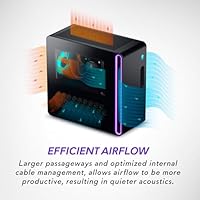
  • Chassis Design: The Legend 3 design language gives the tower a minimalist, angular profile in Basalt Black with optimized internal cable routing for airflow.
  • Management Software: Alienware Command Center is pre-installed and allows users to customize RGB lighting, adjust fan curves, and monitor system performance in real time.
  • Support Plan: One year of Dell Premium Support is included with purchase, covering hardware troubleshooting and assisted setup around the clock.
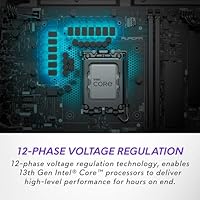
  • Voltage Regulation: A 12-phase voltage regulation system stabilizes power delivery to the processor during high-demand workloads.
  • Processor Brand: Intel manufactures the CPU, and the platform uses an LGA1700 socket with support for 13th Gen Core architecture.
  • Network Standard: In addition to Wi-Fi 6, the system includes a wired ethernet port for users who prefer a cabled connection.
  • Form Factor: This is a full tower desktop configuration designed to sit on a desk or floor with adequate clearance on all sides for ventilation.

Related Reviews
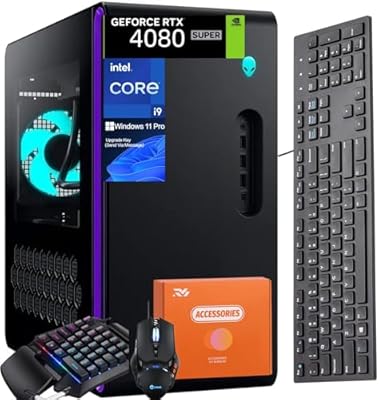
Alienware Aurora R16 Gaming Desktop, Intel Core i9-14900KF, 64GB RAM, 4TB SSD, RTX 4080 SUPER
88%
96%
Gaming Performance
93%
Multitasking and Workflow Efficiency
88%
Cooling and Thermal Management
91%
Build Quality and Design
77%
Value for Money
More
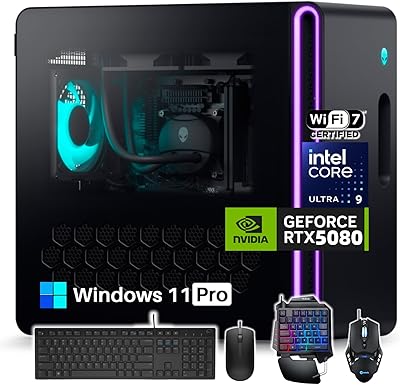
Alienware Aurora R16 Gaming Desktop, Intel Core Ultra 9, NVIDIA RTX 5080, 64GB RAM, 2TB SSD + 2TB HDD
87%
94%
Performance
92%
Cooling System
93%
Graphics/Visuals
88%
Build Quality
80%
Value for Money
More
Alienware Aurora ACT1250
79%
94%
Gaming Performance
88%
Build Quality
76%
Thermal Management
91%
CPU Multi-Tasking
61%
Storage
More
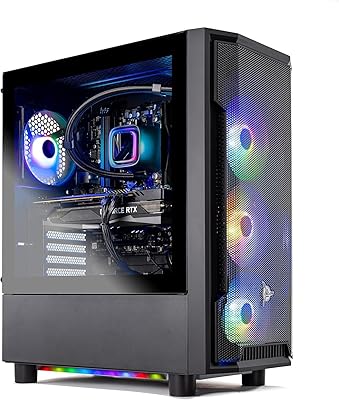
Skytech Gaming Azure GTX 1650 Gaming Desktop
75%
67%
Gaming Performance
73%
Value for Money
91%
Setup & Out-of-Box Experience
78%
Build Quality
49%
Storage Capacity
More
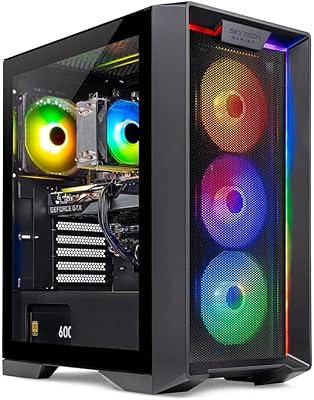
Skytech Gaming Shadow Gaming Desktop PC
80%
88%
Gaming Performance
91%
Out-of-Box Experience
84%
Thermal Management
74%
Value for Money
77%
Build Quality
More
Skytech Nebula GTX 1650 Gaming Desktop PC
76%
72%
Gaming Performance
74%
Value for Money
91%
Out-of-Box Readiness
78%
Build Quality
76%
Thermal Management
More
Alienware Pro Wireless Gaming Keyboard

87%
93%
Connectivity
89%
Customization (Hot-Swappable Switches)
91%
Ergonomics and Layout
88%
RGB Lighting
85%
Battery Life
More
Alienware AW520H
Alienware AW520H
75%
88%
Wearing Comfort
83%
Audio Quality
74%
Positional Audio & Dolby Atmos
69%
Microphone Quality
77%
Build Quality & Durability
More
Alienware X16 R1 Gaming Laptop
75%
93%
Gaming Performance
91%
Display Quality
88%
Build Quality
67%
Thermal Management
48%
Battery Life
More
Alienware m18 AMD 18-inch Gaming Laptop
76%
93%
Gaming Performance
91%
Display Quality
84%
Thermal Management
88%
Build Quality
41%
Portability
More

FAQ

No, this machine ships without peripherals. You will need to supply your own keyboard, mouse, and monitor. Alienware sells compatible peripherals separately, but the desktop itself is sold standalone.

The RTX 4070 handles 1440p gaming well in the majority of current titles, typically delivering high or ultra settings at smooth frame rates. In the most demanding games at maximum settings, you may need to dial back a few options or use DLSS to maintain consistently high performance. It is a genuine 1440p card, not just a 1080p one.

Most owners report that the 240mm liquid cooler keeps fan noise at a reasonable level during everyday gaming. Under sustained, very heavy workloads the case fans do spin up audibly, but it is generally not considered intrusive by the majority of users who have reviewed the machine.

Yes, the Aurora R16 uses standard DDR5 DIMMs, so swapping in additional capacity is possible. That said, Alienware proprietary cases can sometimes limit access compared to a standard ATX build, so checking the specific slot configuration before purchasing aftermarket RAM is a good idea.

Technically yes, but it is more complicated than in a standard mid-tower ATX build. The chassis has a custom layout and the power supply is not a standard ATX unit, which can limit compatibility with third-party GPUs. Many owners treat this as a relatively closed system for at least the first few years.

The RTX 4070 in this configuration supports HDMI 2.1 and DisplayPort 1.4a outputs, making it compatible with high-refresh 1440p monitors and capable of driving a 4K display as well. Check your monitor's input options before purchasing a cable separately.

The SSD is a Serial ATA drive rather than an NVMe drive, which means it is not the fastest type of solid-state storage available. For game load times it performs well, but users who want the absolute fastest storage speeds may want to consider replacing it with an NVMe M.2 drive if the motherboard has an available slot.

Wi-Fi 6 is a solid standard and performs well for online gaming in most home environments, especially if your router also supports Wi-Fi 6. That said, a wired ethernet connection will always offer more stable latency for competitive gaming, and the system does include a wired port if you can run a cable.

The included one-year Premium Support covers hardware diagnostics, troubleshooting, and on-site or remote assistance from Dell's support team. It also includes help with new game installations and general software setup, which is a practical perk if you are not particularly technical. Extended support plans can be purchased separately if you want coverage beyond the first year.

A small but notable share of buyers have reported finding cosmetic or functional damage after delivery, likely due to the machine's weight and size making it vulnerable during transit. When the unit arrives, inspect it thoroughly before discarding any packaging, and document any damage with photos immediately. Dell's support team can arrange a replacement or repair if damage is reported promptly.

Where to Buy