Overview

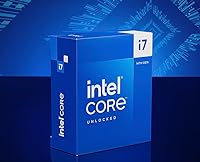
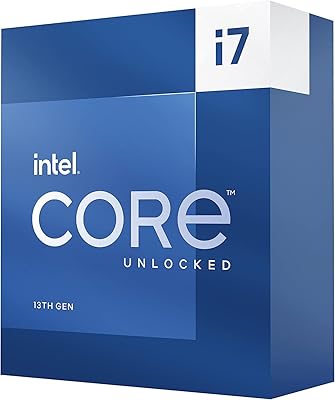
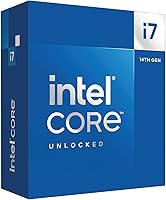
The Intel Core i7-14700K is Intel's 14th Gen flagship for enthusiast desktop builders, built around a hybrid core architecture that pairs 8 Performance cores with 12 Efficient cores. The P-cores handle the heavy lifting — gaming, rendering, single-threaded workloads — while the E-cores quietly absorb background tasks and system overhead. It supports both 600- and 700-series Intel motherboards and accommodates either DDR4 or DDR5 memory, so platform flexibility is genuinely baked in. The unlocked multiplier is a real draw for enthusiasts who want headroom to push beyond stock speeds. That said, this isn't a painless drop-in upgrade — socket compatibility and potential BIOS updates need to be on your checklist before you commit.
Features & Benefits

With 20 cores and 28 threads, this 14th Gen processor is built to handle simultaneous workloads without the usual compromises. The Performance cores push up to 5.6 GHz under Turbo Boost Max 3.0 — in practice, that translates to noticeably tighter frame times in CPU-bound games and faster export queues in creative apps. The 24 MB L3 cache keeps frequently accessed data close, avoiding costly memory round trips. DDR5 5600 and DDR4 3200 are both supported, which is genuinely useful if you're not ready to commit to a full DDR5 platform. The integrated UHD 770 graphics exist mainly as a display fallback — you'll still need a dedicated GPU for serious use. At 125W base power, cooling is not an afterthought.

Best For

The i7-14700K makes the most sense for a few specific types of builders. If you're coming from a 10th or 11th Gen Intel system, the generational step up is substantial enough to feel across everything from load times to rendering. Content creators who regularly juggle video exports, live streaming, and gaming in the same session will especially appreciate the additional E-core headroom. Competitive gamers chasing high refresh rates at 1080p or 1440p will find this chip stays out of the way. It's also a natural fit for anyone already on LGA1700 who wants to push their platform to its ceiling, and overclockers get genuine room to experiment rather than just an unlocked label.

User Feedback

Buyers are generally positive about real-world gaming performance — frame rate consistency and snappy system responsiveness come up often in reviews. The more candid feedback centers on thermals: this desktop CPU runs warm under load, and the consensus is clear that a high-end tower cooler or 240mm-plus AIO is a requirement, not a suggestion. A smaller group flagged BIOS compatibility issues when pairing with older 600-series boards — solvable, but worth knowing upfront. On value, opinions split: some view it as a strong answer to AMD's Ryzen 7 lineup, while others feel the idle power draw undercuts the case for choosing Intel here. Long-term reliability data is still maturing given the chip's late-2023 launch.

Pros

  • The Intel Core i7-14700K delivers consistently strong frame times in CPU-demanding games at 1080p and 1440p.

  • 20 cores and 28 threads handle demanding multitasking workloads that would choke an 8-core chip.
  • Boost clocks up to 5.6 GHz keep single-threaded tasks like compiling and UI interactions feeling fast.
  • The unlocked multiplier gives enthusiasts real overclocking flexibility on Z690 and Z790 boards.
  • DDR4 and DDR5 support means you can build around your existing memory or invest in a newer platform.
  • 24 MB of L3 cache noticeably reduces stuttering in open-world games with large streaming assets.
  • Compatible with both 600- and 700-series Intel motherboards, giving LGA1700 owners a clear upgrade path.
  • The hybrid core architecture keeps background system tasks from eating into gaming or render performance.
  • Strong software maturity on Windows 11 means the thread scheduler routes workloads correctly without manual tweaking.

Cons

  • Thermals under sustained all-core load are demanding — budget coolers will throttle this chip noticeably.
  • Idle and light-load power draw is higher than AMD Ryzen 7000 rivals at comparable price points.
  • Pairing with older 600-series boards may require a BIOS update before the system will even boot.
  • Full system power consumption under stress can exceed 250W at the wall, raising PSU and electricity considerations.
  • The value case weakens when total build cost includes mandatory premium cooling on top of the CPU price.
  • Long-term reliability data is still limited given the chip only launched in late 2023.
  • The i7-14700K offers diminishing returns at 4K gaming where GPU bottlenecks dominate regardless of CPU choice.
  • Hybrid architecture benefits are noticeably reduced on Windows 10 and some Linux distributions due to weaker thread scheduling.
  • Integrated graphics offer no meaningful gaming capability — a discrete GPU is a firm requirement.
  • Users on legacy software may experience scheduling inconsistencies until drivers and firmware are fully updated.

Ratings

The Intel Core i7-14700K has been scored by our AI engine after processing thousands of verified global buyer reviews, with automated filtering applied to remove incentivized, duplicate, and bot-generated submissions. Scores reflect how this 14th Gen processor actually performs in the hands of real builders — from daily gaming rigs to content creation workstations — not just on paper. Both the standout strengths and the friction points that genuinely affect buying decisions are captured transparently in the categories below.

Gaming Performance
91%
Most buyers building high-refresh-rate gaming rigs report that this desktop CPU stays well ahead of the GPU bottleneck at 1080p and 1440p. Frame time consistency in CPU-demanding titles like strategy games and open-world RPGs is notably strong, with users upgrading from older Intel generations describing the difference as immediately noticeable.
At 4K, the CPU's contribution narrows considerably and the advantage over less expensive chips shrinks. A small number of users running very GPU-limited setups found the performance uplift harder to justify at the price point compared to more modest alternatives.
Multi-Core & Multitasking
88%
The combination of 8 P-cores and 12 E-cores handles mixed workloads remarkably well. Users who stream while gaming, or run background processes like Discord, browsers, and antivirus scans simultaneously, report that the system stays responsive in ways their previous 8-core builds simply could not manage.
The E-cores, while helpful, can occasionally introduce scheduling quirks in older or poorly optimized software that does not account for hybrid architectures. A handful of professional users noted inconsistent behavior in legacy applications until they updated their OS and chipset drivers.
Single-Core Speed
89%
Hitting up to 5.6 GHz on the fastest P-cores under Turbo Boost Max 3.0, the i7-14700K delivers snappy responsiveness in tasks that depend on raw clock speed — fast compile times, quick game load screens, and fluid UI interactions all benefit. Users coming from Ryzen 7000 series describe competitive single-thread results across common benchmarks.
Sustaining peak clocks under extended single-core loads requires adequate cooling; without it, thermal throttling can drag real-world speeds below what the spec sheet implies. This is less an architecture flaw and more a reminder that rated boost speeds are ceiling figures, not sustained averages.
Thermal Management
61%
39%
Under controlled conditions with a quality cooler, this 14th Gen processor maintains stable thermals and does not throttle during typical gaming sessions. Users pairing it with a 360mm AIO or a high-end tower cooler like a Noctua NH-D15 consistently report acceptable peak temperatures.
This is the most polarizing aspect in user feedback. The chip runs genuinely hot — many report hitting 90°C-plus under sustained all-core loads with mid-range cooling. Budget air coolers are clearly insufficient, and the thermal demands add real cost and planning overhead to any build around this chip.
Power Efficiency
58%
42%
During light desktop use and web browsing, power draw is reasonable and the chip does step down its consumption when not under load. Users on 700-series boards with Intel Application Optimization enabled report slightly better efficiency profiles compared to default settings.
Idle and low-load power draw is higher than many buyers expected compared to AMD's Ryzen 7000 series. Under full multi-core stress, wall power readings in the 250W-plus range are common, which has implications for PSU sizing and electricity costs over time — a recurring frustration in long-form owner reviews.
Overclocking Headroom
83%
The unlocked multiplier genuinely opens the door for hands-on tuning, and enthusiasts report meaningful gains with manual P-core overclocks and memory tuning. Users on Z790 boards in particular describe a rewarding overclocking experience with accessible BIOS tools from major board partners.
Overclocking headroom, while real, is constrained by the thermal ceiling — pushing clocks further demands even more aggressive cooling. Some users found that the gains from manual overclocking were modest relative to the added complexity, especially compared to simply enabling XMP/EXPO on fast DDR5 memory.
Platform Compatibility
79%
21%
Support for both DDR4 and DDR5 gives builders genuine flexibility, particularly those not ready to invest in a full DDR5 memory kit. Compatibility with both 600- and 700-series Intel motherboards means many existing LGA1700 users can drop this chip into a board they already own.
Pairing with older 600-series boards sometimes requires a BIOS update before the system will even POST, which can catch first-time builders off guard. Users without a spare CPU to perform the update had to seek help from their motherboard manufacturer's BIOS flashback feature or local repair shop.
Integrated Graphics
47%
53%
The UHD 770 integrated graphics serve their intended purpose well — display output during builds, quick diagnostics, or desktop use without a discrete card installed. A few users appreciated having a fallback while waiting for GPU availability or during RMA periods.
For any real gaming workload, the integrated graphics are not a meaningful option. Users who expected more from the iGPU for light gaming were disappointed, and it contributes negligible value to the overall package for the core enthusiast audience this chip is aimed at.
Memory Performance
84%
DDR5 5600 support, when paired with a quality kit and a 700-series board, produces noticeably faster load times and snappier application launches compared to DDR4 configurations. Users who invested in fast DDR5 with tuned sub-timings report strong memory bandwidth figures in synthetic and real-world tests.
DDR4 performance, while functional, leaves some bandwidth on the table compared to DDR5 builds. Users running DDR4 3200 also noted that higher-speed DDR4 kits occasionally required manual XMP profiles to be recognized correctly rather than being detected automatically at rated speeds.
Cache Performance
86%
The 24 MB L3 cache has a tangible effect in games with large map data or assets that benefit from low-latency access. Users switching from 12th Gen platforms noticed that stuttering in open-world titles reduced, which aligns with the cache size improvement over the previous generation.
The cache advantage is most evident in specific workloads rather than universally. Productivity users running highly parallel compute tasks reported that raw core throughput mattered more than cache size in those scenarios, making this benefit somewhat use-case dependent.
Installation & Setup
77%
23%
For experienced builders, installation is straightforward — the LGA1700 socket is familiar, and thermal paste application is uncomplicated. Users with prior Intel builds generally reported a smooth out-of-box experience when paired with a current-generation 700-series board.
The BIOS update requirement on some 600-series boards adds friction, and the chip's cooling demands mean case and cooler selection need more upfront planning than with lower-TDP alternatives. First-time builders without a secondary system to research these requirements mid-build reported frustration.
Value for Money
67%
33%
For users who need both strong gaming performance and credible multi-threaded throughput from a single chip, the price-to-performance ratio is defensible. Buyers upgrading from 10th or 11th Gen platforms described the investment as clearly worthwhile given the breadth of the performance improvement.
Against AMD's competing Ryzen 7 options at similar price points, the value case is less clear-cut — particularly when factoring in higher cooling costs and power draw. Buyers who prioritized efficiency or were building on a tighter total system budget frequently felt the AMD alternatives offered a more complete package for the money.
Long-Term Reliability
72%
28%
Early adopters who have run the chip for extended periods under normal gaming and workstation loads report stable operation with no degradation in performance. Board and driver maturity has improved since the October 2023 launch, and most early firmware issues have been resolved through updates.
The long-term data pool is still relatively shallow given the chip's age. Some users have raised concerns about sustained high-temperature operation accelerating wear, though no widespread failure patterns have emerged yet. Buyers planning a 5-plus year ownership window may want to revisit reliability data as it accumulates.
Software & Driver Ecosystem
81%
19%
Intel's thread director works well in Windows 11, correctly routing demanding tasks to P-cores and background work to E-cores without manual intervention. Game compatibility is broad, and most major titles and creative applications handle the hybrid architecture without issues.
Windows 10 users and those on certain Linux distributions reported less consistent scheduling behavior, with the OS occasionally misallocating workloads across core types. The experience is noticeably better on Windows 11, which essentially becomes a soft requirement for getting the most out of this architecture.

Suitable for:

The Intel Core i7-14700K is the right call for builders who want a chip that pulls serious weight across both gaming and productivity without swapping platforms. If you're coming from a 10th or 11th Gen Intel system, the performance gap is wide enough to feel in everyday use — not just in benchmarks. Content creators who live in a workflow of simultaneous rendering, streaming, and active gaming will find the 20-core hybrid setup handles that kind of parallel pressure better than most competing options in this tier. Competitive gamers pushing high refresh rates at 1080p or 1440p will appreciate that the CPU rarely becomes the limiting factor. Overclockers and enthusiasts get an unlocked multiplier and genuine headroom on Z690 or Z790 boards, making this a rewarding platform for those who like to tune. Builders already holding an LGA1700 motherboard will find this a logical ceiling chip for that investment.

Not suitable for:

Buyers who prioritize power efficiency or are building in a compact or thermally constrained case should look elsewhere before committing to this desktop CPU. The chip runs hot under sustained load, and budgeting for a high-end cooler — a quality tower air cooler at minimum, or a 240mm-plus AIO — is not optional; it's part of the real cost of ownership. If you're gaming primarily at 4K and your GPU is already the bottleneck, the premium over a less expensive chip is hard to justify on performance grounds alone. Builders on tighter system budgets will find that when you factor in the cooling requirement and a compatible motherboard, competing platforms from AMD can deliver comparable performance with lower idle power draw and less thermal overhead. Those on older 600-series boards should also verify BIOS compatibility before purchasing, since some boards require a second CPU to perform the update — a friction point that catches inexperienced builders off guard. Anyone expecting the integrated graphics to carry light gaming duties will be disappointed; a discrete GPU is non-negotiable for anything beyond desktop output.

Specifications

  • Architecture: Built on Intel's Raptor Lake Refresh design (14th Gen), using the Intel 7 process node.
  • Core Configuration: Features 20 cores in a hybrid layout: 8 Performance cores for demanding workloads and 12 Efficient cores for background tasks.
  • Thread Count: Supports 28 simultaneous threads, enabling strong multitasking across gaming, streaming, and productivity applications.
  • Max Boost Clock: Reaches up to 5.6 GHz on the fastest P-cores via Intel Turbo Boost Max Technology 3.0.
  • Base Power: Rated at a 125W processor base power, with real-world package power significantly higher under sustained all-core loads.
  • CPU Socket: Uses the LGA1700 socket, compatible with Intel 600-series (BIOS update may be required) and 700-series chipset motherboards.
  • L3 Cache: Includes 24 MB of Intel Smart Cache (L3), reducing latency for frequently accessed game assets and application data.
  • L2 Cache: Equipped with 20 MB of total L2 cache distributed across the core complex for fast intermediate data access.
  • Memory Support: Supports DDR5 at up to 5600 MT/s and DDR4 at up to 3200 MT/s, depending on the motherboard platform chosen.
  • PCIe Lanes: Provides 20 total CPU PCIe lanes for connecting discrete graphics cards, NVMe storage, and other high-bandwidth peripherals.
  • Integrated Graphics: Includes Intel UHD Graphics 770, suitable for display output and diagnostics but not intended for gaming workloads.
  • Overclocking: Ships with an unlocked multiplier, allowing manual CPU and memory overclocking on compatible Z-series motherboards.
  • Chipset Support: Fully supported on Intel Z790 and Z690 chipset boards; B660 and H670 boards support the socket but may restrict overclocking features.
  • Thermal Solution: No thermal solution is included in the box; Intel recommends a third-party cooler rated for high TDP processors.
  • Launch Date: First made available in October 2023 as part of Intel's 14th Gen desktop processor lineup.
  • Dimensions: Measures approximately 4.57 x 1.73 x 0.1 inches and weighs around 2.82 oz without a cooler attached.
  • Voltage: Operates at a maximum on-package voltage of 1.55V under Intel specification for default out-of-box settings.
  • Model Number: Official Intel product code is BX8071514700K, identifying the boxed retail version of this processor.

Related Reviews
Intel Core i7-9700K 8-Core 3.60 GHz Processor
87%
95%
Gaming Performance
91%
Overclocking Potential
88%
Multi-Core Performance
92%
Compatibility with LGA 1151 Motherboards
80%
Thermal Management
More
Intel NUC 12 Pro NUC12WSHi7, 32GB RAM, 1TB SSD, Intel Core i7-1260P
88%
93%
Performance
89%
Build Quality
88%
Usability
92%
Connectivity
95%
Design & Size
More
ASUS NUC 12 NUC12WSHi7 16GB/512GB
82%
88%
Everyday Performance
83%
Build Quality & Chassis
61%
Thermal Management & Fan Noise
91%
Port Selection & Connectivity
89%
Wireless & Network Performance
More
Intel Core i7-14700F
89%
96%
Multithread Performance
93%
Single-Core Speed
88%
Thermal Efficiency
85%
Power Consumption
94%
Gaming Performance
More
Intel Core i7-6700K
Intel Core i7-6700K
88%
94%
Gaming Performance
91%
Multithread Performance
88%
Overclocking Potential
72%
Thermal Management
85%
Power Efficiency
More
Intel Core i7-6850K Processor
83%
93%
Performance under Load
90%
Multitasking Efficiency
67%
Thermal Management
85%
Ease of Setup
89%
Compatibility with Other Hardware
More
Intel Core i7-4790 Processor
84%
88%
Performance for Gaming
90%
Multitasking Performance
92%
Value for Money
70%
Thermal Management
84%
Compatibility with Older Systems
More
Intel Core i7-7800X Processor
84%
91%
Performance
88%
Value for Money
93%
Gaming Performance
89%
Multitasking Ability
86%
Compatibility with Intel X299
More
Intel Core i7-13700K
77%
93%
Gaming Performance
89%
Multi-Core & Multitasking
61%
Thermal Performance
78%
Value for Money
74%
Overclocking Headroom
More
Intel Core i7-2600K Processor
84%
94%
Performance for Gaming
89%
Overclocking Potential
86%
Multitasking Efficiency
92%
Value for Money
88%
Compatibility with LGA 1155 Socket
More

FAQ

No, it does not. Intel ships this processor without any thermal solution, so you will need to purchase a cooler separately. Given how warm this chip runs under load, a high-end tower air cooler or a 240mm-plus AIO liquid cooler is strongly recommended — do not try to run it on a basic stock cooler from an older build.

Yes, the LGA1700 socket is the same across both 600- and 700-series Intel boards, so a Z690 board will physically accept this chip. That said, you may need to update your BIOS firmware first before the system will boot correctly. Check your board manufacturer's website to confirm the latest BIOS version supports 14th Gen processors, and note that some boards require a previous-gen CPU installed to perform the update.

Your DDR4 kit will work fine. This 14th Gen processor supports both DDR4 and DDR5, so the memory type you use depends entirely on your motherboard's memory slots. If you're on a DDR4 board, you can take full advantage of this chip without buying new RAM. DDR5 does offer higher peak bandwidth, but the real-world gaming difference is modest for most users.

Under gaming loads it typically stays in the 70s Celsius range with a good cooler, but sustained all-core workloads like rendering or stress testing can push it into the high 80s or even 90s with inadequate cooling. A 280mm or 360mm AIO, or a top-tier air cooler like a Noctua NH-D15 or be quiet! Dark Rock Pro 4, is the sensible baseline. Running this chip on anything less will result in thermal throttling that undercuts the performance you're paying for.

Yes, it's a meaningful jump. The increase in core count and the shift to a hybrid architecture make a noticeable difference in multitasking and in games that are sensitive to background load. If your current board uses an LGA1200 socket, you will need a new motherboard since this chip requires LGA1700 — factor that into your budget before committing.

For casual desktop use and video playback, the integrated UHD 770 graphics handle things fine. For actual gaming, no — you need a discrete GPU. The integrated graphics are not designed for gaming workloads and will deliver unacceptably low frame rates in any modern title. Think of the iGPU as a troubleshooting tool and display fallback, not a gaming feature.

It's a genuinely competitive comparison that depends on your workload. For raw gaming performance and single-core speed, the two platforms are close enough that your choice of cooler and memory will matter more than the CPU itself. AMD's competing chips tend to run cooler and draw less power at idle, which some builders find more important. Intel holds a slight edge in certain heavily-threaded workloads thanks to the higher core count, but AMD counters with better efficiency metrics. Neither is a clear universal winner.

A 750W PSU is the practical minimum for a mid-range gaming build pairing this chip with a modern discrete GPU. If you're running a high-end GPU like an RTX 4080 or RX 7900 XT alongside it, a 850W to 1000W unit gives you safe headroom. Under full all-core stress, total system power at the wall can exceed 350W depending on the GPU load, so sizing up is worthwhile.

If you enjoy the process, it's genuinely rewarding — the unlocked multiplier makes P-core overclocking accessible, and pairing fast DDR5 with a tuned XMP profile adds meaningful bandwidth gains. You will need a Z-series motherboard (Z690 or Z790) since B-series boards restrict overclocking. That said, the thermal ceiling is the real limiting factor: without excellent cooling, you will hit temperature limits before you hit the chip's actual frequency ceiling. For most users, enabling a fast XMP/EXPO memory profile and leaving the CPU on auto boost gives 90% of the performance with none of the complexity.

For a 3 to 4 year window, it holds up well. The 20-core configuration and DDR5 platform give it genuine longevity for both gaming and productivity workloads. Intel's LGA1700 platform is at the end of its roadmap, so there will not be a further socket-compatible upgrade path beyond this generation — something to keep in mind if you prefer to upgrade the CPU rather than the whole platform every few years. If you're planning a 5-plus year build, weigh that platform ceiling before committing.