Overview

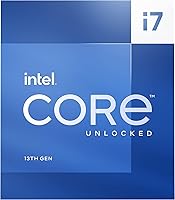
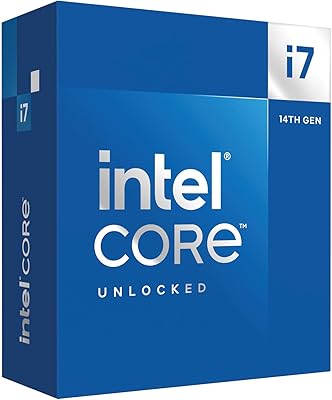
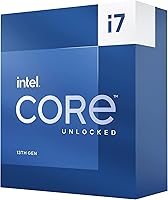
The Intel Core i7-13700K arrived in late 2022 as part of Intel's 13th Gen Raptor Lake lineup, and it still holds up as a serious contender for anyone building a high-performance desktop today. This Raptor Lake chip sits in a competitive spot — powerful enough for demanding workloads, yet not quite at the power-hungry extreme of the i9 tier. It targets builders and gamers who want strong real-world performance without overspending on cores they may never fully use. One thing worth knowing upfront: no cooler is included, so factor that into your total build budget before you buy.
Features & Benefits

The hybrid 16-core design — eight Performance cores handling heavy lifting alongside eight Efficiency cores managing background tasks — means the i7-13700K can run a game, stream, and handle Discord without breaking a sweat. Single-threaded peaks reach 5.4 GHz through Turbo Boost Max 3.0, which translates directly into snappy responsiveness in games and fast export times in creative apps. The integrated UHD Graphics 770 is a practical fallback if a GPU is delayed or fails. Supporting both DDR4 and DDR5 memory gives builders real flexibility, and PCIe 5.0 support keeps the platform relevant for next-gen storage and graphics cards.

Best For

This 13th Gen processor makes the most sense for a few specific types of builders. If you're upgrading from a 10th or 11th Gen Intel system, the LGA1700 platform offers a relatively smooth transition — though 600-series board owners should check for a BIOS update before installing. Gamers who want strong single-core performance without jumping to i9 pricing will find this chip hits a satisfying balance. It also suits content creators doing video editing or streaming on a mid-to-high budget. Overclocking enthusiasts will appreciate the unlocked multiplier, and anyone who wants an iGPU as a backup output will value the integrated graphics.

User Feedback

Buyers are largely satisfied, with particular praise going toward gaming frame rates and how well the chip handles multitasking under real workloads. The criticism that surfaces most consistently is around heat and power draw — at 125W base and considerably more under sustained load, this chip needs a capable cooler, not an afterthought one. A handful of users on 600-series boards mention needing a BIOS update, which is a minor step but worth knowing ahead of time. Some buyers also note they would have chosen the KF variant if they didn't need integrated graphics. Platform longevity gets positive mentions, with 700-series compatibility extending the useful lifespan of the build.

Pros

  • Exceptional gaming frame rates, even in CPU-demanding open-world and simulation titles.
  • The hybrid 16-core layout handles simultaneous gaming, streaming, and background tasks without strain.
  • Boosts up to 5.4 GHz for snappy single-threaded responsiveness in games and productivity apps.
  • Supports both DDR4 and DDR5 memory, giving builders flexibility to work within their existing setup.
  • Integrated UHD 770 graphics provide a practical fallback if a discrete GPU is unavailable or delayed.
  • PCIe 5.0 support keeps the platform relevant for next-gen storage and future GPU upgrades.
  • Unlocked multiplier gives overclocking enthusiasts meaningful tuning control without flagship pricing.
  • Strong platform longevity with Intel 700-series chipset compatibility extending the useful life of your build.
  • The i7-13700K hits a compelling performance-to-cost balance compared to the i9 tier above it.
  • 32MB Smart Cache noticeably reduces latency in gaming and creative workloads compared to prior generations.

Cons

  • No cooler is included — a capable thermal solution is mandatory and adds meaningful cost to your build.
  • Power draw climbs well above 125W under sustained all-core load, straining modest PSUs and compact cases.
  • 600-series motherboard users must perform a BIOS update before the chip will even post, which requires a spare CPU.
  • Sustained all-core workloads push temperatures aggressively, and inadequate cooling leads to throttling and noise.
  • LGA1700 is a dead-end socket — the next Intel generation requires a full platform and motherboard replacement.
  • Buyers who skip integrated graphics should opt for the KF variant, as paying for unused iGPU is poor value.
  • DDR5 memory compatibility at higher speeds can require manual XMP tuning and occasional troubleshooting.
  • Overclocking gains above stock boost behavior are incremental, not the dramatic headroom some enthusiasts expect.
  • High power consumption under load makes it a poor choice for builds in small form-factor or poorly ventilated cases.

Ratings

The Intel Core i7-13700K earns consistently strong marks across thousands of verified buyer reviews worldwide — our AI-powered scoring model filters out incentivized, bot-generated, and low-signal feedback to surface what real builders and gamers actually experience. Scores reflect both where this Raptor Lake chip genuinely excels and where it asks more of you than the spec sheet suggests. Strengths and frustrations are weighted equally, so you get a clear picture before committing to a build.
Gaming Performance
93%
Buyers building gaming rigs report smooth, high-frame-rate experiences even in CPU-heavy titles like simulation and open-world games. The strong single-core boost translates into noticeably snappy responsiveness, and users upgrading from older Intel generations frequently describe it as a meaningful jump in how games feel day to day.
A small number of users note that chasing maximum gaming performance requires pairing it with fast DDR5 memory and a high-end cooler, adding cost to the overall build. Without proper thermal management, sustained gaming sessions can trigger throttling that chips away at peak performance.
Multi-Core & Multitasking
89%
The hybrid 16-core layout handles parallel workloads well — users running a game, streaming software, and a browser simultaneously report no meaningful performance degradation. Content creators doing light 3D renders or background exports while continuing to work find the Efficiency cores absorb that overhead cleanly.
Workloads that push all cores simultaneously — long video encodes, large compilation jobs — drive power draw well beyond the 125W base figure, which some users did not anticipate. Those on tighter power setups or with modest PSUs have occasionally flagged stability concerns under prolonged all-core loads.
Thermal Performance
61%
39%
Under moderate workloads, reviewers using mid-range tower coolers report acceptable temperatures that do not interfere with daily use. Users who invested in a quality 240mm AIO or a high-end air cooler like a Noctua NH-D15 describe the chip running controlled and quiet during typical gaming sessions.
This is the most consistently flagged concern across user reviews. Under sustained all-core loads, temperatures climb aggressively, and buyers who underestimated cooling requirements describe throttling and uncomfortable noise levels. The chip demands a serious thermal solution — an entry-level cooler simply is not adequate, and no cooler ships in the box.
Value for Money
78%
22%
Buyers who evaluated it against the i9 tier consistently feel they captured the majority of real-world performance at a meaningfully lower outlay. For gamers and mid-level content creators, the functional gap between this chip and the flagship above it rarely justifies the price difference in daily use.
A portion of reviewers note that once you factor in a capable cooler — which is mandatory, not optional — the total platform cost climbs noticeably. A few buyers also mention that if integrated graphics are not needed, the KF variant represents better cost efficiency for the same core performance.
Overclocking Headroom
74%
26%
Enthusiasts appreciate the unlocked multiplier, and users with robust cooling setups report stable overclocks that push gaming and single-threaded performance further. The ability to tune both P-core and E-core frequencies independently gives experienced builders meaningful control over the chip.
Overclocking gains are described as incremental rather than transformative by most users, and chasing higher clocks amplifies the thermal challenges significantly. Casual builders who expected easy, substantial gains out of the box often find the stock boost behavior already close to practical limits.
Memory Compatibility & Flexibility
86%
Support for both DDR4 and DDR5 is genuinely appreciated by builders working within different budget constraints or reusing existing RAM. Users transitioning platforms from older Intel systems particularly value not being forced into a full memory refresh to get a capable build running.
DDR5 kits at higher speeds can introduce compatibility nuances that require XMP profile tuning, and a handful of users on 600-series boards noted instability until they updated both BIOS and memory settings. It is manageable, but first-time builders may find the initial setup less plug-and-play than expected.
Platform Longevity
82%
18%
Reviewers building long-term rigs feel reassured by Intel 700-series chipset support, which extends the functional life of the LGA1700 platform. Users who paired the chip with a Z790 board in particular express confidence that the platform will accommodate upgrades and newer peripherals for several years.
The LGA1700 socket is a dead end for future Intel generations, as Intel has moved to LGA1851 for Arrow Lake. Buyers aware of this note it does not affect current performance but means a full platform swap will be required for the next upgrade cycle, which tempers long-term enthusiasm slightly.
Integrated Graphics (UHD 770)
58%
42%
For builders waiting on a discrete GPU or using the machine as a secondary workstation, the UHD 770 is a practical fallback that handles desktop tasks and light media playback without issue. A segment of buyers also use it to drive a secondary monitor while the dedicated GPU handles the primary display.
No one should expect the integrated graphics to carry gaming or GPU-accelerated creative workloads — buyers who hoped it would handle casual gaming were largely disappointed by the frame rates. It serves its purpose as a contingency option but offers very little headroom for anything beyond basic display output.
Installation & Setup Experience
77%
23%
Most builders describe the physical installation process as straightforward, and users familiar with Intel LGA platforms report nothing unexpected during the build. The chip slots cleanly into Z690 and Z790 boards, and compatibility with a wide range of cooler mounting systems is frequently mentioned positively.
Users pairing this chip with 600-series motherboards report needing a BIOS update before the system will post correctly, which can be a friction point for those without a prior-gen CPU on hand to perform the update. It is a known requirement, but it catches some first-time builders off guard.
Content Creation Performance
84%
Video editors working in Premiere Pro and DaVinci Resolve report noticeably faster timeline scrubbing and export times compared to older 10th and 11th Gen chips. Streamers who encode in software while gaming describe stable, high-quality output without the stuttering or frame drops that plagued lower-core-count predecessors.
For heavy 3D rendering or simulation workloads, the chip performs well but begins to show power and thermal constraints during extended sessions. Users doing professional-grade rendering describe it as capable but note that workstation-class processors with higher core counts still have a tangible edge for hours-long compute jobs.
Power Efficiency
54%
46%
Under light and mixed workloads, the Efficiency cores do their job of keeping idle and background power draw reasonable. Users running typical desktop and productivity tasks report that the chip does not feel wasteful when it is not being pushed hard.
Under sustained load, power consumption climbs significantly beyond the base 125W TDP, and several users running modest PSUs describe system instability during stress tests or long rendering sessions. Compared to AMD alternatives at similar performance levels, the i7-13700K draws more power, which matters for those conscious of electricity costs or building in compact cases with limited airflow.
Boost Clock Consistency
81%
19%
Single-core boost behavior is praised for feeling responsive and consistent across gaming and productivity apps. Users benchmarking the chip note that it regularly hits its advertised boost figures in real workloads, not just synthetic tests, which builds confidence in the advertised specifications.
Maintaining peak multi-core boost frequencies under prolonged workloads depends heavily on cooling quality, and users with inadequate thermal solutions see noticeable variance in sustained clock speeds. The chip is not unusual in this regard, but it reinforces the point that the cooling investment is inseparable from the performance story.
PCIe & Storage Compatibility
88%
Builders pairing this chip with PCIe 5.0 NVMe drives report no compatibility issues and appreciate having access to next-gen storage speeds on the platform. The combination of PCIe 5.0 and 4.0 lanes gives builders flexibility to mix a fast primary drive with secondary storage without sacrificing bandwidth.
The PCIe 5.0 benefit is only realised with compatible hardware, and buyers who have not yet upgraded their GPU or storage to PCIe 5.0 devices will not notice any practical difference over the previous generation. It is a future-facing feature that adds platform value but delivers no immediate gain for most current builds.

Suitable for:

The Intel Core i7-13700K is a strong fit for PC builders who want serious performance without stepping into flagship CPU territory. Gamers running demanding titles at high frame rates will find the single-core boost and hybrid core layout more than capable of keeping up, especially when paired with a fast GPU and DDR5 memory. Content creators who edit video, stream, or do occasional 3D work on a mid-to-high budget will appreciate how well this Raptor Lake chip handles mixed workloads without grinding to a halt. Builders upgrading from 10th or 11th Gen Intel systems will find the LGA1700 platform familiar enough to ease the transition, particularly on Z690 or Z790 boards. Those who want an integrated GPU as a temporary fallback or secondary display output will also get genuine utility from the included UHD 770 graphics. Overclocking enthusiasts who want an unlocked chip with real tuning headroom — without paying i9 prices — will find this a satisfying platform to work with.

Not suitable for:

Buyers who are thermal-budget-conscious or building in a compact case should approach the Intel Core i7-13700K with caution, because this chip genuinely runs hot under sustained load and demands a capable cooling solution that is not included in the box. If you are planning a budget build and have not accounted for a quality air or liquid cooler, the total cost will climb faster than expected. Users on 600-series motherboards also need to be aware that a BIOS update is required before the chip will function, which can be a real obstacle if you do not have another compatible CPU to perform that update. Buyers who have no need for integrated graphics and want to stretch every dollar of performance should consider the KF variant instead, as it typically offers the same core performance at a lower outlay. Those planning to future-proof beyond the current generation should also know that LGA1700 is the end of the line — Intel has moved to a new socket, meaning any next-generation upgrade will require a full platform change. Finally, professionals running sustained all-core workloads for hours — large renders, simulations, or compilation jobs — may find workstation-oriented chips with better power efficiency more practical over the long term.
Specifications

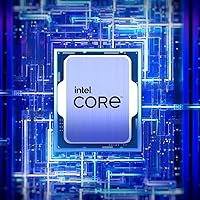
  • Architecture: Built on Intel's Raptor Lake (13th Gen) hybrid architecture, combining high-performance and high-efficiency core types on a single die.
  • Core Count: Features 16 cores total — 8 Performance cores and 8 Efficiency cores — delivering 24 threads for parallel workload handling.
  • Max Boost Clock: Reaches up to 5.4 GHz on Performance cores via Intel Turbo Boost Max Technology 3.0 under optimal conditions.
  • Base Power: Rated at a 125W processor base power, with real-world draw climbing significantly higher under sustained all-core loads.
  • L3 Cache: Equipped with 32MB of Intel Smart Cache (L3), reducing memory latency in gaming, rendering, and productivity workloads.
  • Socket: Designed for the LGA1700 socket, compatible with Intel 600 and 700 series chipset-based motherboards.
  • Memory Support: Supports DDR5 at up to 5600 MHz and DDR4 at up to 3200 MHz, giving builders flexibility across both memory platforms.
  • Integrated Graphics: Includes Intel UHD Graphics 770, capable of driving a display output without a discrete GPU for basic and fallback use.
  • PCIe Support: Provides PCIe 5.0 and PCIe 4.0 lane support, enabling compatibility with next-gen NVMe storage drives and modern GPUs.
  • Total PCIe Lanes: Offers up to 20 total CPU PCIe lanes for distributing bandwidth across storage and expansion devices.
  • Overclocking: Ships with an unlocked multiplier, allowing experienced builders to manually adjust clock speeds on compatible Z-series motherboards.
  • Thermal Solution: No cooler is included in the box — a separate thermal solution must be purchased and installed before the system will run.
  • Chipset Compatibility: Works with Intel 600-series (B660, H670, Z690) and 700-series (Z790, B760) chipset motherboards using the LGA1700 socket.
  • Thread Count: Delivers 24 threads across its 16-core layout, enabling efficient handling of multithreaded applications and background tasks.
  • Series: Part of Intel's Raptor Lake family, positioned between the i5-13600K and i9-13900K in the 13th Gen desktop lineup.
  • L2 Cache: Features 24MB of total L2 cache distributed across Performance and Efficiency cores to accelerate frequently accessed data.
  • Turbo Boost Tech: Implements Intel Turbo Boost Max Technology 3.0, which identifies and prioritizes the fastest cores for single-threaded tasks.
  • Optane Support: Supports Intel Optane Memory when paired with a compatible motherboard and Optane module for storage acceleration workflows.

Related Reviews
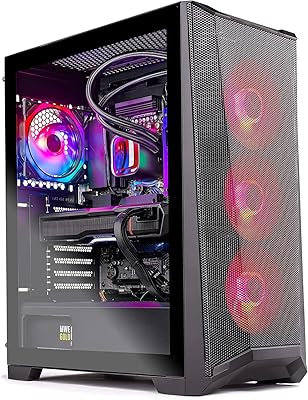
Skytech Gaming Chronos Gaming PC – Intel Core i7 13700K, NVIDIA RTX 4070, 32GB DDR5 RAM, 1TB SSD
88%
94%
Gaming Performance
90%
Build Quality
88%
Cooling System
91%
Design & Aesthetics
85%
Setup & Installation
More
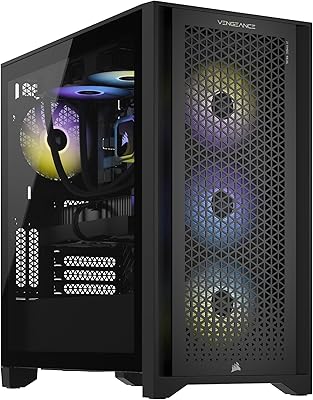
Corsair Vengeance i7400 Gaming PC - Intel Core i7-13700K, NVIDIA GeForce RTX 4070 Ti, 32GB DDR5, 1TB SSD
87%
94%
Overall Performance
96%
Gaming Performance
89%
Multitasking and Productivity
92%
Thermal Management
85%
Build Quality
More
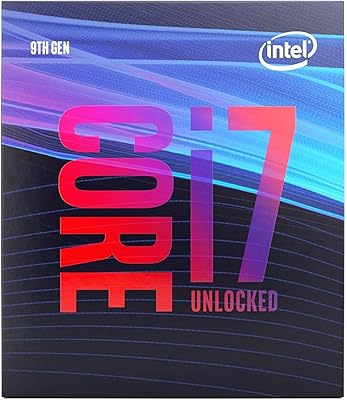
Intel Core i7-9700K 8-Core 3.60 GHz Processor
87%
95%
Gaming Performance
91%
Overclocking Potential
88%
Multi-Core Performance
92%
Compatibility with LGA 1151 Motherboards
80%
Thermal Management
More
Intel NUC 12 Pro NUC12WSHi7, 32GB RAM, 1TB SSD, Intel Core i7-1260P
88%
93%
Performance
89%
Build Quality
88%
Usability
92%
Connectivity
95%
Design & Size
More
ASUS NUC 12 NUC12WSHi7 16GB/512GB
82%
88%
Everyday Performance
83%
Build Quality & Chassis
61%
Thermal Management & Fan Noise
91%
Port Selection & Connectivity
89%
Wireless & Network Performance
More
Intel Core i7-6700K
Intel Core i7-6700K
88%
94%
Gaming Performance
91%
Multithread Performance
88%
Overclocking Potential
72%
Thermal Management
85%
Power Efficiency
More
Intel Core i7-14700F
89%
96%
Multithread Performance
93%
Single-Core Speed
88%
Thermal Efficiency
85%
Power Consumption
94%
Gaming Performance
More
Intel Core i7-2600K Processor
84%
94%
Performance for Gaming
89%
Overclocking Potential
86%
Multitasking Efficiency
92%
Value for Money
88%
Compatibility with LGA 1155 Socket
More
Intel Core i7-6850K Processor
83%
93%
Performance under Load
90%
Multitasking Efficiency
67%
Thermal Management
85%
Ease of Setup
89%
Compatibility with Other Hardware
More
Intel Core i7-7800X Processor
84%
91%
Performance
88%
Value for Money
93%
Gaming Performance
89%
Multitasking Ability
86%
Compatibility with Intel X299
More

FAQ

No, it does not. Intel does not include a thermal solution with unlocked K-series processors, so you will need to budget for a separate cooler. For a chip that runs this warm under load, we would recommend at least a decent 240mm AIO or a high-performance air cooler like a Noctua NH-D15 — do not cut corners here.

Yes, the i7-13700K is compatible with Intel 600-series boards including Z690, but there is one important step: your motherboard likely needs a BIOS update before it will recognise the chip. If you do not have another compatible CPU to boot the board and run the update, check whether your motherboard supports BIOS flashback — many Z690 boards do, which lets you update without a CPU installed.

Not at all. The Raptor Lake chip supports both DDR4 and DDR5, and many users run it very effectively on DDR4 with XMP enabled. DDR5 does offer a measurable bandwidth advantage in memory-sensitive workloads, but for gaming and general use the performance gap is often smaller than the cost difference between the two platforms.

Yes, this is actually one of its stronger use cases. The hybrid core layout lets the Efficiency cores absorb background tasks like encoding and Discord while the Performance cores focus on the game. Most users running software encoding alongside a GPU-demanding title report smooth results without noticeable frame drops.

Under gaming it typically stays manageable with a quality cooler, but push it into sustained all-core workloads — long video encodes, large compilations — and temperatures climb fast. With a strong 280mm AIO, most users report staying under 90 degrees Celsius even under heavy stress, but with a weaker cooler you will hit thermal limits and see the chip pull back its clocks to protect itself.

The only difference is that the KF variant does not include integrated graphics. If you already have a dedicated GPU and have no use for a display fallback, the KF version offers identical CPU performance and is often available at a lower price. If there is any chance you will need a temporary display output — or want a backup if your GPU fails — the standard K version is the safer choice.

No. Overclocking requires a Z-series motherboard — Z690 or Z790 for this generation. On a B-series board, you can still use the chip at its rated boost clocks, which are already quite high, but manual clock adjustments through the multiplier are locked out at the chipset level.

That depends on your goals. For gaming and content creation on the LGA1700 platform, it still performs very well and the platform supports a wide range of board and memory options at accessible price points. The key consideration is that LGA1700 is Intel's last generation on this socket, so you will not be able to drop in a future Intel chip without a full platform change. If you are building for the next four or five years and are comfortable with that, it remains a capable choice.

The UHD 770 integrated graphics support multiple display outputs depending on what your motherboard provides — most Z690 and Z790 boards with rear display outputs support two simultaneous connections via the iGPU. Keep in mind that the iGPU shares system memory, so performance in anything beyond basic desktop tasks and video playback will be limited. It is best treated as a convenience feature rather than a primary display solution.

For a typical gaming build with a mid-to-high-end GPU, a quality 750W to 850W PSU is generally the recommended range. The chip itself can draw considerably more than its 125W base rating under load, and when you combine that with a power-hungry graphics card, headroom matters. We would not recommend going below 750W, and if you are pairing it with a high-end GPU, 850W or above gives you comfortable margin.