Intel Celeron G5905 Desktop Processor
Overview
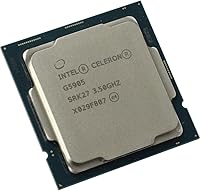
The Intel Celeron G5905 Desktop Processor is Intel's entry point into the LGA1200 platform — a no-frills chip built around the Comet Lake architecture. Sitting below the Pentium Gold and well below the Core i3, this Celeron chip makes no pretense about what it is: a processor for light, predictable workloads where raw performance simply isn't the priority. It slots into any Intel 400-series motherboard — H410, B460, H470 — giving builders access to an affordable platform without committing to a more expensive CPU. Released in mid-2020, it's a mature product at this point, but that also means pricing and compatibility are well understood.
Features & Benefits
The G5905 runs two cores and two threads at a steady 3.5 GHz — no Turbo Boost, no surprises. That fixed clock speed is actually fine for tasks like document editing, web browsing, or light media playback, where burst performance simply isn't needed. The 58W TDP keeps heat low enough that the included stock cooler handles things quietly, which is a genuine plus for compact or home theater builds. Integrated Intel UHD Graphics 610 supports 4K output, so a discrete GPU isn't required for basic display needs. The LGA1200 socket gives you flexibility with affordable motherboard choices, though overclocking is off the table entirely.
Best For
This entry-level desktop processor makes the most sense when the workload is genuinely light and the budget is tight. Think office PCs running spreadsheets and a browser, school computers for homework and video calls, or home theater setups where quiet operation matters more than speed. It also works well in point-of-sale systems or kiosks where software demands are minimal and long-term reliability is the real priority. What it isn't suited for: gaming, video editing, or anything that hammers multiple threads at once. If your use case involves any of those, it's worth stepping up the CPU tier rather than hitting a wall later.
User Feedback
Buyers who pick up the G5905 with realistic expectations tend to come away satisfied. The most common praise centers on reliable out-of-box performance and how cool and quiet the system runs during everyday use. On the flip side, users doing moderate multitasking — several browser tabs open alongside a background app, for instance — do notice the two-thread ceiling fairly quickly. There's also a reasonable concern in recent reviews: used Core i3-10100 units have dropped enough in price that the value gap has narrowed noticeably. For a new, warranty-backed build with modest needs, the G5905 still holds up — but checking the secondhand CPU market first is genuinely good advice.
Pros
- Runs cool and quiet, making it ideal for living room or bedroom PC builds where noise matters.
- The included stock cooler reduces upfront costs for a no-frills budget build.
- Intel UHD Graphics 610 handles 4K display output without needing a dedicated graphics card.
- Compatible with a wide range of affordable LGA1200 motherboards across the H410, B460, and H470 lineup.
- Reliable and stable out of the box — buyers report clean installs and consistent day-to-day performance.
- A fixed 3.5 GHz clock means predictable, no-surprise behavior under light, consistent workloads.
- Low 58W TDP translates to modest electricity draw, a real advantage for always-on machines like kiosks.
- Works well as a stopgap CPU for hobbyists repurposing an existing LGA1200 platform cheaply.
Cons
- Only two threads mean the chip struggles noticeably when multiple apps compete for resources simultaneously.
- No Turbo Boost means the processor cannot handle brief performance spikes that modern software often triggers.
- The value case has weakened as used Core i3-10100 pricing has crept into comparable territory.
- Overclocking is completely locked — there is no performance headroom to unlock under any circumstance.
- The stock cooler is functional but leaves no thermal margin if paired with a warmer workload or a future CPU swap.
- The LGA1200 platform is a dead-end socket with no upgrade path to newer Intel architectures.
- Integrated graphics are adequate for display output but useless for any GPU-accelerated task.
- Aging 14nm architecture means the G5905 compares unfavorably on efficiency versus newer budget chips.
Ratings
The Intel Celeron G5905 Desktop Processor has been evaluated across thousands of verified global purchases, with our AI model actively filtering out incentivized, duplicate, and bot-generated submissions to surface what real buyers actually experienced. Scores reflect a balanced read of the data — strengths are credited where earned, and recurring frustrations are not softened. Whether this entry-level chip earns a place in your next build depends heavily on your workload, and this breakdown is designed to make that decision straightforward.
Raw Processing Performance
Multitasking Capability
Thermal Performance & Heat Output
Integrated Graphics
Value for Money
Platform Compatibility & Flexibility
Power Efficiency
Out-of-Box Setup Experience
Noise Levels
Gaming Suitability
Content Creation & Media Editing
Longevity & Future-Proofing
Stock Cooler Quality
Overclocking Potential
Suitable for:
The Intel Celeron G5905 Desktop Processor is a practical pick for anyone building a PC where the workload is genuinely simple and keeping costs low is the priority. Office environments that need a reliable machine for email, spreadsheets, and web browsing will find this chip more than capable of handling a full workday without complaint. It is equally well-suited to home theater builds where quiet operation and 4K display output matter far more than processing muscle — the low TDP means the system runs cool and barely makes a sound. Schools or community organizations putting together basic student workstations on a tight budget will appreciate that it covers all the essentials without requiring a discrete GPU or aftermarket cooler. Hobbyists who already have an LGA1200 board and simply need the most affordable compatible CPU to get a secondary machine running will also find it fits the bill cleanly.
Not suitable for:
The Intel Celeron G5905 Desktop Processor is the wrong chip for anyone whose computing needs go even slightly beyond the basics. Gamers should look elsewhere — the combination of a two-thread processor and integrated-only graphics is a hard ceiling that no amount of settings tweaking will overcome for modern titles. Video editors, streamers, or anyone doing regular content creation will hit frustrating performance walls quickly, as the chip lacks both the core count and thread depth those workloads demand. The absence of Hyper-Threading is not just a spec footnote; it is a daily reality for users who habitually keep multiple applications running simultaneously. Perhaps most importantly, buyers should check the secondhand market before committing — used Core i3-10100 units have drifted close enough in price that the gap in capability no longer justifies defaulting to this entry-level processor without doing the comparison first. Anyone planning to use their PC for five or more years on general-purpose tasks should consider that software requirements tend to grow, and two threads do not age gracefully.
Specifications
- CPU Family: The G5905 belongs to Intel's Celeron lineup, positioned as the entry-level tier below Pentium Gold and Core i3 within the 10th-generation desktop processor family.
- Architecture: Built on Intel's Comet Lake architecture using a 14nm lithography process, representing the final refinement of Intel's long-running 14nm platform.
- Cores & Threads: The processor features 2 physical cores and 2 threads, with no Hyper-Threading support, meaning each core handles exactly one thread at a time.
- Base Clock: Runs at a fixed 3.5 GHz base frequency with no Turbo Boost technology, so clock speed remains constant regardless of workload intensity.
- TDP: Rated at a 58W thermal design power, keeping heat output low enough for compact cases and small form-factor builds without requiring high-performance cooling.
- CPU Socket: Uses the LGA1200 socket, which is physically and electrically compatible with Intel 400-series chipset motherboards released during the 10th-generation platform cycle.
- Compatible Chipsets: Officially supported across the full Intel 400-series lineup, including H410, B460, H470, and Z490 motherboard chipsets.
- Integrated Graphics: Includes Intel UHD Graphics 610 with 24 execution units, capable of driving a 4K display at 60Hz over HDMI or DisplayPort outputs on a compatible motherboard.
- Memory Support: Supports dual-channel DDR4 memory up to DDR4-2666 speeds, with a maximum supported memory capacity determined by the paired motherboard.
- PCIe Version: Provides PCIe 3.0 lanes for connecting storage drives, graphics cards, and other expansion devices through the motherboard.
- Turbo Boost: Turbo Boost is not available on this processor; the 3.5 GHz clock speed represents both the base and maximum operating frequency under all conditions.
- Overclocking: Overclocking is not supported on the G5905, as the multiplier is locked and the Celeron lineup does not permit frequency adjustments beyond factory settings.
- Bundled Cooler: A stock Intel cooler is included in the retail box, providing adequate thermal management for the chip's 58W TDP under typical light-workload conditions.
- Lithography: Manufactured on Intel's 14nm process node, the same fabrication technology Intel used across multiple generations of Core, Pentium, and Celeron desktop processors.
- Launch Date: The G5905 was first made available in July 2020 as part of Intel's 10th-generation Comet Lake desktop processor launch.
- Platform Status: The LGA1200 platform is a closed ecosystem with no forward compatibility to Intel's subsequent socket generations, making it a terminal upgrade path.
Related Reviews
Intel Celeron G5900 Desktop Processor
Intel Core i5-12400 Desktop Processor
Intel Core i5-14600K 14th Gen Desktop Processor
Intel Core i3-9100F Desktop Processor
Intel Core i9-10980XE Desktop Processor
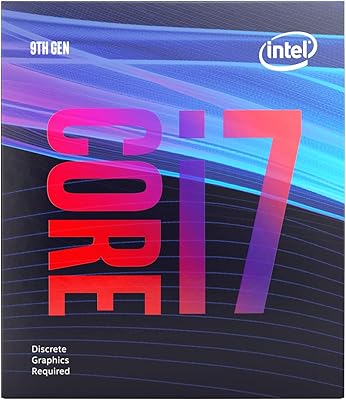
Intel Core i7-9700F Desktop Processor
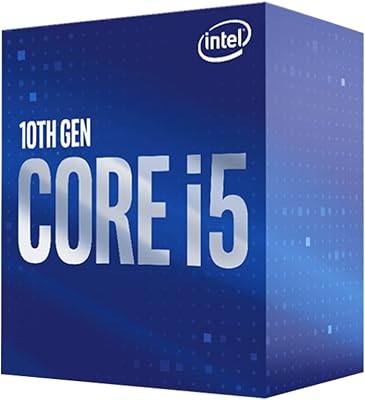
Intel Core i5-10400 Desktop Processor
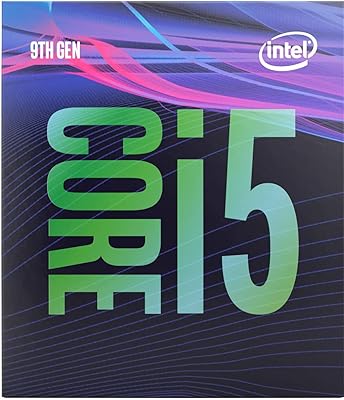
Intel Core i5-9400 Desktop Processor
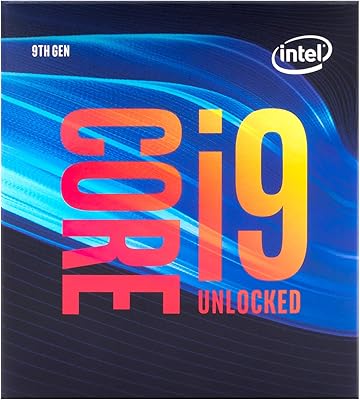
Intel Core i9-9900K Desktop Processor