Overview

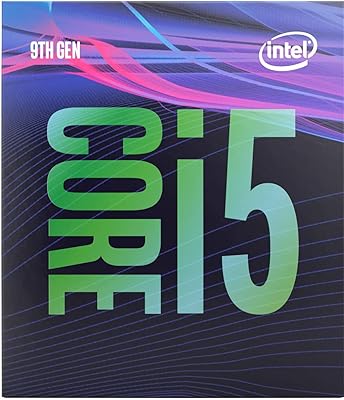
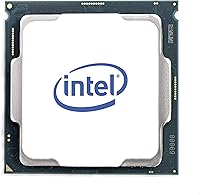
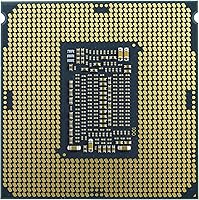
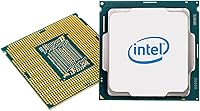
The Intel Core i5-9600KF Desktop Processor is Intel's 9th-generation mid-range chip aimed at gamers and budget builders who have no intention of relying on integrated graphics. The KF suffix tells you two key things: the multiplier is unlocked for overclocking, and there is no onboard GPU at all — meaning a discrete graphics card is non-negotiable, not optional. It slots into the LGA1151 socket and requires a 300-series motherboard, so compatibility is fairly specific. Launched in early 2019, it's not a new chip by any stretch, but it continues to show up as a solid value option for builders working within existing platform constraints. At 95W TDP, budget for a decent aftermarket cooler.
Features & Benefits

Six cores and six threads might not sound revolutionary today, but it's a meaningful step up from the quad-core chips that dominated the previous generation — especially for light multitasking like keeping a stream running while gaming. The i5-9600KF starts at 3.7 GHz and hits 4.6 GHz under Turbo Boost, which translates to snappy frame times in titles that rely on single-core speed. The unlocked multiplier gives enthusiasts room to push clocks further on a capable Z390 board. 9 MB SmartCache helps reduce latency where it actually matters in fast-paced games. There's also Intel Optane Memory support, a niche perk for users pairing with a mechanical hard drive. Skipping the integrated GPU keeps power focused on raw computation.

Best For

This unlocked six-core processor is a natural fit for dedicated gaming builds where a discrete GPU is already part of the plan. If you're on a Z390 board and want to stretch performance through overclocking without paying for iGPU silicon you'll never use, the math works in your favor. It also appeals to anyone still running a 6th or 7th-gen LGA1151 system who wants a noticeable performance bump without scrapping the whole platform. Light video editing and casual streaming setups are within reach when paired with a capable mid-range graphics card. Anyone who needs integrated graphics as a fallback, or is using a non-300-series board, should look elsewhere.

User Feedback

With nearly 2,500 ratings averaging 4.6 out of 5 stars, this 9th-gen Intel chip has earned a strong reputation — though the praise isn't without caveats. Buyers consistently highlight smooth 1080p gaming and the satisfaction of hitting stable overclocks with relatively little effort. The recurring sticking points: no stock cooler included, and first-time builders occasionally get caught off guard by the mandatory discrete GPU requirement. A number of users also flag that the LGA1151 platform has a hard ceiling — no upgrade path beyond 9th gen — which matters if you plan to hold onto the system for several years. As a platform refresh, it earns its stars. As a long-term investment, go in with realistic expectations.

Pros

  • Six cores deliver real multitasking headroom over older quad-core chips, especially during gaming sessions with background tasks running.
  • Turbo Boost up to 4.6 GHz provides strong single-core burst performance where it matters most in gaming workloads.
  • The unlocked multiplier makes overclocking accessible — even modest gains are achievable without expert-level tuning experience.
  • A 9 MB SmartCache helps reduce memory access latency, which shows up as smoother frametimes in fast-paced titles.
  • Strong compatibility across a wide range of Z390 and B365 boards already in circulation makes sourcing a paired motherboard straightforward.
  • Dropping the integrated GPU keeps costs focused on raw compute, often resulting in slightly better value versus the standard K variant.
  • Nearly 2,500 user ratings averaging 4.6 out of 5 stars reflects a consistently positive real-world track record.
  • Intel Optane Memory support gives users pairing with a mechanical hard drive a practical way to improve perceived storage responsiveness.
  • The i5-9600KF is a meaningful generational upgrade for anyone still running a 6th or 7th-gen LGA1151 chip without a full platform change.

Cons

  • No stock cooler is included in the box — an aftermarket cooler is a mandatory added expense before the system runs.
  • No integrated graphics means zero display output without a discrete GPU, which catches unprepared first-time builders completely off guard.
  • The LGA1151 platform is a dead end: there is no CPU upgrade path available beyond 9th-gen Intel.
  • Builders starting fresh today face better long-term value from newer platforms with more cores and broader upgrade options.
  • Compatibility is locked to Intel 300-series chipsets only, ruling out older 200-series motherboards entirely.
  • Sustained workloads push the 95W TDP hard, and thermal performance will suffer noticeably without a capable cooler keeping things in check.
  • The gap between the 3.7 GHz base clock and the 4.6 GHz Turbo ceiling means continuous heavy workloads rarely run at peak speed.
  • Optane Memory support is a largely outdated perk that most modern builders will have no practical use for.
  • Platform aging means this 9th-gen chip may feel limiting sooner than expected for users who hold onto systems for four or more years.

Ratings

The Intel Core i5-9600KF Desktop Processor carries a strong overall reputation built on thousands of verified global purchases, and the scores below reflect an AI-driven analysis of that real-world feedback after actively filtering out incentivized submissions, bot-generated reviews, and outlier ratings that skew the picture. What emerges is a nuanced portrait of a chip that genuinely performs well in its intended role while carrying limitations that matter depending on how and where you plan to use it. Both the consistent praise and the recurring frustrations are weighted equally so the scores reflect the full truth, not just the highlights.
Gaming Performance
88%
Gamers running shooters, open-world titles, and competitive multiplayer at 1080p consistently report smooth, responsive gameplay with no CPU-side bottlenecking worth complaining about. The 4.6 GHz Turbo Boost headroom translates directly into snappy frame delivery during intense moments, and users upgrading from older quad-core chips often describe the improvement as immediately felt.
At higher resolutions or in game engines that lean heavily on multi-threaded workloads, the six-core, six-thread configuration starts showing its limits against newer chips with simultaneous hyperthreading. A subset of users running particularly CPU-hungry titles report occasional frame dips during sustained peak-load scenarios that a more thread-rich chip would handle more gracefully.
Overclocking Potential
83%
Builders who pair this chip with a Z390 board frequently report stable overclocks in the 4.8 to 5.0 GHz range using moderate voltage adjustments, and the process is approachable enough that intermediate enthusiasts feel comfortable attempting it without deep expertise. The unlocked multiplier makes clock tuning more accessible than comparable locked Intel variants at a similar market position.
Ceiling gains are real but modest by current standards — the 14nm architecture limits how far the chip can scale before thermals become a limiting factor rather than an engineering challenge. Users who buy this chip for its unlocked multiplier but pair it with a B-series motherboard discover the hard way that overclocking is strictly a Z390 feature.
Value for Money
74%
26%
For buyers upgrading an existing 300-series LGA1151 system, the i5-9600KF represents a cost-effective route to 9th-gen performance without scrapping an entire platform investment. When market pricing is favorable, it competes well within its performance tier — especially for dedicated gaming builds where the absent integrated GPU is a non-issue rather than a drawback.
The value case deteriorates significantly for anyone building a new system from scratch, where current-generation alternatives offer more cores, better efficiency, and a real upgrade path for comparable investment. The mandatory discrete GPU and aftermarket cooler requirements add meaningful cost to the total build that the chip's base price does not reflect.
Thermal Management
67%
33%
Users running a quality mid-range air cooler or a 240mm all-in-one liquid cooler report stable temperatures that stay well within comfortable operating ranges during typical gaming sessions. Under standard workloads the chip's thermal behavior is predictable and manageable, with no unexpected heat spikes flagged by the majority of buyers in their feedback.
At 95W TDP, budget coolers and compact case configurations regularly cause the chip to throttle under sustained load, which shows up as inconsistent performance rather than outright failure. Overclocking compounds this further, and users who underestimate cooling requirements consistently end up running hotter than the chip was designed to tolerate long-term.
Multitasking & Productivity
76%
24%
Moving up from a quad-core chip, the jump to six cores makes a tangible difference in everyday multitasking — keeping a browser with multiple tabs alive alongside an active game, or running background downloads while editing, stops feeling like a constant fight for system resources. Light creative workloads like photo editing and document processing handle without any noticeable strain.
Without hyperthreading the chip is limited to six threads, which starts feeling constrictive in heavier productivity scenarios like video rendering or compiling large codebases simultaneously. Users who regularly push demanding multi-threaded applications hit a ceiling that thread-richer alternatives in the same release window already cleared with room to spare.
Platform Compatibility
61%
39%
Within the Intel 300-series ecosystem the chip plugs into a wide range of boards — from budget B365 options to full enthusiast Z390 motherboards — giving buyers meaningful flexibility in how they configure their system. Users already invested in compatible hardware report essentially no friction getting the chip recognized and running after installation.
Compatibility ends abruptly at the 300-series boundary — despite sharing the LGA1151 socket with 6th and 7th-gen Intel chips, it is electrically incompatible with older 200-series motherboards. This narrower-than-expected compatibility window surprises buyers who reasonably assume that matching socket shapes guarantee full cross-generation support.
Single-Core Speed
84%
The 4.6 GHz Turbo ceiling is where this chip earns its reputation in gaming, since most game engines still prioritize fast single-core execution over raw thread counts. Competitive and esports-focused users running titles like Valorant, CS2, or League of Legends report responsive, latency-friendly gameplay that holds up reliably across extended sessions.
The 3.7 GHz base clock means sustained all-core workloads rarely stay at peak Turbo speeds, as the chip steps back when thermal limits are reached or when all cores are taxed simultaneously. The visible gap between base and Turbo can lead to inconsistent performance impressions depending on whether the user is benchmarking a burst scenario or a sustained workload.
Out-of-Box Experience
48%
52%
For experienced PC builders who arrive prepared with a discrete GPU and an aftermarket cooler already on hand, setup is clean and familiar — the LGA1151 installation process is well-documented and the chip slots into compatible boards without unusual complications. Veteran builders consistently describe this portion of the build as straightforward and unremarkable in the best sense.
First-time buyers and less experienced builders frequently hit two costly surprises: no cooler ships in the box and no display output exists without a dedicated GPU already installed and running. These are not edge-case oversights — they can leave a system completely non-functional until additional hardware is sourced, which accounts for a disproportionate number of frustrated one-star reviews.
Longevity & Future-Proofing
43%
57%
For buyers who have already accepted LGA1151 as a closed ecosystem, the chip delivers dependable service within that context — particularly for 1080p gaming, where its performance headroom remains adequate for several more years of mainstream use. It is a known quantity with a well-understood performance ceiling, which at least makes expectations easy to manage.
This is the concern flagged most persistently across long-term user reviews: LGA1151 tops out at 9th-gen Intel with no CPU upgrade path beyond it, meaning the next meaningful performance step requires replacing the motherboard, and likely the RAM. Buyers thinking two to four years ahead are increasingly steering toward newer platforms for scratch builds despite the higher upfront cost.
Power Efficiency
63%
37%
Under light to moderate loads — web browsing, office work, or casual gaming — the chip's power draw stays reasonable and places no unusual strain on a mid-range power supply unit. Most builders running standard configurations report no power-related instability or compatibility issues with adequately rated PSUs.
At 95W TDP on a 14nm process, this chip is noticeably less efficient than more recent architectures that deliver comparable or superior performance at significantly lower wattage. Builders aiming for quiet, thermally constrained, or small form-factor builds will find the heat output a persistent and difficult challenge to manage cleanly.
Cache Performance
79%
21%
The 9 MB Intel SmartCache provides meaningful buffering headroom for fast-paced gaming scenarios — particularly in titles with heavy asset streaming or complex in-game AI routines where cache misses show up directly as stuttering or latency irregularities. Competitive gamers often describe gameplay feel as tight and consistent, which the cache size contributes to alongside the clock speeds.
Compared to later Intel and AMD architectures that dramatically expanded cache allocation, 9 MB is respectable but no longer competitive by current standards. In cache-sensitive workloads like large-dataset processing or complex 3D scene rendering, the cache ceiling becomes a visible performance limiter that users notice compared to more modern alternatives.
Upgrade Flexibility
37%
63%
Within the 300-series platform, moving between 8th and 9th-gen Intel chips on the same board is technically possible, giving users some short-term optimization flexibility without a full platform change. For a buyer currently on a lower-tier 9th-gen chip, this unlocked six-core processor still represents a reachable and meaningful step up within the same ecosystem.
Beyond 9th-gen Intel there is no upgrade path whatsoever — the socket and platform represent a hard ceiling, and any performance leap from this point forward requires replacing the motherboard and likely the memory as well. User reviews repeatedly surface this as the single biggest structural weakness of committing to this platform in the current market.
Memory Support
71%
29%
DDR4 compatibility means most buyers can reuse memory from a previous build without compatibility headaches, and dual-channel configurations are fully supported, keeping memory bandwidth healthy for gaming and everyday workloads. Users transitioning from older DDR4 systems report straightforward memory migration with no unexpected speed or voltage conflicts on standard kits.
DDR4 is a generation behind the DDR5 platforms now shipping in current-generation builds, and the memory speed ceiling supported officially is well below what newer platforms handle natively. Buyers who later upgrade to a modern platform will need to replace their RAM as well as the motherboard, increasing the total transition cost considerably.
Installation Ease
82%
18%
The LGA1151 socket design is one of the more forgiving CPU installation formats — the chip seats cleanly, the retention mechanism is straightforward, and the process is extensively covered by tutorials for anyone working through their first build. Experienced builders universally describe the physical installation as a non-issue that takes only a few careful minutes.
The friction in setup comes from external requirements rather than the chip itself — sourcing and mounting an appropriate aftermarket cooler adds complexity and compatibility variables that many buyers do not anticipate. Verifying a successful first boot also requires a discrete GPU to already be installed, since there is no onboard display output to confirm the system is posting.
Streaming & Content Creation
73%
27%
Six cores provide enough overhead to run simultaneous gaming and software-based stream encoding in applications like OBS at moderate bitrate and quality settings, which is precisely what part-time streamers need from a mid-range CPU. Light video editing tasks — trimming, basic color work, simple timeline assembly — run without meaningful lag at this core and clock configuration.
Pushing beyond light content creation workloads — full-resolution exports, complex render pipelines, or multi-track audio production — exposes the thread count ceiling quickly, and users who work regularly in these areas report noticeably longer processing times than they anticipated from a chip in this category. The absence of hyperthreading is the underlying reason these gaps appear.

Suitable for:

The Intel Core i5-9600KF Desktop Processor is a well-matched choice for PC gamers who are already committed to running a dedicated graphics card — if you have no need for integrated graphics, the absence of an iGPU is a non-issue and can work in your favor on overall cost. It sits comfortably in Z390 or B365 builds where the unlocked multiplier opens the door to meaningful overclocking gains without demanding a full platform overhaul. Builders upgrading from 6th or 7th-gen LGA1151 systems will notice a genuine generational jump in multi-core headroom, and the transition requires no new motherboard socket. For anyone doing light creative work — part-time streaming, 1080p video editing, or casual content creation alongside gaming — this unlocked six-core processor holds its own when paired with a capable mid-range GPU. If you are working within an existing 300-series Intel ecosystem on a sensible budget, this chip still makes practical sense as a primary workhorse.
Not suitable for:

Anyone without a dedicated graphics card should stop here — the Intel Core i5-9600KF Desktop Processor has no integrated GPU, so without a discrete card you will not get any display output at all, full stop. First-time builders who aren't aware of this requirement often discover it the hard way, and it's one of the most frequently flagged surprises in user reviews. Beyond the GPU requirement, this chip is strictly limited to Intel 300-series motherboards, so it won't work in older 200-series or any non-LGA1151 boards. The platform ceiling is also a serious long-term concern: LGA1151 tops out at 9th-gen Intel, meaning there is no CPU upgrade path once you're here. For anyone building a new system from scratch today, newer platforms offer more cores, better efficiency, and actual headroom for future upgrades — all for competitive pricing. The 95W TDP also means you'll need to factor in an aftermarket cooler, since nothing ships in the box.

Specifications

  • Architecture: Built on Intel's 9th Generation Coffee Lake Refresh design, manufactured on a 14nm process node.
  • Core Count: Features 6 physical cores and 6 threads with no hyperthreading support.
  • Base Clock: Runs at a base frequency of 3.7 GHz under standard sustained workloads.
  • Turbo Boost: Scales up to a maximum single-core Turbo Boost frequency of 4.6 GHz during short burst workloads.
  • Cache: Equipped with 9 MB of Intel SmartCache for low-latency access to frequently used data.
  • Socket: Uses the LGA1151 socket and is compatible exclusively with Intel 300-series chipset motherboards.
  • TDP: Rated at a thermal design power of 95W, requiring an aftermarket cooling solution for stable operation.
  • Integrated Graphics: No integrated GPU is present on this chip; a discrete graphics card is required for any display output.
  • Overclocking: Ships with an unlocked multiplier, allowing manual clock speed adjustments on compatible Z390 motherboards.
  • Optane Support: Supports Intel Optane Memory, which can improve storage responsiveness when paired with a conventional hard drive.
  • Cooler Included: No stock cooler is bundled in the box; a third-party cooling solution must be purchased separately.
  • Model Number: The official Intel product identifier is BX80684I59600KF, which designates the retail boxed version.
  • Weight: The processor weighs approximately 2.46 oz as listed, not including any cooler or mounting hardware.
  • Dimensions: Retail packaging measures 4.57 x 1.73 x 3.98 inches; the chip itself conforms to the standard LGA1151 footprint.
  • Release Date: First made available in January 2019 as part of Intel's 9th-generation desktop processor launch.

Related Reviews

Intel Core i5-13400F 2.5GHz 10-Core Desktop Processor
87%
88%
Performance
92%
Value for Money
84%
Gaming Performance
89%
Multi-core Efficiency
91%
Ease of Installation
More
Intel Core i5-9500 Desktop Processor

72%
88%
Everyday Performance
81%
Gaming Capability
91%
Thermal Management
58%
Multi-threaded Workloads
83%
Platform Compatibility
More
Intel Core i5-8600 Desktop Processor
71%
83%
Single-Core Performance
61%
Multithreaded Performance
74%
Gaming Performance
71%
Value for Money
88%
Thermal Efficiency
More
Intel Core i5-14600K Desktop Processor
88%
94%
Performance
91%
Overclocking Potential
89%
Compatibility with Memory Types
88%
Power Efficiency
92%
Gaming Performance
More
Intel Core i5-12400 Desktop Processor
75%
86%
Gaming Performance
84%
Multitasking & Productivity
83%
Value for Money
87%
Thermal Management
67%
Platform Compatibility
More
Intel Core i5-9400 Desktop Processor
69%
83%
Everyday Performance
78%
Gaming Performance
81%
Value for Money
74%
Thermal Management
77%
Power Efficiency
More
Intel Core i5-13500 Desktop Processor
87%
88%
Performance for Gaming
91%
Multi-Core Performance
85%
Power Efficiency
84%
Thermal Management
92%
Compatibility with Motherboards
More
Intel Core i5-11400F Desktop Processor
68%
91%
Value for Money
78%
Gaming Performance
82%
Multi-core Throughput
86%
Thermal Management
83%
Platform Compatibility
More
Intel Core i5-13600K Desktop Processor
79%
93%
Gaming Performance
88%
Multi-Threaded Throughput
61%
Thermal Management
91%
Value for Money
79%
Overclocking Headroom
More
Intel Core i5-11600KF Desktop Processor
67%
84%
Gaming Performance
81%
Overclocking Headroom
58%
Thermal Management
79%
Value for Money
43%
Platform Longevity
More

FAQ

Yes, without exception. This chip has no integrated graphics — that is exactly what the F in its name indicates. Without a discrete GPU installed, your system will produce no video signal at all, meaning nothing will appear on your monitor. A dedicated graphics card is a mandatory purchase, not an optional upgrade, when building around this processor.

The i5-9600KF uses the LGA1151 socket and works exclusively with Intel 300-series chipset motherboards — think Z390, B365, B360, and H370 boards. It will not function in older 200-series boards even though they share the same physical socket shape. Always cross-reference your specific motherboard's CPU compatibility list before purchasing.

No, it does not. This catches a surprising number of first-time builders off guard. Because the KF designation removes the integrated graphics from the die, Intel also skips the bundled stock cooler. You will need to source a third-party cooler rated for at least 95W TDP separately before the system can run.

It depends heavily on your starting point. If you already own a compatible 300-series board and a discrete GPU, it can still deliver solid 1080p gaming performance at a competitive cost. If you are building from scratch, however, it is worth comparing against current-generation platforms — newer options offer more upgrade headroom and better long-term value for a modest additional investment.

The unlocked multiplier makes overclocking more approachable than it sounds, but you do need a Z390 motherboard to actually take advantage of it — B-series boards will not let you adjust the multiplier. With a Z390 and a capable cooler, many users report stable results in the 4.8 to 5.0 GHz range with moderate voltage adjustments, though results vary by individual chip.

The core distinction is integrated graphics. The standard i5-9600K includes Intel UHD Graphics 630 on the die; this unlocked six-core processor does not. For anyone already planning to use a dedicated GPU, the functional difference is essentially zero. The KF variant was introduced at a slightly lower price point as a result of the stripped iGPU, making it the more cost-efficient pick for GPU-paired builds.

Unfortunately, no. While 6th and 7th-gen Intel processors also used the LGA1151 socket, they relied on 100 and 200-series chipsets that are electronically incompatible with 9th-gen CPUs. You will need a 300-series board to use this chip, even though the physical socket looks identical to what you may already have.

Yes, with reasonable expectations. Six cores provide enough overhead to run a game alongside software encoding in OBS at moderate bitrates and quality settings. Pushing 4K streaming simultaneously with a CPU-demanding game is a stretch, but 1080p streaming while gaming is genuinely manageable. Keeping at least 16 GB of RAM in the system helps prevent bottlenecks during these simultaneous workloads.

This is a real limitation worth thinking through before you buy. The LGA1151 platform tops out at 9th-gen Intel — there is no higher-tier CPU you can drop in later without changing the motherboard entirely. Outgrowing this 9th-gen Intel chip means a full platform migration: new socket, new board, and likely new RAM depending on where you move.

At 95W TDP on stock settings, a solid mid-range air cooler — such as a Cooler Master Hyper 212 or equivalent — is the practical minimum. If you plan to push the chip through overclocking, moving up to a larger dual-tower air cooler or a 240mm all-in-one liquid cooler is a worthwhile investment to keep sustained temperatures under control and avoid thermal throttling.