InnoView 15.6″ Triple Portable Monitor
Overview
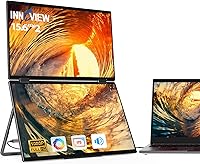
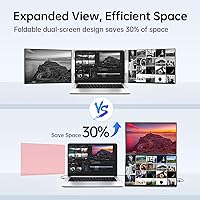
The InnoView 15.6″ Triple Portable Monitor takes a genuinely different approach to mobile productivity — instead of a single sidecar screen, you get two stacked 15.6-inch panels that fold out behind your laptop like a hinged triptych. Sitting somewhere between budget single-panel options and premium portable workstations in price, it targets professionals who need real screen real estate on the road, not just a little extra space. It works with Windows and macOS, though iPad users should know upfront that only one panel typically lights up in that configuration. Before anything else works, you must install a driver — scan the included QR code and expect a security warning that, while alarming, is reportedly a false positive.
Features & Benefits
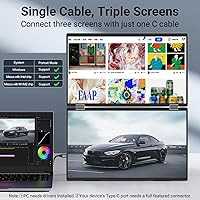
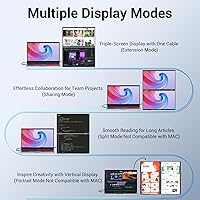
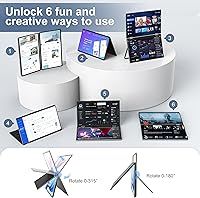
Both panels are IPS A+ screens running at 1920x1080, with anti-glare coatings that hold up reasonably well under typical office lighting. The automatic rotation feature is genuinely practical — Windows users get both 90° and 180° orientations, while Mac users are limited to 180°, which is worth knowing if portrait-mode layouts matter to your workflow. Connection-wise, a single USB-C cable works if your port delivers adequate power, but InnoView recommends at least 30W per connection to avoid flickering. For laptops without a fully functional USB-C output, the HDMI plus USB-A-to-C combo is your fallback. The 72% sRGB gamut and 60Hz refresh rate serve documents and dashboards well, but anyone doing color-critical work should look elsewhere.
Best For
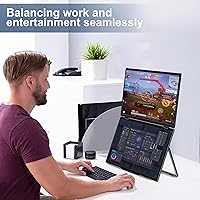
This portable triple monitor setup makes the most sense for remote workers and frequent travelers — think analysts pulling data from one screen while writing reports on another, or developers keeping documentation open while they code. If you often find yourself in hotel rooms or co-working spaces wishing you had your desktop layout with you, this laptop screen expander fills that gap without shipping a monitor ahead. Windows-primary users get the most mileage from the rotation options. One honest caveat: at five pounds, this is not a throw-it-in-your-daypack device. It rewards people who pack deliberately and travel with a bag that is actually built to handle the extra load.
User Feedback
Buyers who get past the driver installation generally come away satisfied — once running, the dual-panel experience earns consistent praise for boosting productivity without a complicated desk setup. That said, the driver process itself is a genuine sticking point: the security warning during installation catches many users off guard, and some report needing multiple attempts before both screens activate correctly. Power sensitivity is another real-world complaint — users on lower-wattage chargers or weaker USB-C ports frequently report flickering or dimming. Build quality feedback is mixed; hinges feel solid initially, but long-term durability questions do surface. The 18-month warranty and generally responsive support are noted positively, though iPad buyers expecting full dual-screen functionality are consistently disappointed.
Pros
- Two full 15.6-inch IPS panels give you the kind of screen space that is nearly impossible to find in portable monitor alternatives.
- Anti-glare and flicker-free coatings make long work sessions noticeably more comfortable than glossy-panel competitors.
- The HDMI fallback connection means laptops without a high-power USB-C port are not left out.
- Auto-rotation adjusts the panels automatically, saving time compared to manually reconfiguring display settings.
- Windows users can choose between 90° and 180° orientations, giving real layout flexibility for different workflows.
- The 18-month warranty adds a meaningful safety net for a portable device that takes daily handling.
- Once the driver is correctly installed, users consistently report that the dual-panel experience runs stably throughout the workday.
- Full HD 1080p resolution on both screens keeps text sharp and readable at typical working distances.
- Customer support is generally flagged as responsive and willing to help troubleshoot setup issues.
- The folding design keeps the panels protected during transit and allows for reasonably quick desk deployment.
Cons
- The mandatory driver installation catches many buyers off guard and can take multiple attempts to complete successfully.
- A security warning during driver setup alarms new users and is never a great first impression for a paid peripheral.
- Five pounds is a real and meaningful addition to your travel load — this is not a device for minimalist packers.
- Underpowered USB-C ports or low-wattage chargers frequently cause flickering or screen dimming, which disrupts focus.
- Mac users are locked out of the 90° portrait rotation mode, which limits layout options compared to Windows.
- iPad connectivity is essentially non-functional for dual-screen use, a significant issue for tablet-first workers.
- The 72% sRGB gamut produces visibly muted colors that are not acceptable for any color-sensitive creative work.
- Long-term hinge durability has drawn mixed feedback, with some users reporting loosening after months of regular folding.
- At 60Hz, this laptop screen expander is not suitable for anyone who also wants to use it for gaming or fast-motion content.
- Requiring 30W or more per connection limits compatibility with older or budget laptops that cannot reliably supply that power.
Ratings
The scores below reflect an AI-driven analysis of verified global user reviews for the InnoView 15.6″ Triple Portable Monitor, with spam, bot activity, and incentivized feedback actively filtered out to ensure the results represent genuine buyer experiences. Each category is scored based on the real-world weight of both praise and frustration found across thousands of purchase-verified responses worldwide. Strengths and pain points are reflected transparently — no score has been inflated to flatter the product.
Setup & Onboarding
Display Quality
Portability
Power Stability
Screen Real Estate
Build Quality
Windows Compatibility
macOS Compatibility
Value for Money
Connectivity Flexibility
Anti-Glare Performance
Auto-Rotation
Warranty & Support
Flicker-Free Performance
iPad Compatibility
Suitable for:
The InnoView 15.6″ Triple Portable Monitor was clearly built with a specific kind of professional in mind: someone who genuinely needs multiple panes of information open at once and cannot afford to be limited by a single laptop screen while away from their desk. Remote workers who live inside spreadsheets, dashboards, or data tools will immediately appreciate the ability to keep a reference document on one panel while actively working on another, without squinting or constant tab-switching. Developers who travel for client work, analysts presenting from hotel rooms, or consultants who move between offices regularly will find this stacked dual-screen extender dramatically changes what a mobile workday can look like. Windows users get the most from the 90° and 180° auto-rotation options, which allow layouts that mirror a proper desktop setup. If your primary need is raw productivity real estate rather than display perfection, and you travel with a bag that can absorb five extra pounds, this setup genuinely delivers on its core promise.
Not suitable for:
The InnoView 15.6″ Triple Portable Monitor is a poor fit for anyone whose work demands color accuracy — the 72% sRGB gamut is simply not adequate for photo editing, video grading, or any design work where color fidelity actually matters. iPad users should steer clear entirely, as only one screen typically activates in that configuration, making the purchase feel like a waste of most of what you paid for. Anyone who hates dealing with driver installations, security warnings, or troubleshooting before a device works will find the onboarding experience genuinely frustrating rather than a quick inconvenience. Buyers expecting something they can toss into a slim backpack alongside a laptop should also reconsider — at five pounds, this portable triple monitor setup demands a dedicated bag and deliberate packing. If you just want a single sidecar screen for occasional use, lighter and simpler single-panel alternatives will serve you better at a lower cost.
Specifications
- Screen Size: Each of the two panels measures 15.6″ diagonally, giving a combined extended workspace equivalent to two side-by-side full-size laptop screens.
- Resolution: Both screens run at 1920x1080 Full HD, which keeps text crisp and readable at standard laptop working distances.
- Panel Type: IPS A+ technology provides wider viewing angles and more consistent color rendering compared to standard TN panels commonly found in budget portable monitors.
- Refresh Rate: Both panels operate at 60Hz, which is adequate for productivity tasks but not suited for fast-motion content or gaming use.
- Color Gamut: Coverage is rated at 72% sRGB, which serves document and web work well but falls short of what photo editing or video color grading workflows require.
- Aspect Ratio: Each screen maintains a standard 16:9 widescreen aspect ratio, consistent with most modern laptop displays for a visually cohesive multi-panel setup.
- Screen Surface: Both panels feature an anti-glare, flicker-free coating designed to reduce eye fatigue during long work sessions under mixed or overhead lighting.
- Auto-Rotation: Windows users can switch between 90° and 180° automatic rotation orientations, while macOS users are supported in 180° mode only.
- Connectivity: The unit supports two connection modes: a single USB-C cable (requiring a fully functional video-output port) or an HDMI combined with a USB-A-to-C cable for broader compatibility.
- Power Requirement: InnoView recommends a minimum 30W power supply per connection to maintain stable brightness and prevent flickering, especially when both screens are active simultaneously.
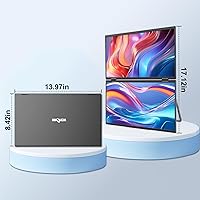
- Dimensions: The folded unit measures 15.67 x 10.24 x 2.4 inches, making it sized comparably to a large laptop when closed for transport.
- Weight: The complete unit weighs 5 pounds, which is a meaningful addition to any travel bag and should be factored into packing decisions for frequent travelers.
- OS Compatibility: Full dual-screen functionality is supported on Windows and macOS; iPad connectivity results in only one panel activating, making it effectively incompatible for tablet users.
- Driver Requirement: A proprietary driver must be installed before use, accessed by scanning the QR code included in the box; a security warning during installation is a known false positive.
- USB Ports: The unit includes one USB port for connection purposes, with the specific port configuration depending on whether USB-C or HDMI connection mode is used.
- Warranty: InnoView provides an 18-month manufacturer warranty covering defects, with a 30-day return window; damage caused by misuse is explicitly excluded from coverage.
- Color Options: The unit is available in both Black and Grey colorways, allowing buyers to choose a finish that better matches their existing laptop or desk setup.
- Model Number: The official manufacturer model number is INVPM009-02B, which can be used when contacting support or searching for firmware and driver updates.
Related Reviews

InnoView INVPM406 15.6-inch Portable Monitor
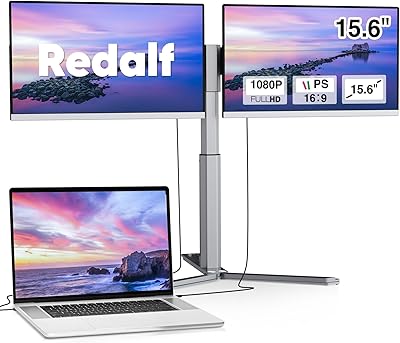
Redalf Z2 15.6″ Triple Portable Monitor

Topmonitor P15.6/2.5K 15.6-inch Portable Monitor
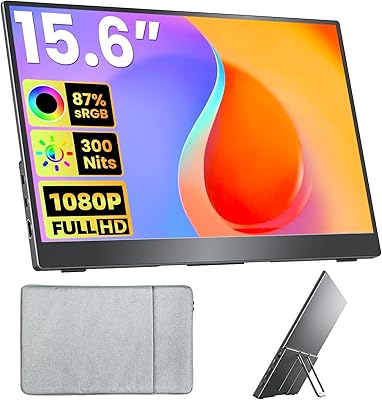
Upperizon U156LH 15.6″ Portable Monitor
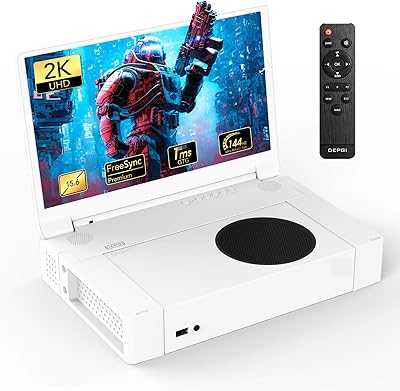
DEPGI 15.6″ Portable Gaming Monitor

HotYeah 15.6-inch 1080P Portable Monitor
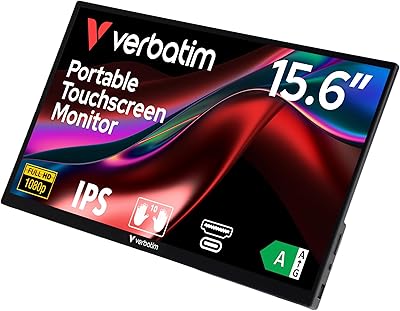
Verbatim 15.6″ Portable Touchscreen Monitor

Anyuse PM1561P 15.6-inch Portable Monitor
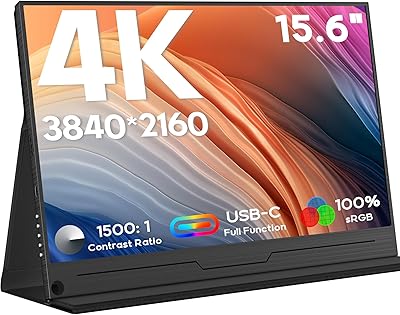
ZSCMALLS 15.6-inch 4K Portable Monitor

VILVA V156F1 15.6-inch Portable Monitor