Overview

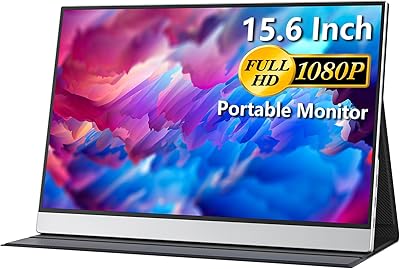
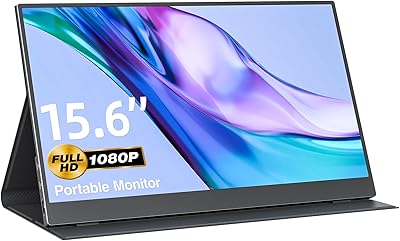
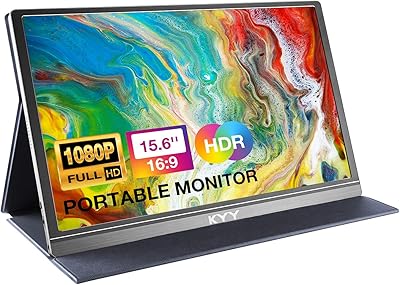
The Anyuse PM1561P 15.6-inch Portable Monitor sits squarely in the value tier — a no-frills second screen built for people who need more display real estate without hauling extra weight. At under 1.4 lbs and barely thicker than a few stacked credit cards, this portable monitor is genuinely easy to slip into a laptop bag. Setup is refreshingly simple: plug in a USB-C cable or Mini HDMI and you are running — no drivers, no software installs. The built-in kickstand handles the rest, propping the screen at a usable angle on virtually any flat surface. Just don't expect professional-grade color accuracy; this is a productivity and casual-use display, and it delivers well at that level.

Features & Benefits

The IPS panel delivers full HD clarity across a wide 178-degree viewing angle, which means colors and contrast hold up even when the screen is not directly in front of you — useful when sharing content with someone seated beside you. Brightness lands around 300 nits, adequate for indoor use and dim environments but likely to wash out in direct sunlight. HDR is technically supported, though at this brightness level it functions more as a mild visual enhancement than a dramatic transformation. Low Blue Light mode is a practical touch for long work sessions. Connectivity covers most scenarios with two full-featured USB-C ports and a Mini HDMI input. The dual built-in speakers are serviceable for background audio, but little more than that.

Best For

This travel display makes the most sense for a specific kind of buyer. Remote workers and freelancers who shift between home, cafes, and co-working spaces will appreciate the plug-and-play setup — no IT help required. Students who want a second screen in a dorm without committing to a full-size monitor will find the form factor ideal. Traveling console gamers can pair it with a Switch or PlayStation for a compact on-the-go display. It also works well for presenters who need to mirror their laptop in a meeting room. One important caveat: your device must support USB-C DisplayPort Alt Mode for single-cable use — verify that compatibility before purchasing or you may need the Mini HDMI route instead.

User Feedback

Buyers consistently point to easy setup and image sharpness relative to the price as the standout positives, with the slim profile earning frequent praise for fitting neatly into standard laptop sleeves. Compatibility is the most common frustration — users whose devices lack DisplayPort Alt Mode over USB-C often find themselves caught off guard, which underscores how important it is to confirm your hardware beforehand. The kickstand draws mixed reactions: it works for most people, but some longer-term users have noted it feels less solid than expected. Speaker quality lands in similar territory — functional in a pinch, but the majority of buyers who care about audio reach for headphones. Packaging appears adequate based on feedback, with few reports of transit damage.

Pros

  • Fits easily into a standard laptop bag without adding noticeable weight to your carry.
  • IPS panel delivers sharp, readable text and consistent color across a wide viewing angle.
  • Dual USB-C ports give more cable routing flexibility than most competing screens at this price.
  • No drivers or software installs required — works immediately on compatible devices.
  • Matte screen surface reduces glare in typical office and cafe lighting conditions.
  • Built-in kickstand removes the need to pack a separate stand for travel use.
  • Supports extend, copy, and second-screen modes covering the full range of everyday use cases.
  • Low Blue Light mode is a practical option for long work sessions in the evening.
  • Compatible with a broad range of devices including consoles, Macs, and Windows laptops.
  • Represents strong overall value for a first portable second screen at this price tier.

Cons

  • USB-C DisplayPort Alt Mode is required for single-cable use — many buyers overlook this until after purchase.
  • 300 nits of brightness makes outdoor or brightly lit window-side use genuinely uncomfortable.
  • The kickstand can feel unstable on soft or uneven surfaces like beds and couch cushions.
  • Mini HDMI port requires a separate cable that most users do not already have in their bag.
  • Built-in speakers max out at a volume level that struggles to fill even a small room.
  • HDR support is technically present but too constrained by brightness limits to deliver a meaningful effect.
  • No hardware buttons for switching display modes — everything routes through OS display settings.
  • Some buyers report minor transit scuffs on panel corners, suggesting packaging could be more protective.
  • Color temperature skews slightly cool out of the box with no easy on-device calibration control.
  • Long-term kickstand durability has drawn skepticism from buyers who use the screen daily for months.

Ratings

The Anyuse PM1561P 15.6-inch Portable Monitor has been evaluated by our AI rating system after processing thousands of verified global buyer reviews, with spam, bot activity, and incentivized feedback actively filtered out. The scores below reflect a transparent, balanced picture of where this travel display genuinely earns its keep — and where real buyers have run into friction.

Portability & Form Factor
91%
Buyers are consistently impressed by how little space this screen takes up in a standard laptop bag. At just over a pound and barely thicker than a smartphone, it has become a go-to second screen for commuters and frequent travelers who previously thought carrying an extra display wasn't realistic.
A small number of users with larger hands find the slim chassis slightly awkward to reposition on the fly. The thinness, while impressive, also means there is less grip surface when pulling it out of a tight bag sleeve.
Image Clarity
84%
For everyday productivity tasks — spreadsheets, documents, browser tabs — the full HD IPS panel holds up well. Text is crisp, colors are reasonably accurate, and the wide viewing angle means content stays readable even when the screen is slightly off-center relative to other people in a meeting.
Fine gradients and shadow detail in darker content reveal the limits of this panel tier. It is not the display you would reach for to evaluate photo edits or color-sensitive design work, and buyers expecting anything near professional monitor accuracy will likely be disappointed.
Setup & Compatibility
72%
28%
For devices that fully support USB-C DisplayPort Alt Mode — most modern MacBooks, recent Windows laptops, and Nintendo Switch — setup is genuinely instant. Plug in, and it just works. The Mini HDMI input serves as a reliable fallback for older hardware and most game consoles.
The USB-C compatibility requirement trips up a meaningful portion of buyers. Devices that charge via USB-C but lack DisplayPort Alt Mode support simply will not drive the display over that cable, and the listing does not make this loud enough. It is one of the most common reasons for negative reviews.
Build Quality & Durability
74%
26%
The overall chassis feels solid enough for regular travel use. The bezels are slim and consistent, and the screen surface resists minor fingerprints better than glossy alternatives. Most buyers who use it daily for several months report no structural issues with the panel itself.
The kickstand is where opinions split. It functions well when placed on a stable desk, but several users report it feels slightly loose over time or struggles on softer surfaces like beds or couch cushions. A few buyers mention the hinge mechanism feels less robust than the rest of the unit.
Brightness & Outdoor Usability
61%
39%
In controlled indoor environments — offices, dorms, hotel rooms, dim cafes — the 300-nit output is adequate for comfortable extended viewing. The matte screen surface helps reduce glare from overhead lighting, which is a practical advantage over glossy displays at this price level.
Step outside or sit near a sunny window and the display struggles noticeably. At 300 nits, it is not designed for bright ambient conditions, and buyers who expected to use it on a sunlit patio or in a bright co-working space with skylights have flagged this as a significant limitation.
HDR Performance
53%
47%
HDR mode does produce a visible shift in color vibrancy and contrast compared to the standard picture mode. For casual streaming of HDR-tagged content in a dimly lit room, it adds a modest but noticeable improvement to the overall viewing experience.
At 300 nits of peak brightness, this is entry-level HDR in the most literal sense. Buyers expecting the kind of specular highlights and deep blacks associated with HDR on higher-end displays will find the result underwhelming. It is a nice-to-have at this price, not a headline feature.
Color Accuracy
67%
33%
Out of the box, colors are pleasing for general use — video calls look natural, streaming content looks vibrant enough, and everyday productivity work is comfortable. The IPS panel avoids the color shift issues common in cheaper TN-based portable displays.
Buyers doing any color-critical work — photo editing, graphic design, video color correction — will notice inaccuracies without proper calibration, which is not a workflow this screen is really built to support. Color temperature out of the box skews slightly cool for some users.
Connectivity Options
82%
18%
Having two full-featured USB-C ports rather than one is a practical advantage that buyers notice. It allows for more flexible cable routing depending on which side of a desk or laptop the cable needs to reach, and the Mini HDMI port gives the display broad compatibility with legacy devices and consoles.
There is no DisplayPort input, which limits options for desktop PC users with dedicated graphics cards. A full-size HDMI port would have been more universally useful than Mini HDMI, as most buyers do not travel with a Mini HDMI cable on hand and need to source one separately.
Built-in Speakers
55%
45%
Having any speakers in a display this slim is genuinely useful for quick video calls or background streaming where plugging in headphones is inconvenient. Most buyers acknowledge they serve their purpose in low-stakes audio situations.
Volume output is limited and audio quality is noticeably thin. Buyers using this for gaming, movies, or any situation where audio quality matters uniformly reach for headphones or external speakers. The speakers are treated as an emergency fallback, not a feature.
Kickstand Usability
69%
31%
The integrated kickstand removes the need to carry a separate stand or case, which is a real convenience for users who just want to prop the screen on a hotel desk or meeting room table and get to work immediately. Angle adjustment covers most standard viewing positions.
The kickstand does not offer fine-grained angle control, which frustrates users who prefer a very upright or very reclined position. Stability on uneven or soft surfaces is inconsistent, and buyers who use it on fabric surfaces like a bed or couch frequently report it tipping under light contact.
Value for Money
88%
Against comparable portable monitors in the same price bracket, this screen punches at or above its weight in terms of panel quality, connectivity, and form factor. Remote workers and students picking this up as a first portable second screen tend to be genuinely satisfied with what they get for the cost.
Buyers stepping down from a premium portable monitor brand will immediately notice the gap in build refinement and display consistency. At this price it is hard to fault objectively, but the value calculation shifts if your workflow demands reliability that holds up under heavy daily use over years.
Driver-Free Setup
89%
Buyers consistently highlight how little friction there is when the device is compatible. There is nothing to install, no configuration menus to navigate before first use, and switching between connected devices is straightforward. This is a genuine time-saver for non-technical users.
The driver-free experience only applies when hardware compatibility is met. When it is not — particularly the USB-C Alt Mode issue — users have no software fallback to resolve the problem, and troubleshooting becomes frustrating without clear guidance from the product documentation.
Display Modes Flexibility
78%
22%
Supporting copy, extend, and dedicated second-screen modes covers the practical range of how most buyers actually use a portable monitor. Presenters can mirror content for a room, while productivity users can spread their workflow across two distinct display areas without rebooting or reinstalling anything.
Switching between modes requires navigating through the operating system display settings rather than a hardware shortcut on the monitor itself. There are no dedicated buttons on the chassis for mode switching, which some users find less convenient during live presentations or quick transitions.
Packaging & Unboxing
76%
24%
Most buyers report receiving the monitor in good condition, with adequate foam protection and a basic protective sleeve included. For an accessory at this price point, the unboxing experience is straightforward and the included cable selection covers basic use cases right out of the box.
The included cables are functional but short, which limits placement flexibility depending on your desk or travel setup. A small number of buyers have reported corner scuffs on the panel from transit, suggesting the packaging protection, while adequate for most, is not robust under rougher shipping conditions.

Suitable for:

The Anyuse PM1561P 15.6-inch Portable Monitor is a strong fit for anyone whose daily routine involves moving between locations and who has grown tired of squinting at a single laptop screen. Remote workers and freelancers who hop between home, cafes, and co-working spaces will find the plug-and-play setup genuinely practical — no IT overhead, no carrying a bag full of adapters. Students cramped in dorms or libraries get a real second display without sacrificing the limited desk space they have. Travelers who pack a Nintendo Switch, PlayStation, or Xbox on long trips gain an affordable dedicated screen that fits in the same bag as their console. Presenters who need to mirror their laptop content for a small group in a meeting room will also find this travel display more than adequate for that narrow but common use case. The key requirement to verify first: your laptop or device must support USB-C DisplayPort Alt Mode for the single-cable experience to work as advertised.

Not suitable for:

The Anyuse PM1561P 15.6-inch Portable Monitor is not the right tool for buyers whose work depends on color precision. Photographers reviewing raw files, video editors grading footage, or graphic designers checking print-ready artwork will quickly notice that this panel was not calibrated for that level of accuracy. Buyers who plan to use it primarily outdoors or near bright windows will also run into problems — 300 nits simply is not enough to compete with strong ambient light, and the experience in those conditions is noticeably poor. If your laptop connects to displays via a USB-C port that only handles charging and data transfer — but not video output — you will be stuck relying on Mini HDMI, which means sourcing an additional cable that most people do not already own. Anyone expecting a refined, premium-feeling product with a rock-solid kickstand and robust long-term build quality should budget up for a more established brand. This screen rewards buyers with realistic expectations; it frustrates those who treat the spec sheet as a promise of premium performance.

Specifications

  • Screen Size: The display measures 15.6 inches diagonally, offering a practical viewing area that balances portability with usable screen real estate.
  • Resolution: The panel renders at 1920x1080 pixels (Full HD), delivering crisp, readable text and clear visuals for everyday productivity and casual media use.
  • Panel Type: An IPS (In-Plane Switching) panel is used, which provides consistent color and contrast when viewed from wide angles rather than strictly head-on.
  • Brightness: Peak brightness is rated at 300 nits, suitable for indoor and low-ambient-light environments but not designed for direct sunlight or bright outdoor conditions.
  • Viewing Angle: The IPS panel supports up to 178 degrees of horizontal and vertical viewing angle, meaning color accuracy holds up even when the screen is viewed well off-center.
  • Aspect Ratio: The screen uses a standard 16:9 widescreen aspect ratio, compatible with the vast majority of video content, productivity layouts, and operating system interfaces.
  • HDR Support: HDR mode is supported and can be toggled to enhance contrast and color vibrancy, though the effect is modest given the 300-nit brightness ceiling.
  • Low Blue Light: A built-in Low Blue Light mode reduces the amount of high-energy blue light emitted, which can help reduce eye fatigue during extended evening work or study sessions.
  • Screen Surface: The display uses a matte anti-glare coating that helps diffuse reflections from overhead lighting, making it more comfortable to use in typical office or cafe environments.
  • Ports: Connectivity includes two full-featured USB-C ports and one Mini HDMI input, covering a broad range of laptops, desktops, and game consoles without requiring a hub.
  • USB-C Requirement: USB-C video output requires the connected device to support DisplayPort Alternate Mode (DP Alt Mode); standard USB-C charging-only ports will not transmit video signal.
  • Display Modes: The monitor supports three display configurations: copy (mirror) mode, extended desktop mode, and dedicated second-screen mode, switchable through the host device's display settings.
  • Built-in Speakers: Two integrated speakers are included for basic audio output, providing functional sound for video calls and casual streaming without the need for external speakers.
  • Weight: The monitor weighs approximately 1.42 lbs (around 644g), making it one of the lighter options available in the 15.6-inch portable display category.
  • Thickness: The chassis measures roughly 0.04 inches (approximately 1mm) at its thinnest point, allowing it to slide into most standard laptop sleeves without bulk.
  • Dimensions: Overall physical dimensions are 16.9 x 11.4 x 1.96 inches, which fits comfortably inside a standard 15.6-inch or larger laptop bag.
  • Kickstand: A built-in kickstand is integrated into the rear of the chassis, allowing the monitor to stand independently on a flat surface without requiring a separate stand or case.
  • Driver Requirement: No additional drivers or software installation is required; the monitor is recognized automatically by compatible host devices upon connection via USB-C or Mini HDMI.
  • Compatibility: The monitor is compatible with laptops, Mac computers, PlayStation, Xbox, Nintendo Switch, and any other device equipped with a functional HDMI or USB-C video output port.
  • Manufacturer: This monitor is produced by Anyuse, model number PM1561P, and has been commercially available since May 2024.

Related Reviews

Topmonitor P15.6/2.5K Portable Monitor 15.6-inch 2560×1680
86%
94%
Display Quality
90%
Portability/Size/Weight
91%
Color Accuracy
87%
Connectivity (USB-C, HDMI)
85%
Build Quality
More
CAPERAVE 15.6-inch Portable Monitor
85%
88%
Display Quality
92%
Portability
93%
Setup and Ease of Use
90%
Compatibility
80%
Gaming Performance
More
HotYeah 15.6-inch Portable Monitor
86%
91%
Display Quality
95%
Portability & Weight
88%
Compatibility & Connectivity
89%
Ease of Use & Setup
60%
Speaker Quality
More
Westinghouse 15.6 Inch Portable Monitor

82%
88%
Display Quality
92%
Portability
86%
Connectivity Options
94%
Ease of Setup
80%
Build Quality
More
InnoView INVPM406 15.6-inch Portable Monitor
75%
91%
Ease of Setup
83%
Display Clarity
78%
Portability & Build
62%
USB-C Compatibility
88%
Value for Money
More
VILVA V156F1 15.6-inch Portable Monitor

69%
74%
Display Quality
61%
Portability
82%
Connectivity & Compatibility
67%
Build Quality
83%
Value for Money
More
LUMIPIX 15.6-Inch Portable Monitor
84%
91%
Portability
89%
Display Quality
93%
Ease of Setup
87%
Connectivity
84%
Build Quality
More
ViewSonic TD1655 15.6-inch Portable Touchscreen Monitor
77%
83%
Touch Responsiveness
89%
USB-C Connectivity
78%
Display Quality
91%
Portability
57%
Stand and Ergonomics
More
ViewSonic VG1655 15.6-Inch Portable Monitor
85%
91%
Portability & Design
88%
Display Quality
93%
Ease of Setup
85%
Performance for Casual Use
65%
Gaming Performance
More
Topmonitor P15.6/4K 15.6-inch 4K Portable Monitor
79%
93%
Display Sharpness
88%
Color Accuracy
91%
Portability
67%
Stand Stability
84%
Connectivity & Compatibility
More

FAQ

It should, as long as your MacBook Pro has a USB-C port that supports DisplayPort Alt Mode — which most Apple Silicon and recent Intel MacBook Pro models do. Just plug in a USB-C cable and your Mac should detect it automatically with no drivers needed. If you are using an older MacBook with a standard USB-A port, you will need a Mini HDMI connection and a separate adapter.

No, and this is one of the most common points of confusion. You need a USB-C cable that supports video output, not just power delivery or data transfer. Most high-quality USB-C cables sold alongside laptops support this, but cheap charging cables typically do not. When in doubt, look for a cable rated for USB 3.1 or Thunderbolt — those reliably carry video signal.

Yes, the Nintendo Switch works well with this portable monitor, which is one of its more popular use cases. You will need the Switch connected in docked mode, using the Mini HDMI port on the monitor. It makes for a compact gaming setup in hotel rooms that is far more practical than hunting for a TV with the right input.

The kickstand is solid enough on a flat, hard surface like a desk or table. Where it struggles is on soft or uneven surfaces — a bed, a couch cushion, or a fabric tablecloth — where the base tends to shift or tilt under light contact. For desk use it is fine day-to-day, but do not expect the same stability you would get from a purpose-built monitor stand.

Not really, if color accuracy is a priority. The IPS panel provides decent color reproduction for general use, but it is not factory calibrated for color-critical work. If you need to review raw files or check print-ready colors, you will want a display with verified color gamut coverage and calibration — typically found at a higher price point. This screen is better suited to writing, browsing, spreadsheets, and casual streaming.

In principle yes, some higher-output USB-C power banks can power this display, particularly those rated at 45W or above with Power Delivery support. However, results can vary depending on the power bank's output stability and the cable quality. It is worth testing your specific power bank before relying on this setup for an important trip or presentation.

In a typical indoor office with controlled lighting, the screen is comfortable to use. The matte surface helps manage overhead fluorescent or LED light reflections reasonably well. However, if your workspace gets significant direct sunlight through a window next to your desk, you will notice the brightness is not quite enough to fully compete. Pulling a blind or repositioning slightly usually resolves it.

The monitor has minimal physical controls — there is no traditional on-screen display menu with buttons for brightness, contrast, or input switching like a standard desktop monitor. Basic functions like HDR and Low Blue Light mode are accessible, but most display adjustments are handled through your connected device's display settings. This keeps the design slim but limits how much you can tweak on the fly.

The package typically includes a USB-C to USB-C cable and a Mini HDMI to HDMI cable, which covers the most common connection scenarios. The included cables tend to be on the shorter side, so depending on your desk setup or how far your laptop sits from the monitor, you may want to pick up a longer cable separately.

The Low Blue Light mode makes it a more considerate choice for younger or sensitive eyes during long study sessions compared to monitors without this feature. The matte screen also reduces the kind of harsh reflections that can cause squinting. That said, any screen benefits from regular breaks regardless of its protective features, and the brightness level is comfortable rather than harsh for typical indoor schoolwork.