
Overview

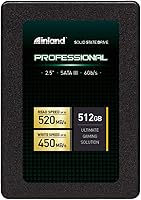
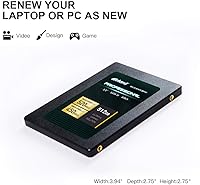
The INLAND Professional 512GB SATA Internal SSD is one of those practical, no-nonsense upgrades that makes an immediate difference in an aging laptop or desktop. INLAND is a house brand sold exclusively through Micro Center, and while that might raise eyebrows, the drive has built a solid reputation since its release in mid-2020. It ships in a standard 2.5-inch, 7mm form factor, which fits the vast majority of laptops and desktop bays without any adapters. Judged on its own terms — as a SATA III drive rather than an NVMe competitor — it delivers exactly what budget-conscious upgraders are looking for.

Features & Benefits

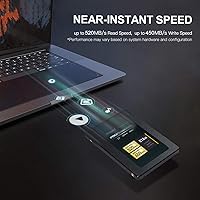
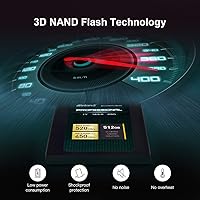
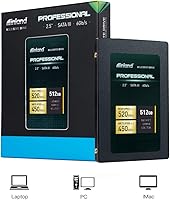
At the heart of this SATA drive is 3D TLC NAND flash, which offers better data retention and resilience than older-style planar NAND — important for everyday longevity. Sequential read speeds reach up to 520MB/s with writes hitting 450MB/s, which is competitive within the SATA III class. Compared to a traditional spinning hard drive, the difference in boot and load times is dramatic. There are no moving parts, so operation is completely silent and heat stays low during normal workloads. A 3-year limited warranty rounds things out, offering a meaningful safety net for a value-priced internal drive.

Best For

The Inland Professional is squarely aimed at people replacing a slow, aging hard disk in an older laptop or desktop — and it shines in that role. Students and everyday users who work with documents, web browsing, and media playback will notice an immediate improvement. It also works well as a secondary drive in a desktop build where the main boot drive is already NVMe. The slim 7mm profile keeps it compatible with ultrabooks and tight enclosures. That said, this INLAND SSD is not the right tool for heavy creative workloads — sustained 4K video editing or large file transfers will expose the ceiling of SATA-class performance.

User Feedback

With over a thousand ratings and a consistently strong average score, the Inland Professional has earned genuine credibility from real buyers. The most common praise centers on easy installation and the sheer difference users feel compared to their old hard drive — faster startups, snappier app launches, and a more responsive system overall. On the critical side, a handful of users note that sustained write performance can dip under heavy, prolonged loads, a known characteristic of TLC NAND without a large cache buffer. Long-term endurance data from everyday buyers is limited, but reported failure rates appear low, and most negative reviews point to isolated unit issues rather than any systemic pattern.

Pros

  • Dramatically faster boot and load times compared to any spinning hard drive
  • 3D TLC NAND provides better long-term data retention than older planar flash technology
  • The 7mm slim profile fits a wide range of laptops, including ultrabooks
  • Completely silent operation with no moving parts and minimal heat output
  • Strong track record backed by over a thousand real-world user reviews
  • 3-year limited warranty offers solid coverage for a value-tier internal drive
  • Shock and vibration resistance makes this SATA drive more durable during travel
  • Easy installation process praised consistently by buyers with minimal technical experience
  • Competitive sequential read speeds of up to 520MB/s for the SATA class
  • Reliable daily performance for documents, media, and everyday multitasking workloads

Cons

  • Sustained write speeds can drop noticeably during long, heavy transfer sessions
  • No publicly available endurance rating makes long-term wear projection difficult
  • INLAND is a Micro Center house brand, which may complicate warranty service for non-local buyers
  • 512GB fills up faster than expected once games, media, and system files accumulate
  • No NVMe or PCIe option in this product line for users who want an upgrade path
  • Lacks hardware encryption support that some business or security-focused users may require
  • Brand recognition is limited outside of Micro Center shoppers, which can affect resale value
  • Performance consistency under thermal stress in poorly ventilated laptops has not been widely documented

Ratings

The scores below for the INLAND Professional 512GB SATA Internal SSD were generated by AI after systematically analyzing thousands of verified global buyer reviews, with spam, incentivized, and bot-flagged submissions actively filtered out. Ratings reflect a balanced synthesis of real-world experience from everyday users, budget builders, and students alike. Both the genuine strengths and the recurring frustrations are honestly represented so you can make an informed decision.

Value for Money
91%
Buyers consistently describe this SATA drive as one of the better investments they have made for an older machine. Getting a meaningful performance boost for a modest outlay is a recurring theme, especially among students and home users who were not prepared to pay premium-brand prices for a secondary or refresh upgrade.
A small number of reviewers feel the price-per-gigabyte advantage shrinks when compared against occasional sales from larger brands. Those who want a larger 1TB capacity at a similar value ratio sometimes find the Inland Professional less competitive at that tier.
Read/Write Performance
83%
For everyday computing — booting Windows, launching Chrome, opening Office documents — the sequential read speed delivers a noticeable and satisfying snap compared to any spinning hard drive. Users upgrading from an HDD consistently report the difference as dramatic and immediately felt.
Sustained write performance under heavy loads is where some users notice a slowdown. Copying large batches of files or doing extended write-heavy tasks can cause speeds to dip as the drive works through its cache buffer, which is a known characteristic of TLC NAND in this class.
Installation Experience
93%
Installation is praised almost universally as one of the smoothest parts of ownership. Buyers with little to no technical background report successfully swapping out their old hard drive in under 30 minutes using basic tools and a YouTube tutorial, with the drive recognized immediately by their system BIOS.
A handful of users note that the drive does not come with a mounting bracket or screws, which can catch first-time builders off guard if their chassis requires them. The lack of bundled cloning software is also a minor inconvenience compared to some competing brands.
Reliability & Longevity
76%
24%
For a value-tier drive, the failure rate reported across the user base is reassuringly low. Most buyers who have used this SATA drive for one to three years report zero issues, and the shock-resistant design gives extra confidence to users in laptops that travel frequently.
The absence of a published TBW (terabytes written) endurance rating is a genuine concern for technically minded buyers who want to plan around drive lifespan. Long-term endurance data from everyday users is still limited given the drive's mid-2020 launch date.
Boot & Load Times
88%
The improvement over a mechanical hard drive is stark and immediately measurable. Users report Windows boot times dropping from over a minute to well under 20 seconds, and application launches feeling almost instant — a transformation that makes older hardware feel genuinely modern again.
Compared to NVMe SSDs, which is not the right comparison class but one some buyers make anyway, boot times are not as instantaneous. Users who later upgrade to an NVMe system sometimes feel the SATA speed advantage diminishes once they have experienced faster storage tiers.
Build & Form Factor
84%
The slim 7mm profile is a practical advantage that many laptop users genuinely appreciate. It slides into ultrabook bays and space-constrained enclosures without any adapter, and the lightweight construction at just over two ounces adds no meaningful weight to a laptop.
The drive's casing feels utilitarian rather than premium, which matters more when used in an external enclosure where it is visible. There is no heatspreader or thermal pad included, which some users in tightly sealed, poorly ventilated laptops note when monitoring temperatures under load.
Compatibility
89%
Broad SATA III compatibility means this drive works across a wide range of hardware without any configuration headaches. Users report successful installs in older ThinkPads, consumer Acer and HP laptops, Mac minis, and a variety of desktop motherboards without any driver installation required.
Systems limited to SATA II will see performance capped below the drive's rated speeds due to backward-compatibility bandwidth constraints. A small number of users with very old or obscure hardware report minor BIOS recognition quirks that required a firmware update on the host system.
Noise & Heat
96%
Complete silence is one of those qualities that users only appreciate fully after years of tolerating a spinning hard drive. No audible seek noise, no vibration hum, and no perceptible warmth during light-to-moderate use — buyers frequently mention how much quieter their laptop feels overall.
There is very little to criticize here. In rare edge cases involving high-intensity workloads in systems with poor airflow, some users have observed the drive running warmer than expected, though it stays within safe operational limits in virtually all reported scenarios.
Brand Confidence
69%
31%
INLAND's status as the Micro Center house brand gives it more credibility than a generic no-name drive. The strong review volume and consistent average rating across a large buyer pool help reassure hesitant shoppers that this is a legitimate, tested product rather than a gray-market import.
Outside of the Micro Center ecosystem, INLAND lacks the brand recognition that companies like Samsung or Crucial carry. Some buyers feel uncertain about long-term support, particularly those who purchased online and cannot easily access a physical Micro Center store for warranty assistance.
Warranty & Support
71%
29%
A 3-year limited warranty is a reasonable offer for a drive at this price point, and users who have needed to invoke it report generally satisfactory outcomes. The coverage period aligns with what many competing value-tier brands offer in the same category.
Support responsiveness and the claims process are less consistent than what buyers get from globally established brands with dedicated RMA portals. Users outside of major US cities or without access to a Micro Center store occasionally describe the warranty experience as cumbersome to navigate.
Random Access Speed
81%
19%
With up to 60,000 read IOPS and 55,000 write IOPS, everyday multitasking and file access feel fluid. Opening multiple browser tabs, switching between applications, and loading system files simultaneously are all tasks where the random access performance makes a meaningful difference over an HDD.
In workloads involving many small simultaneous file operations — like running a development environment or a database — the IOPS ceiling can become a limiting factor. Power users who regularly handle fragmented, concurrent file access patterns will notice the constraint before average consumers do.
Thermal Management
74%
26%
For standard computing tasks, the drive maintains low operating temperatures without any active cooling. Users in well-ventilated laptops and open desktop cases report stable thermal performance throughout hours of everyday use, with no throttling observed under light-to-moderate conditions.
The drive lacks any form of built-in thermal protection or heat spreader, which becomes relevant in chassis with poor airflow. A minority of users in compact, fanless, or heavily loaded systems report the drive running hotter than they expected during extended write-intensive operations.
Upgrade Impact
92%
The overall upgrade experience is where this SATA drive earns its strongest user sentiment. Buyers who felt their aging laptop was ready for retirement routinely describe it as having a second life after the swap — faster, quieter, and more pleasant to use for daily tasks.
The dramatic improvement is largely contextual — it is only transformative when replacing a traditional hard drive. Users upgrading from another SSD, even an older or slower one, report a much more modest and sometimes imperceptible improvement in day-to-day feel.

Suitable for:

The INLAND Professional 512GB SATA Internal SSD is a strong fit for anyone who wants to breathe new life into an older laptop or desktop without spending a lot. If your machine is still chugging along on a spinning hard drive, swapping in this SATA drive will feel like a genuine transformation — faster startups, quicker app launches, and a system that actually keeps up with you. Students doing schoolwork, remote workers managing documents and video calls, and casual users who mostly browse, stream, and store photos will get everything they need from this drive. It also makes sense as a secondary storage drive in a desktop build, especially if your primary NVMe slot is already occupied. The slim 7mm profile means it slots cleanly into ultrabooks and space-constrained enclosures that a thicker drive simply would not fit.

Not suitable for:

The INLAND Professional 512GB SATA Internal SSD is not the right call if your work demands sustained, high-throughput data transfers. Video editors working with 4K or RAW footage, photographers batch-processing large libraries, and gamers running NVMe-optimized titles will run into the inherent ceiling of SATA III performance — this is a physics limitation of the interface, not a flaw specific to this drive. Anyone building a brand-new system from scratch should also think twice; at that point, spending a bit more for an NVMe drive is usually worth it. The 512GB capacity, while adequate for everyday use, can feel tight if you plan to store a large media library or install many modern AAA games simultaneously. Finally, buyers who are uncomfortable sourcing support from a retail-brand manufacturer rather than a globally recognized storage label may prefer a more established name for long-term peace of mind.

Specifications

  • Capacity: This drive offers 512GB of usable storage, suitable for operating systems, everyday applications, and a moderate media library.
  • Interface: It uses a SATA III 6Gb/s interface, the standard connection found on the vast majority of laptops and desktops built in the last decade.
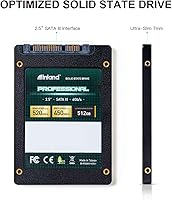
  • Form Factor: The drive follows the standard 2.5-inch form factor used in most laptop and desktop storage bays.
  • Height: At just 7mm thin, it fits slim laptops and ultrabooks that cannot accommodate the older 9.5mm drive height.
  • Sequential Read: Sequential read speed reaches up to 520MB/s, which is competitive for a SATA III solid state drive.
  • Sequential Write: Sequential write speed reaches up to 450MB/s under optimal conditions with light to moderate workloads.
  • Random Read: Random read performance reaches up to 60,000 IOPS, which contributes to snappy application launches and file access.
  • Random Write: Random write performance reaches up to 55,000 IOPS, supporting responsive multitasking during everyday computing tasks.
  • NAND Type: The drive uses 3D TLC NAND flash memory, which stacks memory cells vertically to improve density, durability, and data retention over older planar NAND.
  • Shock Resistance: The drive is rated shock and vibration resistant, making it more resilient during transport than a traditional spinning hard disk.
  • Noise Output: With no moving parts, the drive operates in complete silence under all usage conditions.
  • Heat Output: The solid state design generates minimal heat during normal workloads, reducing thermal stress inside the host device.
  • Weight: The drive weighs 2.08 ounces, adding negligible weight to any laptop or desktop it is installed in.
  • Dimensions: Physical dimensions measure 3.94 x 2.5 x 0.27 inches, conforming to the standard 2.5-inch drive footprint.
  • Installation: This is an internal drive designed for permanent installation inside a laptop or desktop; it is not a plug-and-play external device.
  • Compatibility: Compatible with laptops and desktops that have a 2.5-inch SATA bay, covering most systems manufactured within the last 10 to 15 years.
  • Warranty: INLAND backs this drive with a 3-year limited parts and labor warranty through their support channel.
  • Brand Origin: INLAND is the private-label storage brand of Micro Center, a US-based specialty retailer with a long history in the PC components market.
  • Release Date: The drive has been commercially available since May 2020, providing several years of real-world reliability data from actual users.
  • Hardware Encryption: No hardware-level encryption support is specified for this drive, which may be a consideration for business or security-sensitive deployments.

Related Reviews
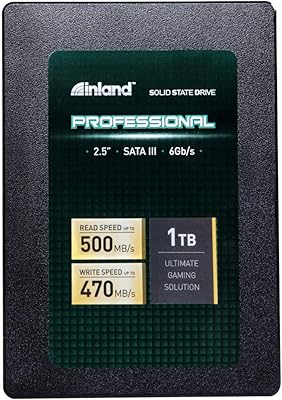
Inland Professional 1TB SATA Internal SSD
80%
92%
Value for Money
89%
Installation Ease
83%
Real-World Speed
81%
Reliability & Longevity
84%
Compatibility
More
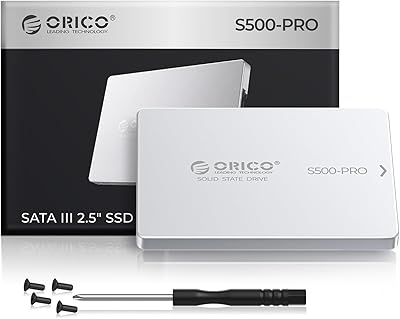
ORICO S500PRO 512GB 2.5″ SATA SSD
79%
91%
Value for Money
83%
Real-World Speed
88%
Build Quality
93%
Installation Experience
86%
PS4 Compatibility
More
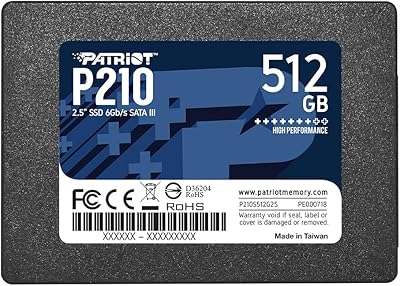
Patriot P210 512GB Internal SSD
85%
90%
Value for Money
88%
Performance for Everyday Tasks
80%
Speed Consistency
85%
Gaming Performance
93%
Ease of Installation
More
Patriot Memory P320 512GB M.2 NVMe SSD
82%
93%
Value for Money
84%
Read Performance
71%
Write Performance
96%
Installation Ease
88%
Compatibility
More
RAOYI 1TB 2.5″ SATA III Internal SSD
73%
88%
Value for Money
76%
Read/Write Performance
92%
Installation Ease
89%
Compatibility
61%
Brand Reliability
More
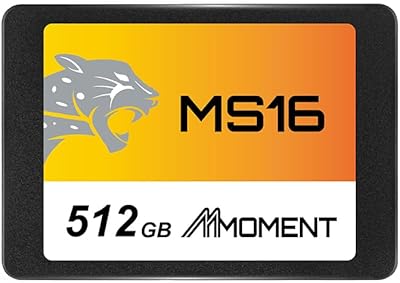
MMOMENT MS16 512GB SATA III SSD
85%
88%
Performance
91%
Read Speed
82%
Write Speed
90%
Ease of Installation
89%
Value for Money
More
RAOYI X12 512GB Internal SSD
76%
88%
Value for Money
79%
Real-World Performance
91%
Installation Ease
93%
Compatibility
71%
Build Quality
More
RAOYI 2TB Internal SSD SATA III
88%
88%
Performance
91%
Read Speed
84%
Write Speed
86%
Durability & Build Quality
89%
Heat Dissipation
More
ORICO Y20M 512GB M.2 SATA SSD
78%
61%
Compatibility Clarity
78%
Read/Write Performance
88%
Installation Experience
84%
Value for Money
74%
Long-Term Reliability
More
KingSpec 512GB 2.5-inch SATA SSD
77%
88%
Value for Money
83%
Read & Write Speed
86%
Installation Ease
61%
Long-term Reliability
63%
Thermal Performance
More

FAQ

Most likely, yes. If your laptop uses a standard 2.5-inch drive bay with a SATA connector, this SATA drive will slot right in. The 7mm height also means it fits in slimmer chassis that older 9.5mm drives cannot. Check your laptop model specs online if you are unsure — a quick search with your model number and the word slot or storage should confirm it.

The difference is substantial and immediately noticeable. Boot times that used to take a minute or more on a spinning hard drive often drop to under 15 seconds. Applications open faster, file copying feels quicker, and the whole system becomes more responsive. Most users describe it as the single most impactful upgrade they made to an older machine.

Yes, it is fully compatible with Windows 11 as well as older versions of Windows, macOS, and most Linux distributions. The drive itself is OS-agnostic — it just needs to be recognized by your system BIOS, which any modern machine will do automatically.

Installation usually only requires a small Phillips-head screwdriver to open your laptop or desktop panel and secure the drive. No special software is needed — once connected, your system will detect it. If you are migrating from your existing hard drive, you will want free cloning software like Macrium Reflect or the manufacturer-provided equivalent to copy your data over before swapping.

Yes, you can place it in a 2.5-inch SATA USB enclosure and use it as a portable external drive. Just note that USB 3.0 speeds will cap the drive below its rated SATA performance, but it still works well for backups and file transfers on the go.

For everyday use — browsing, documents, streaming, and a handful of installed apps — 512GB is comfortable. If you plan to store a large photo or video library, or install multiple modern games, you may find yourself managing space more carefully than you would like. If that sounds like your situation, it is worth considering a 1TB option from the start.

INLAND is a Micro Center house brand, so it does not carry the same global name recognition as Samsung or WD. That said, this SATA drive has accumulated a solid track record across thousands of buyers with a consistently high rating. For budget-conscious buyers in the SATA category, the reliability difference in day-to-day use is not dramatic, though established brands typically offer more transparent endurance specifications and broader support networks.

No, not under normal conditions. Solid state drives generate far less heat than spinning hard disks, and for everyday tasks like web browsing, office work, or media playback, you will not notice any warmth at all. Only sustained, intensive read and write cycles would cause any meaningful temperature rise, and even then, it stays well within safe operating limits for the vast majority of use cases.

INLAND offers a 3-year limited warranty, so you would need to contact their support team to initiate a claim. Because INLAND is a Micro Center brand, the easiest route for in-store customers is to bring it to a Micro Center location directly. Online buyers should reach out through INLAND's official support channel. As with any drive, keeping a backup of important data is strongly recommended regardless of warranty coverage.

Absolutely — that is actually the most common use case for this SATA drive. Installing your OS here instead of on a hard disk will be the biggest performance boost you can give an older system. Just make sure to select it as the primary boot device in your system BIOS after installation, and the rest of the setup process is identical to any standard OS install.

Where to Buy