Overview

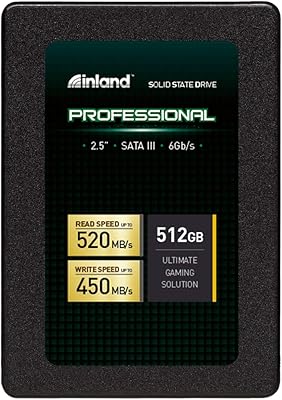
The Inland Professional 1TB SATA Internal SSD is Micro Center's house-brand answer to one of the most common upgrade questions in everyday computing: how fast can you go without spending a lot? Launched in 2018, this SATA SSD has quietly held its ground in a crowded market that keeps drifting toward NVMe alternatives. It currently sits at #149 among Internal Solid State Drives on Amazon, backed by nearly 5,000 ratings — a sign that real buyers keep choosing it. SATA III is a mature, broadly compatible interface, and this drive leans into that strength honestly rather than overselling itself as something it is not.
Features & Benefits

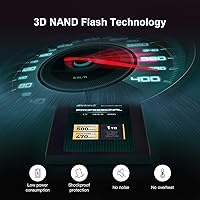
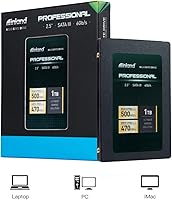
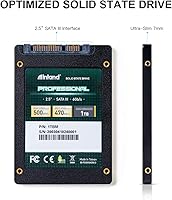
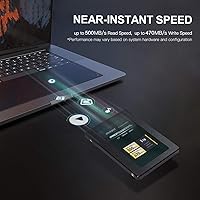
This 1TB upgrade drive hits the practical ceiling of what SATA III allows — sequential reads up to 500 MB/s and writes close behind at 470 MB/s. In everyday terms, that means Windows boots in seconds and applications open without the familiar hard-drive lag. The 3D TLC NAND flash construction handles the knocks and vibrations a laptop takes in a bag or on a desk without complaint. A 660 TBW endurance rating covers years of typical home or office workloads. The 2.5-inch, 7mm profile fits a wide range of machines, and the included 3-year limited warranty adds meaningful peace of mind for a drive at this price point.

Best For

The Inland Professional drive makes the most sense for anyone pulling an aging laptop or desktop out of HDD sluggishness on a modest budget. Students, home office users, and casual PC builders whose NVMe slots are occupied will find it a practical, no-nonsense fit. It works with both PC and Mac systems and drops into any standard 2.5-inch bay without fuss. If a hard drive just failed and you want a reliable drop-in replacement without a steep learning curve, this is exactly the kind of drive that gets the job done quickly and without drama — no complex setup, no compatibility headaches in most cases.

User Feedback

A 4.6-star average across close to 5,000 ratings is hard to argue with. The most consistent praise focuses on the immediate speed difference after replacing a spinning drive — buyers repeatedly describe boot times and app loading as dramatically improved. Easy installation and smooth drive-cloning experiences also come up often. On the other side, buyers who have used faster NVMe drives may find SATA throughput underwhelming by comparison, and a small number of users have reported compatibility issues with specific older motherboards. Those cases seem to be outliers, but it is worth double-checking your machine's SATA support before purchasing.

Pros

  • Brings an immediate, noticeable speed boost to any system upgrading from a traditional spinning hard drive.
  • The 2.5-inch, 7mm form factor fits a wide range of laptops, desktops, and ultrabooks without adapters in most cases.
  • 3D TLC NAND flash handles everyday physical knocks and vibrations well, making it a solid choice for portable use.
  • A 660 TBW endurance rating comfortably covers years of typical home or office workloads.
  • Installation is straightforward — most buyers report being up and running within minutes of opening the box.
  • Drive cloning and OS migration go smoothly for the majority of users, reducing downtime during upgrades.
  • Works on both PC and Mac systems, broadening its usefulness across different households.
  • The 3-year limited warranty offers real reassurance for a budget-tier storage drive.
  • Nearly 5,000 Amazon ratings averaging 4.6 stars reflects consistent, sustained buyer satisfaction over several years.

Cons

  • SATA III throughput is significantly slower than NVMe, so demanding users will hit a ceiling quickly.
  • No included mounting bracket or screws, which can be an inconvenience for certain laptop or desktop chassis.
  • As a house brand, long-term firmware support and update availability are less transparent than with major-name SSD makers.
  • A small number of users have reported compatibility issues with specific older motherboards and SATA controllers.
  • No hardware encryption support is mentioned, which matters for users with security or compliance requirements.
  • The brand carries less name recognition than established players, which may affect resale value or buyer confidence.
  • Performance consistency under sustained heavy write loads has not been independently verified with published endurance benchmarks.
  • Buyers used to premium SSD packaging and accessories may find the unboxing experience minimal.

Ratings

The Inland Professional 1TB SATA Internal SSD has been rated by our AI system after analyzing thousands of verified global buyer reviews, with spam, bot activity, and incentivized feedback actively filtered out to ensure the scores reflect genuine user experiences. Across categories from real-world speed to long-term reliability, both the strengths and the honest trade-offs are reflected transparently. The result is a balanced scorecard that helps you decide whether this 1TB upgrade drive matches your actual needs.
Value for Money
92%
Buyers consistently cite this SATA SSD as one of the most cost-effective ways to breathe new life into an aging machine. For the price, getting a full terabyte with a 3-year warranty and solid endurance specs is a combination that is hard to beat in the SATA segment. Users who replaced failing or slow hard drives frequently described the purchase as an easy decision.
A handful of buyers noted that the per-gigabyte price advantage narrows when budget NVMe drives go on sale, making the value case slightly less clear-cut for users whose machines support faster interfaces. Those who did not need a full terabyte felt there were fewer competitive options at smaller capacities.
Installation Ease
89%
The 2.5-inch form factor and standard SATA connector mean most users simply unscrew their old drive, slide this one in, and are done in under ten minutes. Reviewers who had never installed storage hardware before described the process as surprisingly manageable. Drive cloning using free software worked smoothly for the majority of users who chose to migrate rather than reinstall.
No mounting bracket or SATA-to-USB cable is included in the box, which caught a few first-time upgraders off guard. Users who needed a 3.5-inch adapter for desktop builds had to source that separately, adding a minor inconvenience to an otherwise clean install process.
Real-World Speed
83%
Compared to a spinning hard drive, the difference is immediately obvious — systems that used to take over a minute to boot are typically running in under 15 seconds after the swap. Application launches, browser performance, and file transfers all feel noticeably more responsive in daily home or office use. For SATA-tier expectations, most buyers found the drive delivered exactly what was promised.
Users migrating from NVMe drives or expecting next-generation performance will find this drive underwhelming, as SATA III has an inherent throughput ceiling. A small number of reviewers who ran benchmarks noted that sustained write speeds could dip somewhat under prolonged heavy load scenarios.
Reliability & Longevity
81%
19%
Long-term buyers who have used this 1TB upgrade drive for one to two years report consistent operation with no failures, which aligns with the 660 TBW endurance rating being comfortable for typical home or office workloads. The 3D TLC NAND construction appears to handle the everyday stresses of portable use well. Most users expressed confidence in the drive holding up over a reasonable ownership period.
Because Inland is a house brand without the same track record as established storage manufacturers, some buyers noted a degree of uncertainty about how the drive performs beyond the two-year mark. Independent long-term endurance data is limited compared to drives from brands with publicly available firmware changelogs.
Compatibility
84%
The standard SATA III interface and 7mm profile means this drive fits an exceptionally wide range of machines, including older desktops, mainstream laptops, slim ultrabooks, and even some older Mac models. Most buyers had zero compatibility concerns from day one. The broad PC and Mac support is a genuine convenience for households with mixed systems.
A small but notable number of users reported compatibility issues with specific older motherboards and SATA controllers, which caused frustration during setup. While these cases appear to be outliers, the lack of a pre-purchase compatibility checker from Inland means buyers with older or niche hardware need to do their own research.
Build Quality
77%
23%
The drive feels solid in hand for its weight class, and the 3D TLC NAND flash construction is inherently more resistant to physical shock and vibration than a spinning hard drive — a practical benefit for laptops that get carried around daily. Most users who mentioned the physical build had no complaints after regular use.
The enclosure has a basic, utilitarian finish with no premium feel, which is expected at this price point but still drew comments from buyers used to higher-end storage brands. The drive ships with minimal protective packaging, and a few buyers noted the box arrived with cosmetic scuffs, though none reported damage to the drive itself.
Boot & Load Times
86%
Windows and macOS boot times improved dramatically for virtually every user who replaced a hard drive with this SATA SSD, with many reporting cold starts completing in well under 20 seconds. Application loading times — especially browsers, office software, and light creative tools — felt meaningfully faster in everyday workflows.
Users with already-fast systems or those coming from other SSDs may not notice as dramatic a difference. Boot time gains are also partially dependent on system firmware settings and background software, so results are not uniformly identical across all machines.
Thermal Performance
79%
21%
The drive runs cool during typical workloads, with no reports of heat-related throttling during everyday tasks like web browsing, document editing, or video streaming. The passively cooled design suits the confined spaces of laptop bays where active cooling is not an option.
Under sustained heavy write workloads — such as large file transfers or intensive disk operations over extended periods — some thermal throttling can occur, as is common with TLC-based SATA drives at this price tier. This is unlikely to affect most home users but is worth noting for anyone planning intensive storage tasks.
Warranty & Support
73%
27%
A 3-year limited warranty is a reassuring inclusion for a budget-tier drive, covering parts and labor and giving buyers meaningful protection during the most likely failure window. Most users who interacted with Inland support described the experience as adequate.
Inland's support infrastructure is less established than dedicated storage brands, and some buyers noted that finding warranty claim information or getting timely responses required extra effort. The warranty terms are also limited compared to the 5-year coverage offered by some competing drives in a similar price range.
Software & Ecosystem
51%
49%
The drive works immediately without any required software, and standard third-party tools like CrystalDiskInfo read its SMART data without issues, which covers the basic monitoring needs of most home users.
Inland offers no proprietary management utility, firmware update tool, or cloning software, which puts it behind competitors that bundle these extras. Buyers who want a guided setup experience or health monitoring dashboard from the manufacturer will need to rely entirely on third-party solutions.
Cloning & Migration
82%
18%
Users who transferred their existing OS and files using free cloning tools consistently reported smooth migrations with minimal technical hurdles. Several reviewers specifically called out the hassle-free migration as a highlight of the overall upgrade experience, particularly for users doing their first SSD install.
Without any bundled cloning software or a data migration guide from Inland, less experienced users are left to figure out the process independently. Buyers who are not comfortable with third-party tools may find this gap frustrating compared to brands that include step-by-step support.
Noise & Vibration
96%
Being a solid state drive with no moving parts, it operates in complete silence regardless of workload — a genuine quality-of-life improvement for anyone who previously dealt with the hum, clicks, or seek noise of a traditional spinning hard drive. This is consistently one of the most appreciated aspects among first-time SSD adopters.
There is effectively nothing to criticize here from a functional standpoint; silence is a baseline expectation for any SSD. The only minor note is that some users expected this benefit but were not fully aware of it before purchasing, suggesting clearer product communication could help set expectations.
Packaging & Unboxing
58%
42%
The packaging is minimal and functional, keeping the drive protected during shipping without unnecessary bulk. Buyers focused purely on the drive itself are unlikely to care much about the unboxing experience at this price tier.
Compared to more premium storage brands, the unboxing feels spartan — no accessories, no documentation beyond a basic insert, and no extras of any kind. A few buyers noted that the packaging looked generic enough to raise authenticity concerns on arrival, though no verified counterfeit reports were found.
Form Factor Versatility
88%
The 7mm, 2.5-inch profile makes this drive one of the most universally compatible storage options available, fitting the overwhelming majority of consumer laptops, slim ultrabooks, and desktop bays without modification. Users appreciated not needing to verify complex slot compatibility before purchasing.
The 2.5-inch SATA form factor is increasingly absent from newer ultrabooks and thin-and-light laptops, which have shifted to soldered or M.2 NVMe storage. This means the addressable machine base is gradually shrinking as older hardware ages out, limiting long-term relevance for the segment.

Suitable for:

The Inland Professional 1TB SATA Internal SSD is a strong fit for anyone whose primary goal is escaping the day-to-day frustration of a sluggish spinning hard drive without spending a lot to do it. Students running a laptop through coursework, light creative projects, and browser-heavy multitasking will notice a real difference in how snappy their machine feels after the swap. Home office users who need dependable daily storage for documents, video calls, and general productivity will find the capacity and reliability more than adequate for years of normal use. It also works well as a secondary drive in a desktop build — if your NVMe slot is already taken by a boot drive, this SATA SSD slots in cleanly as a storage expansion without any compatibility drama. Because it supports both PC and Mac systems, it covers a wider range of upgrade scenarios than many competing drives at this price level.
Not suitable for:

The Inland Professional 1TB SATA Internal SSD is not the right choice for buyers who need the fastest possible storage performance. If your machine supports NVMe via an M.2 slot and your workload involves large video file editing, game loading times at the top end, or heavy data transfers, the SATA interface will feel like a bottleneck compared to what modern NVMe drives can deliver. Power users and content creators who regularly move multi-gigabyte files will run into the inherent ceiling of the SATA III standard — no matter how well-tuned the drive is, that ceiling exists. Buyers building a high-performance gaming rig or a professional workstation should budget for an NVMe option instead. Additionally, anyone looking for a drive with a longer warranty or enterprise-grade endurance ratings will want to look at more robust alternatives in a higher price tier.
Specifications

  • Capacity: This drive provides 1TB of usable storage, formatted and ready for use as a primary or secondary internal drive.
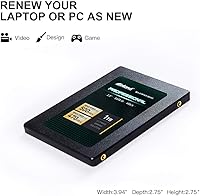
  • Form Factor: It uses the standard 2.5-inch form factor, which fits the vast majority of laptops, desktops, and ultrabooks with a SATA bay.
  • Height: At 7mm thick, the drive fits both standard 9.5mm bays and slimmer 7mm laptop chassis without requiring a spacer in most cases.
  • Interface: The drive uses a SATA III 6Gb/s interface, a widely supported and stable connection standard found on virtually all consumer motherboards made in the past decade.
  • Read Speed: Sequential read speed reaches up to 500 MB/s, which represents the practical ceiling for SATA III-based solid state drives.
  • Write Speed: Sequential write speed reaches up to 470 MB/s, keeping pace with read performance for balanced everyday file operations.
  • Random I/O: Random read and write speeds reach up to 70,000 IOPS at 4K block size, supporting responsive multitasking and application loading.
  • NAND Type: The drive uses 3D TLC NAND flash memory, which stacks memory cells vertically to improve density, durability, and resistance to physical shock.
  • Endurance: Rated endurance is 660 TBW (terabytes written), suitable for years of moderate to moderately heavy home or office workloads.
  • Warranty: Inland covers this drive with a 3-year limited parts and labor warranty from the date of purchase.
  • Weight: The drive weighs 2.11 ounces, making it light enough for use in portable laptops without adding meaningful bulk.
  • Dimensions: Physical dimensions are 3.94 x 2.75 x 0.28 inches, consistent with the standard 2.5-inch drive specification.
  • Compatible Devices: The drive is officially compatible with desktop PCs, laptops, and ultrabooks running either Windows or macOS.
  • Installation Type: This is an internal drive intended for permanent installation inside a host system, not an external or portable enclosure solution.
  • Hardware Platform: The drive is compatible with both PC and Mac platforms, provided the host machine has an available SATA III port or bay.
  • Brand & Series: Manufactured by Inland, a house brand operated by Micro Center, under their Professional series of value-focused storage products.
  • First Available: The drive was first listed for sale in July 2018 and has remained in continuous production without being discontinued by the manufacturer.

Related Reviews
RAOYI 1TB 2.5″ SATA III Internal SSD
73%
88%
Value for Money
76%
Read/Write Performance
92%
Installation Ease
89%
Compatibility
61%
Brand Reliability
More
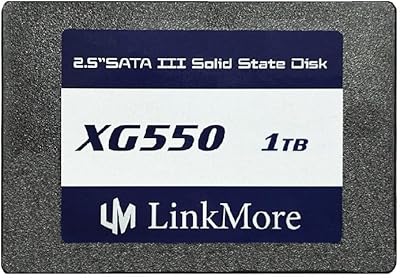
LinkMore XG550 1TB 2.5″ SATA III Internal SSD
84%
89%
Performance
92%
Value for Money
86%
Read Speed
85%
Write Speed
94%
Ease of Installation
More
ADATA SU650 1TB 3D-NAND SATA 2.5 inch Internal SSD
86%
88%
Performance
92%
Value for Money
85%
Installation Ease
87%
Speed (Read/Write)
78%
Software Experience
More
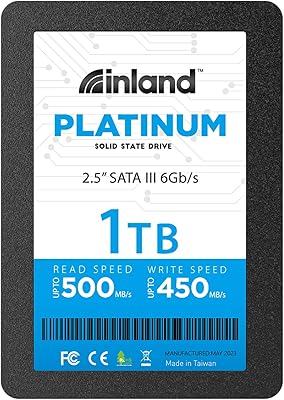
INLAND Platinum 1TB SSD
91%
94%
Sequential Read/Write Performance
89%
Random 4K IOPS Performance
91%
Reliability/Durability
95%
Compatibility with Laptops & Desktops
83%
Installation Ease
More
INLAND QN450 1TB NVMe SSD
82%
88%
Sequential Read Speed
93%
Value for Money
94%
Installation Experience
74%
Real-World Write Performance
66%
Thermal Management
More
INLAND Professional 512GB SATA Internal SSD
84%
91%
Value for Money
83%
Read/Write Performance
93%
Installation Experience
76%
Reliability & Longevity
88%
Boot & Load Times
More
Patriot P210 1TB 2.5″ Internal SSD
83%
91%
Value for Money
83%
Real-World Performance
94%
Installation Ease
92%
Boot Time Improvement
67%
Long-Term Reliability
More
Transcend 1TB SATA III SSD
83%
92%
Value for Money
88%
Performance (Speed)
78%
Ease of Installation
90%
Reliability/Durability
85%
Compatibility
More
ORICO S500PRO 1TB SATA SSD
87%
91%
Performance
94%
Read Speed
88%
Write Speed
89%
Ease of Installation
85%
Build Quality
More
INLAND Performance Plus 1TB Gen4 NVMe SSD
82%
91%
Sequential Read Speed
83%
Sequential Write Speed
93%
PS5 Compatibility
61%
Thermal Performance
78%
Long-Term Reliability
More

FAQ

In almost every case, yes. If your laptop has a standard 2.5-inch SATA drive bay — which nearly all laptops made in the last 15 years do — this SATA SSD will drop straight in. Just check whether your current drive is 7mm or 9.5mm thick; the Inland Professional drive is 7mm, so it fits both sizes with no modification needed.

Not necessarily. Most users clone their existing drive to the new one before swapping, which copies everything over exactly as it was. Free tools like Macrium Reflect or Samsung Data Migration work well for this. You will need a USB-to-SATA adapter or an external enclosure to connect the new drive while the old one is still running, then swap them once cloning is complete.

The difference is significant if you are coming from a traditional spinning hard drive. Boot times that used to take a minute or more will typically drop to under 15 seconds. Applications open faster, file transfers feel snappier, and general responsiveness improves noticeably in everyday use.

Yes, it works with Mac systems that have a 2.5-inch SATA drive bay. This includes older MacBook Pros and Mac Minis from before Apple transitioned to proprietary NVMe storage. Newer MacBooks with soldered storage cannot use this or any aftermarket drive.

SATA and NVMe are two different interface standards. NVMe drives are significantly faster in raw throughput, but they require an M.2 slot on your motherboard. If your machine only has a 2.5-inch SATA bay, NVMe is not an option — this drive is your path to SSD speeds. If your machine supports both, NVMe is worth considering for a boot drive, but for everyday storage this SATA SSD gets the job done reliably.

No, the drive ships without mounting brackets, screws, or a cloning cable. If your laptop bay requires a caddy or your desktop chassis needs a 3.5-inch adapter bracket, you will need to source those separately. A USB-to-SATA cable or enclosure is also useful if you plan to clone your old drive before installing.

With a 660 TBW endurance rating, the drive is well within safe territory for typical home or office use for many years. For context, writing 30 to 50GB per day — which is far more than most home users write — would still keep you well within the rated lifespan over a multi-year period. The 3-year warranty provides added coverage during the most critical period.

While it is designed as an internal drive, it will function in a 2.5-inch USB-to-SATA enclosure if you want to use it externally. Just keep in mind that transfer speeds through the USB enclosure will be limited by the USB standard you are using, not the drive itself.

Inland does not offer a dedicated proprietary management utility. However, third-party tools like CrystalDiskInfo on Windows or DriveDx on Mac can read the drive health data and SMART diagnostics, which is more than enough for most users to keep tabs on the drive over time.

The vast majority of users install this drive without any issues at all. The compatibility problems mentioned in a small number of reviews tend to involve very old SATA controllers or specific niche hardware configurations. If your machine was made in the last ten years and uses standard SATA III, you are very unlikely to run into any problems.