
Overview

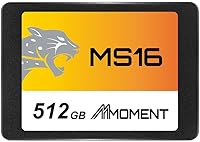
The MMOMENT MS16 512GB 2.5-Inch SATA SSD arrived in late 2023 as a straightforward, no-frills option for anyone tired of waiting on a spinning hard drive. MMOMENT isn't a household name — that's worth acknowledging upfront — but the drive has quietly earned a 4.5-star rating from nearly 450 buyers on Amazon, landing at #488 in Internal SSDs. This review focuses on the 512GB version, which hits a practical sweet spot for most upgrade scenarios. If you're coming from an HDD and just want your machine to feel noticeably more responsive without spending a lot, this budget SSD makes a reasonable case for itself.

Features & Benefits

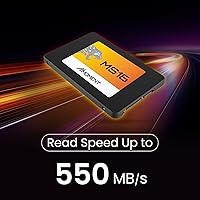
On paper, this SATA SSD hits the expected ceiling for its interface: 550MB/s sequential read and 530MB/s write. Those numbers won't impress anyone running an NVMe drive, but if your machine tops out at SATA III, you're getting everything the connection can offer. The standard 2.5-inch form factor means installation is genuinely plug-and-play — no adapters, no fuss for most systems. At under two ounces, it's light enough that handling it during installation feels almost anticlimactic. MMOMENT also claims shock resistance and carefully selected NAND chips, which matters more for long-term reliability than raw speed benchmarks do.

Best For

The MS16 drive makes the most sense as an HDD replacement in older machines that still use a 2.5-inch SATA bay — think a laptop from 2015 or a budget desktop that never shipped with solid-state storage. Students and home office users who handle documents, light media, and browser-heavy workloads will notice a real difference in day-to-day responsiveness. It also works well as a secondary drive for casual gaming installs or multimedia storage. One important note: if your system has an M.2 slot available, an NVMe drive will outpace this SATA SSD significantly — so weigh your options before buying.

User Feedback

Buyer sentiment around this budget SSD skews positive, with most reviewers pointing to the jump from HDD performance as the highlight. Boot times and general snappiness get called out often, which is exactly what people buying this drive care about. Installation also draws praise — most describe it as effortless. That said, a fair number of buyers mention hesitation about MMOMENT's brand recognition, and a handful raise questions about long-term durability since the drive is still relatively new to the market. No widespread failure reports at this stage, but it's a reasonable thing to keep in mind if you're planning heavy, sustained workloads.

Pros

  • Real-world boot times and app load speeds improve dramatically compared to a mechanical hard drive.
  • The standard 2.5-inch form factor fits a wide range of older laptops and desktops without adapters.
  • Installation is genuinely plug-and-play — most buyers report zero driver or compatibility issues.
  • At 1.76 ounces, the MS16 drive is light and easy to handle during installation.
  • Sequential read speeds reach 550MB/s, maxing out what SATA III can realistically deliver.
  • Shock-resistant construction adds a layer of confidence for mobile setups or bumpy environments.
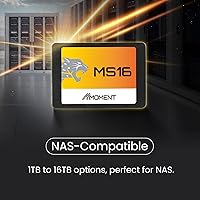
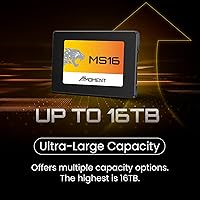
  • Multiple capacity options mean buyers can size up or down depending on their actual storage needs.
  • Nearly 450 Amazon ratings with a 4.5-star average suggests consistent buyer satisfaction at this price tier.
  • MMOMENT offers technical support via their website, which is a useful safety net for first-time SSD installers.

Cons

  • MMOMENT is a relatively new and unfamiliar brand with no established long-term reliability track record.
  • SATA III throughput is a hard ceiling — this SATA SSD simply cannot compete with NVMe speeds on compatible systems.
  • No published endurance rating or TBW specification makes it harder to assess lifespan for heavy workloads.
  • 512GB may feel limiting fairly quickly if you store large media libraries or multiple game installations.
  • Limited independent benchmark data available outside of Amazon reviews, making third-party verification difficult.
  • Buyers sensitive to brand trust may feel uncomfortable relying on an unknown manufacturer for critical data storage.
  • No mention of included cloning software or mounting hardware, which budget competitors sometimes bundle in.
  • Long-term firmware support and update availability from a newer brand remains an open question.

Ratings

The scores below reflect an AI-driven analysis of verified global buyer reviews for the MMOMENT MS16 512GB 2.5-Inch SATA SSD, with spam, bot-generated, and incentivized feedback actively filtered out before scoring. Every category captures what real users experienced day-to-day, not just what the spec sheet promises. Strengths and frustrations are weighted equally so you get an honest picture before making your decision.

Value for Money
88%
Buyers consistently describe this budget SSD as punching above its weight for the price, especially when used to revive an older machine. Getting close to SATA III ceiling speeds without spending much is a genuine win for cost-conscious upgraders.
A handful of reviewers note that slightly more established brands occasionally dip to similar prices during sales, which makes the value proposition less clear-cut at those moments. Brand confidence is part of perceived value, and that’s still a work in progress for MMOMENT.
Read & Write Performance
79%
21%
Real-world boot times and application load speeds improve dramatically for users coming from mechanical hard drives. At 550MB/s read and 530MB/s write, the MS16 drive hits the practical limit of what any SATA III connection can deliver.
Users who have previously owned NVMe drives find the throughput underwhelming by comparison, since PCIe-based drives can be four to six times faster. For those expecting NVMe-class responsiveness, the SATA ceiling will feel like a noticeable constraint.
Installation Ease
92%
Multiple reviewers specifically call out how straightforward the physical swap was, with no driver installation needed and immediate recognition by Windows and macOS. First-time builders and non-technical users report completing the upgrade with just a screwdriver and a YouTube tutorial.
The drive ships without a SATA cable or mounting bracket, which catches some buyers off guard, particularly those upgrading desktops with 3.5-inch bays. These are inexpensive additions, but their absence adds a small friction point for complete beginners.
Brand Trustworthiness
58%
42%
Buyers who moved past the unfamiliar brand name and actually installed the drive largely report satisfaction, with no widespread failure complaints surfacing in the review pool. The positive rating volume relative to the brand’s short market history is a modest encouraging signal.
MMOMENT has no long-standing reputation in storage hardware, and the brand launched this product only in late 2023, leaving very little multi-year reliability data for buyers to reference. For anyone storing critical or irreplaceable data, that gap in track record is a legitimate concern that’s difficult to dismiss.
Compatibility
86%
The 2.5-inch SATA form factor is one of the most universally supported in consumer hardware, and buyers across a wide range of laptop and desktop brands report a clean fit with zero compatibility issues. Systems dating back over a decade typically accept this SATA SSD without any modifications.
Modern thin-and-light laptops and recent-generation desktops increasingly ship without 2.5-inch SATA bays at all, relying entirely on M.2 slots. Buyers who don’t verify their system’s bay type beforehand occasionally find the drive is simply incompatible with their specific machine.
Long-Term Durability
54%
46%
The shock-resistant build and NAND chip selection suggest MMOMENT gave some thought to longevity beyond just raw speed specs. In the short window since launch, no significant pattern of premature failures has emerged from the review base.
Without a published TBW endurance rating or MTBF specification, it’s genuinely difficult to assess how the drive holds up under sustained workloads over two or three years. The absence of that data, combined with limited brand history, keeps long-term durability confidence well below what established competitors offer.
Packaging & Unboxing
71%
29%
The drive arrives securely packaged with no reported shipping damage, and the compact box size reflects the no-frills positioning buyers expect at this tier. Nothing feels excessive or wasteful about the presentation.
The packaging is basic and doesn’t include any accessories, documentation, or setup guides beyond the bare minimum. Buyers who appreciate a more complete out-of-box experience may find it underwhelming compared to competitors who include at least a brief quick-start card.
Boot Drive Performance
83%
As a primary OS drive, the MS16 delivers a satisfying and immediate improvement for machines previously running on mechanical storage. Users report Windows 10 and Windows 11 boot cycles completing in under 20 seconds in typical configurations.
Sustained sequential write performance over extended periods can taper off on budget SATA SSDs as the SLC cache fills, which matters if you’re regularly writing large files. Most everyday users won’t hit this ceiling, but it’s worth knowing for heavier workloads.
Noise & Heat
91%
Like all solid-state drives, this SATA SSD operates completely silently and runs cool under typical desktop and laptop workloads. Buyers who previously lived with the clicking and whirring of an HDD find the silence alone worth the upgrade.
Under sustained heavy read and write cycles, some internal heat buildup is normal for SATA SSDs in enclosed laptop chassis with poor airflow. This is an industry-wide characteristic rather than a product-specific flaw, but it’s worth keeping in mind in thermally constrained builds.
Secondary Storage Usability
81%
19%
For use as a secondary drive storing multimedia, documents, or casual game installs, the MS16 drive performs reliably and quickly enough that most users will never feel bottlenecked during normal file access. The 512GB capacity covers a realistic secondary storage workload comfortably.
Users who store and frequently access very large video libraries or work with RAW photo archives may wish they had sized up to a larger capacity option. At 512GB, the drive fills faster than expected once an OS, applications, and media coexist on it.
Technical Support
62%
38%
MMOMENT does offer technical support through their official website, which at least provides a contact point for buyers who run into trouble post-installation. For first-time SSD installers, knowing that some form of support exists offers a degree of reassurance.
There is little third-party documentation, community support, or established online knowledge base for this brand, unlike more recognized names with years of forum discussions and user guides. Buyers who need troubleshooting help beyond basic FAQs may find the support infrastructure thin.
Physical Build Quality
74%
26%
The drive feels solid in hand despite its light weight, and the shock-resistant casing adds a layer of confidence for users installing it in a laptop that travels regularly. Nothing about the physical construction feels flimsy or poorly assembled.
The casing is functional but unremarkable, and there are no visible quality differentiators from generic alternatives in the same price bracket. Buyers used to premium-branded drives with anodized aluminum or label detail may find the build aesthetics plain.

Suitable for:

The MMOMENT MS16 512GB 2.5-Inch SATA SSD is a practical choice for anyone still running an older machine with a spinning hard drive and a 2.5-inch SATA bay. If your laptop or desktop dates back several years and lacks an M.2 slot, this drive is genuinely one of the more sensible ways to breathe new life into it without spending much. Students doing coursework, home office workers juggling documents and browser tabs, and casual gamers who just want faster load times on a secondary drive will all find it does exactly what they need. DIY builders putting together a budget build around older hardware will also appreciate that installation is straightforward with no special tools or drivers required. For anyone whose primary frustration is a slow, sluggish machine rather than a need for cutting-edge throughput, this budget SSD delivers a real, noticeable improvement in daily use.

Not suitable for:

The MMOMENT MS16 512GB 2.5-Inch SATA SSD is not the right call for anyone building or upgrading a modern system with an available M.2 slot. NVMe drives operating over PCIe can hit speeds several times higher than what any SATA III connection allows, so if your motherboard supports it, spending a little more for an NVMe drive is the smarter move. Power users running video editing workflows, large database operations, or sustained high-write workloads should look elsewhere, as this drive is not designed or positioned for that kind of punishment. The brand is also new enough that there is no meaningful long-term reliability data yet, which may be a dealbreaker for anyone building a machine they cannot afford to have fail unexpectedly. Finally, if 512GB feels tight for your use case, weigh the capacity carefully before buying rather than assuming you can easily expand later.

Specifications

  • Brand: Manufactured by MMOMENT under the MS16 product series.
  • Capacity: Offers 512GB of flash storage, with a portion reserved for formatting and internal drive functions.
  • Form Factor: Standard 2.5-inch design compatible with most desktop and laptop SATA bays.
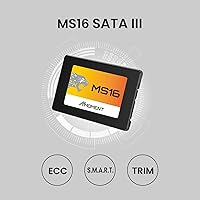
  • Interface: Uses a SATA III 6Gb/s connection, the current standard for 2.5-inch internal solid-state drives.
  • Read Speed: Rated for sequential read speeds of up to 550MB/s under optimal conditions.
  • Write Speed: Rated for sequential write speeds of up to 530MB/s under optimal conditions.
  • Dimensions: Measures 4.88 x 3.39 x 0.67 inches, fitting standard 2.5-inch drive bays without modification.
  • Weight: Weighs 1.76 ounces, making it one of the lighter drives in its class.
  • Installation: Designed for internal installation; no external enclosure or adapter is included in the package.
  • Shock Resistance: Built with shock-resistant properties to help protect stored data from physical impact during normal use.
  • Storage Type: Solid-state drive using NAND flash memory, with no moving mechanical parts.
  • Compatible Devices: Works with desktop PCs and laptops that support the 2.5-inch SATA form factor.
  • Use Cases: Suitable for business productivity, casual gaming installs, and multimedia storage workloads.
  • Availability Date: First listed for sale on Amazon in November 2023.
  • Amazon Ranking: Holds a #488 position in the Internal Solid State Drives category on Amazon as of available data.
  • Average Rating: Carries a 4.5-star average based on 449 customer ratings on Amazon.

Related Reviews
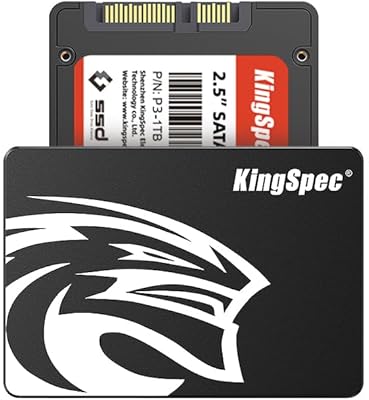
KingSpec 512GB 2.5-inch SATA SSD
77%
88%
Value for Money
83%
Read & Write Speed
86%
Installation Ease
61%
Long-term Reliability
63%
Thermal Performance
More
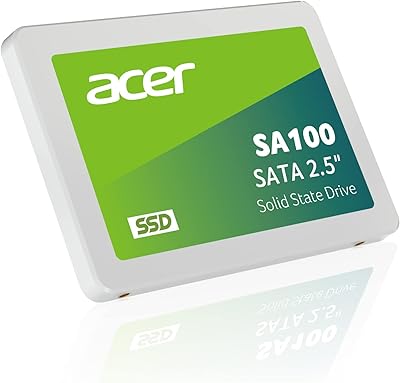
Acer SA100 960GB 2.5-inch SATA SSD
86%
91%
Value for Money
87%
Performance (Read Speed)
75%
Performance (Write Speed)
88%
Durability and Build Quality
90%
Compatibility
More
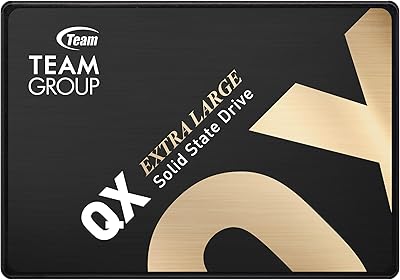
TEAMGROUP QX 1TB 2.5 Inch SATA III SSD
84%
90%
Read/Write Speed
87%
Installation Ease
85%
Reliability
71%
Durability (QLC NAND)
92%
Price-to-Performance Ratio
More
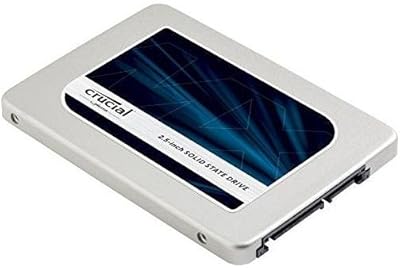
Crucial MX300 2TB Internal SSD
79%
78%
Read & Write Speed
91%
Storage Capacity
88%
Reliability & Longevity
63%
Value for Money
86%
Installation & Setup
More
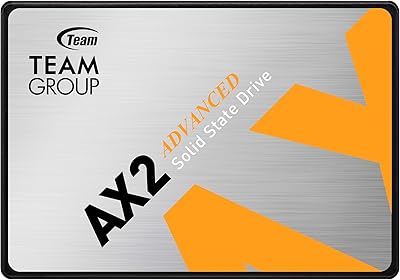
TEAMGROUP AX2 256GB 2.5 Inch SATA III SSD
86%
87%
Performance
92%
Value for Money
89%
Installation Ease
85%
Read/Write Speeds
83%
Durability
More
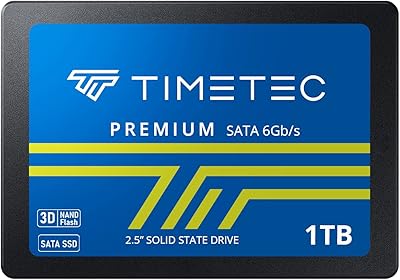
Timetec 1TB 2.5-inch SATA III Internal SSD
80%
91%
Value for Money
86%
Read Speed Performance
73%
Write Speed Performance
93%
Installation Ease
77%
Long-term Reliability
More
ADATA SU650 1TB 3D-NAND SATA 2.5 inch Internal SSD
86%
88%
Performance
92%
Value for Money
85%
Installation Ease
87%
Speed (Read/Write)
78%
Software Experience
More
Crucial MX500 500GB 3D NAND SATA 2.5 Inch Internal SSD
87%
92%
Read Speed
88%
Write Speed
91%
Reliability
78%
Compatibility with Older Systems
84%
Temperature Management
More
Vantec NexStar JX 3.5″ HDD Enclosure
76%
93%
Ease of Setup
78%
Transfer Speed — USB
86%
Transfer Speed — eSATA
74%
Thermal Management
67%
Build Quality
More
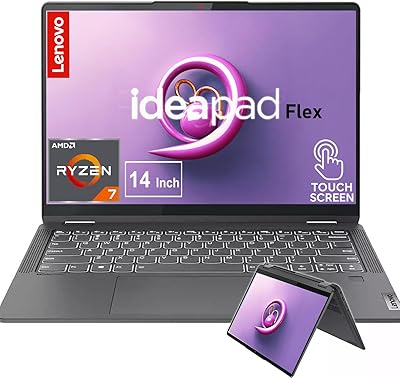
Lenovo IdeaPad Flex 5 14 1TB Laptop
77%
88%
Display Quality
83%
Processor Performance
74%
Battery Life
85%
2-in-1 Versatility
80%
Value for Money
More

FAQ

In most cases, yes. If your laptop uses a standard 2.5-inch SATA drive bay, the MS16 drive will slot right in as a direct replacement. Just double-check your laptop’s specs before ordering, since some ultra-thin models use proprietary connectors or M.2 slots instead of the traditional 2.5-inch bay.

Not really. A basic Phillips-head screwdriver is usually all you need to physically swap the drive. From there, you’ll need to either do a fresh OS install using a USB installer or clone your existing drive beforehand using free tools like Macrium Reflect or Clonezilla. The drive itself doesn’t come with cloning software, so plan for that step.

The difference is significant and immediately noticeable in everyday use. Boot times that used to take 60–90 seconds on a spinning drive typically drop to 15–25 seconds, and apps open much more quickly. File transfers and general system responsiveness improve across the board. It’s one of the most impactful upgrades you can make to an older machine.

No, and it’s not designed to be. SATA III has a throughput ceiling of around 600MB/s, so this drive maxes out what the interface allows. NVMe drives using PCIe can reach 3,000–7,000MB/s depending on the generation. If your motherboard has an available M.2 slot, an NVMe drive will outperform this one considerably, so it’s worth checking before you buy.

Yes, it works fine as a primary boot drive. Most buyers use it exactly that way. Just make sure to install your OS fresh or clone your existing system drive over to it before removing the old drive. Both Windows and macOS recognize SATA SSDs without any special drivers.

That’s a fair concern, and it’s worth being honest about it. MMOMENT is a newer brand without the long track record of established names in storage. That said, the buyer feedback so far is mostly positive, and nearly 450 ratings with a 4.5-star average is a reasonable signal for a drive this new. It’s a reasonable risk at this price point for a secondary drive or non-critical machine upgrade, but if you’re storing irreplaceable data, keeping a backup regardless of brand is always smart.

It works with both. Any desktop that has a 2.5-inch SATA bay or a 3.5-inch bay with a cheap adapter bracket will accept this budget SSD. Many mid-tower and full-tower cases include 2.5-inch mounts as standard these days, so installation is usually straightforward.

MMOMENT mentions technical support availability through their website, but specific warranty terms and duration are not prominently detailed in the product listing. Before purchasing, it’s worth checking their official site for warranty documentation. As a general rule with any drive, back up important data regularly rather than relying solely on a warranty for data recovery.

For most people, yes. If you’re using your machine for browsing, office work, light media, and a handful of applications, 512GB will last a long time. Gamers who install large titles may fill it faster, but for a secondary storage drive or a general-use system, it’s a practical amount. If you regularly work with large video files or store extensive media libraries locally, consider sizing up.

No, the drive ships on its own without accessories. If your case or laptop requires a mounting bracket to fit a 2.5-inch drive in a 3.5-inch bay, you’ll need to buy one separately — they’re inexpensive. Most desktop motherboards also don’t come with extra SATA data cables, so check that you have a free port and cable available before installing.