

Overview

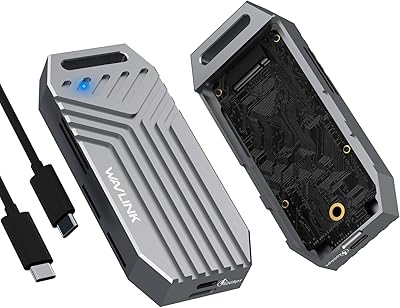
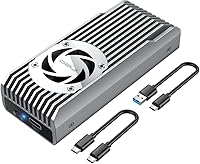
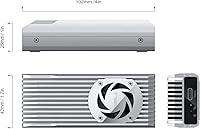
The ineo C2598 10Gbps NVMe SSD Enclosure has been around since late 2019, and at #171 in Enclosures, it has clearly earned its place in the mid-range market. What makes it stand out is simple: most enclosures at this price point rely entirely on passive cooling, while this NVMe enclosure ships with a built-in PWM fan — a genuine differentiator. The aluminum body and bundled silicone thermal pad round out a surprisingly complete thermal package. A write-protection switch is also included, which many competing models skip entirely. One critical note upfront: this unit only supports NVMe M-Key M.2 SSDs. SATA M.2 drives will not work, full stop.

Features & Benefits

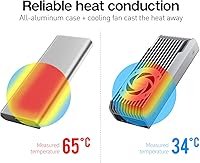
The 10Gbps USB interface — USB 3.2 Gen 2 — gives the ineo cooling enclosure enough bandwidth for real-world video editing workflows and large sequential backups without hitting an obvious ceiling on everyday hardware. The PWM fan spins up to 6000 RPM but adjusts based on load, staying quiet during light use and ramping up when temperatures climb. Aluminum construction doubles as a passive heatsink alongside the fan, and the included silicone thermal pad fills air gaps between the SSD and chassis for better contact. The write-protection switch is a small but meaningful addition for anyone who regularly shares or clones drives and wants a quick hardware safeguard.

Best For

This fanless-alternative challenger is a natural fit for video editors and content creators who push large files over extended sessions and cannot afford speed drops from thermal throttling. It also works well for laptop users who want portable NVMe performance without carrying something bulky. IT professionals who image drives or run audits will appreciate the write-protection switch as a built-in safeguard. If you are upgrading from a basic passive enclosure and want active cooling without a significant price jump, this hits a practical sweet spot. Just confirm your host port actually supports USB 3.2 Gen 2 — otherwise the full 10Gbps throughput will never materialize.

User Feedback

With a 4.2 out of 5 rating across roughly 500 reviews, the ineo cooling enclosure has earned solid community trust. Most positive feedback centers on build quality and the fan keeping temperatures stable during long transfers — buyers upgrading from passive enclosures frequently notice a real improvement. That said, a recurring complaint involves fan orientation: if the enclosure is installed with the fan facing away from the USB port, the fan simply will not activate, and the setup guide explanation is genuinely confusing. A handful of users also report compatibility hiccups with specific USB-C laptop controllers. Long-term fan noise and bearing wear remain minor but open questions for heavy daily users.

Pros

  • Active PWM cooling keeps NVMe temperatures stable during long, sustained transfers where passive enclosures often throttle.
  • The aluminum chassis doubles as a heatsink, giving the cooling system real redundancy rather than relying on the fan alone.
  • A bundled silicone thermal pad means you have everything needed for a proper thermal setup right out of the box.
  • The write-protection switch is a practical hardware safeguard that many competing enclosures simply do not offer.
  • Supports NVMe M-Key SSDs up to 4TB, covering virtually all current consumer and prosumer drive sizes.
  • Compact dimensions make this NVMe enclosure easy to carry daily without adding noticeable bulk to a laptop bag.
  • A 4.2 out of 5 rating across around 500 reviews reflects consistent real-world satisfaction over several years on the market.
  • USB 3.2 Gen 2 compatibility ensures the enclosure works with a wide range of modern host machines without adapters.

Cons

  • SATA M.2 drives are completely incompatible — buyers who confuse NVMe and SATA M.2 will be stuck with an unusable enclosure.
  • The fan orientation must face the USB port side after installation; the setup guide explains this poorly and first-timers frequently get it wrong.
  • Some users report compatibility issues with specific USB-C laptop controllers, requiring testing before assuming full functionality.
  • At 10Gbps, the interface is a real ceiling — heavier workloads that could use Thunderbolt speeds will feel constrained.
  • Long-term fan bearing reliability is an open question; a mechanical component adds a potential failure point that passive enclosures avoid entirely.
  • The enclosure is noticeably heavier than ultra-compact passive rivals, which matters for minimalist travelers counting every ounce.
  • No tool-free installation design means setup requires a bit more effort compared to newer snap-fit competitors in the same price range.

Ratings

The scores below for the ineo C2598 10Gbps NVMe SSD Enclosure were generated by AI after analyzing verified global buyer reviews, with spam, bot-submitted, and incentivized feedback actively filtered out. Each category reflects the honest consensus of real-world users — from creators running overnight backups to IT professionals cloning drives in the field. Strengths are recognized where they are earned, and recurring frustrations are reported without being softened.

Thermal Management
83%
Users who switched from passive enclosures specifically praised the PWM fan for preventing the speed drops they experienced previously during long sequential transfers. Video editors copying large project folders reported consistent throughput where rival enclosures had throttled noticeably. The included silicone thermal pad was also called out as a thoughtful inclusion that eliminates a common aftermarket step.
A meaningful subset of buyers reported the fan did not activate at all after install — almost always traced back to incorrect fan orientation during setup. The setup guide does not explain this clearly, and until you know about the orientation requirement, troubleshooting it is genuinely frustrating.
Build Quality
81%
19%
The aluminum chassis feels solid and purposeful for the price tier, with most buyers describing it as noticeably sturdier than plastic competitors. The fit and finish around the SSD slot and port openings drew positive mentions, and the enclosure holds its shape well even after months of daily bag-and-go use.
A few long-term users noted that the fan bearing becomes slightly louder after extended heavy use, which introduces a durability question that a passive enclosure simply does not have. The mechanical component is the one area where the build has a potential weak point over time.
Transfer Speed
77%
23%
On hosts with a genuine USB 3.2 Gen 2 port, buyers consistently reported real-world read speeds that satisfied demanding use cases like large RAW photo imports and 4K video file transfers. The 10Gbps ceiling is handled cleanly, with the cooling system helping maintain peak speeds during longer sessions without the dips seen on throttling-prone passive enclosures.
10Gbps is still a ceiling, and buyers with Thunderbolt-capable machines noted the enclosure leaves performance on the table compared to faster alternatives. Users on older USB 3.0 machines also occasionally left disappointed reviews after misunderstanding that the host port, not the enclosure, was the limiting factor.
Setup Experience
58%
42%
Physical installation of the SSD is straightforward, and the enclosure is recognized immediately by both Windows and macOS without any driver installation required. For users who read the guide carefully and place the fan correctly, the whole process from box to working drive takes only a few minutes.
The fan orientation requirement is the single biggest setup pain point in the review pool. The official instructions describe it in confusing technical language, and a significant number of first-time buyers installed the drive backwards relative to the fan, then spent time troubleshooting what appeared to be a broken fan. This is a fixable documentation problem that still has not been resolved.
Compatibility
71%
29%
The enclosure works reliably across a wide range of modern laptops and desktops with USB-A or USB-C ports supporting USB 3.2 Gen 2. Most buyers on mainstream Windows and Mac hardware reported no compatibility issues whatsoever, and the plug-and-play experience on recent machines is consistently smooth.
A recurring thread in negative reviews involves specific USB-C laptop controllers — particularly on some older ultrabooks — failing to reliably negotiate the full 10Gbps link speed or occasionally causing the drive to disconnect. These are not universal issues, but they appear often enough to be a real risk on certain hardware configurations.
Value for Money
79%
21%
Buyers repeatedly noted that active cooling at this price point is genuinely uncommon, and the write-protection switch adds a layer of utility that pushes the value proposition ahead of similarly priced passive rivals. For creators and IT users who actually need those features, the cost feels well justified.
Casual users who primarily need occasional file transfers and do not push sustained workloads may find themselves paying for active cooling infrastructure they rarely benefit from. At that point, a simpler passive enclosure at a lower price performs comparably for their actual use pattern.
Fan Noise
66%
34%
Under everyday light loads — browsing files, short transfers, occasional backups — the fan is nearly inaudible and does not intrude on a quiet workspace. The PWM controller does a reasonable job of keeping it calm when the thermal situation does not demand otherwise.
During heavy sustained transfers, the fan ramps up to a level that is clearly audible in a quiet room. It is not loud by any objective measure, but users working in recording environments or very quiet shared spaces flagged it as a drawback. Long-term bearing noise after heavy use is also an open concern in the review pool.
Portability
74%
26%
The compact footprint fits easily in a laptop bag side pocket, and most users found it convenient enough to carry daily without thinking about it. The aluminum body feels premium without adding unnecessary bulk for a commute or travel bag.
At just over 10 oz, the ineo cooling enclosure is noticeably heavier than slim passive alternatives, and the fan adds a small amount of additional thickness. Travelers who weigh every gram in their kit will notice the difference compared to the lightest enclosures in the category.
Write Protection Switch
84%
IT professionals and sysadmins gave this feature consistently strong marks, noting that hardware-level write protection is far more reliable than software alternatives for forensic work, drive imaging, or sharing a read-only archive. The switch is satisfyingly tactile and easy to toggle without tools.
The switch position on the chassis is small and not immediately obvious to first-time users, and a few buyers accidentally toggled it and assumed the drive had failed when writes were blocked. Better labeling on the enclosure itself would prevent a common moment of confusion.
NVMe SSD Support
76%
24%
Support for NVMe M-Key SSDs up to 4TB covers virtually every mainstream drive a buyer would realistically pair with this enclosure today. Compatibility with the full M-Key PCIe spec gives it broad utility across different SSD generations and manufacturers.
The strict NVMe-only limitation catches a surprising number of buyers off guard, particularly those who do not realize their M.2 SSD is actually SATA. The product listing includes a warning, but the category confusion is common enough that it represents a meaningful source of negative reviews that have nothing to do with product quality.
Documentation & Packaging
51%
49%
The box includes the silicone thermal pad and basic hardware needed to get started, and most experienced users can complete the setup without consulting the guide at all. The packaging itself is tidy and the components arrive well protected.
The setup guide is genuinely below average for a product where one installation step — fan orientation — is non-obvious and critical. Clearer diagrams or a simple printed callout would eliminate the single most common complaint in the entire review pool. For a product that has been on the market since 2019, this documentation gap is a persistent oversight.
Long-Term Reliability
68%
32%
Many buyers have used this NVMe enclosure daily for a year or more without issues, and the aluminum chassis shows no signs of structural wear in long-term ownership reports. The overall failure rate appears low based on the volume and age of reviews.
The fan introduces a mechanical wear element that passive enclosures avoid entirely, and a subset of long-term heavy users have noted the bearing becoming noisier over time. This does not represent widespread failure, but it is a real durability consideration that does not apply to enclosures with no moving parts.

Suitable for:

The ineo C2598 10Gbps NVMe SSD Enclosure is a strong pick for anyone who regularly pushes large files over USB and has been burned by thermal throttling on passive enclosures. Video editors working with 4K or RAW footage, photographers bulk-transferring large libraries, and anyone cloning OS drives will appreciate the active cooling keeping sustained speeds stable. Laptop users in particular get a lot of value here — the enclosure is compact enough to toss in a bag, yet capable enough to handle real workloads without babysitting thermals. IT professionals and sysadmins will also find the write-protection switch genuinely useful when imaging drives or auditing storage without risk of accidental writes. If your host machine has a USB 3.2 Gen 2 port and you are running an NVMe M-Key SSD, this enclosure covers the bases better than most passive competitors at a similar price.

Not suitable for:

The ineo C2598 10Gbps NVMe SSD Enclosure is a hard pass if your M.2 SSD uses the SATA interface — it simply will not work, and this is the single most common buyer mistake to avoid. Users who expect plug-and-play simplicity may also run into friction: the fan orientation requirement during installation is a real gotcha, and the setup guide does not explain it clearly enough to prevent errors. If your laptop or desktop only has USB 3.2 Gen 1 or USB 2.0 ports, you will never hit the 10Gbps ceiling the enclosure is designed around, making it a harder value proposition. Anyone prioritizing absolute silence — in a recording studio or quiet shared workspace, for example — should know that the fan, while PWM-controlled, is audible under load. Finally, buyers who need Thunderbolt-level throughput for the most demanding workloads should look at faster options rather than expecting this USB 3.2 Gen 2 enclosure to fill that role.

Specifications

  • Interface: Connects via USB 3.2 Gen 2, delivering a maximum theoretical transfer rate of 10Gbps over a standard USB-A or USB-C connection.
  • SSD Compatibility: Supports M.2 NVMe PCIe SSDs with an M-Key connector only; SATA-based M.2 drives are not compatible with this enclosure.
  • Max Capacity: Accommodates NVMe M.2 SSDs up to 4TB in storage capacity, covering the full range of current consumer and prosumer drives.
  • Cooling System: Features a built-in PWM fan rated at 6000 RPM and 3.3V that adjusts its speed automatically based on drive temperature during operation.
  • Thermal Pad: Ships with a silicone thermal pad in the box, designed to improve thermal contact between the SSD and the aluminum enclosure body.
  • Write Protection: Includes a physical write-protection switch that locks the drive against accidental writes when activated, useful for imaging or data auditing tasks.
  • Chassis Material: Constructed from aluminum, which provides structural rigidity and also functions as a passive secondary heatsink alongside the active cooling fan.
  • Dimensions: Measures 4″ in length, 1.7″ in width, and 1″ in height, keeping the overall footprint compact enough for daily portable use.
  • Weight: Weighs approximately 10.2 oz (0.29 kg), which is heavier than ultra-minimalist passive enclosures but reasonable for an actively cooled aluminum unit.
  • Brand: Manufactured by ineo, a brand specializing in NVMe and SSD enclosure accessories with multiple models across different speed tiers.
  • Model Number: Identified by the model number C2598 10Gbps, distinguishing it from ineo's 20Gbps and 40Gbps variants in the same product family.
  • BSR Ranking: Holds a Best Sellers Rank of #171 in the Enclosures category on Amazon, reflecting consistent long-term sales performance since its launch.
  • Launch Date: First became available for purchase in December 2019, giving it a multi-year track record of real-world user feedback and reviews.
  • UPC: The Universal Product Code for this unit is 797716581618, which can be used to verify authenticity when purchasing from third-party sellers.
  • Max Devices: Designed to connect a single SSD to a single host machine at a time; it does not support multi-drive or multi-host configurations.

Related Reviews

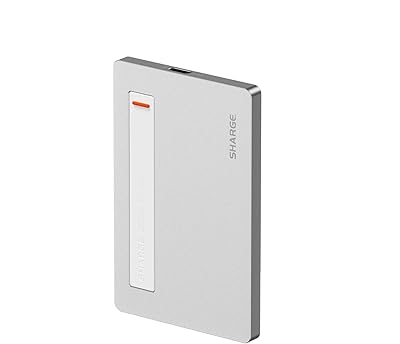
ineo C2605-NVMe M.2 NVMe SSD Enclosure
77%
88%
Write Protection Reliability
79%
Transfer Speed Performance
82%
Thermal Management
61%
Fan Noise Level
76%
Build Quality & Materials
More
Sharge SD002 M.2 NVMe SSD Enclosure

79%
96%
Portability & Form Factor
88%
Build Quality
83%
Transfer Speed
91%
Built-in Cable Design
61%
Thermal Management
More
dockteck DH0002 M.2 NVMe/SATA SSD Enclosure

84%
88%
Transfer Speed (NVMe)
76%
SATA Drive Performance
83%
Build Quality
93%
Ease of Setup
79%
Thermal Management
More
WAVLINK Dual-Bay NVMe M.2 SSD Cloner

75%
83%
Offline Cloning Reliability
78%
Transfer Speed
71%
Compatibility Range
76%
Build Quality
86%
Ease of Setup
More
Cable Matters USB4 40Gbps M.2 NVMe Enclosure

80%
88%
Data Transfer Performance
83%
Build Quality & Materials
79%
Thermal Management & Cooling
91%
Portability & Form Factor
74%
Compatibility Range
More
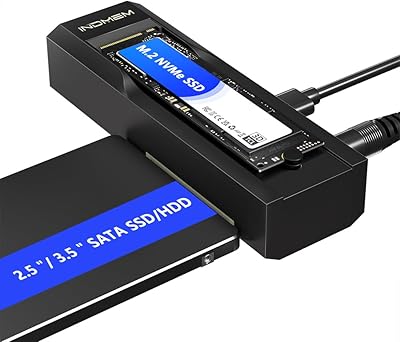
Plugable M.2 NVMe SSD Enclosure
87%
94%
Ease of Setup
92%
Data Transfer Speed
88%
Build Quality
90%
Port Compatibility
87%
Cooling & Thermal Management
More
GEWOKLIY Ge-MC13 M.2 2230 NVMe SSD Enclosure
78%
83%
Transfer Speed
88%
Build Quality
79%
Compatibility
67%
Thermal Management
92%
Ease of Setup
More
elecacc Dual Bay NVMe SATA SSD Enclosure

75%
93%
Ease of Setup
84%
Offline Cloning
71%
Transfer Speed
88%
Drive Compatibility
63%
Build Quality
More
ANYOYO TB502Pro NVMe SSD Enclosure
78%
91%
Transfer Speed Performance
88%
Thermal Management
89%
Build Quality
86%
Thunderbolt 5 Compatibility
41%
TB3 Fallback Behavior
More
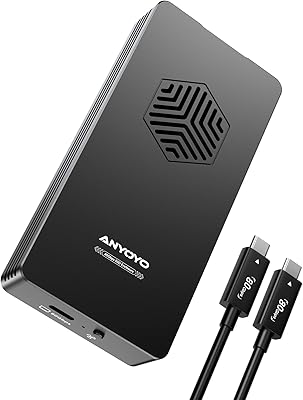
WAVLINK U41F USB4 NVMe SSD Enclosure
82%
88%
Transfer Speed Performance
91%
Build Quality
74%
Thermal Management
78%
Compatibility Range
93%
Ease of Installation
More

FAQ

No, it will not. The ineo C2598 10Gbps NVMe SSD Enclosure is built exclusively for NVMe PCIe M-Key M.2 drives. If your SSD uses the SATA protocol — even if it physically looks identical — it will not be recognized. Check your SSD packaging or manufacturer spec sheet to confirm the interface before purchasing.

Almost certainly not — this is the most common setup mistake with this enclosure. The fan must be positioned near the USB port side of the enclosure after you insert the drive. If the fan ends up on the opposite end, it simply will not activate. Reinstall the SSD with the fan oriented toward the USB port and the issue should resolve itself.

In most cases, no. The enclosure uses a standard USB Mass Storage protocol that both Windows and macOS recognize natively. Just plug it in and it should appear as an external drive. Occasionally, older operating system versions may need a firmware update on the host side, but driver installation is generally not required.

Yes, it will work, but you will not get anywhere near 10Gbps speeds. USB 3.0 caps out around 5Gbps and USB 2.0 at 480Mbps, so the enclosure will downclock to match whatever your host port supports. If fast transfers are the reason you are buying this, make sure your machine actually has a USB 3.2 Gen 2 port first.

Under light loads it is very quiet — most users report barely noticing it. The PWM controller ramps the fan up only when the drive gets warm, which typically happens during sustained large transfers. At full 6000 RPM it is audible in a quiet room, but not distracting in a normal working environment. If you need near-silence at all times, an active cooled enclosure of any kind may not be ideal.

It supports the standard 2280 M.2 form factor, which is by far the most common size for NVMe SSDs. Some enclosures in this family also accommodate 2242 and 2260 drives, but confirm the specific slot length in the product documentation before assuming compatibility with shorter drives.

Technically yes, but the pad does compress and pick up dust over time, reducing its effectiveness. If you plan to swap SSDs frequently, it is worth picking up a replacement thermal pad. They are inexpensive and widely available, and using a fresh one each time ensures you are getting the full thermal benefit.

Yes on both counts. Cloning works well since the write-protection switch can be toggled off for the process and back on afterward to protect the cloned data. Running an OS from it — booting Windows or macOS from the external NVMe — is also possible, though boot support depends on your host machine's firmware rather than the enclosure itself.

It is a small physical toggle on the enclosure body. When switched on, the host system can read data from the drive but cannot write, modify, or delete anything on it. This is handled at the hardware level, so it works regardless of operating system or software settings — making it reliable for forensic work, auditing, or simply protecting a backup drive from accidental changes.

It depends on your workload. For short transfers or occasional backups, a quality passive enclosure can handle thermals just fine and this ineo cooling enclosure would not offer a dramatic practical difference. Where the active fan earns its place is during long sequential transfers — think copying hundreds of gigabytes continuously — where passive enclosures often let drive temps climb high enough to trigger throttling and slow things down. If that describes your typical use, the upgrade is worthwhile.

Where to Buy