

Overview

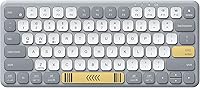
The iClever BK50 Compact Bluetooth Keyboard arrived in early 2024 as a wireless-only option for people who regularly split time across a tablet, phone, and laptop. Built around scissor-switch keys rated under 50dB, it is noticeably quiet — quieter than most keyboards in this price range. The gradient grey-and-white finish looks sharper in person than product photos suggest. That said, this portable keyboard represents a real trade-off: the slim, sub-pound build comes at the cost of no backlighting and a modest 180mAh battery. Whether it suits your setup depends almost entirely on where and how you type.

Features & Benefits

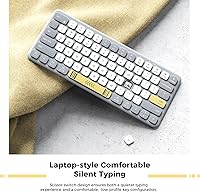
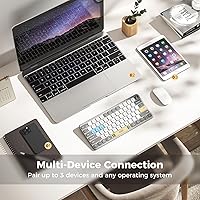
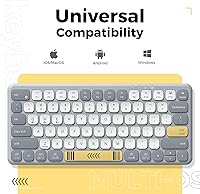
The BK50's most practical feature is its three-device pairing, toggled via Fn+Q, Fn+W, or Fn+E — genuinely useful if you bounce between an iPad, a phone, and a work laptop throughout the day. The typing feel is comparable to a mid-range Chromebook keyboard: accurate, consistent, and quiet. Battery life lands around a month for moderate users, helped along by a 30-minute auto-sleep that kicks in during idle periods. Automatic OS detection handles key-mapping across Windows, macOS, iOS, Android, and ChromeOS without manual configuration, which is a welcome convenience that removes real friction when switching between very different devices.

Best For

This compact Bluetooth keyboard is a strong fit for students and remote workers who type in libraries, cafés, or shared offices where noise is a concern. iPad and tablet users who want a physical keyboard without the bulk of a folio case will find the slim profile genuinely practical. Light travelers benefit too — at under a pound, it barely registers in a bag. Where it falls short is low-light environments: there is no backlighting whatsoever. Gamers and heavy coders who need a full-size layout or a dedicated function row should explore other options before committing.

User Feedback

Across verified reviews, the quiet key feel and build quality come up repeatedly — buyers seem genuinely surprised by how solid the BK50 feels for the price. Multi-device switching earns consistent praise for being fast and reliable in real-world use. On the downside, the compact 78-key layout takes some adjustment; missing dedicated navigation keys catch users off guard, especially those coming from a full-size board. A handful of Android users reported Bluetooth pairing hiccups on first connection, though reconnections afterward tend to be stable. Battery life largely meets expectations for moderate users, but heavy typists may see that monthly estimate shrink noticeably.

Pros

  • Scissor switches stay consistently under 50dB, making the BK50 one of the quieter options in its price range.
  • One-touch switching between three paired devices works reliably and without re-pairing each time.
  • Battery lasts roughly a month for moderate users, reducing how often you think about charging it.
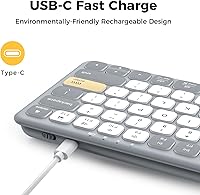
  • USB-C charging means one less proprietary cable to carry — it uses the same cord as most modern phones.
  • Automatic OS detection handles key remapping across six platforms with no manual configuration required.
  • At under a pound and less than an inch thick, it genuinely fits in a tote bag side pocket without bulk.
  • The ABS casing feels sturdier than the price tag suggests — buyers consistently comment on the build quality.
  • The gradient grey-and-white colorway looks polished and holds up well to daily handling.
  • A 30-minute auto-sleep feature quietly conserves battery during idle periods without requiring any setup.
  • Works across Windows, macOS, iPadOS, iOS, Android, and ChromeOS — broadly compatible with most setups.

Cons

  • No backlighting whatsoever makes evening or low-light typing genuinely difficult.
  • The 78-key layout drops dedicated navigation and function keys, requiring a period of relearning for many users.
  • Bluetooth-only connectivity means no wired fallback if pairing fails or battery dies unexpectedly.
  • Some Android users report inconsistent pairing behavior during initial device setup.
  • The 180mAh battery, while efficient, is small — heavy typists may see the monthly estimate fall short.
  • No number pad limits usefulness for anyone doing regular data entry or spreadsheet-heavy work.
  • Compact key spacing can cause accuracy errors for users transitioning from a full-size keyboard.
  • There is no option to connect via USB dongle for environments where Bluetooth is restricted or unreliable.

Ratings

The scores below for the iClever BK50 Compact Bluetooth Keyboard were generated by our AI after analyzing thousands of verified global buyer reviews, with spam, incentivized, and bot-flagged submissions actively filtered out before scoring. Each category reflects the honest consensus of real users — strengths and frustrations included — so you get a transparent picture of what this portable keyboard actually delivers day-to-day.

Typing Experience
83%
Most users describe the scissor switches as a pleasant surprise — the feedback is firm and consistent, closer to a mid-range laptop keyboard than the mushy feel common on budget accessories. For café and office typists, the quiet actuation makes long sessions genuinely comfortable without drawing attention.
Users transitioning from full-size mechanical keyboards find the key travel shallower than expected, and the compact spacing occasionally causes accuracy errors until muscle memory adjusts. The feel, while good for the price, does not quite match the crispness of premium portable keyboards.
Portability
91%
At under a pound and barely an inch thick, the BK50 slips into a bag side pocket with ease — travelers consistently note that it adds no meaningful bulk to a carry-on or daily tote. The slim ABS shell also resists casual bumps during commutes better than its lightweight suggests.
There is no included sleeve or pouch, so the keyboard surface is exposed in a bag, which can lead to cosmetic scratches over time. Users who carry it loose alongside keys or coins have noted light surface wear on the casing after several months.
Multi-Device Switching
88%
The Fn+Q/W/E pairing shortcuts work reliably across the three stored devices, and most users report sub-two-second reconnection times in real-world use. For anyone juggling an iPad, a laptop, and a phone throughout the day, this feature alone justifies the purchase.
A handful of Android users experience inconsistent behavior during the very first pairing attempt, requiring them to reset and re-pair before things stabilize. Once connected the first time, subsequent switches are generally smooth, but the initial setup friction is worth noting.
Battery Life
78%
22%
Light-to-moderate users — people typing a few hours a day across multiple sessions — consistently hit the advertised monthly estimate, with some going longer before needing a charge. The 30-minute auto-sleep feature helps meaningfully by preventing passive drain during idle periods.
Heavy typists who use the keyboard for four or more hours daily find the real-world battery life noticeably shorter than the one-month claim. The 180mAh capacity is modest, and users who forget to let it sleep between sessions may find themselves reaching for the USB-C cable more often than expected.
Build Quality
82%
18%
For a budget-tier accessory, the ABS casing feels notably solid — buyers frequently remark that the keyboard does not flex or creak under normal typing pressure. The gradient grey-and-white finish also holds up well aesthetically across daily use, maintaining a clean appearance after months of handling.
The plastic construction still shows its limits over time, particularly with key legends that can begin to fade on the most frequently used keys after extended heavy use. The casing is also prone to visible fingerprint smudging, which requires occasional wiping to keep it looking presentable.
Bluetooth Connectivity
74%
26%
Bluetooth 5.1 keeps the connection stable during normal typing sessions, and the keyboard reliably wakes and reconnects to the last used device when you start typing. Users who stick to Apple and Windows devices report very few dropped-connection issues in day-to-day use.
The wireless-only design is a hard limitation — there is no USB dongle fallback for environments where Bluetooth is blocked or unreliable, such as some corporate offices or older conference room setups. Initial pairing on certain Android devices remains a known friction point that iClever has not fully resolved.
OS Compatibility
86%
Automatic OS detection works well across iPadOS, macOS, Windows, and ChromeOS — media keys and shortcuts generally map correctly without any manual configuration. Users who move between an iPad and a Windows laptop report that the transition feels natural because the key behavior adapts accordingly.
ChromeOS and Android users report slightly less polished auto-mapping compared to Apple and Windows devices, with a few shortcut keys behaving unexpectedly. These are minor inconveniences for most, but users who rely on specific keyboard shortcuts on non-Apple platforms may need to do some manual remapping.
Backlighting
31%
69%
The absence of backlighting does eliminate a meaningful source of battery drain, which partly explains why the BK50 can run for as long as it does on a small 180mAh cell. Users who exclusively type in well-lit environments never encounter this as a limitation.
No backlighting at all is a genuine dealbreaker for evening typists, frequent flyers on overnight routes, or anyone who works in dim environments regularly. This is the single most common complaint across verified reviews, and it is a fixed hardware limitation — there is no workaround or accessory that compensates for it.
Key Layout
67%
33%
The 78-key layout covers the essentials for everyday writing, email, and browsing tasks without feeling overly stripped-down. iPad and tablet users who are not reliant on dedicated function rows tend to adapt quickly and find the layout intuitive after a short adjustment period.
The omission of dedicated Page Up, Page Down, Home, End, and Delete keys frustrates users coming from full-size boards, particularly those doing document editing or coding. Reaching these functions through Fn key combinations slows down workflows that depend on quick cursor navigation.
Value for Money
89%
Relative to what you get — Bluetooth 5.1, three-device pairing, scissor switches, USB-C charging, and broad OS compatibility — the BK50 punches above its price tier in nearly every category that matters to a mobile or tablet-centric user. Buyers consistently express surprise at the build quality given the cost.
The value proposition starts to weaken for users who need backlighting, a full key layout, or a wired fallback, since spending modestly more opens up significantly better-specified keyboards. Within its intended niche, though, it is hard to argue with the overall package for the asking price.
Setup & Pairing Ease
76%
24%
For Apple device users especially, getting the BK50 connected takes under a minute — power it on, hold the relevant Fn pairing key, find it in Bluetooth settings, and you are done. The process is intuitive enough that non-technical buyers rarely have trouble.
Android pairing introduces unnecessary friction for some device models, with occasional failures that require resetting the connection from scratch. There are no troubleshooting LEDs or clear status indicators beyond a basic pairing light, which makes diagnosing connection issues a guessing game for less experienced users.
Noise Level
92%
Under 50dB in real-world use means this keyboard is genuinely library-appropriate — test it next to a colleague's mechanical keyboard and the difference is stark. Buyers who work in open-plan offices or attend virtual meetings while typing report zero complaints from those around them.
It is not completely silent — there is a faint, soft click on each keystroke that sensitive environments might still register. Users expecting zero audible feedback, similar to a membrane-style keyboard, may find it marginally louder than anticipated, though this is a minor point for the vast majority.
Aesthetics & Design
81%
19%
The gradient grey-and-white colorway stands out in a market full of plain black or silver keyboards, and buyers frequently mention that it looks more premium than the price suggests. The slim profile also photographs well alongside iPad setups and desk arrangements.
Color preference is subjective, and buyers who want a neutral all-black or white option do not have that choice with the BK50. The gradient finish also makes dirt and smudges slightly more visible along the lighter sections of the casing.
Charging Convenience
84%
USB-C is the right call here — it means one less dedicated cable to carry, since most people already have one on hand for their phone or tablet. A roughly two-hour full charge cycle is short enough that you can top it up during lunch and not think about it again for weeks.
The small battery capacity means that if you do forget to charge and it dies mid-day, you have no fallback — there is no wired typing mode to keep you going while it replenishes. A slightly larger battery cell would have meaningfully reduced this risk without dramatically increasing the footprint.

Suitable for:

The iClever BK50 Compact Bluetooth Keyboard is built for people whose typing happens on the move — students pulling long sessions in library study rooms, remote workers who rotate between coffee shops and co-working spaces, and anyone who has grown tired of pecking at a tablet's glass screen. If you regularly switch between two or three devices throughout the day, the one-touch pairing shortcuts make the transitions quick enough that they stop feeling like interruptions. iPad users in particular get a lot of mileage here, since this portable keyboard adds a proper typing surface without the rigidity or added cost of a folio-style case. Light travelers will appreciate that it fits in a bag pocket without adding noticeable weight to a carry-on. Basically, if your priority is quiet, portable, and multi-device capable at a budget-friendly price point, this keyboard checks the right boxes.

Not suitable for:

The iClever BK50 Compact Bluetooth Keyboard has real limitations that make it the wrong call for certain buyers, and it's worth being direct about them. There is no backlighting at all — not even a low-powered option — so if you frequently type in dim rooms, on red-eye flights, or anywhere without good ambient light, this keyboard will frustrate you quickly. The 78-key compact layout also trims out dedicated function keys and a number pad, which is a meaningful daily inconvenience for accountants, data entry workers, or coders who rely on those keys constantly. Gamers should not even consider it — the Bluetooth-only connection introduces latency that wired or dedicated gaming keyboards avoid by design. Android users should also know that first-time pairing can be finicky on some devices, which is a minor but real annoyance out of the box. If you need a primary keyboard for intensive or professional workstation use, a full-size option will serve you better.

Specifications

  • Model: The keyboard is manufactured by iClever under the model designation BK50.
  • Layout: It features a 78-key compact US QWERTY layout, omitting a dedicated number pad and some function row keys found on full-size boards.
  • Connectivity: The BK50 connects exclusively via Bluetooth 5.1 with no wired mode and no USB receiver included.
  • Device Pairing: Up to three devices can be paired simultaneously and switched using the Fn+Q, Fn+W, and Fn+E key combinations.
  • OS Compatibility: The keyboard is compatible with Windows 8 and later, macOS 10.15 and later, iPadOS 13 and later, iOS 13 and later, Android 8 and later, and ChromeOS.
  • Key Switch Type: Scissor switches are used throughout, producing a laptop-style keystroke with a noise level rated at or below 50dB.
  • Backlighting: The keyboard has no backlighting of any kind.
  • Battery: A built-in 180mAh lithium battery provides approximately one month of use under moderate typing conditions before requiring a recharge.
  • Charging: The keyboard charges via a USB-C port and reaches a full charge in approximately two hours.
  • Auto-Sleep: An automatic sleep mode activates after 30 minutes of inactivity to conserve battery.
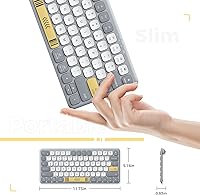
  • Dimensions: The keyboard measures 11.73″ in length, 5.16″ in width, and 0.83″ in height.
  • Weight: The BK50 weighs approximately 15.5 oz (just under 0.97 lbs), including the ABS plastic casing.
  • Casing Material: The outer shell is constructed from high-grade ABS plastic in a gradient grey-and-white colorway.
  • In the Box: Each unit ships with the BK50 keyboard, a USB-C charging cable, and a printed user manual.
  • First Available: The BK50 was first listed for sale in January 2024.

Related Reviews
iClever BK20 Bluetooth Keyboard
80%
83%
Bluetooth Connectivity
78%
Typing Experience
62%
Build Quality
81%
Battery Life
86%
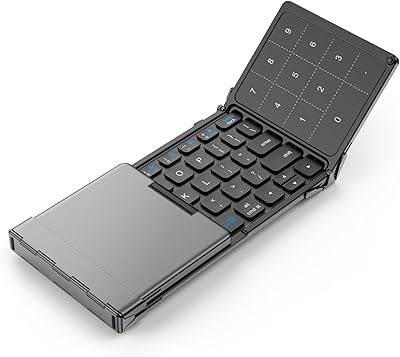
Numeric Keypad Usability
More
iClever BK10 Bluetooth Keyboard
79%
83%
Typing Feel
78%
Multi-Device Switching
61%
Battery Life
71%
Build Quality
67%
Key Stability & Longevity
More
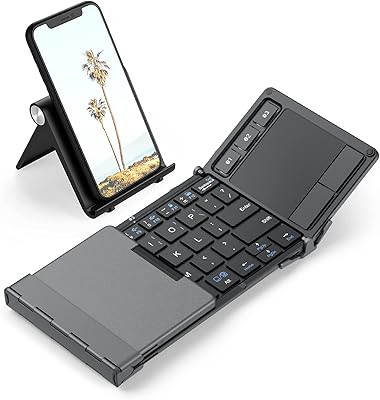
iClever BK18 Foldable Bluetooth Keyboard
84%
93%
Portability & Design
88%
Battery Life
90%
Multi-device Pairing
74%
Typing Comfort
92%
Compatibility
More
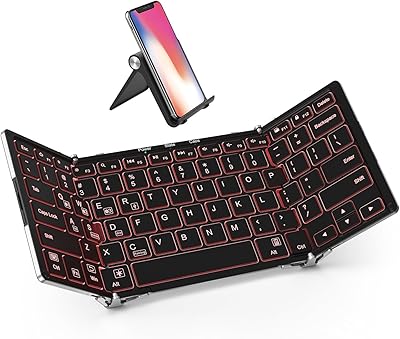
iClever BK08 Foldable Bluetooth Keyboard
77%
88%
Build Quality
93%
Portability & Form Factor
74%
Typing Experience
71%
Touchpad Performance
78%
Multi-Device Pairing
More
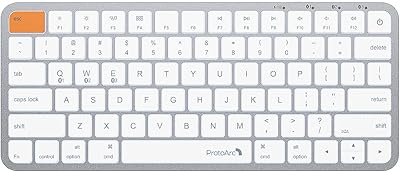
iClever BK05 Foldable Bluetooth Keyboard
79%
93%
Portability
88%
Build Quality
78%
Typing Experience
91%
Multi-Device Connectivity
86%
Battery Life (Backlight Off)
More
Geyes GK608 Foldable Bluetooth Keyboard
75%
93%
Portability
81%
Build Quality
58%
Typing Experience
77%
Dual Device Connectivity
84%
Value for Money
More
Azio Retro Compact Keyboard
82%
91%
Design & Aesthetics
88%
Build Quality & Durability
85%
Typing Experience
83%
Connectivity (Bluetooth & USB)
80%
Ergonomics & Comfort
More
OMOTON Bluetooth Keyboard for Mac
77%
91%
Value for Money
88%
Mac Compatibility
67%
Bluetooth Reliability
78%
Multi-Device Switching
74%
Typing Experience
More
Arteck HB193 Bluetooth Keyboard
81%
88%
Multi-Device Switching
84%
Build Quality
71%
Typing Experience
86%
Battery Life
91%
Layout & Key Coverage
More
ProtoArc K90-A Bluetooth Keyboard
85%
88%
Typing Experience
91%
Multi-device Connectivity
94%
Portability & Size
87%
Battery Life & Efficiency
85%
Backlighting Functionality
More

FAQ

Once you have paired up to three devices, switching between them is straightforward: hold the Fn key and press Q for device one, W for device two, or E for device three. There is no need to re-enter pairing mode each time — the keyboard reconnects to the selected device in a second or two.

Yes, it pairs with iPads running iPadOS 13 or later just like any standard Bluetooth keyboard. The iClever BK50 Compact Bluetooth Keyboard also auto-detects the OS and adjusts key behavior accordingly, so media controls and shortcuts should map correctly out of the box.

Unfortunately, no. The BK50 is wireless-only and does not support a wired passthrough mode, so you will need to charge it separately from use. Given that a full charge takes roughly two hours and lasts around a month, this rarely becomes a practical problem.

In practice, yes. The scissor switches are rated below 50dB, which is closer to the sound level of a laptop keyboard than a mechanical keyboard. Most people in shared spaces will not notice it, though it is not completely silent — you will still hear a faint, soft click.

A small number of Android users do report that the initial pairing takes a couple of attempts. If it does not connect on the first try, turn Bluetooth off and back on, clear the pairing from your device, and start fresh. After the first successful connection, reconnection is generally reliable.

No carrying case or pouch is included — the box contains only the keyboard, a USB-C charging cable, and a user manual. If you plan to travel with it regularly, a thin neoprene sleeve or a padded laptop pocket works well given the keyboard's slim profile.

The one-month estimate is based on moderate, intermittent use — roughly a few hours of typing per day. If you type heavily for four or more hours daily, expect the battery to run down faster. Light users, on the other hand, have reported going well beyond a month between charges.

The ABS plastic keycaps can develop a slight sheen over time with very heavy use, which is common across keyboards in this category. Day-to-day, the finish holds up fine for most users, and the build quality is generally considered solid relative to the price tier.

The BK50 supports pairing with up to three devices simultaneously, so yes — you could have a tablet, a phone, and a laptop all paired at once. You can only actively type on one device at a time, but switching between them with the Fn+Q/W/E shortcuts takes less than a second.

No, this portable keyboard has no backlighting and no way to add it after purchase. If you frequently work in dim environments, this is a genuine limitation worth weighing before buying. A keyboard with built-in LED backlighting would be a better fit for that use case.