Overview

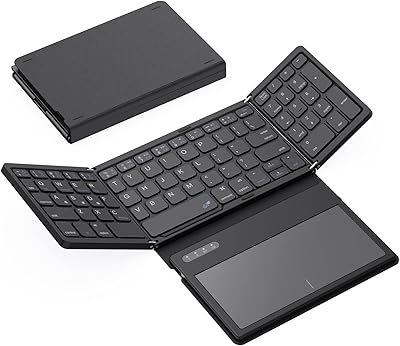
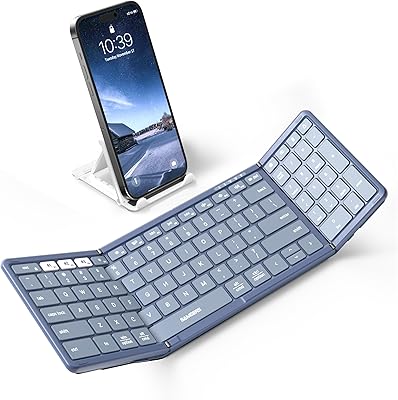
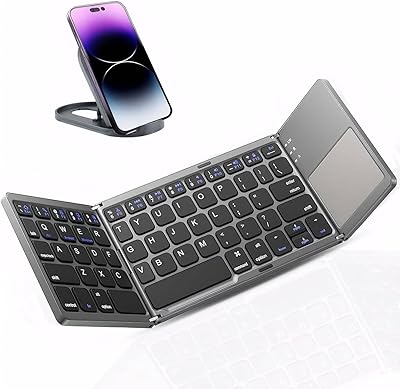
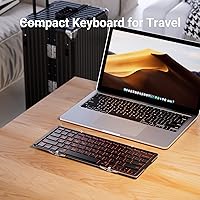
The iClever BK05 Foldable Bluetooth Keyboard has been around since 2015 — a long run for any tech accessory, and a sign that this folding keyboard has earned a genuine audience over time. Fold it up and it slips into a jacket pocket or the front pouch of a backpack without a fight. Open it and you get a real typing surface, not a toy. The core pitch is straightforward: one keyboard, multiple devices, minimal bulk. That said, this is a compact keyboard built for portability first, so if you spend eight hours a day hammering out long documents, it was never designed to replace your desk setup.

Features & Benefits

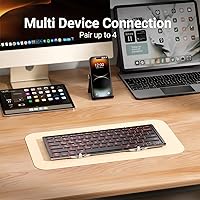
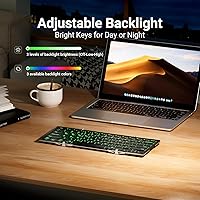
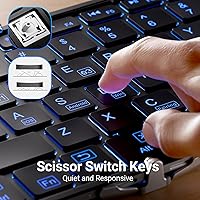
The BK05 connects to up to four devices at once — three via Bluetooth 5.1 and one through a wired USB-C port — and switching between them is a quick keystroke combination. The aluminum shell feels noticeably solid in hand, and the scissor-switch keys offer reasonable travel for a keyboard this thin. A built-in backlight cycles through red, green, and blue at two brightness levels, which is genuinely handy in dark cafes or on evening flights. Battery life is generous when the backlight stays off — months of light daily use on a single charge — but expect that figure to drop sharply to around five hours once you keep the backlight running consistently.

Best For

This travel keyboard earns its keep for people who regularly type on a tablet or phone away from a desk. iPad users in particular tend to get a lot out of it — the integrated stand holds the tablet at a comfortable angle and the keyboard pairs quickly without any adapter needed. It also suits professionals who move between multiple machines throughout the day, since switching channels takes almost no effort. Working in dim conference rooms or hotel rooms at night makes the backlight a practical bonus. Where it makes less sense is for heavy daily typists who have never adapted to a condensed key layout; the adjustment period is real and worth acknowledging upfront.

User Feedback

Across more than 3,100 ratings the BK05 sits at 4.1 out of 5, which reflects a broadly positive but not universally enthusiastic reception. Buyers consistently praise the solid aluminum feel and how satisfying the key travel is compared to cheaper folding alternatives. The device-switching speed also gets frequent mentions as a genuine time-saver. On the downside, backlight battery drain is a recurring complaint — real-world usage with the light on rarely matches the five-hour estimate. A handful of long-term owners have also raised durability questions around the fold hinge after a year or more of daily carry, which is worth factoring in if this keyboard will live in your bag every single day.

Pros

  • Folds down small enough to fit in a jacket pocket — genuinely pocketable, not just marketing.
  • Connects to four devices at once, with channel switching handled by a single keystroke combination.
  • The aluminum shell feels noticeably premium and holds up better than plastic competitors in the same category.
  • Scissor-switch keys deliver more feedback and travel than most keyboards this portable.
  • Battery lasts for months of regular use when the backlight stays off — far less charging than most wireless accessories.
  • Works across every major OS without drivers or setup headaches, including Chrome OS and iPadOS.
  • The built-in tablet and phone stand means one less accessory to pack separately.
  • Bluetooth 5.1 delivers a fast, stable connection with minimal input lag during active typing sessions.
  • Over 3,100 buyer reviews across several years give you a reliable long-term picture of real-world performance.

Cons

  • Backlight battery life in real usage often falls noticeably short of the five-hour advertised figure.
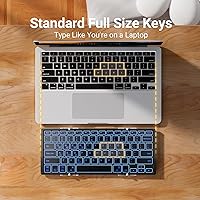
  • Key spacing is tighter than any laptop keyboard — fast typists will make more errors during the adjustment period.
  • The fold hinge on some units shows wear after a year or more of daily carry, affecting stability.
  • Backlight options are limited to three fixed colors with no per-key control or custom color mixing.
  • The viewing angle on the integrated stand is fixed, which does not suit every seating position or desk height.
  • Some function-layer shortcuts are not clearly labeled, requiring a manual reference during early setup.
  • A minority of users report occasional Bluetooth drops when switching rapidly between paired devices.
  • Certain Android manufacturer skins cause inconsistent behavior with function-key shortcuts.
  • The folded thickness, while slim, can be awkward to fit inside ultra-thin tablet sleeves or small zip pouches.

Ratings

The iClever BK05 Foldable Bluetooth Keyboard has been scored across 12 performance categories by our AI rating system, which analyzed thousands of verified global purchases while actively filtering out incentivized, bot-generated, and low-signal reviews. The scores below reflect an honest composite of what real buyers consistently praise and what genuinely frustrates them — nothing softened, nothing inflated.

Portability
93%
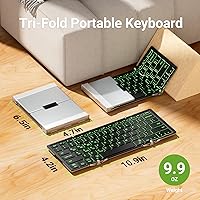
Folded down to roughly 6.5 by 4.7 inches and weighing under 10 ounces, this folding keyboard disappears into a jacket pocket or a small crossbody bag without any bulk. Travelers consistently call it one of the few keyboards they actually remember to bring along.
A small number of users feel the folded thickness, while slim, still makes it slightly awkward inside ultra-thin tablet sleeves. It is not quite as pocketable as the thinnest single-fold competitors on the market.
Build Quality
88%
The aircraft-grade aluminum shell gives the BK05 a rigidity that most plastic folding keyboards cannot match. Buyers regularly note that it feels more like a premium accessory than a compromise product, especially when compared at the same price tier.
Long-term users — those carrying it daily for a year or more — have occasionally reported loosening at the fold hinge, which affects the keyboard's stability on flat surfaces over time. It holds up well with occasional use but may show wear faster under daily punishment.
Typing Experience
78%
22%
The scissor-switch keys offer more feedback and travel than the membrane keyboards common in this category. Writers and note-takers who use this travel keyboard in coffee shops frequently describe the feel as closer to a laptop keyboard than a mobile accessory.
Touch typists migrating from a full-size desktop keyboard will need a real adjustment period — the keys are noticeably compressed, and the layout shifts can cause consistent misstrikes for the first week or two. It is not a dealbreaker, but it is not instant comfort either.
Multi-Device Connectivity
91%
Pairing the BK05 with four devices and switching between them via a simple keystroke is one of its strongest practical advantages. Professionals who move between a MacBook, an iPad, and an Android phone throughout the day find this genuinely cuts down on setup friction.
A minority of users report occasional pairing drops when switching rapidly between devices, particularly on older Windows machines. The issue resolves itself with a re-pair, but it is inconsistent enough to be worth noting for anyone who relies on fast, uninterrupted switching.
Battery Life (Backlight Off)
86%
With the backlight disabled, the built-in lithium polymer battery holds up impressively — most buyers who use it for a couple of hours daily report going weeks or even a couple of months between charges. It is the kind of battery performance that makes you stop worrying about cables.
The five-month estimate on the box assumes very light and consistent usage, which does not reflect how most people actually work. Heavier daily sessions bring that figure down noticeably, though it still comfortably outlasts most competing travel keyboards.
Battery Life (Backlight On)
54%
46%
For short evening work sessions — a couple of hours in a dim hotel room or a late-night cafe — the backlight holds up fine and does what it needs to do. Users who only activate it occasionally have no real complaints about running out of power mid-session.
Five hours with continuous backlight use is the advertised ceiling, and real-world feedback suggests many users land noticeably below that figure. Anyone planning to rely on the backlight as a default-on feature will find themselves reaching for a USB-C cable more often than expected.
Backlight Quality
72%
28%
Having three distinct backlight colors — red, green, and blue — at two brightness levels covers the basic low-light typing needs that most travelers encounter. The red setting in particular gets positive mentions for being easy on the eyes in completely dark environments.
The backlight is functional rather than impressive — there is no per-key control, and the color options feel limited compared to what buyers accustomed to RGB gaming keyboards might expect. For a focused work tool, it is adequate; for aesthetics, it will disappoint some buyers.
Compatibility & OS Support
89%
Covering Windows, macOS, iOS, iPadOS, Android, and Chrome OS without any driver installation is a genuine convenience, especially for users who mix operating systems daily. The OS-adaptive key mapping means the correct modifier keys show up where you expect them on each platform.
A small number of Android users have noted that some function-layer shortcuts do not behave as expected on certain device manufacturers' custom Android builds. It is an edge case, but worth testing before a long trip if your primary device runs a heavily skinned version of Android.
Setup & Ease of Use
84%
Pairing for the first time takes under a minute on most devices, and the dedicated channel keys mean there is no menu-diving involved when switching between paired gadgets. Users who are not technically inclined consistently mention that it just works without reading a manual.
The function-layer shortcuts, while logical once memorized, are not printed clearly enough on the keys for new users to discover intuitively. A few buyers have noted it takes a short learning curve to remember which key combinations handle brightness, channel switching, and power.
Integrated Stand
77%
23%
The built-in phone and tablet stand is a thoughtful inclusion that competing keyboards at this size often skip entirely. iPad users in particular appreciate being able to set up a clean typing station on an airplane tray table without a separate stand taking up extra room.
The stand works best with tablets and larger phones; smaller smartphones can feel a bit wobbly at shallower viewing angles. It also adds a fixed viewing angle rather than an adjustable one, which means the ergonomic fit depends on where you are sitting when you use it.
Key Layout & Spacing
67%
33%
For a keyboard that folds into jacket-pocket dimensions, the key spacing is better than most buyers expect. Casual and moderate typists who primarily write emails, messages, or notes tend to adapt within a day or two and find the layout workable for extended sessions.
Dedicated fast typists will feel the compression immediately — punctuation keys and the right-side modifiers are tighter than on any laptop keyboard, and muscle memory from full-size boards creates consistent errors early on. This is the single most common friction point in verified buyer feedback.
Value for Money
74%
26%
At its price point, the BK05 offers a combination of aluminum construction, multi-device Bluetooth, backlighting, and an included stand that individually would cost more to assemble from separate accessories. Buyers who prioritize travel utility over typing performance tend to feel the price is justified.
Buyers who primarily want an excellent typing experience may find cheaper single-device alternatives more satisfying for less money. The premium here is largely in the portability and multi-device features, so the value equation depends heavily on how central those two things are to how you actually work.

Suitable for:

The iClever BK05 Foldable Bluetooth Keyboard is a strong fit for people whose work or lifestyle regularly pulls them away from a fixed desk. Frequent travelers — whether for business conferences, weekend trips, or long-haul flights — will appreciate a keyboard that actually fits in a coat pocket and pairs with whatever device they pull out first. iPad owners who want a proper typing surface without carrying a dedicated case-keyboard combo will find the BK05 particularly practical, especially with the integrated stand propping up the tablet at a comfortable angle. Professionals who juggle multiple devices throughout the day — say, an iPhone in the morning, a MacBook during meetings, and an Android tablet in the evening — will benefit from the four-device pairing without needing to dig through Bluetooth menus each time. It also works well as a secondary keyboard for anyone who wants a reliable backlit option for low-light environments like hotel rooms or late-night cafe sessions.

Not suitable for:

The iClever BK05 Foldable Bluetooth Keyboard is not the right tool for anyone whose primary concern is a full, comfortable typing experience for extended daily work. Touch typists who have spent years building muscle memory on a standard-size keyboard will likely find the compressed key layout frustrating — the learning curve is real, and for some people it never fully resolves. Writers, coders, or data entry professionals logging four or more hours of typing per day should look at a full-size wireless keyboard instead, where key spacing and layout will not slow them down. The backlight, while useful for occasional low-light work, is genuinely power-hungry, and anyone who relies on a lit keyboard as a default-on feature will find themselves charging more often than the product implies. Finally, buyers hoping for a primary desktop replacement who want the sturdiness of a permanently mounted keyboard should calibrate their expectations — this is a travel-first accessory with the tradeoffs that come with that priority.

Specifications

  • Folded Size: When closed, the keyboard measures 6.54″ long by 4.72″ wide by 0.62″ thick — compact enough to slip into most jacket pockets.
  • Weight: The keyboard weighs 9.9 oz, making it light enough to carry daily without adding noticeable bulk to a bag.
  • Shell Material: The outer casing is constructed from aircraft-grade aluminum alloy, providing rigidity and resistance to everyday wear.
  • Key Type: Scissor-switch keys are used throughout, offering a balance of low travel distance and tactile feedback suited to portable typing.
  • Layout: The keyboard uses a standard QWERTY layout with an OS-adaptive function row that remaps automatically for macOS, Windows, iOS, and Android.
  • Connectivity: Three independent Bluetooth 5.1 channels are available alongside one wired USB-C connection, supporting up to four paired devices simultaneously.
  • Bluetooth Chip: A Broadcom Bluetooth 5.1 chip handles wireless communication, providing a fast and stable low-latency connection across all paired devices.
  • Backlight Colors: The backlight supports three fixed colors — red, green, and blue — each available at two brightness levels for low-light typing environments.
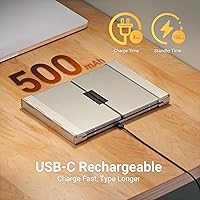
  • Battery Type: A built-in lithium polymer battery powers the keyboard and recharges via the USB-C port included on the device.
  • Battery Life (No Backlight): With the backlight off and approximately two hours of daily use, the battery can last up to five months on a single full charge.
  • Battery Life (Backlight On): Continuous use with the backlight activated reduces battery life to approximately five hours before a recharge is needed.
  • OS Compatibility: The keyboard is compatible with Windows 8, 10, and 11, macOS, iOS, iPadOS, Android, and Chrome OS without requiring any driver installation.
  • Phone Stand: An integrated stand is built into the keyboard body to hold a phone or tablet upright at a fixed viewing angle during use.
  • Low Battery Alert: A power indicator light flashes when the remaining battery drops below 15%, signaling that a recharge is needed before performance is affected.
  • Style & Color: The keyboard ships in a contemporary silver finish that matches most aluminum-bodied tablets and laptops in a professional setting.
  • Warranty: iClever includes a 12-month manufacturer warranty covering defects in materials and workmanship from the original purchase date.

Related Reviews
iClever BK08 Foldable Bluetooth Keyboard
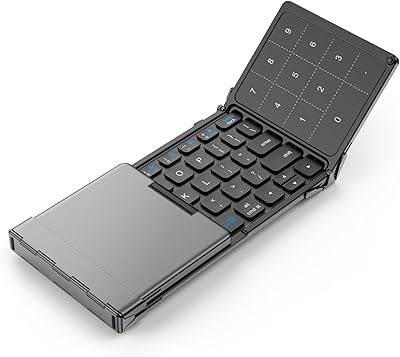
77%
88%
Build Quality
93%
Portability & Form Factor
74%
Typing Experience
71%
Touchpad Performance
78%
Multi-Device Pairing
More
iClever BK18 Foldable Bluetooth Keyboard
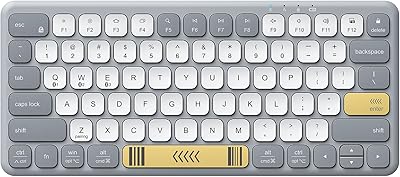
84%
93%
Portability & Design
88%
Battery Life
90%
Multi-device Pairing
74%
Typing Comfort
92%
Compatibility
More
iClever BK50 Compact Bluetooth Keyboard
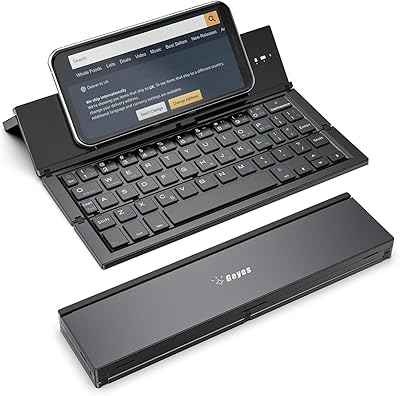
79%
83%
Typing Experience
91%
Portability
88%
Multi-Device Switching
78%
Battery Life
82%
Build Quality
More
Geyes GK608 Foldable Bluetooth Keyboard
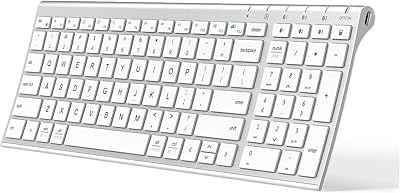
75%
93%
Portability
81%
Build Quality
58%
Typing Experience
77%
Dual Device Connectivity
84%
Value for Money
More
GEODMAER Foldable Bluetooth Keyboard
82%
93%
Portability
71%
Typing Experience
88%
Multi-Device Switching
63%
Touchpad Usability
91%
Battery Life
More
iClever BK20 Bluetooth Keyboard
80%
83%
Bluetooth Connectivity
78%
Typing Experience
62%
Build Quality
81%
Battery Life
86%
Numeric Keypad Usability
More
iClever BK10 Bluetooth Keyboard
79%
83%
Typing Feel
78%
Multi-Device Switching
61%
Battery Life
71%
Build Quality
67%
Key Stability & Longevity
More
Kidopire Foldable Bluetooth Keyboard with Touchpad
86%
94%
Portability
89%
Multi-device Connectivity
90%
Battery Life
87%
Touchpad Performance
92%
Ease of Use
More
ProtoArc XK04 Foldable Bluetooth Keyboard
77%
94%
Portability
71%
Build Quality
58%
Key Size & Layout Comfort
83%
Bluetooth Connectivity
88%
Battery Life
More
ProtoArc XK01 Foldable Bluetooth Keyboard
89%
91%
Typing Comfort
96%
Portability
88%
Connectivity Reliability
85%
Build Quality
93%
Durability of Hinges
More

FAQ

Pairing is straightforward and typically takes under a minute. You hold the channel key you want to assign — say, Bluetooth channel two — until the indicator light flashes, then select the keyboard from your device's Bluetooth menu. No apps or drivers needed.

The wired USB-C connection and the three Bluetooth channels are treated as four separate device slots, not simultaneous parallel outputs. You are always actively typing to one device at a time, but switching between any of the four takes just a keystroke.

Yes, it works well with iPad Pro models. The integrated stand holds larger tablets upright without issue, and the keyboard pairs with iPadOS reliably. The function row adapts to display the correct iPad shortcuts automatically, which saves a lot of trial and error.

It is genuinely smaller — most keys are close to standard size but the overall layout is compressed, especially on the right side where punctuation and modifier keys sit closer together. Casual typists usually adjust within a few days, but fast touch typists may find it takes a week or two to stop making frequent errors.

Yes, leaving the backlight on continuously is one of the most common buyer complaints. The five-hour figure is a ceiling under ideal conditions, and many users land closer to three to four hours in practice. If you only need the backlight occasionally — say, for a late-night meeting — the impact is much more manageable.

It works with Samsung phones and most other Android devices straight out of the box. Bluetooth pairing is standard, and basic typing functions work immediately. Some Samsung-specific keyboard shortcuts accessed via the function layer may behave inconsistently depending on the Android skin version, but everyday typing is unaffected.

For occasional and regular travelers the hinge holds up well. For truly daily carry over a year or more, some users have reported the hinge becoming slightly looser, which can introduce a small amount of wobble on flat surfaces. It is worth handling the fold with care rather than snapping it open and shut quickly on a hard surface.

Yes, you can use the keyboard via the wired USB-C connection while it charges at the same time. In this mode it draws power from the connected device or charger while still functioning normally, which is helpful when the battery is low but you need to keep working.

There is no percentage display or detailed battery indicator. The practical signal is the power indicator light flashing when the battery drops below roughly 15%, at which point the keyboard may start to behave inconsistently. Most users find it easiest to charge it briefly every few weeks rather than waiting for the warning.

The stand is fixed at a single angle rather than adjustable, which works well at a standard desk height but can feel slightly off if you are seated lower or using it on a surface with an unusual height. It is a convenient included feature but not a substitute for a dedicated adjustable stand if viewing angle is important to you.