Overview

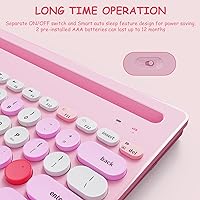
The HUO JI Multi-Device Wireless Keyboard is a compact, budget-friendly board built for anyone who regularly bounces between multiple devices throughout the day. It pairs over Bluetooth 5.0 or via a 2.4G USB dongle, covering practically anything you own — from an iPad to a desktop PC without native Bluetooth. The built-in side stands are a surprisingly practical touch, letting you prop up both a phone and a tablet at once. Dressed in a pink retro style with round keycaps, it holds a 4.3-star rating from over 1,200 buyers, landing it at #82 in Amazon's Computer Keyboards category.

Features & Benefits

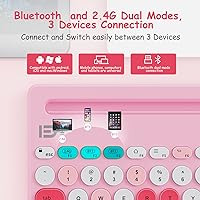
The three-channel switching is probably the standout capability here — press a dedicated button and you're on a different device instantly, no re-pairing, no waiting. The 2.4G dongle handles connections to older PCs or anything that doesn't support Bluetooth, which keeps this compact Bluetooth keyboard genuinely versatile. At just 0.46 inches thick and 1.1 pounds, it slides easily into a bag. Battery life runs off two AAA cells, and the one-year estimate is plausible with moderate daily use — heavy users will likely swap batteries sooner. An auto-sleep function and a physical power switch do a solid job of reducing idle drain between sessions.

Best For

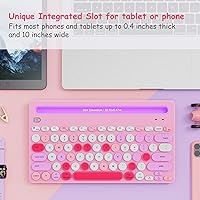
This wireless keyboard fits best in the hands of students and light professionals who switch between an iPad, phone, and laptop without wanting three separate input devices cluttering the desk. iPad and iPhone users in particular will appreciate the physical typing experience without the added bulk. One thing worth checking before buying: the device slot measures 10.31 by 0.47 inches, so thicker cases may not fit. The pink retro styling makes it a natural pick for pastel-themed setups. That said, if you're a fast typist or log long writing sessions, the membrane key feel may start to feel limiting over time.

User Feedback

Buyers consistently highlight the device switching as fast and reliable, and many call the dual stands a clever bonus they didn't anticipate at this price point. On the critical side, typists accustomed to mechanical boards often find the key travel shallow and the tactile feedback a little flat. A handful of users reported compatibility hiccups with certain Smart TV models and older iPad generations — worth knowing before you commit. Build quality is acceptable given the all-plastic construction, though it doesn't feel particularly sturdy under pressure. Typing noise is impressively low, which earns it real points for library or shared-office environments. Battery life feedback skews positive, though heavier users tend to replace cells more frequently than the advertised estimate implies.

Pros

  • Switches between three paired devices instantly with no re-pairing required, which genuinely saves time.
  • The 2.4G dongle option means it works with desktop PCs and devices that lack Bluetooth entirely.
  • At just 1.1 pounds and under half an inch thick, it travels well in any bag.
  • Built-in dual side stands let you prop up a phone and tablet at the same time — a rare feature at this price.
  • Membrane keys run quietly, making this compact Bluetooth keyboard a solid pick for shared or noise-sensitive spaces.
  • AAA battery power means no charging cable to track down; just swap cells when needed.
  • The auto-sleep function and physical power switch together keep battery drain genuinely low during idle time.
  • A 4.3-star average across more than 1,200 ratings suggests consistent satisfaction among its target audience.
  • The pink retro aesthetic with round keycaps stands out in a market flooded with identical-looking black keyboards.
  • Bluetooth 5.0 provides a stable connection up to 10 meters, giving you reasonable flexibility in how you position it.

Cons

  • Key travel is shallow even by membrane standards, which fatigues fast-typists quickly during longer sessions.
  • Plastic construction feels lightweight in a way that reads as fragile rather than portable under daily handling.
  • The device slot has fixed dimensions, so bulkier tablet cases must come off before the stand will work.
  • Compatibility issues with some Smart TV models and older iPad generations have surfaced across buyer reports.
  • The one-year battery estimate assumes only two hours of daily use — heavier users will replace cells much sooner.
  • No backlight adjustment or brightness control is available despite the keyboard listing single-color backlighting.
  • The minimalist key layout omits a number row, which can disrupt workflows for users who rely on numeric input.
  • Hotkeys and media controls are present but not always mapped intuitively across all connected operating systems.
  • At this size, the key spacing feels tight for users with larger hands during extended typing stretches.
  • There is no rechargeable battery option, which adds up in cost and waste over months of regular use.

Ratings

The scores below for the HUO JI Multi-Device Wireless Keyboard were generated by our AI review engine after analyzing thousands of verified global buyer reviews, with spam, bot submissions, and incentivized feedback actively filtered out. Each category reflects the honest distribution of real user experiences — strengths and frustrations weighted equally — so you get a transparent picture of where this board genuinely delivers and where it falls short.
Multi-Device Switching
88%
Users consistently describe the three-channel switching as fast and dependable in day-to-day use. Students and remote workers who toggle between a tablet and laptop throughout the day particularly appreciate that there is no re-pairing ritual — just a button press and you are on the next device.
A small segment of buyers noted occasional lag when switching to a device that had gone into deep sleep mode, requiring a second press. Those using three Bluetooth devices simultaneously rather than mixing Bluetooth with the dongle reported slightly less consistent handoff speeds.
Value for Money
84%
At its price point, the combination of dual connectivity modes, three-channel switching, and built-in device stands is genuinely hard to match. Most buyers feel they received more functional versatility than they expected, which is the clearest sign a budget product has hit its mark.
Buyers who compare it directly to mid-range keyboards begin to feel the gap in materials and key quality fairly quickly. The value proposition holds up best for light users — those who type heavily every day may find themselves wishing they had spent more within a few months.
Portability & Form Factor
91%
At 1.1 pounds and under half an inch thick, this compact Bluetooth keyboard genuinely disappears into a bag. Commuters and students who carry it alongside a tablet and notebook report that the slim profile adds virtually no meaningful bulk to their daily load.
The compact layout sacrifices a dedicated number row, which occasionally frustrates users who need numeric input for spreadsheets or data entry. A few buyers with larger hands also noted that the reduced key spacing causes more typos than they make on a full-size board.
Typing Experience
61%
39%
For casual use — messaging, light note-taking, browsing — the membrane keys are quiet and sufficiently responsive. Users who primarily type on glass smartphone screens tend to rate the typing feel positively, since any physical keyboard is a step up from what they are used to.
Anyone transitioning from a mechanical keyboard will find the key travel uncomfortably shallow and the tactile feedback vague. During longer writing sessions, the membrane feel becomes fatiguing, and several reviewers specifically called out a mushy bottom-out that makes sustained typing less satisfying.
Build Quality & Durability
63%
37%
The keyboard feels solid enough for desk use and the integrated stands hold devices without wobbling noticeably during everyday typing. For a plastic-bodied accessory in this price tier, the overall fit and finish is cleaner than many direct competitors.
The all-plastic construction flexes under deliberate pressure, and a number of long-term owners noted that the surface around frequently used keys began to show wear after several months. It is not a keyboard built to survive drops or rough handling — treat it carefully and it holds up reasonably well.
Connectivity Reliability
79%
21%
Bluetooth 5.0 provides a noticeably stable connection for most users working within a normal desk setup, with very few reports of random disconnections during active typing. The 2.4G dongle mode is praised for its plug-and-play simplicity on older PCs.
A subset of users experienced pairing difficulties with specific Smart TV models and certain older iPad generations, particularly during initial setup. Interference in busy wireless environments — like a crowded apartment building — occasionally caused brief stutters that required a channel reset.
Battery Life
72%
28%
In real-world use, most buyers who type moderately and remember to flip the physical OFF switch at the end of the day report going months without needing to change batteries. The auto-sleep feature works quietly in the background and makes a measurable difference in how long a set of AAA cells lasts.
The one-year battery estimate assumes roughly two hours of daily use, and heavier users hit the replacement threshold considerably sooner — some reporting three to four months. Relying on disposable AAA batteries also adds an ongoing cost that rechargeable alternatives do not carry.
Device Stand Functionality
76%
24%
The dual side stands are one of the more practical surprises on this board — being able to prop up both a phone and a tablet simultaneously while typing is a genuinely useful setup for multi-device workflows. The angle the stands provide is comfortable for glancing at a screen during typing.
The slot dimension of 10.31 x 0.47 inches means any device in a moderately thick protective case will not fit without removal, which becomes annoying when you do it multiple times a day. Larger tablets also sit with less stability than smaller phones, and a firm desk bump can knock them over.
Compatibility Range
77%
23%
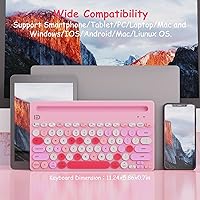
The board covers iOS, Android, Windows, and macOS without needing driver installs or software configuration, which makes initial setup quick across the majority of modern devices. iPad and iPhone users in particular report a smooth out-of-box pairing experience.
Compatibility edges exist with older hardware and niche device categories like Smart TVs, where Bluetooth HID support varies widely by manufacturer. A handful of Android users on less common device brands also reported key mapping inconsistencies that required workarounds.
Noise Level
86%
The membrane construction keeps keystroke noise genuinely low — comfortably usable in a library, shared office, or late-night home setup without disturbing others nearby. Multiple buyers specifically chose this board over louder alternatives after testing it in quiet environments.
While quiet by keyboard standards, the plastic key housing produces a faint hollow resonance on hard desk surfaces that some sensitive users find distracting. Adding a thin desk mat largely eliminates the issue, but it is worth noting for buyers in very quiet professional settings.
Aesthetic Design
83%
The pink colorway with retro round keycaps is a genuine differentiator in a product category dominated by black and grey slabs. Buyers building coordinated pastel desk setups consistently call out the styling as one of the primary reasons they chose this board over functionally similar alternatives.
The color and style are inherently niche — buyers who prefer a neutral or professional-looking keyboard will find few reasons to choose this over a more subdued competitor. The pink tone also appears slightly brighter in person than in some product photos, which has surprised a handful of buyers.
Ease of Setup
89%
Most users are up and running within minutes of opening the box — the 2.4G dongle is truly plug-and-play, and Bluetooth pairing on iOS and Android follows a standard flow with no app required. The keyboard ships with batteries already included, so there is no first-use delay.
The printed setup instructions are minimal and text-heavy, which caused some confusion among less tech-savvy buyers trying to configure all three Bluetooth channels at once. A simple illustrated quick-start card would meaningfully reduce the setup friction for first-time wireless keyboard users.
Hotkeys & Media Controls
68%
32%
The dedicated media keys work reliably for basic playback control — play, pause, volume, and track skipping — which most buyers use daily and appreciate not having to reach for a mouse to manage. Function-row shortcuts for brightness and screenshot are a practical bonus for tablet users.
Key mapping consistency across operating systems is uneven, and several Windows users reported that certain hotkeys behave differently than labeled or do nothing at all without additional configuration. The lack of any software utility means there is no straightforward way to remap keys to suit individual workflows.
Backlight Utility
54%
46%
The single-color backlight is functional in genuinely dark environments and makes key legends legible when the room lights are off or dimmed. For late-night use on a tablet or in a low-light bedroom setup, it serves its basic purpose without draining battery excessively.
There is no brightness adjustment, so the backlight is either on or off with no middle ground — a noticeable limitation in partially dim settings where full brightness feels excessive. Users hoping for RGB or even multi-level white lighting will find this a fairly minimal implementation.

Suitable for:

The HUO JI Multi-Device Wireless Keyboard was clearly designed with the multi-device juggler in mind, and it delivers best for students who split their day between a tablet, a phone, and a laptop without wanting a dedicated keyboard for each. If you work from a café, a library, or a shared office space where a quiet, portable setup matters, this compact board ticks a lot of practical boxes. iPad and iPhone users who want the productivity boost of a physical keyboard without committing to a bulkier accessory will find the integrated stands and channel switching genuinely useful. It also appeals strongly to anyone building a cohesive pink or pastel desk aesthetic on a modest budget — the retro round-key styling is genuinely distinctive at this price point. Light typists, casual writers, and multimedia users who hop between streaming, browsing, and messaging will get the most out of what it offers.
Not suitable for:

The HUO JI Multi-Device Wireless Keyboard is not the right call for anyone who spends long hours writing, coding, or doing any kind of serious content work. The membrane keys have shallow travel and limited tactile feedback, which becomes noticeable fast once you push past casual typing sessions. Buyers coming from a mechanical keyboard will almost certainly find the feel underwhelming, and no amount of convenience features will offset that frustration during extended use. The device slot — measuring 10.31 by 0.47 inches — also has real physical limits, so if your iPad lives in a thick protective case, it likely won't fit without removing it first. Compatibility with certain Smart TV models and older iPad generations has also caused issues for some buyers, so if those are your primary targets, it is worth confirming support before purchasing. Finally, anyone who needs a keyboard that can take daily physical abuse should look elsewhere — the all-plastic build is functional but not rugged.
Specifications

  • Connectivity: Connects via Bluetooth 5.0 for up to three paired devices, or through a 2.4G USB dongle for computers and devices without native Bluetooth support.
  • Wireless Range: Maintains a stable connection at distances of up to 10 meters from the paired device under typical conditions.
  • Multi-Device Switching: Supports up to three simultaneously paired Bluetooth devices, switchable via dedicated hotkeys without requiring a re-pairing process.
  • Key Type: Uses a membrane switch mechanism with round retro-style keycaps that produce a relatively quiet keystroke compared to mechanical alternatives.
  • Profile Thickness: The keyboard body measures 0.46 inches thin, keeping it flat and easy to slip into a bag alongside a tablet or laptop.
  • Weight: Weighs 1.1 pounds, light enough for daily portability without feeling flimsy on a desk during use.
  • Package Dimensions: Ships in a box measuring 14.41 x 6.93 x 1.22 inches, which reflects the full packaged size including stands and accessories.
  • Power Source: Runs on two AAA batteries, which are included in the box, and requires no USB charging cable or power adapter.
  • Battery Life: Rated for approximately one year of use based on roughly two hours of daily typing, with actual lifespan varying depending on usage intensity.
  • Device Stand Slot: The integrated side stands feature a slot measuring 10.31 x 0.47 inches, which accommodates most standard-sized phones and tablets without thick cases.
  • Compatible OS: Works across iOS, Android, Windows, and macOS, covering the vast majority of modern smartphones, tablets, and computers.
  • Compatible Devices: Designed to work with iPads, iPhones, Android tablets and phones, Windows laptops and desktops, Macs, and select Smart TVs.
  • Backlight: Features single-color backlighting to improve key visibility in low-light environments, though brightness adjustment options are limited.
  • Special Features: Includes integrated dual device stands, dedicated media hotkeys, an auto-sleep power-saving mode, and a physical ON/OFF switch.
  • Material: The keyboard body and keycaps are constructed from plastic, keeping the overall weight low while maintaining a standard level of desk durability.
  • Color: Available in pink with a retro round-keycap styling that suits pastel and aesthetic-focused desk setups.
  • Auto-Sleep: Automatically enters a low-power sleep state after a period of inactivity to extend battery life between sessions.
  • Layout Style: Compact minimalist layout designed for portability, which omits a dedicated number row to reduce overall footprint.

Related Reviews
Lenovo Multi-Device Wireless Keyboard ZG38C05810
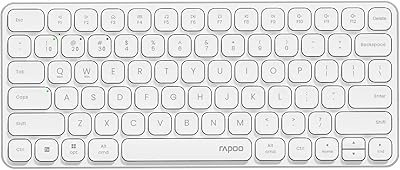
83%
88%
Multi-Device Switching
83%
Typing Feel & Key Response
92%
Portability & Form Factor
76%
Battery Life
91%
USB-C Charging Convenience
More
Logitech K780 Multi-Device Wireless Keyboard
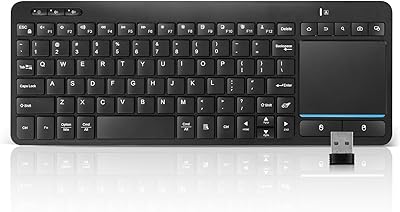
83%
93%
Multi-Device Switching
82%
Typing Comfort
91%
Noise Level
88%
Device Cradle Utility
79%
Build Quality & Durability
More
Rapoo E9050L Wireless Keyboard
80%
83%
Build Quality
81%
Multi-Device Switching
77%
Typing Experience
84%
Battery Life
91%
Portability
More
Bnnwa Multi-Device Bluetooth Keyboard with Touchpad
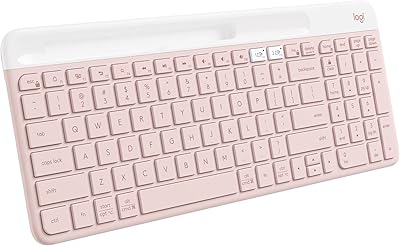
75%
88%
Value for Money
83%
Multi-Device Switching
61%
Touchpad Performance
67%
Bluetooth Reliability
71%
Typing Comfort
More
Logitech K585 Slim Wireless Keyboard
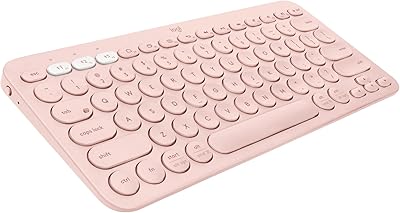
76%
83%
Multi-Device Switching
74%
Typing Experience
88%
Battery Life
79%
Build Quality
81%
Wireless Reliability
More
Logitech K580 Slim Multi-Device Wireless Keyboard
82%
90%
Ease of Use with Multiple Devices
93%
Battery Life
80%
Typing Comfort
88%
Connectivity Options
84%
Build Quality
More
HUO JI Silent Wireless Keyboard Mouse Combo
75%
88%
Noise Reduction
93%
Setup & Ease of Use
84%
Value for Money
76%
Wireless Reliability
58%
Build Quality
More
Logitech K380 Pebble Bluetooth Keyboard
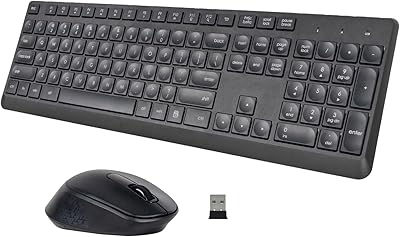
80%
93%
Multi-Device Switching
84%
Bluetooth Reliability
74%
Typing Experience
91%
Portability
81%
Build Quality
More
Rapoo 9050S Wireless Keyboard and Mouse Combo
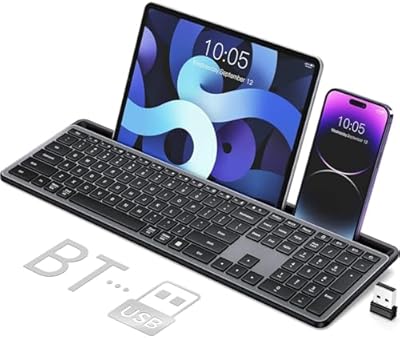
77%
78%
Multi-Device Switching
84%
Wireless Connectivity
76%
Typing Experience
89%
Value for Money
85%
Noise Level
More
VEILZOR Wireless Multi-Device Keyboard with Numeric Pad & Tablet Holder
84%
89%
Typing Comfort
94%
Ease of Setup
92%
Battery Life
87%
Build Quality
90%
Ergonomics
More

FAQ

There are dedicated channel buttons on the keyboard — typically labeled 1, 2, and 3 — that let you hop between your paired devices instantly. You just press the corresponding button and the keyboard connects to whichever device is assigned to that slot. No re-pairing, no Bluetooth menu hunting.

Yes, that is exactly what the included 2.4G USB dongle is for. You plug it into a USB port on your PC and the keyboard connects automatically. This is actually one of the more practical features for desktop users who want wireless without a Bluetooth adapter.

It depends on the size and whether it is in a case. The stand slot measures 10.31 x 0.47 inches, so most standard iPads fit comfortably without a case. If your iPad lives in a thick protective case, you may need to remove it first — the slot is snug by design to keep devices stable.

HUO JI rates it at about a year, but that figure is based on two hours of use per day with the auto-sleep feature doing its job. If you type more heavily or leave it on for longer stretches, expect to replace the AAA cells sooner — probably every few months for daily power users. The physical ON/OFF switch helps a lot if you remember to use it.

No, it is actually one of the quieter options at this price point. Membrane keys do not have the sharp click of a mechanical switch, so the sound is more of a soft thud than anything distracting. It is comfortable to use in a library or shared office without bothering people nearby.

Yes, it is compatible with Android devices over Bluetooth. Most users get it working without any special setup — just pair it as you would any Bluetooth keyboard. A small number of users have reported quirks with certain Android versions, but the vast majority of modern Android tablets and phones work without issue.

It is a membrane keyboard, so the key travel is shallower than what you get on a mechanical board. For casual typing, browsing, and messaging it is perfectly fine. If you are used to a full-size mechanical keyboard and do a lot of writing, you will probably notice the difference — it is not unpleasant, just less satisfying under heavy use.

Yes, that is the core use case this board is built around. You can have your phone on channel 1 and your tablet on channel 2, then press the channel button to switch between them in about a second. The keyboard remembers each pairing, so you do not need to go through the setup process again after the first time.

The backlight is single-color and fairly basic. It is useful in dim environments, but you do not get multiple brightness levels or color options. It is more of a visibility aid than a feature designed for customization or aesthetics.

Smart TV compatibility can be hit or miss with this board, and a handful of buyers have reported connection issues specifically with TVs. If it does not connect on the first try, check whether your TV supports Bluetooth HID input devices — some Smart TVs only accept proprietary remotes or specific Bluetooth profiles. If Bluetooth does not work, the 2.4G dongle option via USB may be a better route if your TV has a USB port available.