
Overview

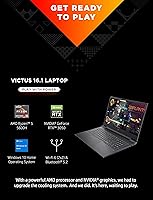
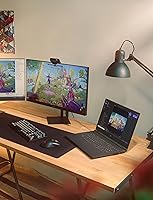
The HP Victus 16 Gaming Laptop is HP's answer to a question budget-conscious gamers know well: can you get a real dedicated GPU without spending a fortune? Released in 2021, it pairs a capable AMD processor with an entry-level NVIDIA graphics card — a combination that holds up for 1080p gaming, though not without honest caveats. The 16.1-inch chassis is a genuine point of difference in a market saturated with 15.6-inch machines, giving you more screen without jumping into bulky 17-inch territory. The mica silver finish keeps things understated — no aggressive RGB lids or vents screaming gamer. Just a clean, capable machine with realistic ambitions.

Features & Benefits

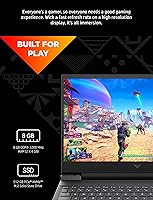
The Ryzen 5 5600H is a genuine workhorse — six cores with a strong boost clock means it handles gaming and multitasking without breaking a sweat. The RTX 3050 GPU won't push ray tracing at ultra detail, but it runs Valorant, Apex Legends, and older AAA titles at 1080p with solid results on medium-to-high settings. The IPS anti-glare panel is a practical choice for varied lighting, though outdoor brightness is modest at best. Eight gigabytes of RAM gets the job done today, but anyone planning to play newer titles a couple of years down the road should budget for an upgrade. The NVMe SSD keeps things snappy — boot times are quick and load screens do not drag.

Best For

This HP gaming laptop makes the most sense for college students, first-time PC gamers, or anyone needing a machine that pulls double duty — gaming in the evenings and handling coursework or streaming during the day. If your library leans toward competitive multiplayer titles like League of Legends, CS2, or Rocket League, this machine handles them comfortably without demanding max settings. The 16-inch screen is genuinely useful here; big enough to enjoy content, not so large it becomes a burden to carry around campus. Patient buyers comfortable with upgrading RAM later will squeeze considerably more longevity out of this machine than those expecting to run it stock for five-plus years without touching anything.

User Feedback

Owners of the Victus 16 consistently praise the keyboard feel and build quality — for a machine in this price bracket, the chassis holds up without creaking, and CPU performance in everyday productivity draws steady approval. Where things get complicated is under sustained gaming load: fans spin up noticeably, and reported temperatures suggest HP's cooling system is working at its limit rather than coasting. The OMEN Gaming Hub software divides opinion — some users appreciate the performance mode switching, others see it as unnecessary overhead. The display brightness ceiling and the base RAM configuration surface repeatedly as genuine frustrations. Long-term hinge durability, at least based on multi-month ownership accounts, appears reassuringly solid.

Pros

  • The Ryzen 5 5600H CPU handles multitasking and everyday workloads with ease, even years after launch.
  • Capable of smooth 1080p gaming in popular competitive titles at medium-to-high settings.
  • The 16.1-inch display gives noticeably more screen real estate than the typical 15.6-inch competitors.
  • Anti-glare IPS panel makes the Victus 16 usable in varied indoor lighting without constant reflections.
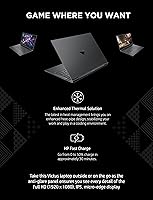
  • Fast-charging support gets the battery to 50 percent in around 30 minutes — useful between classes or meetings.
  • The NVMe SSD delivers quick boot times and snappy app launches right out of the box.
  • Understated mica silver design works in both classroom and office settings without looking out of place.
  • Backlit keyboard is comfortable for extended typing sessions, not just gaming.
  • Wi-Fi 6 support ensures this budget gaming machine stays relevant for wireless performance in dense environments.
  • Solid chassis build quality for the price — minimal flex and no obvious assembly shortcuts.

Cons

  • Only 8 GB of RAM out of the box is a real limitation for modern gaming and heavy multitasking.
  • Fan noise under sustained gaming load is noticeable and can become distracting in quiet environments.
  • Display brightness is mediocre — outdoor use or brightly lit rooms expose its ceiling quickly.
  • The RTX 3050 struggles with demanding AAA titles released after 2022, even at medium settings.
  • Real-world gaming battery life drops well below the advertised figure — expect two to three hours under load.
  • Ships with Windows 10 Home, which requires a manual upgrade step to reach Windows 11.
  • USB port selection is limited to USB 2.0 connections, which slows down external drive transfers significantly.
  • No optical drive and a single audio-out port leave connectivity feeling sparse for the chassis size.
  • Thermal management works hard under sustained loads, with temperatures that suggest limited thermal headroom.
  • OMEN Gaming Hub software adds startup overhead and is considered bloat by a notable portion of users.

Ratings

The HP Victus 16 Gaming Laptop scores below were generated by AI after analyzing thousands of verified global user reviews, with spam, bot submissions, and incentivized feedback actively identified and filtered out. The ratings transparently reflect both where this entry-level gaming machine earns genuine praise and where real buyers consistently run into frustration.

Gaming Performance
72%
28%
The six-core Ryzen and RTX 3050 combination handles the majority of competitive multiplayer titles without drama — Valorant, Apex Legends, and Rocket League all run smoothly at 1080p on medium-high settings. For buyers stepping up from integrated graphics, the performance jump feels substantial and immediately rewarding.
Newer AAA titles released since 2022 expose the GPU's limits quickly, often requiring significant drops to low or medium settings to maintain playable frame rates. Users who expect to grow into graphically intensive games over the next few years will likely find the Victus 16 outpaced sooner than anticipated.
CPU Performance
83%
The six-core processor handles streaming, video calls, browser tabs, and gaming running simultaneously without visible slowdown — something that genuinely matters for students running Discord, a browser, and a game at the same time. Day-to-day responsiveness draws consistent approval from users across all experience levels.
Under prolonged heavy workloads like video encoding or game streaming, the processor generates significant heat, which pushes the cooling system to ramp up aggressively. Content creators expecting sustained peak CPU output over extended sessions may encounter thermal-related performance dips that casual gamers rarely notice.
Display Quality
67%
33%
The 16.1-inch IPS anti-glare panel produces natural-looking colors and wide enough viewing angles to make casual gaming, streaming, and schoolwork genuinely comfortable indoors. The anti-glare coating is well-implemented and meaningfully reduces eye strain during long study or gaming sessions under office lighting.
Brightness is the most frequently cited disappointment — in a brightly lit room or near a window, the panel struggles to compete with ambient light. Color accuracy is adequate for gaming but falls short for any meaningful photo or video editing work, and the display lacks the vibrancy that similarly priced competitors now offer.
Build Quality
78%
22%
The chassis holds up better than expected for an entry-level machine — minimal flex on the lid and keyboard deck, and hinges report favorably across multi-month ownership accounts. The mica silver finish ages reasonably well and resists minor scuffs better than glossy plastic alternatives at this price point.
The plastic construction is clearly apparent on close inspection, and the bottom panel can feel noticeably warm to the touch during extended gaming sessions. A small number of long-term owners report that bottom panel clips feel less secure after repeated removal for RAM or storage upgrades.
Value for Money
81%
19%
For a first-time PC gamer or a student who needs a capable all-rounder, the combination of a strong six-core CPU, a dedicated GPU, and a large display at this price tier is genuinely difficult to argue against. The machine covers gaming, coursework, and streaming without forcing any major compromise right out of the box.
The value equation weakens over time, particularly as the base RAM starts to strain against modern game requirements. Buyers who skip the memory upgrade and expect five-plus years of capable gaming use may find the overall proposition erodes faster than they anticipated when they made the purchase.
Battery Life
61%
39%
For lecture browsing, note-taking, and video streaming on a single charge, this budget gaming machine performs reasonably well — real-world light-use runtime typically lands in the five-to-seven hour range, which is workable for a half-day away from an outlet. The fast-charge support is a practical addition for quick top-ups between classes.
Gaming runtime is the reality check — active play drops the usable life to roughly two or three hours, sometimes less in demanding titles. Buyers expecting to game untethered for extended sessions will be regularly disappointed and should treat the charger as a non-negotiable part of the daily carry.
Thermal Management
63%
37%
Under moderate loads and everyday productivity use, temperatures remain controlled and the cooling system stays relatively unobtrusive. The dual-fan design keeps the CPU and GPU running within acceptable bounds for casual to moderate gaming sessions, which represents the majority of this machine's real-world use cases.
Under sustained gaming loads, the fans become audibly aggressive and the underside of the chassis heats up noticeably — a complaint that surfaces consistently across owner reports. Some users describe GPU temperatures that suggest the thermal solution is working near its ceiling, with occasional frame-rate dips in marathon sessions pointing toward throttling.
RAM & Upgradability
58%
42%
The non-soldered RAM configuration means stepping up to 16 GB is an accessible and affordable upgrade path that meaningfully extends this HP gaming laptop's gaming lifespan. Users who make this upgrade early typically report a noticeable improvement in smoothness when running memory-hungry modern titles or multiple applications simultaneously.
Eight gigabytes as the baseline in 2024 is genuinely problematic — several current games list 16 GB as their recommended requirement, and stock users are already hitting limitations in titles like Hogwarts Legacy or Starfield. This felt like a borderline spec choice at launch and has only become more difficult to defend over time.
Storage Performance
79%
21%
The NVMe SSD delivers boot times measured in seconds and noticeably faster game load screens compared to what traditional hard drives produce — this is one area where the Victus 16 punches clearly above its entry-level label. Everyday file access and application launches feel consistently snappy and responsive under normal workloads.
Five hundred twelve gigabytes fills up faster than expected once a handful of modern games are installed, with several AAA titles now exceeding 100 GB individually. Buyers with large game libraries need to factor in the cost of a secondary M.2 drive sooner rather than later, adding to the overall ownership cost.
Keyboard & Trackpad
74%
26%
The backlit keyboard offers comfortable key travel and earns consistent positive feedback from users who write long documents or rely heavily on the machine for coursework. Backlighting is evenly distributed and genuinely useful in dim environments, without the obvious hot spots or uneven patches seen on cheaper competitors.
The trackpad is functional but unremarkable — precision during fast cursor movements is acceptable for productivity but falls short for gaming use. Several users note that the trackpad surface can feel slightly resistant after extended sessions, and a dedicated mouse is essentially a requirement for anyone gaming regularly on this machine.
Portability
57%
43%
The relatively slim 0.93-inch profile means the machine fits into most standard backpacks without requiring an oversized sleeve. The chassis does not feel physically bulky when packed, which makes it easier to transport than the large screen footprint alone might initially suggest.
At just over five pounds plus a sizable power brick, the total daily carry weight becomes genuinely noticeable by the end of a full campus day. Students who move between multiple buildings or commute by public transit regularly will feel the difference compared to lighter 14-inch or 15-inch alternatives in the same budget range.
Wireless Connectivity
82%
18%
Wi-Fi 6 support delivers consistently strong throughput and noticeably lower latency in congested wireless environments like campus dorms or densely packed apartment buildings. Online gaming sessions in particular benefit from the more stable and responsive connection that Wi-Fi 6 provides over older wireless standards.
The wired port selection undermines an otherwise modern wireless experience — with only USB 2.0 ports available, connecting external hard drives or high-speed peripherals results in noticeably slower transfer speeds. A USB hub with modern port standards is a near-essential accessory purchase for users who rely on external storage regularly.
Software Experience
53%
47%
OMEN Gaming Hub provides quick access to fan control, performance presets, and network prioritization in one consolidated panel — useful for users who want to manage system behavior without navigating Windows settings manually. The interface itself is reasonably clean and approachable for first-time PC gamers unfamiliar with system tuning.
Background processes add startup overhead and consume system resources that an 8 GB configuration can ill afford to spare. A notable share of users disable or uninstall the Hub entirely within the first week, and the additional pre-installed bloatware bundled alongside it creates unnecessary friction during the initial setup experience.
Display Brightness
55%
45%
In typical indoor environments with controlled or dimmed lighting, the panel is comfortable for extended use and avoids causing excessive eye strain at moderate brightness settings. For late-night gaming or evening study sessions, the available brightness range is more than adequate and does not negatively affect the experience.
In daylight-adjacent conditions — a sunny dorm room, a café near a window, or any outdoor setting — the display loses clarity against ambient light with little resistance. Multiple owner accounts specifically call out the brightness ceiling as a meaningful daily frustration, particularly for students who move between varied lighting environments throughout the day.

Suitable for:

The HP Victus 16 Gaming Laptop is a strong fit for anyone making their first jump from integrated graphics to a dedicated GPU without committing to a high-end budget. College students who split their time between lectures, streaming, and evening gaming sessions will find this machine genuinely versatile — it handles productivity workloads comfortably and still has enough GPU muscle for popular competitive titles at 1080p. If your game library leans toward Valorant, Rocket League, League of Legends, or similarly lighter titles, the Victus 16 will rarely let you down. The larger 16-inch display is a real bonus for anyone who also watches a lot of content or works with multiple windows side by side. Buyers who are comfortable doing a RAM upgrade somewhere down the line will extend the machine's useful life considerably and get strong value for their money.

Not suitable for:

If you are chasing high frame rates in demanding modern titles like Cyberpunk 2077, Alan Wake 2, or any recent open-world AAA release at high settings, the HP Victus 16 Gaming Laptop will disappoint — the GPU simply is not built for that workload. The base 8 GB of RAM is already showing its age with newer games, and anyone expecting to run this machine stock for several years without upgrades may find it struggling sooner than expected. Buyers who need a thin, portable daily carrier should also look elsewhere; at over five pounds, this is more desk-bound than bag-friendly. Creative professionals who need color-accurate displays for photo or video work will find the panel's brightness ceiling limiting in most real-world lighting conditions. And if you game for long uninterrupted sessions, be prepared for fan noise that becomes hard to ignore — this is not a quiet machine under load.

Specifications

  • Processor: Powered by the AMD Ryzen 5 5600H, a 6-core mobile chip that boosts up to 4.2 GHz, offering strong performance for both gaming and everyday multitasking.
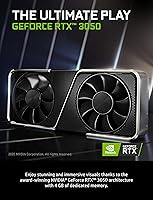
  • Graphics Card: Equipped with an NVIDIA GeForce RTX 3050 GPU featuring 4 GB of dedicated VRAM, capable of handling 1080p gaming at medium-to-high settings in most current titles.
  • RAM: Comes with 8 GB of DDR4 SDRAM installed, which covers general use and lighter gaming workloads but may require an upgrade for newer, more demanding titles.
  • Storage: Includes a 512 GB PCIe NVMe M.2 SSD that delivers fast system boot times and noticeably shorter game load screens compared to traditional hard drives.
  • Display: Features a 16.1″ Full HD IPS anti-glare panel at 1920×1080 resolution, offering wider viewing angles and reduced reflections in varied indoor lighting conditions.
  • Operating System: Ships with Windows 10 Home pre-installed, and qualifies for a free upgrade to Windows 11 through Microsoft's standard upgrade path.
  • Battery: Rated at up to 10.5 hours of light-use runtime, with fast-charge support that recovers approximately 50% battery capacity in around 30 minutes.
  • Wireless: Supports Wi-Fi 6 (802.11ax) for faster and more reliable wireless connections in congested environments, along with integrated Bluetooth for peripheral pairing.
  • Weight: Weighs 5.44 pounds, which places it on the heavier side for daily commuting but is typical for a 16-inch chassis in this class.
  • Dimensions: Measures 10.24 × 14.57 × 0.93 inches, giving it a relatively slim profile despite the larger screen footprint.
  • Color & Finish: Available in mica silver, a subdued and professional-looking finish that avoids the aggressive aesthetic common in many gaming laptops.
  • Keyboard: Includes a backlit keyboard suitable for low-light gaming and typing sessions, with a layout that covers standard keys without a dedicated numpad.
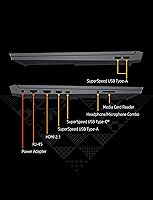
  • Ports: Offers four USB 2.0 ports and one audio-out port; there is no optical drive, and users should note the absence of USB 3.0 or Thunderbolt connections.
  • Bundled Software: Comes with OMEN Gaming Hub pre-installed, which provides performance mode switching, fan control, and system monitoring in a single dashboard.
  • Warranty: Backed by a 1-year limited hardware warranty from HP covering manufacturing defects under normal use conditions.

Related Reviews
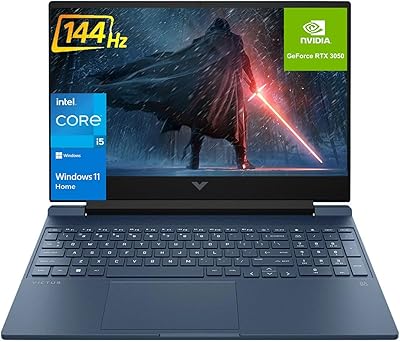
HP Victus 15.6″ RTX 3050 Gaming Laptop
71%
67%
Gaming Performance
83%
Display Quality
88%
RAM & Multitasking
86%
Storage Speed & Capacity
58%
Thermal Management
More
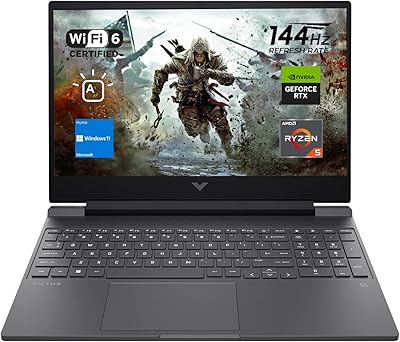
HP Victus 15 Gaming Laptop
72%
83%
Value for Money
61%
Gaming Performance
92%
RAM & Multitasking
89%
Storage
71%
Display Quality
More
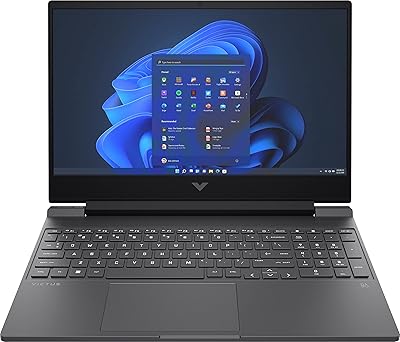
HP Victus 15 (RTX 2050, Ryzen 5 7535HS)
71%
63%
Gaming Performance
84%
Display Quality
79%
CPU Performance
82%
RAM & Multitasking
77%
Storage Speed
More
HP Victus 15 32GB 1TB Gaming Laptop
70%
63%
Gaming Performance
81%
Display Quality
89%
RAM & Memory
86%
Storage Performance
78%
CPU Performance
More
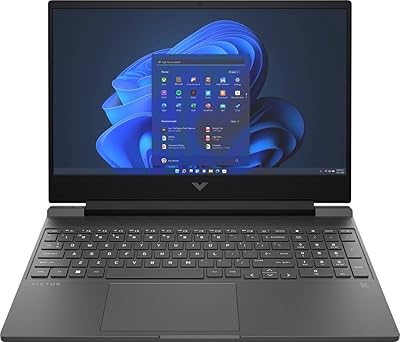
HP Victus 15.6″ Gaming Laptop - Intel Core i5-12450H, 8GB RAM, 512GB SSD, GTX 1650
79%
88%
Value for Money
80%
Gaming Performance
85%
Build Quality
65%
Display Quality
72%
Battery Life
More
HP EliteBook 6 G1a 16″ Business Laptop
78%
83%
Performance
88%
Display Quality
76%
Build Quality
86%
Keyboard & Trackpad
93%
Port Selection
More
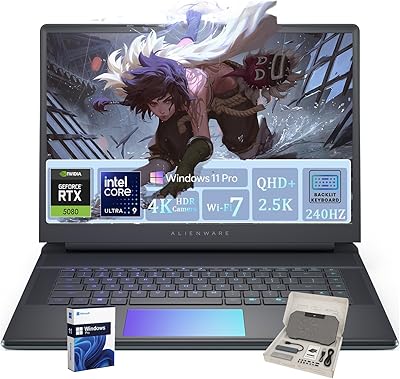
Alienware 16 Area-51 Gaming Laptop
86%
95%
Performance for Gaming
92%
Graphics Quality
89%
Cooling Efficiency
91%
Display Quality
88%
Build Quality
More
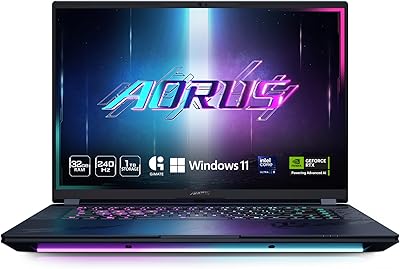
GIGABYTE AORUS Master 16 Gaming Laptop
78%
96%
Display Quality
93%
Gaming Performance
74%
Thermal Management
88%
Build Quality
91%
CPU Performance
More
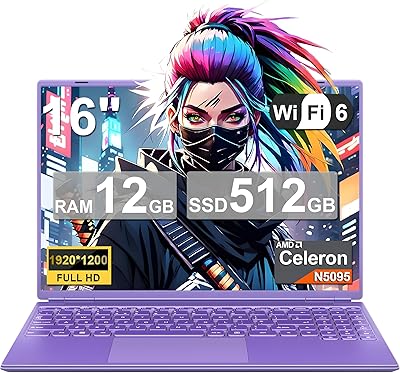
NOTODD N600 16-inch Windows Laptop
65%
78%
Value for Money
44%
Processing Performance
73%
Display Quality
52%
Build Quality
57%
Battery Life
More
MSI Raider GE68HX 16 Gaming Laptop
73%
88%
Gaming Performance
91%
Creative Workstation Use
62%
Thermal Management
44%
Battery Life
78%
Display Quality
More

FAQ

Yes, and honestly it is worth planning for. The Victus 16 ships with 8 GB, which is workable today but starts to show limits in newer titles. Most users report that the RAM is not soldered, so upgrading to 16 GB is a straightforward way to extend the machine's useful life without a lot of hassle.

Competitive titles like Valorant, CS2, Rocket League, and League of Legends will run well above 60fps even at higher settings. Older AAA games like The Witcher 3 or GTA V are very playable at medium settings. Newer, more demanding titles released in 2023 or later may require dropping to low or medium settings to maintain a stable 60fps.

Under sustained gaming load, the fans are audible — noticeably so in a quiet room. It is not unusually loud for its class, but if you plan to game in a library or shared space, you will probably want headphones. During light productivity work, the machine stays fairly quiet.

It ships with Windows 10 Home, but the hardware meets Microsoft's requirements for Windows 11, so you can upgrade for free through Windows Update. It is a manual step, but straightforward — just check for updates after initial setup.

The 10.5-hour figure is a best-case, light-use estimate — think web browsing with the screen dimmed. During active gaming, expect somewhere between two and four hours depending on what you are playing and your settings. It is best to keep the charger nearby for serious gaming sessions.

The HP Victus 16 Gaming Laptop uses an M.2 NVMe SSD, and the chassis does have an additional M.2 slot available on most configurations, meaning you can add a second drive without replacing the original. If 512 GB feels tight for a full game library, this is a practical and affordable expansion path.

For everyday streaming and casual content watching, the 16.1″ IPS panel is pleasant — colors look natural and viewing angles are solid. The main limitation is brightness; it can feel a bit dim in well-lit rooms and is genuinely hard to see in direct sunlight outdoors.

Yes, though the port selection is something to plan around. This budget gaming machine does not include an HDMI or DisplayPort output listed in its base specs, so you may need a USB-C or USB-A adapter depending on your monitor. Double-check compatibility with your specific display before purchasing an adapter.

It depends on how much you walk. At just over five pounds, it is not the lightest option, and the 16-inch footprint means a larger bag slot. For occasional commutes it is manageable, but if you are crossing campus multiple times a day, the weight adds up. A padded backpack with a laptop sleeve makes a real difference.

It is genuinely useful if you want quick access to fan control and performance mode switching without diving into system settings. That said, it does run in the background and adds a small amount of startup overhead. Users who prefer a clean setup tend to disable it, while those who like a single dashboard for system monitoring keep it around.