Overview

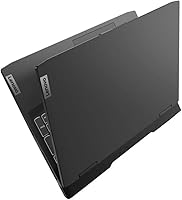
The Lenovo IdeaPad Gaming 3 RTX 3050 Laptop sits firmly in the budget-friendly tier of gaming machines, built around a pairing of AMD's Ryzen 5 6600H processor and Nvidia's RTX 3050 graphics card. That combination won't compete with anything flagship, but it's a sensible match for someone dipping a toe into dedicated-GPU gaming for the first time. The 15.6-inch FHD IPS panel runs at a 120Hz refresh rate, which makes a real difference in how fluid everything feels, from fast-paced matches to ordinary desktop scrolling. Wrapped in an Onyx Grey shell and weighing in at roughly 7.55 pounds, this is a laptop meant to live on a desk rather than ride along in a backpack every day.

Features & Benefits

Where this gaming laptop earns its keep is in everyday usability layered on top of actual gaming chops. That 120Hz screen isn't just a marketing checkbox; it noticeably smooths out fast camera pans and quick scrolling alike. The RTX 3050's 4GB of VRAM is enough to run most modern titles at 1080p on medium-to-high settings, though don't expect ray tracing miracles. Rapid Charge technology is a small but genuinely useful touch, topping up a meaningful chunk of battery in a short window when you're in a hurry. Connectivity is well thought out too, with USB-C carrying DisplayPort and Power Delivery alongside HDMI 2.0 and RJ45 for wired networking. An anti-glare coating cuts down on reflections during long sessions, and the backlit keyboard with a full number pad works equally well for typing reports as it does for gaming.

Best For

This Lenovo machine makes the most sense for gamers working with a tighter budget who still want a dedicated GPU instead of settling for integrated graphics. It's also a solid fit for students who need one machine to handle coursework during the day and casual gaming at night without owning two devices. If smooth motion on screen matters more to you than raw horsepower, the 120Hz display will likely win you over before the spec sheet does. And for anyone making the jump from a laptop with integrated graphics for the first time, this is a reasonable, low-risk way to see what dedicated gaming hardware actually feels like in daily use.

User Feedback

Real owners tend to agree on a few things once they've lived with this gaming laptop for a while. The 8GB of RAM comes up again and again as the first thing people wish were higher, especially once background apps and a game are running at the same time. Similarly, 256GB of storage disappears fast once a couple of modern titles are installed, so an external drive or an upgrade tends to follow sooner rather than later. On the positive side, build quality and the keyboard's typing feel get consistent praise for a laptop in this price range. Fan noise under heavy load is a recurring complaint, though not unusual for this class of machine, and battery life holds up well for general use even if gaming sessions drain it noticeably faster.

Pros

  • 120Hz display makes both gaming and everyday scrolling feel noticeably smoother
  • Dedicated RTX 3050 graphics handle modern titles at 1080p on medium-to-high settings
  • Rapid Charge technology gets meaningful battery back in a short amount of time
  • Generous port selection includes USB-C with DisplayPort and Power Delivery, plus HDMI and RJ45
  • Anti-glare coating noticeably cuts down on reflections during long sessions
  • Backlit keyboard with a number pad works well for both gaming and everyday typing
  • Build quality and keyboard feel are consistently praised for the price tier
  • Solid entry point for buyers moving up from integrated graphics for the first time

Cons

  • 8GB of RAM gets tight quickly once background apps run alongside a game
  • 256GB of storage fills up fast with modern game install sizes
  • Fan noise becomes noticeable under sustained, heavier gaming loads
  • RTX 3050's 4GB VRAM limits performance in more demanding, ray tracing-heavy titles
  • At over seven pounds, it's not a laptop built for frequent daily carry
  • Battery drains considerably faster during actual gaming sessions than general use
  • Many buyers end up budgeting for a RAM or storage upgrade soon after purchase

Ratings

These scores for the Lenovo IdeaPad Gaming 3 RTX 3050 Laptop were generated by AI after analyzing thousands of verified buyer reviews from around the world, with spam, bots, and incentivized feedback filtered out before scoring. The goal is a transparent snapshot that reflects both what owners genuinely love and where this gaming laptop tends to fall short in daily use.

Gaming Performance
76%
24%
Owners consistently find the RTX 3050 capable of running modern titles at 1080p on medium-to-high settings, which feels like real value for casual and mid-tier gamers. Esports titles and older games run especially well, making weeknight gaming sessions smooth and enjoyable.
Anyone chasing high frame rates in demanding AAA titles or wanting ray tracing effects will hit a ceiling fast, since 4GB of VRAM limits headroom. It's clearly built for accessible 1080p gaming, not future-proofed performance.
Display Quality
87%
The 120Hz FHD IPS panel earns frequent praise for making both gameplay and everyday scrolling feel noticeably smoother than typical budget laptops. The anti-glare coating also gets called out as genuinely useful during long study or work sessions near windows.
It's still a 1080p panel, so buyers expecting sharper detail or wider color accuracy for creative work may find it average. It performs well for the price, but it won't rival higher-resolution gaming displays.
Value for Money
83%
Many reviewers see this Lenovo machine as a smart way to get dedicated graphics and a high refresh-rate screen without paying flagship prices. For students or first-time PC gamers, it consistently feels like a reasonable entry point rather than a compromise.
The value softens once buyers factor in likely near-term upgrades to RAM or storage, which add to the real cost of ownership. It's a strong starting point, but not a complete long-term solution out of the box.
Build Quality
80%
20%
The chassis and backlit keyboard hold up well under daily handling, and typing feel is repeatedly mentioned as better than expected for this price tier. The Onyx Grey finish also resists obvious smudging during regular desk use.
It doesn't feel as premium or rigid as higher-end gaming laptops, with some flex noticeable in certain areas of the deck. It's solid, not flashy, and buyers expecting a metal unibody feel may be a little underwhelmed.
Battery Life
72%
28%
For general browsing, schoolwork, and video streaming, battery life is described as solid for a gaming laptop, lasting through a good chunk of a school or work day. Rapid Charge also gets singled out as a handy way to top up quickly before heading out.
Battery drains noticeably faster once GPU-intensive gaming actually starts, which is expected but still catches some first-time gaming laptop buyers off guard. It's not a machine meant to be unplugged during long gaming sessions.
RAM & Multitasking
56%
44%
For light multitasking, like browsing alongside a document or music player, 8GB of DDR5 RAM handles things without obvious slowdown for most everyday users. It's enough to get started comfortably right out of the box.
This is the most frequently cited weak point, with background apps and a running game quickly pushing the system to its limits. Many owners end up budgeting for a RAM upgrade not long after purchase.
Storage Capacity
52%
48%
The 256GB NVMe SSD offers fast load times and quick boot speeds, which owners notice immediately compared to older hard-drive-based laptops. It's plenty for the operating system plus a few essential programs.
Storage fills up fast once a couple of modern, large-install games join the mix, forcing frequent uninstalls or an external drive purchase. Buyers with sizable game libraries should plan for this limitation early.
Keyboard & Typing Feel
84%
The backlit keyboard with a full number pad gets consistent compliments for comfortable key travel during both gaming sessions and long typing stretches like essays or spreadsheets. Media controls add a nice everyday convenience.
A few users note the layout feels slightly cramped compared to larger gaming laptops, particularly around the arrow keys. It's a minor adjustment period rather than a serious complaint for most owners.
Thermal & Noise Management
61%
39%
During light use and casual gaming, temperatures and fan noise stay reasonably manageable, making it comfortable for everyday desk sessions. Most owners report no issues during typical work or browsing tasks.
Fan noise becomes a recurring talking point under sustained, heavier gaming loads, with several reviewers describing it as noticeably louder during longer sessions. It's a common trade-off at this price point, but worth knowing in advance.
Portability
47%
53%
The 15.6-inch frame is still small enough to fit in most standard laptop bags when occasional travel is needed, like bringing it home from a dorm for the weekend.
At roughly 7.55 pounds, it's clearly built for desk use rather than daily carry, and several owners mention feeling the weight on regular commutes. This isn't the laptop for buyers prioritizing a lightweight, grab-and-go design.
Connectivity & Ports
89%
The full port lineup, including USB-C with DisplayPort and Power Delivery, HDMI 2.0, and RJ45, gets strong marks for covering nearly every common need without dongles. Wired networking support is especially appreciated for stable online gaming.
There's little to fault here beyond a relatively standard arrangement, with a few users wishing for an additional USB-A port given how many peripherals modern setups tend to use.
Charging Speed
77%
23%
Rapid Charge technology is frequently mentioned as a genuinely useful feature, letting users top up a meaningful amount of battery in a short window before class or a meeting. It takes some of the stress out of forgetting to charge overnight.
It's helpful for quick top-ups, but it doesn't replace a full charge cycle, and heavy gaming use can offset gains faster than expected. It's a nice convenience rather than a complete fix for battery anxiety.

Suitable for:

The Lenovo IdeaPad Gaming 3 RTX 3050 Laptop makes the most sense for someone buying their first dedicated-GPU machine without wanting to spend flagship money. Students fit this profile especially well, since the same laptop can handle papers and spreadsheets during the day and switch to casual gaming sessions at night. It's also a good match for anyone who values smooth, fluid motion on screen, since the 120Hz panel makes a more noticeable everyday difference than most people expect. Buyers who mainly play esports titles, older games, or mid-demand titles at 1080p will get genuinely good performance without needing to drop settings to minimum. If you want a low-stakes way to test whether PC gaming is worth investing more in down the road, this is a reasonable entry point rather than a final destination.
Not suitable for:

Anyone planning to run modern AAA titles at high settings or chase ray tracing effects should look elsewhere, since the RTX 3050's 4GB of VRAM runs out of headroom quickly at that level. Serious multitaskers and streamers will likely find 8GB of RAM restrictive once a handful of background apps are open alongside a game. The 256GB SSD is another sticking point for buyers with large existing game libraries, since a few modern installs can fill it fast. Anyone needing a daily-carry ultraportable should also reconsider, given the chassis weighs in at over seven pounds and is built more for a desk than a bag. Buyers sensitive to fan noise under load may also want to manage expectations before committing to the Lenovo IdeaPad Gaming 3 RTX 3050 Laptop.

Specifications

  • Display: The screen is a 15.6-inch FHD IPS panel running at 1920x1080 resolution with a 120Hz refresh rate.
  • Processor: Power comes from an AMD Ryzen 5 6600H processor clocked at 3.3GHz.
  • Graphics: Graphics are handled by a dedicated NVIDIA GeForce RTX 3050 with 4GB of VRAM.
  • Memory: The laptop ships with 8GB of DDR5 RAM running at 2666MHz.
  • Storage: Storage consists of a 256GB NVMe SSD.
  • Operating System: Windows 11 Home comes pre-installed.
  • Screen Coating: An anti-glare coating is applied to the display to reduce reflections.
  • Charging: Rapid Charge technology allows the battery to recover a meaningful charge in a short amount of time.
  • Battery Life: Average battery life is rated at around 8 hours under typical use.
  • Connectivity: Wireless connectivity includes 802.11ax WiFi and Bluetooth.
  • Ports: Physical ports include two USB-A, one USB-C with DisplayPort 1.4 and Power Delivery 3.0, HDMI 2.0, RJ45, and an audio jack.
  • Keyboard: The laptop includes a backlit gaming keyboard with a full number pad and media controls.
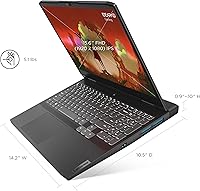
  • Weight: The laptop weighs approximately 7.55 pounds.
  • Dimensions: Physical dimensions measure 14.16 x 10.49 x 1.02 inches.
  • Color: The chassis is finished in Onyx Grey.
  • Model Number: The official model number is 82SB0001US.

Related Reviews
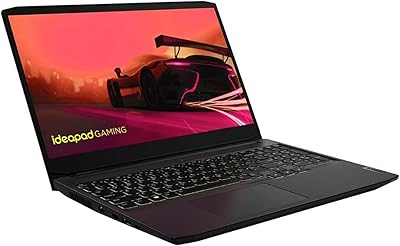
Lenovo IdeaPad Gaming 3 Laptop Ryzen 5 5600H, RTX 3050 Ti, 8GB RAM, 256GB SSD
81%
88%
Gaming Performance
91%
Display Quality
85%
Build Quality
78%
Portability
70%
Battery Life
More
Lenovo IdeaPad Slim 3 15.3-inch Laptop
81%
84%
Everyday Performance
88%
Display Quality
81%
Build Quality
89%
Storage & Memory
52%
Graphics Capability
More
Lenovo IdeaPad Slim 3 15.6″ Ryzen 5 5625U 16GB 512GB
75%
88%
Processor Performance
91%
Value for Money
74%
Build Quality & Durability
67%
Display Quality
86%
RAM & Storage
More
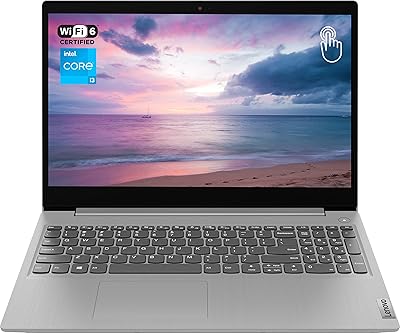
Lenovo IdeaPad Slim 3 Business Laptop, Ryzen 5 5625U, 16GB RAM, 1TB SSD
86%
88%
Performance
90%
Multitasking Capability
85%
Display Quality
86%
Keyboard Comfort
65%
Battery Life
More
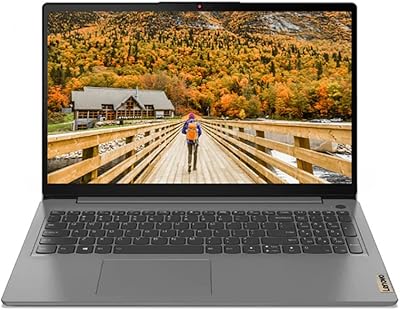
Lenovo Ideapad 3 Laptop, 15.6″, Intel Core i3, 12GB RAM, 256GB SSD
84%
92%
Value for Money
85%
Performance for Everyday Tasks
90%
Portability and Weight
75%
Display Quality
80%
Battery Life
More
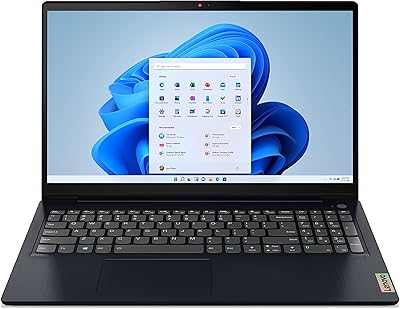
Lenovo IdeaPad 3 15″ Touch Laptop
70%
83%
Value for Money
67%
Performance
54%
Display Quality
76%
Build Quality
79%
Keyboard & Trackpad
More
Lenovo IdeaPad 3 14-inch Laptop
70%
84%
Value for Money
78%
Performance
71%
Display Quality
62%
Battery Life
59%
Build Quality
More
Lenovo IdeaPad Slim 3 16″ Laptop
74%
83%
Everyday Performance
93%
RAM Capacity
86%
Storage Speed & Capacity
71%
Display Quality
74%
Build Quality
More
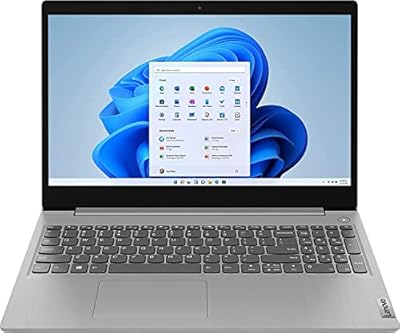
Lenovo IdeaPad 3 15.6-inch Laptop
70%
78%
Performance
74%
Display Quality
62%
Build Quality
57%
Battery Life
83%
Value for Money
More
Lenovo IdeaPad Slim 3 16-inch 2TB Laptop
73%
88%
Value for Money
93%
Storage Capacity
84%
CPU Performance
71%
Display Quality
67%
Build Quality
More

FAQ

It handles most modern games at 1080p on medium-to-high settings thanks to the dedicated RTX 3050 graphics. Just don't expect to max out settings or use ray tracing in newer AAA titles, since the 4GB of VRAM puts a ceiling on that.

For light gaming and everyday use it's workable, but it's the first bottleneck most owners run into once they're multitasking with several apps open alongside a game. Many buyers end up upgrading the RAM down the line if the laptop's memory is user-accessible, so it's worth checking before assuming you'll need to live with 8GB long term.

It fills up faster than you'd think, since a handful of modern game installs can easily eat through 256GB. If you play more than a couple of large titles, plan on adding external storage or swapping in a bigger SSD eventually.

Fan noise becomes noticeable under sustained, heavier loads, which is pretty typical for a laptop in this class. It's not silent during intense sessions, so headphones or a quieter room helps if that bothers you.

Yes, the backlit keyboard and solid port selection make it comfortable for typing papers, joining video calls, or working with USB accessories. It's genuinely a dual-purpose machine, not strictly a gaming-only device.

It's on the heavier side at around 7.55 pounds, so it's better suited to living mostly on a desk rather than being tossed in a bag every day. Occasional carrying is fine, but it's not built as an ultraportable.

It does, even outside of gaming. Scrolling, switching windows, and fast on-screen motion all feel smoother compared to a standard 60Hz panel.

Rapid Charge is designed to add a meaningful amount of battery back in a short charging window, which is handy if you only have a few minutes before heading out. It won't fully charge the laptop instantly, but it noticeably speeds up the early part of the charging curve.

Build quality and the keyboard's typing feel are consistently mentioned as strong points for the price tier. It doesn't feel premium like a flagship laptop, but it holds up well for everyday handling.

It's a strong fit for budget-conscious gamers, students who need one machine for both schoolwork and casual gaming, and anyone upgrading from integrated graphics for the first time. If you mainly play at 1080p and value a smooth, high refresh-rate screen over top-tier raw power, this lines up well with what it offers.