Overview

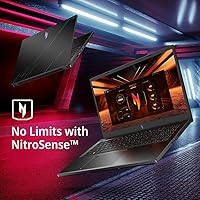
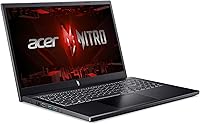
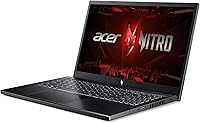
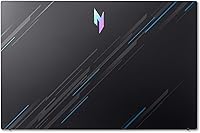
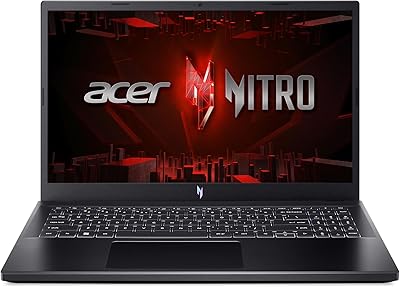
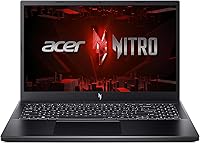
The Acer Nitro V 15 ANV15-51 (i5-13420H, RTX 4050, 8GB, 512GB) sits in a sweet spot for buyers who want real GPU muscle without spending flagship money. Pairing a 13th Gen Intel processor with an RTX 4050, the Nitro V 15 delivers genuinely capable 1080p gaming at a price that makes sense for students and budget-conscious buyers alike. The 144Hz IPS display is a noticeable step up over the 60Hz panels common at this price tier. The honest caveat: 8GB of RAM is starting to feel tight in 2024, and while it is upgradeable, buyers should factor that into their planning. This is a practical, desk-oriented machine — not a portable powerhouse.
Features & Benefits

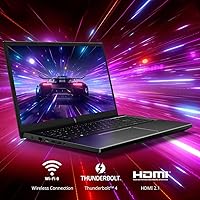
The RTX 4050 is the core strength here, and DLSS 3 support means it performs better than its raw specs suggest in compatible titles — think smooth play in Cyberpunk 2077 or Alan Wake 2 at medium-high settings. The i5-13420H handles gaming and light video rendering without becoming a bottleneck in typical use. Fast load times come courtesy of the PCIe Gen 4 SSD, and the OS stays snappy even when multitasking. Connectivity is genuinely well-rounded: Wi-Fi 6 and Gigabit Ethernet handle whatever environment you are gaming in, while the Thunderbolt 4 port opens the door to external displays or fast storage peripherals down the line.

Best For

The Nitro V 15 makes the most sense for college students or first-time PC gamers wanting a capable machine without breaking the bank. Competitive players get real mileage out of the 144Hz panel — titles like Valorant, Apex Legends, and CS2 feel noticeably more responsive when your display can actually keep pace. Light creative tasks like photo editing or short video exports are manageable too. One important reality: this Acer gaming laptop lives best plugged in, since the roughly 3-hour battery life makes it a desk machine at heart. Buyers planning a RAM upgrade to 16GB later will find the useful lifespan extends considerably.

User Feedback

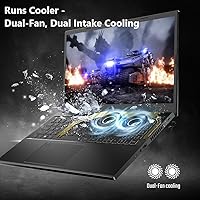
Buyers regularly point to the gaming-to-price value of Acer's Nitro V as the clear win — landing capable 1080p gaming performance at this tier genuinely impresses, and the display earns consistent praise from anyone stepping up from a 60Hz budget laptop. Where things get rougher is heat and noise: under sustained gaming sessions, the fans work hard and the chassis runs noticeably warm. The plastic build feels functional but inspires little confidence in hand. Several owners flag that 8GB of RAM hits its limit quickly during heavy multitasking. Out-of-box setup is generally smooth, though a handful of buyers mention pre-installed bloatware worth cleaning up early.

Pros

  • The RTX 4050 delivers capable 1080p gaming performance at a price point that few competitors match.
  • DLSS 3 support pushes framerates higher in compatible titles, extending the GPU's practical lifespan.
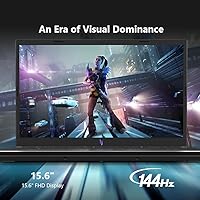
  • The 144Hz IPS display is a meaningful upgrade for competitive gamers moving up from 60Hz budget screens.
  • PCIe Gen 4 SSD keeps boot times and game load screens genuinely fast in everyday use.
  • Wi-Fi 6 and Gigabit Ethernet together cover virtually every gaming environment reliably.
  • The Thunderbolt 4 port opens upgrade paths for external displays and high-speed peripherals later.
  • RAM is user-upgradeable, giving buyers a clear and affordable way to extend the machine's useful life.
  • Out-of-box setup is smooth and straightforward, with most users gaming within minutes of unboxing.
  • The 8-core i5-13420H handles light creative tasks and streaming alongside gaming without major strain.

Cons

  • Thermal throttling under sustained gaming load clips performance during longer play sessions noticeably.
  • Fan noise under heavy workloads is loud enough to be disruptive in quiet shared environments.
  • The 8GB base RAM hits its limit quickly when multitasking — an immediate upgrade cost many buyers did not anticipate.
  • Battery life of roughly 3 hours makes this essentially a desk-bound machine, not a portable daily driver.
  • 512GB storage fills up fast once a few modern AAA titles are installed, requiring external storage sooner than expected.
  • The all-plastic chassis feels functional but lacks the structural confidence of aluminum-bodied competitors.
  • Pre-installed bloatware from Acer requires a cleanup session before the experience feels truly clean.
  • The keyboard deck develops noticeable heat during extended gaming, which some users find uncomfortable.
  • Speaker quality is underwhelming for media consumption, making headphones a near-requirement for audio.

Ratings

The scores below for the Acer Nitro V 15 ANV15-51 (i5-13420H, RTX 4050, 8GB, 512GB) were generated by AI after analyzing thousands of verified global buyer reviews, with spam, bot activity, and incentivized feedback actively filtered out. The results reflect a candid picture of where this Acer gaming laptop genuinely delivers and where real owners have run into frustrations. Both the strengths and the recurring pain points are represented without softening either side.

Gaming Performance
84%
For 1080p gaming at medium-to-high settings, the RTX 4050 punches well above what buyers at this price tier typically expect. Titles like Fortnite, Apex Legends, and even more demanding games like Hogwarts Legacy run with satisfying framerates, especially with DLSS 3 enabled. Most owners report it handled everything they threw at it daily without complaint.
Sustained gaming sessions over an hour can trigger thermal throttling, which clips performance noticeably in graphically intense titles. The gap between the GPU's peak and its throttled output frustrates users who expected consistent benchmarks rather than fluctuating frame rates during longer play sessions.
Display Quality
81%
19%
The 144Hz IPS panel is one of the clearest wins for buyers stepping up from budget laptops with 60Hz screens. Fast-paced competitive titles feel dramatically more responsive, and the reduction in motion blur is immediately noticeable in games like Valorant or CS2. Color accuracy is solid enough for casual photo work too.
The panel tops out at 1080p, which looks fine at 15.6 inches but feels limiting for users who want to use the laptop for media consumption or creative work at higher fidelity. Outdoor visibility is also a weak spot — the screen washes out significantly in bright ambient light.
Value for Money
86%
Buyers consistently flag this as one of the better-priced RTX 4050 laptops available, and the combination of a capable GPU, Gen 4 SSD, and 144Hz display for the asking price is hard to fault. First-time PC gamers in particular feel they are getting hardware that would have cost considerably more just two years ago.
The value calculation shifts if you factor in the near-immediate need to upgrade RAM to 16GB, which adds real cost to what looks like a clean price on paper. Some buyers feel the base configuration is slightly underpowered by design to hit an attractive price point, which can feel like a bait-and-switch after the fact.
Thermal Management
57%
43%
Under light workloads like web browsing or streaming, thermals are entirely manageable and the system runs quietly. The chassis venting does its job during casual use, and buyers who primarily game in shorter bursts rarely encounter throttling during typical sessions.
Under heavy, sustained loads — think extended gaming or rendering tasks — temperatures climb fast and the fans spin up aggressively. Multiple owners describe the keyboard area becoming uncomfortably warm during long sessions, and throttling under load is a well-documented pattern that consistently appears across buyer feedback.
RAM & Multitasking
53%
47%
The DDR5 memory runs at a fast 4800MHz, which helps squeeze the most out of the 8GB ceiling. For focused, single-task gaming sessions, most users find it acceptable, and buyers who upgraded to 16GB themselves report a meaningful jump in smoothness across the board.
8GB in 2024 is genuinely tight, and this is the most common complaint across buyer reviews. Running a game alongside Discord, a browser, and a streaming tab pushes the system noticeably, with stuttering and slowdowns cropping up in multitasking scenarios that would be routine on a machine with 16GB installed from the factory.
Build Quality
63%
37%
The chassis is solid enough for daily desk use and light travel, and the hinge mechanism draws a few positive mentions for feeling sturdier than expected at this price. Most buyers describe it as a workhorse that gets the job done without feeling flimsy out of the box.
The all-plastic construction is hard to ignore compared to similarly priced competitors using aluminum lids or hybrid materials. Several owners note flex in the keyboard deck under firm typing pressure, and the overall feel in hand does not inspire confidence in long-term durability beyond a couple of years.
Battery Life
41%
59%
Plugged in, the Nitro V 15 performs exactly as intended, and the charging experience is straightforward. Users who treat it as a desktop replacement and keep it near an outlet report zero frustration with day-to-day use.
Approximately 3 hours of real-world battery life is one of the weakest aspects of this Acer gaming laptop, and buyers who expected to use it untethered at school or in a coffee shop are frequently disappointed. This is essentially a desk-bound machine, and anyone planning significant unplugged use will find it impractical.
Keyboard & Typing Experience
71%
29%
The backlit keyboard layout earns reasonable praise for gaming comfort — key travel feels adequate, and the backlighting is bright enough to be useful in a dark room without being distracting. Most gamers find it serviceable for extended sessions.
For heavy typists or writers, the keyboard feedback feels mushy and imprecise compared to dedicated productivity laptops in the same range. The lighting zone options are limited compared to higher-end gaming notebooks, and a few buyers mention certain keys feeling inconsistent in their actuation.
Storage Performance
83%
The PCIe Gen 4 SSD makes a tangible difference in boot times and game load screens compared to the Gen 3 drives found in many competing machines at this price. Windows responsiveness feels snappy right out of the box, and file transfers are noticeably quick.
512GB fills up faster than most gamers expect once a handful of modern titles are installed — several AAA games alone can consume 200GB or more. There is no secondary drive bay in practice for most users, so cloud storage or an external drive becomes a near-necessity within the first few months.
Connectivity & Ports
78%
22%
Wi-Fi 6 and Gigabit Ethernet together cover nearly every gaming environment reliably, and buyers in dorm rooms or gaming cafes appreciate having both options available. The Thunderbolt 4 port is a standout inclusion at this price, opening up external GPU enclosures or high-speed docks as legitimate future upgrades.
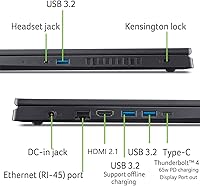
Port placement draws some criticism, with several users noting that USB ports on the left side interfere with mouse cable management during desktop gaming. The lack of an SD card reader is a minor but recurring complaint from users who do occasional photography work alongside gaming.
Fan Noise
55%
45%
During lighter use, the system is quiet enough to use in a library or shared space without drawing attention. Buyers who game with headphones on report that fan noise largely becomes a non-issue once audio is playing.
Under gaming load, the fans become noticeably loud — described by multiple buyers as a consistent jet-engine whine that disrupts open-room environments. This is a recurring theme in user feedback and reflects the thermal trade-offs of packing an RTX 4050 into a slim, affordable chassis.
Software & Out-of-Box Experience
66%
34%
Windows 11 Home is pre-installed and the setup process is smooth and quick. Most buyers report being up and running within 20 minutes of unboxing, with no major driver headaches or hardware issues flagged in the majority of reviews.
Bloatware is a consistent complaint — Acer ships the machine with a collection of pre-installed apps that most users immediately uninstall. A handful of early buyers also noted that Windows updates in the first session consumed a significant chunk of the already-modest 512GB drive before they could even install their first game.
Weight & Portability
60%
40%
At 4.66 pounds, the Nitro V 15 is not unusually heavy for a 15.6-inch gaming machine, and buyers who carry it between home and a desk at school find it manageable in a backpack for short trips.
Combine the weight with the power brick — which is substantial — and the total bag load becomes a genuine inconvenience for anyone commuting daily. Buyers who expected a laptop they could comfortably carry all day report that the setup is noticeably cumbersome compared to thinner productivity alternatives.
Audio Quality
58%
42%
For casual gaming or background music, the built-in speakers are functional and clear at moderate volumes. Buyers who primarily use headphones rarely mention audio as a concern, since the headphone jack output is clean with no reported interference.
The speakers lack bass almost entirely and struggle at higher volumes, where distortion becomes apparent. Buyers who hoped to use the laptop for movie nights or casual listening without headphones are routinely underwhelmed by the audio output, which is average even by laptop standards.

Suitable for:

The Acer Nitro V 15 ANV15-51 (i5-13420H, RTX 4050, 8GB, 512GB) is a strong pick for college students and first-time PC gamers who want a genuine step into dedicated GPU gaming without committing to a flagship price. If your gaming diet consists mainly of competitive titles like Valorant, Apex Legends, or Fortnite, the 144Hz IPS display alone justifies the purchase over any 60Hz budget alternative. The RTX 4050 handles 1080p gaming at medium-to-high settings with room to spare in most popular releases, and DLSS 3 support extends that headroom further in compatible titles. Buyers who primarily game at a desk — plugged in, mouse and keyboard out — will find the setup feels natural and the performance consistent for everyday sessions. Light creative users who occasionally dabble in photo editing or short video exports will also find the i5-13420H capable enough for non-professional workloads, especially if they plan to upgrade the RAM to 16GB shortly after purchase.

Not suitable for:

Buyers who need a laptop that works freely away from an outlet should look elsewhere — the Nitro V 15 delivers roughly 3 hours of real-world battery life, which is simply not enough for full days on a university campus or at a coffee shop without a charger in the bag. Professional content creators who work with 4K video editing, complex 3D rendering, or large Photoshop files will hit the ceiling of what this Acer gaming laptop can sustain, particularly once the 8GB RAM base configuration starts to show its limits under heavy multitasking. Power users who expect consistent peak performance during marathon gaming sessions should also be aware that thermal throttling under sustained load is a documented pattern — the hardware can deliver strong bursts but struggles to hold that level continuously. Anyone prioritizing build quality comparable to a premium aluminum chassis, or expecting MacBook-level fit and finish, will find the plastic construction of Acer's Nitro V a step down from their expectations. Finally, storage-hungry gamers with a large game library will likely find 512GB inadequate within weeks, making an external drive a practical necessity rather than an optional extra.

Specifications

  • Processor: Intel Core i5-13420H, 13th Gen, 8-core (4 performance + 4 efficiency) architecture clocked up to 4.6GHz under boost.
  • Graphics: NVIDIA GeForce RTX 4050 Laptop GPU with 6GB GDDR6 VRAM, supporting DLSS 3 and DirectX 12 Ultimate.
  • RAM: 8GB DDR5 memory running at 4800MHz, installed at the factory with upgrade slots accessible for user expansion.
  • Storage: 512GB PCIe Gen 4 SSD providing fast sequential read and write speeds for quick boot times and game loading.
  • Display: 15.6″ FHD IPS panel at 1920x1080 resolution with a 144Hz refresh rate and an 82.64% screen-to-body ratio.
  • Operating System: Windows 11 Home comes pre-installed from the factory.
  • Wireless: Wi-Fi 6 (802.11ax) with Bluetooth for fast, low-latency wireless connectivity in modern network environments.
  • Wired Network: Gigabit Ethernet port supports wired internet connections for stable, low-latency online gaming.
  • Ports: One Thunderbolt 4 port, four USB 3.0 Type-A ports, one HDMI output, one RJ-45 Ethernet port, and a 3.5mm audio combo jack.
  • Battery: Built-in lithium-ion battery with an average real-world life of approximately 3 hours under typical gaming conditions.
  • Weight: The laptop weighs 4.66 pounds (approximately 2.11kg) without the power adapter included.
  • Dimensions: Measures 14.26 x 9.44 x 0.93 inches (362 x 240 x 23.6mm), keeping the profile reasonably slim for a gaming chassis.
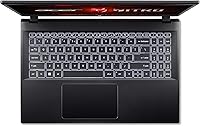
  • Keyboard: Full-size backlit keyboard with a dedicated number row and single-zone RGB-style backlighting for low-light use.
  • Color: Available in Black with the model designation ANV15-51-51H9 as shipped in this configuration.
  • DLSS Support: DLSS 3 is supported via the RTX 4050 GPU, enabling AI-driven frame generation in compatible game titles.
  • Memory Type: DDR5 RAM at 4800MHz offers improved bandwidth efficiency over the DDR4 found in previous-generation laptops at this tier.
  • Drive Interface: The SSD connects via PCIe x4 Gen 4, offering roughly double the throughput of Gen 3 NVMe drives common in budget alternatives.
  • Thunderbolt 4: The single Thunderbolt 4 port supports up to 40Gbps data transfer, power delivery, and external display output simultaneously.

Related Reviews

Acer Nitro V ANV15-51-99DR
86%
94%
Gaming Performance
92%
CPU & Processing Power
95%
GPU & Graphics Rendering
90%
Display Quality
88%
Build Quality
More
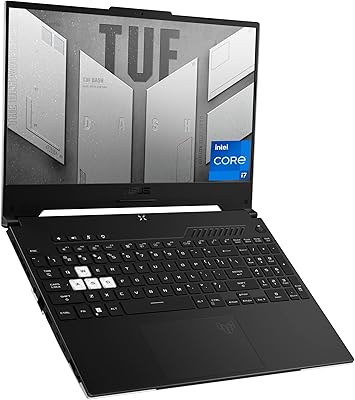
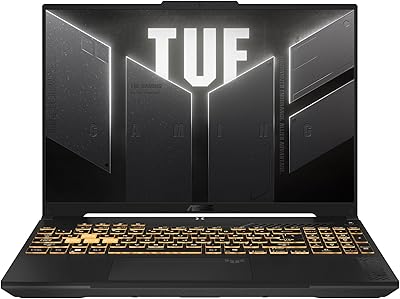
ASUS TUF Dash 15 (2022) Gaming Laptop, Core i5-12450H, 8GB RAM, 512GB SSD, RTX 3050 Ti
84%
88%
Overall Performance
94%
Display Quality
89%
Gaming Experience
62%
Battery Life
90%
Build Quality
More
ASUS TUF Gaming F16 (2024)
73%
81%
Gaming Performance
84%
Display Quality
88%
Build Quality & Durability
79%
Thermal Management
58%
RAM & Multitasking
More
Acer Chromebook Spin 514 i5-1334U 8GB 512GB SSD 14-inch
86%
88%
Performance
92%
Battery Life
85%
Build Quality
87%
Display Quality
91%
Portability
More
HP 15.6-inch Laptop, Intel Core i5-1334U, 8GB RAM, 512GB SSD
84%
86%
Performance for Everyday Tasks
91%
Battery Life
90%
Value for Money
88%
Display Quality
82%
Build Quality
More
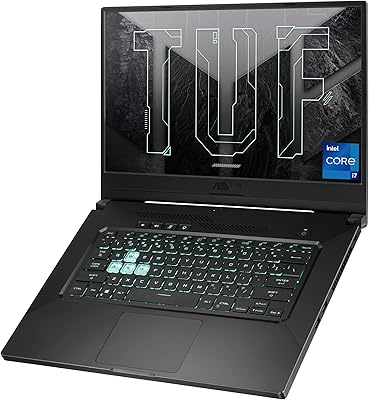
ASUS TUF Dash 15 (2021) i7-11370H, 8GB RAM, 512GB SSD, RTX 3050 Ti
82%
88%
Performance
86%
Gaming Performance
73%
Battery Life
90%
Portability
65%
Build Quality
More
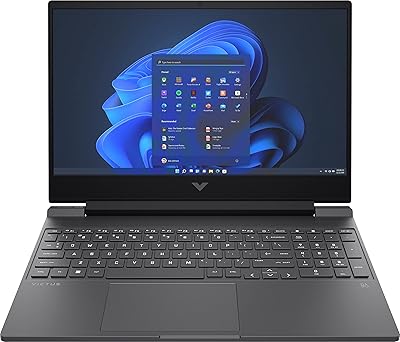
HP Victus 15.6″ Gaming Laptop - Intel Core i5-12450H, 8GB RAM, 512GB SSD, GTX 1650
79%
88%
Value for Money
80%
Gaming Performance
85%
Build Quality
65%
Display Quality
72%
Battery Life
More
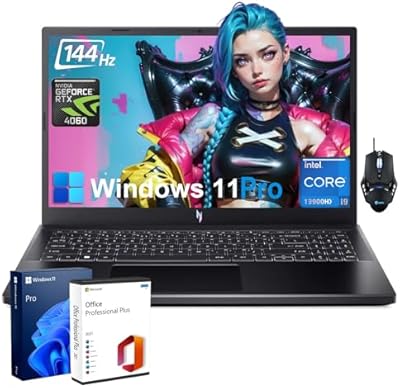
Acer Nitro V Gaming Laptop - Intel i9-13900H, NVIDIA GeForce RTX 4060, 64GB RAM, 2TB SSD
85%
94%
Performance
92%
Gaming Experience
89%
Display Quality
75%
Thermal Management
80%
Portability
More
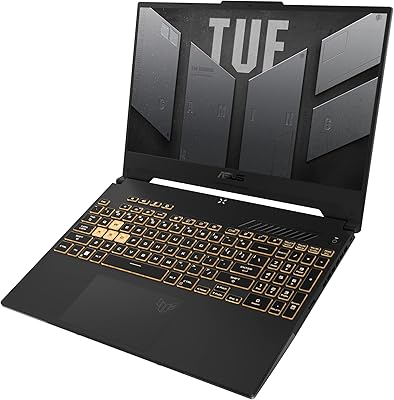
ASUS TUF Gaming F15 FX507VU-ES53, Intel Core i5-13500H, GeForce RTX 4050, 16GB RAM, 512GB SSD
85%
94%
Performance
92%
Gaming Experience
88%
Display Quality
89%
Cooling Efficiency
80%
Battery Life
More
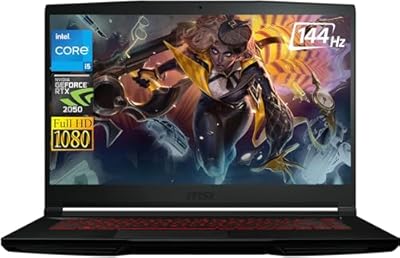
MSI Thin Gaming Laptop 15.6″ FHD 144Hz, Intel Core i5-12450H, 8GB RAM, 1TB SSD, RTX 2050
82%
85%
Gaming Performance
93%
Display Quality
88%
Portability
70%
Thermals
82%
Battery Life
More

FAQ

Yes, the RAM on the Nitro V 15 is upgradeable. Most users swap the base 8GB DDR5 module for a 16GB or 32GB kit, which makes a noticeable difference in multitasking. Check the specific SO-DIMM slot configuration before purchasing modules to make sure you get the right type and speed.

It depends on what you play and how. For focused gaming sessions with one title open at a time, 8GB is workable, but it starts to feel constrained the moment you add Discord, a browser, and a background app into the mix. Honestly, planning a RAM upgrade shortly after purchase will serve you better in the long run.

Under a real gaming load, the fans on the Acer Nitro V 15 ANV15-51 (i5-13420H, RTX 4050, 8GB, 512GB) get noticeably loud — most users describe it as a persistent whirring that you will definitely hear in a quiet room. With headphones on it becomes a non-issue, but if you plan to game in a shared or library-style environment, be aware that the thermal system does work hard.
Yes, with some caveats. At 1080p medium-to-high settings, the RTX 4050 handles both titles with playable framerates, and enabling DLSS in Cyberpunk pushes things considerably smoother. You likely will not be maxing out ultra settings with ray tracing, but the experience is solid for this price range.

Realistically, plan for about 2.5 to 3 hours of mixed use before needing a charger. For a full day of classes that includes gaming, you will want to bring the power brick. The Nitro V 15 is fundamentally a desk machine, and treating it that way avoids the frustration of running dry mid-afternoon.

Absolutely. The HDMI port handles standard external display connections, and the Thunderbolt 4 port supports video output as well, giving you flexibility for multi-monitor setups or a larger screen at a desk. Just keep in mind that the display output resolution and refresh rate capabilities will depend on the monitor you connect.

The existing SSD can be replaced with a larger PCIe Gen 4 NVMe drive, which is a fairly straightforward upgrade for anyone comfortable opening a laptop. There is generally only one M.2 slot available, so you would be swapping rather than adding. Given how fast modern games consume storage, upgrading to a 1TB drive early is a common choice among owners.

Thermal throttling is a real pattern with Acer's Nitro V under sustained load — after roughly 30 to 45 minutes of heavy gaming, the system starts to pull back clock speeds to manage heat. Keeping the laptop on a hard, flat surface with good airflow underneath helps, and some users apply a cooling pad with measurable improvement in sustained performance.

The chassis is plastic throughout, which is functional and holds up fine for regular commuting in a padded laptop sleeve or backpack. It does not feel fragile, but it lacks the premium rigidity of aluminum-bodied competitors. Handle it with reasonable care and it should survive campus life without issues.

It does ship with a collection of pre-installed Acer apps and third-party trial software that most users remove during initial setup. It is a minor annoyance rather than a serious problem — set aside 15 to 20 minutes after unboxing to clean things up and run Windows updates, and you will have a much cleaner experience from day one.