
Overview
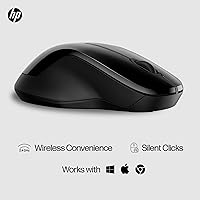
The HP 250 Dual Mouse is HP's answer to a common everyday frustration: juggling multiple devices with a single mouse that actually works across all of them. At its price point, dual wireless connectivity — both a 2.4GHz USB dongle and Bluetooth 5.0 — is genuinely rare, and that alone makes it worth a closer look. The full-sized, ambidextrous design means left-handers are not an afterthought, which is still surprisingly uncommon in budget peripherals. It is also built with 50% recycled plastic, which HP mentions upfront — and to their credit, they have managed to make it feel sturdy rather than cheap. Light enough to toss in a bag without a second thought.
Features & Benefits
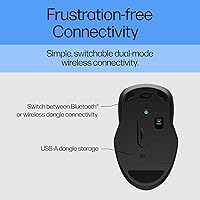
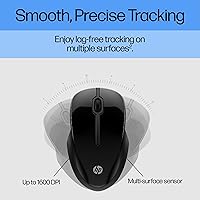
Switching between two connected devices is handled by a dedicated button, which keeps things practical for anyone who hops between a work laptop and a personal desktop throughout the day. The 1600 DPI optical sensor tracks reliably on wood, fabric, and similar surfaces without needing a dedicated mousepad — genuinely useful when you are working from a kitchen table or a hotel desk. Silent clicks are quieter than most mice in this category, not just marketed as quiet. Battery life is the real standout: a single AA cell lasts close to a year in normal use, and the low battery indicator means you will not be caught off guard. The dongle tucks neatly into the mouse body itself, so it will not vanish inside a bag.
Best For
This ambidextrous mouse makes the most sense for people who work across two machines daily — think a remote employee toggling between a company laptop and a home desktop, or a student moving between a personal Mac and a library PC. Left-handed users especially benefit since truly ambidextrous mice at this price are not easy to find. It is also a smart pick for anyone who works in shared or quiet spaces, given how unobtrusive the clicks are in practice. ChromeOS, macOS, and Windows are all supported without installing any drivers, so it works right out of the box. Frequent travelers will appreciate that it weighs just over two ounces and fits in a jacket pocket.
User Feedback
Buyers have given the HP dual-mode mouse an average of 4.5 stars across over 125 ratings, and the praise tends to cluster around the same things: the battery genuinely lasts as long as advertised, the clicks are noticeably quiet, and setup takes about thirty seconds flat. Where people push back is on the scroll wheel, which some find a bit light and imprecise compared to pricier options. The absence of back and forward buttons is also a recurring note — not a dealbreaker for most, but worth flagging if browser navigation shortcuts matter to you. Overall, users find the size comfortable for extended work sessions, and multi-device switching gets described as reliable rather than finicky.
Pros
- Dual wireless modes — USB dongle and Bluetooth 5.0 — let you connect two devices without buying two mice.
- Battery life genuinely reaches close to a year on a single AA cell under normal daily use.
- Silent clicks are noticeably quieter than most mice in this price range, not just marketed that way.
- Left-handed users get a rare, comfortable full-sized option at a mid-range price.
- The built-in dongle slot means you will not lose the USB adapter in the bottom of a bag.
- Works out of the box on Windows, macOS, and ChromeOS with zero driver installation required.
- A low battery indicator gives you advance notice instead of a sudden mid-task shutdown.
- Multi-surface optical tracking performs reliably on wood and fabric desks without requiring a mousepad.
- At just over two ounces, this wireless mouse is light enough to pocket during a commute without noticing it.
- The recycled plastic construction feels more solid than expected and holds up well to daily desk use.
Cons
- No back or forward side buttons, which is a notable omission for everyday web and document navigation.
- DPI is fixed at 1600 with no way to adjust sensitivity up or down for different tasks.
- No companion software means zero customization — what you get out of the box is all you ever get.
- The scroll wheel feels imprecise and too light under heavy scrolling, a consistent complaint from frequent users.
- Bluetooth reconnection after the mouse idles can lag by a second or two, which is noticeable in fast workflows.
- The matte finish shows surface wear and minor scratches relatively quickly without a travel pouch.
- The dongle slot has no locking mechanism, so the adapter can work loose inside a packed bag.
- Symmetric ergonomic shape trades palm contouring for inclusivity, which tires out smaller hands during long sessions.
- No USB-C rechargeable option is available, which will disappoint buyers moving away from disposable batteries.
- Device switching, while functional, is not as instantaneous as premium multi-device mice in a higher price bracket.
Ratings
The HP 250 Dual Mouse earns a strong overall standing based on AI-driven analysis of verified global buyer reviews, with spam, bot-generated, and incentivized feedback actively filtered out before scoring. Ratings reflect both what users genuinely praised and where real frustrations surfaced, so you get an honest picture rather than a polished highlight reel. Strengths in battery life and connectivity stand out clearly, while a few consistent pain points around scroll feel and button options are captured just as transparently.
Wireless Connectivity
Battery Life
Click Quietness
Multi-Device Switching
Ergonomics & Comfort
Build Quality
Sensor Accuracy
Portability
OS Compatibility
Value for Money
Scroll Wheel Feel
Setup & Plug-and-Play Ease
Button Layout
Low Battery Indicator
Suitable for:
The HP 250 Dual Mouse is built for the kind of person who splits their workday across two machines without wanting to overthink it — someone who connects to a work laptop via Bluetooth in the morning and switches to a home desktop dongle setup in the afternoon. Remote workers and hybrid commuters will find the lightweight body and built-in dongle storage genuinely convenient rather than just a spec sheet bullet point. Students moving between a personal laptop and a shared lab computer get the added benefit of broad OS compatibility that covers Mac, Windows, and ChromeOS with zero driver installation. Left-handed users, who are routinely ignored at this price tier, finally get a full-sized, comfortable option that does not require settling for a miniature travel mouse. Anyone who has been burned by a mouse dying mid-meeting will also appreciate a battery that realistically lasts close to a year, with a warning light that gives you time to grab a spare AA rather than discovering the problem at the worst possible moment.
Not suitable for:
The HP 250 Dual Mouse is the wrong tool if you rely on browser back and forward buttons throughout your day — those side buttons are simply absent, and no amount of software workarounds can add them. Power users or anyone who needs adjustable DPI for tasks like photo editing, large multi-monitor setups, or precision design work will find the fixed 1600 DPI sensor limiting and the complete absence of companion software frustrating. Gamers should look elsewhere entirely, since this ambidextrous mouse is designed around office reliability rather than fast-response gaming performance. Users with small hands may find the full-sized body tiring during long sessions, as the symmetrical shape sacrifices contoured palm support in order to accommodate both hand orientations. Finally, buyers who strongly prefer rechargeable mice with USB-C charging over replaceable batteries will find the AA-powered design a step in the wrong direction for their workflow.
Specifications
- Connectivity: This mouse connects via a USB-A 2.4GHz wireless dongle or Bluetooth 5.0, allowing it to pair with up to two devices simultaneously.
- Sensor: An optical sensor operates at a fixed 1600 DPI, providing smooth and accurate tracking across a variety of common desk surfaces.
- Multi-Surface: The optical tracking technology is designed to work reliably on wood, fabric, and most everyday desk surfaces without requiring a dedicated mousepad.
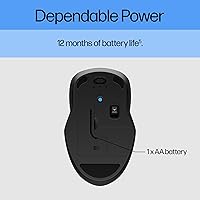
- Battery: One AA battery powers the mouse for up to 12 months under typical daily use conditions, and a battery is included in the box.
- Low Battery Alert: A built-in LED indicator activates to signal a low battery level before performance is affected, giving you time to replace the cell.
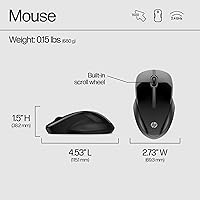
- Dimensions: The mouse body measures 4.53″ long by 2.73″ wide by 1.5″ tall, placing it in the full-sized category for everyday desktop use.
- Weight: The mouse weighs 2.35 ounces without the battery, making it one of the lighter full-sized wireless mice in its class.
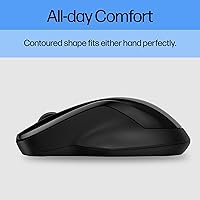
- Design: The ambidextrous body shape and non-slip side grips accommodate both left- and right-handed users equally across extended work sessions.
- Click Type: Both primary click buttons use quiet-click technology, producing significantly less audible noise than standard mouse switches.
- Dongle Storage: The USB-A nano receiver stores directly inside the mouse body when not in use, preventing it from being misplaced during travel.
- OS Support: The mouse is compatible out of the box with Windows 10 and later, macOS, and ChromeOS without requiring any driver installation.
- Recycled Content: The mouse shell is constructed from 50% post-consumer recycled plastic, and the product ships in 100% recyclable packaging.
- Color: The mouse is available in Black with a matte finish that resists minor fingerprinting during normal handling.
- Power Source: The mouse is powered exclusively by a single replaceable AA alkaline battery and does not support USB charging of any kind.
- Multi-Device Limit: A dedicated button on the mouse body allows switching between a maximum of two connected devices — one via dongle and one via Bluetooth.
- Wireless Standard: The Bluetooth connection uses the 5.0 specification, which offers improved range stability and lower power consumption compared to older Bluetooth versions.
- Item Model: The official HP model number for this mouse is 6V2J7AA#ABL, which can be used to verify compatibility or locate warranty documentation.
- First Available: This mouse was first listed for sale in April 2023, making it a relatively recent addition to HP's peripheral lineup.
Related Reviews

HP 18H24AA Wireless Keyboard and Mouse Combo
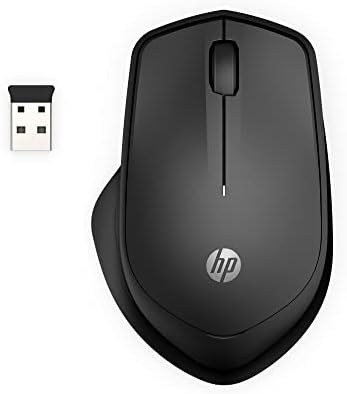
HP 280M Silent Mouse
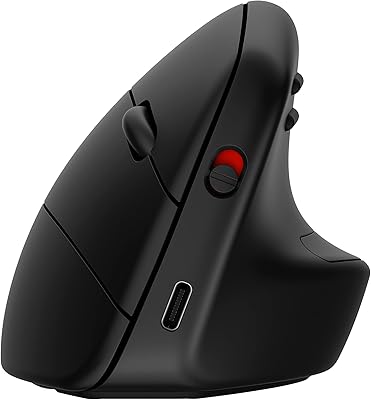
HP 920 Ergonomic Vertical Mouse
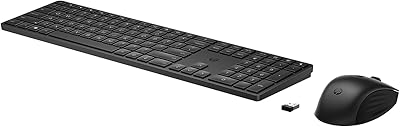
HP 650 Wireless Keyboard & Mouse Combo
HP 250 G9 32GB 1TB Laptop
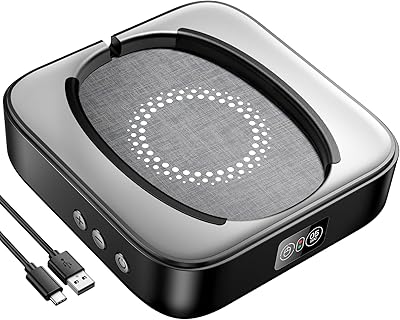
Meatanty Mechanical Mouse Jiggler

Logitech POP Mouse
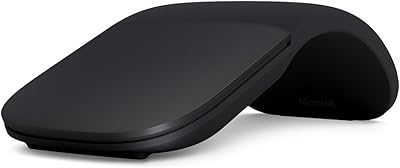
Microsoft Arc Mouse

Microsoft Sculpt Ergonomic Mouse