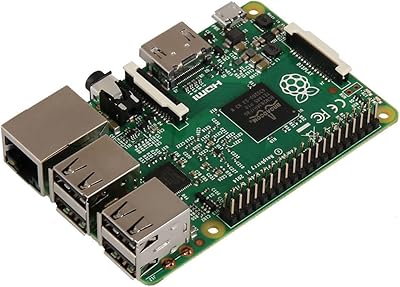
Raspberry Pi 400 All-in-One Keyboard Computer
Overview
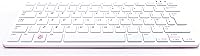
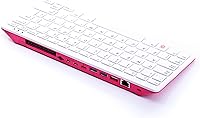
The Raspberry Pi 400 All-in-One Keyboard Computer is exactly what it sounds like: a fully functional PC tucked inside a compact, keyboard-sized enclosure. Born from the beloved Raspberry Pi ecosystem, the 400 takes what was once a bare circuit board project and turns it into something far more approachable — you plug it in, attach a monitor, and you're up and running. That said, set realistic expectations: this isn't competing with a mid-range laptop or desktop tower. It's a capable, lightweight machine aimed at hobbyists, educators, and curious tinkerers. Note that it ships as a unit only — you'll still need a microSD card for storage and a monitor to get started.
Features & Benefits
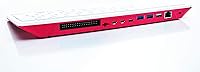
The quad-core ARM Cortex-A72 processor running at 1.8GHz handles web browsing, document editing, and light coding without obvious strain — tasks that define most users' daily routines. Pair that with 4GB of fast LPDDR4 RAM, and the Pi 400 can comfortably juggle several browser tabs or run a Python project alongside a terminal window. On the display side, dual micro-HDMI ports can drive a single screen at 4K resolution — genuinely impressive for a device this small. Connectivity is solid: Gigabit Ethernet, Bluetooth 5.0, USB 3.0 ports, and Wi-Fi are all on board. The integrated keyboard also means zero board assembly — a welcome change from the usual bare-board Pi experience.
Best For
This all-in-one mini PC earns its place most naturally in educational settings — think classroom coding labs, after-school STEM clubs, or a kid's first introduction to Linux. Retro gaming and emulation fans will find it a capable, low-power platform for running classic titles. Hobbyists who want to dig into hardware projects will appreciate the 40-pin GPIO header, which makes the 400 just as hackable as any other Pi board. It also works well as a lightweight secondary travel computer — light enough to toss in a bag, with modest power draw that makes running it from a USB-C power bank entirely feasible. Just don't expect to run Adobe Premiere or Windows apps on it.
User Feedback
Owners consistently praise the keyboard build quality and how little friction there is getting started — many report being surprised by how responsive it feels for casual browsing and coding. The value sentiment runs high, particularly among educators and parents. That said, the criticisms are real and worth knowing: storage depends entirely on a microSD card, which some buyers discover only after unboxing; 4GB of RAM starts feeling tight if you push beyond a couple of apps; and some popular software simply has no ARM Linux equivalent. Heat under load is also a noted concern, with occasional throttling reported during prolonged tasks. The active open-source community, though, remains a genuine differentiator.
Pros
- The entire computer lives inside the keyboard — no tower, no loose board, no cable tangle to manage.
- Handles everyday tasks like web browsing, email, and coding with surprising responsiveness for its footprint.
- Dual micro-HDMI outputs can drive a single screen at 4K resolution, which is rare at this price tier.
- The 40-pin GPIO header keeps the Pi 400 fully hackable for electronics and hardware side projects.
- Gigabit Ethernet and Bluetooth 5.0 deliver reliable wired and wireless connectivity out of the box.
- Raspberry Pi OS is beginner-friendly yet capable enough to satisfy experienced Linux users.
- Extremely low power draw makes it practical for always-on setups or running off a portable power bank.
- A large, active open-source community means tutorials, project ideas, and community fixes are always available.
- Keyboard feel is consistently praised by real owners as comfortable and pleasant for extended daily use.
- Weighing under a pound, the Pi 400 is genuinely easy to pack and use across multiple locations.
Cons
- No built-in storage — a microSD card is required but not included, catching many buyers off guard at setup.
- ARM architecture means several widely used Windows and macOS applications simply have no compatible Linux ARM version.
- 4GB of RAM is a hard ceiling with no upgrade path, which limits serious multitasking.
- Sustained workloads like video encoding can trigger thermal throttling and cause noticeable performance drops.
- Micro-HDMI ports require specific cables or adapters that most users will not already have on hand.
- No power supply or monitor is included — the true out-of-pocket cost to get started is meaningfully higher than the unit price.
- MicroSD storage is slower and less durable than an SSD, which affects overall system responsiveness over time.
- No practical path to running Microsoft Office, Adobe Creative Suite, or other mainstream proprietary software natively.
- A discrepancy in published wireless specs creates real uncertainty about actual Wi-Fi performance in the field.
Ratings
Our AI scoring model analyzed thousands of verified global buyer reviews for the Raspberry Pi 400 All-in-One Keyboard Computer, actively filtering out incentivized, bot-generated, and duplicate submissions to ensure every score reflects genuine hands-on user experience. The resulting scorecard captures both the real strengths that make this keyboard computer a standout for its intended audience and the honest pain points buyers repeatedly flag. Nothing has been smoothed over — the numbers reflect the full picture, good and bad.
Value for Money
Performance
Build Quality
Ease of Setup
Software & OS
Connectivity
Display Output
Storage Solution
Keyboard Feel
Thermal Management
Software Compatibility
Hackability & GPIO
Portability
Community & Support
Documentation
Suitable for:
The Raspberry Pi 400 All-in-One Keyboard Computer is a genuinely strong fit for anyone who wants a functional, low-cost Linux desktop without the assembly headaches of a bare single-board computer. Educators and parents will find it particularly well-suited for classroom or home learning environments — it runs a clean, Debian-based OS, introduces kids to real programming tools, and is low-stakes enough that experimentation feels safe. Students tackling coding lessons, STEM projects, or light web research will find it handles daily tasks without complaint. Retro gaming and emulation enthusiasts have a natural home here too, as the hardware punches well above its weight for that specific use case. Makers and hardware tinkerers get the added bonus of a 40-pin GPIO header that keeps the platform genuinely hackable. If you need a secondary machine for travel or a low-power spare workstation, this all-in-one mini PC fits the bill neatly.
Not suitable for:
Anyone expecting the Raspberry Pi 400 All-in-One Keyboard Computer to replace a mainstream Windows or macOS desktop will come away frustrated. The ARM-based architecture means a meaningful portion of popular commercial software — including many creative, productivity, and enterprise suites — simply has no compatible version for this platform, and that gap is not going to close overnight. Power users who multitask heavily will hit the ceiling of 4GB RAM faster than expected, with no upgrade path available. Storage relies entirely on a microSD card, introducing real speed and reliability limitations compared to a standard SSD; buyers who miss this detail before purchasing often feel misled. Under sustained workloads like video encoding or compiling large codebases, thermal throttling can surface and drag performance down noticeably. If your workflow is built around proprietary software, Windows-only tools, or consistent high-performance computing, the Pi 400 is the wrong tool for the job.
Specifications
- Processor: A 1.8GHz quad-core ARM Cortex-A72 CPU handles everyday computing tasks including web browsing, coding, and light media playback.
- RAM: 4GB of LPDDR4-3200 memory provides adequate headroom for multitasking within Raspberry Pi OS and similar lightweight Linux environments.
- Graphics: The integrated VideoCore VI GPU supports OpenGL ES 3.1 and Vulkan, enabling smooth video playback and basic 3D rendering.
- Video Output: Two micro-HDMI ports support a single display at up to 4K@60fps or dual displays simultaneously at up to 4K@30fps each.
- Storage: All user storage is handled via a microSD card slot; no internal solid-state drive is included beyond 6MB of onboard flash.
- USB Ports: Three USB ports are provided: two USB 3.0 for fast peripheral and storage connections, and one USB 2.0 for standard devices.
- Networking: A true Gigabit Ethernet port delivers fast, stable wired internet and local network connectivity without throughput bottlenecks.
- Wireless: Built-in Wi-Fi and Bluetooth 5.0 provide wireless network access and peripheral pairing without requiring any additional dongles or adapters.
- Operating System: Raspberry Pi OS, a Debian-based Linux distribution, is the primary supported OS and is optimized for the ARM Cortex-A72 architecture.
- Form Factor: The entire computer is integrated into a compact keyboard enclosure, requiring only an external monitor and power supply to operate.
- GPIO Header: A 40-pin GPIO header is built directly into the unit, enabling hardware interfacing for electronics prototyping and physical computing projects.
- Weight: The unit weighs 15.8 ounces, making it light enough to carry in a bag and practical for use across multiple locations.
- Color: The keyboard computer ships in black, with a low-profile, functional design consistent with the broader Raspberry Pi product line.
- Release Date: The Pi 400 became available in December 2020 as a more accessible, self-contained evolution of the Raspberry Pi 4 platform.
Related Reviews
LANGTU 104-Key Membrane Keyboard
KNOWSQT Wired Computer Keyboard
Raspberry Pi 5 (16GB)
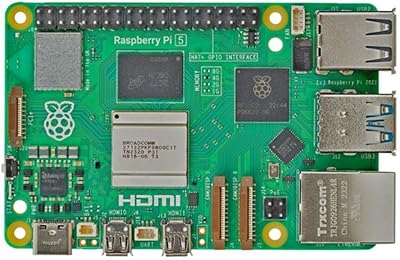
Raspberry Pi 5 4GB
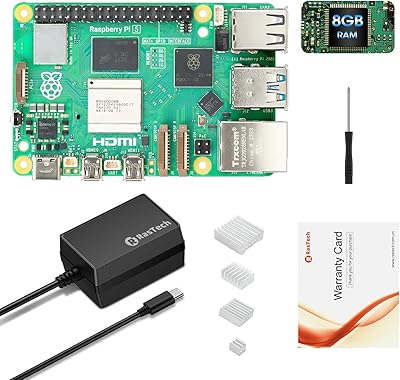
RasTech Raspberry Pi 5 8GB Kit
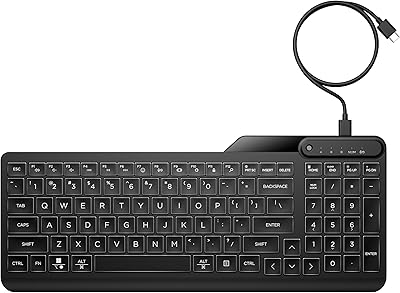
HP 400 Backlit Wired Keyboard
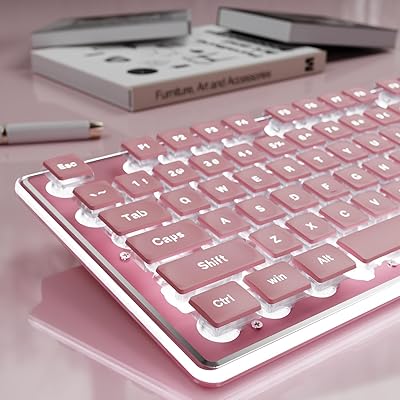
EWEADN GX710S Full-Size Wired Keyboard
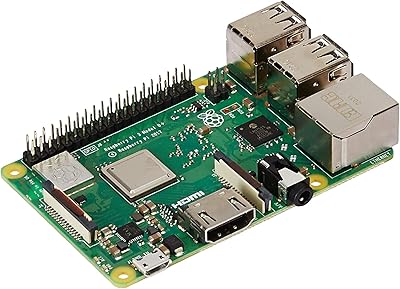
Raspberry Pi 3 Model B+
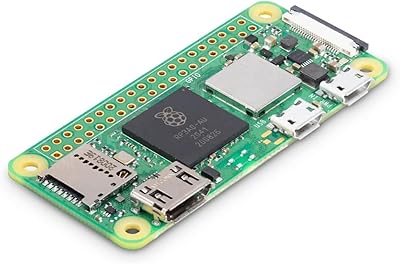
Raspberry Pi Zero 2 W