
Overview
The HP EliteDisplay 23-Inch IPS Monitor is built squarely for professionals who spend their workday in front of a screen — not for weekend gaming or photo editing. HP designed this around the realities of office life: long hours, varied postures, and the need for consistent, fatigue-free viewing. It sits in the mid-range tier, priced above bare-minimum options but without the premium markup of creative-pro displays. Choosing an IPS panel over a cheaper TN alternative means noticeably better color consistency and wider viewing angles — a real difference when sharing your screen or shifting in your chair. This is a dependable office workhorse, not a speed demon or color-calibration tool.
Features & Benefits
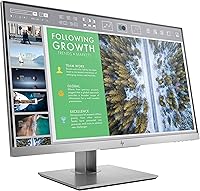
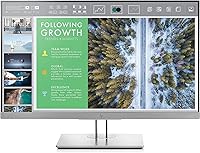
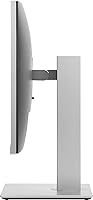
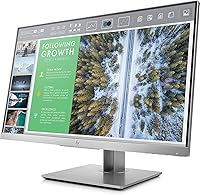
The three-sided micro-edge bezel is one of this HP business monitor's most practical design choices — place two or three side by side and the gap between screens nearly disappears, which matters when tiling windows across a multi-monitor setup. The IPS panel keeps colors looking consistent whether you're sitting directly in front or leaning to one side, a meaningful advantage over older TN-based office screens. Ergonomically, the stand covers real ground: 150mm of height travel, plus tilt and swivel, so most people can find a genuinely comfortable position without resorting to aftermarket monitor arms. Two USB 3.0 ports on the display itself are a small but daily convenience, and the triple-input lineup — VGA, HDMI, DisplayPort — means compatibility with almost any machine.
Best For
This office display makes the most sense for desk-bound professionals — accountants, analysts, writers, and developers who need a reliable screen for long days of text-heavy work. It is also a natural fit for IT managers shopping for a standardized monitor that is easy to deploy, adjust, and support across a team. The VGA input is a genuine selling point for anyone still running older workstations who cannot yet justify a full hardware refresh. Those building a dual or triple setup will appreciate how little bezel interrupts the view between panels. One honest caveat: if color accuracy for design work or refresh rate for gaming are priorities, there are better-suited options at similar prices.
User Feedback
Long-term owners of the EliteDisplay tend to highlight two things consistently: the sturdy, well-built stand and how comfortable the screen is to look at during extended sessions. The IPS panel draws repeat praise from people who moved from older TN monitors and noticed an immediate difference in eye fatigue. The built-in USB hub gets quiet but consistent appreciation — it is the kind of feature you stop noticing because it simply works. On the critical side, some users sitting close feel that 1080p at 23 inches can look a little soft compared to higher-density displays. A few reviewers also noted that included cable selection is minimal, which is worth knowing before setup day. Overall longevity feedback is encouraging.
Pros
- The IPS panel cuts eye fatigue noticeably for people working 8-hour days in front of a screen.
- A three-sided micro-edge bezel makes dual or triple monitor setups look clean and professional.
- 150mm of height adjustment combined with tilt and swivel covers almost any sitting position or desk height.
- Built-in USB 3.0 ports mean your keyboard, mouse, or USB drive are always within easy reach.
- VGA, HDMI, and DisplayPort inputs handle legacy and modern machines without needing extra adapters.
- The stand is solid and well-damped — no wobble when typing, no accidental position shifts during the day.
- Long-term owners frequently report this HP business monitor holding up reliably across several years of daily use.
- Wide viewing angles mean colleagues can glance at your screen without colors washing out.
- The micro-edge bezel keeps the overall footprint compact relative to the actual screen area.
- Setup is straightforward for IT teams deploying multiple units across a workspace.
Cons
- Full HD resolution at 23 inches can look soft to users accustomed to higher-density displays.
- The box typically includes minimal cabling, which may require a separate cable purchase before first use.
- No factory color calibration means creative professionals cannot rely on it for accurate color work.
- Brightness tops out at 250 cd/m², which can struggle in rooms with strong ambient light or direct sunlight.
- There is no USB-C input, which is a real gap for users with modern laptops that rely on that connection.
- No adaptive sync or high refresh rate makes this a non-starter for anyone who plays fast-paced games.
- The glossy screen surface picks up reflections more than a matte alternative in bright office environments.
- At 12.43 pounds, it is not particularly easy to reposition frequently or move between rooms.
Ratings
The scores below for the HP EliteDisplay 23-Inch IPS Monitor were generated by our AI engine after analyzing thousands of verified purchase reviews from global buyers, with spam, bot activity, and incentivized feedback actively filtered out. Each category reflects the real distribution of opinion — where buyers agree strongly, scores climb; where frustrations are common, they drop accordingly. Both the strengths and the legitimate pain points of this office display are represented transparently.
Build Quality
Ergonomics
Eye Comfort
Image Quality
Connectivity
Resolution
USB Hub Utility
Setup Experience
Bezel Design
Value for Money
Durability & Longevity
Brightness & Glare
Multi-Monitor Compatibility
Suitable for:
The HP EliteDisplay 23-Inch IPS Monitor is an excellent match for professionals who spend the bulk of their day working with documents, spreadsheets, email, and web-based tools. Remote workers and corporate office staff alike benefit from the IPS panel's wide viewing angles and reduced eye strain during long sessions — this is exactly the kind of display that gets easier to live with over months, not harder. IT administrators managing fleet deployments will appreciate the standardized ergonomic stand, broad connectivity options, and HP's business-grade reliability record. Anyone building a dual- or triple-monitor workstation on a practical budget will find the micro-edge bezel design makes tiling screens look clean and intentional rather than cobbled together. It also suits users still running older machines with VGA outputs, since backward compatibility is built in without needing adapters.
Not suitable for:
Buyers with more demanding visual requirements should think carefully before committing to this office display. Graphic designers, photographers, and video editors need better color gamut coverage and factory calibration than this HP business monitor provides — the IPS panel here is a step up from TN for everyday use, not a replacement for a proper wide-gamut screen. Gamers will find no high refresh rate, no adaptive sync, and no low-latency mode, making it a poor fit for anything beyond casual play. Users who sit close to a 23-inch screen and have grown accustomed to higher pixel-density displays may find 1080p looks softer than expected, particularly when reading fine text or working at high zoom levels. If your work lives in creative software or fast-paced environments, the money is better spent elsewhere.
Specifications
- Screen Size: The display measures 23 inches diagonally, offering a practical viewing area well-suited to standard office desk setups.
- Panel Type: An IPS (In-Plane Switching) panel is used, providing wider viewing angles and better color consistency than comparable TN-based monitors.
- Resolution: Native resolution is 1920x1080 Full HD, delivering sharp text and clear visuals for everyday productivity tasks.
- Aspect Ratio: The screen uses a 16:9 widescreen aspect ratio, which is standard for modern office applications and video content.
- Brightness: Maximum brightness is rated at 250 cd/m², suitable for controlled indoor lighting but not ideal for very bright or sunlit environments.
- Bezel Design: A three-sided micro-edge bezel minimizes the border around the active screen area, making multi-monitor tiling cleaner and less visually disruptive.
- Height Adjustment: The stand supports up to 150mm of vertical height travel, allowing users of different heights to position the screen comfortably.
- Tilt & Swivel: The monitor supports both tilt and swivel adjustments, giving users meaningful flexibility to find an ergonomically comfortable viewing angle.
- Video Inputs: Connectivity includes VGA, HDMI, and DisplayPort inputs, covering a wide range of both legacy and current-generation computers and workstations.
- USB Ports: Two USB 3.0 ports are built into the monitor body, enabling convenient connection of peripherals directly at the display.
- Dimensions: The monitor measures 20.5 x 8.6 x 18 inches (width x depth x height) with the stand fully assembled.
- Weight: Fully assembled unit weighs 12.43 pounds, which is typical for a business monitor of this size and stand quality.
- Manufacturer: Designed and manufactured by HP (Hewlett Packard Office), a well-established brand in business computing hardware.
- Model Number: The official model number is 1FH46AA#ABA, which should be referenced when ordering replacement parts or contacting HP support.
- Release Date: This monitor was first made available in September 2017 and remains an active, non-discontinued product in HP's lineup.
Related Reviews
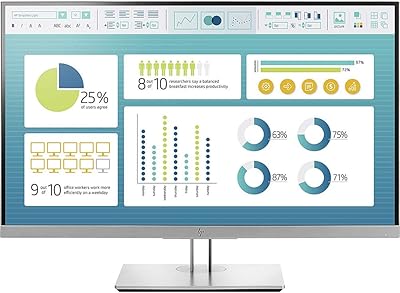
HP EliteDisplay E273 27″ Monitor

HP Series 5 524sf 24-inch Monitor
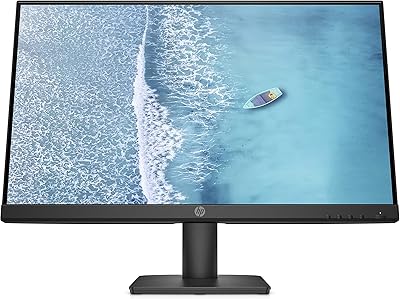
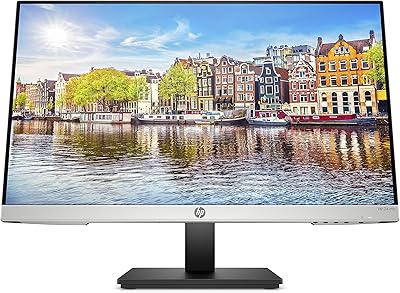
HP 24mh 23.8-inch IPS Monitor
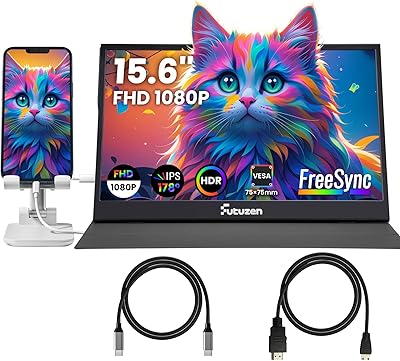
Futuzen 23.8-inch 1080p 100Hz IPS Monitor
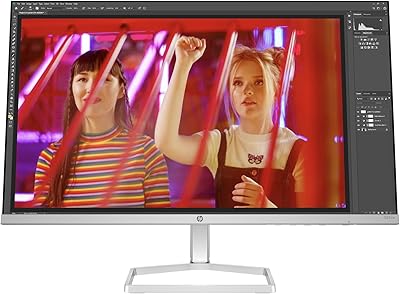
HP Series 5 524sw 23.8-inch FHD Monitor

Gigastone LM-27FF51 27-Inch IPS Monitor
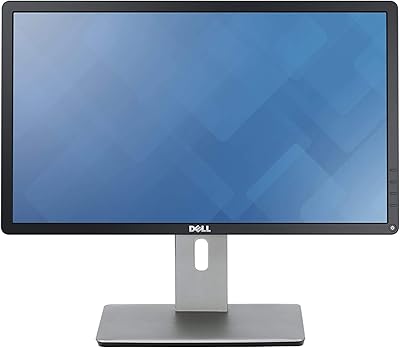
Dell P2214H 22-Inch IPS Monitor
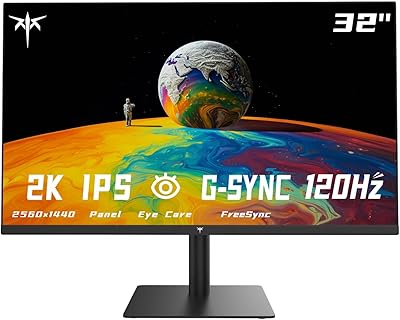
KTC H32T13 32-Inch QHD IPS Monitor