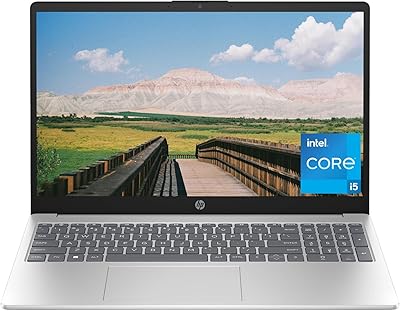
HP Chromebook 11A-NB0013DX 11.6-inch Laptop




Overview
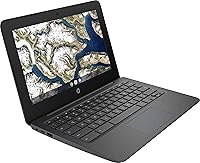
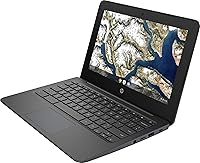
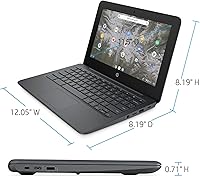
The HP Chromebook 11A-NB0013DX 11.6-inch Laptop is a no-frills, cloud-first machine built for people who need a reliable computer without the complexity or cost of a full Windows setup. At under three pounds and barely three-quarters of an inch thick, it slips into a backpack without a second thought. Chrome OS keeps things refreshingly simple — automatic updates happen in the background, built-in security means you are not hunting for antivirus software, and the whole system boots in seconds. Specs are intentionally modest, so this is not a machine for video editing or heavy multitasking. But for everyday tasks, it covers the basics honestly well.
Features & Benefits
The dual-core processor handles web browsing, Google Docs, and YouTube without complaint — just do not expect it to power through a dozen heavy tabs at once. The 4GB of RAM is enough to keep three or four browser tabs and a Google Meet call running comfortably side by side. Storage is where you need to adjust expectations: 32GB of eMMC is tight for local files, but if you lean on Google Drive, it rarely becomes a real problem. Battery life is a genuine highlight — the 12-hour claim holds up reasonably well during light real-world use. The 802.11ac Wi-Fi stays stable and fast enough for streaming and video calls throughout the day.
Best For
This budget Chromebook hits its sweet spot with a fairly specific crowd. Students using Google Classroom or writing papers in Google Docs will find it completely capable for schoolwork. Parents searching for a safe, easy-to-manage first laptop for younger kids will appreciate how low-maintenance Chrome OS is — there is no accidental software installation to worry about. Seniors who primarily video call family, stream shows, or browse the web will feel right at home here. It also works well as a lightweight travel backup for anyone already deep in the Google ecosystem. At under three pounds, carrying it daily is genuinely comfortable. If your workflow is Windows-dependent, though, look elsewhere.
User Feedback
Owners consistently praise the battery life and how quickly the system gets up and running — setup takes minutes, not hours. The lightweight build earns frequent compliments from commuters and parents alike. On the critical side, 32GB storage draws the most complaints, particularly from users who were not prepared to rely heavily on the cloud. Some report that performance dips noticeably when multiple tabs are loaded with media-heavy pages. The display gets mixed mentions — adequate for indoor use, but lacking in brightness for well-lit environments. Chrome OS itself divides opinion sharply, with users coming from Windows sometimes feeling frustrated by missing desktop applications. Longer-term owners have noted occasional sluggishness as updates accumulate over time.
Pros
- Genuinely lightweight at under 3 pounds, making it easy to carry all day without fatigue.
- Battery life holds up well through a full school or work day on a single charge.
- Chrome OS setup is fast and hassle-free, often ready to use within minutes out of the box.
- Automatic system updates mean zero maintenance headaches for non-technical users.
- Built-in security features reduce the risk of malware without any extra software needed.
- Compact 11.6-inch form factor fits comfortably in small bags and crowded desks.
- Pairs naturally with Google Drive, effectively extending usable storage well beyond the 32GB onboard.
- Solid 802.11ac Wi-Fi keeps streaming and video calls running smoothly throughout the day.
- The straightforward Chrome OS interface is approachable for seniors and first-time laptop users.
- At its price point, it offers reliable everyday performance for cloud-based tasks without overspending.
Cons
- 32GB of local storage fills up faster than most buyers anticipate, especially without cloud habits.
- Performance noticeably drops when running several media-heavy browser tabs at the same time.
- The display lacks brightness for use in well-lit rooms or near windows.
- Chrome OS does not support native Windows applications, which catches many new buyers off guard.
- Long-term users report that the system can slow down over time as Chrome OS updates accumulate.
- Only one audio-out port limits connectivity options for accessories and peripherals.
- No offline functionality for key tasks makes it a poor fit for areas with unreliable internet.
- DDR2 memory is an older standard that limits the machine's performance ceiling noticeably.
- The 1366x768 screen resolution feels dated compared to even modestly priced competing devices.
- Users switching from Windows or macOS often face an adjustment period and occasional app gaps.
Ratings
Our AI scoring system analyzed thousands of verified global purchases for the HP Chromebook 11A-NB0013DX 11.6-inch Laptop, actively filtering out incentivized reviews, duplicate submissions, and bot-generated feedback to surface what real everyday users actually experienced. The scores below reflect both the genuine strengths that keep buyers satisfied and the recurring pain points that push others to return or regret their purchase. Nothing has been softened — this is an honest composite of real-world use.
Battery Life
Portability
Value for Money
Ease of Setup
Performance
Display Quality
Build Quality
Storage Capacity
Keyboard & Typing
Trackpad
Chrome OS Experience
Wi-Fi & Connectivity
Speaker Quality
Long-Term Reliability
Suitable for:
The HP Chromebook 11A-NB0013DX 11.6-inch Laptop was clearly designed with a specific type of user in mind, and for that user, it genuinely delivers. Students in K-12 or early college who live inside Google Workspace — Docs, Slides, Classroom, Meet — will find it handles their daily workload without friction. Parents who want a controlled, low-maintenance device for younger children will appreciate that Chrome OS makes it nearly impossible to accidentally install malware or junk software. Seniors who primarily video call, stream content, or browse the web will feel comfortable with how straightforward the interface is. Frequent travelers or commuters looking for a lightweight secondary device that can survive a full day away from an outlet will also find a lot to like here, especially given its under-three-pound build and solid battery endurance.
Not suitable for:
Anyone expecting a traditional Windows or macOS experience will likely find this budget Chromebook frustrating rather than liberating. Chrome OS does not run native desktop software, which means programs like Microsoft Office (the full desktop version), Adobe Photoshop, or most Windows games are simply not available — web-based alternatives exist, but they are not always equivalent. The 32GB of local storage creates real headaches for users who work offline regularly or need to store large files locally. Professionals, creators, or even advanced students doing data-heavy coursework, video editing, or running multiple demanding applications will quickly hit a performance ceiling with the Celeron processor and 4GB of RAM. If reliable internet access is not a given in your daily environment, the cloud-dependent nature of this machine becomes a genuine liability rather than a feature.
Specifications
- Screen Size: The display measures 11.6 inches diagonally with an HD resolution of 1366x768 pixels and an energy-efficient WLED backlight.
- Processor: Powered by an Intel Celeron N3350 dual-core processor running at 1.1GHz base clock speed.
- RAM: Equipped with 4GB of LPDDR2 DDR2 SDRAM, suitable for basic multitasking and everyday browser-based workflows.
- Storage: Includes 32GB of eMMC flash storage, which offers fast boot times but limited local file capacity.
- Operating System: Runs Chrome OS, Google's cloud-first operating system with built-in virus protection and automatic background updates.
- Graphics: Uses integrated Intel HD Graphics 500 with shared video memory, adequate for HD video playback and light image viewing.
- Wireless: Supports 802.11ac Wi-Fi for fast, reliable wireless connectivity suited to streaming and video conferencing.
- Battery Life: Rated for up to 12 hours of battery life under typical light-use conditions.
- Weight: Weighs approximately 3 pounds, making it one of the more portable options in the budget laptop category.
- Dimensions: Measures 12 x 8.2 x 0.7 inches, keeping the overall footprint compact and bag-friendly.
- Color: Available in Ash Gray, giving it a neutral, understated appearance suitable for school or office environments.
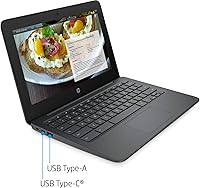
- Audio Port: Features one 3.5mm audio-out port for connecting headphones or external speakers.
- Optical Drive: Does not include an optical drive, consistent with its slim, modern design focused on digital and cloud-based media.
- Chipset: Built on an Intel chipset platform that supports the Celeron N3350 processor architecture.
- Power: Operates on battery power with a rated voltage of 24 volts and requires one lithium metal battery.
- Model Number: The official HP model number for this unit is 11A-NB0013DX, which can be used to verify compatibility with accessories.
- ASIN: The Amazon Standard Identification Number for this product is B08D3X9RF6.
Related Reviews
HP Chromebook 11a 11.6-inch Laptop

Samsung Chromebook 2 XE500C12-K01US 11.6-inch Laptop
HP Stream 11 11.6-Inch Laptop
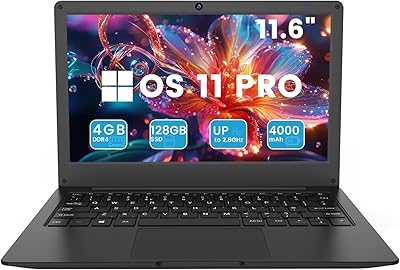
Azeyou CG11Q6-US 11.6-inch Laptop

HP Chromebook 14a 14-inch Laptop
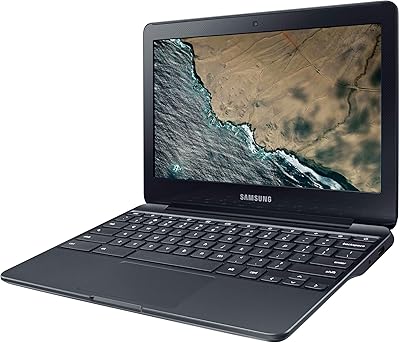
Samsung Chromebook 3 11.6″ Laptop
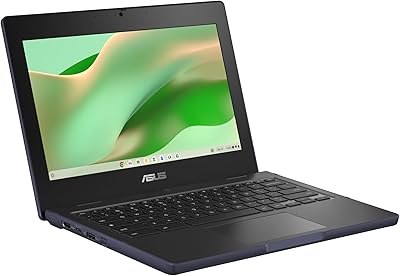
ASUS Chromebook CR11 11.6-inch Ruggedized Laptop

HP Chromebook 14 AMD A4 Laptop
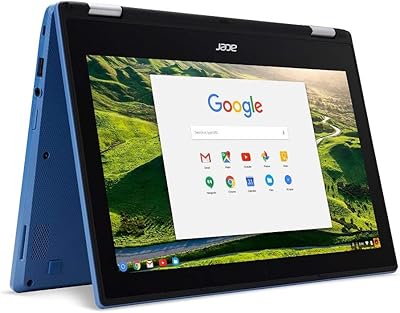
Acer Chromebook R11 11.6-inch Touchscreen Chromebook