Overview
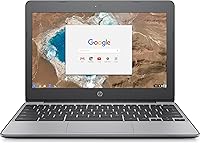
The HP Chromebook 11-v010nr 11.6-inch Laptop is exactly what it sets out to be: a no-fuss, affordable computer built for everyday light use. At just under three pounds and compact enough to slip into any bag, this Chromebook prioritizes portability over raw power. Chrome OS is the heart of the experience — and that distinction matters. This isn't a replacement for Windows or macOS; it's a browser-first machine designed for people who spend most of their day in Gmail, Google Docs, YouTube, or streaming services. Students, seniors, and casual users will feel right at home. Those expecting desktop-class software should look elsewhere.
Features & Benefits
The Intel Celeron N3060 processor won't win any speed awards, but it handles web browsing, Google Workspace, and HD video streaming without complaint. Paired with 4GB of RAM, the HP 11-v010nr holds up reasonably well when you keep tabs in check — open too many at once and you'll notice the slowdown. Storage is the honest trade-off here: 16GB locally is genuinely tight, but HP bundles a 100GB Google Drive subscription, which shifts the storage conversation to the cloud where it belongs. The antiglare display is easy on the eyes indoors, and the 12.5-hour battery life is a genuine standout for anyone away from an outlet all day.
Best For
This compact HP laptop is a natural fit for students from middle school through college — it's built around Google Classroom, Docs, and Drive, which are already part of most school workflows. Seniors who want something simple to check email, video call family, and browse the web will appreciate how quickly it boots and how little maintenance Chrome OS requires. It's also a smart pick for parents setting up a first device for young kids, since Chrome OS keeps things contained and easy to manage. Light travelers benefit from the sub-three-pound weight and all-day battery. If your life runs on Google, this machine fits right in.
User Feedback
Owners consistently praise the fast boot times and how light this Chromebook is to carry around, and the keyboard gets solid marks for a budget machine — the island-style layout is comfortable for extended typing sessions. On the flip side, limited local storage trips up users who aren't prepared for a cloud-first workflow, and anyone coming from Windows often hits a wall when their usual software simply isn't available on Chrome OS. The plastic chassis feels exactly as budget as it is, though most owners report it holds up fine through daily school use. Heavy multitaskers will notice performance dips with too many browser tabs open.
Pros
- Boots up in seconds — no waiting around for a slow startup like older Windows machines
- Battery life regularly hits the 12-hour mark, making it genuinely all-day capable
- At under three pounds, this Chromebook is easy to carry without feeling flimsy
- The antiglare display holds up well in bright indoor environments like classrooms and offices
- Chrome OS receives automatic updates silently in the background — essentially zero maintenance
- The full-sized island-style keyboard is comfortable for extended typing at this price point
- Includes a 100GB Google Drive subscription, which meaningfully extends usable storage for cloud users
- Dual-band 802.11ac Wi-Fi keeps connections stable and fast on modern routers
- HDMI output lets you connect to a monitor or TV when you need a bigger screen
- A one-year HP warranty adds a layer of reassurance for a budget-tier purchase
Cons
- 16GB of local storage fills up fast and offers almost no buffer for offline files
- Chrome OS cannot run Windows software, which catches many first-time buyers off guard
- Performance drops noticeably when too many browser tabs are open simultaneously
- The plastic build looks and feels entry-level, which may not hold up to rough handling over years
- Heavily dependent on a strong internet connection — offline usability is genuinely limited
- No optical drive and limited ports mean you may need adapters for certain peripherals
- The 1366x768 display resolution feels dated compared to newer budget competitors
- 4GB of onboard RAM cannot be upgraded, so there is no path to improving performance later
Ratings
Our AI rating system analyzed thousands of verified global user reviews for the HP Chromebook 11-v010nr 11.6-inch Laptop, actively filtering out incentivized, bot-generated, and spam submissions to surface what real buyers actually experienced. The scores below reflect a balanced synthesis of both genuine praise and recurring frustrations, so you get an honest picture before making your decision. Standout strengths and meaningful limitations are weighted equally throughout.
Battery Life
Value for Money
Portability
Performance
Storage Capacity
Display Quality
Keyboard & Typing Experience
Build Quality
Software & App Ecosystem
Connectivity & Ports
Boot & Wake Speed
Setup & Ease of Use
Audio Quality
Thermal Management
Suitable for:
The HP Chromebook 11-v010nr 11.6-inch Laptop was clearly designed with a specific type of user in mind, and for that audience it genuinely delivers. Students from elementary school through college are the most obvious fit — this Chromebook slots naturally into Google Classroom workflows, handles Docs and Slides without a hitch, and the all-day battery means one charge gets through a full school day with room to spare. Seniors who want a simple, low-maintenance device for email, video calls, and light browsing will appreciate how fast it boots and how little can go wrong with Chrome OS compared to a traditional Windows machine. Parents searching for a first laptop for young children will find the locked-down, manageable environment of Chrome OS genuinely reassuring. Light travelers and commuters who need something ultraportable and reliable for basic productivity on the go will also get solid value here.
Not suitable for:
If your computing needs go beyond a browser, this compact HP laptop will frustrate you quickly. The HP 11-v010nr runs Chrome OS exclusively, which means popular Windows applications — Adobe Creative Suite, Microsoft Office desktop apps, specialized business software, and most games — simply will not run on it. The 16GB of local storage is a hard constraint that will feel suffocating if you plan to store videos, large files, or offline content locally, and the reliance on Google Drive requires a dependable internet connection to work comfortably. Power users who regularly juggle ten or more browser tabs, run video editing tools, or need strong processing performance for any reason will hit the limits of the Celeron processor noticeably and regularly. If you are replacing a Windows laptop and expecting a like-for-like experience, this is not the machine for you.
Specifications
- Processor: Powered by an Intel Celeron N3060 dual-core processor running at 1.6GHz, with burst speeds up to 2.48GHz and 2MB cache.
- RAM: Comes with 4GB of LPDDR3 SDRAM soldered onboard, with no option to upgrade after purchase.
- Storage: Equipped with a 16GB eMMC SSD for local storage, designed to work alongside cloud-based file management.
- Display: Features an 11.6″ HD antiglare WLED-backlit screen with a 1366x768 resolution, optimized for indoor use.
- Operating System: Ships with Chrome OS, Google's browser-centric operating system that receives automatic background updates.
- Battery Life: Rated for up to 12 hours and 30 minutes on a single charge using a 3-cell, 44Wh lithium-ion battery.
- Weight: Starts at approximately 2.72 lb, making it one of the lighter options in the budget laptop category.
- Dimensions: Measures 11.8 x 8.14 x 0.8 inches, compact enough to fit comfortably in most standard backpacks and laptop sleeves.
- Wi-Fi: Supports Intel Dual Band Wireless-AC 7265 with 802.11a/b/g/n/ac (2x2) for reliable dual-band wireless connectivity.
- Bluetooth: Includes Bluetooth 4.2 for connecting wireless peripherals such as headphones, mice, and keyboards.
- Ports: Offers 2x USB 3.1 Gen 1 ports (one with charging), 1x HDMI 1.4, a microSD card slot, and a headphone/microphone combo jack.
- Graphics: Uses integrated Intel HD Graphics 400, suitable for HD video playback and standard web-based visual content.
- Cloud Storage: Includes a complimentary 100GB Google Drive subscription valid for two years from device activation.
- Keyboard: Features a full-sized, textured black island-style keyboard layout designed for comfortable everyday typing.
- Security: Equipped with a TPM 1.2 security chip and a physical security lock slot for use in shared or institutional environments.
- Warranty: Backed by HP's limited 1-year parts and labour warranty with HP Elite Support; terms and exclusions vary by region.
- Power Supply: Comes with a 45W Smart AC adapter using a 4.5mm connector, providing fast and efficient charging.
- Expansion: Includes one microSD card slot supporting SD, SDHC, and SDXC formats for modest local storage expansion.
Related Reviews
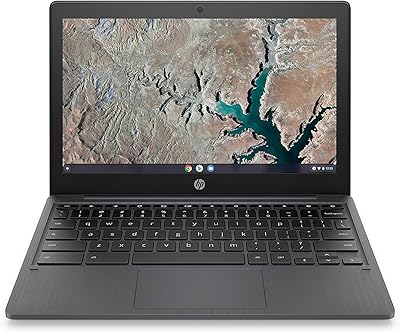
HP Chromebook 11a 11.6-inch Laptop

Samsung Chromebook 2 XE500C12-K01US 11.6-inch Laptop
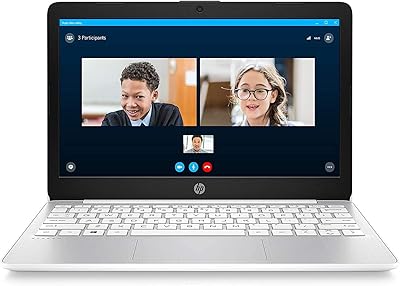
HP Stream 11 11.6-Inch Laptop
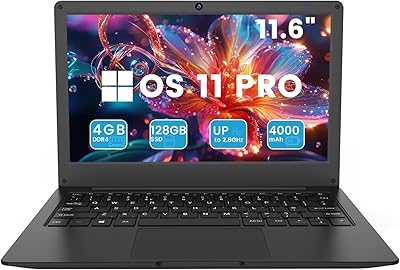
Azeyou CG11Q6-US 11.6-inch Laptop

HP Chromebook 14a 14-inch Laptop
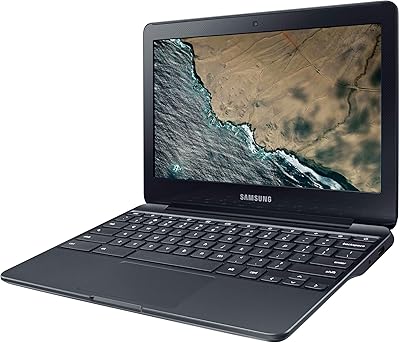
Samsung Chromebook 3 11.6″ Laptop
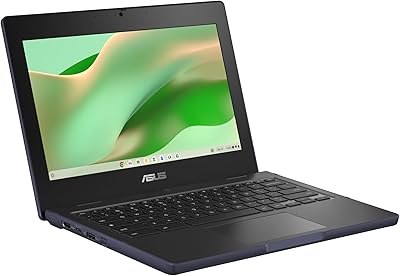
ASUS Chromebook CR11 11.6-inch Ruggedized Laptop

HP Chromebook 14 AMD A4 Laptop
HP 15-fd0012nr 15.6-Inch Laptop