
Overview

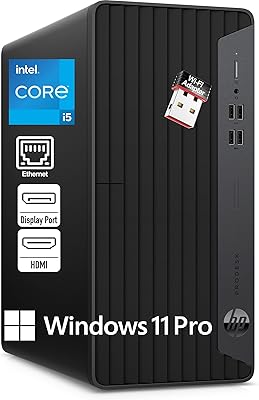
The HP Pro Tower 290 G9 Desktop launched in February 2025 as a no-nonsense business workstation pitched squarely at small offices and home workers who need dependable daily performance. The marketing copy claims it beats an older i7-9700 — technically defensible, given how much 13th Gen Intel architecture has progressed — but don't read that as a high-end machine. This is built for spreadsheets, video calls, and document-heavy workflows, not rendering or gaming. Sitting at #112 in Tower Computers on Amazon signals real buyer traction, though the specs tell the clearest story. Integrated graphics and a compact chassis make the intended use case plain from the start.

Features & Benefits

The 64GB of DDR4 RAM is where the Pro Tower 290 G9 clearly stands out for the price. Most competitors in this segment ship with 16GB; having four times that headroom means you can run a dozen Chrome tabs, an active video call, and a CRM platform simultaneously without the system straining. The 2TB PCIe M.2 SSD keeps things brisk — boot times are fast, and file transfers feel instant compared to the spinning drives still common in older office towers. The i3-13100 handles four cores and eight threads at up to 4.5 GHz, more than enough for typical business software. Eight USB ports, Wi-Fi, Bluetooth, and dual 4K output round out a well-connected workstation that ships ready to use.

Best For

This HP business tower is the right fit for anyone deploying workstations in a small office or running a productive home setup — think accountants, legal staff, customer service teams, or anyone whose heaviest tasks involve a browser, Office suite, and a video conferencing app. IT managers will appreciate the Windows 11 Pro license that supports BitLocker encryption, domain join, and group policy management out of the box. It's also a solid upgrade path for businesses still running HDDs or pre-8th Gen chips. What it is not built for is video editing, 3D work, or anything requiring a discrete GPU. Keep expectations anchored to its strengths and it rarely disappoints.

User Feedback

Buyers consistently highlight the RAM and storage combination as the standout value — most say they weren't expecting 64GB at this price point, and it noticeably changes how the machine handles multitasking day to day. Setup gets frequent praise too; unboxing to a working desktop in under 30 minutes is a common report. On the critical side, some users wish a discrete graphics option were available, particularly those wanting more flexible display configurations. A handful note the chassis is solidly built but unmistakably utilitarian — HP's business-grade plastic is functional rather than premium. Fan noise during sustained loads is generally described as acceptably quiet for offices, which is a genuine plus for open-plan and shared work environments.

Pros

  • 64GB of DDR4 RAM is unusually generous for this price tier, keeping multitasking smooth across demanding workdays.
  • The 2TB PCIe M.2 SSD means fast boot times and snappy file access — a clear step up from older HDD-based office PCs.
  • Windows 11 Pro is included, covering BitLocker encryption, domain join, and enterprise IT management needs.
  • Dual 4K monitor support via HDMI and VGA works well for anyone running a two-screen productivity setup.
  • Eight USB ports, Wi-Fi, and Bluetooth means most peripherals connect without needing an extra hub.
  • This office desktop ships with a matching HP keyboard and mouse, reducing day-one setup friction.
  • The 13th Gen i3-13100 handles email, Office apps, CRM tools, and video calls with headroom to spare.
  • Compact chassis footprint fits neatly under a desk without consuming workspace.
  • Fan noise during normal operation is low enough for shared or open-plan office environments.
  • The 3.5-inch HDD expansion bay leaves room to add bulk storage later without requiring a full hardware overhaul.

Cons

  • No discrete GPU option means video editing, 3D rendering, and graphics-intensive software are off the table.
  • The product title's i7-9700 comparison, while technically defensible, can mislead buyers into expecting more performance than this i3 delivers.
  • Four of the eight USB ports run at USB 2.0 speeds, which feels dated for peripherals requiring fast data transfer.
  • Business-grade plastic chassis is functional but feels utilitarian — buyers expecting a premium build quality will be let down.
  • VGA is a legacy display standard; connecting newer monitors may require an adapter that is not included.
  • The i3-13100's base clock shows limits under sustained CPU-heavy tasks like large-batch file processing or compilation.
  • Adding a dedicated graphics card later is not straightforward — the compact chassis and PSU configuration were not designed with that upgrade in mind.
  • The machine lacks a USB-C port entirely, which is increasingly inconvenient as modern peripherals and monitors adopt that standard.

Ratings

The HP Pro Tower 290 G9 Desktop earns a solid overall standing among its business desktop peers, with every score on this page generated by AI after analyzing verified buyer feedback from global markets and actively filtering out spam, bot-generated, and incentivized submissions. Both the genuine strengths buyers highlight and the real frustrations they encounter in practice are transparently reflected across each category score. The result is a rating profile built to help you quickly gauge whether this office desktop actually fits your workload — without any promotional framing.

Value for Money
83%
Buyers consistently single out the 64GB RAM configuration as the standout value proposition — it is simply not common to find this much memory at this price point, and it meaningfully separates this machine from comparable offerings. For small businesses pricing out multiple workstations, the included Windows 11 Pro license adds further cost efficiency.
Some buyers feel the premium over i3-based alternatives with less RAM does not fully justify itself when their daily workload never approaches memory limits. The absence of a discrete GPU option at this price point also becomes a sore spot for users who discover that limitation only after purchase.
CPU Performance
74%
26%
For the daily grind of spreadsheets, video calls, CRM platforms, and multi-tab browsing, the i3-13100's four cores and 4.5 GHz Turbo Boost deliver a notably snappy experience, especially compared to older pre-8th Gen systems that many buyers are upgrading from. The 8-thread configuration handles concurrent tasks without the stuttering that plagued previous-generation i3 chips.
Users running sustained CPU-intensive workloads — large Excel model calculations, batch file processing, or a local development server — notice the i3 ceiling sooner than expected. The product title's comparison to the i7-9700 sets unrealistic expectations for buyers who interpret that as general high-performance capability rather than a narrow architectural benchmark win.
RAM & Multitasking
91%
The 64GB of DDR4 RAM is the single most-praised specification across buyer feedback — users running accounting software, a browser with 20-plus open tabs, a video conferencing app, and a database tool simultaneously report zero slowdown. For IT managers deploying units across a department, the memory headroom essentially future-proofs the machines for several years of normal office use.
For buyers with straightforward single-task workloads, the 64GB configuration can feel over-specified, and some question whether paying for that headroom makes practical sense. A number of users also note that while RAM is generous, the integrated graphics become the actual bottleneck before memory ever does in display-heavy multi-app setups.
Storage Speed
87%
The 2TB PCIe M.2 SSD transforms the everyday experience for users upgrading from spinning hard drives — Windows boots in seconds, large Office files open instantly, and transfers that previously took minutes now complete in a fraction of the time. The 2TB capacity is also appreciated by teams managing large document libraries without needing an external drive.
A minority of buyers note that the PCIe SSD, while fast for daily office use, is not a top-tier NVMe drive, so sustained large-file transfers do eventually reveal a mid-range write speed ceiling. Some users also advise checking HP's official documentation before attempting internal storage expansion, as the upgrade path is not always clearly laid out.
Graphics & Display
57%
43%
For a two-monitor productivity setup — email on one screen, a CRM or spreadsheet on the other — the Intel UHD 730 performs exactly as needed, and buyers using this machine for standard office work rarely have complaints about the display output. The support for 4K resolution on both outputs is a practical plus for anyone using high-DPI monitors.
Buyers who purchased this for even light creative work — editing marketing photos, producing short video clips — quickly discovered the integrated chip is a hard wall. The machine has no supported path to add a discrete GPU, and the presence of only HDMI and VGA outputs means users with DisplayPort monitors need adapters, which is not immediately obvious at purchase.
Build Quality
71%
29%
The chassis is well-assembled for a business-class tower — panels fit snugly, there is no creaking or flexing, and the overall construction feels like it will hold up through years of desk duty and occasional IT relocations. HP's business tower line has a long track record of physical durability that buyers in the SMB segment have come to rely on.
The use of business-grade plastic throughout is functional rather than impressive — buyers coming from premium consumer desktops or high-end workstations will notice the material difference immediately. A handful of users mentioned that the exterior scuffs easily and the overall aesthetic is too utilitarian for client-facing home office environments where appearances matter.
Connectivity & Ports
76%
24%
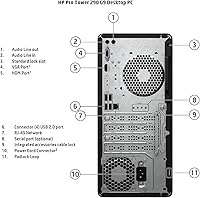
Eight USB ports in total means most users never need to reach for a hub — keyboard, mouse, a USB drive, a webcam, and a headset adapter all connect without contention. The addition of Wi-Fi and Bluetooth alongside a wired RJ-45 port gives IT teams flexibility to deploy the unit in wired or wireless network environments without additional hardware.
The absence of any USB-C port is a notable gap, particularly for buyers whose newest peripherals and monitors use USB-C connections. Four of the eight USB ports running at USB 2.0 speeds also draws criticism from users who move large files regularly, since the slower ports become a recurring frustration point for everyday data transfer tasks.
Setup Experience
88%
The pre-installed and activated Windows 11 Pro, combined with the included keyboard and mouse, means buyers are typically at a working desktop within half an hour of unboxing — no license keys to track down, no peripheral shopping needed on day one. IT departments deploying several units at once particularly appreciate this low-friction rollout process.
The bundled HP keyboard and mouse are entry-level accessories that most buyers replace promptly — they feel cheap for a machine in this price range, and typing comfort in particular gets criticism from users who spend long hours at the keyboard. Some buyers also note the initial Windows setup wizard includes more HP-branded promotional software than expected.
Fan Noise & Thermals
81%
19%
Under the standard office workload this machine is designed for — browser tabs, Office apps, video calls — the fans stay at a noticeably low RPM and the system blends quietly into the background. Multiple buyers specifically mentioned it is quiet enough for a shared bedroom office or an open-plan workspace without bothering colleagues.
When the processor is pushed hard — running large spreadsheet calculations, a background Windows update, and a video call simultaneously — the fan ramps up to an audible level that some users find distracting. A small number of buyers also report that the system can feel warm to the touch on the top vents during extended sustained workloads.
Software & OS
85%
Windows 11 Pro out of the box is a genuine selling point for business buyers — BitLocker encryption, domain join, Remote Desktop, and group policy support are all included without additional licensing fees. Users in regulated industries or managed IT environments particularly appreciate that the machine is enterprise-ready from the moment it is powered on.
Some buyers report a moderate amount of HP pre-installed software that requires manual removal before the system feels clean. A number of technically-minded users also note that HP's BIOS configuration options are more restricted than third-party motherboard alternatives, limiting overclocking or deep system tuning — though this is an expected trade-off in a managed business platform.
Upgrade Potential
52%
48%
The available 3.5-inch internal HDD bay offers a meaningful expansion path for buyers who need to add bulk storage over time, and the USB 3.2 ports support fast external storage as a practical alternative. For most business use cases, the 2TB SSD provides enough headroom that storage expansion is not an immediate concern.
Beyond storage, the upgrade path is limited — the compact chassis and power supply sizing make adding a dedicated GPU impractical, and HP provides no official upgrade path for graphics expansion in this configuration. Buyers who anticipate evolving hardware needs within a 2-to-3-year window often find themselves planning for a full system replacement rather than targeted component upgrades.
Design & Form Factor
78%
22%
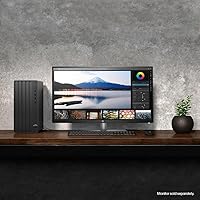
The compact footprint — 6.12 x 11.93 x 13.28 inches — fits comfortably under a desk or alongside a monitor without dominating the workspace, earning consistent praise from buyers in smaller home offices and open-plan setups where desk space is at a premium. The all-black aesthetic is neutral enough to blend into most office environments without drawing attention.
The design is purely utilitarian — functional and inoffensive in back-office settings, but clearly not aimed at buyers who care about aesthetics. A few users in client-facing home office roles mention that the boxy, corporate look feels dated compared to sleeker consumer desktops at comparable price points, which is worth noting if the machine will be visible to clients.
Bundled Accessories
67%
33%
Having a matching keyboard and mouse included means buyers do not need to order peripherals separately, which simplifies procurement for IT managers setting up multiple workstations at once. For users simply replacing an old desktop who just need something functional to get started, the bundled accessories cover the basics without any extra steps.
The keyboard and mouse are entry-level — keys feel mushy and the mouse has minimal ergonomic shaping, so most buyers who spend full workdays at the desk replace them within weeks. For a machine at this specification level, the accessory quality feels notably mismatched. Neither is wireless, which is an odd gap for a system with Bluetooth already on board.
Wireless Connectivity
79%
21%
The built-in Wi-Fi and Bluetooth combo eliminates the need for USB dongles or separate wireless adapters, which is a practical advantage for clean desk setups and for IT managers who want fewer external failure points. Bluetooth connectivity also means users can pair wireless headsets, speakers, or a cordless keyboard from day one without any additional hardware.
HP does not publish the Wi-Fi standard specification prominently for this unit, and a small number of buyers report that wireless throughput on congested office networks does not match wired connection speeds. For latency-sensitive applications like VoIP calls or remote desktop sessions in multi-user office environments, the wired RJ-45 port remains the more reliable choice.

Suitable for:

The HP Pro Tower 290 G9 Desktop is a well-matched choice for small business owners, office administrators, and remote workers whose daily computing stays firmly in productivity territory — think spreadsheets, email, browser-heavy research, CRM tools, and video conferencing. The 64GB of DDR4 RAM is a real differentiator here; most workers in this category never come close to exhausting that headroom, meaning the machine handles multitasking smoothly for years without memory becoming a bottleneck. IT managers deploying a fleet of reliable workstations will also appreciate the Windows 11 Pro license included out of the box, which supports BitLocker, domain join, and group policy without any additional cost. The dual 4K monitor support via HDMI and VGA makes it practical for anyone running a two-screen productivity setup. Businesses upgrading from machines built on pre-8th Gen Intel processors or spinning hard drives will notice an immediate, meaningful improvement in boot times and day-to-day app responsiveness.

Not suitable for:

The HP Pro Tower 290 G9 Desktop is not the right call for anyone whose work regularly involves GPU-dependent tasks — video editing, 3D rendering, graphic design, or any application that leans heavily on dedicated graphics processing. The Intel UHD 730 is an integrated chip that handles basic display output competently, but it will reach its ceiling quickly under anything beyond standard productivity software. Gamers should look elsewhere entirely; this machine was not designed for that workload and its specs reflect that honestly. Creative professionals who rely on applications like Adobe Premiere, DaVinci Resolve, or AutoCAD will find it underpowered for those specific demands. Buyers expecting a premium physical finish may also be let down — the chassis uses business-grade plastic that prioritizes function over feel. Power users who anticipate adding a dedicated GPU or significantly expanding hardware down the line should note that the compact tower design may limit upgrade flexibility compared to a larger mid-tower platform.

Specifications

  • Processor: Intel Core i3-13100 (13th Gen), 4 cores, 8 threads, 3.4 GHz base clock with Intel Turbo Boost up to 4.5 GHz.
  • L3 Cache: 12 MB Intel Smart Cache shared across all four processor cores.
  • RAM: 64 GB DDR4 DIMM memory running at 3200 MHz.
  • Storage: 2TB PCIe M.2 SSD for fast boot times and responsive file access across all stored data.
  • Drive Interface: Primary storage connects via a PCIe x4 M.2 interface, delivering faster throughput than standard SATA-based drives.
  • Graphics: Intel UHD 730 integrated graphics supporting dual-display output at up to 3840x2160 (4K) resolution.
  • Display Outputs: One HDMI port and one VGA port on the rear panel for connecting up to two monitors simultaneously.
  • USB Ports: Eight USB ports in total: four USB 2.0 and four USB 3.2 Gen 1 ports distributed across the chassis.
  • Wireless: Integrated Wi-Fi and Bluetooth combo module enables wireless network and peripheral connectivity without a separate adapter.
  • Ethernet: One RJ-45 port provides wired Gigabit Ethernet connectivity for stable, high-speed network access.
  • Operating System: Windows 11 Pro 64-bit (US English) is pre-installed and activated on the system.
  • Form Factor: Compact tower chassis with dimensions of 6.12 x 11.93 x 13.28 inches (LxWxH).
  • Weight: Unit weighs approximately 20 pounds, making it manageable for standard desk placement or IT staging.
  • In the Box: Package includes the desktop tower, one HP wired USB keyboard, and one HP wired USB mouse, all in black.
  • HDD Expansion: An internal 3.5-inch drive bay is available for installing an additional hard drive as secondary storage.
  • Optical Drive: An external slim optical drive is included for reading and writing CDs and DVDs, with an emergency eject pinhole.
  • Launch Date: The system was first made available for purchase in February 2025.

Related Reviews

HP Pro Tower 290 G9 Desktop (i5-12500, 32GB RAM, 1TB SSD)
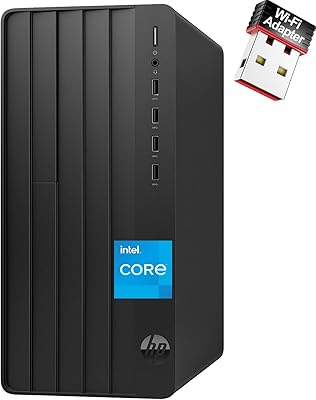
81%
96%
Multitasking Capability
91%
Value for Money
88%
Port Selection
84%
Thermal & Acoustic Performance
93%
Boot Speed & Storage
More
HP Pro Tower 290 G9 Desktop PC, Intel Core i3-13100, 16GB RAM, 512GB SSD
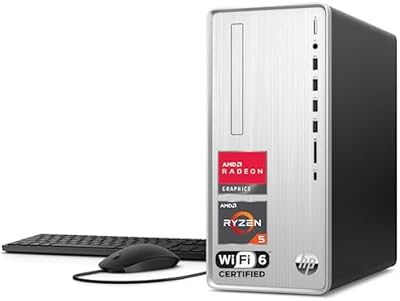
83%
85%
Performance
92%
Value for Money
81%
Build Quality
88%
Usability & Ergonomics
89%
Software/OS Experience
More
HP Pavilion Tower Desktop, Ryzen 5 5600G, 32GB RAM, 1TB SSD
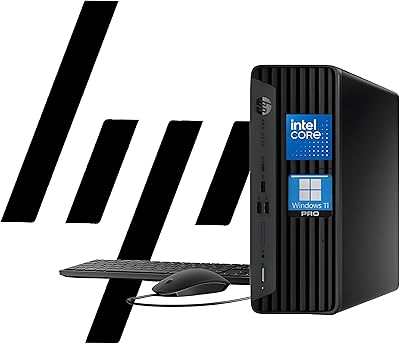
85%
88%
Performance
91%
Multitasking Capability
80%
Build Quality
85%
Ease of Setup
92%
Value for Money
More
HP ProDesk 400 G9 SFF (32GB RAM, 1TB SSD)
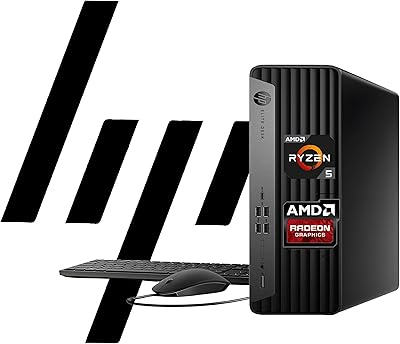
79%
74%
Value for Money
53%
Processing Performance
88%
Storage Speed
82%
RAM & Upgradeability
81%
Build Quality & Design
More
HP EliteDesk 805 G9 SFF Desktop
81%
88%
Performance for Productivity
54%
Graphics Capability
82%
Dual Monitor Support
91%
Storage Speed
79%
RAM Headroom
More
HP ProDesk 400 G7 Tower Desktop, Intel Core i5-10500, 64GB RAM, 2TB SSD
85%
88%
Performance
90%
Reliability
93%
Storage Capacity
85%
Build Quality
87%
Design & Compactness
More
HP ProDesk 400 G7
HP ProDesk 400 G7
76%
88%
Value for Money
82%
Performance & Speed
91%
RAM & Multitasking
86%
Storage Performance
58%
Graphics & Display Output
More
HP 15 G9 16GB 1TB Laptop
71%
88%
Value for Money
54%
Performance
83%
RAM & Multitasking
86%
Storage
74%
Display Quality
More
Dell Pro Slim QCS1250 Desktop Computer
74%
88%
Everyday Performance
84%
Multitasking Capability
44%
Storage Capacity
21%
Wireless Connectivity
76%
Value for Money
More
iBUYPOWER Y40 Pro Gaming PC (Ryzen 9 7900X, RTX 5070 Ti, 32GB DDR5, 2TB)
79%
93%
Gaming Performance
88%
CPU Workload Handling
67%
Thermal Management
84%
Build Quality & Case Design
86%
RAM & Memory Performance
More

FAQ

No, the monitor is sold separately. The package includes the tower, an HP wired keyboard, and an HP wired mouse, but no display. The machine supports two monitors simultaneously via its HDMI and VGA ports, so you can connect whichever screens you already own or purchase separately.

Not really. The Intel UHD 730 is an integrated graphics chip, meaning it is not designed for gaming workloads. Very light browser-based games may run, but anything requiring a dedicated GPU will either perform poorly or not run at all. If gaming is part of your plan, you need a machine with a discrete graphics card.

Yes. The Pro Tower 290 G9 has both an HDMI port and a VGA port, and it fully supports running two displays simultaneously at up to 4K resolution on each. Just keep in mind that VGA is an older analog standard, so if your second monitor only has HDMI or DisplayPort inputs, you may need an inexpensive adapter to make the connection work.

Technically yes, though the framing can mislead. The i3-13100 uses a newer 13th Gen architecture and does outperform the older i7-9700 in certain benchmarks, particularly multi-threaded workloads. But this is still an i3-class processor with four cores, and buyers expecting i7-level heavy lifting will be disappointed. Treat it as a capable modern business chip, not a high-performance workstation processor.

It is not a practical upgrade path here. The compact chassis and the power supply — sized for integrated graphics operation — make adding a power-hungry discrete GPU difficult and potentially unsupported by HP. If you think you might need dedicated graphics down the road, it is worth investing in a system specifically designed for that from the start rather than trying to retrofit this one.

For most everyday tasks it is more than you will ever need — and that is actually a good thing. It means the machine will never feel sluggish due to memory pressure, even with dozens of browser tabs, multiple documents, a video call, and a CRM application all running at once. It also gives comfortable headroom for light virtualization or running isolated environments if your IT setup requires it.

Very straightforward. The HP Pro Tower 290 G9 Desktop ships with Windows 11 Pro pre-installed and activated, along with a keyboard and mouse already included. You plug in your monitor, connect the power cable, and walk through the standard Windows setup wizard. Most users are at a working desktop within 30 minutes of unboxing.

Quiet enough for most office environments. Under typical workloads — web browsing, Office applications, video calls — the fans stay at low RPM and produce very little noise. During sustained CPU-intensive tasks the fan will spin up audibly, but it does not reach the aggressive noise levels associated with gaming towers. For open-plan offices or quiet home setups, it should not be disruptive.

Yes. In addition to the 2TB PCIe M.2 SSD, the tower includes a 3.5-inch internal drive bay where you can install an additional hard drive for bulk storage. This is useful if you are accumulating large files, backups, or archival data and want to keep the primary SSD free for the operating system and active applications.

No, the rear panel only includes HDMI and VGA — there is no DisplayPort on this machine. For monitors with HDMI inputs you are fully covered; for DisplayPort-only displays you would need an active HDMI-to-DisplayPort adapter, which adds a small extra cost to your setup.