
Overview

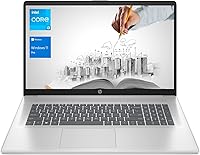
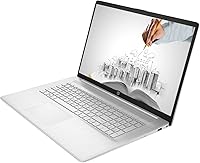
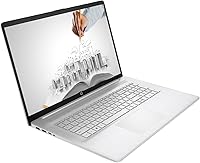
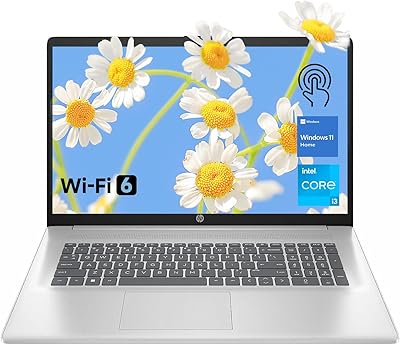
The HP 17 Business Laptop 17.3-inch is a practical choice for anyone who wants a large-screen Windows machine without paying enterprise prices. That expansive display is the real draw, giving you genuine breathing room for spreadsheets, documents, and video calls in a way that compact laptops simply cannot match. An 11th Gen Intel Core i3 handles the everyday workload competently, though it is honest about its limits — this is a light-to-moderate processor, not a powerhouse. What sets this business laptop apart at its price point is the inclusion of Windows 11 Pro, which adds real business-grade tools that most similarly priced consumer laptops skip entirely.

Features & Benefits

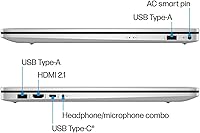
With 16GB of DDR4 RAM, this HP 17-inch laptop handles multitasking without breaking a sweat — juggling a dozen browser tabs alongside Teams calls and open spreadsheets is genuinely no problem. The 1TB NVMe SSD boots fast and gives you enough local storage that an external hard drive feels optional rather than mandatory. The screen uses an anti-glare coating that makes extended work sessions more comfortable, though it is worth knowing upfront that the resolution tops out at 1600x900, which is noticeably softer than full HD. Connectivity is solid: you get Wi-Fi 6 for stable network performance, an HDMI output, and a USB-C port alongside two USB-A ports, covering most desk setups without needing a hub.

Best For

This business laptop makes the most sense for people who spend their day in Microsoft 365, email, or browser-based tools and want a screen large enough to actually see everything without squinting. Small business owners who need Windows Pro features like device management or Active Directory — without buying a high-end machine — will find real value here. It is also a strong fit for students, teachers, or anyone upgrading from an old, slow laptop who cares more about storage and screen size than cutting-edge processing speed. If you work mostly at a desk and would rather have a comfortable viewing experience than carry a slim ultrabook, the HP 17 is worth a close look.

User Feedback

Buyers consistently praise the screen size and storage generosity, noting that a 1TB drive at this price feels like a genuine bonus. The out-of-box Windows Pro setup also earns positive mentions from small business users who appreciate not having to upgrade the OS separately. On the flip side, the most common complaint centers on display resolution — many buyers expected full HD and found 1600x900 noticeably softer, especially for text-heavy work. Battery life feedback is mixed; most users report getting through a standard workday but not much more. Build quality is generally described as adequate rather than premium, and some flag that the keyboard, while functional, lacks the tactile feedback of pricier alternatives.

Pros

  • The 17.3-inch anti-glare screen provides genuine comfort during long work sessions, reducing eye strain noticeably.
  • 16GB of RAM keeps everyday multitasking smooth, even with multiple apps and browser tabs open simultaneously.
  • A 1TB NVMe SSD delivers fast boot times and plenty of local storage without needing an external drive.
  • Windows 11 Pro is included out of the box, adding real business tools that most similarly priced laptops omit.
  • Wi-Fi 6 support ensures a stable, fast wireless connection even in busy home or office network environments.
  • The port selection — USB-C, dual USB-A, and HDMI — covers most desk setups without requiring a separate hub.
  • At its price point, the hardware configuration offers strong value for light-to-moderate professional workloads.
  • The anti-glare panel coating holds up well under overhead office lighting, reducing distracting reflections.

Cons

  • The 1600x900 HD+ resolution falls short of full HD, making text and images look softer than expected by many buyers.
  • The Core i3 processor struggles under heavier workloads, making it unsuitable for anything beyond office and web tasks.
  • Battery life is adequate for a standard workday but rarely impresses users who need to stay unplugged for extended periods.
  • The build quality feels practical rather than premium, with a plastic chassis that lacks the solidity of higher-end business machines.
  • At 3.24 pounds with a wide footprint, this business laptop is cumbersome to carry regularly between locations.
  • The keyboard receives mixed feedback, with some users finding it lacks the tactile feedback needed for comfortable long-form typing.
  • Display brightness at 250 nits is on the lower end, which can make the screen harder to see in brighter rooms or near windows.
  • Integrated Intel UHD graphics rule out any casual gaming or graphics-intensive applications beyond basic video playback.
  • HDMI output is version 1.4b, limiting external display resolution and refresh rate compared to more modern alternatives.

Ratings

The scores below for the HP 17 Business Laptop 17.3-inch were generated by our AI rating engine after analyzing thousands of verified global buyer reviews, with spam, bot-submitted, and incentivized feedback actively filtered out before scoring. Each category reflects the honest distribution of real user sentiment — strengths are credited where earned, and recurring pain points are weighted fairly into every number you see. The result is a transparent, balanced picture of what living with this business laptop actually looks like day to day.

Value for Money
83%
Most buyers feel the configuration punches above its price tier, particularly given the 16GB RAM, 1TB SSD, and Windows 11 Pro included together. Users upgrading from aging budget laptops frequently describe the purchase as a meaningful step up without a painful outlay.
A minority of reviewers feel the HD+ display and Core i3 processor cap the overall value perception, especially when competing models occasionally offer full HD screens at comparable prices. For buyers who research thoroughly, the display resolution can feel like a compromise that dulls the otherwise strong spec story.
Display Quality
58%
42%
The sheer size of the 17.3-inch screen earns genuine appreciation from users who spend hours in documents, spreadsheets, or video calls, and the anti-glare coating handles overhead office lighting better than glossy panels at this price. Side-by-side window arrangements that would feel cramped on a 15-inch machine feel comfortable here.
The 1600x900 resolution is the single most cited disappointment across user reviews — buyers expecting full HD find text noticeably softer, and fine detail in PDFs or web content looks less crisp than they anticipated. At 250 nits brightness, the screen can also feel underwhelming near a sunny window or in a brightly lit workspace.
Performance
67%
33%
For the everyday office worker running Outlook, Teams, Chrome with multiple tabs, and Word simultaneously, the Core i3-1125G4 paired with 16GB of RAM delivers a noticeably fluid experience with no obvious slowdowns during typical sessions. Boot times on the NVMe SSD are fast enough that users coming from HDD-based machines are consistently impressed.
Push beyond standard office tasks — opening large Excel models, running browser-based video editors, or loading several heavy applications at once — and the processor starts to show its ceiling. Users who expected more headroom for occasional creative or technical tasks have expressed frustration, making it clear this chip is optimized for breadth of everyday tasks rather than depth of demanding ones.
Storage & Memory
88%
A 1TB NVMe SSD and 16GB of DDR4 RAM together represent a genuinely strong combination at this price point, and users consistently report that local storage feels more than sufficient for years of accumulated files, downloads, and installed applications. The fast SSD makes application launches and file transfers feel responsive in ways that older SATA or HDD-based laptops cannot match.
Some technically minded users note that the RAM configuration and upgrade path are not clearly documented, which creates uncertainty about future-proofing. A small number of reviewers also point out that while 1TB feels generous today, the inability to easily confirm upgradeability is a mild concern for long-term ownership.
Battery Life
61%
39%
For a contained desk or home office session with moderate screen brightness and standard office apps, most users report getting through a workday without urgency, which meets the baseline expectation for a machine primarily designed for plugged-in use. Users who keep brightness lower and avoid video-heavy sessions tend to report more satisfying runtime.
Battery performance drops noticeably with video calls, streaming, or heavier browser sessions, and a meaningful portion of reviewers describe needing to locate a charger by mid-afternoon. The consensus across user feedback is that this business laptop rewards desk use near an outlet rather than untethered working across long stretches.
Build Quality
63%
37%
The chassis feels solid enough for standard desk use, and most buyers describe it as sturdy rather than fragile for day-to-day handling. The silver finish looks professional in office settings and does not attract fingerprints as aggressively as some glossy alternatives.
The all-plastic construction flexes under pressure at the keyboard deck and lid, which users coming from metal-chassis laptops notice immediately. Several reviewers describe the hinge and lid feel as functional but not reassuring, and the overall material quality is frequently described as acceptable rather than impressive for the price.
Keyboard & Typing
62%
38%
The full-size keyboard layout benefits from the wide chassis, giving typists a comfortable key spacing that feels less cramped than on compact 13-inch or 14-inch machines. For users accustomed to budget laptops, the typing experience is considered adequate for extended document work.
Key travel and tactile feedback draw the most consistent criticism in this category, with users who type heavily throughout the day finding the keys feel shallow and imprecise over long sessions. Comparisons to ThinkPad or higher-end HP keyboards appear repeatedly in reviews, and the consensus is that the keyboard is functional but not a strength of this machine.
Connectivity & Ports
79%
21%
The combination of two USB-A ports, one USB-C, HDMI, and a combo audio jack covers the core connectivity needs of most desk setups without requiring a hub, which users appreciate given the price tier. Wi-Fi 6 support is consistently praised for delivering reliable speeds on modern routers, including in busy apartment buildings and shared office environments.
The HDMI 1.4b port limits external display output to 1080p at 60Hz, which is a noticeable constraint for users who want to run a higher-resolution or high-refresh-rate secondary monitor. A few reviewers also note the absence of an SD card reader or Thunderbolt support, which would have rounded out the connectivity story more completely.
Windows 11 Pro Value
84%
Small business users and IT-conscious buyers consistently call out the Windows 11 Pro inclusion as one of the most compelling reasons to choose this machine over consumer-grade alternatives at a similar price. Features like BitLocker, domain join, and device management policies that would otherwise require an upgrade license are available immediately out of the box.
For buyers who are purchasing this as a personal productivity machine with no business IT needs, the Pro license adds no practical benefit and the value proposition narrows accordingly. A handful of reviewers also note that the initial setup experience could be smoother, with some pre-installed software requiring removal before the system feels clean.
Multitasking Capability
76%
24%
The 16GB RAM configuration means users can maintain a realistic working environment — a video call, email client, a few browser tabs, and an open spreadsheet — without experiencing the slowdowns common on 8GB machines in the same price range. Remote workers using this HP 17-inch laptop as a daily driver for Microsoft 365 workflows report a generally smooth experience.
When workloads grow more unpredictable or application count rises significantly, the processor becomes the limiting factor before memory does, creating a performance ceiling that no amount of RAM can fully compensate for. Users who frequently run background syncing, antivirus scans, and active applications simultaneously may notice occasional sluggishness.
Screen Size & Ergonomics
87%
The 17.3-inch display is repeatedly described as a quality-of-life improvement by users who previously worked on smaller screens, particularly for document comparison, spreadsheet navigation, and video conferencing layouts. Educators and writers specifically cite reduced eye strain and a more natural reading posture as genuine daily benefits.
The larger footprint means this business laptop does not fit comfortably in standard laptop bags designed for 15-inch machines, and users who occasionally need to transport it describe the experience as noticeably bulkier than expected. The wide chassis also pushes the webcam and speakers into positions that some users find less ergonomically ideal for certain desk configurations.
Webcam Quality
55%
45%
The built-in webcam gets the job done for standard video calls on Teams or Zoom, and users working from home appreciate not needing to purchase an external camera for basic meeting participation. In well-lit rooms, image quality is considered acceptable for professional calls.
In lower light or mixed indoor lighting, image quality degrades noticeably, and several reviewers describe the webcam output as soft and washed out compared to even modestly priced standalone cameras. For users who present frequently or care about their on-screen appearance during calls, the built-in webcam is commonly identified as an early upgrade candidate.
Portability
47%
53%
At 3.24 pounds, the weight itself is not unreasonable for a 17-inch machine, and users who carry it occasionally between rooms or to a nearby meeting space find it manageable enough for short trips. The slim 0.78-inch profile helps it slide into bags more easily than its footprint might suggest.
The wide 15.78-inch chassis is the real portability constraint — it simply does not fit in most standard laptop bags or backpack sleeves, and users who underestimated this report feeling locked into desk use sooner than planned. Reviewers who travel even semi-regularly describe the HP 17 as impractical for commuting and strongly recommend it only for predominantly stationary use.
Setup & Out-of-Box Experience
74%
26%
Most buyers describe the initial setup process as straightforward, with Windows 11 Pro guiding new users through configuration clearly, and the machine reaching a usable state relatively quickly out of the box. Users replacing an older Windows laptop typically find the transition smooth and the hardware ready to use within a short session.
Some reviewers note the presence of pre-installed bloatware that requires manual removal before the system feels clean and optimized. A smaller number of users report that driver updates and Windows setup prompts in the first hour of use create a slightly cluttered first impression, though this is not unique to this machine among Windows laptops.

Suitable for:

The HP 17 Business Laptop 17.3-inch is a strong match for anyone whose daily work revolves around email, Microsoft 365, video calls, and web-based tools — and who has grown tired of squinting at a small screen. Remote workers and small business owners will particularly appreciate the inclusion of Windows 11 Pro, which brings real IT management capabilities without the cost of an enterprise-tier machine. Educators and students who spend hours reading documents, reviewing slides, or attending virtual classes will find the large anti-glare display genuinely easier on the eyes over long sessions. If you are upgrading from an aging laptop that feels painfully slow, the combination of a fast NVMe SSD and 16GB of RAM will feel like a meaningful improvement in everyday responsiveness. This business laptop is built for desk use, and anyone who prioritizes a comfortable, spacious working environment over thin-and-light portability will feel right at home with it.

Not suitable for:

The HP 17 Business Laptop 17.3-inch is not the right tool for anyone expecting strong creative or computational performance. Video editors, graphic designers, data analysts running heavy workloads, or developers compiling large projects will quickly find the Core i3 processor a limiting factor. The display resolution of 1600x900 is a real drawback for users accustomed to full HD or higher — fine detail in photos, small text, and high-resolution content all look noticeably softer, which matters if visual clarity is important to your workflow. Buyers who need to carry their laptop between locations frequently will also want to reconsider; at over three pounds and with a footprint exceeding 15 inches wide, this HP 17 is a desk companion, not a commuter. Anyone who expects all-day battery life unplugged, or who needs a second display at high resolution via HDMI, may also find themselves working around limitations rather than with them.

Specifications

  • Screen Size: The display measures 17.3 inches diagonally, providing a spacious viewing area well-suited to document-heavy and multitasking workflows.
  • Resolution: The panel renders at 1600x900 pixels (HD+), which is a step below full HD and produces softer fine detail than 1920x1080 screens.
  • Panel Type: The anti-glare coating reduces reflections under office lighting, making extended screen time more comfortable in typical indoor environments.
  • Brightness: The display outputs a maximum brightness of 250 nits, which is adequate for indoor use but may feel dim near bright windows or in well-lit rooms.
  • Color Gamut: The screen covers 60% of the NTSC color space, meaning color reproduction is functional for office work but not suitable for color-accurate creative tasks.
  • Processor: An 11th Gen Intel Core i3-1125G4 with 4 cores, 8 threads, and a boost clock of up to 3.7 GHz handles everyday productivity workloads competently.
  • RAM: 16GB of DDR4 SDRAM is installed, enabling smooth multitasking across office applications, video conferencing, and browser-intensive sessions.
  • Storage: A 1TB PCIe NVMe M.2 SSD provides fast read and write speeds alongside ample local storage for documents, downloads, and installed software.
  • Graphics: Intel UHD integrated graphics handle standard display output and video playback; dedicated GPU tasks such as gaming or 3D rendering are not supported.
  • Operating System: Windows 11 Pro comes pre-installed, including business-grade features such as Active Directory support, BitLocker encryption, and mobile device management.
  • Wireless: Wi-Fi 6 (802.11ax) and Bluetooth are built in, offering fast, stable wireless connectivity on modern routers and compatibility with wireless peripherals.
  • Ports: Connectivity includes one USB-C (5Gbps), two USB-A (5Gbps), one HDMI 1.4b output, and one combination headphone and microphone jack.
  • Webcam: A built-in webcam is included, supporting standard video conferencing across platforms such as Teams, Zoom, and Google Meet.
  • Weight: The laptop weighs 3.24 pounds, which is reasonable for a 17-inch machine but makes it less practical for frequent commuting compared to compact ultrabooks.
  • Dimensions: The chassis measures 15.78 x 10.15 x 0.78 inches, giving it a wide footprint appropriate for desk use but limiting compatibility with smaller bags.
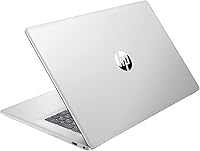
  • Color: The laptop is finished in silver, offering a clean, professional appearance consistent with standard business and office environments.
  • Power Source: The laptop operates on AC power via the included adapter and is also powered by a built-in lithium-ion battery for unplugged use.
  • Memory Type: System memory uses the DDR4 SDRAM standard, which provides reliable bandwidth for the productivity and web-based tasks this machine is designed to handle.

Related Reviews
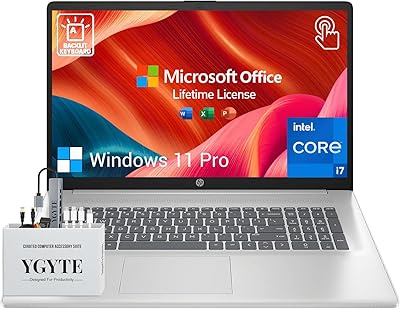
HP Essential 17 Touchscreen Laptop
75%
88%
Performance & Speed
93%
RAM & Multitasking
61%
Display Quality
78%
Touchscreen Usability
91%
Storage & File Access
More
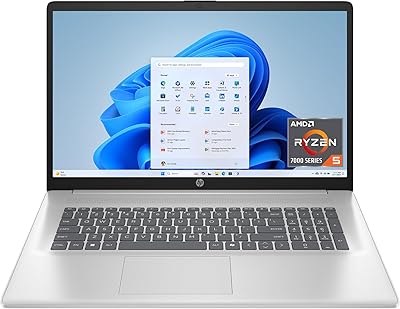
HP Laptop 17-cp2199nr
70%
83%
Value for Money
61%
Display Quality
78%
Performance & Speed
87%
Storage Performance
84%
RAM & Multitasking
More
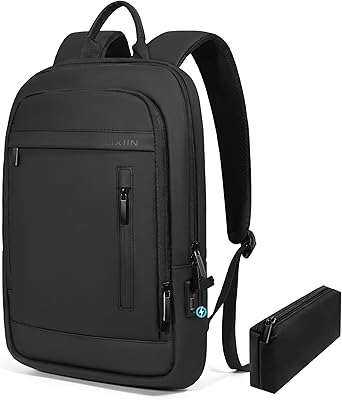
Lixiin 17.3-Inch Lightweight Business Laptop Backpack
77%
74%
Build Quality
78%
Laptop Protection
82%
Comfort & Ergonomics
84%
Pocket Organization
87%
Value for Money
More
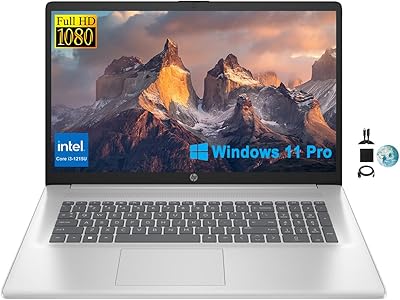
HP Essential 17 (2025) 17.3-inch Laptop, Ryzen 5, 64GB RAM, 2TB SSD
73%
88%
Value for Money
83%
Performance & Speed
93%
RAM & Multitasking Headroom
91%
Storage Capacity & Speed
79%
Display Quality
More
HP 17.3″ Laptop i3-1215U 32GB RAM 1TB SSD
70%
82%
Value for Money
88%
RAM & Multitasking Performance
86%
Storage Speed & Capacity
71%
Display Quality
54%
Battery Life
More
HP 17.3″ Touchscreen Laptop
70%
74%
Value for Money
61%
Display Quality
58%
Performance
83%
Storage & Speed
78%
Touchscreen Usability
More
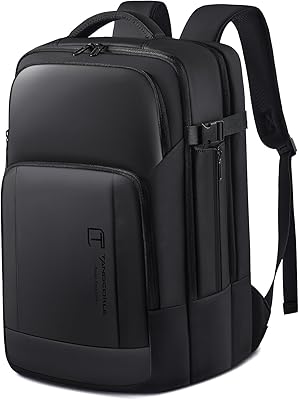
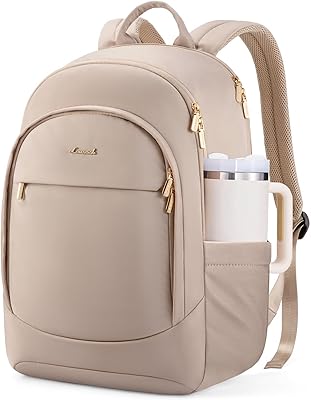
Tangcorle 17.3-inch 26L Travel Laptop Backpack
78%
91%
Value for Money
88%
Organizational Layout
86%
Laptop Protection
84%
Carry-On Compliance
67%
Build Quality
More
Tzowla 17.3-inch Canvas Laptop Backpack
76%
88%
Build Quality
91%
Laptop Fit & Protection
86%
Organization & Storage
72%
Comfort & Ergonomics
23%
Water Resistance
More
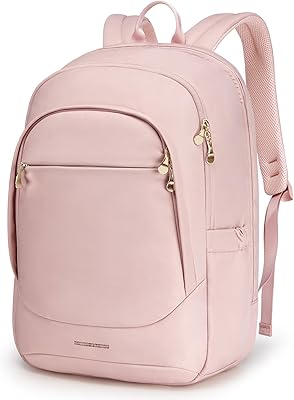
LOVEVOOK 17.3″ Women's Laptop Backpack
78%
93%
Storage & Organization
88%
Laptop Protection
66%
Build Quality
81%
Comfort & Ergonomics
89%
Value for Money
More
Ytonet 17.3-Inch Rolling Laptop Briefcase
76%
88%
Wheel Performance
83%
Storage & Organization
74%
Build Quality
86%
Handle & Mobility
89%
Laptop Protection
More
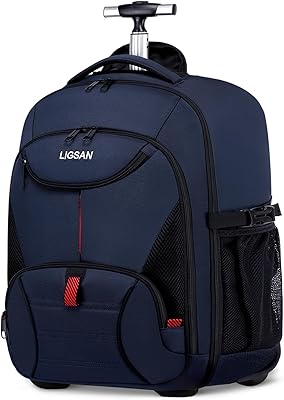
LIGSAN Rolling Backpack 17.3-inch Laptop
87%
86%
Overall Durability
88%
Ease of Use
83%
Comfort & Ergonomics
90%
Storage Capacity
87%
Build Quality
More

FAQ

HP does not officially advertise this model as user-upgradeable, and the internal layout may limit or void warranty coverage if you open the chassis. If storage capacity or RAM headroom matters for your long-term plans, it is worth checking HP's service documentation or contacting support before purchasing.

Yes, that is actually where this business laptop performs well. With 16GB of RAM, switching between Outlook, Word, a Teams call, and several browser tabs is comfortable and generally lag-free. The Core i3 keeps up fine with those kinds of overlapping office tasks.

For most office tasks, yes. The anti-glare coating genuinely helps in typical indoor lighting, and the screen is large enough to have two documents open side by side. The one honest caveat is that the 1600x900 resolution means text is not as crisp as a full HD panel, which some users notice more than others — especially with small fonts.

It depends on how you use your machine. For a sole freelancer checking email, probably not much. But for a small business owner who needs to connect the laptop to a company domain, manage it through an IT policy, or use BitLocker encryption for security, the Pro license is genuinely useful and would otherwise cost extra to add.

It handles streaming services like Netflix or YouTube without any issues. The screen is large and comfortable for watching, though color reproduction at 60% NTSC is not particularly vivid compared to a dedicated media laptop. Audio from built-in speakers on most HP 17 models is passable but not impressive, so external speakers or headphones are a good addition.

That is actually the ideal way to use it. The large screen, full port selection, and comfortable keyboard make it a capable desk machine when paired with an external monitor via HDMI, a mouse, and a wired or wireless keyboard. Many buyers use it exactly this way and find it very practical.

User feedback suggests most people get through a standard workday — roughly six to eight hours of light use — before needing to plug in. If your session involves a lot of video calls or heavier browser use, expect that number to drop. It is not a machine for working all day in a coffee shop without a charger nearby.

Yes, the HDMI 1.4b port lets you connect an external display. Keep in mind that HDMI 1.4b caps out at 1080p at 60Hz for most monitors, so if you are planning to run a 4K or high-refresh-rate display, this connection will be a limiting factor. For a standard 1080p external monitor, it works without issues.

Honestly, yes — it is a solid fit for that use case. The large screen makes reading and writing comfortable for long sessions, there is more than enough storage for years of documents and downloads, and the processor handles word processing and web browsing with ease. The Windows 11 Pro license is probably overkill for a typical student, but it does not hurt anything to have it.

The construction is functional rather than premium — it is a plastic-chassis machine in a competitive price range, and it feels like one. It is not fragile, but it does flex slightly under pressure. The keyboard gets mixed feedback; many users find it perfectly adequate for office typing, while others who are used to higher-end keyboards may find the key travel a bit shallow. It is worth setting realistic expectations rather than comparing it to a ThinkPad or MacBook keyboard.