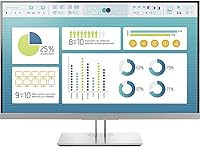
HP EliteDisplay E273 27″ Monitor
Overview
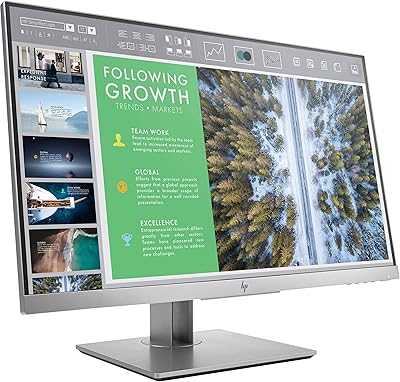
The HP EliteDisplay E273 27″ Monitor is a business-class display built squarely for professional office environments, where reliability and comfort matter more than flashy specs. It runs an IPS panel, which means colors stay consistent whether you are looking straight on or from an angle — a practical advantage when a colleague leans over to review something on your screen. The stand is engineered for extended use, offering genuine 4-way adjustability rather than the token tilt most budget monitors provide. It also carries EPEAT Gold and ENERGY STAR certifications and uses 85% post-consumer recycled plastics. One honest note upfront: at 27 inches, the 1080p resolution will look noticeably softer than a QHD display, so set expectations accordingly.
Features & Benefits
The IPS panel here does real work in shared office environments — someone standing to the side of your desk can read the screen without colors inverting or washing out, which matters more than people expect day-to-day. The stand handles tilt, swivel, height (up to 150mm), and pivot, so you can dial in a position that stops your neck from complaining by 3 p.m. The micro-edge bezel is genuinely thin, making side-by-side dual-monitor setups look clean rather than interrupted. Connectivity covers VGA, HDMI, and DisplayPort, so older company hardware connects without hunting for adapters. Two USB 3.0 ports on the display keep a keyboard and external drive plugged in without running cables back to a tower. The included HP Display Assistant handles screen partitioning natively.
Best For
This HP office monitor is a strong fit for anyone spending 8-plus hours a day at a desk who genuinely needs ergonomic flexibility rather than just a screen that sits at one fixed height. IT teams will appreciate the VESA compatibility and the three-year warranty that removes the headache of early replacements across a workstation fleet. If your daily work revolves around documents, email, spreadsheets, and video calls, the display handles all of it without complaint. It is less suited for photo editors or video colorists who need higher resolution and wider color gamuts. For multi-monitor setups, the thin bezels make this a natural building block for a clean, distraction-free dual or triple-screen arrangement.
User Feedback
Owners of the EliteDisplay E273 consistently praise the stand build quality — it feels solid rather than wobbly, and the height adjustment stays put after you set it. Color accuracy out of the box gets positive marks for general office use. The most common complaint, and it is a fair one, is that 1080p across 27 inches can look noticeably soft compared to higher-resolution alternatives; text-heavy work at normal viewing distances tends to expose this. Some users also report minor IPS glow in dark corners, which is typical of the panel type but worth knowing. The Display Assistant software is handy for splitting the screen into zones, though several reviewers found the interface unintuitive at first. The three-year warranty earns consistent appreciation from long-term owners.
Pros
- The 4-way adjustable stand — tilt, swivel, pivot, and up to 150mm of height travel — genuinely reduces neck and shoulder strain during long work sessions.
- IPS panel technology keeps colors consistent across wide viewing angles, so a colleague reviewing your screen from the side sees the same image you do.
- Three-sided micro-edge bezels make side-by-side dual-monitor setups look clean and professional with minimal visual interruption between screens.
- VGA, HDMI, and DisplayPort inputs mean this 27-inch HP display connects to virtually any work machine, including older office hardware, without needing adapters.
- Two USB 3.0 ports built into the monitor reduce desk cable clutter and give easy access for keyboards, drives, and other peripherals.
- The three-year standard limited warranty provides real peace of mind, especially for IT departments managing multiple units over several years.
- EPEAT Gold registration and ENERGY STAR certification make the EliteDisplay E273 a credible choice for organizations with sustainability procurement requirements.
- HP Display Assistant software enables screen partitioning without installing third-party tools, which is a practical time-saver for multitaskers.
- Build quality and stand stability draw consistent praise from long-term owners who report the display holds its adjusted position reliably over time.
Cons
- At 27 inches, the 1080p resolution produces a noticeably soft image — pixel density is low enough that text rendering looks less crisp than on QHD alternatives.
- The 250 cd/m² brightness is on the lower end and can struggle in rooms with strong ambient light or direct sunlight hitting the screen.
- Minor IPS glow in darker screen corners is a known characteristic of this panel and will be visible during low-light use or when displaying dark content.
- The HP Display Assistant software, while useful, has been described by multiple users as unintuitive and occasionally frustrating to configure correctly.
- No USB-C connectivity means users with modern laptops relying on a single-cable docking solution will need additional hardware or adapters.
- At 15.5 pounds, the monitor is on the heavier side for its class, which can make repositioning or mounting feel more cumbersome than expected.
- The glossy screen surface description noted in the listing can introduce reflections depending on desk and lighting setup, which some users find distracting.
- There is no built-in speakers, so users expecting audio output directly from the display will need external speakers or a headset solution.
Ratings
The scores below for the HP EliteDisplay E273 27″ Monitor were generated by AI after analyzing thousands of verified buyer reviews from global markets, with spam, incentivized feedback, and bot activity actively filtered out. Ratings reflect both the genuine strengths that make this 27-inch office display a trusted choice in professional environments and the real limitations that informed buyers consistently flag.
Build Quality
Ergonomics & Adjustability
Image Quality
Color Accuracy
Connectivity
Value for Money
Ease of Setup
Multi-Monitor Suitability
Software Experience
Sustainability Credentials
Text Clarity
Viewing Angles
Warranty & Support
Brightness & Glare
Bezel Design
Suitable for:
The HP EliteDisplay E273 27″ Monitor is built for people who spend the majority of their workday in front of a screen and feel the physical cost of a poorly set-up desk. Office professionals handling documents, spreadsheets, email, and video calls will find the IPS panel accurate enough for daily tasks without needing to calibrate anything out of the box. IT managers overseeing workstation rollouts will appreciate the predictable build quality, VESA mount support, and the three-year warranty that reduces support overhead across a fleet. Anyone building a dual or triple-monitor setup will find the thin micro-edge bezels make the transition between screens far less visually jarring than typical displays in this class. It also appeals to buyers who factor sustainability into purchasing decisions, given the EPEAT Gold certification and the use of 85% post-consumer recycled plastics in the chassis.
Not suitable for:
The HP EliteDisplay E273 27″ Monitor is not the right call for anyone who needs sharp pixel density for detailed visual work. At 1920x1080 spread across 27 inches, text and images look noticeably softer than on a QHD or 4K panel at the same size — if you sit within 2 to 3 feet of your screen, that softness becomes hard to ignore over a full day. Graphic designers, photographers, and video editors who rely on color accuracy beyond standard sRGB, or who need higher resolution to evaluate fine detail, should look at purpose-built creative displays instead. Gamers will also find this monitor lacking, as it offers no high refresh rate, no adaptive sync, and the 250 cd/m² brightness ceiling is modest for HDR content. If screen real estate and pixel sharpness are your top priorities, a 27-inch QHD alternative in a comparable price range will serve you better.
Specifications
- Screen Size: The display measures 27 inches diagonally with a 16:9 widescreen aspect ratio.
- Panel Type: An IPS (In-Plane Switching) panel provides consistent color reproduction and wide viewing angles up to 178 degrees both horizontally and vertically.
- Resolution: Native resolution is 1920 x 1080 (Full HD), delivering standard high-definition clarity across the full screen area.
- Brightness: Typical panel brightness is rated at 250 cd/m², suited for controlled indoor lighting environments.
- Video Inputs: The monitor includes one VGA port, one HDMI port, and one DisplayPort input to support a broad range of source devices.
- USB Ports: Two USB 3.0 downstream ports are integrated into the display body for connecting peripherals directly at the desk.
- Stand Adjustments: The included stand supports four adjustment modes: tilt, swivel, pivot (portrait rotation), and height adjustment up to 150mm.
- VESA Mount: A 100mm x 100mm VESA mounting pattern allows the display to be fitted to compatible monitor arms or wall mounts after removing the factory stand.
- Bezel Design: A three-sided micro-edge bezel minimizes the border on the top and both sides of the screen, making it well suited for side-by-side multi-monitor arrangements.
- Dimensions: With the stand attached, the monitor measures 24.1 x 8.4 x 20.6 inches (W x D x H).
- Weight: The complete unit including stand weighs 15.5 pounds.
- Certifications: The display is ENERGY STAR certified, EPEAT Gold registered, and compliant with TCO Certified Edge standards for environmental and ergonomic performance.
- Recycled Content: The monitor chassis is constructed using 85% post-consumer recycled plastics, reducing virgin material use in production.
- Warranty: HP includes a three-year standard limited warranty covering defects in materials and workmanship from the date of purchase.
- Software: HP Display Assistant software enables on-screen partitioning, input switching management, and display customization without requiring third-party utilities.
- Low Halogen: The monitor is low-halogen certified, reducing the presence of brominated and chlorinated flame retardants in the display components.
Related Reviews
HP V27i 27-inch FHD IPS Monitor
HP 27h 27-inch Full HD Monitor
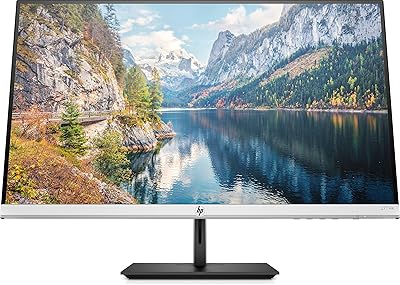
HP 27f 4K 27-inch Monitor
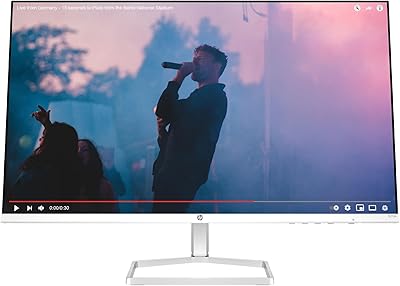
HP Series 5 27-inch FHD Monitor
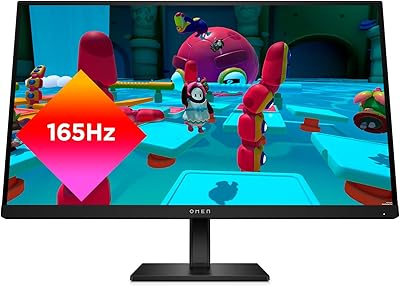
HP OMEN 27q QHD Gaming Monitor

Dell S2725QC 27-inch 4K USB-C Monitor
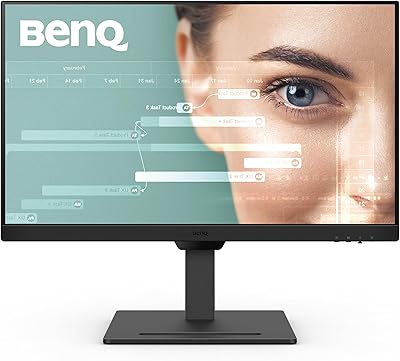
BenQ GW2790T 27-inch Monitor
HP EliteDisplay 23-Inch IPS Monitor
KOORUI N07 27-inch 4K IPS Monitor