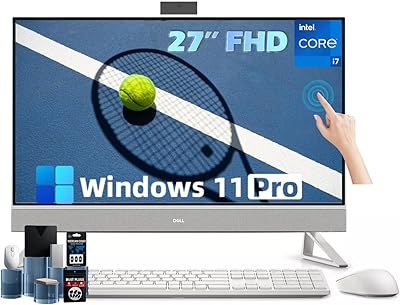
Dell Inspiron 24 5420 All-in-One (i5-1335U, 16GB, 1TB SSD)




Overview
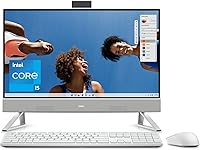
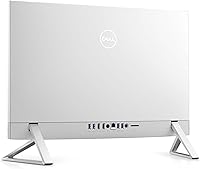
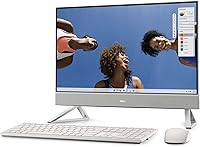
The Dell Inspiron 24 5420 All-in-One (i5-1335U, 16GB, 1TB SSD) offers a streamlined approach to computing by packing everything into a single, attractive chassis. Dressed in a clean Snowflake White finish, it looks more like a modern television than a bulky computer workstation. By tucking the hardware behind the screen, this all-in-one desktop clears up cable clutter and regains valuable real estate on your desk. While it maintains a minimalist footprint, the internals suggest it is ready for more than just basic web browsing. You can expect a responsive experience during your daily routine, whether you are managing spreadsheets or catching up on emails. It is a cohesive solution for those who want their technology to blend into their living space rather than dominate it.
Features & Benefits
The 23.8-inch display is the centerpiece of Dell's sleek AIO, featuring incredibly thin borders that maximize your viewing area without increasing the overall size. For those concerned about digital privacy, the pop-up webcam is a standout inclusion, physically disappearing when not in use. Long work sessions are easier on the eyes thanks to the integrated ComfortView Plus technology, which keeps colors looking natural while cutting down on harsh blue light. Under the hood, the 1TB SSD ensures that boot-up times are nearly instantaneous and provides plenty of room for large media libraries. Connectivity is equally modern, utilizing WiFi 6 for stable video conferencing and fast data transfers. Even the audio feels thoughtful, with speakers built directly into the molded mesh below the screen.
Best For
If you are looking to tidy up a home office setup, this 24-inch Inspiron is a natural fit. Its all-inclusive design appeals to remote workers who need a professional machine that does not require a tangle of wires. Students will find it equally useful, as the 16GB of RAM allows for heavy multitasking across dozens of browser tabs and research documents without slowing down. Beyond productivity, the minimalist aesthetic makes it an excellent choice for a shared family room or kitchen counter where a traditional tower would look out of place. It serves anyone who prioritizes a simple, out-of-the-box experience for browsing, streaming, and light creative projects. It effectively bridges the gap between a basic workstation and a stylish home appliance.
User Feedback
Real-world users frequently highlight how easy it is to get this all-in-one desktop running right out of the box. The screen usually earns high marks for its color reproduction and clarity, making it a favorite for photo viewing and video streaming. On the performance side, people really appreciate the 16GB of memory, which prevents the multitasking lag often found in cheaper entry-level machines. However, it is not without limitations. Power users often point out that the integrated graphics are not built for demanding gaming or heavy 4K video editing. Some also noted that while the triangle stand is stable, it lacks the height adjustment found on professional monitors. Despite these trade-offs, the general consensus is that it delivers a solid, reliable experience for its intended everyday audience.
Pros
- The all-in-one design eliminates the need for separate towers and a mess of interconnecting cables.
- A pop-up FHD camera provides physical privacy and prevents accidental video transmissions when not in use.
- The 16GB of RAM ensures a smooth experience even with dozens of browser tabs and apps running simultaneously.
- A generous 1TB SSD offers rapid boot times and massive room for family media libraries.
- ComfortView Plus reduces harmful blue light emissions without sacrificing the accuracy of the screen's colors.
- The modern Snowflake White finish and triangle stand elevate the look of any home office or living room.
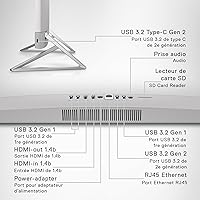
- An HDMI-in port allows the display to be used as a standalone monitor for a secondary laptop.
- WiFi 6 support provides the high-speed connectivity needed for stable, lag-free video calls and large downloads.
Cons
- Most of the ports are located on the back, making it awkward to quickly swap out USB drives.
- The integrated graphics chip is insufficient for modern AAA gaming or heavy 4K video editing tasks.
- The 60Hz refresh rate lacks the smoothness found on high-end monitors or dedicated gaming displays.
- Pre-installed software and trial offers from the manufacturer can feel intrusive during the initial setup process.
- The internal hardware is largely non-serviceable, making future performance upgrades nearly impossible for the average user.
- The white plastic chassis and matching keyboard can show dust and grime more prominently than darker alternatives.
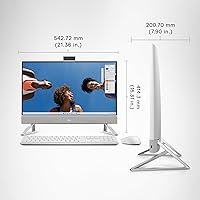
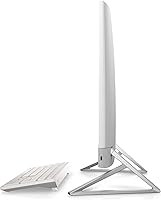
- The triangle stand, while stylish and stable, does not offer height adjustment to improve ergonomics.
- Built-in speakers provide clear dialogue but lack the deep bass response needed for an immersive movie experience.
Ratings
Our analysis of the Dell Inspiron 24 5420 All-in-One (i5-1335U, 16GB, 1TB SSD) is based on thousands of verified buyer experiences globally, carefully filtered to remove promotional noise and incentivized reviews. These scores reflect a transparent look at how this all-in-one desktop performs in real-world home offices, highlighting both its design triumphs and its practical limitations.
Aesthetic Design
Multitasking Performance
Display Quality
Storage Speed
Webcam & Privacy
Setup & Ease of Use
Port Selection
Gaming Capability
Audio Performance
Build Reliability
Value for Money
Suitable for:
The Dell Inspiron 24 5420 All-in-One (i5-1335U, 16GB, 1TB SSD) is an ideal choice for remote professionals and students who need a reliable workstation that doesn't clutter a small desk. Its clean, Snowflake White aesthetic and TV-inspired design make it a perfect fit for shared living spaces, like a kitchen nook or a bedroom corner, where a traditional black tower would look out of place. With 16GB of RAM, it easily handles heavy multitasking, such as running multiple research tabs alongside video conferencing and office applications. Families will also appreciate the 1TB of storage for keeping years of high-resolution photos and school projects in one central, easy-to-access location.
Not suitable for:
Serious gamers and creative professionals should probably look elsewhere, as the Dell Inspiron 24 5420 All-in-One (i5-1335U, 16GB, 1TB SSD) lacks a dedicated graphics card required for demanding 3D rendering or high-frame-rate gaming. While the 60Hz screen is excellent for spreadsheets and streaming, it won't satisfy those accustomed to the ultra-fluid motion of high-refresh-rate displays. Additionally, because most of the hardware is integrated behind the screen, this is not the right machine for hobbyists who enjoy upgrading internal components like the CPU or GPU over time. Users working in extremely bright environments might also find the peak brightness of the 23.8-inch panel a bit lacking against direct afternoon sunlight.
Specifications
- Display Size: The expansive 23.8-inch FHD screen features a 1920x1080 resolution with ultra-thin narrow borders.
- Refresh Rate: The panel operates at a standard 60Hz refresh rate, suitable for productivity and video streaming.
- Processor: The unit is powered by an Intel Core i5-1335U processor with a maximum clock speed of 4.6 GHz.
- Memory: It includes 16GB of DDR4 SDRAM operating at a memory speed of 3200 MHz.
- Storage: A high-speed 1TB Solid State Drive (SSD) provides substantial space for files and rapid system booting.
- Graphics: Visuals are handled by integrated Intel Iris Xe Graphics shared with the system memory.
- Operating System: The computer comes pre-installed with Windows 11 Home edition.
- Connectivity: Wireless networking is supported by WiFi 6 (802.11ax) technology for improved bandwidth and stability.
- Webcam: A pop-up FHD camera is built into the top of the monitor and features a tilt adjustment.
- USB Ports: The chassis provides a total of 5 USB 3.0 ports for connecting various peripherals and drives.
- Audio: Integrated speakers are housed behind a molded mesh design located directly beneath the screen.
- Stand Design: The machine utilizes a triangular stand intended to provide stability while maximizing available desk space.
- Blue Light Filter: Inbuilt ComfortView Plus hardware helps reduce low blue light emissions to optimize eye comfort.
- Physical Weight: The entire all-in-one system weighs approximately 11.88 pounds.
- Dimensions: The product measures approximately 1.58 by 21.36 by 14.11 inches.
Related Reviews
Dell Inspiron 3020S Core i5 Compact Desktop
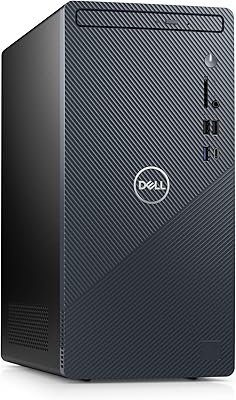
Dell Inspiron 3910 Desktop Tower

Dell Inspiron 27 7720 All-in-One Desktop, 27-inch FHD, Intel Core i5, 16GB RAM, 512GB SSD
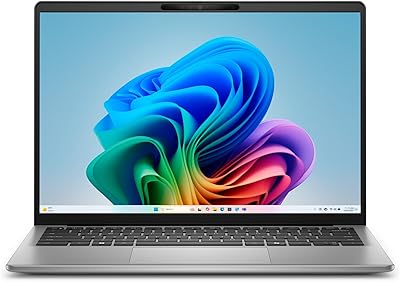
Dell Inspiron 14 5441 1TB Laptop
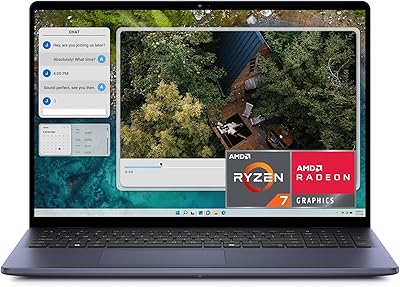
Dell Inspiron 16 5645 Laptop
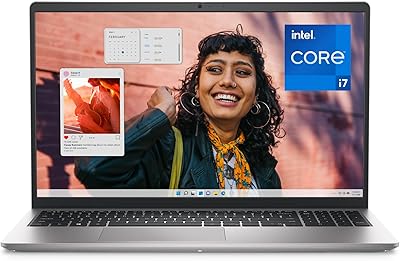
Dell Inspiron 15 3530 1TB Touchscreen Laptop
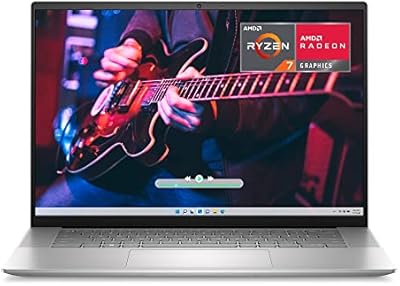
Dell Inspiron 16 5635 16-inch Laptop

Dell Inspiron 14 5420 Laptop
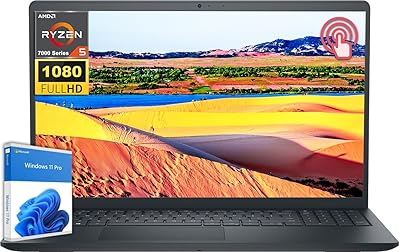
Dell Inspiron 15 3535 Touchscreen Laptop