Overview
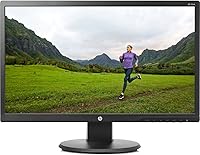
The HP 22uh 21.5-inch Monitor has been around since 2015, and the fact that it's still selling says something about its staying power in a crowded budget display market. It won't compete with the color-accurate screens that creative professionals rely on, but that was never the point. This HP display is built for everyday use — email, spreadsheets, video calls, casual browsing — and it handles all of that without fuss. The glossy black finish looks tidy on a desk, and the built-in power supply means no bulky external brick to hide. Compact enough for smaller workspaces, it's a straightforward, no-drama option for anyone who just needs a reliable screen.
Features & Benefits
The 22uh monitor runs at 1920x1080 Full HD on an LED-backlit panel, which is plenty sharp for reading documents, watching videos, or jumping on a video call. Where it really earns points is connectivity — HDMI, VGA, and DVI-D inputs mean you can hook it up to practically anything, from a newer laptop to an older desktop tower collecting dust in the corner. The anti-glare coating does a decent job cutting down on reflections in moderately lit rooms. Viewing angles land at 170° horizontal and 160° vertical, so it holds up reasonably well when someone's watching from the side. The 5ms response time won't excite gamers, but for everyday tasks it's perfectly fine.
Best For
This HP display is a natural fit for home office setups where you need a dependable screen for documents, email, and the occasional video call without breaking the bank. Students putting together a study station on a tight budget will appreciate the low barrier to entry and the plug-and-play compatibility across Windows, Mac, and Linux. Families looking for a shared browsing or streaming screen will find the size and viewing angles work well for a couple of people gathered around. It's also a sensible upgrade for anyone moving from a small laptop screen who wants noticeably more room to work. VESA wall-mount support adds flexibility if desk space is tight.
User Feedback
With a 4.3 out of 5 rating across over 130 reviews, this 21.5-inch HP screen earns its score mostly through easy setup and solid day-to-day reliability. Buyers consistently mention how painless it is to get running, and the wide input range means it plays nicely with almost any device they already own. That said, two things come up regularly as limitations. The glossy panel can produce noticeable reflections if your workspace gets direct sunlight or bright overhead lighting — positioning matters here. There are also no built-in speakers, so if you need audio, plan to have external speakers or headphones on hand. Long-term durability looks encouraging, with few reports of hardware failures over time.
Pros
- Full HD 1920x1080 resolution keeps text sharp and visuals clean for everyday work.
- HDMI, VGA, and DVI-D inputs make this HP display compatible with a remarkably wide range of devices.
- Built-in power supply cuts down on desk clutter without needing a separate power brick.
- Plug-and-play setup works across Windows, Mac, and Linux with no driver headaches.
- 170-degree horizontal viewing angle means off-center viewing stays comfortable.
- Anti-glare coating helps in moderately lit rooms without washing out the image.
- VESA mount support gives you the option to free up desk space entirely.
- Long-term reliability is solid, with buyers reporting few hardware issues over extended use.
- Compact dimensions fit comfortably on smaller desks and in tighter workspaces.
- A strong user rating across a meaningful number of reviews reflects consistent real-world satisfaction.
Cons
- No built-in speakers means you need external audio hardware from day one.
- The glossy panel creates noticeable reflections in bright or window-facing rooms.
- Color accuracy is not suitable for design, photo editing, or any color-sensitive work.
- At 250 nits, brightness is on the lower end and may feel dim in well-lit environments.
- No high refresh rate support makes the 22uh monitor a non-starter for gaming use.
- Screen size may feel limiting for users who multitask heavily across multiple windows.
- The stand offers no height or pivot adjustments, limiting ergonomic flexibility.
- No USB hub or extra connectivity features that many similarly priced rivals now include.
- Response time, while acceptable for office tasks, will disappoint anyone coming from a gaming display.
- The design has not been updated since 2015, meaning it lacks modern amenities like USB-C input.
Ratings
Our AI-generated scores for the HP 22uh 21.5-inch Monitor are based on analysis of verified global buyer reviews, with spam, bot-submitted, and incentivized feedback actively filtered out before scoring. The ratings reflect an honest, balanced picture — strong points and genuine frustrations included — so you can make a confident, well-informed decision. Where this HP display excels and where it falls short are both represented transparently below.
Value for Money
Image Clarity
Connectivity
Setup Experience
Build Quality
Ergonomics
Anti-Glare Performance
Color Accuracy
Brightness
Viewing Angles
Audio
Durability
Desk Footprint
OS Compatibility
Suitable for:
The HP 22uh 21.5-inch Monitor is a practical pick for anyone who needs a dependable, no-fuss display without spending a lot. Home office workers who spend their days in spreadsheets, documents, and video calls will find the Full HD resolution more than adequate for those tasks. Students setting up a first workstation will appreciate how simple it is to get running — plug it in, connect via HDMI or VGA, and it just works across virtually any operating system. Households looking for a shared screen for browsing, streaming, or light family use will benefit from the decent viewing angles that hold up when a couple of people are watching from slightly different positions. Anyone upgrading from a cramped laptop screen will immediately notice the extra breathing room, and those with limited desk space will value the compact footprint and the clean cable setup that the built-in power supply makes possible.
Not suitable for:
The HP 22uh 21.5-inch Monitor is not the right tool for anyone whose work demands accurate color reproduction — graphic designers, photographers, and video editors should look elsewhere, as this panel was never built with color-critical work in mind. Gamers will also find it underwhelming; the 5ms response time and lack of any high refresh rate support make it a poor match for fast-paced titles where motion clarity matters. The glossy panel surface is a genuine concern for anyone working in a room with large windows or strong overhead lighting, since reflections can become distracting rather quickly. There are no built-in speakers, so if audio is part of your daily workflow and you don't already have external speakers or headphones, factor that added cost in. Finally, users who want a larger canvas for multitasking or immersive media consumption will likely feel constrained by the 21.5-inch size before long.
Specifications
- Screen Size: The display measures 21.5 inches diagonally, providing a comfortable viewing area for everyday home and office tasks.
- Resolution: Native resolution is 1920x1080 Full HD, delivering clear, sharp visuals suitable for documents, web browsing, and standard-definition media.
- Panel Type: The screen uses an LED-backlit LCD panel, which offers consistent brightness and reasonable color reproduction for general use.
- Aspect Ratio: The panel uses a 16:9 widescreen aspect ratio, standard for HD content and modern desktop workflows.
- Brightness: Maximum brightness is rated at 250 nits, adequate for indoor use in controlled lighting conditions.
- Contrast Ratio: Dynamic contrast ratio is rated at 10,000,000:1, supporting a wide range between the darkest and brightest tones the panel can display.
- Response Time: The panel has a 5ms response time, suitable for office applications and casual media consumption but not optimized for fast-paced gaming.
- Viewing Angles: Horizontal viewing angle reaches 170° and vertical viewing angle reaches 160°, allowing comfortable off-center viewing for shared use.
- Screen Surface: The screen uses an anti-glare coating to reduce reflections and eye strain in moderately lit indoor environments.
- Inputs: Connectivity includes HDMI, VGA, and DVI-D ports, enabling broad compatibility with a wide range of computers and devices.
- Audio Output: There are no built-in speakers or headphone jack on this monitor; external audio hardware is required for sound.
- Power Supply: A built-in power supply is integrated directly into the monitor body, eliminating the need for a separate external power brick.
- VESA Mount: The monitor supports VESA wall mounting, allowing it to be mounted on a compatible arm or wall bracket to free up desk space.
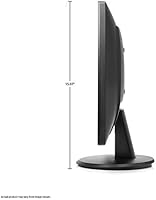
- Dimensions: The monitor measures 7.59 x 19.89 x 15.07 inches (depth x width x height) including the stand.
- Weight: The unit weighs 6.6 pounds, making it lightweight enough to reposition or wall-mount without difficulty.
- Color Finish: The monitor comes in a glossy black finish, giving it a clean, understated appearance that suits most desk setups.
- OS Compatibility: Designed as plug-and-play compatible across major operating systems including Windows, macOS, and Linux with no additional drivers required.
- Included Cable: A VGA cable is included in the box; buyers connecting via HDMI or DVI-D will need to supply their own cable.
Related Reviews
Pisichen HD-215TS 21.5-inch Touchscreen Monitor
ASUS VP229Q 21.5-inch IPS Monitor
Dell P2219H 21.5-inch FHD Monitor
ASUS VP228HE 21.5-inch Gaming Monitor
EPORMOT 21.5-inch Portable Touchscreen Monitor
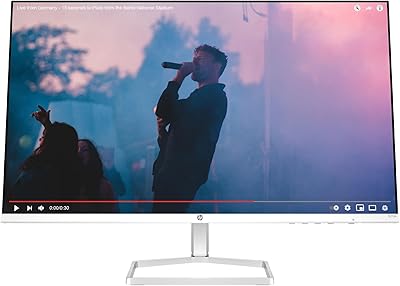
HP Series 5 27-inch FHD Monitor
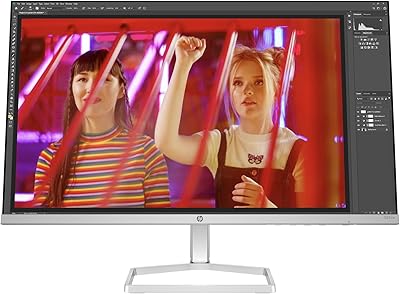
HP Series 5 524sw 23.8-inch FHD Monitor
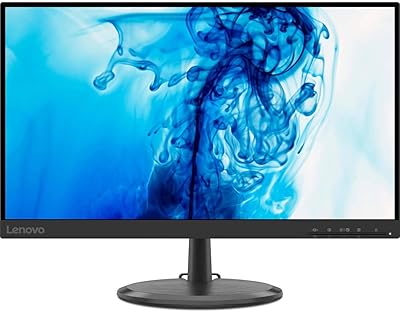
Lenovo D22e-20 21.5-inch FHD Monitor
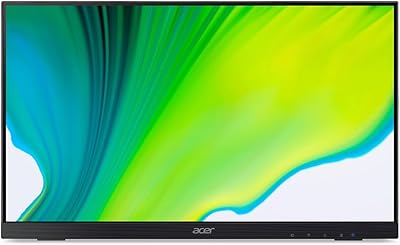
Acer UT222Q 21.5″ Touch Monitor