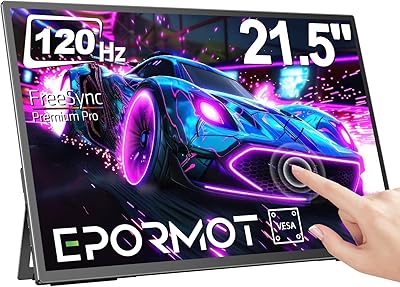
Acer UT222Q 21.5″ Touch Monitor
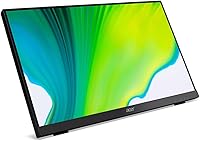
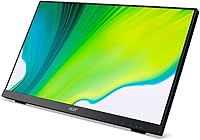
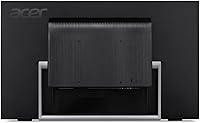
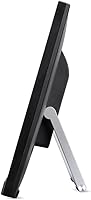
Overview
The Acer UT222Q 21.5″ Touch Monitor sits comfortably in the mid-range touchscreen category, built primarily for Windows 10 users who want hands-on interaction without paying a premium. The 21.5-inch IPS panel at Full HD resolution strikes a reasonable balance — sharp enough for everyday work, and wide-angled enough to share with a colleague standing beside you. AMD FreeSync support and a 75Hz refresh rate are nice extras for anyone who occasionally games. The broad port lineup — DisplayPort, HDMI, VGA, and USB — covers nearly every scenario. Just don't come in expecting a professional color-grading display or a serious gaming rig. This is a productivity-first touch display, and within that lane, it holds its own.
Features & Benefits
The 10-point multi-touch input is the obvious headliner here, and it works well for stylus-free tasks like scrolling through documents, navigating Windows menus, or signing PDFs with your finger. The glass carries a 7H scratch-resistance rating, so light daily contact won't leave visible marks. IPS technology means colors stay consistent whether you're sitting directly in front or off to one side — a small but real advantage over cheaper TN panels. AMD FreeSync and the 75Hz refresh rate keep things smooth during fast scrolling or casual gaming, while the 5ms response time prevents obvious ghosting. Built-in 2W stereo speakers handle video calls and background audio without requiring a separate speaker on your desk.
Best For
This Acer UT222Q fits well in a few specific setups. Home office workers who lean on Windows 10 touch features — think pinch-to-zoom in maps or tapping through a slideshow — will appreciate that input method without needing an all-in-one PC. It's a natural fit for point-of-sale or kiosk environments where customers interact directly with the screen and a mouse just gets in the way. Teachers and students using annotation tools or drawing apps also get real value from the multi-touch input. If you're replacing an older monitor and want a painless upgrade that adds touch capability, this display makes the transition easy. Light gamers who want a dual-purpose monitor for work and play will find FreeSync a welcome addition.
User Feedback
Among buyers, the most consistent praise centers on how naturally the touch input integrates with Windows 10 — people report taps and gestures registering reliably right out of the box. The glossy screen surface, however, draws real complaints in bright rooms; users in sunlit offices note distracting reflections that a matte option would have avoided. Stand feedback is mixed — the tilt range is generous, but a few buyers found the base less rigid than expected. The built-in speakers get a lukewarm reception: fine for occasional use, but not a replacement for even a basic desktop speaker. Worth noting: there's only one USB port on the unit, which feels limiting if you regularly plug in peripherals. Color accuracy out of the box is generally rated as decent but uncalibrated.
Pros
- Touch input works plug-and-play with Windows 10 — no driver hunting required.
- The IPS panel offers noticeably wider viewing angles than TN screens at this size.
- 10-point multi-touch with 7H-rated scratch-resistant glass holds up well in high-traffic setups.
- AMD FreeSync and 75Hz refresh rate keep casual gaming smooth without requiring a separate display.
- Port lineup covers DisplayPort, HDMI, VGA, and USB — rare versatility at this price tier.
- HDMI and USB cables are included in the box, saving an immediate extra purchase.
- Built-in stereo speakers handle video calls and background audio in space-limited setups.
- The generous tilt range adjusts smoothly and stays put without stiffness or slipping.
- Durable glass surface resists everyday fingerprint scratching during regular touch use.
- A solid, low-hassle upgrade path for users moving from a non-touch monitor for the first time.
Cons
- The glossy screen creates heavy glare in sunlit or bright-ambient rooms.
- Only one USB 2.0 port on the entire unit — a real limitation for peripheral-heavy desks.
- No height adjustment or swivel means ergonomic positioning is strictly limited to tilt.
- Out-of-box color calibration is mediocre and requires manual tuning for accurate output.
- The stand base can feel wobbly when pressing the screen firmly during touch interactions.
- Built-in speakers produce thin, low-volume sound that most users will eventually replace.
- Touch functionality is largely non-functional outside the Windows ecosystem.
- At 21.5 inches and 1080p, screen real estate feels cramped when multitasking with several windows.
- Fingerprint smudges accumulate quickly on the glossy surface and require frequent cleaning.
- USB 2.0 speed feels outdated — transfers and device charging are noticeably slow by current standards.
Ratings
The Acer UT222Q 21.5″ Touch Monitor has been scored by our AI rating system after analyzing verified global buyer reviews, with spam, bot-submitted, and incentivized feedback actively filtered out. Scores reflect the full picture — where this touchscreen display genuinely earns its place on a desk, and where real users consistently run into friction. Both strengths and pain points are represented transparently across every category below.
Touch Responsiveness
Display Quality
Glare & Reflections
Build Quality & Stand
Refresh Rate & Motion Handling
Port Selection & Connectivity
Built-in Speakers
Setup & Installation
Value for Money
Ergonomics & Adjustability
Scratch & Durability Resistance
Color Accuracy
Brightness & Contrast
Windows 10 Integration
Suitable for:
The Acer UT222Q 21.5″ Touch Monitor is a practical fit for Windows 10 users who want to add hands-on interactivity to their workspace without investing in a full all-in-one PC. Home office workers who frequently navigate apps, annotate documents, or sign files digitally will find the 10-point touch input genuinely useful day-to-day. Small business owners running point-of-sale or customer-facing kiosk setups will appreciate how reliably the touch layer performs under repeated public use. Teachers and students working with annotation tools, interactive whiteboards software, or drawing apps get real functional value from the multi-touch glass. The broad port selection — covering DisplayPort, HDMI, VGA, and USB — also makes it a sensible upgrade path for users coming from older machines who do not want to replace their entire cable kit. Light gamers who want one display that handles both productivity and casual play will find the AMD FreeSync and 75Hz refresh rate a worthwhile bonus without needing to spend more on a dedicated gaming monitor.
Not suitable for:
Buyers expecting a high-end visual experience will likely be disappointed by this Acer UT222Q 21.5″ Touch Monitor, particularly if they work in bright or naturally lit environments where the glossy panel becomes a persistent glare issue. Photographers, video editors, and graphic designers need a factory-calibrated, color-accurate panel — and this display does not deliver that without manual calibration adjustments. The single-axis tilt stand, with no height adjustment or swivel, makes it a poor match for users with strict ergonomic requirements or those who work long hours and need to dial in their posture carefully. Competitive gamers will find the 75Hz ceiling limiting, and the 5ms response time does not keep pace with monitors purpose-built for fast-paced titles. Mac and Linux users should also be aware that the touch functionality is designed around Windows 10 and may not behave as expected on other operating systems. Anyone who relies heavily on USB peripherals at their desk will quickly run into the single USB 2.0 port as a real day-to-day bottleneck.
Specifications
- Screen Size: The display measures 21.5 inches diagonally, offering a compact footprint suitable for single-monitor home office and small business desk setups.
- Resolution: Native resolution is 1920 x 1080 (Full HD), delivering clear, sharp visuals for productivity tasks, video calls, and general web use.
- Panel Type: An IPS (In-Plane Switching) panel is used, providing wider and more consistent viewing angles compared to TN alternatives at this screen size.
- Refresh Rate: The display supports a refresh rate of up to 75Hz, offering smoother motion than standard 60Hz monitors during casual gaming and fast-scrolling workflows.
- Response Time: Response time is rated at 5ms (Gray-to-Gray), keeping everyday motion reasonably crisp and limiting visible ghosting during typical use.
- Touch Input: Supports 10-point capacitive multi-touch input, allowing simultaneous recognition of up to ten individual touch points for gestures and interactive tasks.
- Glass Surface: The screen is protected by a glossy, 7H scratch-resistant glass surface that withstands regular finger contact but is prone to reflections in bright environments.
- Sync Technology: AMD Radeon FreeSync is supported, synchronizing the monitor's refresh rate with compatible GPU output to reduce screen tearing during gaming and video playback.
- Ports: Connectivity includes one DisplayPort, one HDMI port, one VGA port, and one USB 2.0 port, covering both legacy and modern device connections.
- Built-in Audio: Two integrated 2-watt stereo speakers provide basic audio output suitable for video calls and light media consumption without requiring an external speaker.
- Aspect Ratio: The display uses a standard 16:9 widescreen aspect ratio, compatible with the vast majority of modern content formats and operating system layouts.
- Tilt Adjustment: The stand supports a large-range tilt adjustment, allowing the screen angle to be repositioned smoothly, though no height, swivel, or pivot adjustment is available.
- Dimensions: The monitor measures approximately 19.3 x 11.8 x 2 inches (width x height x depth) when assembled with the stand attached.
- Weight: Total unit weight is 9.8 pounds, making it manageable to reposition on a desk without assistance.
- OS Compatibility: Touch functionality is designed and optimized for Windows 10, with plug-and-play recognition requiring no manual driver installation on that platform.
- Included Cables: An HDMI cable and a USB cable are included in the box, enabling immediate setup without requiring additional accessory purchases.
- Voltage: The monitor operates at 120 volts, standard for North American electrical outlets, with no additional adapter required for domestic use.
- Color: The unit is finished in black, with a standard bezel-and-stand design consistent with Acer's productivity monitor lineup.
Related Reviews
Acer SB220Q 21.5-inch IPS Monitor
osee Lilmon 5 5.5″
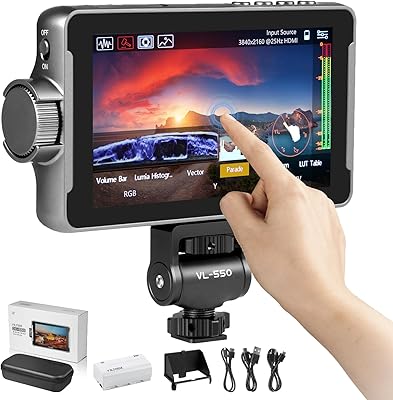
VILTROX DC-550 Pro 5.5-inch Field Monitor
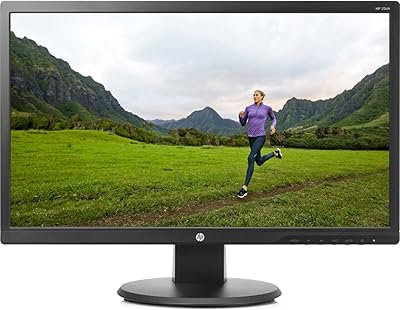
HP 22uh 21.5-inch Monitor
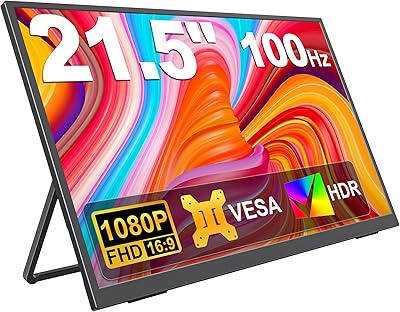
KEEPTIME 21.5″ Portable Monitor
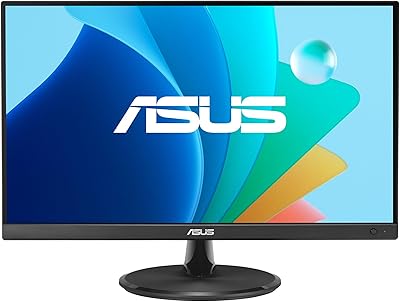
ASUS VP229Q 21.5-inch IPS Monitor
Pisichen HD-215TS 21.5-inch Touchscreen Monitor
Dell P2219H 21.5-inch FHD Monitor
Acer KB252Q G0bi 24.5″ IPS Monitor