Overview

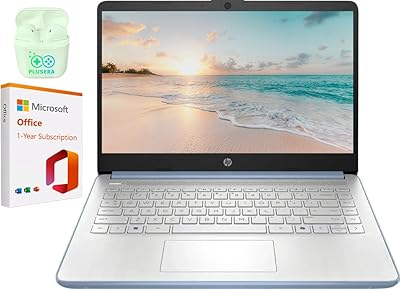
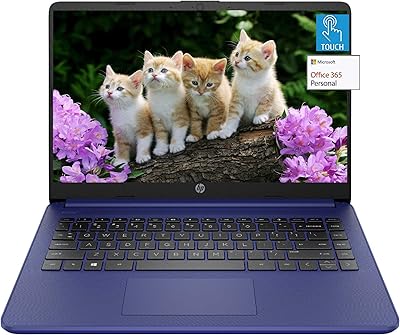
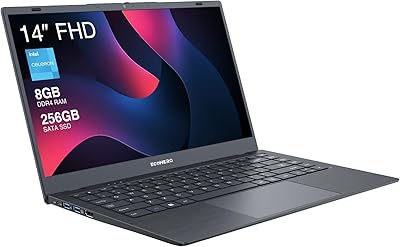
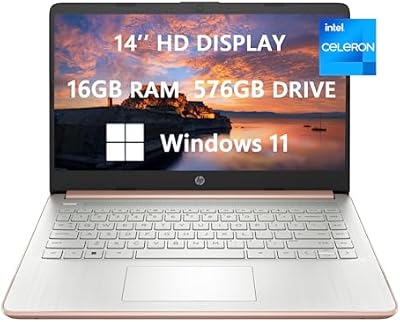
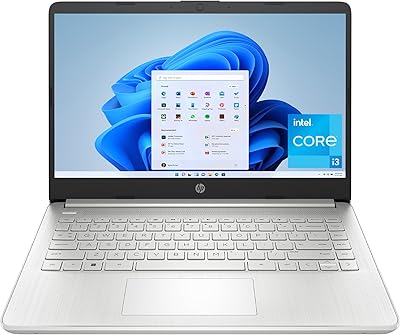
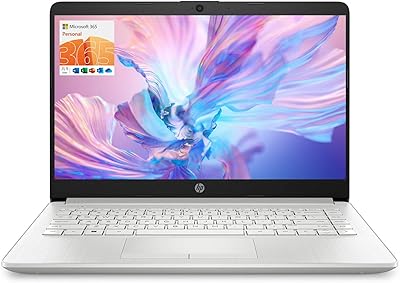
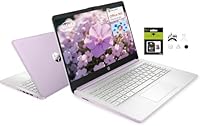
The HP 14″ Student Laptop Celeron N150 8GB RAM 256GB Storage is a versatile and affordable device designed to meet the needs of students and casual users. This lightweight laptop offers a 14-inch HD display and an Intel Celeron N150 processor, ideal for handling everyday tasks. Weighing just 3.24 lbs, it’s perfect for those on the go, whether you’re commuting to school or working remotely. This portable laptop strikes a balance between performance and ease of use, making it a solid choice for everyday computing needs.
Features & Benefits

This HP laptop features 8GB of RAM and 256GB of storage, offering enough memory and space for multitasking and storing essential files. The 14″ HD display ensures a clear and vibrant viewing experience, while the anti-glare coating makes it easier to use in various lighting conditions. Additionally, the pre-installed Office 365 and Windows 11 Home in S mode enhance productivity right out of the box. With integrated Intel UHD graphics, the laptop provides decent performance for light media consumption and basic tasks, making it an affordable and functional option for users.

Best For

This student laptop is best suited for those seeking a budget-friendly, lightweight device for schoolwork or everyday use. It’s perfect for students needing a portable laptop to handle tasks like writing papers, browsing the web, and watching videos. Casual users who don’t need high-end performance will appreciate the device's simplicity and reliability. Additionally, remote workers and travelers will find this compact laptop an excellent choice for staying productive on the go without the weight or price tag of more expensive models.

User Feedback

Users of this HP laptop appreciate its slim design and portability, which makes it easy to carry around throughout the day. Many find the 7.5-hour battery life to be sufficient for light tasks like browsing and taking notes. However, some report performance lag when running multiple browser tabs or more demanding applications. Despite this, most users find the laptop to be a solid performer for daily tasks, and they value the inclusion of Office 365, which adds extra value to the device.

Pros

  • This laptop's lightweight design makes it easy to carry, ideal for students and remote workers on the go.
  • The 8GB RAM and 256GB storage provide solid performance for everyday tasks like browsing and document editing.
  • Its compact size (3.24 lbs) is perfect for students who need portability without sacrificing screen space.
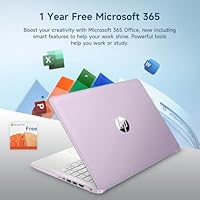
  • The pre-installed Office 365 subscription adds great value for productivity tasks at no additional cost.
  • The 14″ HD display with anti-glare coating ensures better viewing in varied lighting conditions.
  • Up to 7.5 hours of battery life makes this device suitable for long hours of use without frequent recharging.

Cons

  • Performance may lag with multiple browser tabs or resource-heavy apps, limiting multitasking efficiency.
  • The integrated Intel UHD graphics struggle with demanding applications like video editing or gaming.
  • Some users report that the 1366 x 768 resolution feels cramped for certain tasks like detailed work or watching HD videos.
  • Not suitable for users needing high-end performance for professional software or gaming.
  • The build quality is lightweight, but it may not be as durable as more premium models.
  • Windows 11 in S mode restricts software installation to apps from the Microsoft Store, which could limit flexibility for advanced users.

Ratings

The HP 14″ Student Laptop Celeron N150 8GB RAM 256GB Storage has received widespread attention from users across multiple languages and platforms. After analyzing verified, authentic reviews, we found that the feedback highlights both the strengths and limitations of this device. Spam, bot, and incentivized reviews were filtered out, ensuring that only genuine, high-quality insights were used to generate the scores. Below, you'll find a comprehensive breakdown of user feedback, reflecting performance, value, and usability from real buyers worldwide.
Value for Money
92%
Many users consider this laptop a solid investment for the price. It offers decent performance for everyday tasks like browsing, email, and word processing, all bundled with a year of Office 365. The affordable price point makes it ideal for budget-conscious students or casual users who don't require high-end specs.
A few reviewers feel that the value proposition is diminished when it comes to more demanding applications. Some users also mentioned that it could be better equipped with higher RAM or faster processing power for those who multitask frequently or run heavier software.
Portability/Weight
90%
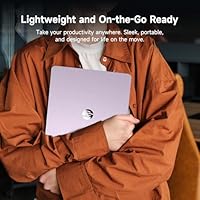
This laptop's lightweight design is a standout feature. Weighing just 3.24 lbs, it's incredibly easy to carry around, making it a great option for students and remote workers who need a portable device for on-the-go productivity. Its slim profile also ensures it fits easily into bags without taking up too much space.
While the portability is generally praised, a few users have mentioned that the plastic build feels a bit fragile. This can lead to concerns about durability, especially when carrying it in a backpack or while traveling frequently.
Battery Life
85%
The battery life of up to 7.5 hours is appreciated by many, especially students who need a full day of use between charges. It's suitable for light to moderate use, such as taking notes or browsing the web during classes. Users find this a reliable option for long study sessions or meetings without constantly needing to recharge.
Some users have reported that the battery life can be shorter when using more power-intensive applications, such as streaming videos or running multiple programs at once. For heavier tasks, the battery may drain faster than expected, which could be a downside for those relying on it for full-day work sessions.
Display Quality
80%
20%
The 14″ HD display provides clear visuals for everyday tasks like word processing, web browsing, and watching videos. The anti-glare coating helps reduce reflections, which is useful in well-lit environments such as classrooms or coffee shops. Many users found the screen adequate for casual use and productivity tasks.
While the display works well for basic tasks, some users were disappointed with the resolution. The 1366 x 768 screen might feel limiting for those accustomed to higher-definition displays, especially when viewing multimedia content or editing photos. The color accuracy and sharpness are not as vibrant as higher-end laptops.
Multitasking Performance
72%
28%
This laptop performs well for basic multitasking tasks such as browsing the web, writing documents, and checking email. With 8GB of RAM, it can handle a few tabs open at once without much trouble, making it sufficient for light workloads.
However, some users reported noticeable slowdowns when running multiple tabs or heavier applications simultaneously. The Intel Celeron N150 processor may struggle with tasks requiring more processing power, such as video editing or heavy multitasking, which may affect overall performance.
Build Quality
79%
21%
The overall build quality is decent for the price, offering a lightweight, slim design that doesn't feel overly cheap. The laptop’s materials provide a good balance between sturdiness and portability, which is appreciated by many users who need something durable but light.
That said, some buyers feel the plastic construction could be more robust. While the laptop isn't particularly prone to flexing, the build may feel less premium compared to metal-bodied competitors, and there's concern about long-term durability under frequent use.
Software/Pre-installed Apps
88%
Many users value the convenience of having Office 365 pre-installed for a year. The inclusion of Windows 11 Home in S mode also ensures a streamlined, secure experience, making it easy for students and casual users to get started without the hassle of installing software.
However, some users feel restricted by Windows 11 S mode, which only allows apps from the Microsoft Store. While this is a security feature, it can be limiting for those who wish to install third-party software outside of the store. The lack of full Windows mode may not be ideal for all users.
Ease of Setup
91%
Setting up this laptop is quick and hassle-free. Many users appreciated the straightforward initial setup process, especially with the pre-installed software and minimal bloatware. The device is ready to use almost immediately, which is perfect for those who need a laptop without any complicated installation steps.
The only downside reported by a few users is the need to switch Windows 11 S mode to regular Windows for more software compatibility. While this is an easy process, it adds an extra step for users who are unfamiliar with system settings.
Keyboard and Trackpad
77%
23%
The keyboard is well-spaced and comfortable for typing, making it ideal for students who do a lot of writing or note-taking. The trackpad is responsive and smooth, providing good accuracy for navigating through documents or web pages.
However, a few users pointed out that the keyboard can feel a bit shallow, especially for those who are used to more tactile feedback. The trackpad could also be larger for those who prefer more room for gestures and navigation, which may be a minor issue for some.
Connectivity
83%
The laptop comes with essential connectivity options, including Wi-Fi, Bluetooth, and USB ports. Users appreciate the addition of an HDMI port, allowing for easy connection to external monitors or projectors. These features make it a solid choice for students who need to connect to different devices for presentations or study purposes.
Some users wished for more USB ports, as the two available can feel limiting for those who frequently connect peripherals. The lack of an Ethernet port may also be a drawback for users who require a more stable, wired connection for online tasks.
Customer Support
70%
30%
A few users had positive experiences with customer support, noting that they were able to quickly resolve issues related to software activation or troubleshooting. For some, the support team provided helpful and timely responses to inquiries.
On the other hand, there are reports of delayed responses and unhelpful solutions. Some buyers have expressed frustration with long wait times and difficulty getting effective assistance, which could be a concern if issues arise after purchase.
Long-Term Durability
74%
26%
While it's designed as a budget-friendly option, many users find that the laptop holds up well over time with normal use. The lightweight construction is good for portability, and it handles day-to-day tasks without issues for most buyers.
However, there are concerns about how it will fare over a longer period. Some users report that the plastic build may start to show signs of wear or cracking after several months of use, especially with frequent handling or if the laptop is regularly transported.
Design/Style
85%
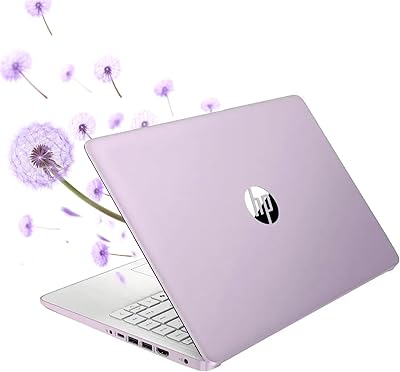
The laptop's clean, minimalist design appeals to those who prefer a simple yet functional look. The compact size and available color options like Honey Lavender add to its overall aesthetic, making it a stylish choice for students and young professionals.
Some users feel that the plastic exterior makes it less premium than other laptops in its price range. Additionally, while the design is simple, it may not appeal to those who prefer more flashy or high-end designs with metal finishes.
Performance for Basic Tasks
89%
For everyday tasks like browsing, document editing, and media consumption, this laptop delivers solid performance. Users find it adequate for schoolwork, light entertainment, and online communication, making it a great choice for basic productivity needs.
However, when it comes to more demanding tasks such as video editing or gaming, the laptop's performance can fall short. Users hoping for faster processing power for complex workflows may find this device less capable under heavier workloads.

Suitable for:

The HP 14″ Student Laptop Celeron N150 8GB RAM 256GB Storage is ideal for students or casual users who need a portable, budget-friendly device for everyday computing tasks. With its lightweight design, this laptop is especially suited for those who are always on the go, such as university students, remote workers, or travelers. The inclusion of Office 365 for a year and the user-friendly Windows 11 S mode further enhance its appeal for productivity-focused tasks like note-taking, web browsing, and document editing. Users who prioritize affordability over top-tier performance will find this device a solid option for handling basic tasks without breaking the bank.
Not suitable for:

While this laptop offers great value for everyday tasks, it is not suitable for users who require high performance for more demanding applications. If you need to run heavy software like video editing tools or play graphic-intensive games, this device will struggle due to its limited processing power and integrated graphics. Additionally, multitaskers who need to keep numerous browser tabs or resource-heavy applications open at once may experience lag. Professionals in fields like graphic design or software development, or anyone requiring faster processing speeds, would be better off with a more powerful device.

Specifications

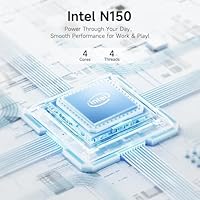
  • Processor: Intel Celeron N150 processor for efficient everyday computing tasks.
  • Display: 14″ HD (1366 x 768) display with anti-glare coating for better visibility in bright environments.
  • RAM: 8GB DDR4 RAM for smooth multitasking and efficient performance.
  • Storage: 256GB storage (128GB UFS + 128GB MicroSD) for file storage and app installations.
  • Graphics: Integrated Intel UHD graphics suitable for basic tasks like web browsing and media consumption.
  • Operating System: Windows 11 Home in S Mode for enhanced security and a streamlined user experience.
  • Battery Life: Up to 7.5 hours of battery life, depending on usage, for all-day productivity.
  • Weight: Lightweight design at 3.24 lbs, ideal for portability and on-the-go use.
  • Dimensions: 12.76 x 8.86 x 0.71 inches, making it compact and easy to carry.
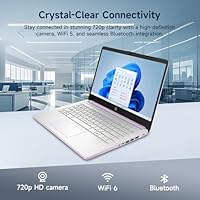
  • Webcam: 2MP webcam for basic video conferencing and remote learning.
  • Connectivity: Bluetooth and Wi-Fi connectivity for wireless communication and internet access.
  • Ports: Includes 2 USB 3.0 ports, HDMI output, and a microSD card slot for expanded connectivity.
  • Office Suite: Pre-installed Office 365 (1-year subscription) for productivity applications like Word and Excel.
  • Audio: Built-in speakers and microphone suitable for casual media consumption and video calls.
  • Color Options: Available in various color options, including Honey Lavender for style-conscious users.
  • Warranty: Includes standard warranty coverage, typically offering one year of support and service.
  • Keyboard: Full-sized keyboard with comfortable key travel for typing efficiency.
  • Security: Windows 11 S Mode offers built-in security features to protect against malware and unauthorized apps.

FAQ

This laptop is designed for students and casual users, featuring a 14-inch HD display, Intel Celeron N150 processor, 8GB RAM, and 256GB storage. It is lightweight at 3.24 lbs, making it easy to carry, and comes with pre-installed Office 365 and Windows 11 Home in S mode for productivity.

The HP 14″ Student Laptop can last up to 7.5 hours on a single charge, depending on usage. For tasks like web browsing and document editing, you can expect to get a full day of work without needing to recharge.

No, this device is not built for gaming or graphic-heavy applications. It features Intel UHD integrated graphics, which are adequate for basic tasks like web browsing and media viewing, but may struggle with more demanding programs like video editing or 3D gaming.

Windows 11 Home in S mode limits installations to apps from the Microsoft Store. If you need to install software from other sources, you can switch out of S mode to a more flexible version of Windows 11, but keep in mind this may affect security features.

With 8GB of RAM and 256GB of storage, this laptop is well-suited for everyday tasks like browsing the web, streaming videos, and working with office documents. However, if you run many browser tabs or use memory-heavy programs, you might notice some performance lag.

Yes, this laptop is highly portable, weighing just 3.24 lbs. It's compact enough to fit in a backpack or travel bag, making it a good choice for students or remote workers who need a lightweight device for work on the go.

The laptop features a 14-inch HD display (1366 x 768) with an anti-glare coating, which helps reduce reflections in bright environments. While it’s suitable for most everyday tasks, users looking for higher resolution or color accuracy might find it lacking.

The build quality is lightweight, which makes it portable, but it's not as rugged as more premium laptops. It's a good fit for students or casual users, but if you're looking for a highly durable device for heavy use, this may not be the best option.

Yes, the HP 14″ Student Laptop includes a 2MP webcam, making it suitable for video calls and remote learning. The built-in microphone and Wi-Fi connectivity should be sufficient for most virtual meetings, though the webcam quality is basic.

This laptop comes with Windows 11 Home in S mode and includes a 1-year subscription to Microsoft Office 365. This provides essential productivity tools like Word, Excel, and PowerPoint, which is a great advantage for students and casual users.