Overview

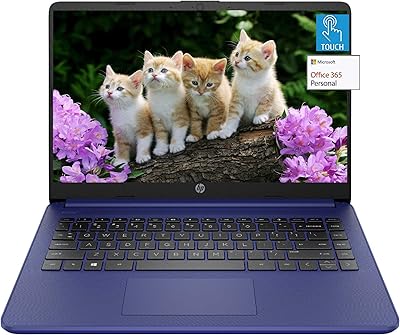
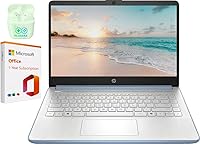
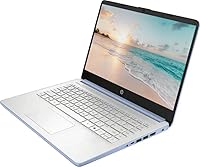
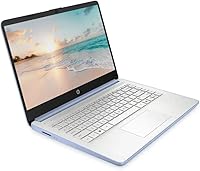
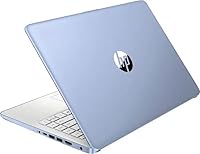
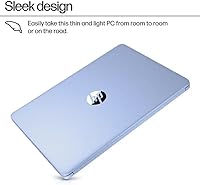
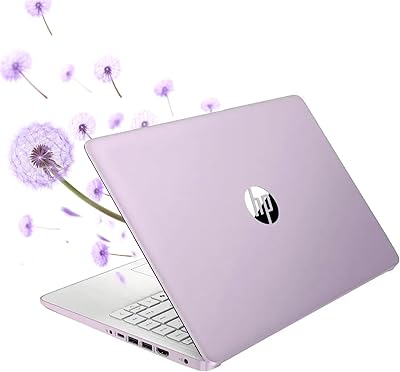
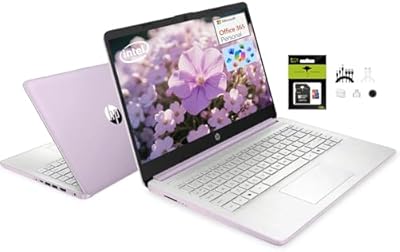
The HP 14 Intel N150 14″ Laptop is HP's answer to the growing demand for affordable, brand-name portables that don't embarrass themselves in daily use. At under an inch thick and just over four pounds, this HP 14 slots comfortably into a backpack without drama. The Sky Blue finish gives it a little personality in a category full of gray slabs. One thing worth knowing upfront: it ships with Windows 11 S mode, which limits you to Microsoft Store apps by default. Switching to full Windows 11 Home is free and straightforward, but it's a step many buyers don't anticipate. The included one-year Microsoft 365 subscription sweetens the deal meaningfully.

Features & Benefits

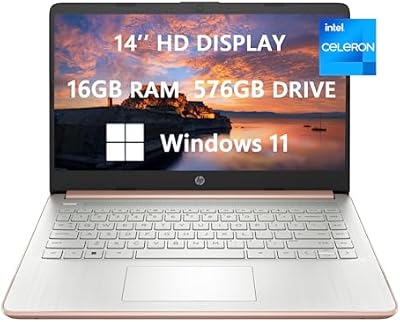
The N150 quad-core chip handles email, documents, and browser tabs without complaint — don't expect it to run video editing software, but for the target use cases it holds up fine. What really stands out is the 32GB of DDR4 RAM, an unusually generous spec at this price point. Storage is trickier: the 640GB figure combines 128GB of UFS internal storage with a 512GB SD card. The UFS handles the OS and apps, while the SD card serves as overflow — useful, but slower than a proper SSD for frequently accessed files. Wi-Fi 6 and Bluetooth 5.4 are welcome inclusions that keep this machine viable for years.

Best For

This budget HP machine is a natural fit for students who need something dependable for note-taking, research, and video calls — and don't want to spend more than necessary doing it. The long battery life and light weight make it practical for commuters or anyone moving between classrooms and coffee shops. Remote workers handling browser-based tools, spreadsheets, and email will find it comfortable for a full workday. It's also a solid pick for a first laptop, largely because the included Microsoft 365 subscription removes one immediate expense. If you're chasing 4K video editing or gaming, look elsewhere. But for everyday productivity, it covers the basics without unnecessary complexity.

User Feedback

Owners of this HP 14 tend to praise the keyboard feel and how well the display holds up in normally lit rooms. The battery regularly clocks in around 8 to 9 hours in real use — short of HP's claim, but still strong for the category. The 1366x768 resolution draws the most consistent criticism; next to a modern 1080p competitor at a similar price, the difference is visible and worth considering. A few buyers also note that the SD card-based secondary storage feels noticeably slower than a dedicated SSD partition. Windows 11 S mode catches some users off guard initially, though switching is straightforward once you know it's an option. Overall, build quality earns more compliments than complaints.

Pros

  • 32GB of DDR4 RAM is a standout spec for a budget Windows laptop, keeping multitasking smooth across many open tabs and apps.
  • Wi-Fi 6 and Bluetooth 5.4 offer connectivity headroom that most competing machines at this price point do not include.
  • The included one-year Microsoft 365 subscription adds genuine day-one value without a separate purchase.
  • At 4.6 pounds and under an inch thick, this HP 14 travels easily and fits most standard laptop sleeves and backpacks.
  • HP Fast Charge support means a short plug-in session can meaningfully extend your day when you are running low.
  • Real-world battery life consistently lands in the 8 to 9-hour range, which is practical for students and remote workers.
  • The anti-glare LED display reduces eye strain in typical indoor lighting conditions better than glossy alternatives.
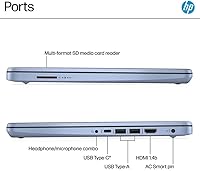
  • Port selection is solid for the class, covering USB-C, dual USB-A, HDMI, headphone jack, and an SD card reader.
  • Build quality and keyboard comfort earn consistent praise from owners, which matters more day-to-day than spec sheets suggest.
  • The Sky Blue color option and slim profile give it a more distinctive look than the generic black slabs common at this tier.

Cons

  • The 1366x768 screen resolution feels behind the times when comparable budget rivals now frequently ship with 1080p displays.
  • Secondary storage relies on a 512GB SD card, which is noticeably slower than a true internal SSD for frequent file access.
  • HP's claimed 11-hour battery life is optimistic; most users report real-world figures closer to 8 to 9 hours under normal use.
  • Windows 11 S mode restricts app installs to the Microsoft Store by default, catching buyers off guard if they need outside software.
  • The N150-powered HP laptop cannot handle video editing, gaming, or graphics-intensive workloads in any meaningful way.
  • 128GB of UFS internal storage fills up quickly once the OS, apps, and a few larger files are in place.
  • The HD webcam is adequate for basic calls but lacks the clarity that remote workers relying heavily on video conferencing may want.
  • Integrated Intel graphics rule out any use as a secondary machine for creative professionals or casual gamers.
  • At 4.6 pounds, it is not the lightest option in its price range — ultra-portable competitors inch closer to 3 pounds.
  • The bundled PLUSERA earphones are a filler inclusion with little practical value for most buyers.

Ratings

Our AI rating system analyzed thousands of verified global user reviews for the HP 14 Intel N150 14″ Laptop, actively filtering out incentivized, bot-generated, and duplicate submissions to surface what real buyers actually experience day to day. The scores below reflect an honest synthesis of both the genuine strengths and the recurring frustrations that show up consistently across independent purchasers. Nothing has been smoothed over — where this budget HP machine earns praise, the scores reflect it; where it falls short against the competition, that is equally transparent.

Value for Money
81%
19%
For buyers on a tight budget, the combination of a well-known brand, 32GB of RAM, Wi-Fi 6, and a bundled Microsoft 365 subscription delivers more checkboxes per dollar than most comparable options. Reviewers who compared it against similar Acer and Lenovo offerings consistently noted that the RAM headroom alone justifies the price.
The SD card secondary storage and the 1366x768 display are the two areas where the value argument weakens — both feel like cost-cutting measures that more carefully spec'd rivals at a similar price have managed to address. Buyers who discover the storage setup post-purchase sometimes feel the advertised 640GB figure is a little misleading.
Performance
72%
28%
Day-to-day tasks — writing documents, managing spreadsheets, video calls, and juggling a dozen browser tabs — run without any meaningful friction on the N150-powered HP laptop. The generous RAM allocation means Chrome with multiple tabs open rarely triggers slowdowns the way underpowered budget machines typically do.
Anything beyond light productivity exposes the processor's ceiling quickly; users who tried running locally installed photo editors or lightweight video exports reported noticeable lag and extended processing times. The integrated Intel graphics share system resources, which compounds the bottleneck when visual tasks and background apps compete simultaneously.
Display Quality
58%
42%
The anti-glare coating earns genuine appreciation from students and office workers who use this machine near windows or under fluorescent lighting, where reflective glossy panels become a real irritant. Casual browsing and document work look clean enough at typical viewing distances, and text legibility in well-lit rooms draws consistent positive mentions.
The 1366x768 resolution is the most criticized aspect of this machine across buyer reviews, and rightly so — at a time when 1080p panels are standard even on cheaper competing laptops, the lower pixel density becomes obvious the moment you place the two side by side. Users who spend long hours reading or working with detailed content flag eye fatigue more often than on full HD screens.
Battery Life
74%
26%
Real-world battery performance consistently lands in the 8 to 9-hour range for typical mixed use, which is more than enough to carry most students and remote workers through a full day without hunting for an outlet. HP Fast Charge adds a practical layer of convenience for those rushed mornings when you leave home with a half-depleted battery.
HP's marketed 11-hour figure requires very light usage conditions — low brightness, minimal apps, and little network activity — that most buyers never actually replicate. Users who run video calls or have multiple productivity apps open simultaneously report the battery dropping noticeably faster, landing closer to 6 to 7 hours in those heavier scenarios.
Build Quality
77%
23%
Owners frequently comment on how solid this HP 14 feels relative to other budget laptops they have handled, with the lid and keyboard deck showing minimal flex during normal daily handling. The slim 0.78-inch profile does not feel fragile, and the overall fit and finish holds up well against the kind of wear a student or commuter would subject it to.
The plastic chassis, while sturdy enough for careful daily use, does pick up minor scuffs and fingerprints more readily than the material suggests it should, and a handful of reviewers noted slight creaking around the hinges after several months of use. It is not a machine that inspires confidence if dropped, which is worth factoring in for users who move it around frequently.
Keyboard & Touchpad
76%
24%
The keyboard receives consistent praise for comfortable key spacing and a responsive feel that suits extended typing sessions — essay writing, email drafting, and data entry all benefit from the layout. Several buyers who upgraded from older, more cramped budget laptops specifically called out the keyboard as a highlight.
The touchpad is functional but not exceptional — tracking accuracy is fine for standard navigation, but multi-finger gestures can feel slightly inconsistent, and a few users noted that palm rejection occasionally misfires during fast typing. Nothing that breaks the experience, but polished it is not.
Storage Setup
51%
49%
Having 640GB of total addressable storage space at this price point means students can keep a full semester of files, downloaded lectures, and media without constantly managing space. The 128GB UFS internal drive handles OS and app loading with reasonable speed for the category.
The reliance on a 512GB SD card as secondary storage is a genuine functional compromise that frustrates buyers who expected a unified SSD experience. File transfers to and from the card are noticeably slower, the card can theoretically be physically lost or damaged, and running apps or accessing large files directly from it feels sluggish compared to any true internal SSD configuration.
Connectivity & Ports
83%
The port layout on this budget HP machine is genuinely well-rounded — USB-C 3.1, two USB-A 3.0 ports, HDMI, a headphone jack, and an SD card reader cover most real-world peripheral needs without requiring a separate hub. Wi-Fi 6 and Bluetooth 5.4 put the wireless specs well ahead of what many rival budget machines still ship with.
The HDMI 1.4 port caps external display output at 1080p and 60Hz, which is fine for most users but limits anyone hoping to connect a high-refresh or 4K monitor for a more capable desktop setup. There is also no Thunderbolt support, which matters less at this tier but is worth noting for users planning a long-term peripheral ecosystem.
Webcam & Microphone
63%
37%
The HP True Vision HD webcam paired with dual-array microphones handles routine video calls on Teams and Zoom with enough clarity that meeting participants rarely comment negatively on image or audio quality in normal indoor lighting conditions. The dual-microphone setup does a reasonable job of isolating voice from background noise.
Low-light performance is noticeably soft, and the HD label on the webcam covers a wide range of quality — this one sits closer to the acceptable end than the impressive end. Users who participate in frequent professional video calls or record instructional content will likely find the output underwhelming compared to even a modest external webcam.
Portability
82%
18%
At 4.6 pounds and under an inch thick, this machine slips into a standard backpack or laptop sleeve without adding significant bulk, making it a practical choice for students commuting between home and campus or remote workers moving between locations. The compact footprint suits tight desk spaces and tray tables on trains or planes equally well.
While 4.6 pounds is perfectly manageable, it is not class-leading for a 14-inch budget laptop — some competing machines in the same price range have trimmed closer to 3.5 pounds, which becomes noticeable over a long commute with a full bag. Buyers prioritizing the lightest possible option may find slightly leaner alternatives worth considering.
Software & OS Experience
67%
33%
Windows 11 Home provides a familiar, modern desktop environment once S mode is disabled, and the included Microsoft 365 subscription means the most essential productivity apps are ready from day one without any additional setup cost or subscription management. For buyers already inside the Microsoft ecosystem, the out-of-box experience is smooth.
Windows 11 S mode creates an initial friction point for buyers who are not expecting it — discovering that Chrome, Spotify, or any non-Store app cannot be installed without switching modes catches a noticeable portion of first-time buyers off guard. The switch itself is simple and free, but it is a configuration step that a laptop at any price point ideally should not require.
Audio Quality
61%
39%
The tuned stereo speakers produce clear enough audio for video calls, online lectures, and casual media playback in quiet spaces, and the HD audio implementation handles voice frequencies particularly well — a meaningful detail for anyone relying on this machine for remote meetings or online coursework.
Bass response is essentially absent, and at higher volume levels the speakers begin to distort in ways that make music listening or movie watching noticeably thin. In a noisy environment like a cafe or shared workspace, the speakers struggle to cut through ambient sound, making external speakers or headphones a practical necessity for focused media use.
Thermal Management
69%
31%
Under light to moderate workloads — the kind this machine is genuinely designed for — thermals stay well-controlled and fan noise remains inaudible in quiet environments, which is a comfort for users working in libraries or shared study spaces. The chassis does not get uncomfortably warm during typical sessions.
Sustained loads, such as extended video calls with screen sharing or downloading large files while running office apps in the background, cause the fan to spin up noticeably and the palm rest area to warm in ways a few users described as distracting. It is not a heat management problem for the machine's intended workloads, but it surfaces quickly when pushed past them.

Suitable for:

The HP 14 Intel N150 14″ Laptop is built for people whose daily computing needs revolve around documents, email, video calls, and browser-based work — not pushing hardware to its limits. Students carrying it between classes will appreciate the sub-5-pound weight and the battery that realistically gets through a full school day on a single charge. First-time laptop buyers get a particularly good deal here, since the included Microsoft 365 subscription means Word, Excel, and Teams are ready to go out of the box without an extra subscription cost. Remote workers who live in Google Workspace or Microsoft 365 web apps will find this budget HP machine more than adequate for a full workday. Commuters and frequent travelers will also value the compact footprint and HP Fast Charge support, which reduces anxiety about finding an outlet mid-trip.

Not suitable for:

The HP 14 Intel N150 14″ Laptop has real limits that certain buyers will run into quickly and should factor in before purchasing. The 1366x768 display resolution is the most honest dealbreaker — if you are used to a 1080p screen or spend long hours reading dense text, the lower pixel density will feel noticeably dated, and competing budget laptops from other brands now routinely offer full HD panels at comparable prices. The N150 processor handles light productivity without issue, but anyone who edits video, works with large photo libraries, runs local AI tools, or plays modern games will find the integrated Intel graphics and processor headroom genuinely insufficient. The storage setup also warrants caution: the 512GB SD card used as secondary storage is not as fast or reliable as a true internal SSD, which matters if you plan to store and access large files regularly. Finally, buyers who rely on third-party software outside the Microsoft Store should know they will need to switch out of Windows 11 S mode before installing it — a simple step, but one that should not come as a surprise.

Specifications

  • Processor: Intel N150 quad-core CPU with 4 threads, up to 3.6 GHz boost clock, and 6MB cache handles everyday productivity workloads without issue.
  • RAM: 32GB of DDR4 SDRAM provides ample headroom for multitasking across multiple browser tabs, office applications, and video calls simultaneously.
  • Internal Storage: 128GB UFS serves as the primary drive, housing the operating system, pre-installed software, and user-installed applications.
  • Expanded Storage: A 512GB SD card is included and pre-configured as secondary storage, bringing total advertised capacity to 640GB combined.
  • Display: 14-inch anti-glare LED screen with a 1366x768 pixel resolution and 250-nit brightness delivers readable output in standard indoor lighting conditions.
  • Operating System: Windows 11 Home in S mode ships pre-installed; switching to full Windows 11 Home is available at no cost through Microsoft's system settings.
  • Wireless: Wi-Fi 6 (802.11ax) and Bluetooth 5.4 handle wireless networking and peripheral connectivity with modern, forward-compatible standards.
  • Ports: Connectivity includes 1x USB-C 3.1, 2x USB-A 3.0, 1x HDMI 1.4, 1x headphone/microphone combo jack, and 1x SD card reader.
  • Battery: Rated for up to 11 hours of use on a single charge, with HP Fast Charge support for quicker top-ups when time is short.
  • Camera: HP True Vision HD webcam paired with dual-array microphones handles video calls and virtual meetings at standard HD quality.
  • Audio: Tuned stereo speakers with HD audio provide clear enough sound for media playback, calls, and casual listening without external speakers.
  • Graphics: Intel integrated graphics are built into the N150 processor and handle standard display output and light visual tasks only.
  • Dimensions: The chassis measures 14.14 x 9.31 x 0.78 inches, keeping the profile slim enough to fit easily in most laptop sleeves and bags.
  • Weight: At 4.6 pounds, this machine sits in a comfortable range for regular portability without being among the lightest options in the budget segment.
  • Included Extras: Purchase includes a 1-year Microsoft Office 365 subscription and a pair of PLUSERA earphones bundled with the unit.
  • Charging: HP Fast Charge is supported, allowing the battery to recover a meaningful charge during short breaks between uses.
  • Color Option: Available in Sky Blue, which provides a visually distinct alternative to the all-black or silver finishes common across competing budget laptops.

Related Reviews
HP 14-inch Intel N150 Laptop

71%
83%
Value for Money
61%
Performance
48%
Display Quality
88%
RAM & Multitasking
54%
Storage Setup
More
HP 14 Celeron 14-inch Touchscreen Laptop
68%
74%
Value for Money
52%
Performance
43%
Storage Adequacy
91%
Portability
61%
Display Quality
More
HP 14″ Student Laptop Celeron N150 8GB RAM 256GB Storage
83%
92%
Value for Money
90%
Portability/Weight
85%
Battery Life
80%
Display Quality
72%
Multitasking Performance
More
HP 14-dq0054dx 16GB 14-Inch Laptop
65%
72%
Value for Money
54%
Performance
47%
Storage Setup
58%
Display Quality
81%
RAM & Multitasking
More
HP 14″ Touchscreen Laptop, Intel Celeron N4020, 16GB RAM, 192GB Storage
79%
81%
Performance
65%
Display Quality
55%
Battery Life
73%
Build Quality
88%
Portability
More
HP 14-dq5009nr 14-inch Laptop
70%
84%
Value for Money
76%
Performance
51%
Display Quality
79%
Build Quality
88%
Portability
More
HP Stream 14-inch Laptop
65%
78%
Value for Money
84%
Battery Life
53%
Performance
41%
Storage Capacity
67%
Display Quality
More
HP 14-inch Intel Core i7 Laptop
73%
84%
Performance & Speed
81%
Display Quality
74%
Build Quality
62%
Battery Life
88%
Storage Performance
More
HP TPN-Q221 14″ Laptop
63%
81%
Value for Money
48%
Performance
37%
Storage Capacity
43%
Battery Life
56%
Display Quality
More
HP EliteBook 8460p 14-inch Laptop
67%
84%
Build Quality
79%
Value for Money
56%
Performance
43%
Battery Life
83%
Keyboard & Typing Experience
More

FAQ

The listing does advertise 32GB of DDR4 RAM, which is genuinely unusual for a laptop at this price tier. That said, it is worth reading the fine print carefully before purchasing, as some budget listings can reflect configured or maximum potential specs rather than what ships in every unit. Verify the exact configuration at checkout.

S mode is a restricted version of Windows 11 that only allows app installations from the Microsoft Store. For most students and office users sticking to Microsoft 365 apps and browser-based tools, it may not cause any immediate friction. However, if you need to install software like Zoom, Chrome, or any third-party utility from outside the Store, you will want to switch out of S mode first. The switch is free, takes only a minute or two through Windows Settings, and cannot be reversed once done.

It is split. The machine has 128GB of UFS internal storage for the operating system and installed apps, plus a 512GB SD card that acts as secondary storage for files and media. The SD card is not as fast as a dedicated internal SSD, so storing frequently accessed files or running applications directly from it may feel sluggish compared to what you would get from a true all-SSD setup.

In practice, most users land somewhere between 8 and 9 hours under typical conditions — web browsing, document work, and the occasional video call. The 11-hour figure likely reflects light, low-brightness testing scenarios. That said, 8 to 9 hours is still a solid result for a budget laptop, and HP Fast Charge helps bridge the gap when you need a quick top-up.

Yes, the HDMI 1.4 port handles external display output to most monitors and TVs without any additional adapters. The USB-C 3.1 port may also support display output depending on the specific setup, though HDMI will be the more straightforward route for most users.

For the vast majority of college work — writing papers, researching online, attending virtual lectures, and managing files — it handles things comfortably. The 32GB of RAM helps keep multiple browser tabs and apps open without slowdowns. Just keep expectations realistic: it is not built for engineering software, video production, or anything computationally demanding.

The anti-glare coating helps reduce reflection in lit rooms, which is genuinely useful. The limitation is the 1366x768 resolution, which is noticeably lower than the 1080p panels now common on competing budget laptops. If you spend long hours reading text or working with detail-heavy content, the lower pixel density may feel a little soft. It is acceptable for casual use but is the most legitimate criticism of this machine's hardware.

Not directly out of the box while in Windows 11 S mode, since both require installation from outside the Microsoft Store. However, the moment you switch to full Windows 11 Home — which is free and takes about two minutes — you can install any standard Windows application as you normally would.

The HP True Vision HD camera paired with dual-array microphones is adequate for everyday calls on Zoom, Teams, or Google Meet. It produces a standard HD image that is clean in decent lighting but softens in low-light environments, which is typical for built-in laptop cameras at this price level. For professional video presentations, an external webcam would be a noticeable upgrade.

The included SD card works fine for storing documents, photos, and media that you do not access constantly. Where it falls short is speed — writing and reading files from the SD card is slower than from the internal UFS storage, so you would not want to run applications or edit files directly from it. Think of it more as convenient overflow space rather than a performance storage tier.