Overview

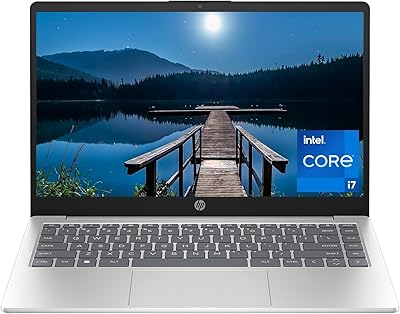
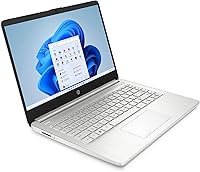
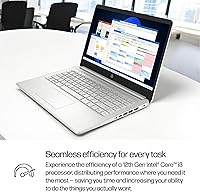
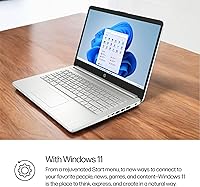
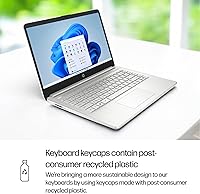
The HP 14-dq5009nr 14-inch Laptop sits comfortably in the budget tier, designed for students and everyday users who need a dependable machine without overspending. What makes it stand out at this price point is the 12th Gen Intel Core i3-1215U, a genuine step up from the aging dual-core processors you typically find in this range. That said, honesty matters: the display tops out at 1366x768 resolution, which is a real trade-off worth knowing before you buy. It weighs just 3.24 pounds and has a clean natural silver finish that makes it easy to carry between classes or rooms. Practical and portable, this budget HP won't handle demanding workloads, but for everyday tasks, it holds its own.

Features & Benefits

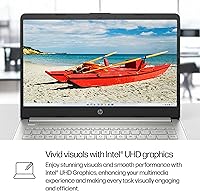
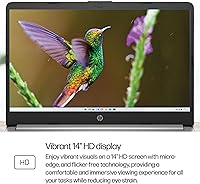
The 12th Gen i3-1215U brings six cores to a price range that used to mean two, and the real-world difference shows up when you have a dozen browser tabs open alongside a video call. Boot times are quick thanks to the 256GB PCIe NVMe SSD — no waiting around like you would with older eMMC storage. The 8GB of DDR4 RAM keeps things moving through typical office and school workflows without constant slowdowns. The micro-edge display reduces bezel bulk nicely, though the 1366x768 resolution will look soft to anyone used to Full HD. Wireless covers 802.11ac and Bluetooth, solid for home and campus use. The integrated Intel UHD graphics handle casual streaming fine but are not built for serious gaming.

Best For

This HP 14-inch laptop is a natural fit for students and remote workers who spend most of their day in a browser, a word processor, or on video calls. Parents shopping for a first laptop for a teenager will appreciate the lightweight build and Windows 11 in S Mode, which limits app installs to the Microsoft Store and keeps things safer by default — you can exit S Mode at no cost if you need more flexibility later. It also makes sense for anyone escaping a slow, aging machine who wants a clear speed boost without a big investment. Where it falls short: video editing, photo work, or anything demanding Full HD clarity or dedicated graphics simply isn't in this machine's wheelhouse.

User Feedback

Buyers generally come away impressed by how fast and responsive this budget HP feels out of the box — quick startups and smooth day-to-day use are the most repeated praises, and build quality also earns credit for the price. The criticism that surfaces most consistently is the screen: users upgrading from a modern Full HD display find the 1366x768 resolution noticeably soft, and brightness can disappoint in well-lit rooms. Keyboard opinions are split — some find it comfortable enough for long typing sessions, while others want deeper key travel. Battery life is generally described as adequate for a full school day. A handful of buyers mention early confusion around S Mode, though less tech-savvy users tend to view it as a reassuring security safeguard.

Pros

  • The 12th Gen Intel Core i3-1215U delivers six cores, a meaningful jump over older dual-core budget chips.
  • The PCIe NVMe SSD makes boot times fast and app launches feel snappy compared to eMMC-based rivals.
  • 8GB of RAM keeps everyday multitasking — browsing, video calls, office apps — running without frustrating slowdowns.
  • At just 3.24 pounds, this budget HP is easy to carry between classes, rooms, or meetings all day.
  • Windows 11 in S Mode provides a safer, more controlled environment that works well for younger or less tech-savvy users.
  • The micro-edge display design reduces visual clutter and makes the screen feel larger relative to the chassis.
  • 802.11ac Wi-Fi and Bluetooth deliver reliable connectivity in home, campus, and coffee shop environments.
  • Build quality earns consistent praise from buyers who did not expect this level of sturdiness at the price.
  • Exiting S Mode is free and straightforward, giving users full Windows flexibility whenever they need it.
  • The slim profile and clean natural silver finish give it a presentable look well above its price class.

Cons

  • The 1366x768 screen resolution looks noticeably soft, especially for anyone coming from a Full HD display.
  • Screen brightness is on the lower end, making outdoor or brightly lit room use uncomfortable.
  • Keyboard key travel is shallower than many users prefer, which can cause fatigue during long typing sessions.
  • Only three USB ports total, with one being the slower USB 2.0 standard — peripheral flexibility is limited.
  • Integrated graphics cap out at casual streaming; anything beyond that will quickly expose the hardware ceiling.
  • S Mode can confuse buyers who do not realize upfront that they cannot install software from outside the Microsoft Store.
  • Real-world battery life may fall short of optimistic expectations during heavier usage like video streaming.
  • No HDMI port listed in specs, which limits easy connection to external monitors or projectors without an adapter.
  • 256GB of storage fills up faster than expected once Windows updates, apps, and files accumulate.
  • Memory speed at 2400MHz is on the slower side compared to newer budget laptops shipping with faster DDR4 or DDR5.

Ratings

The scores below were generated by our AI system after analyzing thousands of verified global user reviews for the HP 14-dq5009nr 14-inch Laptop, with spam, incentivized feedback, and bot activity actively filtered out to ensure accuracy. Each category reflects the honest distribution of buyer sentiment — where this machine genuinely impresses, and where real users have run into frustration. Both strengths and trade-offs are represented transparently so you can make a confident, informed decision.

Value for Money
84%
Most buyers feel this budget HP delivers more than its price tag suggests, particularly because of the 12th Gen processor and NVMe SSD — components typically found in pricier machines. Users upgrading from older, sluggish laptops consistently describe the perceived value as a pleasant surprise.
A vocal minority argues that competitors at a similar price now offer Full HD displays and faster RAM, making the value equation feel slightly less compelling than it did at launch. Buyers who prioritize screen quality specifically feel the trade-off tips the balance against this machine.
Performance
76%
24%
The six-core i3-1215U handles browser-heavy sessions, video calls, and light Office work with confidence — users report noticeably faster app launches and smoother tab-switching compared to previous budget machines they owned. Boot times draw repeated praise, often described as impressively quick.
Performance falls apart quickly outside everyday tasks — running multiple demanding applications simultaneously or working with larger media files introduces lag that frustrates users who expected more headroom. It is not a chip built for sustained heavy workloads, and that ceiling becomes apparent sooner than some buyers expect.
Display Quality
51%
49%
The micro-edge bezel design gives the screen a cleaner, more modern look than similarly priced competitors, and the display is adequate for writing documents, video calls, and casual YouTube watching at normal desk distances.
The 1366x768 resolution is the most polarizing aspect of this machine — users coming from Full HD screens consistently describe text as soft and images as noticeably blurry. Brightness levels also disappoint in well-lit rooms or near windows, making extended screen time uncomfortable for many buyers.
Build Quality
79%
21%
For a budget laptop, the chassis holds up better than most users expect — the natural silver finish feels solid rather than flimsy, and the slim profile does not come at the cost of obvious flex or creaking. Students who carry it daily report it handles a backpack environment well.
The plastic construction becomes more apparent on close inspection, and the lid in particular shows some flex when pressure is applied. It would not withstand rough handling the way a more premium machine might, so users who are hard on their gear should be cautious.
Portability
88%
At 3.24 pounds and under three-quarters of an inch thick, this HP 14-inch laptop is genuinely easy to carry around all day without shoulder fatigue. Students who commute between classes or remote workers who move between rooms and cafes consistently highlight how convenient the form factor is.
The charger adds meaningful bulk to a bag, and the lack of a USB-C charging option means users are always dependent on the proprietary adapter — forgetting it is more inconvenient than it would be with a universal cable solution.
Keyboard & Trackpad
63%
37%
Casual typists and students report the keyboard is functional and accurate enough for assignments and emails, with decent key spacing that keeps accidental presses rare during normal use. The trackpad is smooth and tracks reliably for everyday navigation.
Users who type heavily throughout the day frequently cite shallow key travel as a source of fatigue, and the keyboard lacks the tactile feedback many buyers expected at this price. The trackpad, while functional, feels modest compared to what midrange competitors now offer.
Battery Life
67%
33%
Under light loads — browsing, document editing, and occasional streaming — most users report getting comfortably through a school day or a standard remote workday on a single charge, which is a reasonable result for a budget machine in this class.
Battery performance drops off meaningfully with heavier use, brighter screen settings, or video streaming, where real-world runtime can fall well short of HP's published estimates. A number of buyers note they have gotten into the habit of carrying the charger regardless, which somewhat undermines the portability advantage.
Storage
72%
28%
The PCIe NVMe SSD makes a tangible everyday difference — the 14-dq5009nr boots in seconds and launches applications quickly, which is a direct upgrade over the eMMC storage found in many competing budget machines. Users notice the snappiness immediately after setup.
256GB fills up faster than expected once Windows updates, installed applications, and personal files accumulate — several buyers report running low on space within months of purchase. There is no easy path to expand internal storage on this model, making external drives a likely necessity for longer-term ownership.
Connectivity & Ports
58%
42%
The 802.11ac Wi-Fi performs reliably in home and campus environments, and Bluetooth connectivity works smoothly with peripherals like wireless mice and headphones. For users with simple setups, the three USB ports cover basic needs without issue.
The port selection is genuinely limited — only three USB ports total, one of which is the slower USB 2.0 standard, and there is no confirmed HDMI port, which forces users who want an external monitor to hunt for adapters. Power users or anyone with multiple peripherals will feel the constraints quickly.
Software & OS Experience
69%
31%
Windows 11 runs smoothly on this hardware for standard tasks, and less tech-savvy users — particularly parents buying for younger kids — appreciate S Mode as a low-friction way to keep the system clean and secure without active management.
S Mode catches a notable share of buyers off guard, especially those who want to install Chrome, Spotify, or other non-Store apps right away and do not realize the limitation until after unboxing. While switching out is free and fairly simple, the initial confusion generates real frustration in buyer feedback.
Graphics & Multimedia
55%
45%
Streaming video on services like YouTube, Netflix, or Zoom looks acceptable on the built-in display, and the integrated Intel UHD Graphics handle casual photo browsing and light content consumption without issue in everyday home use.
The integrated graphics have no meaningful ceiling for demanding use — even moderately intensive games stutter, and any creative work involving video rendering or photo editing quickly exposes the hardware's limits. Users who expected more versatility from the graphics are among the more disappointed buyers.
Audio Quality
66%
34%
The HD Audio setup produces clearer sound than most budget laptop speakers, which users find particularly appreciated during video calls and online classes where voice clarity matters more than volume or bass depth.
At higher volumes, the speakers distort and thin out noticeably, making them inadequate for casual music listening or movie watching without headphones. Buyers looking for a satisfying standalone audio experience from the built-in speakers will generally come away underwhelmed.
Setup & Out-of-Box Experience
77%
23%
Most buyers describe an easy, quick setup process — the machine arrives ready to configure within minutes, and the Windows 11 onboarding is straightforward even for first-time laptop owners. HP's clean out-of-box presentation draws positive comments.
Some bloatware and pre-installed HP utilities slow the initial setup experience and consume a small but noticeable chunk of the already limited 256GB drive. Users who are not comfortable uninstalling background applications may find the system slightly cluttered in its default state.

Suitable for:

The HP 14-dq5009nr 14-inch Laptop is a well-matched choice for students from high school through college who need a dependable daily driver for writing papers, researching, attending virtual classes, and staying connected without breaking the bank. Remote workers or home users whose routine involves browser tabs, spreadsheets, video calls, and light document work will find it handles those tasks with more responsiveness than most machines in this price range. Parents shopping for a safe first laptop for a child or teenager will appreciate Windows 11 in S Mode, which restricts installs to the Microsoft Store by default — a built-in guardrail that keeps things tidy and secure, and one that can easily be turned off for free if broader access is eventually needed. Anyone coming from a several-year-old machine with a spinning hard drive or older dual-core processor will notice an immediate and satisfying improvement in speed and general snappiness. It is also a sensible secondary machine for households that just need a lightweight, grab-and-go option for couch browsing or occasional travel.

Not suitable for:

The HP 14-dq5009nr 14-inch Laptop is not the right call for anyone who relies on their display for extended reading, photo work, or media consumption, since the 1366x768 resolution will look noticeably soft — even frustrating — compared to the Full HD screens now standard on many competing models. Creative professionals or hobbyists who edit video, work in Lightroom, or do any visually intensive work should look elsewhere, as the integrated Intel UHD graphics and modest processor simply are not equipped for that workload. Serious gamers will also hit a wall quickly; casual browser-based games are one thing, but anything with real graphical demands is beyond what this budget HP can deliver. The three USB ports (one of which is USB 2.0) and absence of an HDMI or SD card slot may frustrate users with more complex peripheral setups. Finally, buyers expecting a tactile, satisfying keyboard for heavy daily typing may find the key travel underwhelming over long sessions.

Specifications

  • Processor: Powered by a 12th Gen Intel Core i3-1215U with 6 cores and a boost clock up to 4.4 GHz, offering noticeably better multitasking than older dual-core entry-level chips.
  • RAM: Comes with 8GB of DDR4 SDRAM running at 2400MHz, which is sufficient for everyday productivity, web browsing, and video calls.
  • Storage: Includes a 256GB PCIe NVMe M.2 SSD, delivering fast boot times and quick application launches compared to older eMMC or spinning hard drive alternatives.
  • Display: Features a 14-inch HD display with a 1366x768 pixel resolution and a micro-edge bezel design that reduces visual clutter around the screen.
  • Graphics: Uses integrated Intel UHD Graphics, which handles light streaming and casual browsing well but is not suited for dedicated gaming or creative workloads.
  • Operating System: Ships with Windows 11 Home in S Mode, a security-focused configuration that limits app installs to the Microsoft Store unless the user opts out of S Mode for free.
  • Wireless: Supports 802.11a/b/g/n/ac Wi-Fi and Bluetooth for reliable wireless connectivity across home, campus, and office environments.
  • Ports: Includes 1 USB 2.0 port and 2 USB 3.0 ports, providing basic peripheral connectivity with limited expansion options.
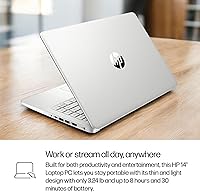
  • Weight: Weighs 3.24 pounds, making it light enough to carry comfortably in a backpack throughout the day.
  • Dimensions: Measures 12.76 x 8.86 x 0.71 inches, a slim and compact footprint that fits easily into standard laptop bags and sleeves.
  • Color & Finish: Available in a Natural Silver finish that gives the chassis a clean, professional appearance appropriate for school or work settings.
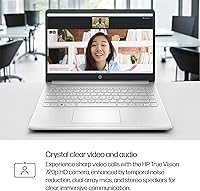
  • Audio: Equipped with HD Audio for clearer sound quality during video calls, media playback, and online classes compared to basic laptop speakers.
  • Optical Drive: Does not include an optical drive, which is standard for slim modern laptops but worth noting for users who still rely on CDs or DVDs.
  • Memory Type: Uses DDR4 SDRAM, a reliable and widely compatible memory standard that balances power efficiency with adequate bandwidth for everyday tasks.
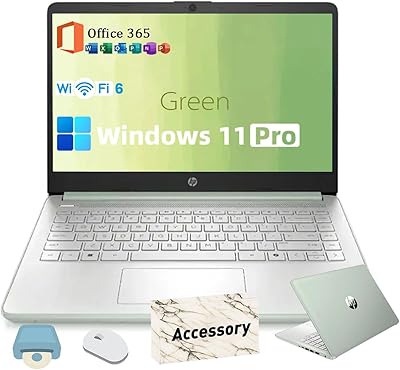
  • Software Bundle: Comes with Office 365 compatibility and support for standard Microsoft productivity applications out of the box.
  • Processor Cores: The Intel Core i3-1215U features 6 processor cores, including efficiency and performance cores, which improve handling of simultaneous background and active tasks.
  • Hard Drive Interface: The SSD uses an M.2 form factor with PCIe NVMe interface, which is significantly faster than SATA-based SSDs for read and write operations.
  • Voltage: Operates at 5 volts input, compatible with standard charging setups included in the box.

Related Reviews

HP 14-dq0020nr 14-inch Laptop 64GB
80%
72%
Performance
94%
Portability
88%
Battery Life
81%
Build Quality
75%
Display Quality
More
HP 14 Inch Laptop
HP 14 Inch Laptop
83%
92%
Value for Money
89%
Portability & Weight
90%
Battery Life
80%
Performance
84%
Build Quality
More
HP 14 Celeron 14-inch Touchscreen Laptop

68%
74%
Value for Money
52%
Performance
43%
Storage Adequacy
91%
Portability
61%
Display Quality
More
HP Chromebook 14a-nf0009nr 14-inch Laptop
82%
91%
Battery Life
88%
Portability & Weight
92%
Value for Money
80%
Performance for Everyday Tasks
85%
Display Quality
More
HP Chromebook 14 AMD A4 Laptop
75%
83%
Value for Money
71%
Performance
67%
Display Quality
74%
Build Quality
88%
Portability
More
HP Stream 14-inch Laptop
65%
78%
Value for Money
84%
Battery Life
53%
Performance
41%
Storage Capacity
67%
Display Quality
More
HP TPN-Q221 14″ Laptop
63%
81%
Value for Money
48%
Performance
37%
Storage Capacity
43%
Battery Life
56%
Display Quality
More
HP 14-inch Intel Core i7 Laptop
73%
84%
Performance & Speed
81%
Display Quality
74%
Build Quality
62%
Battery Life
88%
Storage Performance
More
HP EliteBook 8460p 14-inch Laptop
67%
84%
Build Quality
79%
Value for Money
56%
Performance
43%
Battery Life
83%
Keyboard & Typing Experience
More
HP 2025 14-inch Laptop - 16GB RAM, 128GB UFS, 256GB MSD, Windows 11 Pro
82%
89%
Value for Money
92%
Battery Life
85%
Performance
90%
Portability
81%
Build Quality
More

FAQ

It does not include a paid full version of Microsoft Office pre-installed. However, the HP 14-dq5009nr 14-inch Laptop is compatible with Office 365, and new Windows devices often come with a trial or a link to set up a Microsoft account that includes access to the free web versions of Word, Excel, and PowerPoint. If you need the full desktop apps, you would need a separate Microsoft 365 subscription.

S Mode is a restricted version of Windows that only allows apps downloaded from the Microsoft Store — it is Microsoft's way of keeping the system lean, fast, and protected from most malware. If you want to install apps like Chrome, Spotify, or any software from the web, you will need to switch out of S Mode. The good news is that switching is completely free and permanent, and you can do it in a few clicks through the Microsoft Store settings. You just cannot go back once you switch.

Light, browser-based games or older low-demand titles should run fine, but do not expect much beyond that. The integrated Intel UHD Graphics are not designed for modern gaming, and the processor, while capable for everyday work, is not a gaming chip. If gaming is a priority for you, this budget HP is not the right fit — you would want a machine with at least a dedicated GPU.

For basic use — documents, a few apps, and browser-based tools — 256GB is workable, but it gets tight faster than you might expect. Windows 11 itself takes up around 30–40GB, and updates, installed apps, and media files will chip away at that space over time. If you plan to store lots of photos, videos, or download many large applications, you might want to pick up an affordable external USB drive or USB-C hub with storage support.

That concern is valid and worth taking seriously. The 1366x768 resolution is noticeably softer than the Full HD screens most people are used to on phones and newer laptops. For writing documents, using email, or watching YouTube at a normal viewing distance it is acceptable, but text and images will not look as crisp. If you spend a lot of time looking at a screen closely, or if you care about picture quality for streaming, the display will likely be a frustration.

HP does not officially advertise this model as having user-upgradeable RAM, and many budget HP laptops in this class have memory soldered directly to the motherboard. Before purchasing with an upgrade in mind, it is worth checking HP's service documentation or a teardown for this specific model to confirm. Assuming the 8GB as the permanent ceiling is the safer bet for planning purposes.

Based on buyer feedback, most users get somewhere in the range of 6 to 8 hours during typical use — think web browsing, document editing, and video calls with screen brightness at a moderate level. Heavier tasks or high brightness will bring that number down. It is enough to get through a school day or a full remote work session, but carrying the charger for longer days is a good habit.

Yes, this is actually one of the better use cases for this machine. The 12th Gen processor handles video calls smoothly, the built-in HD Audio helps with sound clarity, and the 8GB of RAM is enough to run a video call alongside a browser without grinding to a halt. Wi-Fi performance on 802.11ac is reliable for stable connections during calls.

The listed specs do not confirm a dedicated HDMI port on this model, which is worth noting if connecting to an external display is important to you. You may need a USB-C or USB-A adapter depending on the available ports and your monitor's inputs. It is a good idea to check the full port layout on HP's product page before buying if this is a requirement.

It is a solid choice for that situation. The lightweight build makes it easy to carry in a backpack, and Windows 11 in S Mode adds a layer of protection that parents tend to appreciate — it limits what can be installed without your knowledge. The performance is more than enough for schoolwork, research, and video calls, and the price point means you are not taking a huge financial risk with a first laptop for a teenager.