

Overview

The Redragon GM27 27-inch OLED Gaming Monitor arrived in January 2025, marking the brand's serious push into display hardware after years of building its reputation on keyboards, mice, and headsets. That context matters. Redragon has a loyal following in the budget-to-mid peripheral space, so stepping into OLED monitors — a category dominated by LG and ASUS — is a notable move. The 27-inch flat form factor at QHD resolution is a genuinely practical choice for most desktop setups, offering sharper detail than 1080p without the GPU overhead of 4K. The specs look compelling, but panel sourcing transparency and long-term brand support in the monitor category are questions worth keeping in mind before committing.

Features & Benefits

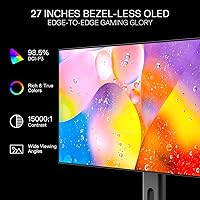
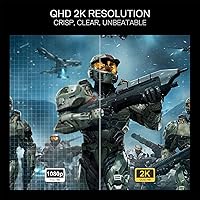
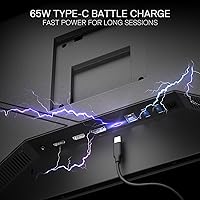
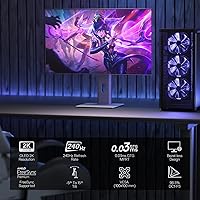
What stands out immediately is the combination of 240Hz and 0.03ms GTG response time — in practice, that means motion in fast games looks crisp rather than smeared, which matters more in competitive shooters and MOBAs than most people realize until they've switched from a 60Hz or IPS panel. The QHD resolution adds enough pixel density that textures and UI elements read cleanly without pushing your GPU to its limits. Color performance is genuinely strong, with 98.5% DCI-P3 coverage and a 15000:1 contrast ratio that makes dark scenes actually dark. AMD FreeSync Premium keeps things fluid without demanding specific GPU hardware, and the port lineup — dual HDMI, dual DisplayPort, USB-C with 65W charging — gives real flexibility for a multi-device desk.

Best For

This OLED gaming monitor makes the most sense for competitive PC gamers who live in fast-paced titles — think Valorant, League of Legends, or Apex Legends — where motion clarity and low input lag have a measurable impact. It also suits content creators and streamers who want accurate, wide-gamut color on a single screen without buying a separate reference display. The USB-C with 65W power delivery is a practical bonus if you're running a laptop alongside a desktop. One group who should look elsewhere: console players. The dual HDMI 2.0 ports limit bandwidth for newer consoles, so if your setup revolves around a PS5 or Xbox Series X, you would leave a significant portion of that hardware's output potential unused.

User Feedback

Because the Redragon GM27 only launched in early 2025, the verified review pool is still relatively small — treat aggregate scores accordingly. Early buyers consistently praise image quality, particularly the depth of blacks and color richness that OLED delivers over IPS alternatives at similar price points. Burn-in risk is the most frequently raised concern, and it is a fair one; Redragon has not publicized robust pixel-protection features the way some established competitors have. A few users noted the tilt-only stand feels limiting given the monitor's weight, and the OSD navigation has been described as functional but not particularly intuitive. Redragon's after-sales support for monitors, as distinct from their peripherals, remains an open question that longer-term owners will ultimately answer.

Pros

  • True OLED blacks deliver contrast that IPS panels at this price simply cannot match.
  • 240Hz refresh rate keeps fast-paced gameplay looking sharp and fluid without demanding a top-tier GPU at QHD.
  • 98.5% DCI-P3 color coverage is genuinely useful for creators, not just a spec-sheet number.
  • AMD FreeSync Premium works across a wide range of AMD GPUs, giving most PC gamers tear-free output without extra cost.
  • USB-C with 65W power delivery is a practical addition for laptop users who want a single-cable desk connection.
  • Dual DisplayPort 1.4 and dual HDMI 2.0 ports offer solid flexibility for multi-source desktop setups.
  • Matte screen surface reduces glare meaningfully in mixed-lighting environments.
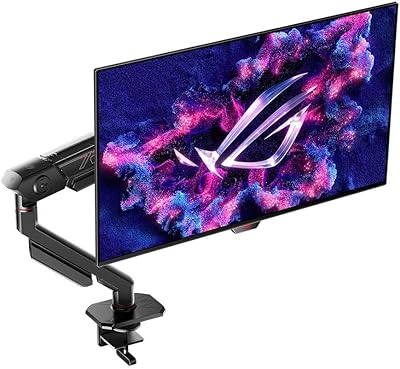
  • VESA mount compatibility lets you replace the limited stand with a proper monitor arm easily.
  • Flicker-free backlight and low blue light mode make extended sessions more comfortable for sensitive eyes.
  • The flat panel design avoids the divisive fit issues that curved ultrawide monitors introduce in multi-monitor arrangements.

Cons

  • Tilt-only stand is a real limitation for a monitor this heavy — height and swivel adjustments are notably absent.
  • HDMI 2.0 ports lock out next-gen console users who need the bandwidth of HDMI 2.1.
  • Redragon has not clearly documented burn-in protection policies, which is a meaningful gap for an OLED display.
  • The brand has no established long-term track record in monitor support or warranty handling specifically.
  • OSD navigation has been described by early buyers as functional but unintuitive compared to competitors.
  • The verified buyer review pool is still small given the January 2025 launch date, making crowd-sourced reliability data limited.
  • At over 24 pounds, the monitor is heavy enough that setup and repositioning without a VESA arm is genuinely awkward.
  • No mention of automatic pixel-refresh or screen saver features that help manage OLED longevity during static-content use.
  • Panel sourcing has not been publicly disclosed, making direct comparisons to named OLED panel suppliers difficult.
  • Users on Nvidia GPUs miss out on G-Sync compatibility, since only FreeSync is supported.

Ratings

The scores below reflect AI-driven analysis of verified global buyer reviews for the Redragon GM27 27-inch OLED Gaming Monitor, with spam, incentivized, and bot-flagged submissions actively filtered out before scoring. Each category captures real-world sentiment — not manufacturer claims — so both the standout strengths and the friction points buyers actually encountered are represented without softening.

Image Quality
91%
Buyers consistently describe the picture as a genuine step up from IPS panels they previously owned, particularly praising the depth of blacks in dark game environments and cinematic scenes. The OLED panel's per-pixel contrast makes shadow detail feel natural rather than crushed, which comes up repeatedly in reviews from users who game in darker rooms.
A small number of reviewers noted that the matte coating slightly dulls the perceived vibrancy compared to glossy OLED panels they had seen in stores, which can make the out-of-box impression feel less dramatic than expected despite strong underlying panel performance.
Color Accuracy
88%
Content creators and streamers who use this 27-inch display for editing work report that colors look consistent and well-saturated without appearing oversaturated or artificially boosted. The wide DCI-P3 coverage is genuinely useful for anyone working with video or photography alongside gaming.
Some users noted that the default color preset ships slightly warm out of the box and requires manual calibration to hit accurate neutral tones. Buyers without a hardware calibrator may settle for a close-enough result rather than dialing it in precisely.
Refresh Rate & Smoothness
89%
Competitive gamers playing fast-paced shooters and MOBAs consistently highlight how noticeably fluid 240Hz feels compared to their previous 144Hz setups — particularly during fast camera panning and high-speed combat. Combined with the OLED response time, on-screen motion reads as genuinely clean rather than blurred.
Extracting the full 240Hz requires a capable GPU pushing high frame rates at 1440p, which is a significant hardware ask. Buyers with mid-range graphics cards reported settling at lower frame rates and not fully realizing the refresh rate advantage they purchased.
Response Time
93%
The 0.03ms GTG rating translates into a real-world absence of ghosting that users switching from IPS or VA panels notice immediately — fast-moving objects in games have clean edges rather than trailing artifacts. Several competitive players specifically credited this aspect for improving their experience in reaction-heavy titles.
The improvement over a good 1ms IPS panel is measurable in testing but harder to perceive in casual play, meaning buyers who are not in highly competitive gaming scenarios may not feel the benefit justifies the OLED premium compared to a faster IPS alternative.
Build Quality
71%
29%
The physical construction of the Redragon GM27 is described by most buyers as solid enough for a desktop setup that stays in one place, and the panel itself feels well-protected within the housing. Most users reported no flex or creaking from the display bezel during normal use.
At over 24 pounds, the monitor feels heavier than many buyers expected, and the all-plastic construction of the stand does not inspire the same confidence as the display itself. A handful of reviewers mentioned the base feels marginally less stable than they would like for a monitor at this weight.
Stand & Ergonomics
54%
46%
The included stand keeps the monitor stable on flat desks for users who do not need height or rotation adjustments, and the tilt mechanism operates smoothly without wobbling after positioning.
Tilt-only adjustment is a meaningful limitation that multiple buyers flagged with frustration — no height, swivel, or pivot means users with non-standard seated positions or multi-monitor setups effectively need a VESA arm to use this display comfortably. For a monitor this heavy, that is an additional cost and setup step that should not be necessary.
Connectivity
83%
The port selection is genuinely broad for a gaming monitor at this tier — dual DisplayPort 1.4 and dual HDMI 2.0 cover most PC setups, and the USB-C with 65W power delivery is a practical addition that laptop users working at a shared desk find useful for a single-cable connection.
The HDMI 2.0 limitation is a recurring complaint from buyers who own or plan to add a next-gen console to their setup, as it prevents 4K output at usable frame rates. Users expecting HDMI 2.1 at this price point expressed clear disappointment in reviews.
USB-C Performance
76%
24%
Laptop users who connect via USB-C report that the 65W charging works reliably for most thin-and-light machines, keeping devices topped up during use without needing a separate power brick on the desk.
A few users with higher-wattage laptops — particularly 15-inch or larger models with discrete GPUs — found that 65W was insufficient to maintain charge under load, causing slow battery drain even while connected. Compatibility with specific laptop models also varied more than buyers anticipated.
HDR Performance
67%
33%
The OLED panel's inherent contrast capability means HDR10 content looks noticeably more impactful than HDR on most LCD monitors, with highlights and shadows playing off each other in a way that feels organic rather than processed.
HDR10 is the baseline standard, and without higher-tier HDR certification, peak brightness and tone mapping do not match what dedicated HDR monitors from established brands deliver. Several buyers who tested HDR-specific game modes noted it was an improvement but not at the level they had seen on certified VESA DisplayHDR 600 or higher panels.
OSD & Software
61%
39%
Basic adjustments like brightness, input switching, and preset selection are accessible without a steep learning curve, and the physical controls are easy to locate by touch after a short adjustment period.
Multiple buyers described the OSD menu as functional but frustrating to navigate for anything beyond surface-level settings, with a menu structure that feels less refined than competing monitors from brands with longer display histories. There is no dedicated software companion app, which means all adjustments are made on-monitor only.
Eye Comfort
79%
21%
Users who log long daily sessions — whether gaming or working — report noticeably less eye fatigue compared to their previous displays, crediting the flicker-free operation and low blue light mode as genuinely helpful rather than a marketing checkbox.
OLED panels inherently use pulse-width modulation for brightness control at lower settings, which can cause sensitivity issues for some users despite the flicker-free marketing. A small subset of buyers noted discomfort at lower brightness levels that was absent at higher settings.
Value for Money
74%
26%
For buyers specifically prioritizing OLED panel characteristics — true blacks, fast response, and wide color — the Redragon GM27 offers access to those traits at a lower price than equivalent displays from LG or ASUS, which is the core value argument and one buyers who made the switch acknowledge.
The value case weakens somewhat when you factor in brand uncertainty, the limited stand, and missing HDMI 2.1. Buyers who compared it to established OLED options during research noted that the savings come with trade-offs in confidence and feature completeness that make the decision less clear-cut than the spec sheet suggests.
Brand & After-Sales Support
58%
42%
Redragon's customer support team is responsive via standard channels, and buyers who contacted them about setup questions or minor issues reported receiving replies without excessive wait times.
The core concern here is that Redragon does not yet have a proven long-term track record for monitor support specifically — their reputation is built on peripherals. Buyers who have had to navigate warranty claims for display hardware reported varying experiences, and the burn-in policy in particular remains unclear in the documentation provided at purchase.
Setup & Out-of-Box Experience
77%
23%
Most buyers describe assembly as straightforward — attaching the stand takes only a few minutes, and the included cable selection is adequate for getting up and running quickly without needing to source accessories separately.
The instruction manual is minimal, and a few buyers noted that the default picture settings required immediate adjustment to look their best, which can be an off-putting first impression for users who expect a polished out-of-box calibration from a monitor at this price tier.

Suitable for:

The Redragon GM27 27-inch OLED Gaming Monitor is a strong fit for PC gamers who spend serious time in competitive titles like Valorant, CS2, or League of Legends, where a 240Hz refresh rate and near-instantaneous response time translate into a genuinely noticeable advantage over standard IPS or VA panels. If you play in dark environments or games with moody, high-contrast visuals, the OLED panel's ability to produce true blacks will change how those scenes feel in a way that specs alone cannot fully convey. Content creators and streamers who need wide color coverage for editing or on-camera accuracy — without buying a dedicated reference monitor — will find the 98.5% DCI-P3 output covers most practical use cases. The USB-C port with 65W power delivery also makes this 27-inch display a practical hub for anyone juggling a laptop and a desktop at the same workstation. Buyers who want an OLED panel experience without paying the premium that established brands like LG or ASUS charge for equivalent specs will find this an appealing entry point, provided they are comfortable taking a measured chance on a newer player in the monitor space.

Not suitable for:

The Redragon GM27 27-inch OLED Gaming Monitor is not the right call for console-first households. Both HDMI ports are 2.0, which caps bandwidth well below what a PS5 or Xbox Series X needs to run at 4K with high frame rates — if that is your primary use case, you will be leaving meaningful performance on the table. Buyers who prioritize ergonomics will also want to think twice: the stand only tilts, and at over 24 pounds, repositioning this display without a VESA arm is more cumbersome than it should be at this price. OLED burn-in is a real consideration, especially for users who run static HUDs, desktop taskbars, or productivity apps for long, uninterrupted stretches — and Redragon has not made its pixel-protection or warranty terms for burn-in especially transparent. Anyone who values a well-established manufacturer support network for a monitor purchase should weigh the fact that Redragon is still early in building that track record for displays specifically, which introduces a degree of uncertainty that buyers of more established brands simply do not face.

Specifications

  • Screen Size: The display measures 27 inches diagonally, offering a practical viewing area for single-monitor desktop gaming and productivity setups.
  • Panel Type: Uses an OLED panel, which produces true blacks and per-pixel lighting control that LCD-based panels cannot replicate.
  • Resolution: Native resolution is 2560x1440 (QHD), providing noticeably sharper detail than 1080p without the GPU demands of a 4K display.
  • Refresh Rate: Runs at a native 240Hz, meaning the screen redraws up to 240 times per second for smoother motion in fast-paced games.
  • Response Time: Rated at 0.03ms GTG (gray-to-gray), which minimizes pixel transition ghosting during rapid on-screen movement.
  • Color Coverage: Covers 98.5% of the DCI-P3 color space, making it suitable for color-sensitive work including content creation and video production.
  • Contrast Ratio: Delivers a 15000:1 contrast ratio, enabling rich shadow detail and vivid highlights that are particularly noticeable in HDR content.
  • HDR Support: Compatible with HDR10, the widely supported baseline HDR standard found across modern gaming platforms and streaming services.
  • Sync Technology: Supports AMD FreeSync Premium, which synchronizes the display refresh rate to the GPU output to reduce screen tearing and stuttering.
  • Connectivity: Includes HDMI 2.0 x2, DisplayPort 1.4 x2, one USB-C port with 65W power delivery, two USB 3.0 Type-A ports, one USB 3.0 Type-B, and a 3.5mm earphone jack.
  • Aspect Ratio: Features a standard 16:9 widescreen aspect ratio, compatible with virtually all modern games, applications, and video content.
  • Screen Surface: The panel uses a matte coating that diffuses ambient light and reduces glare in mixed or bright lighting environments.
  • Stand Adjustment: The included stand supports tilt adjustment only; height, swivel, and pivot adjustments are not available without a third-party VESA arm.
  • VESA Support: The rear panel includes a VESA mount interface, allowing the monitor to be mounted on compatible wall brackets or monitor arms.
  • Dimensions: Overall product dimensions are 30.7 inches wide, 18.9 inches tall, and 7.08 inches deep, including the attached stand.
  • Weight: The unit weighs 24.2 pounds as shipped, which is on the heavier end for a 27-inch display and worth considering for desk arm load ratings.
  • Eye Care: Incorporates flicker-free backlight technology and a low blue light mode designed to reduce eye fatigue during extended viewing sessions.
  • Model Number: The official model identifier is GMQ2753SEL, which should be referenced when contacting support or searching for compatible accessories.
  • Availability: This monitor became available for purchase in January 2025, making it a recent release with a still-growing body of long-term user feedback.
  • Manufacturer: Produced by Redragon, a brand with an established presence in gaming peripherals that has expanded its product line to include display hardware.

Related Reviews
Alienware AW2725DF 27-inch OLED Gaming Monitor
89%
96%
Display Quality
94%
Gaming Performance
92%
Color Accuracy
90%
Build Quality
88%
Ease of Setup
More
LG 27GX790A-B 27-inch OLED Gaming Monitor
80%
94%
Motion Clarity
92%
Image Quality
88%
HDR Performance
89%
Connectivity
86%
Ergonomics & Stand
More
Pixio PX277 OLED Max V2 27″ Monitor
79%
93%
Image Quality
91%
Motion Performance
96%
Contrast & Blacks
58%
SDR Brightness
88%
Color Accuracy
More
Corsair XENEON 27QHD240 27-inch OLED Gaming Monitor
84%
94%
Image Quality
96%
Motion Performance
97%
Contrast & Black Levels
88%
HDR Experience
91%
Color Accuracy
More
Redragon GM27CVQ 27-inch 165Hz Curved Gaming Monitor
87%
92%
Display Quality
89%
Gaming Performance
88%
Build Quality
90%
Immersive Experience
85%
Ease of Setup
More
Samsung Odyssey G81SF 27-inch Gaming Monitor
80%
96%
Image Quality
97%
Contrast & Black Levels
89%
Refresh Rate & Motion Clarity
88%
Glare Resistance & Matte Coating
91%
HDR Performance
More
MSI MAG 271QPX 27-inch QD-OLED Gaming Monitor
80%
94%
Image Quality
96%
Motion Clarity
88%
HDR Performance
93%
Refresh Rate & Smoothness
81%
Connectivity & Ports
More
ASUS ROG Swift PG27AQDM-R 27-inch OLED Gaming Monitor

88%
94%
Display Quality
92%
Color Accuracy
91%
Refresh Rate and Response Time
88%
Build Quality
89%
Ease of Setup
More
ASUS ROG Swift PG27UCDM 27-inch Gaming Monitor

82%
96%
Image Quality
97%
Black Levels & Contrast
93%
Gaming Performance
91%
Color Accuracy
88%
Text Clarity
More
Skytech Gaming Moonshadow 27-inch Curved Gaming Monitor
83%
88%
Image Quality
91%
Refresh Rate Performance
86%
Adaptive-Sync
83%
VA Panel Contrast
84%
Stand & Ergonomics
More

FAQ

Burn-in is a legitimate concern with any OLED display, including the Redragon GM27 27-inch OLED Gaming Monitor. Static elements like desktop taskbars, game HUDs, or chat overlays left on screen for extended periods can gradually cause image retention over time. Redragon has not publicly detailed specific built-in pixel-refresh cycles or automatic screensaver protections, so it is worth adopting good habits yourself — enabling screen savers, varying content, and avoiding leaving static images on screen for hours at a stretch.

It will connect and display an image, but with a meaningful limitation. Both HDMI ports are version 2.0, which caps bandwidth at 1080p or 1440p for high frame rates — you will not get 4K output at 60fps or higher. If your primary use is next-gen console gaming at full resolution, a monitor with HDMI 2.1 is a more appropriate match.

Yes, that is exactly what the USB-C port is designed for. It supports 65W power delivery, which is enough to charge most ultrabooks and mid-range laptops while simultaneously handling video signal and data. Just verify your laptop supports DisplayPort Alt Mode over USB-C, as not all laptops do, and confirm that 65W meets your specific laptop's charging requirement.

The monitor works with any GPU that supports HDMI or DisplayPort output, including Nvidia cards. The caveat is that the adaptive sync feature is AMD FreeSync Premium, not Nvidia G-Sync. Some Nvidia GPUs do support FreeSync monitors through their G-Sync Compatible program, but that compatibility is not guaranteed here — you may not get tear-free sync on an Nvidia card the way you would on an AMD setup.

The monitor does include a standard VESA mount interface on the rear, so removing the included stand and attaching a third-party arm is entirely feasible. The key thing to check before buying an arm is weight capacity — at over 24 pounds, this is on the heavier end for a 27-inch display, and not all budget arms are rated for that load. Look for an arm rated at 25 pounds or above to stay safely within limits.

Matte coatings reduce glare and reflections in bright or mixed-light rooms, which is a practical advantage for most desktop setups. The trade-off is a slight reduction in perceived pop and saturation compared to glossy panels, since the coating scatters light slightly. For competitive gaming or productivity use, most people prefer matte. If you are watching a lot of high-contrast cinematic content in a dark, controlled environment, a glossy panel would technically look more vibrant.

The honest answer depends on the games you play and your GPU. In fast-paced competitive titles — shooters, fighting games, MOBAs — the jump from 144Hz to 240Hz does produce visibly smoother motion and can marginally improve reaction timing. In slower-paced or single-player games, the difference is much harder to perceive. You also need a GPU capable of pushing close to 240 frames per second at 1440p to make full use of it, which requires a reasonably capable graphics card.

Early buyer feedback suggests the OSD works well enough but is not particularly intuitive compared to monitors from brands with longer display histories. Basic adjustments like brightness, input switching, and color mode selection are accessible, but finding less common settings can take some exploration. It is not a dealbreaker, but if a well-designed OSD is important to you, it is worth factoring in.

LG's UltraGear OLED lineup is the most direct comparison, and LG has a substantially longer track record specifically in OLED monitor panels and after-sales support. The Redragon GM27 offers competitive specs on paper and comes in at a lower price point, which is its primary advantage. Where LG has the edge is in brand confidence, documented panel quality, and more clearly communicated burn-in protection features. If budget is flexible and long-term reliability matters most, LG is the safer choice; if you want OLED performance at a lower cost and are comfortable with a newer brand in this category, the Redragon is worth considering.

Redragon has a generally positive reputation for customer support in their peripheral product lines, but their monitor support track record is less established since this is a newer category for them. If you encounter an issue, contacting their support team directly with the model number GMQ2753SEL will be your starting point. It is worth keeping your purchase receipt and any packaging, and checking the specific warranty terms for this display at the time of purchase, as those details can vary by region and retailer.