Overview

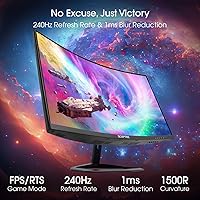
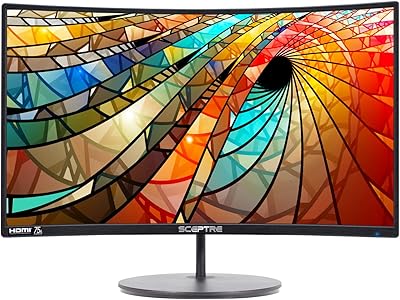
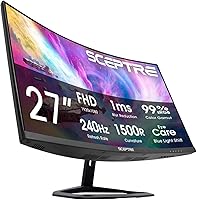
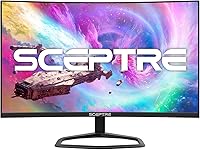
The Sceptre C275B-FWT240 27″ Curved Gaming Monitor enters a competitive space with a clear pitch: a 240Hz refresh rate, 1500R curvature, and a price that makes it accessible to entry-to-mid-level gamers without stretching a budget. The 1500R curve is moderate — enough to add a sense of depth on a single-monitor desk without feeling exaggerated. Sceptre went with a VA panel here, which delivers notably richer contrast and deeper blacks compared to IPS alternatives at a similar price. Color accuracy leans more toward vivid than clinically precise, so this is firmly a gaming-first display, not a workstation tool. Solid value proposition — just go in with realistic expectations.
Features & Benefits

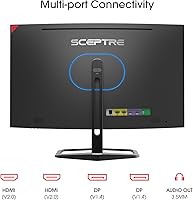
Coming from a 144Hz screen, the jump to 240Hz is genuinely perceptible in fast-paced shooters and racing titles — motion resolves more cleanly and inputs feel more responsive. The 1920×1080 resolution on a 27-inch panel is worth addressing honestly: pixel density is lower than on a smaller screen at the same resolution, so text can look slightly soft at close range. For gaming it rarely becomes a real issue. The four-port input setup — dual HDMI and DisplayPort — is a practical bonus, letting you connect a PC and a console simultaneously. Color coverage reaches 100% sRGB, which handles everyday media well. The built-in speakers and headphone jack keep the desk tidy, though the audio quality is utilitarian at best.

Best For

This curved gaming monitor is a strong fit for anyone upgrading from a 60Hz or entry 144Hz flat screen who wants noticeably smoother motion without a premium price tag. Students setting up their first proper gaming desk will appreciate the flexibility of four input ports — a laptop, desktop, and console can all share the display without cable swapping. It also works well as a dedicated secondary monitor in a dual-display setup, handling streams, chat apps, or browser tabs while a main screen runs the game. If you need sharpness for photo editing or detailed design work, this is not the right tool. But for competitive or casual gaming on a budget, the trade-offs are easy to accept.

User Feedback

With close to 5,000 ratings across the C275B-FWT240 series holding at 4.5 stars, buyer satisfaction is consistent rather than a spike of early hype. The most common praise centers on smooth motion performance and straightforward setup — most buyers are up and running quickly. Recurring criticisms include the softness of 1080p at 27 inches when sitting close, and a stand that offers limited height and tilt adjustment, which can be frustrating for taller desk configurations. The speakers get a neutral reception — functional, nothing more. A few reviewers note that color out of the box improves meaningfully after a brief calibration. The complaints are proportional to what the price suggests, and most buyers seem to know exactly what they signed up for.

Pros

  • 240Hz refresh rate is genuinely noticeable coming from 60Hz or 144Hz — motion in fast games feels distinctly cleaner.
  • The 1500R curve adds real depth to single-monitor setups without feeling gimmicky at this screen size.
  • VA panel delivers strong contrast and rich blacks that flat IPS panels at this price rarely match.
  • Four input ports — two HDMI and two DisplayPort — let you connect a PC and console without unplugging anything.
  • 100% sRGB coverage handles everyday gaming, streaming, and media without any obvious color shortcomings.
  • Blue-Light Shift technology is a practical addition for long gaming or late-night sessions.
  • Setup is straightforward — most buyers report being up and running within minutes of unboxing.
  • Built-in speakers and a headphone jack keep the desk clean without requiring a separate audio device.
  • Nearly 5,000 ratings at 4.5 stars signals reliable, consistent buyer satisfaction across the product family.
  • Priced to compete aggressively — few 240Hz curved monitors offer this combination of features for less.

Cons

  • 1080p on a 27-inch panel produces noticeably softer pixel density, especially for text-heavy work at close range.
  • Stand adjustment is limited — height and tilt range feel restrictive for users with non-standard desk or seating setups.
  • Built-in speakers deliver thin, low-volume audio that is barely adequate for casual background sound.
  • Color accuracy out of the box can be inconsistent and typically benefits from manual calibration before use.
  • No HDR support worth mentioning — the display is not designed for high dynamic range content.
  • VA panel ghosting can appear in very dark, fast-moving scenes, which some competitive gamers may find distracting.
  • Plastic build quality feels budget-tier — the chassis has flex and does not inspire confidence in long-term durability.
  • No USB hub or built-in KVM functionality, which limits convenience for multi-device power users.

Ratings

The scores below for the Sceptre C275B-FWT240 27″ Curved Gaming Monitor were generated by AI after analyzing thousands of verified buyer reviews worldwide, with spam, bot-generated, and incentivized feedback actively filtered out. Each category reflects the honest balance of what real users praised and what genuinely frustrated them — nothing is glossed over. Strengths and pain points are weighted equally so you can make a fully informed decision.
Refresh Rate Performance
91%
The jump to 240Hz is one of the most consistently praised aspects across buyer reviews. Gamers coming from 144Hz screens report a visible improvement in motion clarity during fast shooters and racing titles, with inputs feeling more immediate and tracking feeling sharper in high-speed scenes.
Reaching the full 240Hz requires a capable GPU and a DisplayPort connection, which not every buyer is set up for out of the box. A handful of users noted they were unknowingly running at lower refresh rates because their system was still defaulting to 60Hz until manually adjusted in display settings.
Value for Money
88%
At its price point, offering 240Hz, a curved VA panel, and four input ports is a combination that is genuinely hard to match from competing brands. Most buyers feel they got more than they paid for, and the broad satisfaction reflected in nearly 5,000 ratings supports that perception consistently.
A few buyers who compared this display directly to slightly pricier alternatives felt the savings showed in the build materials and stand quality. The value proposition holds strongly for gamers, but buyers with broader use cases may feel the trade-offs add up faster than the price savings justify.
Panel Contrast & Color
79%
21%
The VA panel's contrast advantage over IPS alternatives at this price is real and noticeable — dark scenes in games look richer, and blacks are genuinely deep rather than the washed-out grey you get from budget IPS panels. For gaming and media, the visual presentation is satisfying at this tier.
Out-of-the-box color accuracy is inconsistent for some units, with settings running slightly warm or oversaturated until manually tuned. Users doing any color-sensitive work quickly find 100% sRGB coverage limiting, and the VA panel can exhibit minor color shift when viewed from off-center angles.
Motion Clarity
83%
Fast-moving content tracks cleanly at 240Hz, and most buyers notice a meaningful reduction in motion blur compared to their previous 60Hz or 144Hz screens. In competitive gaming scenarios, this translates to cleaner target tracking and a smoother overall visual experience during extended sessions.
Some users report faint VA ghosting in very dark, fast-moving scenes — a known characteristic of VA panels that is more visible in certain game environments than others. It is not a dealbreaker for casual or even competitive play, but buyers sensitive to ghosting may occasionally notice it.
Build Quality
61%
39%
The monitor feels stable once assembled and sits securely on most desks without wobble during normal use. For buyers who just need a reliable display and are not handling it frequently, the construction holds up adequately for everyday stationary use.
The plastic chassis has noticeable flex and feels lightweight in a way that signals budget construction rather than durability. Several buyers flagged that the build quality is the most obvious area where cost-cutting shows, and a few noted concerns about long-term structural reliability compared to more expensive alternatives.
Stand & Ergonomics
52%
48%
Assembly is straightforward and takes only a few minutes without tools, which buyers appreciate when getting set up quickly. The stand keeps the monitor stable on flat surfaces and handles light desk vibration without rattling.
Height adjustment is essentially absent — you get basic tilt and nothing more, which is a real limitation for taller users or anyone trying to set up an ergonomically correct viewing angle. This is one of the most frequently mentioned frustrations across reviews, and it is a genuine pain point for longer work or gaming sessions.
Connectivity
86%
Two HDMI and two DisplayPort inputs is an unusually generous port selection at this price, and buyers with multiple devices — a gaming PC, a laptop, and a console — genuinely use all of them. Not having to swap cables every time you switch sources is a practical quality-of-life benefit that comes up repeatedly in reviews.
There is no USB hub built into the monitor, which some buyers expected at this size and feature level. The lack of USB passthrough is a minor inconvenience for desk setups that rely on a central hub, though it is not an unusual omission in this price category.
Image Sharpness
63%
37%
For gaming at a normal desk distance, 1080p on this 27-inch panel looks perfectly fine — fast-moving games do not expose the pixel density limitations in any meaningful way during play. Most gamers report being content with the sharpness level for their primary use case.
Sitting closer to the screen or switching to text-heavy tasks makes the lower pixel density apparent — small fonts look softer than they would on a 24-inch 1080p display or a 1440p panel at this size. Buyers who mix gaming with productivity or content creation work tend to notice this trade-off more than pure gamers.
Setup & Ease of Use
89%
Unboxing and assembly draw consistent praise — the stand attaches quickly, cables are straightforward, and the monitor is recognized by most systems without any driver installation. Buyers frequently mention being impressed by how little friction there is getting from box to gaming.
The OSD menu navigation uses buttons on the back of the panel that can be awkward to locate and press by feel. A few buyers found the menu layout unintuitive when trying to adjust refresh rate settings or tweak color profiles for the first time.
Eye Comfort
74%
26%
The matte screen coating handles glare well in typical room lighting, reducing the eye fatigue that comes from reflective glossy panels during longer sessions. Blue-Light Shift technology adds a layer of comfort for late-night gaming or extended work use, and buyers who use it report less strain over time.
Blue-Light Shift visibly warms the color temperature when active, which some buyers find acceptable and others find too strong for accurate color perception. The feature works, but it is an either-or trade-off between color accuracy and eye comfort rather than a balanced middle ground.
Audio
41%
59%
Having any speaker output at all on a budget monitor is a genuine convenience — for quick video calls, casual YouTube browsing, or background audio while working, the built-in speakers mean one fewer cable to run. The 3.5mm jack also provides a clean headphone connection option.
The speaker quality is consistently described as thin, low-volume, and bass-free by buyers who tested it seriously. Most users switch to headphones or external speakers after the first day, and a significant portion of reviews specifically caution others not to rely on the built-in audio for any real listening.
Curvature & Immersion
77%
23%
The 1500R curve hits a comfortable middle ground — immersive enough to pull peripheral vision into the screen during gaming without the exaggerated feel of tighter curves. Buyers who had only used flat panels before frequently mention the curve as a positive surprise that enhances long gaming sessions.
At 27 inches, the curvature benefit is more subtle than it would be on a 32-inch or ultrawide panel, and buyers expecting a dramatic wraparound effect may find it underwhelming. The curve also makes the display slightly less versatile for shared viewing where multiple people sit at different angles.
Glare Resistance
81%
19%
The matte coating performs well in mixed-lighting environments, including rooms with windows or overhead lighting that would cause significant issues on a glossy display. Buyers who previously dealt with glare on older monitors specifically call out the matte surface as a noticeable improvement in usability.
In very bright or direct sunlight conditions, the matte coating alone is not enough to fully eliminate washout — screen positioning still matters. A small number of buyers in brighter setups noted the screen brightness ceiling limits visibility more than the coating itself helps.
Gaming Responsiveness
84%
The combination of 240Hz and reasonably fast VA panel response times translates to a snappy, responsive feel during competitive gaming. Players in fast-paced multiplayer titles report feeling less input lag compared to their previous displays, and the overall gaming experience scores well against the price paid.
VA panels inherently carry some response time trade-off compared to high-end IPS gaming monitors, and in particularly demanding pixel-transition scenarios the difference is measurable. For most gamers this is imperceptible, but buyers stepping down from a premium IPS gaming display may notice the difference in extreme fast-motion scenarios.

Suitable for:

The Sceptre C275B-FWT240 27″ Curved Gaming Monitor is purpose-built for gamers and everyday users who want a high refresh rate experience without spending a lot. It hits a sweet spot for anyone upgrading from a 60Hz or basic 144Hz flat panel — the move to 240Hz on a curved VA screen is a tangible step up in both motion clarity and immersion. Students setting up a first gaming desk will get solid mileage from the four-port input lineup, which covers a PC and console simultaneously without any extra switching hardware. Budget-conscious buyers who mostly game in fast-paced titles like shooters or racing games will find the VA panel's contrast and the 1500R curve genuinely satisfying for single-monitor play. It also earns its place as a secondary display in a dual-monitor setup, comfortably handling video calls, streams, or browser tasks alongside a primary screen.
Not suitable for:

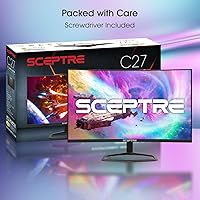
Buyers who do photo editing, graphic design, or any work that demands sharp, precise visuals should look elsewhere — 1080p spread across a 27-inch panel produces a pixel density that simply does not hold up for detailed creative tasks at normal viewing distances. The Sceptre 27″ display is also not the right fit for users expecting a premium build: the stand is limited in adjustability, offering minimal height range, which can be a real ergonomic frustration for taller setups or those who prefer VESA mounting out of habit. Anyone chasing wide color gamut coverage beyond sRGB for HDR content or professional work will find the specs fall short. Audiophiles or users who rely on monitor speakers for any serious listening should plan on external audio — the built-in speakers are a convenience feature, not a sound solution. If your priority is pixel sharpness, IPS color accuracy, or a sturdy adjustable stand, this 240Hz screen does not check those boxes.

Specifications

  • Screen Size: The panel measures 27 inches diagonally, offering a wide viewing area suited for single-monitor gaming desks.
  • Panel Type: Uses a VA (Vertical Alignment) panel, which provides stronger contrast ratios and deeper blacks compared to IPS panels at a similar price.
  • Resolution: Native resolution is 1920×1080 (Full HD), delivering standard 1080p output across a 16:9 aspect ratio.
  • Refresh Rate: Supports a maximum refresh rate of 240Hz, enabling noticeably smoother motion in fast-paced games compared to 144Hz or 60Hz displays.
  • Curvature: The screen features a 1500R curvature radius, providing a moderate curve that adds depth and immersion for single-monitor setups.
  • Screen Surface: A matte screen coating reduces glare and minimizes reflections from ambient light sources in typical room environments.
  • Color Gamut: Rated at 100% sRGB color gamut coverage, suitable for everyday gaming, media playback, and casual content consumption.
  • Connectivity: Equipped with two HDMI ports and two DisplayPort inputs, allowing simultaneous connection of multiple devices such as a PC and a gaming console.
  • Audio Output: Includes built-in stereo speakers and a 3.5mm audio-out jack for connecting headphones or external speakers.
  • Eye Care: Blue-Light Shift technology is built in to reduce harmful blue light emissions, helping to reduce eye fatigue during extended use.
  • Dimensions: With the stand attached, the monitor measures approximately 25 inches wide, 17.2 inches tall, and 8 inches deep.
  • Weight: The complete unit including the stand weighs 14.57 pounds, which is typical for a 27-inch display in this category.
  • Color Finish: Available in Machine Black, a matte dark finish that blends cleanly into most gaming or home office desk setups.
  • Aspect Ratio: Standard 16:9 widescreen aspect ratio, compatible with virtually all modern gaming content, video formats, and desktop environments.
  • Model Series: Part of the C275B-FWT240 series by Sceptre, manufactured and distributed by e-Sceptre.

Related Reviews
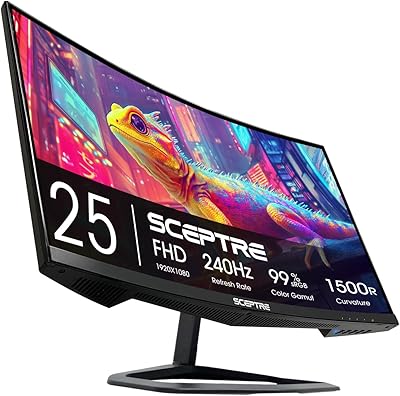
Sceptre C255B-FWT240 25-inch Curved Gaming Monitor

76%
93%
Motion Clarity & Refresh Performance
88%
Response Time & Ghosting Control
91%
Value for Money
86%
Adaptive Sync & Tear-Free Performance
82%
Panel Curvature & Immersion
More
Skytech Gaming Moonshadow 27-inch Curved Gaming Monitor
83%
88%
Image Quality
91%
Refresh Rate Performance
86%
Adaptive-Sync
83%
VA Panel Contrast
84%
Stand & Ergonomics
More
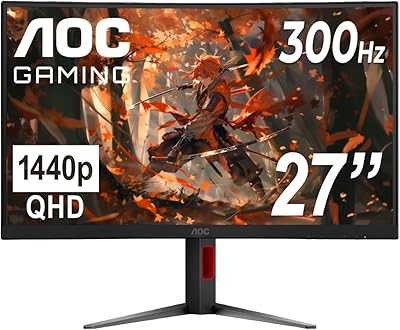
ZZA Z27H1K280HZ 27″ Curved Gaming Monitor
70%
88%
Refresh Rate Performance
84%
Value for Money
76%
Image Quality & Color Accuracy
67%
Motion Clarity & Response
89%
Contrast & Black Levels
More
AOC CQ27G4ZH 27″ Curved Gaming Monitor
87%
95%
Gaming Performance
90%
Display Quality
85%
Build Quality
87%
Ergonomics
92%
Value for Money
More
Sealan 27-inch Curved Gaming Monitor
82%
85%
Display Quality
90%
Ease of Setup
91%
Value for Money
87%
Performance in Gaming
83%
Color Accuracy
More
AOC C27G4H 27″ Curved Gaming Monitor
89%
93%
Performance
95%
Display Quality
87%
Ergonomics/Adjustability
91%
Value for Money
89%
Compatibility (Console)
More
AOC C27G2Z 27″ Curved Gaming Monitor
80%
93%
Refresh Rate Performance
88%
Response Time & Motion Clarity
79%
Color Accuracy & Vibrancy
86%
Contrast & Black Levels
62%
Resolution & Pixel Density
More
Sceptre C278W-1920R 27″ Curved Monitor

71%
91%
Value for Money
83%
Curvature & Immersion
67%
Image Quality
76%
Refresh Rate & Motion
71%
Build Quality
More
CRUA CR270C 27″ Curved Gaming Monitor
71%
83%
Value for Money
78%
Image Quality
81%
Refresh Rate Performance
86%
Panel Contrast & Blacks
67%
Build Quality
More
AOPEN 27HC5R 27-inch Curved Gaming Monitor
76%
88%
Value for Money
91%
Refresh Rate Performance
74%
Picture Quality
86%
Adaptive Sync
69%
Build Quality
More

FAQ

Yes, both consoles connect via HDMI, and this curved gaming monitor has two HDMI ports so you can keep both plugged in at once. Keep in mind the consoles will output at their own supported refresh rates, so you may not hit 240Hz from a console source.

It depends on how close you sit and what you are doing. For gaming at a normal desk distance, most people find 1080p perfectly acceptable on a 27-inch panel. Where it becomes noticeable is with small text or detailed desktop work at close range — the pixel density is lower than on a 24-inch 1080p screen, so text can look slightly soft. For gaming it rarely becomes a real problem.

Most people can, especially in fast-paced shooters or racing games where motion clarity matters. The jump from 60Hz to 144Hz is more dramatic, but 144Hz to 240Hz is still a real improvement — motion resolves more cleanly and the display feels more responsive to mouse input. Whether it matters to you depends on how competitive or sensitive to motion blur you are.

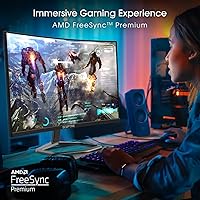
Sceptre does not officially list G-Sync certification for this model. It is worth checking the current product listing for AMD FreeSync compatibility, as some monitors in Sceptre's lineup do support it. If adaptive sync is critical to your setup, confirm this before purchasing.

They are functional but nothing more. You can hear game audio and YouTube videos without reaching for headphones, but the sound is thin and lacks any real bass. Think of them as a backup option rather than a primary audio solution — most buyers end up using headphones or a desktop speaker anyway.

The stand offers limited adjustability — you get basic tilt but not meaningful height adjustment. If your seating or desk height is non-standard, you may find the fixed height frustrating over time. A VESA-compatible monitor arm is a practical upgrade if ergonomics matter to you.

Matte coatings do diffuse light slightly, which can make colors look a touch less punchy compared to a glossy panel under ideal lighting. In practice, the trade-off is worth it for most setups because matte screens handle room lighting and glare far better than glossy alternatives, especially in brighter rooms.

Several buyers note that out-of-the-box color settings lean a bit warm or oversaturated, which is common with VA panels at this price. Spending ten minutes adjusting brightness, contrast, and color temperature in the OSD menu usually makes a noticeable improvement. A hardware calibrator is overkill here, but basic manual tuning is worth doing.

It works very well for that. The four-port input selection means it can sit alongside a primary display and still have ports available for a laptop or console. As a secondary screen for communication apps, video, or a browser, the Sceptre 27″ display is a practical and cost-effective choice.

At a typical seated distance of about 2 to 3 feet, the 1500R curve is noticeable but not extreme. It wraps the screen into your peripheral vision just enough to feel more immersive than a flat panel, without the exaggerated feel you get from tighter curves like 1000R. For a single 27-inch screen, it is a comfortable and well-suited curvature.

Where to Buy