
Overview

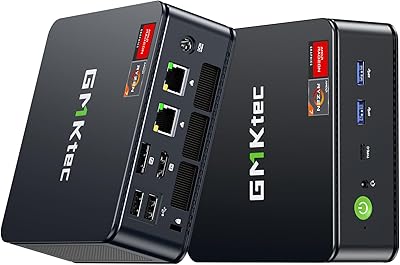
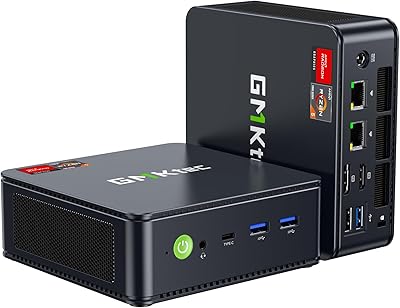
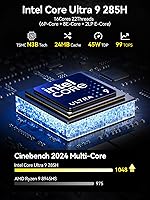
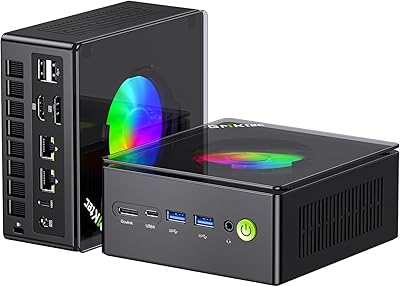
The GMKtec EVO-T1 Ultra 9 285H Mini PC is a compact workstation that punches well above its size class, built around Intel's Core Ultra 9 285H — a 16-core chip that boosts to 5.4GHz and brings genuine desktop-grade muscle to a box barely the size of a hardcover book. It ships ready to work: Windows 11 Pro, 64GB of DDR5 RAM, and a 1TB PCIe 4.0 SSD are all included out of the box. The champagne gold and black chassis with RGB fan lighting makes it look less like a corporate appliance and more like something you'd actually want on your desk. What really sets it apart at this form factor, though, is the OcuLink port — a connectivity option you rarely see on machines this small.

Features & Benefits

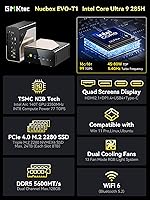
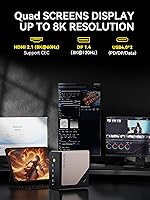
The Intel Arc 140T integrated GPU handles everyday creative work well — video exports, light editing timelines, and casual gaming — but be realistic: demanding AAA titles at high settings are a stretch. Where this compact workstation truly opens up is in its connectivity. Quad display output covers HDMI 2.1, DisplayPort 1.4, USB-C, and USB4, making a four-screen 8K-capable setup entirely possible without a docking station. Three M.2 PCIe 4.0 slots mean you can scale storage to 24TB if your needs grow. Dual 2.5GbE ports add serious networking flexibility for anyone running a home server or soft router. Cooling relies on dual heat pipes plus a dedicated memory fan, which helps the system sustain heavier workloads without immediate throttling.

Best For

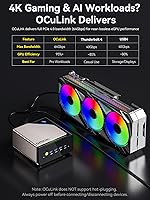
This mini PC makes strong sense for home office professionals who want multiple monitors without surrendering half their desk to a tower. Video editors working with 4K footage will appreciate the fast storage and capable CPU, even if they'll occasionally wish for a more powerful GPU. The OcuLink port deserves a specific call-out here — it is a PCIe x4 connection that lets you attach an external GPU enclosure, offering more bandwidth than Thunderbolt can deliver. That makes the EVO-T1 a credible long-term option for gamers willing to invest in an eGPU later. Homelabbers and self-hosters also have a compelling reason to consider it, given the dual 2.5GbE ports, triple storage expansion slots, and a footprint that fits almost anywhere.

User Feedback

Buyers generally respond well to the EVO-T1's boot speed and responsiveness, with many noting that the DDR5 and PCIe 4.0 storage combination makes day-to-day use feel noticeably quick. Multi-monitor setup earns consistent praise too — most users found getting four displays running a fairly straightforward process. On the downside, fan noise under sustained CPU loads is a recurring complaint; the system audibly spins up during extended rendering or heavy multitasking, which may bother users in quieter environments. The pre-installed Windows 11 Pro experience has been mostly positive, though a handful of buyers flagged occasional Arc GPU driver hiccups early on. The RGB lighting divides opinion — some appreciate the visual character, others simply disable it immediately.

Pros

  • Ships with 64GB DDR5 and a 1TB PCIe 4.0 SSD — no immediate upgrades needed for most users.
  • The OcuLink port offers PCIe x4 bandwidth for eGPU setups, a rare feature at this form factor.
  • Quad display output supports up to four screens, making it one of the most capable mini PCs for multi-monitor work.
  • Three M.2 expansion slots let you scale storage to 24TB as your needs grow.
  • Dual 2.5GbE LAN ports open up home server, NAS, and soft router use cases most mini PCs cannot touch.
  • Windows 11 Pro comes pre-installed and activated — ready for business or power-user tasks immediately.
  • Wi-Fi 6 and Bluetooth 5.2 handle modern wireless peripherals without any add-on hardware.
  • The Core Ultra 9 285H delivers strong single-core and multi-core performance for a machine this size.
  • Compact dimensions and a 2-pound weight make it easy to relocate or mount behind a monitor.
  • Boot speed and everyday responsiveness consistently earn praise from buyers who use it as a daily driver.

Cons

  • Fan noise ramps up noticeably under sustained CPU loads, which bothers users in quiet work environments.
  • Intel Arc 140T GPU driver stability has caused occasional issues for some buyers, particularly early after setup.
  • OcuLink eGPU setup requires compatible enclosures and technical know-how — not a beginner-friendly upgrade path.
  • The 120W power adapter is the only charging option; there is no USB-C power delivery for the unit itself.
  • RGB lighting cannot be fully disabled on all configurations without third-party software, which some buyers find annoying.
  • Arc 140T integrated graphics struggle with modern AAA titles at medium-to-high settings without an external GPU.
  • The AI NPU (13 TOPS) has limited practical software support for most everyday users right now.
  • Thermal performance under 80W TDP is solid but not silent — passive cooling enthusiasts will be disappointed.

Ratings

The scores below for the GMKtec EVO-T1 Ultra 9 285H Mini PC were generated by our AI engine after analyzing verified buyer reviews from multiple global markets, with spam, incentivized, and bot-flagged submissions actively filtered out before scoring. Each category reflects the honest distribution of real user sentiment — not a manufacturer summary — so both the standout strengths and the recurring frustrations are represented transparently.

CPU Performance
91%
Buyers consistently describe the Core Ultra 9 285H as the machine's strongest asset, handling multi-tab browser sessions, 4K video editing timelines, and software compilation tasks without visible hesitation. The 5.4GHz boost clock makes single-threaded workloads like app launches and code builds feel snappy in everyday use.
A small but vocal group of users note that sustained all-core workloads eventually trigger thermal throttling if the TDP is left at lower settings, which softens performance during long rendering sessions compared to the spec sheet peak.
GPU & Graphics
67%
33%
For users who primarily need smooth 4K desktop rendering, video decoding, and light creative work, the Arc 140T handles the job without requiring an add-in card. AV1 hardware decode is a genuine bonus for media consumers and streaming workflows.
The integrated GPU's limitations surface quickly in modern AAA gaming at medium-to-high settings, and some buyers report Arc driver instability on fresh Windows installs that requires a manual update before things run cleanly. Expectations need to be calibrated carefully here.
RAM & Memory
93%
Shipping with 64GB of dual-channel DDR5 at 5600MHz is a meaningful advantage over most competitors in this category, and reviewers running virtual machines, large Lightroom catalogs, or multiple browser profiles report zero memory pressure during normal use.
Because both SO-DIMM slots are already populated, users who want to upgrade beyond 64GB need to replace both sticks rather than simply adding more, which raises the cost of a future memory upgrade somewhat.
Storage & Expandability
94%
The combination of a fast PCIe 4.0 primary drive and three open M.2 expansion slots is genuinely rare at this form factor, and homelabbers in particular praise the ability to build out a multi-drive NAS or media server without touching the included SSD.
The included 1TB drive fills up faster than expected for content creators storing raw footage, and a handful of buyers wished GMKtec had included at least one more populated slot rather than leaving all three expansion bays empty out of the box.
Multi-Display Support
89%
Four simultaneous display outputs covering HDMI 2.1, DP 1.4, USB-C, and USB4 is a strong configuration for a machine this small, and users setting up trading desks, video monitoring walls, or wide productivity layouts report the setup process as straightforward once drivers are current.
A few users encountered confusion distinguishing which ports supported display output versus data-only transfer, and the lack of a clearly illustrated port diagram in the manual added friction during initial setup for less experienced buyers.
OcuLink eGPU Support
78%
22%
Enthusiast users who invested in compatible OcuLink eGPU enclosures report noticeably better frame rates compared to Thunderbolt-based eGPU setups they had used previously, validating the PCIe x4 bandwidth advantage in real gaming scenarios.
The OcuLink ecosystem remains niche, compatible enclosures are harder to find than Thunderbolt alternatives, and setup is not beginner-friendly — several buyers reported hours of troubleshooting driver conflicts before getting a stable eGPU configuration running.
Networking
88%
Dual 2.5GbE ports are a standout feature for users running the machine as a home server or soft router, and Wi-Fi 6 performance draws consistent praise for stable throughput at range, particularly in households with many connected wireless devices.
A small number of buyers in dense Wi-Fi environments noted occasional 2.4GHz band interference, and those hoping for a 10GbE option for high-throughput NAS use will need to look at external adapters since no such port is included.
Thermal Management
71%
29%
Under typical office and productivity workloads the dual heat pipe system keeps temperatures controlled, and buyers using the machine at 45W TDP report it running warm but never alarmingly hot during a standard workday.
Fan noise under sustained load is the single most repeated complaint across buyer reviews — the system spins up audibly when the CPU is pushed hard, which is disruptive in quiet office or bedroom environments and is difficult to fully mitigate through software settings alone.
Build Quality
82%
18%
The champagne gold and black chassis feels solid and premium compared to the plain plastic shells common among competing mini PCs, and buyers note there is no flex or creaking when picking the unit up or repositioning it on a desk.
A few buyers found the matte finish prone to visible fingerprints and light scratches after regular handling, and the chassis design makes internal access slightly fiddly compared to tool-free mini PC designs from other brands.
Port Selection
86%
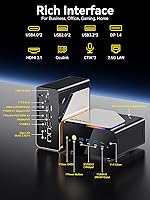
The mix of two USB4 ports, three USB 3.2 Gen2 ports, dual 2.5GbE, and dual audio jacks covers the vast majority of professional and enthusiast use cases without needing a hub, which buyers who use the machine as a desk anchor particularly appreciate.
The two USB 2.0 ports feel like legacy inclusions that waste real estate, and some users would have preferred an SD card slot or a full-size USB-A port in a more accessible front-panel position rather than relying on rear connections for frequently swapped devices.
Software & OS Experience
79%
21%
Windows 11 Pro arriving genuinely activated and relatively clean — without the excessive bloatware some competing mini PC brands ship — is a consistent positive mentioned by buyers who value getting straight to work after unboxing.
Intel Arc GPU driver stability on the pre-installed Windows build caused issues for a subset of early buyers, requiring a manual driver update before external display configurations or gaming workloads ran reliably, which dampens the out-of-box experience.
Value for Money
83%
Given the Core Ultra 9 processor, 64GB DDR5, the OcuLink port, quad display output, and dual 2.5GbE — all in a compact chassis with Windows 11 Pro included — buyers who compared specifications per dollar rate this compact workstation favorably against both larger desktop alternatives and competing mini PCs.
At its price point, buyers with purely gaming-focused needs will feel they are paying for capabilities they cannot fully use without additional investment in an eGPU enclosure, making the value proposition feel less compelling for that specific use case.
Noise Level
62%
38%
At idle and during light tasks like web browsing or document editing, the EVO-T1 is acceptably quiet, with the fan running at a low background hum that most users describe as unnoticeable in a normal office setting.
Noise under heavy CPU load is a recurring and significant complaint — multiple buyers specifically called it out as worse than expected for a machine marketed toward creative professionals, and there is no zero-RPM idle mode to offer silence during lighter usage periods.
Setup & Usability
84%
The included VESA mount, HDMI cable, and pre-activated Windows 11 Pro mean most buyers are up and running within 15 minutes of opening the box, and the front-panel RGB and power buttons are well-placed for daily use.
The user manual is thin and lacks detail for advanced features like OcuLink setup, TDP adjustment, and BIOS configuration, leaving buyers who want to explore those capabilities dependent on community forums and third-party guides.

Suitable for:

The GMKtec EVO-T1 Ultra 9 285H Mini PC is a strong fit for home office professionals who need serious multi-monitor productivity without sacrificing desk space — the quad display output and 64GB of DDR5 RAM mean you can run demanding workflows across four screens without the machine breaking a sweat. Video editors and content creators working with 4K footage will find the fast PCIe 4.0 storage and capable Core Ultra 9 CPU handle most cutting and export tasks comfortably. Homelabbers and self-hosters are particularly well served here: dual 2.5GbE ports and three M.2 expansion slots make it a credible candidate for a home server, soft router, or NAS build in an unusually compact chassis. Enthusiast users who are thinking long-term will appreciate the OcuLink port — a PCIe x4 connection that allows attaching an external GPU enclosure for a meaningful graphics upgrade down the road, something Thunderbolt-only machines simply cannot match in raw bandwidth. If you want a genuinely capable Windows 11 Pro workstation that travels light and installs in minutes, this compact workstation earns serious consideration.

Not suitable for:

The GMKtec EVO-T1 Ultra 9 285H Mini PC is not the right tool for buyers whose primary goal is high-framerate AAA gaming right out of the box. The Intel Arc 140T is an integrated GPU — it handles older titles and lighter esports games reasonably well, but do not expect it to push modern open-world games at high settings without an eGPU attached. Users who run sustained, thermally intensive workloads like extended 3D rendering or large machine learning jobs should also be cautious: the cooling system does its best, but fan noise under heavy load is a real and recurring complaint from actual buyers, which rules it out for noise-sensitive environments. Anyone expecting plug-and-play eGPU simplicity via OcuLink should know that setup requires compatible enclosures and some technical comfort — it is not as foolproof as a standard Thunderbolt dock. Buyers on a tight budget who only need basic productivity tasks would likely be better served by a less expensive mini PC, since much of what makes the EVO-T1 compelling is wasted if you never push the CPU, storage, or connectivity.

Specifications

  • CPU: Intel Core Ultra 9 285H with 16 cores (6 P-cores, 8 E-cores, 2 LPE-cores) and a boost clock of up to 5.4GHz, with a 24MB L3 cache.
  • GPU: Intel Arc 140T integrated graphics running at up to 2.35GHz, delivering 77 TOPS for INT8 workloads and supporting DirectX 12, OpenGL 4.5, and AV1 encode/decode.
  • NPU: Intel AI Boost NPU capable of up to 13 TOPS (INT8), designed to offload specific AI inference tasks from the CPU and GPU.
  • RAM: 64GB of dual-channel DDR5 memory running at 5600MHz, installed as two 32GB SO-DIMM modules.
  • Storage: 1TB PCIe 4.0 M.2 2280 NVMe SSD included, with three additional M.2 2280 PCIe 4.0 x4 slots supporting up to 8TB each for a maximum of 24TB total.
  • Display Output: Quad display output via HDMI 2.1 (8K@60Hz), DisplayPort 1.4 (8K@120Hz), one USB-C port with DP 1.4, and one USB4 port with display support.
  • Networking: Dual 2.5GbE RJ45 LAN ports, Wi-Fi 6 (802.11ax) supporting 2.4GHz, 5GHz, and 5.8GHz bands, and Bluetooth 5.2.
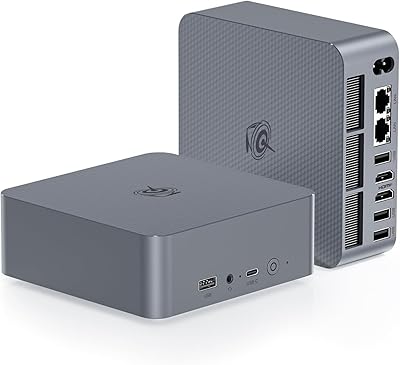
  • Ports: Two USB4 ports, three USB 3.2 Gen2 ports (10Gbps), two USB 2.0 ports, one OcuLink port (PCIe x4), and two 3.5mm CTIA audio jacks.
  • OcuLink: Rear OcuLink port operates at PCIe x4 bandwidth for connecting compatible external GPU enclosures with higher throughput than Thunderbolt.
  • Cooling: Dual heat pipe design with a dedicated CPU fan plus a secondary fan covering DDR and SSD cooling, with configurable RGB lighting on the fan assembly.
  • TDP Range: Processor TDP is user-configurable between 45W and 80W to balance performance and thermal output depending on workload.
  • Power Supply: Included 120W AC adapter accepts 100–240V input at 50/60Hz and outputs 19V at 7.8A via a DC barrel connector.
  • Operating System: Windows 11 Pro comes pre-installed and activated on the internal SSD.
  • Dimensions: The chassis measures 6.06 x 5.94 x 2.87 inches, making it small enough to mount behind a monitor using the included VESA bracket.
  • Weight: The unit weighs 2.01 pounds without the power adapter, keeping it easy to reposition or travel with.
  • Color Options: Available in a Champagne Gold and Black colorway with RGB fan lighting that cycles through 13 modes via a dedicated front button.
  • Package Contents: Box includes the mini PC unit, 120W power adapter, one HDMI cable, a VESA mount with screws, and a printed user manual.
  • Operating Environment: Rated for use between -10°C and 45°C at 30% to 85% relative humidity, with storage tolerances of -20°C to 60°C.

Related Reviews
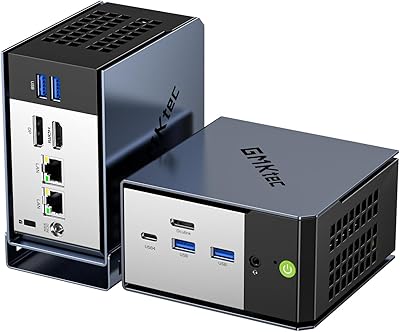
GMKtec EVO-X1 AI Mini PC AMD Ryzen 9 HX-370 32GB 1TB SSD
84%
88%
Gaming Performance
91%
AI Processing Power
90%
Multi-display Capability
84%
Compactness & Design
75%
Thermal Performance
More
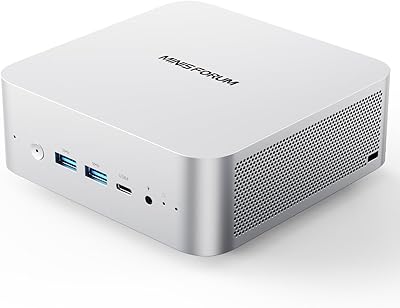
GMKtec NucBox M5 Ultra 512GB Mini PC
77%
88%
Performance Per Dollar
84%
Multitasking Capability
54%
Gaming Performance
91%
Connectivity & Ports
71%
Triple Display Support
More
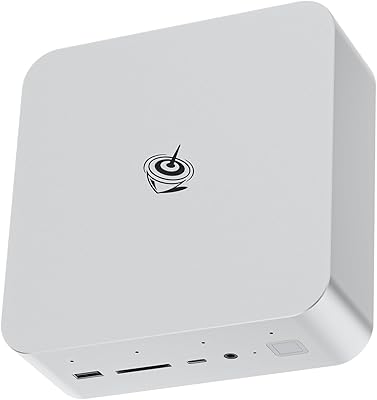
MINISFORUM M1 Pro 64GB 2TB Mini PC
78%
92%
Processing Performance
78%
Thermal Management
63%
Fan Noise
88%
Build Quality
91%
Display Versatility
More
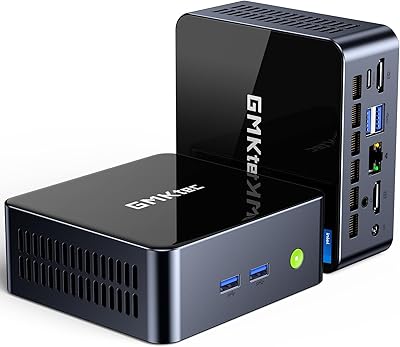
Beelink GTI14 Core Ultra 9 Mini PC
82%
93%
Processing Performance
71%
Thermal Management
67%
Fan Noise
91%
RAM & Upgradeability
89%
Storage Speed & Capacity
More
GMKtec Nucbox K11 (Ryzen 9 8945HS, 32GB, 2TB)
89%
94%
CPU Performance
96%
Expansion & Upgradability
92%
Connectivity & Ports
87%
Thermal Management
89%
Build Quality
More
GMKtec Nucbox M5 Ultra Mini PC Ryzen 7 7730U 16GB RAM 512GB SSD
84%
89%
Performance
85%
Build Quality
91%
Multi-Display Support
90%
Networking/Connectivity
88%
Size/Portability
More
GMKtec M6 Ultra Ryzen 7640HS Mini PC
75%
88%
CPU Performance
61%
Gaming Performance
91%
Multi-Display Support
86%
Networking & Connectivity
67%
Thermal Management
More
Beelink EQI i3-1220P 16GB Mini PC
79%
83%
Everyday Performance
88%
Dual Display Reliability
91%
Setup & Out-of-Box Experience
86%
Port Selection & Layout
67%
Thermal Management & Fan Noise
More
GMKtec M3 Ultra Mini PC with Intel Core i7-12700H, 32GB RAM, 1TB SSD
86%
88%
Overall Performance
91%
Multitasking & Processing Power
78%
Graphics Performance
84%
Build Quality & Design
93%
Ease of Setup
More
GMKtec Nucbox K9 Mini PC Intel Core Ultra 5 125H 32GB RAM 1TB SSD
85%
89%
Performance
85%
Build Quality
90%
Energy Efficiency
88%
Connectivity Options
87%
Display Support
More

FAQ

It depends on your expectations. The Arc 140T handles older titles, indie games, and esports-style games at reasonable settings fairly well. For newer AAA open-world titles at medium-to-high settings, you will run into frame rate ceilings. If gaming is your main goal, plan for an OcuLink eGPU enclosure down the road rather than expecting the integrated graphics to cover everything.

OcuLink is a connector standard that carries a PCIe x4 signal, giving it more raw bandwidth than Thunderbolt for external GPU use. You need a compatible eGPU enclosure that has an OcuLink input — brands like ADT-Link make popular options. It is not plug-and-play like a USB device, so budget some time for setup and driver configuration, but the performance payoff over Thunderbolt eGPU setups is real.

The two SO-DIMM slots already come populated with 2x32GB DDR5, so RAM swaps are possible but you are already at a generous baseline. The real expansion story is storage: three open M.2 2280 PCIe 4.0 slots let you add drives without replacing anything, and each slot supports up to 8TB, giving you significant headroom as your library grows.

Under sustained CPU loads — long video exports, large compilations, or extended benchmarks — the fan is audibly noticeable. It is not obnoxiously loud by any measure, but if you are in a quiet room and pushing the chip hard for extended periods, you will hear it spin up. Light productivity tasks and general browsing are much quieter. If near-silent operation matters to you, this is worth factoring into your decision.

Yes, all four display outputs are available without any additional hardware: HDMI 2.1, DisplayPort 1.4, a USB-C port with DP 1.4, and a USB4 port with display support. Most buyers report that setting up a four-screen arrangement is straightforward once drivers are installed, though it is worth confirming your monitors support the cable types or picking up adapters as needed.

It is actually well-suited for that role. The dual 2.5GbE ports allow link aggregation or separate network segments, and the three M.2 expansion slots give you enough storage capacity for a serious media or file server setup. The Core Ultra 9 processor handles transcoding and containerized services without breaking a sweat, and the compact footprint means it tucks away easily.

GMKtec ships this with a legitimate OEM Windows 11 Pro license that activates against Microsoft's servers. Most buyers confirm the activation goes through cleanly without any manual intervention. If you ever run into an issue, keeping your purchase receipt and contacting GMKtec support is the recommended path, as the license is tied to the hardware.

Linux installs generally work well on this hardware, with most users reporting solid compatibility for the CPU and networking components. The Intel Arc 140T GPU requires the newer Mesa drivers for full acceleration, and Wi-Fi 6 support depends on your kernel version. If you are comfortable with a bit of post-install driver management, running a Linux distribution alongside or instead of Windows is definitely feasible.

For the mini PC itself, 120W covers even high-TDP CPU workloads. However, when you add an OcuLink eGPU enclosure, that enclosure needs its own independent power supply — typically its own AC adapter or PSU — so you are not drawing GPU power through the mini PC's adapter. Plan for two power connections at your desk if you go the eGPU route.

Yes, TDP is adjustable between 45W and 80W through the system BIOS or GMKtec's included performance utility. Dropping to 45W noticeably reduces fan noise and heat output during light tasks, while pushing to 80W gives the processor more thermal headroom for demanding workloads like video encoding. For a mostly office-use machine, the lower setting is perfectly adequate and keeps things quieter day to day.