Overview

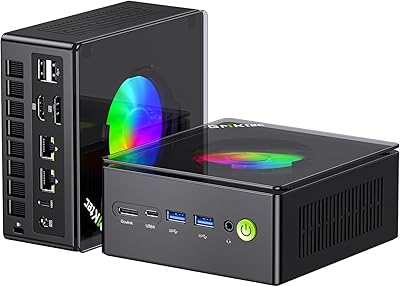
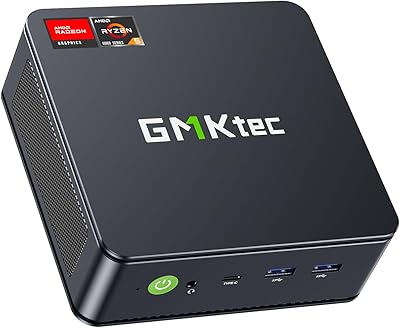
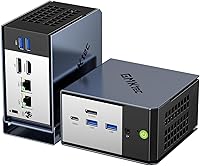
The GMKtec EVO-X1 Ryzen AI 9 Mini PC represents GMKtec's most ambitious push yet into the compact desktop space, built on AMD's Zen 5 architecture and the Strix Point platform that defines the Ryzen AI 300 series. This isn't just a spec bump — it's a genuine rethink of what a palm-sized computer can do. The Ryzen AI 9 HX-370 brings on-device AI processing into a form factor that fits behind a monitor. What stands out is how it manages a 65W efficiency baseline while scaling up to 120W when workloads demand it. The port selection alone puts older-generation mini PCs well behind.

Features & Benefits

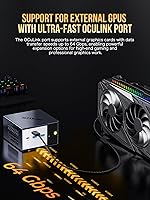
At the core of the EVO-X1 is a processor that genuinely earns the 'AI' label — the XDNA 2 NPU handles on-device AI inference without taxing the CPU or GPU, which matters for real-time transcription tools or locally run language models. The Radeon 890M is a real step forward for integrated graphics; expect comfortable 1080p performance in less demanding titles, though high-refresh or 1440p gaming will hit a wall. The Oculink port is arguably the sharpest addition — it enables full PCIe x4 eGPU setups, though compatible enclosures remain niche and add noticeable cost. Triple-display output and dual 2.5G LAN round out a remarkably capable package.

Best For

The EVO-X1 hits a sweet spot for home office power users who are done with bulky towers but still need serious CPU headroom for video editing, code compilation, or heavy multitasking. Network tinkerers will appreciate the dual 2.5G LAN ports, which open the door to homelab routing and lightweight NAS configurations. Content creators who work across two or three monitors will find the triple-display output genuinely practical, not just a marketing checkbox. AI developers testing local inference workflows get a meaningful head start from the NPU. It's a tougher sell for anyone expecting discrete-GPU-level gaming without budgeting for a separate eGPU enclosure.

User Feedback

Buyers have settled around a 4.4-star average, and the pattern in verified reviews is consistent: people are genuinely impressed by how much GMKtec's Ryzen AI flagship delivers in such a small chassis. Build quality earns frequent praise — the unit feels solid, not hollow or plasticky, and the port layout works well on most desks. The main sticking points worth knowing: soldered RAM means 32GB is what you get permanently, with no upgrade path down the line. Some users flag increased fan noise under heavy sustained loads, though idle operation is near-silent. A few buyers also noted questions around BIOS options and Windows 11 Pro activation that are worth researching before committing.

Pros

  • The Ryzen AI 9 HX-370 delivers workstation-class CPU performance in a chassis smaller than most lunchboxes.
  • The dedicated NPU handles AI inference tasks locally, reducing cloud dependency for developers and privacy-conscious users.
  • Radeon 890M handles 1080p gaming in a wide range of titles without needing a discrete GPU.
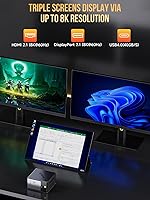
  • Triple-display output at up to 8K resolution works out of the box with no additional hardware for most monitor setups.
  • Dual 2.5G LAN ports open up serious networking use cases well beyond what most mini PCs offer.
  • The Oculink port provides a genuine PCIe x4 eGPU upgrade path that USB4-only machines simply cannot match.
  • Two M.2 slots mean storage can be expanded substantially without replacing the existing drive.
  • Build quality feels solid and premium for the size — users consistently report it does not feel cheap in hand.
  • VESA mount included in the box makes it easy to tuck behind a monitor from day one.
  • Near-silent operation under light workloads makes it a comfortable fit in quiet home office environments.

Cons

  • RAM is soldered on-board with no upgrade path — 32GB is the permanent ceiling, full stop.
  • Fan noise increases noticeably under sustained heavy workloads, which some users find disruptive.
  • Oculink eGPU enclosures are niche, expensive, and require additional research before committing to this upgrade path.
  • BIOS options are reported to be limited, frustrating users who want granular power or performance tuning.
  • Windows 11 Pro activation has caused confusion for some buyers, requiring extra steps to resolve.
  • Integrated graphics will disappoint anyone expecting smooth 1440p or high-refresh-rate gaming performance.
  • The 120W power adapter is bulkier than the tiny chassis suggests, which can be awkward in tight desk setups.
  • No USB4 eGPU fallback makes compatibility narrower if you go the external GPU route via Oculink.
  • Premium pricing means buyers with modest workloads may be paying for headroom they will rarely use.
  • No easy path to add a dedicated GPU internally — this mini PC lives and dies by its integrated graphics unless you invest in an eGPU setup.

Ratings

The scores below for the GMKtec EVO-X1 Ryzen AI 9 Mini PC were generated by our AI system after analyzing verified global buyer reviews, actively filtering out incentivized, bot-generated, and duplicate submissions to surface what real owners actually experience. Each category reflects an honest synthesis of both enthusiastic praise and recurring frustrations — nothing is smoothed over to make the product look better than it is.

CPU Performance
93%
Buyers consistently report that the Ryzen AI 9 HX-370 handles demanding workloads — video exports, large code compilations, multi-tab browser sessions with heavy applications — without the hesitation you would expect from a machine this size. The Zen 5 architecture gives it a meaningful edge over previous-generation mini PCs that used older Ryzen 7000-series chips.
Under extended sustained loads, performance can throttle slightly once the chassis hits its thermal limits, which some power users noticed during hour-long rendering sessions. It is still fast, but the gap between peak burst and sustained throughput is real in a compact chassis.
AI & NPU Capability
88%
Developers and AI hobbyists running local language models or real-time transcription tools found the dedicated XDNA 2 NPU genuinely useful — it offloads inference tasks without hammering the CPU, keeping the system responsive for other work simultaneously. For its class, this is one of the most capable on-device AI setups available in a mini PC.
NPU software support under Linux remains inconsistent, and Windows-side tooling for the NPU is still maturing — buyers who jumped in expecting plug-and-play AI acceleration found some workflows required manual driver configuration. The 50 TOPS figure is impressive on paper but only fully realized with compatible software stacks.
Integrated Graphics
67%
33%
The Radeon 890M is a genuine upgrade over what integrated graphics typically offers — casual gamers playing titles like Fortnite, Rocket League, or older RPGs at 1080p report playable frame rates without touching an external GPU. It also handles hardware-accelerated video decoding cleanly, which matters for editors previewing footage.
Anyone expecting to play demanding modern titles at high settings or above 1080p will hit a hard wall quickly — this is still integrated graphics with shared memory bandwidth. Competitive shooters at high refresh rates are largely off the table without an eGPU, and that limitation frustrates buyers who underestimated it going in.
Connectivity & Ports
91%
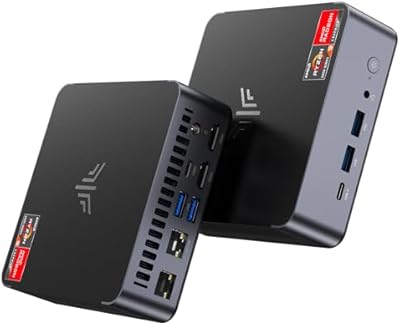
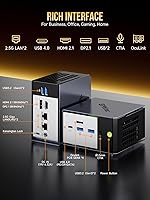
Reviewers who work across multiple peripherals — docks, displays, external drives, audio interfaces — were genuinely impressed by the port density on such a small machine. Having USB4, dual 2.5G LAN, Oculink, DisplayPort 2.1, and multiple USB 3.2 ports available simultaneously is rare at this form factor and makes it feel like a full desktop replacement.
The USB-C port doubles as USB4 and display output but is a single port, so juggling a dock, charging, and display signal simultaneously requires a quality hub. A few buyers also noted the port placement on the rear panel makes blind-plugging cables a bit awkward when the unit is VESA-mounted behind a monitor.
Oculink eGPU Support
74%
26%
For users who planned ahead and budgeted for an Oculink enclosure, the PCIe x4 connection delivers noticeably better eGPU bandwidth than Thunderbolt alternatives — reviewers pairing it with mid-range desktop GPUs reported a meaningful jump in gaming and compute performance that transformed the machine's use case entirely.
The barrier to entry is real: Oculink enclosures are still niche, expensive, and require sourcing separately, and the ecosystem is nowhere near as mature as Thunderbolt. Buyers who assumed the Oculink port would make eGPU setup simple were often caught off guard by compatibility research and total cost.
Multi-Monitor Support
89%
Triple-display operation works reliably out of the box via HDMI, DisplayPort, and USB4, which traders, video editors, and developers running sprawling multi-window setups found immediately useful. Users pairing it with two 4K monitors and one 1440p panel reported no configuration headaches and stable output across all three.
Achieving 8K output on the DisplayPort 2.1 connection requires a capable 8K monitor and a certified cable — buyers who tried with budget cables or older monitors ran into signal issues and initially blamed the hardware. Getting the most out of the display stack requires quality accessories.
Thermal Management
71%
29%
Under light to moderate workloads — web browsing, office applications, light coding sessions — the EVO-X1 stays cool and nearly inaudible, which daily home office users appreciated for long work sessions without distraction. The thermal design does a reasonable job keeping temperatures in check given the chassis constraints.
Sustained heavy workloads push the fan to speeds that are clearly audible in a quiet room, and a handful of buyers noticed CPU temperatures creeping higher than they expected under prolonged rendering or compilation tasks. The compact chassis limits airflow headroom, and there is no user-accessible option to mount aftermarket cooling.
Fan Noise
68%
32%
At idle and during typical productivity work, the fan is barely perceptible — users working in quiet home offices said it effectively disappears into background noise, which is a meaningful quality-of-life win compared to previous-generation mini PCs that spun up frequently.
Under sustained CPU or GPU load, the fan becomes clearly audible and some buyers found it distracting during long video exports or gaming sessions. There is no fan curve control available in the BIOS, so users cannot tune the noise-versus-temperature trade-off to their preference.
Build Quality
84%
The chassis feels solid and purposeful for a mini PC — buyers who handled previous budget-tier GMKtec models noted a clear step up in fit and finish on the EVO-X1, with tighter panel gaps and a more premium tactile feel overall. The included VESA mount is sturdy and attaches cleanly.
The chassis is primarily aluminum and plastic composite, and a small number of buyers noted minor flex in the top panel under pressure — not a structural concern, but noticeable if you are comparing it to premium all-metal alternatives. Port labels are small and hard to read without good lighting.
RAM Configuration
59%
41%
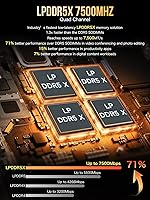
The 32GB of LPDDR5X running at high speed is more than sufficient for virtually every productivity, development, and light creative workload buyers are likely to run — most users reported never feeling memory-constrained during typical use, and the raw bandwidth benefits multitasking noticeably.
The memory being permanently soldered is a meaningful long-term limitation that several buyers only fully appreciated after purchase — there is no upgrade path if your workloads grow or if you want to run memory-hungry virtual machines or large AI model weights in the future. For the price, upgradeable RAM would have been strongly preferred.
Storage Performance
86%
The PCIe 4.0 NVMe SSD delivers fast boot times and snappy application launches that users switching from older SATA-based mini PCs found immediately noticeable. The second M.2 slot being available without needing to remove the primary drive is a practical bonus for expanding storage later.
The pre-installed drive is not from a top-tier brand in all configurations, and a few buyers ran independent benchmarks that came in slightly below advertised peak speeds under sustained sequential writes. It is fast enough for daily use but enthusiasts may want to swap it for a premium drive.
Networking
92%
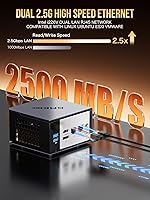
The dual Intel i226V 2.5G LAN ports were a standout feature for homelabbers and network-aware buyers — running pfSense, serving NAS traffic, or bonding both ports for higher aggregate throughput all worked without driver drama. Wi-Fi 6 performance was also consistently praised for stable throughput in congested environments.
The dual LAN advantage is largely lost on buyers who only use one port for a straightforward home connection — for standard users, this is overkill they paid for but may never use. A small number of users also noted the 2.5G ports required a compatible switch to realize their full speed potential.
Software & BIOS
58%
42%
Windows 11 Pro comes pre-installed and boots into a relatively clean environment without excessive bloatware, which buyers accustomed to budget mini PCs loaded with trial software appreciated. Linux installation was reported as straightforward for most distributions.
BIOS options are limited compared to what power users expect — fan curve control, granular TDP adjustment, and advanced memory tuning are largely absent, which frustrated buyers who wanted to optimize thermals or squeeze out more sustained performance. Windows 11 Pro activation also caused friction for a notable subset of buyers who had to contact support to resolve it.
Value for Money
76%
24%
For buyers who genuinely need the Zen 5 CPU architecture, an NPU, Oculink capability, and triple-display output in a mini PC, the EVO-X1 offers a combination that is difficult to replicate at a lower price point — the feature density justifies the premium for the right user profile.
Buyers with more modest needs — standard office work, casual browsing, or light media consumption — will find the premium hard to rationalize when capable mini PCs at significantly lower prices cover those bases adequately. The value proposition is strong but narrow, and it only holds for users who actually leverage what makes this machine different.

Suitable for:

The GMKtec EVO-X1 Ryzen AI 9 Mini PC is a strong fit for professionals who need genuine CPU muscle on a cluttered desk — think video editors, software developers, or data analysts who have outgrown a laptop but don't want a full tower taking over their workspace. The Ryzen AI 9 HX-370 handles heavy multitasking and sustained workloads far better than anything based on older Ryzen 7000-series mobile chips, making it a practical daily driver for productivity-heavy roles. AI developers and tinkerers experimenting with local language models or on-device inference workflows will find the dedicated NPU genuinely useful, not just a checkbox feature. Multi-monitor setups are well-served here — three simultaneous displays is a real capability, not a theoretical one, which appeals to traders, coders, and creative professionals alike. Homelabbers looking to run a soft router, lightweight NAS, or firewall appliance will also appreciate the dual 2.5G LAN ports in a compact, low-footprint chassis.

Not suitable for:

The GMKtec EVO-X1 Ryzen AI 9 Mini PC is a harder sell for anyone whose primary use case is gaming above 1080p or at high refresh rates — the Radeon 890M is genuinely improved integrated graphics, but it still has a ceiling, and competitive or graphically demanding titles will expose it quickly. Buyers eyeing the Oculink port as an eGPU solution should do the math first: compatible enclosures are limited in availability, carry their own significant cost, and require sourcing a separate GPU on top of that. Anyone who anticipates needing more than 32GB of RAM down the line should pause — the memory is soldered directly to the board, so what you buy is what you live with permanently. This mini PC is also not the right call for buyers who want deep BIOS customization or plan to run heavily tweaked power profiles, as user reports suggest the firmware options are relatively limited. Finally, pure budget shoppers looking for a capable but affordable compact PC will find better value at lower price points with less cutting-edge silicon.

Specifications

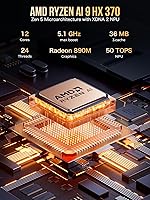
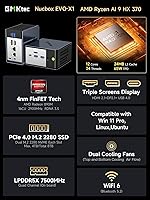
  • Processor: AMD Ryzen AI 9 HX-370 with 12 cores and 24 threads, built on the Zen 5 microarchitecture, boosting up to 5.1GHz under load.
  • AI Engine: Dedicated XDNA 2 NPU delivers up to 50 TOPS of AI processing power for on-device inference and machine learning workloads.
  • Integrated GPU: AMD Radeon 890M (RDNA 3.5) running at 2900MHz provides the graphics output, capable of 1080p gaming in a wide range of titles.
  • System Memory: 32GB of LPDDR5X RAM running at 7500MHz is soldered directly to the motherboard and cannot be upgraded after purchase.
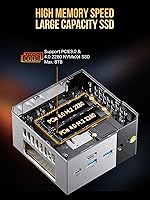
  • Primary Storage: A 1TB PCIe 4.0 M.2 2280 NVMe SSD comes pre-installed, offering fast read and write speeds for the operating system and applications.
  • Storage Expansion: Two M.2 2280 NVMe/PCIe slots are available for additional drives, allowing total internal storage to reach up to 4TB.
  • Display Output: Three simultaneous displays are supported via HDMI 2.1, DisplayPort 2.1, and USB4, with maximum resolution support up to 8K at 60Hz.
  • Wired Network: Dual Intel i226V 2.5 Gigabit LAN ports are included, enabling advanced networking configurations such as soft routing or link aggregation.
  • Wireless: Wi-Fi 6 (802.11ax) and Bluetooth 5.2 are built in, supporting both high-speed wireless networking and stable peripheral connections.
  • USB Ports: The chassis provides two USB 3.2 Gen2 ports, two USB 3.2 ports, and one USB-C port supporting Power Delivery 3.0 and DisplayPort 1.4.
  • Oculink: A single Oculink port operating at PCIe x4 bandwidth enables connection to compatible external GPU enclosures for significantly expanded graphics performance.
  • High-Speed I/O: One USB4 port running at 40Gbps handles high-bandwidth data transfer, display output, and charging simultaneously via a single cable.
  • Audio: A 3.5mm combo audio jack supports both headphone output and microphone input from a single port on the chassis.
  • Operating System: Windows 11 Pro (64-bit) comes pre-installed, and the unit also supports Ubuntu, other Linux distributions, and Windows 10.
  • Power Supply: A 120W power adapter (19V, 6.32A) is included in the box, accepting universal input voltage from 100 to 240V AC at 50 or 60Hz.
  • Peak Power Draw: The system can consume up to 120W at peak load, while the processor itself has a configurable TDP baseline of around 65W during typical use.
  • Mounting: A VESA mount bracket with screws is included, allowing the unit to be attached directly to the back of a compatible monitor or wall plate.
  • Operating Range: The unit is rated for operation between -10°C and 45°C with ambient humidity levels between 30% and 85% (non-condensing).
  • Box Contents: The package includes the mini PC unit, a 120W power adapter, a VESA mount kit with screws, one HDMI cable, and a printed user manual.
  • Form Factor: The EVO-X1 uses a compact mini PC form factor designed to sit flat on a desk or mount behind a monitor to free up workspace entirely.

Related Reviews
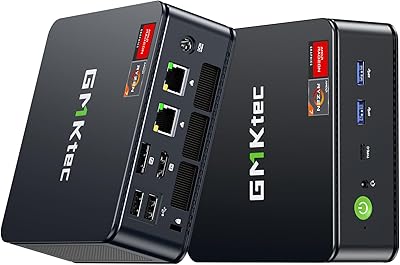
GMKtec NucBox M5 Ultra 512GB Mini PC
77%
88%
Performance Per Dollar
84%
Multitasking Capability
54%
Gaming Performance
91%
Connectivity & Ports
71%
Triple Display Support
More
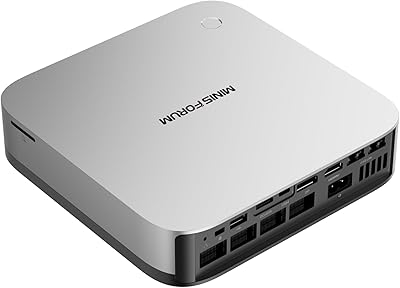
MINISFORUM AI X1 Pro (Ryzen AI 9 HX370, 96GB/2TB)
78%
93%
CPU Performance
81%
AI & NPU Capabilities
94%
Memory Configuration
67%
Integrated GPU & Gaming
89%
Storage & Expandability
More
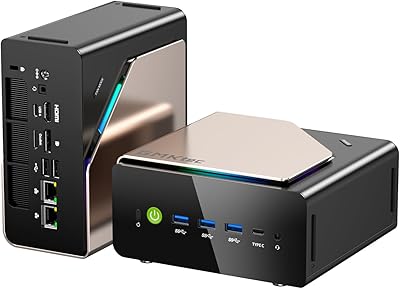
GMKtec EVO-T1 Ultra 9 285H Mini PC
82%
91%
CPU Performance
67%
GPU & Graphics
93%
RAM & Memory
94%
Storage & Expandability
89%
Multi-Display Support
More
GMKtec Nucbox K11 (Ryzen 9 8945HS, 32GB, 2TB)
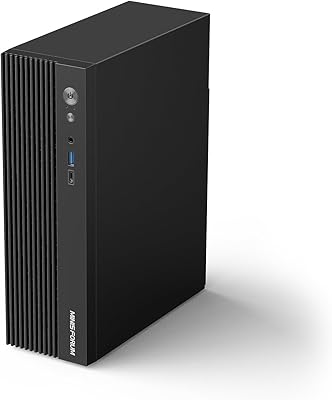
89%
94%
CPU Performance
96%
Expansion & Upgradability
92%
Connectivity & Ports
87%
Thermal Management
89%
Build Quality
More
MINISFORUM MS-A2 Ryzen 9 9955HX Barebone
81%
93%
CPU Performance
91%
Expansion & Upgradability
94%
Networking Capability
89%
Storage Flexibility
78%
Thermal Management
More
MINISFORUM 790S7 Mini ITX PC AMD Ryzen 9 7940HX
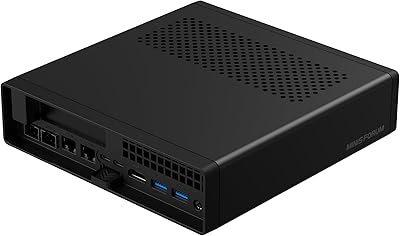
81%
88%
Overall Performance
65%
Thermals and Cooling
80%
Graphics Flexibility
90%
Build Quality
92%
Value for Money
More
GMKtec Nucbox M6 32GB/1TB Mini PC
76%
88%
Everyday Performance
61%
Gaming Capability
83%
Build Quality
59%
Thermal Management
64%
Fan Noise
More
BOSGAME M2 Ryzen 9 7940HS Mini PC
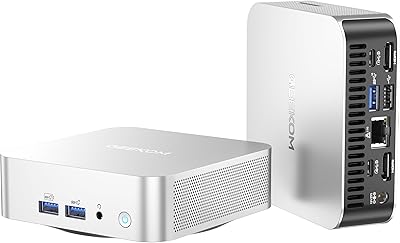
77%
91%
Processing Performance
68%
Gaming Capability
74%
Thermal Management
88%
Memory & Expandability
83%
Storage Speed
More
KAMRUI AM21 Mini PC
KAMRUI AM21 Mini PC
74%
88%
CPU Performance
61%
Thermal Management
93%
Port Selection & Connectivity
76%
Integrated GPU & Display Output
82%
Build Quality & Form Factor
More
GEEKOM A8 Mini PC with AMD Ryzen 9 8945HS, 32GB RAM, 2TB SSD
87%
93%
Performance
88%
Build Quality
90%
Usability
89%
Connectivity Options
80%
Cooling System Efficiency
More

FAQ

Unfortunately, no. The memory in the EVO-X1 is soldered directly onto the motherboard, which means 32GB is a permanent ceiling. If you think you might need more headroom down the road — for heavy virtual machines, large datasets, or future AI workloads — that is worth factoring into your decision before buying.

The Radeon 890M is a genuine step forward for integrated graphics, and it handles 1080p gaming in a lot of popular titles reasonably well. That said, do not expect smooth performance in graphically demanding AAA games or anything requiring high refresh rates above 60Hz. Think of it as a solid casual gaming solution, not a replacement for a dedicated GPU setup.

The Oculink port lets you connect an external GPU enclosure at PCIe x4 speeds, which is faster than what most Thunderbolt or USB4-based eGPU setups can achieve. However, compatible Oculink enclosures are still relatively uncommon compared to Thunderbolt alternatives, and you will need to source both the enclosure and a GPU separately. It is a meaningful upgrade path, but it does add real cost and requires some research before committing.

Yes, triple-display output is supported natively using the HDMI 2.1 port, the DisplayPort 2.1 port, and the USB4 port simultaneously. All three can be active at once, and the system supports up to 8K resolution on individual displays depending on the monitor and cable you use.

During light tasks like browsing, document editing, or video playback, the EVO-X1 runs very quietly — close to silent in a normal room. When you push it with sustained workloads like video encoding or large compilations, the fan does spin up and becomes audible. Most users describe it as noticeable but not disruptive, though it is worth keeping in mind if you work in a very quiet environment.

The GMKtec EVO-X1 Ryzen AI 9 Mini PC ships with Windows 11 Pro pre-installed, but some buyers have reported that activation required additional steps after setup. It is worth checking the activation status immediately after first boot and contacting GMKtec support if you run into issues, as they can typically resolve it with a valid license key.

Yes — there are two M.2 2280 NVMe slots available, so the second slot can be used for an additional drive without touching the pre-installed 1TB SSD. Total internal storage can reach up to 4TB depending on which drives you install. Just make sure you are buying M.2 2280 NVMe drives to ensure compatibility.

Quite a lot, actually. The two 2.5-Gigabit LAN ports open up real networking use cases: you can set up the mini PC as a soft router, run it as a lightweight NAS file server, configure link aggregation for higher throughput, or use it as a firewall appliance. For homelabbers, this is one of the more compelling reasons to consider this machine over a standard single-NIC mini PC.

Linux support is confirmed — GMKtec officially lists Ubuntu and other Linux distributions as compatible operating systems. That said, driver maturity for the Ryzen AI 9 HX-370 under Linux, particularly for NPU functionality, is still evolving. Basic desktop use works fine, but if you need full AI hardware acceleration under Linux, it is worth researching current driver status before committing.

You get the mini PC unit itself, a 120W power adapter, a VESA mounting bracket with screws, one HDMI cable, and a printed user manual. A keyboard and mouse are not included, so if you are setting this up fresh, plan for that separately. The VESA mount is a nice touch — it means you can have it mounted behind a monitor and fully set up without buying any additional accessories.