Overview

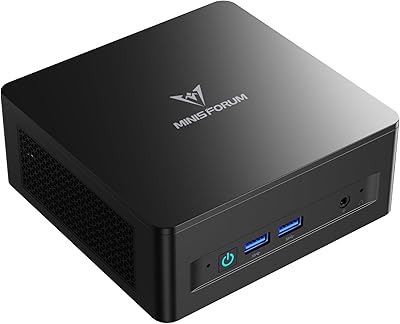
The GMKtec M6 Ultra Ryzen 7640HS Mini PC is a compact desktop that punches well above its physical size, targeting home office workers and productivity-focused users who refuse to sacrifice desk space for capable hardware. Built around AMD's Zen 4 architecture, the six-core Ryzen 5 7640HS reaches boost speeds up to 5.0 GHz — a real step forward from older mid-range AMD chips. It ships ready to use, with 32GB DDR5 RAM, a 1TB NVMe SSD, Windows 11 Pro pre-activated, and even a VESA mount included in the box. For anyone shopping in the mid-range mini PC segment who wants multitasking headroom without a tower footprint, this compact desktop is a genuinely credible option.
Features & Benefits

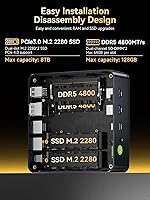
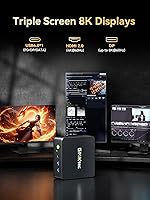
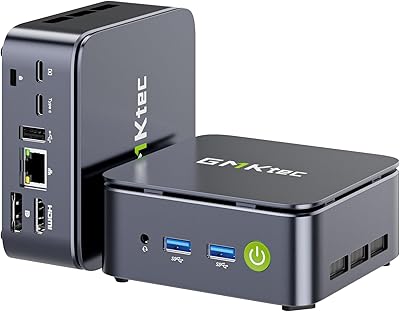
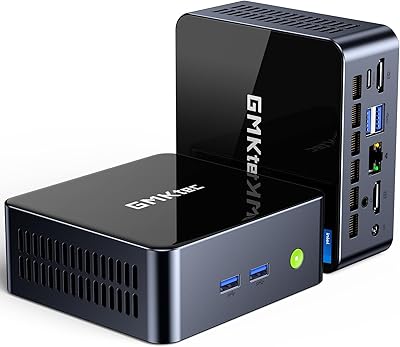
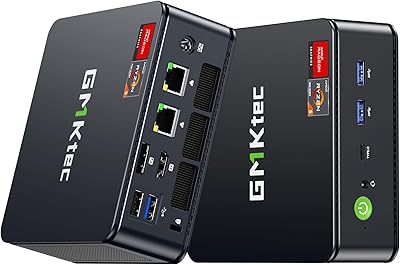
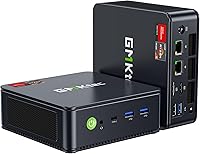
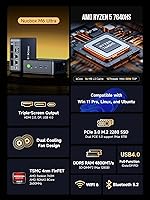
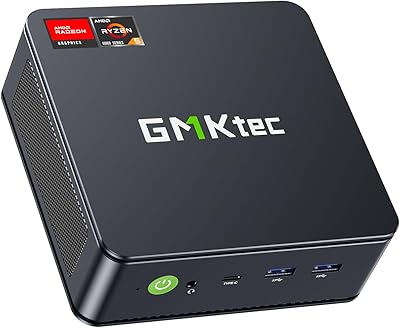
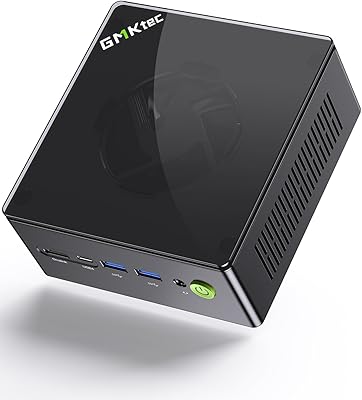
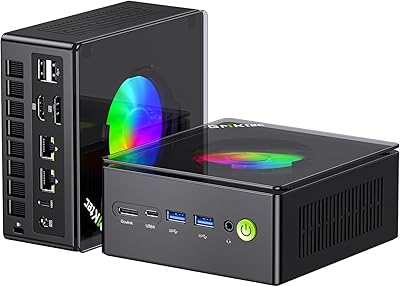
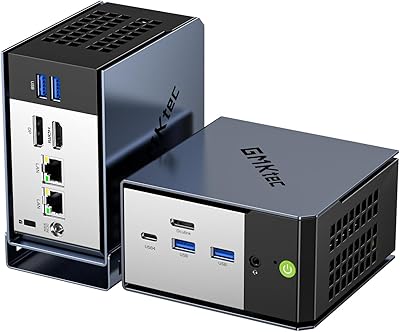
What stands out immediately is the triple display output — HDMI 2.0, DisplayPort, and a USB4 Type-C port, each capable of running a monitor simultaneously up to 4K. The USB4 connection technically supports 8K, though pairing it with an actual 8K display remains a niche scenario for most buyers. The dual 2.5GbE LAN ports are a genuinely practical addition, enabling link aggregation, wired redundancy, or a lightweight pfSense setup. WiFi 6E and Bluetooth 5.2 cover wireless needs well. Storage and memory are both expandable to 128GB RAM and 16TB across two M.2 slots. Worth noting: the product listing references both PCIe 3.0 and 4.0 for SSD slots inconsistently, so confirm actual slot speeds before committing to a high-end SSD upgrade.

Best For

The M6 Ultra fits a specific set of buyers, and it fits them well. If you're running a three-monitor home office setup and don't want a full tower consuming desk space, this is a practical, space-conscious pick. Network hobbyists looking to spin up a pfSense or Untangle router on dedicated hardware will appreciate the dual 2.5G NICs without paying a premium for specialized appliances. Casual gamers and emulation enthusiasts can pull reasonable performance from the Radeon 760M, though anyone expecting modern AAA titles at high settings will hit a ceiling fast — integrated graphics have real limits. For quiet 4K media playback with hardware AV1 and HEVC decode, it also makes a compelling, low-noise HTPC candidate.

User Feedback

Buyers generally respond well to this compact desktop, pointing to responsive everyday performance and a cleaner-than-expected Windows 11 Pro setup with minimal bloatware. The port selection and included VESA mount earn consistent praise for simplifying desk organization. On the critical side, fan noise under sustained CPU load is a recurring mention — the dual fans become audible during heavy workloads, which matters in quiet environments. Some owners report that real-world WiFi throughput occasionally underdelivers relative to WiFi 6E expectations. BIOS tuning options feel shallow for those wanting to adjust TDP or power limits manually, and a handful of users have flagged intermittent sleep and wake reliability issues that a firmware update could potentially resolve.

Pros

  • Drives three 4K monitors simultaneously, a rare capability at this price point in the mini PC category.
  • The Zen 4 Ryzen 5 7640HS delivers noticeably snappier everyday performance than older AMD mini PC chips.
  • 32GB of dual-channel DDR5 RAM ships standard, so most users will never need to upgrade memory.
  • Dual 2.5GbE LAN ports open up networking use cases — pfSense, link aggregation, or simple redundancy — without extra hardware.
  • WiFi 6E support covers all three frequency bands for fast, low-congestion wireless in modern homes.
  • The USB4 port handles data, power delivery, and display output from a single connection, reducing cable clutter.
  • Memory expandable to 128GB and storage expandable across two M.2 slots means this compact desktop can grow with your needs.
  • Windows 11 Pro comes pre-installed and generally activates cleanly out of the box.
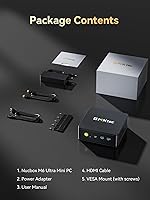
  • Included VESA mount and HDMI cable are practical extras that save an immediate trip to order accessories.
  • Compact and lightweight enough at around 3 lbs to relocate easily or mount behind a monitor.

Cons

  • Fan noise becomes audible under sustained CPU load, which can be distracting in quiet office or bedroom environments.
  • BIOS options for tuning power limits or TDP are thin, limiting performance tweaking for advanced users.
  • Real-world WiFi throughput occasionally falls short of what WiFi 6E advertising implies, particularly at longer ranges.
  • The product listing inconsistently references both PCIe 3.0 and 4.0 SSD slots, making upgrade planning unnecessarily confusing.
  • Sleep and wake reliability has been flagged by some owners, with occasional failures to resume that require a hard reboot.
  • The USB4 8K output is technically supported but only useful if you already own an 8K display, which very few buyers do.
  • Only a single USB 2.0 port alongside the faster USB 3.2 ports, which can feel limiting with multiple peripherals.
  • A one-year warranty is shorter than what some competitors offer at a comparable price tier.
  • No discrete GPU option means the M6 Ultra is a hard pass for anyone needing even entry-level dedicated graphics.
  • The 120W power brick is bulky relative to the machine itself and adds to desk or bag clutter when traveling.

Ratings

The scores below for the GMKtec M6 Ultra Ryzen 7640HS Mini PC were generated by our AI engine after analyzing verified purchase reviews from buyers worldwide, with spam, incentivized, and bot-flagged submissions actively filtered out before scoring. Each category reflects the honest distribution of real user sentiment — strengths are credited where earned, and recurring frustrations are weighted fairly rather than smoothed over.
CPU Performance
88%
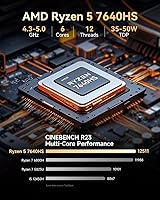
The Zen 4 Ryzen 5 7640HS consistently impresses users coming from older N-series or early Ryzen mini PCs — browser-heavy workflows, spreadsheets, and video calls all run without any perceptible lag. Buyers running multiple virtual machines or compiling code report that the six cores handle the workload with headroom to spare.
Under prolonged all-core stress, the performance advantage narrows as the chassis thermals catch up with the CPU's boost behavior. A small number of users noted that sustained encoding sessions see clock speeds drop more than expected compared to the chip's desktop counterparts.
Gaming Performance
61%
39%
For indie titles, retro emulation up to PS2 and GameCube era, and older competitive shooters at 1080p with reduced settings, the Radeon 760M holds up reasonably well. Users specifically running emulation software highlight the iGPU as a genuine step up from previous-generation integrated graphics in mini PCs.
Modern AAA titles expose the hard ceiling of integrated graphics quickly — frame rates in demanding games at even medium settings are often disappointing. Buyers who purchased this compact desktop expecting it to handle recent open-world games at playable framerates have largely reported disappointment, and no eGPU expansion path exists natively.
Multi-Display Support
91%
Triple 4K output from a machine this size genuinely surprises users — running three monitors simultaneously for spreadsheet work, research, and video calls is reported as stable and reliable in daily use. The combination of HDMI, DisplayPort, and USB4 means most monitor configurations are covered without adapters.
The advertised 8K output via USB4 is technically valid but almost nobody in the review pool has been able to use it meaningfully due to 8K display scarcity. A few users also reported that configuring all three outputs correctly in Windows required some manual driver fiddling before all screens were recognized simultaneously.
Networking & Connectivity
86%
The dual 2.5GbE LAN ports are consistently highlighted as a standout feature — networking hobbyists running pfSense or Untangle report smooth deployment with no driver headaches, and home lab users appreciate getting two high-speed wired ports without needing a USB adapter. Wired throughput is reliable and fast.
WiFi 6E real-world performance is the weak link here, with multiple buyers noting that speeds at moderate distances fall short of what the spec implies. The 6 GHz band in particular seems dependent on router proximity to deliver meaningful gains, limiting its advantage in larger homes or offices.
Thermal Management
67%
33%
For everyday office tasks and light loads, the dual-fan setup keeps temperatures well in check and the machine runs quietly enough that most users forget it is even on. The chassis design does an adequate job of moving heat away from the processor during typical workday usage.
Under sustained CPU load — video transcoding, extended compilation, or multi-tab browser stress — fan noise becomes noticeably audible and some users report throttling behavior over time. A few buyers in warmer climates noted that ambient temperature meaningfully affects how aggressively the fans ramp up even during moderate tasks.
Build Quality
74%
26%
The chassis feels solid for its price tier — no flexing panels or rattling components were mentioned in the majority of reviews, and the compact form factor comes across as purposefully engineered rather than cheaply assembled. Port placement is generally considered practical, with most connections accessible from the front and rear.
The plastic finish picks up fingerprints easily and a handful of buyers feel the overall material quality falls just short of premium competitors at a similar price. A small number of units arrived with minor cosmetic defects like uneven panel gaps, though functional issues at unboxing are rare.
RAM & Storage
83%
Shipping with 32GB of dual-channel DDR5 as standard is genuinely appreciated — most buyers never need to touch the memory configuration, and those who want to expand have two accessible SO-DIMM slots to work with. The 1TB NVMe SSD handles everyday read and write tasks quickly with no complaints about sluggishness.
The inconsistency in the product listing around PCIe 3.0 versus 4.0 SSD slot support has frustrated buyers attempting storage upgrades, as it creates uncertainty about whether a Gen 4 drive will run at full speed. Clarity from GMKtec on the actual slot standard would significantly improve buyer confidence.
Software & OS Experience
79%
21%
Windows 11 Pro activates cleanly out of the box in the large majority of reported experiences, which buyers at this price tier genuinely appreciate given how common activation headaches are with budget mini PCs. The pre-installed environment is comparatively lean, with minimal third-party bloatware interfering with first-boot setup.
Driver and firmware maturity is still catching up, with some users encountering missing or outdated drivers immediately after setup that required manual hunting. A recommendation to run Windows Update before doing anything else is common advice in the buyer community, suggesting the factory image is not always fully patched at shipping time.
Sleep & Wake Reliability
54%
46%
When sleep and wake functions work as expected, users find the machine resumes quickly and picks up exactly where they left off. For buyers who simply shut the machine down fully rather than relying on sleep, this issue is entirely moot and causes no disruption to daily use.
Sleep and wake reliability is one of the more commonly flagged pain points — a meaningful subset of buyers report that the machine occasionally fails to wake from sleep and requires a hard reboot to recover. This is particularly frustrating in professional contexts where open applications and unsaved state are lost in the process.
BIOS & Tuning Options
52%
48%
For the majority of buyers who have no intention of touching the BIOS, the default performance configuration works well enough that it never becomes an issue. The machine ships with sensible power defaults that balance performance and thermals adequately for standard office and productivity workloads.
Advanced users expecting meaningful TDP configuration, voltage adjustment, or memory tuning options will find the BIOS frustratingly shallow. The inability to manually raise or cap power limits is a genuine limitation for enthusiasts who want to optimize performance or reduce fan noise by trading off a few watts of TDP.
Value for Money
84%
Buyers consistently feel the overall package punches above what the price tag suggests — a Zen 4 processor, 32GB DDR5, Windows 11 Pro, and triple 4K output in a single box with a VESA mount included is a compelling hardware stack for the segment. Users comparing it against building an equivalent small form factor PC separately tend to land firmly in favor of the M6 Ultra.
The value perception takes a slight hit when buyers factor in potential additional spend on a Gen 4 SSD upgrade (clouded by the PCIe slot ambiguity) or when WiFi performance underwhelms and a wired workaround becomes necessary. The one-year warranty also feels thin relative to what some competitor brands offer at comparable price points.
Port Selection
77%
23%
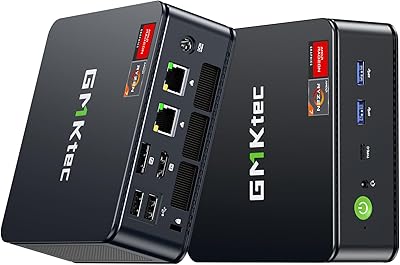
The combination of USB4, multiple USB 3.2 Gen2 ports, dual LAN, audio jack, and display outputs covers a wide range of peripheral setups without requiring a hub. Buyers appreciate having fast 10 Gbps USB-A ports readily available for external drives and other high-bandwidth accessories.
Having only a single USB 2.0 port alongside the faster options feels like a minor but noticeable gap when users have multiple lower-speed peripherals — a second USB 2.0 port would have cost almost nothing to include. Some buyers also wish the USB4 port were replicated, given how useful it is for display, data, and power delivery simultaneously.
Setup & Out-of-Box Experience
81%
19%
Most buyers are up and running within minutes of unboxing — the included HDMI cable and VESA mount are practical touches that reduce the immediate need to order accessories. The physical setup process is straightforward, and the machine is compact enough to position in nearly any workspace configuration.
The included user manual is basic and does not cover common setup questions like BIOS navigation or multi-display configuration in any useful depth. Users who are less technically confident have occasionally needed to seek community forums for guidance on initial display or network setup steps.

Suitable for:

The GMKtec M6 Ultra Ryzen 7640HS Mini PC is a strong fit for home office workers and small business users who need a capable, space-efficient machine that can drive three monitors simultaneously without a tower taking up half the desk. If your daily workload involves web-based tools, office applications, video calls, or light content creation, the Zen 4 processor and 32GB of DDR5 RAM provide more than enough headroom to keep things moving without slowdowns. Network hobbyists and self-hosters will find the dual 2.5GbE LAN ports particularly useful — running pfSense, Untangle, or even a lightweight NAS setup becomes straightforward without needing dedicated appliance hardware. It also suits buyers building a quiet 4K media center, since hardware-accelerated AV1 and HEVC decoding means smooth playback without taxing the system. Anyone upgrading from an older Celeron or early Ryzen-based mini PC will notice an immediate and meaningful jump in responsiveness.
Not suitable for:

Buyers expecting serious gaming performance should look elsewhere — the GMKtec M6 Ultra Ryzen 7640HS Mini PC relies entirely on the integrated Radeon 760M GPU, which handles older titles and emulation reasonably well but struggles with modern AAA games at any demanding settings. If you need a dedicated GPU slot, there is none here; external GPU enclosures via USB4 are theoretically possible but remain an expensive and impractical workaround for most users. Power users who want deep BIOS control over TDP limits, voltage, or memory overclocking will find the firmware options frustratingly limited compared to a traditional desktop. Those requiring rock-solid sleep and wake cycles in a professional environment may also encounter reliability quirks that could disrupt workflows until firmware matures. Finally, anyone planning heavy sustained workloads like 3D rendering or video encoding should expect fan noise to become a real presence in quiet rooms.
Specifications

  • Processor: AMD Ryzen 5 7640HS, 6 cores and 12 threads based on Zen 4 architecture, with a base clock of 4.3 GHz and boost up to 5.0 GHz.
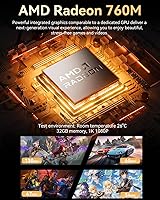
  • Integrated GPU: AMD Radeon 760M with 8 compute units running at up to 2,600 MHz, supporting hardware decode for AV1, HEVC, and AVC video codecs.
  • RAM: 32GB DDR5 at 4800 MHz installed as two 16GB SO-DIMM modules in dual-channel configuration, expandable to a maximum of 128GB.
  • Storage: 1TB M.2 2280 NVMe SSD included, with a second M.2 slot available for expansion up to 8TB per slot across both PCIe slots.
  • Display Output: Three simultaneous outputs supported: HDMI 2.0 at 4K@60Hz, DisplayPort at 4K@144Hz, and USB4 Type-C at up to 8K@60Hz.
  • Wired Network: Dual RJ45 ports each rated at 2,500 Mbps (2.5GbE), enabling link aggregation, redundancy, or use as a lightweight router or firewall appliance.
  • Wireless Network: WiFi 6E covering 2.4 GHz, 5 GHz, and 6 GHz bands, paired with Bluetooth 5.2 for peripheral connectivity.
  • USB Ports: Three USB 3.2 Gen2 Type-A ports (10 Gbps each), one USB 2.0 Type-A port, and one USB4 Type-C port supporting data, power delivery, and display output.
  • Audio: One 3.5mm combo audio jack supporting both headphone output and microphone input via CTIA standard.
  • Cooling: Dual active cooling fans manage a TDP boost envelope of 45–60W to maintain sustained performance within the compact chassis.
  • Power Supply: 120W external power adapter with 19V at 6.32A output, accepting universal input voltage from 100–240V AC at 50/60Hz.
  • Operating System: Windows 11 Pro comes pre-installed from the factory, with standard activation applied out of the box.
  • Weight: The unit weighs approximately 3.17 lbs (around 1.44 kg), not including the power adapter.
  • Operating Temp: Designed to operate reliably between -10°C and 45°C at 30–85% relative humidity (non-condensing).
  • Warranty: GMKtec provides a 1-year limited warranty from the date of purchase, covering defects in design and workmanship.
  • In the Box: Package includes the mini PC unit, a 120W power adapter, a VESA mount with screws, one HDMI cable, and a printed user manual.

Related Reviews
GMKtec Nucbox M6 Ryzen 6600H Mini PC, 32GB RAM, 1TB SSD
86%
90%
Performance for Office Tasks
75%
Gaming Performance (Casual)
84%
Build Quality
91%
Compact Design
89%
Storage Speed (SSD)
More
GMKtec Nucbox M5 Ultra Mini PC Ryzen 7 7730U 16GB RAM 512GB SSD
84%
89%
Performance
85%
Build Quality
91%
Multi-Display Support
90%
Networking/Connectivity
88%
Size/Portability
More
GMKtec Nucbox G10 Ryzen 5 Mini PC
75%
83%
Value for Money
74%
Performance
88%
Connectivity & Ports
86%
Display Output
67%
Thermal Management
More
GMKtec M3 Ultra Mini PC with Intel Core i7-12700H, 32GB RAM, 1TB SSD
86%
88%
Overall Performance
91%
Multitasking & Processing Power
78%
Graphics Performance
84%
Build Quality & Design
93%
Ease of Setup
More
GMKtec Nucbox K11 (Ryzen 9 8945HS, 32GB, 2TB)
89%
94%
CPU Performance
96%
Expansion & Upgradability
92%
Connectivity & Ports
87%
Thermal Management
89%
Build Quality
More
GMKtec Nucbox K8 Plus Mini PC
78%
84%
Value for Money
91%
CPU Performance
67%
Gaming Performance
93%
Connectivity & Ports
69%
Thermal Management
More
GMKtec NucBox M7 (32GB/2TB)
82%
88%
Processing Performance
74%
Gaming & Graphics
69%
Thermal Management & Cooling
63%
Fan Noise
91%
Connectivity & Ports
More
GMKtec Nucbox K9 Mini PC Intel Core Ultra 5 125H 32GB RAM 1TB SSD
85%
89%
Performance
85%
Build Quality
90%
Energy Efficiency
88%
Connectivity Options
87%
Display Support
More
GMKtec Nucbox K6 Mini Gaming PC AMD Ryzen 7 7840HS 1TB SSD 16GB RAM
83%
89%
Gaming Performance
88%
Multitasking Ability
82%
Build Quality
90%
Network Performance
72%
Cooling System
More
GMKtec EVO-X1 AI Mini PC AMD Ryzen 9 HX-370 32GB 1TB SSD
84%
88%
Gaming Performance
91%
AI Processing Power
90%
Multi-display Capability
84%
Compactness & Design
75%
Thermal Performance
More

FAQ

Yes, it genuinely supports three simultaneous displays. You connect one monitor via HDMI, another via DisplayPort, and a third via the USB4 Type-C port. All three can run at 4K@60Hz, and the USB4 output is technically rated up to 8K@60Hz if you happen to own an 8K display — though that remains a rare scenario for most users.

It depends entirely on what you mean by gaming. The integrated Radeon 760M handles older titles, indie games, and retro emulation quite well at 1080p with settings turned down. For modern AAA games at medium-to-high settings, you will hit a wall — there is no discrete GPU option, and integrated graphics have real performance ceilings. Think of it as a capable light-gaming machine, not a gaming rig.

Under light to moderate use, the dual fans are quiet enough that you barely notice them. Push the CPU hard — say, during sustained video exports or long compile jobs — and they become audible. Not obnoxiously loud, but present enough to matter in a quiet room or bedroom setup.

Yes, both are user-upgradeable. The two SO-DIMM slots support up to 128GB of DDR5 RAM total, and there are two M.2 2280 slots for NVMe SSDs. One thing worth knowing before buying a high-speed SSD: the product listing inconsistently describes the slots as PCIe 3.0 in some places and PCIe 4.0 in others, so it is worth confirming the actual slot standard with GMKtec support before investing in a fast Gen 4 drive.

Quite well, actually. The dual 2.5GbE LAN ports are the key here — you get a dedicated WAN and LAN port rated at 2,500 Mbps each, which is more than enough for most home and small office network setups. The Ryzen processor handles routing and firewall tasks without breaking a sweat, and the compact form factor means it tucks away cleanly in a network cabinet or shelf.

WiFi 6E adds access to the 6 GHz band on top of the standard 2.4 GHz and 5 GHz bands. In environments with a compatible router, this can mean faster speeds and less interference, especially in apartment buildings or offices with many competing networks. That said, some users report that real-world throughput does not always live up to WiFi 6E marketing claims, particularly at distance — so if wired reliability matters to you, lean on one of the two LAN ports instead.

Windows 11 Pro comes pre-installed and generally activates cleanly out of the box. Most buyers report a smooth first-boot experience with minimal bloatware compared to some competitors in this category. You should still run Windows Update immediately after setup, as firmware and driver updates tend to follow quickly after these mini PCs launch.

It is included in the box alongside an HDMI cable, the power adapter, and a user manual. The VESA mount lets you attach the unit directly to the back of a compatible monitor, which is a nice touch for keeping a clean, cable-managed desk. The screws for mounting are also included.

A handful of owners have flagged intermittent sleep and wake reliability problems — specifically, the machine occasionally failing to resume properly and requiring a hard reboot. It does not affect everyone, but it is worth being aware of if you rely on sleep mode heavily in a professional workflow. Keeping the firmware updated is the best current mitigation, as GMKtec has historically addressed these quirks through BIOS updates.

Less than you might want if you are a power user. The BIOS on this compact desktop offers basic configuration, but deep TDP tuning, voltage control, and manual memory overclocking are not well-supported. If granular hardware control is important to you, this machine will feel limited compared to a traditional desktop platform. For the average home office user or enthusiast running standard workloads, the out-of-the-box performance modes are sufficient.