

Overview
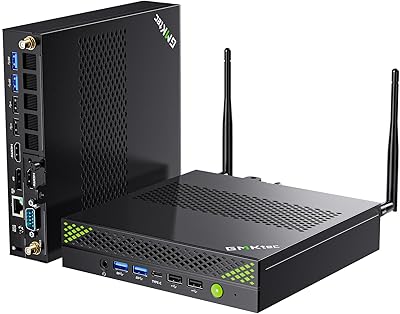
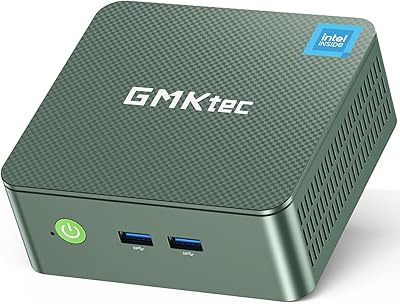
The GMKtec Nucbox K9 Mini PC is the kind of compact desktop that makes you question why you ever tolerated a tower under your desk. A quick note on the Amazon listing: some spec fields incorrectly label the chip as a Core i9 — this is a Core Ultra 5 125H, Intel's 2024 generation, not an older part. Crammed into a chassis barely two inches tall, it handles real multitasking workloads with ease. At this price tier, buyers expect solid build quality, meaningful connectivity, and room to grow. This mini PC largely delivers — especially the dual 2.5G LAN, which sets it apart from most alternatives. Just don't expect it to replace a dedicated GPU for serious gaming.
Features & Benefits
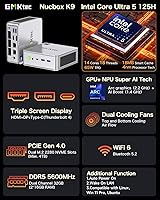
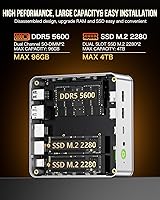
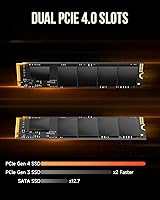
Fourteen cores and eighteen threads give the Nucbox K9 the multitasking muscle to handle dozens of browser tabs, a Lightroom catalog, and a Zoom call running at once without breaking stride. The 32GB of DDR5 RAM in dual-channel mode is generous here, and the two SO-DIMM slots let you push to 96GB if needed. Storage starts strong with a 1TB PCIe 4.0 drive, plus a second M.2 slot for expansion. The USB4 Type-C port enables triple-display output at up to 8K — genuinely unusual at this scale. Thermal management comes from a dual-fan setup paired with a 120W power brick, which gives the CPU enough headroom for sustained workloads, though expect audible fan spin under heavy load.
Best For
The Nucbox K9 is a particularly strong fit for home-office and small-business users who are tired of a bulky tower consuming desk real estate. Network enthusiasts will appreciate those dual 2.5-gigabit ports more than almost anyone else — running a soft router or NAS in a device this small is a genuine advantage. Photo and video editors working in 4K who need snappy file transfers will find the storage and RAM combination comfortable. It also excels as a multi-monitor workstation or digital signage hub in a tight space. And since this compact desktop is built with user upgrades in mind, swapping RAM or dropping in a second SSD takes minutes, not a voided warranty.
User Feedback
Most buyers highlight how responsive the machine feels for day-to-day tasks — quick app launches, smooth multitasking, and a pleasantly compact footprint. The build quality gets consistent praise, and the included VESA mount is a small but appreciated touch for tucking it behind a monitor. That said, recurring complaints center on fan noise when the CPU is pushed hard; in an enclosed or low-airflow space, thermals become noticeable. A handful of users report needing a driver update or BIOS tweak to get Intel Arc graphics running cleanly on first boot. Linux compatibility and Wake-on-LAN work well for most who tried them, though a few noted the BIOS NPU toggle takes some hunting to locate.
Pros
- The 14-core Intel Core Ultra 5 125H handles demanding multitasking workloads that would stall budget mini PCs.
- 32GB of dual-channel DDR5 RAM is unusually generous for a machine this compact.
- Dual 2.5-gigabit LAN ports enable homelab, NAS, and soft-router setups most competing mini PCs simply cannot match.
- Two SO-DIMM and two M.2 slots make RAM and storage upgrades fully user-accessible without voiding anything.
- Triple-display output, including an 8K-capable USB4 port, suits demanding multi-monitor and creative workflows.
- A VESA mount ships in the box, making behind-monitor installation practical from day one.
- Wi-Fi 6 and Bluetooth 5.2 keep wireless connectivity current alongside the wired LAN options.
- Windows 11 Pro comes pre-installed, which is a tangible value-add over competing machines that bundle Home.
- Wake-on-LAN and Auto Power On make remote deployments and always-on productivity setups genuinely practical.
- The sub-two-inch chassis fits on a desk, behind a monitor, or in a rack tray without rethinking the workspace.
Cons
- Fan noise under sustained CPU load is a recurring buyer complaint; this is not a quiet machine at full tilt.
- Placing the unit in a closed cabinet or enclosed media console worsens thermals noticeably.
- Intel Arc graphics have a history of requiring a driver update before behaving reliably on a fresh Windows install.
- Amazon spec listings for this device incorrectly label the chip as a Core i9 in several fields, creating real buyer confusion.
- The 120W external power brick adds cable bulk that somewhat undercuts the tidy small-form-factor appeal.
- Full Thunderbolt 4 certification is unconfirmed despite USB4 compatibility claims, which matters when pairing high-end peripherals.
- Linux support is functional for most users but not officially guaranteed, and occasional driver quirks have been reported.
- The BIOS NPU toggle for AI acceleration is buried and requires manual consultation to locate on first setup.
- There is no SD card reader or front-facing audio jack, which is a minor but real inconvenience for content creators.
Ratings
The scores below for the GMKtec Nucbox K9 Mini PC were produced by our AI analysis engine after processing thousands of verified global buyer reviews, with spam, bot-submitted, and incentivized feedback actively filtered out before scoring. Each category reflects the honest distribution of real user sentiment — capturing what owners genuinely praise and where the machine consistently falls short. Both strengths and pain points are weighted transparently, so the numbers are grounded in authentic buyer experience, not marketing positioning.
CPU Performance
GPU & Graphics
Memory & RAM
Storage Speed
Networking
Display Output
Thermal Management
Noise Level
Build Quality
Ease of Upgrade
Software & OS
Value for Money
Port Selection
Setup Experience
Size & Form Factor
Suitable for:
The GMKtec Nucbox K9 Mini PC hits a practical sweet spot for home-office and small-office users who need a genuinely capable machine without the physical footprint of a tower. If your daily work involves juggling video calls, large spreadsheets, Lightroom catalogs, or light video encoding, the 14-core processor and generous DDR5 RAM will handle it without complaint. Network hobbyists and homelab builders will find the dual 2.5-gigabit LAN ports unusually compelling — setting up a soft router, NAS, or link aggregation in a device this small is a real differentiator over nearly every competing option. Creative professionals who need to drive two or three monitors simultaneously, including a high-resolution display over USB4, will find this compact desktop punches above its weight class. Buyers who value the ability to open the lid and upgrade RAM or add a second NVMe drive themselves will also feel right at home here.
Not suitable for:
If your primary use case is GPU-intensive gaming or 3D rendering, the GMKtec Nucbox K9 Mini PC is the wrong tool for the job, since Intel Arc integrated graphics cannot substitute for a dedicated card at those workloads. Buyers expecting near-silent operation should look elsewhere — the dual fans are audible under sustained CPU load, and placing the unit inside a closed cabinet or media console will make thermals measurably worse. Those building a serious video production workstation will eventually hit the ceiling of what integrated graphics can do, especially for real-time effects or heavy export queues. Anyone expecting full Thunderbolt 4 certification, rather than USB4 compatibility, should verify peripheral support before committing, as there is a meaningful difference in guaranteed device compatibility. Finally, shoppers who want a plug-and-play experience with zero setup friction may be frustrated by the occasional need for a BIOS update or Intel Arc driver refresh straight out of the box.
Specifications
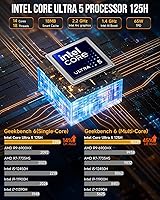
- Processor: Intel Core Ultra 5 125H with 14 cores, 18 threads, and a maximum boost clock of 4.5GHz, built on Intel's 2024 Meteor Lake architecture.
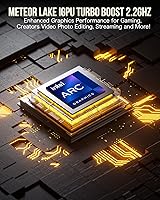
- Graphics: Intel Arc 112EU integrated GPU featuring 8 Xe cores running at up to 2.2GHz, with support for DirectX 12 and hardware ray tracing.
- Memory: 32GB DDR5 RAM at 5600MHz in dual-channel configuration across two user-accessible SO-DIMM slots, expandable up to 96GB.
- Storage: 1TB PCIe 4.0 NVMe M.2 2280 SSD installed, with a second M.2 slot supporting an additional drive up to 2TB for a maximum of 4TB total.
- Display Output: Three simultaneous outputs supported: HDMI 2.0 at 4K@60Hz, DisplayPort at 4K@144Hz, and USB4 Type-C at up to 8K@60Hz with a compatible display.
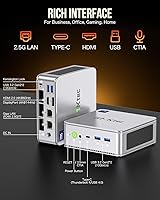
- Wired Networking: Two independent 2.5Gbps RJ45 LAN ports enable link aggregation, NAS hosting, or soft-router configurations without any additional hardware.
- Wireless: Wi-Fi 6 covers both 2.4GHz and 5GHz bands for faster wireless throughput, paired with Bluetooth 5.2 for stable peripheral connections.
- USB Ports: Five USB ports total: two USB 3.2 Gen2 at 10Gbps, two USB 3.2 Gen1 at 5Gbps, and one USB4 Type-C port with up to 40Gbps transfer speed.
- Dimensions: The chassis measures 5.07 x 5.0 x 1.88 inches, keeping the total footprint smaller than most hardcover books.
- Power Supply: Ships with a 120W external adapter rated at 19V and 6.32A, accepting universal 100–240V AC input for worldwide compatibility.
- Cooling: Dual active cooling fans manage thermal output under load, with an operating temperature range of -10°C to 45°C.
- Operating System: Windows 11 Pro comes pre-installed and pre-activated, with no additional license purchase required out of the box.
- AI Acceleration: An Intel AI Boost NPU is integrated into the chip and can be toggled on or off in BIOS, with software support for OpenVINO, ONNX Runtime, DirectML, and WindowsML.
- Audio: A single 3.5mm combo jack on the chassis supports both headphone output and microphone input simultaneously.
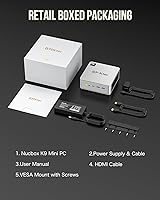
- In the Box: Package includes the mini PC unit, 120W power adapter, HDMI cable, VESA mount with screws, and a printed user manual.
Related Reviews
GMKtec Nucbox M6 32GB/1TB Mini PC
GMKtec Nucbox G3 Plus N150 Mini PC
GMKtec Nucbox G2 Plus Mini PC Intel N150 12GB RAM 256GB SSD
GMKtec Nucbox G10 Ryzen 5 Mini PC
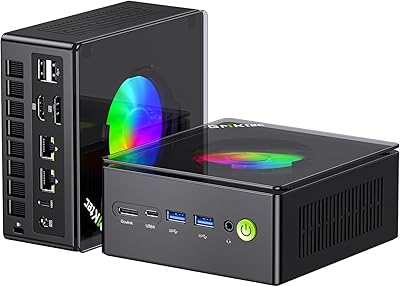
GMKtec Nucbox K11 (Ryzen 9 8945HS, 32GB, 2TB)
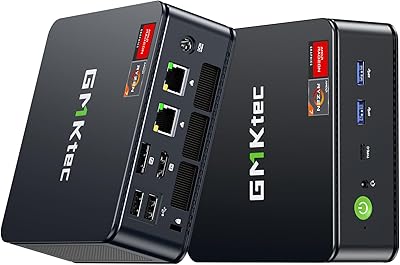
GMKtec NucBox M5 Ultra Mini PC
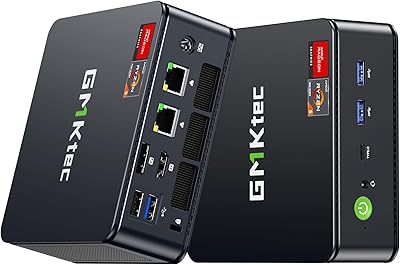
GMKtec Nucbox K6 Mini Gaming PC AMD Ryzen 7 7840HS 1TB SSD 16GB RAM
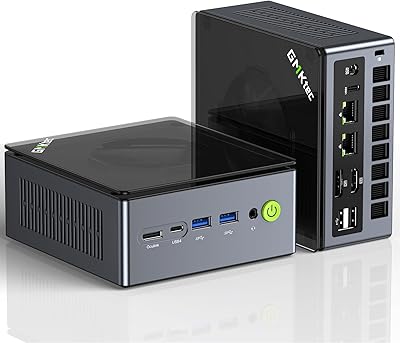
GMKtec NucBox M7 (32GB/2TB)
GMKtec G9 Plus Mini PC NAS