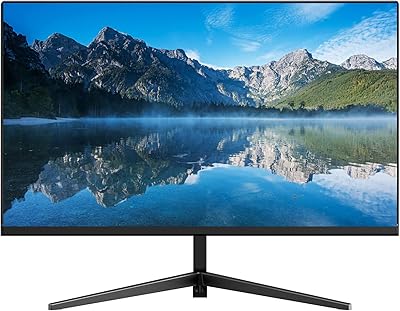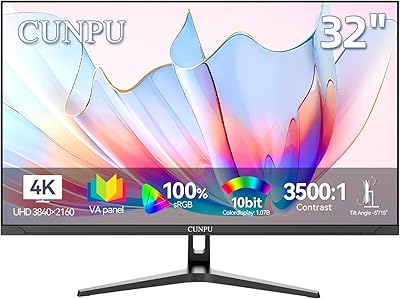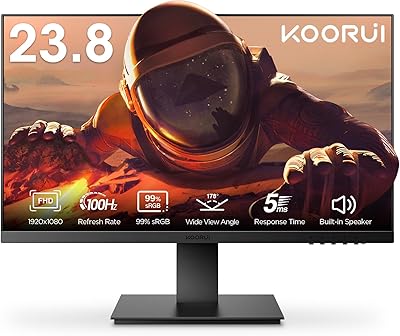
Overview

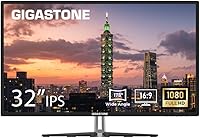
The Gigastone LM-32FA51 32-inch FHD Monitor is a curious entry into the crowded budget display market — curious because Gigastone built its reputation on flash storage and accessories, not screens. That context matters. This large-screen budget monitor arrives backed by a three-year warranty and round-the-clock customer support, which is genuinely uncommon at this price tier. Manufactured by BOEVT in Hong Kong under the Gigastone label, it targets everyday users who want real screen real estate without spending serious money. Since its mid-2024 launch, it has steadily climbed the Amazon monitor rankings, which suggests it is doing something right for its intended audience.

Features & Benefits

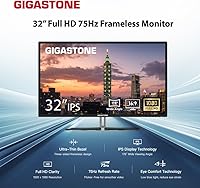
The IPS panel here is the headline feature, and it earns that status. Colors stay accurate whether you are sitting directly in front or catching glances from a sharp angle — that wide viewing cone makes a real difference in shared workspaces. The 75Hz refresh rate is a modest but genuine step up from the 60Hz panels that still dominate this category, and the 5ms response keeps motion reasonably crisp during fast-scrolling or casual play. Eye care technology — low blue light combined with flicker-free backlighting — is worth taking seriously if you spend six-plus hours daily at a desk. Dual HDMI and VGA inputs plus VESA mount compatibility round out a practical, no-frills feature set.

Best For

This IPS monitor makes the most sense for remote workers, students, and home office users who want a large canvas for documents, video calls, and casual browsing without committing to a high-end price. If your desktop or laptop still sports a VGA output, the dual-input setup means you do not need an adapter or a new machine to get up and running. Casual gamers who primarily play strategy titles, RPGs, or anything that does not demand sub-5ms competitive precision will find it perfectly adequate. The frameless three-sided design is a genuine plus for anyone building a dual-monitor setup — the bezels disappear well enough to make side-by-side use feel cohesive.

User Feedback

Buyers tend to respond positively to the out-of-box color accuracy and the sheer sense of space a 31.5-inch screen provides at this price point. The 75Hz refresh draws consistent praise from people upgrading from older 60Hz panels who notice the difference immediately. On the critical side, a recurring theme involves the stand — some users find it wobbles under pressure and wish for height adjustment beyond the basic tilt. A handful of buyers mention mild IPS glow in dark scenes, which is typical for budget IPS panels. Notably, several reviewers cite the warranty support as a genuine reason they chose this over no-name alternatives, which is a reassuring sign.

Pros

  • Large 31.5-inch IPS screen delivers genuine productivity gains for multitaskers and document-heavy workflows.
  • Consistent colors from nearly any viewing angle make it easy to share your screen with others nearby.
  • The step up to 75Hz is noticeably smoother than the 60Hz panels common at this price point.
  • Low blue light and flicker-free backlighting reduce eye fatigue during long work or study sessions.
  • Three-sided frameless design sits cleanly on a desk and pairs well in dual-monitor arrangements.
  • Both HDMI and VGA inputs mean this IPS monitor works with modern and legacy machines out of the box.
  • VESA mount support gives you the option to move to an arm and reclaim desk space later.
  • A three-year manufacturer warranty is a genuine differentiator in the budget monitor segment.
  • Out-of-box color accuracy earns consistent praise from buyers who expect to spend time calibrating.
  • 300 cd/m² brightness holds up well under normal indoor lighting without looking washed out.

Cons

  • The included stand offers only basic tilt adjustment with no height or swivel range.
  • Stand stability is a recurring complaint, with some users reporting wobble on uneven or lightweight desks.
  • The glossy screen surface picks up reflections in bright rooms or near windows.
  • IPS glow in dark scenes is noticeable, which is a known trade-off at this price range.
  • Gigastone has no established track record in displays, which makes long-term reliability harder to predict.
  • No built-in speakers, so you will need external audio for video calls or media.
  • At nearly 20 pounds, repositioning this large-screen budget monitor solo is more awkward than expected.
  • The glossy finish is a fingerprint magnet and requires more frequent cleaning than a matte panel.
  • No adaptive sync support limits its usefulness for even casual gaming compared to similarly priced rivals.
  • Color accuracy, while decent out of the box, falls short of what content creators actually need.

Ratings

The Gigastone LM-32FA51 32-inch FHD Monitor scores below were generated by our AI system after analyzing verified global buyer reviews, with spam, bot activity, and incentivized feedback actively filtered out. This large-screen budget monitor earns solid marks in several key areas while showing real weaknesses that are worth knowing before you buy. Both the highlights and the frustrations are reflected honestly in the scores.

Image Quality
77%
23%
Most buyers are pleasantly surprised by how accurate colors look straight out of the box, especially for a monitor at this price point. The IPS panel produces consistent tones across the screen, and everyday content like documents, YouTube, and streaming services looks genuinely good without manual calibration.
Pixel density at this screen size is noticeably lower than on smaller 1080p panels, and users with sharp eyes sitting close to the display sometimes find text slightly soft. IPS glow in dark scenes is a recurring complaint, particularly during late-night movie watching in dim rooms.
Eye Comfort
83%
The combination of flicker-free backlighting and low blue light filtering makes a real difference for users who log six or more hours daily in front of a screen. Remote workers and students consistently highlight that eye fatigue reduced noticeably after switching to this IPS monitor from older displays without these features.
The eye care mode does shift colors toward a warmer tone, which some users find unnatural for photo viewing or design work. A few buyers also note that the glossy panel surface reflects overhead lighting in ways that partly undermine the benefit of the anti-flicker technology.
Value for Money
88%
Getting a 31.5-inch IPS display with a three-year warranty at this price bracket is genuinely hard to match, and buyers frequently cite the sheer screen size relative to cost as the deciding factor. The inclusion of both HDMI and VGA inputs adds practical value for users with older hardware who would otherwise need to budget for adapters.
A handful of buyers feel the build quality does not fully justify the asking price when compared to refurbished monitors from established brands available at similar cost. The stock stand in particular feels like a cost-cutting measure that slightly undercuts the overall value proposition.
Stand & Ergonomics
51%
49%
The stand does its basic job of holding the display upright at a usable height, and the tilt adjustment, while limited, covers the range most users need for a standard desk setup. For buyers who plan to swap immediately to a VESA monitor arm, the included stand is simply irrelevant.
Wobble is the most commonly flagged complaint across user reviews — the stand lacks the stability expected at this price, and nudging the desk can send the screen shaking. There is no height, swivel, or pivot adjustment, which is a real daily frustration for users who cannot achieve a comfortable viewing position with tilt alone.
Build Quality
62%
38%
The frameless three-sided design gives the monitor a cleaner, more modern look than competing budget panels with thick bezels, and the overall aesthetic holds up well on a desk. The panel itself feels adequately constructed, and there are no widespread reports of structural failure or cracking under normal use.
The plastic chassis feels hollow in places and lacks the reassuring solidity of monitors from established display manufacturers. Several buyers describe the build as feeling noticeably budget-grade when handling it during setup, and the rear panel in particular attracts criticism for its insubstantial feel.
Refresh & Responsiveness
74%
26%
The step up to 75Hz is genuinely perceptible when scrolling through long documents or watching fast-paced video content, and buyers upgrading from 60Hz panels consistently report that the difference is noticeable within the first few hours of use. Casual gamers playing strategy, RPG, or indie titles find the performance more than adequate.
Competitive or fast-paced gamers will quickly hit the ceiling here — there is no adaptive sync support, and the 75Hz ceiling becomes a real limitation in titles that benefit from higher frame rates. Motion in very fast action sequences can exhibit light ghosting, which is typical for a panel in this performance class.
Brightness & Visibility
72%
28%
In a typical home office or study environment with controlled lighting, the display holds up well without appearing washed out or dim. For video calls and document work under moderate ambient light, the brightness level is consistent and comfortable throughout the day.
In bright rooms with direct natural light, the glossy surface and modest peak brightness combine to make reflections a genuine problem. Users working near windows on sunny days frequently report that they need to reposition the monitor or close blinds to maintain a usable image.
Color Accuracy
76%
24%
For general consumer use, color reproduction is reliable enough that most buyers do not feel the need to dig into monitor settings after unboxing. Streaming content, casual photo browsing, and video calls all look natural and well-balanced without any obvious color bias.
Gigastone does not publish detailed color gamut or delta E specifications, and professional users testing the display against calibrated references find it falls noticeably short for color-critical work. The glossy finish also adds perceived saturation that can make colors look punchier than they actually are.
Connectivity
86%
Having both HDMI and VGA on the same monitor is a practical advantage that eliminates the need for adapters in mixed-device households or offices. Switching between two connected sources is straightforward through the on-screen menu, which buyers with dual setups appreciate.
There is no DisplayPort input, which limits options for users with higher-end graphics cards or workstations that rely on DP for higher bandwidth. The absence of USB ports or a built-in hub is a minor but real inconvenience for users accustomed to monitors that double as desk connectivity hubs.
Setup & Installation
91%
Assembly is consistently described as one of the smoothest parts of the ownership experience, with most buyers completing stand attachment and initial connection in under ten minutes. The on-screen display menu is straightforward, and the monitor is detected immediately by both Windows and macOS without driver installation.
The physical cable management options are minimal, leaving wires exposed at the back of the stand in a way that looks untidy on an open desk. The included documentation is brief, which is fine for most users but can leave first-time monitor buyers without enough guidance for optimal display settings.
Warranty & Support
84%
A three-year manufacturer warranty with 24/7 global customer support is a meaningful differentiator in the budget monitor segment, where most competitors offer one year or less. Buyers who have engaged with Gigastone support report reasonably responsive service, and the warranty terms read clearly without excessive fine print.
Gigastone is not yet an established name in displays, so some buyers feel uncertain about long-term parts availability and whether the warranty will hold up as reliably as it would with a brand that has decades of monitor support history. Response times for support inquiries can vary significantly depending on geographic region.
Multi-Monitor Suitability
79%
21%
The three-sided frameless design minimizes the visual gap between paired panels, and the VESA compatibility means users can align two of these displays on a dual-arm mount for a tidy, symmetrical setup. Several buyers specifically purchased this as a second monitor to match an existing display and found the bezel gap acceptable.
Slight variations in panel brightness uniformity between units can make exact color matching across two displays difficult without manual adjustment. The lack of height or swivel control on the stand also makes physical alignment between two monitors more finicky than it needs to be.
Packaging & Unboxing
81%
19%
The monitor arrives well-protected with form-fitted foam inserts, and buyers report that units arrive undamaged even after long-distance shipping. Everything needed for basic setup is included in the box, and the packaging does not feel wasteful or excessive.
Some users note that the included HDMI cable is short and of modest quality, requiring an immediate upgrade for cleaner desk cable routing. A few buyers also mention that the packaging, while protective, is bulky and difficult to store if you want to keep it for a potential return or move.

Suitable for:

The Gigastone LM-32FA51 32-inch FHD Monitor is a solid fit for home office workers, remote employees, and students who want a genuinely large screen without stretching their budget to breaking point. If you spend most of your day in documents, spreadsheets, video calls, or browser-heavy research, the extra screen real estate at this size makes a noticeable difference in how much you can see at once. The IPS panel keeps colors consistent whether you are sitting squarely in front or at an angle, which matters in shared spaces or when someone else is glancing at your screen. Users still running older desktops with VGA outputs will appreciate that they do not need to buy an adapter or upgrade their machine just to connect. The three-year warranty and responsive customer support also make this a reasonable choice for anyone who wants a degree of purchase security that most no-name budget displays simply do not offer.

Not suitable for:

The Gigastone LM-32FA51 32-inch FHD Monitor is not the right tool for competitive or fast-paced gaming. The 75Hz refresh rate and 5ms response are perfectly fine for casual play, but if you are into first-person shooters, racing titles, or any genre where every millisecond of input lag matters, you will want a monitor purpose-built for that workload. Creative professionals who depend on precise color grading, photo editing, or video production should also look elsewhere — the glossy panel and budget-tier calibration are not designed for color-critical workflows. If you need height, swivel, or pivot adjustments for ergonomic comfort, the limited stand will likely frustrate you over time. And buyers expecting the panel uniformity and build quality of established display brands like LG or Dell should calibrate expectations accordingly; Gigastone is still proving itself in this category.

Specifications

  • Screen Size: The panel measures 31.5 inches diagonally, offering a noticeably large workspace compared to the 24-inch and 27-inch monitors that dominate this price range.
  • Resolution: Native resolution is 1920x1080 (Full HD), which delivers sharp text and clear imagery at typical desk viewing distances for this screen size.
  • Panel Type: IPS (In-Plane Switching) technology ensures consistent color reproduction and accurate tones across the entire display surface.
  • Refresh Rate: The display runs at 75Hz, providing smoother motion than standard 60Hz panels during scrolling, video playback, and casual gaming.
  • Response Time: Rated at 5ms, the panel handles motion well enough for everyday tasks and non-competitive gaming without significant ghosting.
  • Viewing Angle: Horizontal and vertical viewing angles both reach 178 degrees, meaning colors remain accurate from nearly any position in front of the screen.
  • Brightness: Peak brightness is rated at 300 cd/m², which is adequate for most indoor environments with controlled or moderate ambient lighting.
  • Aspect Ratio: The display uses a standard 16:9 widescreen aspect ratio, compatible with virtually all modern content formats and operating systems.
  • Screen Surface: The panel features a glossy finish, which enhances color vibrancy but can produce reflections in brightly lit rooms or near windows.
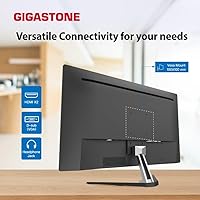
  • Connectivity: Input options include one HDMI port and one VGA port, covering both modern and legacy device connections without requiring an adapter.
  • VESA Mount: The monitor is VESA-compatible, allowing it to be mounted on a third-party monitor arm or wall bracket for improved ergonomic positioning.
  • Stand Adjustment: The included stand supports tilt adjustment only; height, swivel, and pivot adjustments are not available with the stock stand.
  • Eye Care: Built-in low blue light filtering and flicker-free backlighting work together to reduce eye strain during prolonged screen use.
  • Frameless Design: Three sides of the monitor feature an ultra-thin bezel, making it visually clean on a desk and practical for side-by-side multi-monitor configurations.
  • Dimensions: With stand, the monitor measures approximately 28.62 inches wide, 19.69 inches tall, and 8.52 inches deep.
  • Weight: The complete unit with stand weighs 19.01 pounds, which is typical for a monitor of this screen size and build class.
  • Model Number: The official model identifier is LM-32FA51, manufactured by BOEVT (Hong Kong) Co., Limited under the Gigastone brand.
  • Warranty: Gigastone provides a three-year manufacturer warranty alongside 24/7 worldwide customer support for this display.

Related Reviews
Real HD LED-32A 32-inch Security Monitor
75%
88%
Image Clarity
91%
Connectivity & Compatibility
74%
Build Quality
86%
24/7 Continuous Operation
92%
Ease of Setup
More
LG 32SR50F-B 32-inch Smart Monitor
72%
88%
Smart Platform (webOS)
77%
Picture Quality
82%
Value for Money
91%
Apple Ecosystem Integration
86%
Setup & Ease of Use
More
Samsung M50D 32-Inch FHD Smart Monitor
74%
88%
Smart TV Experience
58%
Image Sharpness
91%
Setup & Ease of Use
73%
Gaming Hub Value
83%
Samsung Ecosystem Integration
More
Gigastone LM-24FF2 24-inch IPS LED Monitor
84%
91%
Display Quality
87%
Ease of Setup
89%
Color Accuracy
85%
Ergonomics
92%
Value for Money
More
Gigastone LM-27FF51 27-Inch IPS Monitor

74%
82%
Image Clarity
54%
Brightness & Glare
76%
Color Accuracy
78%
Refresh Rate & Motion
71%
Build Quality
More
Gawfolk GF320D 32-inch Curved Gaming Monitor
72%
83%
Value for Money
76%
Image Quality
81%
Refresh Rate Performance
54%
Brightness & Visibility
79%
Contrast & Black Levels
More
Gawfolk GF320F 32-Inch 4K UHD Monitor
72%
88%
Image Clarity
83%
Contrast & Color Depth
51%
Brightness
74%
Color Accuracy
81%
Viewing Angle
More
KOORUI G3221SC 32″ Curved QHD Gaming Monitor
69%
83%
Picture Quality
81%
Gaming Performance
86%
Value for Money
41%
HDR Performance
67%
Color Accuracy
More
CRUA CR320C 32″ Curved 4K Monitor
73%
91%
Image Sharpness
78%
Color Accuracy
88%
Contrast & Black Levels
84%
Curvature & Immersion
67%
Refresh Rate & Smoothness
More
Samsung SR35 27-inch FHD Monitor
74%
88%
Value for Money
74%
Image Quality
86%
Eye Comfort
81%
Build Quality
52%
Stand & Ergonomics
More

FAQ

Yes, it does. The Gigastone 32-inch display includes both an HDMI and a VGA input, so you can connect it directly to older desktops or laptops without needing a separate adapter. That dual-input setup is one of the more practical features at this price point.

Low blue light filtering and flicker-free backlighting are real technologies with measurable impact, and this IPS monitor includes both. That said, no monitor feature completely eliminates eye fatigue on its own — taking regular breaks and adjusting room lighting still matters. Most users who enable the eye care mode report less strain during long sessions compared to monitors without it.

The jump from 60Hz to 75Hz is subtle but real. Scrolling through web pages and documents feels a touch smoother, and motion in videos looks a bit more fluid. It is not the dramatic difference you get going from 60Hz to 144Hz, but buyers who switch from older 60Hz panels tend to notice it within the first day.

Yes, the monitor is VESA-compatible, so you can attach it to any standard monitor arm or wall mount. If the limited tilt-only stand frustrates you ergonomically, swapping to an arm is a straightforward upgrade and a good way to get height and swivel adjustability that the stock stand does not offer.

It depends on your setup. If your desk faces a window or sits under bright overhead lighting, the glossy finish will produce reflections that can be distracting. In a room where you control the lighting or position the monitor away from direct light sources, it is generally fine and actually makes colors look richer than a matte panel would.

It handles casual gaming perfectly well. The 75Hz refresh and 5ms response are enough for strategy games, RPGs, platformers, and most story-driven titles. Where it falls short is competitive or fast-paced gaming — if you play first-person shooters or racing games at high frame rates, you will want a monitor with a higher refresh rate and adaptive sync support.

No, it does not. If you need audio for video calls, streaming, or gaming, you will need to connect external speakers or headphones through your computer or a separate audio device.

Gigastone offers a three-year warranty with 24/7 global customer support, which is genuinely above average for a budget display. Several buyers specifically mention the warranty as a deciding factor when choosing this over cheaper no-name alternatives. Real-world experiences with the support team have generally been positive, though response times can vary depending on your region.

At a normal desk viewing distance of two to three feet, 1080p on a 31.5-inch screen is acceptable but not razor-sharp. Text and UI elements look fine for productivity work, but if you sit very close or have sharp eyes, you may notice the pixel density is lower than on a smaller 1080p monitor. For the intended use cases — documents, browsing, video — most users do not find it a problem.

Assembly is straightforward. The stand attaches to the panel with a few screws, and the whole process typically takes under ten minutes. Connecting via HDMI or VGA and adjusting basic display settings through the on-screen menu is simple enough that you do not need any technical experience to get up and running.