Overview

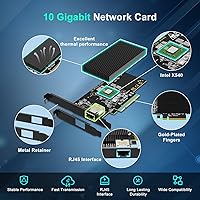
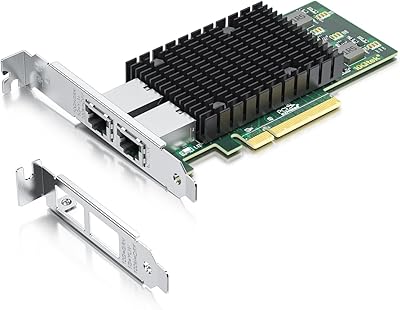
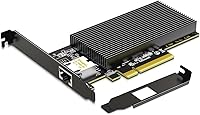
The GigaPlus X540-1T 10GbE PCIe Network Card is a straightforward copper 10Gbps upgrade built around the well-regarded Intel X540 controller, a chip that has earned its reputation in both enterprise and prosumer networking circles. It slots into PCIe x8 or x16 lanes, so compatibility with most modern motherboards is rarely an issue. Both a standard and a low-profile bracket are included in the box, which is a practical touch for anyone working with smaller chassis. One hard limit to call out early: Mac OS is not supported. If you are on macOS, stop here — this card simply will not work for you.
Features & Benefits

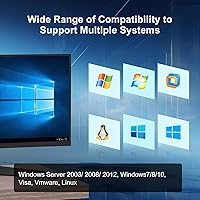
At its core, the X540-based NIC auto-negotiates across 100Mbps, 1Gbps, and 10Gbps, so it does not force you to rip out your existing infrastructure overnight. The PCIe 2.0 x8 interface keeps latency low, which matters in storage-heavy or virtualization workloads where your CPU and NIC are in constant conversation. Driver setup is handled via a QR code pointing to the manufacturer site — not the most polished experience, but functional enough for most users. OS coverage is broad: Windows 7 through 11, several Windows Server generations, Linux, and VMware ESX/ESXi are all listed as supported. Wake-on-LAN is absent, worth noting for remote-management setups.

Best For

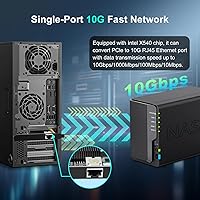
This PCIe Ethernet adapter lands well for home lab builders who want to push real 10Gbps speeds between a NAS and a workstation without paying for SFP+ switches and transceivers. SMB server admins running tight budgets will also find it a reasonable fit, particularly for VMware ESXi or Proxmox hosts where the X540 has solid community driver support. The included low-profile bracket makes it a workable choice for SFF and mini-tower builds — a detail many competing cards ignore. It is not an enterprise-grade card and should not be treated as one, but for home or small-office copper 10GbE, it covers the basics competently.

User Feedback

The card carries a 3.6 out of 5 rating, which is notably below average for this product category and deserves honest attention. Positive reviewers tend to highlight successful installs on Linux and ESXi, along with stable throughput once the card is properly configured. On the other side, a portion of buyers report driver friction, particularly on less common OS versions, and a handful mention compatibility issues with specific motherboard chipsets. A few DOA complaints surface as well — not alarming in isolation, but worth pairing with the return policy before buying. GigaPlus advertises lifetime technical support, though real-world responsiveness from the support team appears inconsistent based on available feedback.

Pros

  • Intel X540 controller delivers stable, real-world 10Gbps speeds on compatible hardware without exotic infrastructure.
  • Both standard and low-profile brackets are included, making it usable across a wider range of chassis types.
  • Auto-negotiation across 100Mbps, 1Gbps, and 10Gbps means you are not forced into an all-or-nothing network upgrade.
  • Works cleanly with VMware ESXi and Proxmox, backed by strong community driver support for both platforms.
  • RJ45 copper connectivity avoids the switch and transceiver costs that come with SFP+ alternatives.
  • Driver setup via QR code is quick enough for most mainstream Windows and Linux installs.
  • Broad OS support list covers everything from Windows 7 to current Server editions and major Linux distros.
  • For NAS-to-workstation file transfers, users report a noticeable and satisfying jump over their previous gigabit connection.
  • Manufacturer states lifetime technical support, which at least provides a stated point of contact post-purchase.

Cons

  • Driver compatibility on older ESXi versions or non-mainstream Linux kernels is inconsistent and poorly documented.
  • A recurring pattern of DOA unit reports points to quality control issues at the manufacturing level.
  • The card runs hot under sustained load, with no heatsink included to manage thermals in always-on environments.
  • Customer support responsiveness falls short of the lifetime support promise, based on real buyer experiences.
  • Wake-on-LAN is absent, which rules it out for remote management and energy-saving server configurations.
  • Certain older or budget motherboard chipsets cause detection issues that are difficult to diagnose without prior networking experience.
  • The manufacturer website is not well-organized, making it harder than it should be to find the right driver version.
  • Mac OS buyers are completely locked out, yet this is not always obvious until after the purchase.
  • Build quality and PCB finish feel inconsistent across units, suggesting batch-level variation in component sourcing.

Ratings

The scores below reflect an AI-driven analysis of verified global buyer reviews for the GigaPlus X540-1T 10GbE PCIe Network Card, with spam, incentivized, and bot-generated feedback actively filtered out before scoring. Ratings are calibrated to surface both what this card genuinely does well and where real buyers have run into friction — no score has been softened to flatter the product.

Throughput Performance
78%
22%
Users who got the card running cleanly on compatible hardware consistently report stable 10Gbps link speeds, with no meaningful bottlenecking on NAS-to-workstation transfers. The Intel X540 controller carries a strong track record in this regard, and buyers in home lab setups noticed a real-world difference versus their old gigabit connections.
A subset of buyers report that sustained throughput under heavier virtualization loads occasionally dips, and a few noted the card runs noticeably warm during prolonged high-traffic sessions, which raises some longer-term reliability questions.
Driver Installation & Setup
61%
39%
On mainstream Windows 10, Windows 11, and mainstream Linux distros, the QR-code-linked driver process is quick enough for most users to get up and running in under 20 minutes. ESXi users with matching version support also report relatively painless installs.
This is where the card loses the most goodwill. Buyers on older Windows Server editions, non-mainstream Linux kernels, or slightly older ESXi versions frequently hit driver compatibility walls. The QR code approach also means you are dependent on the manufacturer keeping that link alive.
OS Compatibility Breadth
71%
29%
The listed OS support — spanning Windows 7 through 11, several Server generations, Linux, and VMware ESX/ESXi — is genuinely broad for a card at this price tier. Proxmox users in particular report solid community driver availability that fills gaps the manufacturer does not officially cover.
Mac OS is a hard no, and that trips up more buyers than expected given how common macOS is in prosumer and creative-professional workstation builds. There is also no guarantee that all listed OS versions receive equal driver quality — some feel like afterthoughts.
Motherboard Compatibility
67%
33%
The PCIe x8 electrical interface running in x16 slots works cleanly on most mid-range to high-end consumer and server motherboards. Buyers using mainstream Intel and AMD platforms in the last five to seven years generally report no slot recognition issues.
A recurring thread in negative reviews points to compatibility headaches on certain older chipsets and a handful of budget motherboards where the card is detected inconsistently or not at all. This is not universal, but it is frequent enough to warrant checking your board specs before buying.
Build & Component Quality
66%
34%
The card feels reasonably solid in hand for its price tier, and the Intel X540 controller chip itself is an established component — not a no-name solution. Buyers who have handled more expensive NICs note it does not feel cheap, even if it is clearly not premium.
There are enough DOA unit reports to suggest quality control is inconsistent at the batch level. A few buyers also flagged that the PCB finish and capacitor placement look less refined than competing cards at a similar price point from more established networking brands.
Low-Profile Bracket Inclusion
84%
Including both a standard and a low-profile bracket in the box is a practical detail that a surprising number of competing cards skip. SFF and mini-tower builders specifically call this out as a purchase decision factor, since sourcing a separate low-profile bracket later is an unnecessary hassle.
A small number of buyers found the low-profile bracket fit slightly loose on their specific chassis, requiring minor adjustment. The bracket material itself is functional but not particularly robust — fine for a static install, less reassuring if the card is being moved between test rigs regularly.
Value for Money
72%
28%
For home lab users and cost-conscious SMB admins, the price-to-performance ratio is defensible, particularly when the alternative is a pricier Intel or Mellanox card. Getting 10GbE over copper RJ45 without needing SFP+ infrastructure is a legitimate money-saver for the right buyer.
The 3.6 out of 5 average rating does erode the value argument somewhat — if you factor in the risk of driver headaches or a DOA unit requiring a return, the real cost of ownership climbs. Buyers who value reliability over initial outlay may find the math less favorable.
Heat Management
58%
42%
Under light to moderate network loads — typical for a home NAS connection or occasional large file transfers — the card operates without triggering any obvious thermal complaints. The X540 controller handles casual workloads without needing active cooling.
Under sustained high-throughput workloads, particularly in servers running 24/7, the card gets noticeably hot. There is no heatsink included, and the passive thermal solution appears marginal for anything resembling continuous enterprise-level usage. A few buyers in always-on environments reported throttling symptoms.
Wake-on-LAN Support
31%
69%
For buyers who do not rely on Wake-on-LAN — which covers most NAS and always-on server use cases — the absence of WoL is a non-issue. The card does everything else it needs to do for those specific workflows.
The lack of Wake-on-LAN is a genuine drawback for remote management setups, home lab users who want to power on machines over the network, or any SMB environment with energy-saving policies in place. It is listed clearly in the specs, but buyers still flag it as a frustrating omission at this price.
Documentation & Packaging
55%
45%
The box includes both brackets and points buyers to driver resources via QR code, which covers the minimum. Users who are already familiar with NIC installations will find enough to get started without needing the manual.
The included documentation is thin. Less experienced buyers report confusion about which driver version to pull for their specific OS, and the manufacturer website is not particularly well-organized for troubleshooting. A clearer printed quick-start guide would reduce a lot of the setup friction reported in negative reviews.
Customer Support Responsiveness
49%
51%
GigaPlus advertises lifetime technical support, which at least signals a stated commitment to standing behind the product. A portion of buyers who reached out for basic setup help report receiving a useful response.
The gap between the lifetime support claim and real-world responsiveness is wide, based on buyer feedback. Multiple reviewers report slow reply times, generic troubleshooting scripts that do not address their specific issue, and in some cases no response at all. The support promise should be treated as aspirational rather than guaranteed.
NAS & Storage Workload Fit
76%
24%
For home NAS users running Synology, QNAP, or a DIY TrueNAS box, this card is a practical copper 10GbE bridge that removes the gigabit bottleneck without requiring a full infrastructure overhaul. Buyers specifically using it for large media library transfers report satisfying real-world speeds.
The card is not designed with enterprise storage arrays in mind, and buyers who pushed it in higher-demand iSCSI or SMB Multichannel environments found stability less predictable than with better-binned alternatives. It is a home-storage solution wearing a server-compatible label.
Virtualization Platform Support
73%
27%
VMware ESXi and Proxmox users make up a vocal segment of satisfied buyers — the X540 has decent community support on both platforms, and when drivers align, the card behaves predictably under VM network load. Several reviewers specifically chose it for this use case.
ESXi version sensitivity is a real concern: buyers on newer ESXi releases sometimes find the native driver support has lagged, requiring manual inbox driver workarounds. This is manageable for experienced admins but a genuine barrier for those newer to virtualization environments.

Suitable for:

The GigaPlus X540-1T 10GbE PCIe Network Card is a practical fit for home lab builders who want to move beyond gigabit speeds without committing to the added cost and complexity of SFP+ infrastructure. If your workflow revolves around large NAS transfers — think media libraries, backup jobs, or virtual machine storage — this card removes the gigabit ceiling in a straightforward copper RJ45 setup. SMB server admins running tight hardware budgets will also find it a reasonable stepping stone, particularly in Windows Server or Linux environments where the Intel X540 controller has solid driver maturity. Virtualization users on VMware ESXi or Proxmox benefit from the strong community support around the X540 chipset, which often compensates for gaps in official driver updates. The included low-profile bracket makes it a genuinely accessible option for SFF and mini-tower builds where many competing cards simply do not fit.
Not suitable for:

The GigaPlus X540-1T 10GbE PCIe Network Card is not the right call for buyers expecting enterprise-grade reliability or mission-critical uptime. If you are on macOS, this card is a hard pass — there is no driver support and no workaround, so do not count on community fixes to change that. Users who depend on Wake-on-LAN for remote power management will need to look elsewhere, as that feature is absent entirely. Anyone running less common OS versions — niche Linux kernels, older ESXi releases, or edge-case Windows Server configurations — faces a real risk of driver friction that can turn a simple install into a troubleshooting project. The 3.6 out of 5 average rating also signals that quality control is inconsistent enough to be a concern for buyers who cannot afford the downtime of a DOA unit or a return process. If your use case demands 24/7 sustained high-throughput with proven thermal headroom, a more established networking brand is worth the added investment.
Specifications

  • Brand: Manufactured and sold under the GigaPlus brand by GiGaPlus.
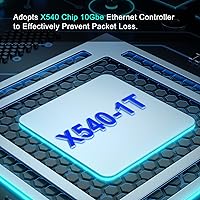
  • Controller Chip: Uses the Intel X540 controller, a proven and widely supported 10GbE chipset in both prosumer and light server deployments.
  • Port Configuration: Features a single RJ45 10GbE port supporting standard Cat6 or Cat6a copper cabling.
  • Data Rates: Auto-negotiates across three speeds: 100Mbps, 1Gbps, and 10Gbps, depending on the connected network infrastructure.
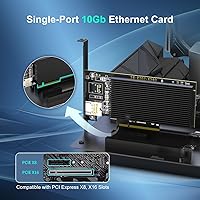
  • PCIe Interface: Runs on a PCIe 2.0 x8 electrical interface, physically compatible with both x8 and x16 motherboard slots.
  • Form Factor: Ships with both a standard full-height bracket and a low-profile bracket to support different chassis types.
  • OS Support: Compatible with Windows 7, 8, 10, and 11, Windows Server 2003 through 2012, Linux, VMware ESX, and ESXi.
  • Unsupported OS: Mac OS is explicitly not supported and no official or community driver path exists for macOS compatibility.
  • Wake-on-LAN: Wake-on-LAN functionality is not supported on this card.
  • Driver Installation: Drivers are accessed via a QR code included in the box or directly from the GigaPlus manufacturer website.
  • Package Dimensions: The retail package measures 8.19 x 5.67 x 1.14 inches.
  • Item Weight: The card weighs 8.4 ounces as packaged.
  • Thermal Solution: No active cooling or heatsink is included; the card relies entirely on passive airflow within the host chassis.
  • UPC: The product UPC is 790885828645.
  • Warranty & Support: GigaPlus states lifetime technical support is provided, though actual responsiveness may vary based on user-reported experiences.
  • Best Sellers Rank: Ranked #160 in Internal Computer Networking Cards on Amazon at time of review.
  • Release Date: First made available for purchase on June 27, 2024.
  • ASIN: The Amazon Standard Identification Number for this product is B0DSW1C6CY.

Related Reviews
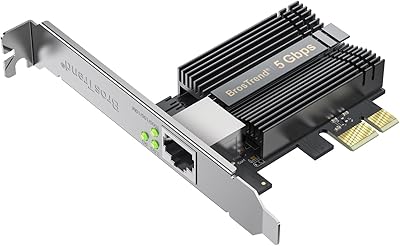
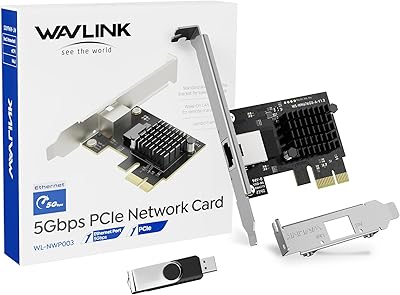
BrosTrend 5Gbps PCIe Network Card
79%
91%
Installation Ease
83%
Real-World Speed Gains
58%
OS & Platform Compatibility
84%
Build & Component Quality
88%
Value for Money
More
WAVLINK 5GB PCIe Network Card
87%
89%
Installation Ease
91%
Performance (Speed)
90%
Value for Money
88%
Compatibility with OS
85%
Build Quality
More
TP-Link TX401 10GbE PCIe Network Card
80%
91%
Installation Ease
88%
Data Transfer Performance
63%
Linux Compatibility
86%
Value for Money
82%
Build Quality
More
StarTech ST1000SPEX2L 1-Port PCIe Network Card
82%
91%
Ease of Installation
88%
Connection Stability
93%
Low-Profile Compatibility
82%
OS & Driver Compatibility
94%
Value for Money
More
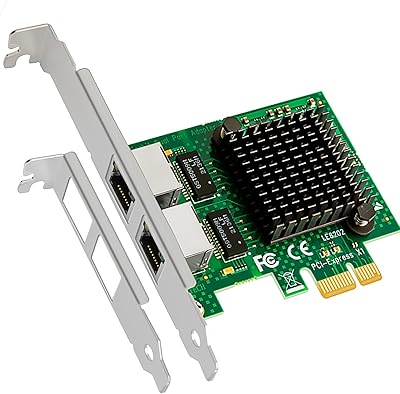
TEROW ROW076 WiFi 6 PCIe Network Card
85%
87%
Performance
90%
Installation Ease
89%
WiFi Speed & Reliability
85%
Bluetooth Connectivity
91%
Gaming Experience
More
WAVLINK WL-WN675X3 WiFi 6E PCIe Network Card
78%
83%
WiFi Performance
67%
6GHz Band Usability
74%
Installation Ease
78%
Bluetooth 5.3 Performance
86%
Antenna Design & Placement
More
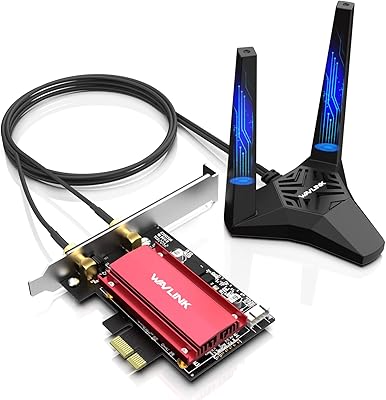
GLOTRENDS LE8202 2-Port Gigabit PCIe Network Card
82%
88%
Driver Compatibility
91%
Ease of Installation
94%
Value for Money
86%
OS & Platform Coverage
79%
Build Quality
More
BrosTrend 2.5G Linux PCIe Network Card
80%
94%
Linux Compatibility
91%
Plug-and-Play Experience
82%
Network Throughput
78%
Build Quality
88%
Value for Money
More
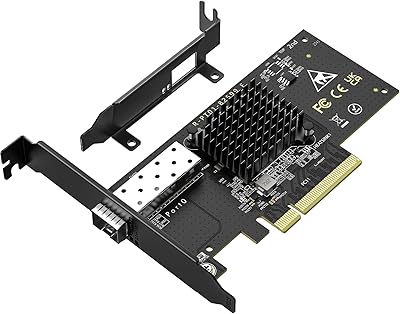
ULANSeN Intel 82576 Dual-Port Gigabit Network Card
81%
91%
Driver Compatibility
84%
Virtualization Support
88%
Value for Money
79%
Throughput Performance
63%
Build Quality
More
TP-Link TX201 2.5G PCIe Network Card
84%
93%
Installation Ease
88%
Transfer Speed Performance
79%
Driver & Software Support
96%
Value for Money
82%
Build & Hardware Quality
More

FAQ

Yes, it will. The card is electrically x8 but fits physically into an x16 slot without any issues. The slot will simply run it at x8 bandwidth, which is more than enough for 10GbE throughput.

You can absolutely connect two machines directly using a standard Cat6 or Cat6a cable — no switch required. This direct-attach copper setup is actually a popular choice in home labs for high-speed NAS-to-workstation connections without any additional hardware cost.

It is not officially listed by GigaPlus, but the Intel X540 controller has strong community driver support on Proxmox. Many users run it successfully on that platform, though you may need to manually install or configure the driver depending on your Proxmox version.

This is a known pain point. The X540-based NIC has native driver support on older ESXi versions, but ESXi 7.x and especially 8.x have removed some legacy inbox drivers. You may need to manually load the ixgbe driver via a VIB package. It is doable, but expect some extra steps if you are on a newer ESXi release.

You will need at least Cat6a for reliable 10Gbps at distances up to 55 meters, or Cat6 for shorter runs up to around 37 meters. Standard Cat5e will not reliably support 10Gbps, so if your existing runs are Cat5e, that is worth addressing before installing the card.

It can, thanks to the included low-profile bracket. You will need to swap the pre-installed full-height bracket for the low-profile one before installing. Just make sure your SFF chassis has a free PCIe x8 or x16 slot, as some very compact builds only offer x1 or x4 slots, which are not compatible.

Yes. The card auto-negotiates down to 1Gbps, so it will function normally on your existing network. You will not see 10Gbps speeds until both ends of the connection — including your switch or the other machine — support 10GbE, but there is no harm in installing it early.

It runs noticeably warm, especially during sustained high-throughput transfers. There is no heatsink on board, so the card depends on decent airflow inside your case. In a well-ventilated desktop or server chassis it should be manageable, but in a cramped or poorly cooled enclosure it can get uncomfortably hot over long sessions.

The box includes a QR code that links to the GigaPlus website where you can download the appropriate driver for your OS. On Windows 10 and 11, the process is fairly quick. On Linux, you may need to compile the driver from source depending on your kernel version. The QR code approach works, but the manufacturer website is not the most intuitively organized, so budget a little extra time if it is your first time installing a NIC driver.

There is a non-trivial number of DOA reports in user reviews, which suggests quality control is not perfectly consistent. It is worth buying from a seller with a straightforward return policy so you are covered if the card is not recognized on first install. Testing it promptly after purchase is a good habit with this one.